1
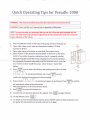
QuickOperatingTips for Versaflo1000
WARNING!ThislV pumpshouldbe usedunderdirectsupervision
of trainedpersonnel.
WARNING!Pleaseread the user'smanual prior to operationof this pump
NOTE:To assureaccuracy,
we recommend
that you usethe lV linesthat werepackaged
with the
pump. AnyotherlV lineusedwill requireadjustments
andyou shouldreferto the usermanualfor
propercalibration
of the lV lines.
1 . P r e s st h e O N / O F F
s w i t c ho n t h e b a c ko f t h e p u m pa n dt u r n t h e p u m po n .
2 . C l o s er o l l e rc l a m po n s e t ,s p i k ea n d h a n gf l u i dc o n t a i n e rF. i l ld r i p
c h a m b e tro f i l l l i n e .
3 . Openrollerclampto fill all the set with fluid.Closerollerclamp.
4 . Openthe door of the pump by pressingdown on the leveron the front.
I n s t a lllV l i n ei n s i d et h e p u m p ,m a k i n gs u r et h a t i t i s p r o p e r l yi n s t a l l e d
throughthe guidesinsidethe pump includingthe Infrared Air Detector,
Up tube guide,fleristaltic
tube guid{ and tiie oicfusionsens6i,and that
y o u r l i n eh a sn o s l a c ki n s i d et h e p u m p . C l o s et h e d o o r . O p e nr o l l e r
clamp.
-
ftr{Ttral
5 . Press
l:ffi1
| ^
i-l
pressor hold
onceto enterthe infusion
ratesettingscreen,
l v l| or |
-
| to setdesired
infusionrate.press
l#lonce
confirmthe desiredrateandjumpto volumesetting.
6. Press
or troldr
ll
o..Fl
to
to setdesired
volume
to beinfused.
Press|llfE8lto
confirm
lsErl
the settingandreturnto the mainscreen.
7. Attachthe infusion
setto vein-puncture
device.
8. HoldlM9Elto primethe infusion
set.
I BOLUS I
9. Connect
thevein-puncture
device
to thepatient.
nress
lffilto
pressm-l
10.Tostopinfusion,
I sroP I
be8ininfusion.
11.To restartor clearthe total infusedvolume,pressON/OFFswitchon backof pumpto turn
the pump off, wait minimum3 seconds,and turn it on again.