1
8
6 Getting Started with T/Mon SLIM
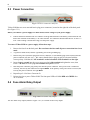
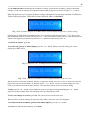
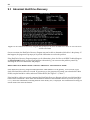
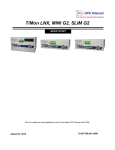
Fig. 6.1. T/Mon SLIM, up, running and ready to go
Once the T/Mon SLIM hardware is fully installed and booted up, your next step is to define your T/Mon SLIM
database and start monitoring. Instructions for using the full T/Mon SLIM software is beyond the scope of this
hardware manual. See the T/MonXM User Manual for documentation on defining the T/Mon SLIM database and
using Monitor Mode.,
Note: The T/MonXM User Manual includes material on T/Mon NOC, IAM-5, IAM and T/MonXM WorkStation
hardware configurations that are not part of T/Mon SLIM. Some optional T/Mon functions require additional
T/Mon Software Modules. To order additional T/Mon Software Modules, call DPS Telecom at 1-800-622-3314.
To define your T/Mon SLIM database or monitor alarms with T/Mon SLIM, you need to connect a PC to the
T/Mon SLIM unit via a serial or LAN connection, using the included T/Mon remote access software. Your
T/Mon SLIM software CDs include two Windows programs for accessing T/Mon SLIM: T/AccessMW and
T/Windows.
T/AccessMW provides direct console access to T/Mon SLIM for full system administrators. With T/AccessMW
you can edit the T/Mon database as well as monitor alarms.
T/Windows provides limited client access for network monitoring personnel, and can only be used when T/Mon
SLIM is in Monitor Mode. T/Windows users cannot change the T/Mon database.
For instructions on starting T/AccessMW, see the following section, Section 6.1, "Connecting a PC to T/Mon
SLIM with T/Access." For more information about remote access to T/Mon SLIM, see the T/AccessMW and
T/Windows documentation.