1
Contents
Visit our website at www.dpstelecom.com for the latest PDF manual and FAQs
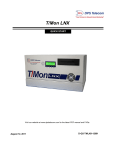
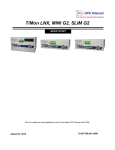
1 TMon SLIM Overview
1
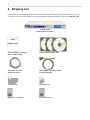
2 Shipping List
2
3 T/Mon SLIM Optional Support Services
3
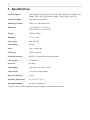
4 Specifications
4
5 Installation
5
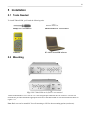
5.1 Tools Needed
5
5.2 Mounting
5
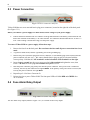
5.3 Power Connection
6
5.4 Fuse Alarm Relay Output
6
5.5 LAN Connection
7
5.6 Data Ports
7
6 Getting Started with T/Mon SLIM
6.1 Connecting a PC to T/Mon SLIM with T/AccessMW
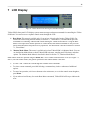
7 LCD Display
8
9
11
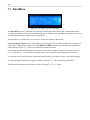
7.1 Boot Menu
12
7.1.1
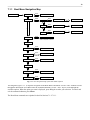
Boot Menu Navigation Map
13
7.1.2
TLink RS232 — Choose Data Port for T/AccessMW Connection
14
7.1.3
IP Add/Gate/Sub — Edit IP Address
14
7.1.4
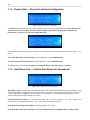
Restore Safe — Revert to Last Good Configuration
16
7.1.5
Hard Drives Fnd — Confirm Hard Drives Are Operational
16
7.1.6
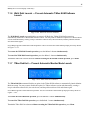
Wshl Dsbl Launch — Prevent Automatic T/Mon SLIM Software Launch
17
7.1.7
TMon Dsbl Init — Prevent Automatic Monitor Mode Launch
17
7.1.8
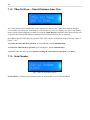
TMon Del Keys — Rebuild Database Index Files
18
7.1.9
Serial Number
18
7.1.10 Resume Boot — Exit Boot Menu and Boot T/Mon SLIM
19
7.1.11 Contrast
19
7.2 Monitor Mode Menu
20
7.3 Other T/Mon Status Messages
22
7.4 W/Shell Status Messages
22
7.5 Hard Drive Recovery Status Messages
22
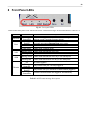
8 Front Panel LEDs
23
9 Troubleshooting
24
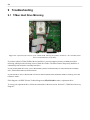
9.1 T/Mon Hard Drive Mirroring
24
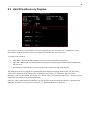
9.2 Hard Drive Recovery Program
25
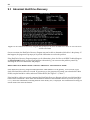
9.3 Abnormal Hard Drive Recovery
26
10 Technical Support
27