1
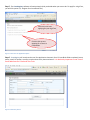
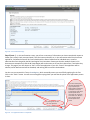
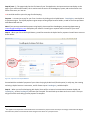
Coach will click “I Approve” or
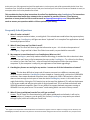
Click “I do NOT Approve”
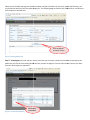
Figure 13 - Test Chair Approval Email
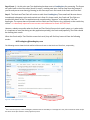
Step 9 (cont…) – When the Coach and Test Chair approve your Test (let’s assume this is the case, we’ll talk
about the “I do NOT approve” case later), they are actually clicking on a link that communicates with the
CoastRegistry system on the Internet. Upon clicking, the Coach and Test Chair will see small messages in their
internet browser stating “Thank you for approving”, or “Thank you, both approvals have now been received”. If
either the Coach or Test Chair clicks on these links more than once, then there will be a message saying
“Thank you, but approval is already complete”. Also, if the “I do NOT approve” link is clicked after the “I
approve link” is clicked, nothing will happen – the Test was already approved from CoastRegistry’s
perspective.
These approvals tell CoastRegistry to proceed with the Test application. In particular, the next steps are;
•
•
The Skater (e.g. you) needs to be notified that the Test Application is Approved
The Skater needs to pay for the approved Test(s).
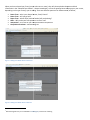
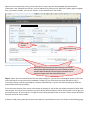
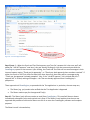
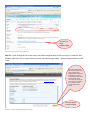
Step 10 – The Skater (you) will now receive an email from CoastRegistry. This email will be sent almost
immediately subsequent to the tasks carried out in Step 9. The Skater’s email explains that the test was
approved and provides a link that the Skater can click to re-enter the CoastRegistry software and complete
payment.
The Skater’s email is shown below;