1
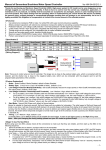
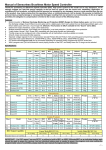
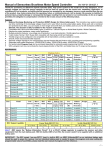
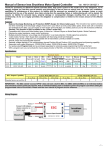
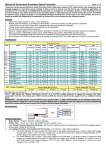
Manual of Sensorless Brushless Motor Speed Controller 3. If a special tone “ ” is emitted after 2 beep tones (beep-beep-), means the ESC has entered the program mode, i.e. the throttle channel of your transmitter is reversed, please set it correctly; If a very rapid “beep-beep-, beep-beep-” tone is emitted, means the input voltage is too low or too high, please check your battery’s voltage. “VERY IMPORTANT!” Because different transmitter has different throttle range, we strongly suggest you using the “Throttle Range Setting Function” to calibrate throttle range. Please read the instruction on page 2------“Throttle Range Setting”. Alert Tone 1. Input voltage abnormal alert tone: The ESC begins to check the voltage of battery pack when power on, if the voltage is not in acceptable range, such an alert tone will be emitted: “beep-beep-, beep-beep-,beep-beep-”( every “beep-beep-” has a time interval about 1 second. ) 2. Throttle signal abnormal alert tone: When the ESC can’t detect the normal throttle signal, such an alert tone will be emitted: “beep-, beep-, beep-”. (Every “beep-” has a time interval about 2 seconds) 3. Throttle stick not at bottom position alert tone: When the throttle stick is not in bottom (lowest) position, a very rapid alert tone will be emitted: “beep-, beep-, beep-”. (Every “beep-” has a time interval about 0.25 second.) Protection Function 1. Start up protection: If the motor failed to start up in 2 seconds while the throttle stick is being moved up, the ESC will cut off the output power. In this case, the throttle stick MUST be moved to bottom again to restart the motor. (Such a situation happens in the following cases: The connection between ESC and motor is not reliable, propeller is blocked, gearbox is damaged, etc.) 2. Over-heat protection: When the temperature of ESC is over 110℃, the ESC will reduce the output power. 3. Throttle signal lost protection: The ESC will reduce output power if throttle signal is lost for 1 second, further lost for totally 2 seconds will cause its output to be cut off. Program example Setting startup mode to “super-soft”, i.e. value #3 in program item #5 1. Enter Program Mode Switch on transmitter, move throttle stick to top, connect battery packs to receiver and ESC, wait for 2 seconds, “beep-beep” tone should be emitted. Then wait another 5 seconds, special tone like “ ”should be emitted, means program mode is entered. 2. Select Programmable Items Now you’ll hear 8 tones in loop. When a long “beep------” tone is emitted, move throttle stick to bottom to enter the “Startup Mode” 3. Set Item Value (Programmable Value) “Beep-”, wait for 3 seconds; “Beep-beep-”, wait for another 3 seconds; then you’ll hear “beep-beep-beep”, move throttle stick to top, ” is emitted, now you have set the “Startup Mode” item to the value of “Super-soft Startup” then a special tone “ 4. Exit Program Mode After the special tone “ ”, move throttle stick to bottom within 2 seconds. Normal startup procedure: Switch on Connect battery pack t r a n s m i t t e r, to ESC, special tone move throttle like “ 123” means stick to bottom power supply is OK Several “beep-” tones When self-test is Ready to go should be emitted, finished, a long flying now presenting the quantity of “beep-----”tone lithium battery cells should be emitted Throttle range setting: (Throttle range should be reset when a new transmitter is being used) Switch on Connect battery “Beep-beep-” tone shou ld b e e m itted, Move throttle stick to the A long “Beep-” tone should bottom, several “beep-” tones be emitted, means throttle t r a n s m i t t e r, pack to ESC, move throttle and wait for highest point has been should be emitted, presenting range lowest point has stick to top about 2 seconds correctly confirmed the quantity of battery cells been correctly confirmed means throttle range -2-