1
Index
PTQ-101M ♦ Quantum Platform
IEC 60870-5-101 Master Communication Module
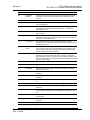
RS-232 • 149
Modem Connection • 150
Null Modem Connection (Hardware Handshaking)
• 150
Null Modem Connection (No Hardware
Handshaking) • 151
RS-232 Configuration/Debug Port • 149
RS-422 • 152
RS-485 • 151
RS-485 and RS-422 Tip • 152
RTS Off • 71
RTS On • 71
S
Sector Configuration Menu • 107
Sector Count • 72
Sector Database Menu • 108
Sector Index • 77
Session Configuration Menu • 106
Session Count • 70
Session Index • 77
Session State • 106
Set Module Time Block (9971) • 139
Set Module's Time Using Processor Time (9971) • 122
Set up Data Memory in Project • 20
Setup the Concept Project • 27
Single Char ACK F0, 1 or 3 • 71
Single Point, Double Point, and Regulating Setup • 78
Skipping 500 Registers of Data • 99
Start Here • 9, 11
Starting the Data Analyzer • 102
Status Block (9250) • 119
Status Data Block (9250) • 132
Stopping the Data Analyzer • 103
Support, Service & Warranty • 9, 169
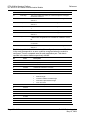
Viewing Data in ASCII (Text) Format • 99, 102
Viewing Data in Decimal Format • 99
Viewing Data in Floating Point Format • 99
Viewing Data in Hexadecimal Format • 99, 102
Viewing Module Configuration • 96
Viewing Port Communication Status • 101
Viewing Port Configuration • 100
Viewing Protocol Configuration • 100
Viewing Register Pages • 98
Viewing the Next 100 Registers of Data • 99
Viewing the Next 50 Commands • 106
Viewing the Next Page of Commands • 106
Viewing the Previous 100 Registers of Data • 99
Viewing the Previous 50 Commands • 105
Viewing the Previous Page of Commands • 106
Viewing Version Information • 24, 97
W
Warm Boot (9998) or Cold Boot (9999) • 122
What Is Covered By This Warranty • 173
What Is Not Covered By This Warranty • 174
Write Register Count • 70
Write Register Start • 69
Y
Your Feedback Please • 3
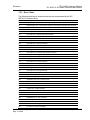
T
Test Command • 83
The Configuration/Debug Menu • 87, 93
Time Limit for Bringing Suit • 175
Transferring the Configuration File from PC to PTQ
module • 97
Transferring the Configuration File from PTQ module
to PC • 97
Transferring the Configuration File to the Module • 90
Transferring the Configuration File to Your PC • 88
U
Unbalanced mode • 145
Un-repairable Units • 172
Uploading and Downloading the Configuration File • 87
Use Balanced Mode • 72
Use Time tag commands • 75
User Constructed Command Block (9901) • 134
Using the Configuration/Debug Port • 95
Using the EVENTFB Function Block • 34, 59
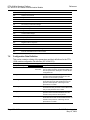
V
Verify Successful Download • 39
Viewing Block Transfer Statistics • 96
ProSoft Technology, Inc.
May 14, 2008
Page 181 of 181