1
3.7 Inventory
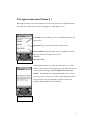
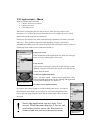
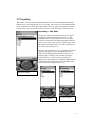
When user selects inventory-option from menu, the screen will display all the items
that the user is carrying (Picture 10). To use item, move the active are (darkened line)
to the item that you want to use and click the Use item –button (button that is under
the use item –text). To go back to the play-screen, click the button under back-text.
Inventory – use item
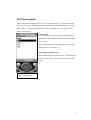
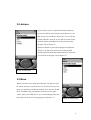
If use item –button is clicked, the next screen that is
displayed is item actions-screen (Picture 12). The
possible actions are send from server, so user must
select one action and click the button under the With
action –text. If you want to select different item click
the button under Back-item –text. This will show the
inventory menu (Picture 10).
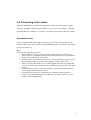
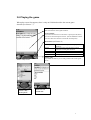
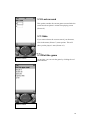
In target screen (Picture 11) you can choose the item’s
target by moving the active are (darkened line) to
target and clicking the button under Target-text. If
Target-button is clicked, you are back to the play
screen (Picture 9). There is also a possibility to
change the wanted action by clicking the Back-actions
–button (button under the text). This will display the
Item actions screen again (Picture 12).
Picture 10 Inventory
Picture 12 actions
Picture 11 Target
8