1
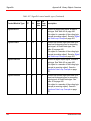
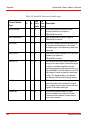
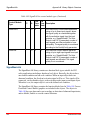
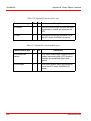
Appendix C Process Graphics 2 Migration Migration of VB Graphics in User Defined Object Types
Appendix C Process Graphics 2 Migration
This appendix contains instructions that describe how users can migrate their
modified graphics created in Visual Basic (VB) to Process Graphics 2 (PG2).
This appendix also contains the updates required in this manual due to the migration
from VB to PG2.
PG2 users must refer to this appendix for the following topics:
•
Migration of VB Graphics in User Defined Object Types on page 641
•
Updates for PG2 on page 645
–
Adding Object to Overview on page 645
–
Connect Faceplate Elements on page 647
–
Edit a Faceplate on page 647
–
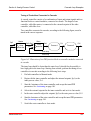
Using a Faceplate in Online Mode on page 654
–
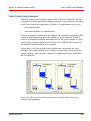
Example for Template Configuration on page 655
VB graphics users need not refer to this appendix.
Migration of VB Graphics in User Defined Object Types
The AC 800M Connect Extension comes with PG2 elements, Faceplate Elements
and Faceplates to all standard libraries.
The user defined copies of the object types in these libraries that are made in VB
cannot be inherited to PG2.
3BSE035981-600
641