1
LAN
69
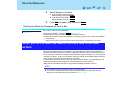
A Display [Device Manager] screen.
Select [Device Manager] in [start] - [Control Panel] - [Performance and
Maintenance] - [System] - [Hardware].
B Select the network adaptor you are using from [Network adapters].
C Select [Advanced].
D Confirm the settings of each item.
Wake up from LAN
This is a function of the internal LAN to automatically power the computer on from a network
server when the computer is in the standby or hibernation mode. To use this function, it is
necessary to have a network environment that accommodates Wake up from LAN.
Enabling the Wake up from LAN Function
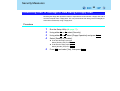
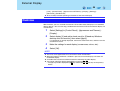
A Select [Device Manager] in [start] - [Control Panel] - [Performance and
Maintenance] - [System] - [Hardware].
B Select the internal network adaptor from [Network adapters].
C Select [Power Management], add the check mark for [Allow the computer to turn
off this device to save power] and [Allow this device to bring the computer out of
standby], then select [OK].
CAUTION
Be sure to connect the AC adaptor, and enable the supply of power.
NOTE
Even when a password is set in the Setup Utility and [Password on boot] is set to
[Enable], it is not necessary to input the password set in the Setup Utility when the
computer resumes from standby or hibernation mode.
The Wake up from LAN function will not operate under the following conditions:
• When the computer has been shut down.
• When the power switch is pressed over for four seconds or longer to turn off the
power (e.g., when the computer hangs).