1
User Manual
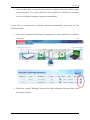
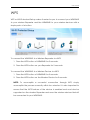
4. Upon redirecting, a window showing the wireless networks within range
would appear. You may close this mini window or choose to connect
to your preferred wireless network immediately.
If you wish to connect to a wireless network immediately you may do the
following steps:
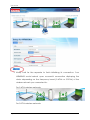
1. Click the connect button that corresponds to the network you want to
connect
to.
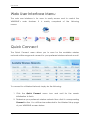
2. Enter the correct Wireless Password of the preferred network then click
the Apply button.
Page 11 of 34