1
User Manual
System Password
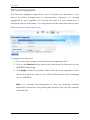
Set a password on the web user interface to prevent other users from getting
access to the web UI and avoid unwanted changes from your settings. To
add a system password, simply type in your preferred password and click on
apply to activate this feature. To disable the password, simply remove the
password and click apply to save your settings.
Note: Forgotten passwords cannot be recovered. Reset the device to
its factory default by pressing the reset button found beside the
Ethernet port of WR600NSI for 5 seconds.
Page 29 of 34