1
1.1
Conventions Used in this Manual
Throughout the document, we use typewriter font for things you see on screen or
in a data file, and bold font for things you should type in. Alternative commands
you could have typed in, but should not type in to follow the tutorial, are also
given in typewriter font.
1.2
Acquiring and Installing MrBayes
MrBayes 3 is distributed without charge by download from the MrBayes web site,
http://mrbayes.net. If someone has given you a copy of MrBayes 3, we strongly
suggest that you download the most recent version from this site. The site also
gives informationabout the MrBayes users email list and describes how you can
report bugs or contribute to the project.
MrBayes 3 is a plain-vanilla program that uses a command line interface and
therefore behaves virtually the same on all platforms - Macintosh, Windows and
Unix. There is a separate download package for each platform. The Macintosh
package contains two versions of the program: the standard serial version, named
MrBayes3.1 (program icon one copy of Reverend Bayes’s portrait), and a version
for running the program in parallel on clusters of Macintoshes, named MrBayes3.1p
(program icon four portraits of Reverend Bayes). For more information on the
parallel Macintosh version of MrBayes, which requires the installation of POOCH,
see section 7 of this user manual. The Windows package only contains the serial
version of the program and is ready to run after unzipping, just like the Macintosh
serial version.
If you decide to run the program under Unix/Linux, then you need to compile
the program from the source code. In the latter case, simply unpack the file
mrbayes3.2 src.tar.gz by typing gunzip MrBayes 3.2 src.tar.gz and then
tar -xf MrBayes 3.2 src.tar . The gunzip command unzips the compressed
file and the tar -xf command extracts all of the files from the .tar archive
that resulted from the unzip operation (note that the .gz suffix is dropped in
the unzip operation). You then need to compile the program. We have included
a “Makefile” that contains compiler instructions producing the serial version of
the program. You simply type make to compile the program according to these
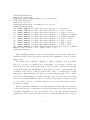
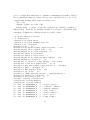
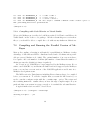
instructions. A typical compile session would look like this:
3