1
Manual revision 017
Section 5: SBE 26 Setup, Installation, and Data Upload - SeatermW
SBE 26
Command Descriptions
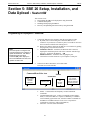
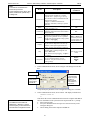
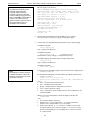
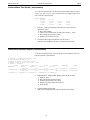
This section describes commands and provides sample outputs.
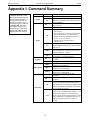
See Appendix I: Command Summary for a summarized command list.
When entering commands:
•
Input commands in upper or lower case letters and register commands by
pressing the Enter key.
•
The SBE 26 sends # if an invalid command is entered.
•
If the system does not return an S> prompt after executing a command,
press the Enter key to get the S> prompt.
•
If a new command is not received within 2 minutes after completion of a
command, the SBE 26 returns to the quiescent (sleep) state and the
display indicates time out.
•
If in quiescent state, re-establish communications by clicking Connect or
pressing the Enter key to get an S> prompt.
•
Commands followed by * alter SBE 26 memory and prompt the user twice
before executing (* is not part of the command). To execute the command,
type y and press the Enter key in response to message Y/N. Then hold
down the Ctrl key and type y, and press the Enter key in response to
are you sure ^Y/N. Any other responses abort the command.
•
The SBE 26 responds only to DS, QS, and QL while logging, and does
not respond at all while making a wave burst measurement. If you wake
up the SBE 26 while it is logging (for example, to send DS to check on
logging progress), it does not interrupt logging. However, the integrated
pressure frequency is incorrect for the interval when the SBE 26 woke up.
•
Use Upload to upload data that will be processed by Seasoft for Waves.
Manually entering a data upload command does not produce
data with the required header information for processing by
Seasoft for Waves.
•
If the SBE 26 is uploading data and you want to stop it, press the
Esc key or click Stop. Press the Enter key to get the S> prompt.
Entries made with the commands are permanently stored in the SBE 26 and
remain in effect until you change them.
•
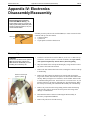
The only exceptions occur if the electronics are removed from the housing
and disconnected from the battery Molex connector (see Appendix IV:
Electronics Disassembly/Reassembly), or the SBE 26’s reset switch is
used (see Section 11: Troubleshooting). Upon reassembly or resetting,
initialize RAM (IR), reset the date and time (ST), and re-enter all the
setup parameters.
26