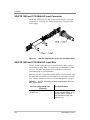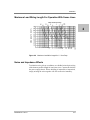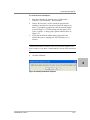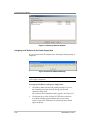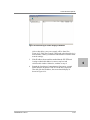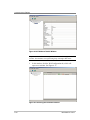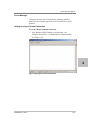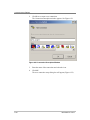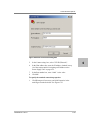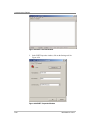
1
PROGRAMMABLE POWER XG and XTR Family Programmable DC Power Supply Operating Manual (firmware v 2.0 and higher) 670 Watts – 1700 Watts Half Rack 6-110 8-100 12-70 20-42 33-25 40-21 60-14 80-10.5 100-8.5 150-5.6 300-2.8 600-1.4 M370430-01 Rev C Full Rack 6 V to 600 V Models: 6-220 6-220 8-187.5 8-200 12.5-120 12-140 20-76 20-84 30-50 33-50 40-38 40-42 60-25 60-28 80-19 80-21 100-15 100-17 150-10 150-11.2 300-5 300-5.6 600-2.6 600-2.8 www.programmablepower.com About AMETEK AMETEK Programmable Power, Inc., a Division of AMETEK, Inc., is a global leader in the design and manufacture of precision, programmable power supplies for R&D, test and measurement, process control, power bus simulation and power conditioning applications across diverse industrial segments. From bench top supplies to rack-mounted industrial power subsystems, AMETEK Programmable Power is the proud manufacturer of Elgar, Sorensen, California Instruments and Power Ten brand power supplies. AMETEK, Inc. is a leading global manufacturer of electronic instruments and electromechanical devices with annualized sales of $2.5 billion. The Company has over 11,000 colleagues working at more than 80 manufacturing facilities and more than 80 sales and service centers in the United States and around the world. Trademarks AMETEK is a registered trademark of AMETEK, Inc. Sorensen is a trademark owned by AMETEK, Inc. Other trademarks, registered trademarks, and product names are the property of their respective owners and are used herein for identification purposes only. Notice of Copyright XG and XTR Family Programmable DC Power Supply Operating Manual (firmware v 2.0 and higher) © 2008-2013 AMETEK Programmable Power, Inc. All rights reserved. Exclusion for Documentation UNLESS SPECIFICALLY AGREED TO IN WRITING, AMETEK PROGRAMMABLE POWER, INC. (“AMETEK”): (a) MAKES NO WARRANTY AS TO THE ACCURACY, SUFFICIENCY OR SUITABILITY OF ANY TECHNICAL OR OTHER INFORMATION PROVIDED IN ITS MANUALS OR OTHER DOCUMENTATION. (b) ASSUMES NO RESPONSIBILITY OR LIABILITY FOR LOSSES, DAMAGES, COSTS OR EXPENSES, WHETHER SPECIAL, DIRECT, INDIRECT, CONSEQUENTIAL OR INCIDENTAL, WHICH MIGHT ARISE OUT OF THE USE OF SUCH INFORMATION. THE USE OF ANY SUCH INFORMATION WILL BE ENTIRELY AT THE USER'S RISK, AND (c) REMINDS YOU THAT IF THIS MANUAL IS IN ANY LANGUAGE OTHER THAN ENGLISH, ALTHOUGH STEPS HAVE BEEN TAKEN TO MAINTAIN THE ACCURACY OF THE TRANSLATION, THE ACCURACY CANNOT BE GUARANTEED. APPROVED AMETEK CONTENT IS CONTAINED WITH THE ENGLISH LANGUAGE VERSION, WHICH IS POSTED AT WWW.PROGRAMMABLEPOWER.COM. Date and Revision November 2013 Revision C Part Number M370430-01 Contact Information Telephone: Fax: Email: Web: 800 733 5427 (toll free in North America) 858 450 0085 (direct) 858 458 0267 [email protected] [email protected] www.programmablepower.com M370430-01 Rev C i Product Family: XG and XTR Family Programmable DC Power Supply Warranty Period: Five Years WARRANTY TERMS AMETEK Programmable Power, Inc. (“AMETEK”), provides this written warranty covering the Product stated above, and if the Buyer discovers and notifies AMETEK in writing of any defect in material or workmanship within the applicable warranty period stated above, then AMETEK may, at its option: repair or replace the Product; or issue a credit note for the defective Product; or provide the Buyer with replacement parts for the Product. The Buyer will, at its expense, return the defective Product or parts thereof to AMETEK in accordance with the return procedure specified below. AMETEK will, at its expense, deliver the repaired or replaced Product or parts to the Buyer. Any warranty of AMETEK will not apply if the Buyer is in default under the Purchase Order Agreement or where the Product or any part thereof: • is damaged by misuse, accident, negligence or failure to maintain the same as specified or required by AMETEK; • is damaged by modifications, alterations or attachments thereto which are not authorized by AMETEK; • is installed or operated contrary to the instructions of AMETEK; • is opened, modified or disassembled in any way without AMETEK's consent; or • is used in combination with items, articles or materials not authorized by AMETEK. The Buyer may not assert any claim that the Products are not in conformity with any warranty until the Buyer has made all payments to AMETEK provided for in the Purchase Order Agreement. PRODUCT RETURN PROCEDURE 1. Request a Return Material Authorization (RMA) number from the repair facility (must be done in the country in which it was purchased): • In the USA, contact the AMETEK Repair Department prior to the return of the product to AMETEK for repair: Telephone: • 2. 800-733-5427, ext. 2295 or ext. 2463 (toll free North America) 858-450-0085, ext. 2295 or ext. 2463 (direct) Outside the United States, contact the nearest Authorized Service Center (ASC). A full listing can be found either through your local distributor or our website, www.programmablepower.com, by clicking Support and going to the Service Centers tab. When requesting an RMA, have the following information ready: • Model number. • Serial number • Description of the problem NOTE: Unauthorized returns will not be accepted and will be returned at the shipper's expense. NOTE: A returned product found upon inspection by AMETEK, to be in specification is subject to an evaluation fee and applicable freight charges. ii M370430-01 Rev C About This Manual (firmware v2.0 and higher) Purpose The Operating Manual provides installation and operating information for the XG and XTR Family Programmable DC Power Supply. Scope The Manual provides safety information, features and specifications, installation procedures, functional test procedures, and operating procedures for both local (front panel) operation and remote operation. The Manual also provides information on the GPIB interface option and LX compliant Ethernet (ENET) interface for models with the MEB and MEA options. Audience The Manual is intended for the user who is familiar with electronic power supplies, Constant Voltage, Constant Current, and/or Constant Power operating modes, and the control of output power. The user should be familiar with practicing safe techniques while making supply or pin connections. Conventions Used The following conventions are used in this guide. WARNING Warnings identify conditions or practices that could result in personal injury or loss of life. CAUTION Cautions identify conditions or practices that could result in damage to the unit or other equipment. Important: Important notes provide information that is important for you to know. They are not as serious as Warnings or Cautions. M370430-01 Rev C iii About This Manual Related Information More information about AMETEK Programmable as well as its products and services, is available at www.programmablepower.com. Acronyms Acronym Definition APG Analog Programming AUX Auxiliary ENET Ethernet FGA Finished Goods Assembly ISOL Isolated Analog Programming OCP Over Current Protection OTP Over Temperature Protection OVP Over Voltage Protection PSU Power Supply Unit TVS Transient Voltage Suppressor UVP Under Voltage Protection Font Conventions This Manual uses the following typographical conventions: 7 Σεγμεντ Command body text iv For display and readback information on the output voltage and current displays. Represents SCPI commands. M370430-01 Rev C Important Safety Instructions WARNING: High energy and high voltage Exercise caution when using a power supply. High energy levels can be stored at the output voltage terminals on a power supply in normal operation. In addition, potentially lethal voltages exist in the power circuit and on the output and sense connectors of a power supply with a rated output greater than 40 V. Filter capacitors store potentially dangerous energy for some time after power is removed. WARNING: Fire hazard Operate the power supply in an environment free of flammable gases or fumes. To ensure that the power supply's safety features are not compromised, use the power supply as specified in this Manual and do not substitute parts or make any unauthorized modifications. If service is necessary, please return the power supply to the Authorized Service Center. See the Warranty on page ii. WARNING: Limitations on use The XG and XTR Family Programmable DC Power Supply is not intended for use in connection with life support systems or other medical equipment or devices. CAUTION: For use as a battery charger When you are using a power supply for battery charging applications, it is essential to provide an appropriately sized fuse or circuit breaker in series between the power supply output and the battery. Installation of a protector (fuse or DC circuit breaker), rated for about 115% of the maximum current rating of the power supply and designed specifically to interrupt the DC voltage of the battery, will provide adequate current protection. Where several power supplies are in parallel, it is best to fuse each power supply rather than use one fuse at the battery. Power Supply Safety Markings M370430-01 Rev C Alternating Current On (Supply) Earth (Ground) Terminal Off (Supply) Protective Conductor Terminal Caution (Check the Manualfor additional information.) v Safety Standard Warnings WARNING: Keep these instructions This chapter contains important safety and operating instructions. Read and keep this Operating Manual for future reference. vi 1. Before installing and using the XG and XTR Family Programmable DC Power Supply, read all instructions and cautionary markings on the instrument and all appropriate sections of this Manual. 2. This instrument is for indoor use only. Do not expose the instrument to moisture. To reduce risk of fire hazard, do not cover or obstruct the ventilation openings. Be sure to install the instrument in a compartment which allows air to reach the ventilation inlets on the front and rear of the unit to prevent overheating. For more information, see “Ventilation” on page 2-4. 3. To avoid a risk of fire and electric shock, make sure that the existing wiring is in good condition and the wire is not undersized. Do not operate the instrument with damaged or substandard wiring. 4. Do not operate the instrument if it has received a sharp blow, been dropped, or otherwise damaged in any way. If the instrument is damaged, see the Warranty on page ii. 5. Do not disassemble the instrument. It contains no user-serviceable parts. See the Warranty on page ii for instructions on obtaining service. Attempting to service the instrument yourself may result in a risk of electrical shock or fire. Internal capacitors remain charged after all power is disconnected. 6. To reduce the risk of electrical shock, disconnect AC power from the instrument before attempting any maintenance or cleaning or working on any circuits connected to the instrument. Turning off controls will not reduce this risk. M370430-01 Rev C Contents 1 INTRODUCTION............................................................................................... 1-1 FEATURES AND OPTIONS .................................................................................... 1-2 XG AND XTR MODELS (FIRMWARE VERSION 2.0 AND HIGHER) .............................. 1-3 FRONT PANEL..................................................................................................... 1-5 Front Panel Display and Controls ........................................................................... 1-6 REAR PANEL CONNECTORS ON 850 WATT MODELS ............................................. 1-7 REAR PANEL CONNECTORS ON 1500 AND 1700 WATT MODELS ............................ 1-9 2 INSTALLATION ................................................................................................ 2-1 BASIC SETUP PROCEDURE .................................................................................. 2-2 STEP 1: INSPECTING AND CLEANING .................................................................... 2-3 Initial Inspection ...................................................................................................... 2-3 Periodic Cleaning .................................................................................................... 2-3 STEP 2: LOCATION AND MOUNTING ..................................................................... 2-4 Rack Mounting ........................................................................................................ 2-4 Purchasing Rack Mount Kits ................................................................................... 2-4 Ventilation ............................................................................................................... 2-4 STEP 3: CONNECTING AC INPUT POWER ............................................................. 2-5 XG/XTR 850 Watt AC Input Connector .................................................................. 2-5 XG/XTR 1500 and 1700 Watt AC Input Connector ................................................ 2-6 XG/XTR 1500 and 1700 Watt AC Input Wire ......................................................... 2-6 XG/XTR 1500 and 1700 Watt AC Input Wire Connection ...................................... 2-7 STEP 4: SELECTING LOAD WIRES ........................................................................ 2-8 Load Wiring ............................................................................................................. 2-8 Insulation Rating ..................................................................................................... 2-8 Current Carrying Capacity ...................................................................................... 2-8 Maximum Load Wiring Length For Operation With Sense Lines ........................... 2-9 Noise and Impedance Effects ................................................................................. 2-9 STEP 5: PERFORMING FUNCTIONAL TESTS ........................................................ 2-10 Powering the Power Supply On/Off ...................................................................... 2-10 Voltage and Current Mode Operation Checks ...................................................... 2-11 STEP 6: CONNECTING LOADS ............................................................................ 2-12 DC Output Connectors ......................................................................................... 2-12 Inductive Loads and Batteries .............................................................................. 2-13 Connecting Single Loads ...................................................................................... 2-14 Connecting Multiple Loads ................................................................................... 2-14 STEP 7: CONNECTING REMOTE SENSING ........................................................... 2-15 M370430-01 Rev C vii Contents 3 LOCAL OPERATION ....................................................................................... 3-1 INTRODUCTION ................................................................................................... 3-2 CONFIGURING SETTINGS FROM THE FRONT PANEL .............................................. 3-2 Using the 9-Position Mode Control ......................................................................... 3-2 Using the Rotary Adjust/Enter Control .................................................................... 3-2 Coarse and Fine Adjustment Modes ...................................................................... 3-3 NAVIGATING THE MENU SYSTEM ......................................................................... 3-5 Setting VOLTS and AMPS Modes .......................................................................... 3-5 Normal Display Mode and Inactivity Timeout ......................................................... 3-7 DISPLAY MESSAGES ON THE FRONT PANEL ......................................................... 3-9 STANDARD (LOCAL) OPERATION........................................................................ 3-12 Operating Modes .................................................................................................. 3-12 Shipped Configuration (Local Operation) ............................................................. 3-17 ENABLING THE OUTPUT..................................................................................... 3-17 ENABLING THE AUXILIARY OUTPUT .................................................................... 3-18 OUTPUT AUTO START MODE (AUTO RESTART) .................................................. 3-18 AUXILIARY AUTO START MODE .......................................................................... 3-19 CONSTANT POWER MODE ................................................................................. 3-19 ALARMS AND ERRORS ....................................................................................... 3-21 Clearing Alarms .................................................................................................... 3-22 Front Panel ALARM LED ...................................................................................... 3-23 Alarm Masking ...................................................................................................... 3-24 Alarm Output Latching .......................................................................................... 3-25 SETTING FOLDBACK MODE................................................................................ 3-26 Resetting Activated Foldback Protection .............................................................. 3-27 USING OVER VOLTAGE PROTECTION (OVP) ...................................................... 3-28 Defining the OVP Set Point .................................................................................. 3-29 USING UNDER VOLTAGE PROTECTION (UVP) .................................................... 3-30 Defining the UVP Set Point ................................................................................... 3-31 OVER CURRENT PROTECTION (OCP) ................................................................ 3-31 USING OVER TEMPERATURE PROTECTION LOCK (OTP) ..................................... 3-32 Defining the OTP Mode ........................................................................................ 3-32 Resetting in Latch Mode ....................................................................................... 3-32 USING THE EXTERNAL SHUTDOWN FUNCTION .................................................... 3-33 Activating the External Shutdown Function .......................................................... 3-33 Controlling the External Shutdown Function ........................................................ 3-33 Defining the Polarity of the External Shutdown Signal ......................................... 3-34 LOOP PROTECTION ........................................................................................... 3-34 Setting up Loop Protection ................................................................................... 3-35 INTERLOCK FUNCTION....................................................................................... 3-36 viii M370430-01 Rev C Contents Defining the Interlock Mode .................................................................................. 3-36 OUTPUT PROTECTION ....................................................................................... 3-36 Programming Voltage Output Preset .................................................................... 3-36 Programming Current Output Preset .................................................................... 3-37 Power On Status Signal ........................................................................................ 3-38 HARDWARE MALFUNCTION ALARMS .................................................................. 3-38 CURRENT CONFIGURATION MEMORY SETTINGS ................................................. 3-39 USER SETTING MEMORY LOCATIONS................................................................. 3-40 Saving User Setting Memory Locations................................................................ 3-40 Recalling User Setting Memory Locations ............................................................ 3-41 LOCAL LOCKOUT ............................................................................................... 3-42 Enabling Local Lockout ......................................................................................... 3-42 Disabling Local Lockout ........................................................................................ 3-42 RESETTING THE POWER SUPPLY ....................................................................... 3-43 USING MULTIPLE POWER SUPPLIES .................................................................. 3-45 Configuring Multiple Supplies for Series Operation .............................................. 3-47 Configuring Multiple Supplies for Current Sharing Operation (APG Method) ...... 3-50 Connecting to the Load in Local Sensing Mode (Parallel Control Method) .......... 3-52 Connecting to the Load in Remote Sensing Mode (Parallel Control Method) ...... 3-53 4 ANALOG PROGRAMMING (APG) AND ISOLATED ANALOG PROGRAMMING (ISOL) .................................................................................. 4-1 INTRODUCTION ................................................................................................... 4-2 Analog Programming (APG) of Output Voltage and Output Current ...................... 4-2 Remote Programming Options ............................................................................... 4-3 Analog Programming (APG) Connector J1 ............................................................ 4-5 ANALOG PROGRAMMING MODE ........................................................................... 4-9 Analog Programming With External Voltage Source .............................................. 4-9 Voltage-Controlled Voltage APG Setup ................................................................ 4-10 Voltage-Controlled Current APG Setup ................................................................ 4-12 Resistive-Controlled Voltage APG Setup ............................................................. 4-15 Resistive-Controlled Current APG Setup ............................................................. 4-17 Voltage and Current Readback ............................................................................ 4-19 ISOLATED ANALOG PROGRAMMING MODE (ISOL) .............................................. 4-20 AUX Output and Isolated Analog Programming (ISOL) Connector...................... 4-20 Voltage-Controlled Voltage ISOL Setup ............................................................... 4-23 Voltage-Controlled Current ISOL Setup ............................................................... 4-25 Resistive-Controlled Voltage ISOL Setup ............................................................. 4-28 Resistive-Controlled Current ISOL Setup ............................................................. 4-30 VOLTAGE AND CURRENT READBACK (ISOLATED)................................................ 4-32 M370430-01 Rev C ix Contents 5 REMOTE OPERATION .................................................................................... 5-1 INTRODUCTION ................................................................................................... 5-2 HARDWARE AND CONNECTION SETUP ................................................................. 5-2 Configuring Remote Control Using RS-232 ............................................................ 5-2 Configuring Remote Control Using RS-485 ............................................................ 5-7 Configuring Remote Control using the USB Connector ......................................... 5-9 Setting Up the PC to Use the USB Connection ...................................................... 5-9 GPIB Connector (Optional) ................................................................................... 5-15 Ethernet/LAN (ENET) Connector (Optional) ......................................................... 5-19 Multiple Power Supply Connections to RS-485 Bus............................................. 5-19 TERMINAL CONFIGURATION ............................................................................... 5-21 Data Format .......................................................................................................... 5-21 End of Message .................................................................................................... 5-21 HyperTerminal ...................................................................................................... 5-21 Selecting the Appropriate Communication Port.................................................... 5-24 Multichannel Address Setting ............................................................................... 5-25 Remote Interface Addressing ............................................................................... 5-26 Multichannel Commands Explained ..................................................................... 5-27 Status Reporting in SCPI ...................................................................................... 5-29 STATUS REGISTERS MODEL FROM IEEE 488.2.................................................. 5-31 STATUS BYTE ................................................................................................... 5-32 Error/Event Queue (ERR) ..................................................................................... 5-32 Questionable Status Register Summary (QSR) ................................................... 5-32 Message Available (MAV) .................................................................................... 5-33 Standard Event Status Summary (ESB) ............................................................... 5-33 Master Summary Status (MSS) ............................................................................ 5-33 Request Service (RQS) ........................................................................................ 5-33 Operation Status Register Summary (OSR) ......................................................... 5-34 Standard Event Status Register (SESR) .............................................................. 5-35 STANDARD SCPI REGISTER STRUCTURE .......................................................... 5-38 OPERATION STATUS REGISTER ........................................................................ 5-39 CURRENT SHARE SUB-REGISTER ..................................................................... 5-42 Operation Status Register Commands ................................................................. 5-43 Current Sharing Sub-Register Commands ........................................................... 5-44 Shutdown Sub-Register Commands .................................................................... 5-45 Protection Sub-Register Commands .................................................................... 5-46 QUESTIONABLE STATUS REGISTER .................................................................. 5-47 VOLTage Sub-Register ........................................................................................ 5-50 TEMPerature Sub-Register .................................................................................. 5-50 Questionable Status Register Commands ........................................................... 5-51 x M370430-01 Rev C Contents Voltage Status Register Commands..................................................................... 5-52 Temperature Status Register Commands ............................................................ 5-53 SCPI ERROR/EVENT QUEUE ............................................................................. 5-54 Reset Command ................................................................................................... 5-56 Clear All Status Registers ..................................................................................... 5-57 SCPI Preset Status ............................................................................................... 5-58 Command Line Help System ................................................................................ 5-59 LOCKING AND UNLOCKING THE FRONT PANEL .................................................... 5-62 Auto Sequence Programming............................................................................... 5-62 CONFIGURE OTHER PROTECTION MECHANISMS ................................................ 5-69 Foldback Protection .............................................................................................. 5-69 Over Temperature Protection ............................................................................... 5-70 Loop Protection Enable/Disable ........................................................................... 5-70 Interlock Enable/Disable ....................................................................................... 5-70 Save and Recall .................................................................................................... 5-72 Set Analog Programming Level ............................................................................ 5-72 Set Remote Programming Interface ..................................................................... 5-72 Protection Mask (Enable Alarms) ......................................................................... 5-74 Power Saving Control (Sleep Mode, XTR/XG 1700 W Only) ............................... 5-75 6 COMMUNICATIONS OPTIONS ....................................................................... 6-1 INTRODUCTION .............................................................................................. 6-2 SETTING UP XG/XTR 850 WATT MODELS ..................................................... 6-2 Basics ..................................................................................................................... 6-2 Network Topology and Connection......................................................................... 6-5 Software Installations .............................................................................................. 6-8 Configuring the Device Using DeviceInstaller ...................................................... 6-10 Terminal Configuration ......................................................................................... 6-16 Advanced Section ................................................................................................. 6-24 Network Topology 1: Simple LAN ......................................................................... 6-24 Network Topology 2: ENET and RS-485 Bus ....................................................... 6-27 Troubleshooting for XG/XTR 850W Model with ENET and/or RS-485 Communication ..................................................................................................... 6-30 SETTING UP XG/XTR 1500 AND 1700 WATT MODELS ................................. 6-32 LOCAL AREA NETWORK (LAN) OPTION ...................................................... 6-32 Media Access Control (MAC) Address ................................................................. 6-32 Communication Configuration .............................................................................. 6-32 LAN Connection .................................................................................................... 6-32 Direct-to-PC Connection ....................................................................................... 6-33 Private Network Connection ................................................................................. 6-33 AMETEK LXI DISCOVERY BROWSER .......................................................... 6-34 M370430-01 Rev C xi Contents Installing the AMETEK LXI Discovery Browser .................................................... 6-34 Using the AMETEK LXI Discovery Browser ......................................................... 6-41 AMETEK ENETTEST UTILITY .......................................................................... 6-42 Installing the AMETEK EnetTest Utility................................................................. 6-42 Using the AMETEK Ethernet Test Utility .............................................................. 6-48 SETTING LAN PARAMETERS ....................................................................... 6-49 Setting LAN Parameters via Ethernet ................................................................... 6-49 Setting LAN Parameters via Serial or USB Port ................................................... 6-49 Setting LAN Parameters via Web Interface .......................................................... 6-50 CONNECTING TO A NETWORK .................................................................... 6-54 Connecting with PC on Same Side of Router as Power Supply .......................... 6-55 Connecting with Power Supply Hidden Behind a Router ..................................... 6-57 Socket Port Number.............................................................................................. 6-59 Instrument Drivers and Application Software ....................................................... 6-60 SYSTEM COMMANDS ................................................................................... 6-61 Subsystem Syntax ................................................................................................ 6-61 LXI COMPLIANCE .......................................................................................... 6-64 Introduction to the LXI Standard ........................................................................... 6-65 VXI Discovery ....................................................................................................... 6-65 LAN Requirements................................................................................................ 6-65 Web Page ............................................................................................................. 6-65 Remote Procedure Calls (RPC)............................................................................ 6-65 Drivers ................................................................................................................... 6-65 7 CALIBRATION AND TROUBLESHOOTING ................................................... 7-1 INTRODUCTION ................................................................................................... 7-2 MAIN VOLTAGE AND CURRENT CALIBRATION PRINCIPLE....................................... 7-3 Understanding the Problem .................................................................................... 7-3 Step 1: Gain Calibration .......................................................................................... 7-4 Step 2: Offset Calibration ........................................................................................ 7-4 Step 3: Recalibrate Gain ......................................................................................... 7-5 CALIBRATING THE OUTPUT VOLTAGE ................................................................... 7-6 Gain Calibration ...................................................................................................... 7-6 Offset Calibration .................................................................................................... 7-6 CALIBRATING THE OUTPUT CURRENT .................................................................. 7-7 Gain Calibration ...................................................................................................... 7-7 Offset Calibration .................................................................................................... 7-8 OVER VOLTAGE PROTECTION CALIBRATION......................................................... 7-9 NON-ISOLATED ANALOG PROGRAMMING CALIBRATION ....................................... 7-10 Non-isolated Voltage Monitoring Calibration ........................................................ 7-10 Non-isolated Current Monitoring Calibration ........................................................ 7-10 xii M370430-01 Rev C Contents Non-isolated Voltage Programming of Voltage Calibration .................................. 7-12 Non-isolated Resistive Programming of Voltage Calibration ................................ 7-13 Non-isolated Voltage Programming of Current Calibration .................................. 7-14 Non-isolated Resistive Programming of Current Calibration ................................ 7-15 CALIBRATION PROCEDURE FOR ISOLATED MODES ............................................. 7-16 Isolated Voltage Monitoring Calibration ................................................................ 7-16 Isolated Current Monitoring Calibration ................................................................ 7-17 Isolated Voltage Programming of Voltage Calibration .......................................... 7-18 Isolated Resistive Programming of Voltage Calibration ....................................... 7-19 Isolated Voltage Programming of Current Calibration .......................................... 7-20 Isolated Resistive Programming of Current Calibration........................................ 7-21 Calibrating the Input Voltage APG Signal ............................................................. 7-22 Calibrating the Input Current APG Signal ............................................................. 7-23 STORING AND LOADING CALIBRATION PARAMETERS .......................................... 7-25 RESTORE FACTORY CALIBRATION ..................................................................... 7-26 RESTORE DEFAULT CALIBRATION ...................................................................... 7-26 USER DIAGNOSTICS .......................................................................................... 7-26 Emergency Shutdown ........................................................................................... 7-27 Unusual or Erratic Operation ................................................................................ 7-27 Troubleshooting for Operators .............................................................................. 7-28 SCPI COMMAND REFERENCE ............................................................................ A-1 SCPI CONFORMANCE INFORMATION .................................................................. A-2 Codes and Standards ............................................................................................ A-2 IEEE 488.2/SCPI Syntax and Style ....................................................................... A-2 SCPI Command Hierarchy .................................................................................... A-3 Using SCPI Commands ......................................................................................... A-4 Parameter Types ................................................................................................... A-7 SCPI COMMAND TREE ....................................................................................... A-8 SCPI Command Summary .................................................................................. A-14 ERROR MESSAGES ............................................................................................ B-1 ERROR MESSAGES ............................................................................................ B-2 Command Error List ............................................................................................... B-3 Execution Error List................................................................................................ B-4 Device-Specific Error List ...................................................................................... B-5 Query Error List...................................................................................................... B-6 SPECIFICATIONS ................................................................................................ C-1 ELECTRICAL SPECIFICATIONS FOR XG/XTR FAMILY, 850 W................................ C-2 AC Line Input Specifications for XG/XTR 850 Watt............................................... C-3 ELECTRICAL SPECIFICATIONS FOR XG/XTR FAMILY, 1500 W.............................. C-4 AC Line Input Specifications for XG/XTR 1500 Watt............................................. C-5 M370430-01 Rev C xiii Contents ELECTRICAL SPECIFICATIONS FOR XG/XTR FAMILY, 1700 W.............................. C-6 AC Line Input Specifications for XG/XTR 1700 Watt............................................. C-7 REMOTE OPERATION PROGRAMMING ................................................................. C-8 COMMON SPECIFICATIONS FOR ALL MODELS ...................................................... C-9 RACK MOUNT OPTIONS AND INSTALLATION INSTRUCTIONS .................................. D-1 RACK MOUNT KIT OPTIONS ................................................................................ D-2 XG/XTR Single (Half Rack) and Dual (Full Rack) ................................................. D-2 Location Requirements .......................................................................................... D-3 MOUNTING OPTION A: 1U RAILS ........................................................................ D-4 Tools and Materials Required ................................................................................ D-4 Installation Procedures .......................................................................................... D-4 MOUNTING OPTION B: MANUFACTURED SLIDES FROM JONATHAN® ENGINEERED SOLUTIONS........................................................................................................ D-6 INDEX ..........................................................................................................INDEX-1 Figures FIGURE 1-1 FIGURE 1-2 FIGURE 1-3 FIGURE 1-4 FIGURE 1-5 FIGURE 1-6 FIGURE 1-7 FIGURE 2-1 FIGURE 2-2 FIGURE 2-3 FIGURE 2-4 FIGURE 2-5 FIGURE 3-1 FIGURE 3-2 FIGURE 3-3 FIGURE 3-4 FIGURE 3-5 FIGURE 3-6 FIGURE 3-7 FIGURE 3-8 FIGURE 4-1 xiv XG/XTR FRONT PANELS ............................................................................. 1-5 FRONT PANEL DISPLAY AND CONTROLS .................................................... 1-6 XG/XTR 850 WATT UNITS: 6 V TO 40 V MODELS..................................... 1-7 XG/XTR 850 WATT UNITS: 60 V TO 150 V MODELS................................. 1-7 XG/XTR 850 WATT UNITS: 300 V TO 600 V MODELS............................... 1-7 XG/XTR 1500 AND 1700 WATT UNITS: 6 V TO 40 V MODELS .................. 1-9 XG/XTR 1500 AND 1700 WATT UNITS: 60 V TO 600 V MODELS ............ 1-10 1500 AND 1700 WATT AC INPUT COVER AND STRAIN RELIEF ................ 2-6 MAXIMUM LOAD WIRE LENGTH FOR 1 V LINE DROP .............................. 2-9 DIODE PLACEMENT .................................................................................... 2-13 CONNECTING SINGLE LOADS .................................................................... 2-14 REMOTE SENSE CONNECTION ................................................................... 2-15 9-POSITION MODE CONTROL ...................................................................... 3-2 FRONT PANEL MENU SYSTEM ..................................................................... 3-8 OPERATING MODES ................................................................................... 3-15 SPLIT SUPPLY OPERATION ........................................................................ 3-46 SERIES OPERATION .................................................................................... 3-48 LOAD CONNECTIONS IN REMOTE SENSING MODE .................................. 3-49 LOAD CONNECTIONS IN LOCAL SENSING MODE ..................................... 3-52 LOAD CONNECTIONS IN REMOTE SENSING MODE (PARALLEL CONTROL METHOD) .................................................................................. 3-53 APG CONNECTOR TERMINALS ................................................................... 4-5 M370430-01 Rev C Contents FIGURE 4-2 FIGURE 4-3 FIGURE 4-4 FIGURE 4-5 FIGURE 4-6 FIGURE 4-7 FIGURE 4-8 FIGURE 4-9 FIGURE 4-10 FIGURE 4-11 FIGURE 4-12 FIGURE 4-13 FIGURE 4-14 FIGURE 4-15 FIGURE 4-16 FIGURE 5-1 FIGURE 5-2 FIGURE 5-3 FIGURE 5-4 FIGURE 5-5 FIGURE 5-6 FIGURE 5-7 FIGURE 5-8 FIGURE 5-9 FIGURE 5-10 FIGURE 5-11 FIGURE 5-12 FIGURE 5-13 FIGURE 5-14 FIGURE 5-15 FIGURE 5-16 FIGURE 5-17 FIGURE 5-18 INSERTING SCREWDRIVER INTO SPRING TERMINAL BLOCK ................... 4-7 APG AND DC OUTPUT CONNECTOR ........................................................... 4-7 PROGRAMMING OUTPUT VOLTAGE USING AN EXTERNAL VOLTAGE SOURCE ......................................................................................................... 4-9 PROGRAMMING OUTPUT CURRENT USING AN EXTERNAL VOLTAGE SOURCE ......................................................................................................... 4-9 PROGRAMMING OUTPUT VOLTAGE USING AN EXTERNAL RESISTOR .... 4-14 PROGRAMMING OUTPUT CURRENT USING AN EXTERNAL RESISTOR .... 4-14 VOLTAGE READBACK USING APG CONNECTOR J1 ................................ 4-19 CURRENT READBACK USING APG CONNECTOR J1 ................................ 4-19 AUX OUTPUT AND ISOL CONNECTOR PINOUT ....................................... 4-20 PROGRAMMING OUTPUT VOLTAGE USING AN ISOLATED EXTERNAL VOLTAGE SOURCE ..................................................................................... 4-22 PROGRAMMING OUTPUT CURRENT USING AN ISOLATED EXTERNAL VOLTAGE SOURCE ..................................................................................... 4-22 PROGRAMMING OUTPUT VOLTAGE USING AN ISOLATED EXTERNAL RESISTOR .................................................................................................... 4-27 PROGRAMMING OUTPUT CURRENT USING AN ISOLATED EXTERNAL RESISTOR .................................................................................................... 4-27 ISOLATED VOLTAGE MONITORING .......................................................... 4-32 ISOLATED CURRENT MONITORING........................................................... 4-32 REMOTE CONTROL CONNECTORS .............................................................. 5-3 RS-232 COMMUNICATION CABLE WITH DB-9 PINOUT ............................. 5-5 DB-25 PINOUT .............................................................................................. 5-5 RS-232 COMMUNICATION CABLE WITH DB-25 PINOUT ........................... 5-6 RS-485 COMMUNICATION CABLE WITH DB-9 ........................................... 5-7 RS-485 COMMUNICATION CABLE FROM MASTER TO SLAVE UNIT ......... 5-8 FOUND NEW HARDWARE WIZARD ........................................................... 5-10 INSTALL HARDWARE DEVICE DRIVERS ................................................... 5-10 COMPLETING THE NEW HARDWARE WIZARD ......................................... 5-11 DEVICE MANAGER ..................................................................................... 5-12 COMMUNICATIONS PORT (COM1) PROPERTIES ..................................... 5-13 COMPLETING THE NEW HARDWARE WIZARD .......................................... 5-13 SCANNING FOR INSTRUMENTS................................................................... 5-17 INSTRUMENT PROPERTIES ........................................................................ 5-18 MULTI POWER SUPPLY CONNECTION TO RS-485 BUS ............................ 5-19 USB SETTINGS ............................................................................................ 5-22 ASCII SETUP .............................................................................................. 5-23 SCPI STATUS REPORTING MODEL ........................................................... 5-30 M370430-01 Rev C xv Contents FIGURE 5-19 FIGURE 5-18 FIGURE 5-19 FIGURE 5-20 FIGURE 5-21 FIGURE 5-22 FIGURE 5-23 FIGURE 6-1 FIGURE 6-2 FIGURE 6-3 FIGURE 6-4 FIGURE 6-5 FIGURE 6-6 FIGURE 6-7 FIGURE 6-8 FIGURE 6-9 FIGURE 6-10 FIGURE 6-11 FIGURE 6-12 FIGURE 6-13 FIGURE 6-14 FIGURE 6-15 FIGURE 6-16 FIGURE 6-17 FIGURE 6-18 FIGURE 6-19 FIGURE 6-20 FIGURE 6-21 FIGURE 6-22 FIGURE 6-23 FIGURE 6-24 FIGURE 6-25 FIGURE 6-26 FIGURE 6-27 FIGURE 6-28 FIGURE 6-29 FIGURE 6-30 FIGURE 6-31 xvi IEEE 488.2 REGISTER MODEL .................................................................. 5-31 SUMMARIZES THE STANDARD EVENT STATUS REGISTER. ...................... 5-30 SCPI REGISTER MODEL ............................................................................ 5-31 SUMMARY OF STANDARD EVENT STATUS REGISTER .............................. 5-36 SCPI REGISTER MODEL ............................................................................ 5-38 OPERATION STATUS REGISTER FANOUT .................................................. 5-39 SCPI QUESTIONABLE REGISTERS FANOUT ............................................ 5-48 COMPUTER OR HUB PLUG .......................................................................... 6-3 POWER SUPPLY PLUG .................................................................................. 6-3 RJ-45 PLUG................................................................................................... 6-3 SCHEME OF ENET CROSS-CABLE .............................................................. 6-4 XPORT® ENET CONNECTOR AND LEDS ................................................... 6-4 SINGLE COMPUTER, SINGLE POWER SUPPLY ............................................ 6-5 CONFIGURING THE NETWORK CONNECTION OF THE COMPUTER ........... 6-6 LAN PROPERTIES DIALOG BOX .................................................................. 6-7 INTERNET PROTOCOL (TCP/IP) PROPERTIES DIALOG BOX .................... 6-8 DEVICEINSTALLER SETUP WIZARD ............................................................ 6-9 SELECT INSTALLATION FOLDER WINDOW .............................................. 6-10 MULTIPLE NETWORK ADAPTERS ............................................................. 6-11 SELECTING NETWORK ADAPTER .............................................................. 6-12 AUTO-IP ADDRESS MESSAGE .................................................................... 6-12 SEARCHING FOR POWER SUPPLY IP ADDRESS ........................................ 6-13 IP ADDRESS DETAILS WINDOW ................................................................ 6-14 ENTERING THE LANTRONIX INTERFACE .................................................. 6-14 LANTRONIX XPORT® INTERFACE ............................................................ 6-15 ASSIGNING IP SETTINGS ............................................................................ 6-15 HYPERTERMINAL CONNECTION ............................................................... 6-17 CONNECTION DESCRIPTION WINDOW...................................................... 6-18 NEW CONNECTION DIALOG BOX .............................................................. 6-20 MAIN TERMINAL WINDOW........................................................................ 6-20 ENET PROPERTIES WINDOW.................................................................... 6-20 XTR-ENET PROPERTIES DIALOG BOX ................................................... 6-21 ASCII SETUP DIALOG BOX ....................................................................... 6-22 MAIN HYPERTERMINAL WINDOW............................................................ 6-23 SAVING SESSION ......................................................................................... 6-23 SAVED SESSION ........................................................................................... 6-24 MULTIPLE POWER SUPPLIES AND TWO COMPUTERS ............................. 6-25 HYPERTERMINAL SESSION ........................................................................ 6-26 M370430-01 Rev C Contents FIGURE 6-32 FIGURE 6-33 FIGURE 6-34 FIGURE 6-35 FIGURE 6-36 FIGURE 6-37 FIGURE 6-38 FIGURE 6-39 FIGURE 6-40 FIGURE 7-1 FIGURE 7-2 FIGURE 7-3 FIGURE 7-4 FIGURE C-1 FIGURE C-2 SYSTEM WITH TWO CONNECTED DEVICES .............................................. 6-27 ENET AND RS-485 BUS.............................................................................. 6-28 HYPERTERMINAL WINDOW ...................................................................... 6-28 PC ON SAME SIDE OF ROUTER AS POWER SUPPLY ................................... 6-55 HOME PAGE ................................................................................................. 6-56 AMETEK LXI DISCOVERY BROWSER ...................................................... 6-56 POWER SUPPLY HIDDEN BEHIND A ROUTER ............................................. 6-57 ROUTER HOME PAGE .................................................................................. 6-58 PORT FORWARDING..................................................................................... 6-59 OFFSET (INTERCEPT) ERROR AND GAIN (SLOPE) ERROR......................... 7-3 CALIBRATION: STEP 1 GAIN CALIBRATION ............................................... 7-4 CALIBRATION: STEP 2 OFFSET CALIBRATION ........................................... 7-4 CALIBRATION: STEP 3 RECALIBRATE GAIN............................................... 7-5 XG/XTR 850 WATT MECHANICAL DIMENSIONS: 6 TO 40 V MODELS .. C-11 XG/XTR 850 WATT MECHANICAL DIMENSIONS: 60 V TO 600 V MODELS ..................................................................................................... C-12 FIGURE C-3 XG/XTR IN FULL RACK MECHANICAL DIMENSIONS: 6 V TO 40 V MODELS ..................................................................................................... C-13 FIGURE C-4 XG/XTR IN FULL RACK MECHANICAL DIMENSIONS: 6 V TO 40 V MODELS DC OUTPUT COVER ................................................................... C-14 FIGURE C-5 XG/XTR IN FULL RACK MECHANICAL DIMENSIONS: 60 V TO 600 V MODELS ..................................................................................................... C-15 FIGURE C-6 XG/XTR IN FULL RACK MECHANICAL DIMENSIONS: 60 V TO 600 V MODELS W/DC OUTPUT COVER .............................................................. C-16 FIGURE C-7 XG850 WITH FULL RACK AND FOOT OPTIONS, FRONT, SIDE, AND REAR VIEWS .............................................................................................. C-17 FIGURE C-8 XG850 STANDARD IN FULL RACK OPTION ............................................. C-17 FIGURE C-9 XG850 LOW VOLTAGE MODEL DIMENSIONS, TOP, SIDE, AND REAR ... C-18 FIGURE C-10 XG850 MEDIUM AND HIGHT VOLTAGE MODELS DIMENSIONS, TOP AND REAR .................................................................................................. C-19 FIGURE C-11 XG850 WITH FRONT PANEL OUTPUT VOLTAGE OPTION, TOP, SIDE, AND REAR .................................................................................................. C-20 FIGURE D-1 SINGLE (LEFT,) AND DUAL (RIGHT) HALF RACK MOUNT KIT OPTIONS . D-2 FIGURE D-2 FULL RACK MOUNT KIT OPTION .............................................................. D-3 FIGURE D-3 RM-XG2/RM-XTR2 RACK RAILS ............................................................ D-5 FIGURE D-4 FINDING RACK DEPTH ................................................................................ D-6 FIGURE D-5 SELECTING A RAIL TYPE ............................................................................ D-7 FIGURE D-6 MODIFYING REAR BRACKET ...................................................................... D-8 FIGURE D-7 REMOVING CHASSIS MEMBER FROM SLIDES ........................................... D-8 FIGURE D-8 ATTACHING FRONT AND REAR BRACKET TO CABINET SECTION .......... D-9 M370430-01 Rev C xvii Contents FIGURE D-9 MOUNTING CABINET SECTION INTO RACK ............................................ D-10 FIGURE D-10 INSTALLING CHASSIS ................................................................................ D-11 Tables TABLE 1-1 TABLE 1-2 TABLE 1-3 TABLE 2-1 TABLE 2-2 TABLE 2-3 TABLE 3-1 TABLE 3-2 TABLE 3-3 TABLE 3-4 TABLE 3-5 TABLE 3-6 TABLE 3-7 TABLE 3-8 TABLE 3-9 TABLE 4-1 TABLE 4-2 TABLE 4-3 TABLE 4-4 TABLE 5-1 TABLE 5-2 TABLE 5-3 TABLE 5-4 TABLE 5-5 TABLE 5-6 TABLE 5-7 TABLE 5-8 TABLE 5-9 TABLE 5-10 TABLE 5-11 TABLE 5-12 TABLE 5-13 xviii XG/XTR 850 WATT SERIES VOLTAGE AND CURRENT RANGES............... 1-3 XG/XTR 1500 WATT SERIES VOLTAGE AND CURRENT RANGES............. 1-3 XG/XTR 1700 WATT SERIES VOLTAGE AND CURRENT RANGES............. 1-4 BASIC SETUP PROCEDURE ........................................................................... 2-2 XG/XTR 1500 AND 1700 WATT: RECOMMENDED AC INPUT WIRE (HIGHER POWER) .......................................................................................... 2-6 CURRENT CARRYING CAPACITY FOR LOAD WIRING................................ 2-8 SELECT AND SET FROM THE FRONT PANEL ............................................... 3-3 FRONT PANEL DISPLAY TEXT ..................................................................... 3-9 SHIPPED CONFIGURATION ......................................................................... 3-16 ALARM ORDER OF PRECEDENCE .............................................................. 3-19 ALARM MASK BIT POSITIONS ................................................................... 3-22 ALARM LATCH BIT POSITIONS ................................................................. 3-23 POWER CYCLE SAVED/RECALLED SETTINGS .......................................... 3-36 USER ACCESSIBLE SAVED/RECALLED SETTINGS VOLTAGE SETPOINT . 3-37 POWER SUPPLY DEFAULT SETTINGS ........................................................ 3-40 MONITOR LINES ........................................................................................... 4-3 REMOTE PROGRAMMING OPTIONS ............................................................ 4-4 APG PINS AND FUNCTIONS J1 ..................................................................... 4-5 AUX OUTPUT AND ISOL CONNECTOR PINS AND FUNCTIONS J3 ........... 4-21 REMOTE CONTROL CONNECTOR PINS AND FUNCTIONS J4 AND J61 ....... 5-3 DB-9 PINOUTS .............................................................................................. 5-4 RJ-45 PINOUTS ............................................................................................. 5-4 DB-25 PINOUTS ............................................................................................ 5-5 DB-9 PINOUTS .............................................................................................. 5-7 RJ-45 PLUG PINOUTS ................................................................................... 5-7 RJ-45 PLUG ON SLAVE UNIT ....................................................................... 5-8 RULES FOR MULTICHANNEL RESPONSES ................................................. 5-27 STATUS BYTE SUMMARY REGISTER ......................................................... 5-32 STANDARD EVENT STATUS REGISTER ...................................................... 5-36 OPERATION STATUS REGISTER ............................................................... 5-40 OPERATION SHUTDOWN STATUS REGISTER ......................................... 5-41 OPERATION SHUTDOWN PROTECTION STATUS REGISTER ................ 5-41 M370430-01 Rev C Contents TABLE 5-14 TABLE 5-15 TABLE 5-16 TABLE 5-17 TABLE 5-18 TABLE 5-19 TABLE 7-1 TABLE A-1 TABLE A-2 TABLE A-3 TABLE A-4 TABLE A-5 TABLE A-6 TABLE A-7 TABLE A-8 TABLE A-9 TABLE A -10 TABLE A-11 TABLE A-12 TABLE B-1 TABLE B-2 TABLE B-3 TABLE B-4 TABLE C-1 TABLE C-2 TABLE C-3 TABLE C-4 OPERATION CSHARE STATUS REGISTER ............................................... 5-42 QUESTIONABLE STATUS REGISTER ......................................................... 5-49 QUESTIONABLE VOLTAGE STATUS REGISTER ...................................... 5-50 QUESTIONABLE TEMPERATURE STATUS REGISTER ............................. 5-50 PRESET VALUES OF USER CONFIGURABLE REGISTERS .......................... 5-58 ALARMS BIT MASK .................................................................................... 5-73 TROUBLESHOOTING ................................................................................... 7-28 IEEE 488.2 COMMANDS............................................................................ A-14 READBACK COMMANDS ............................................................................ A-16 SCPI COMMANDS FOR OUTPUT CONTROL ............................................. A-17 SCPI COMMANDS FOR CALIBRATION ..................................................... A-18 SCPI COMMANDS TO CLEAR ALL PROTECTION MECHANISMS ............ A-21 SCPI COMMANDS FOR FOLDBACK PROTECTION ................................... A-22 SCPI COMMANDS FOR POWER ................................................................ A-23 SCPI COMMANDS FOR TRIGGERING ....................................................... A-23 SYSTEM COMMANDS ................................................................................. A-24 STATUS COMMANDS .................................................................................. A-27 PROTECTION COMMANDS ........................................................................ A-35 AUTO SEQUENCE COMMANDS .................................................................. A-35 COMMAND ERROR LIST .............................................................................. B-3 EXECUTION ERROR LIST ............................................................................ B-4 DEVICE-SPECIFIC ERROR LIST .................................................................. B-5 QUERY ERROR LIST .................................................................................... B-6 XG/XTR 850 WATT ELECTRICAL SPECIFICATIONS FOR 6 V TO 600 V MODELS ....................................................................................................... C-2 XG/XTR 1500 WATT ELECTRICAL SPECIFICATIONS FOR 6 V TO 600 V MODELS ....................................................................................................... C-4 XG 1700 WATT ELECTRICAL SPECIFICATIONS FOR 6 V TO 600 V MODELS ....................................................................................................... C-6 REMOTE OPERATION .................................................................................. C-8 M370430-01 Rev C xix Contents xx M370430-01 Rev C 1 Introduction Chapter 1, Introduction, describes the features of the XG/XTR Family Programmable DC Power Supply. Introduction Features and Options The XG /XTR Family Programmable DC Power Supply provides stable, variable output voltage and current for a broad range of development and system requirements. The power supplies have a high power density and numerous industry standard interfaces: 1-2 • RS-232, RS-485, analog programming (APG), and USB built-in ports. • Optional GPIB or Ethernet (ENET), isolated analog programming (ISOL), control for remote operation and readback. • Seamless switching between front panel and any digital interface (RS-232, RS-485, USB, GPIB or ENET). • Simultaneous digital displays for both voltage and current. • Front panel control by rotary Adjust/Enter knob, permitting high resolution output setting. • Active Power Factor Correction (PFC) reduces input current and input current harmonics. • Automatic crossover system allowing the power supply to switch between Constant Current, Constant Voltage and Constant Power (available in version 2.21 and higher) operating modes. • Parallel or series connection among multiple units to produce greater diversity or to use in higher power applications. • Short-circuit protection of DC outputs provideing greater operating safety. • Built-in APG and ISOL (optional) interface to provide a galvanically isolated analog voltage control of the output, master/slave output tracking, and remote Enable/disable for safety and precision. • Remote output voltage sensing to automatically compensate for cable losses. • Software calibrated. • Three user setting memory locations. • M10 Option preprograms the voltage to reset to zero upon power on and upon output enable. M370430-01 Rev C Introduction XG and XTR Models (firmware version 2.0 and higher) Table 1-1 lists the models in the XG/XTR 850 Watt series covered by this Manual. Table 1-1 XG/XTR 850 Watt Series Voltage and Current Ranges M370430-01 Rev C Model Output Voltage Output Current 6-110 8-100 12-70 20-42 33-25 40-21 60-14 80-10.5 100-8.5 150-5.6 300-2.8 600-1.4 0-6 V 0-8 V 0-12 V 0-20 V 0-33 V 0-40 V 0-60 V 0-80 V 0-100 V 0-150 V 0-300 V 0-600 V 0-110 A 0-100 A 0-70 A 0-2 A 0-25 A 0-21 A 0-14 A 0-10.5 A 0-8.5 A 0-5.6 A 0-2.8 A 0-1.4 A 1-3 1 Introduction Table 1-2 lists the models in the XG/XTR 1500 Watt series covered by this Manual. Table 1-2 XG/XTR 1500 Watt Series Voltage and Current Ranges Model Output Voltage Output Current 6-220 8-187.5 12.5-120 20-76 30-50 40-38 60-25 80-19 100-15 150-10 300-5 600-2.6 0-6 V 0-8 V 0-12.5 V 0-20 V 0-30 V 0-40 V 0-60 V 0-80 V 0-100 V 0-150 V 0-300 V 0-600 V 0-220 A 0-187.5 A 0-120 A 0-76 A 0-50 A 0-38 A 0-25 A 0-19A 0-15 A 0-10 A 0-5 A 0-2.6 A Table 1-3 lists the models in the XG/XTR 1700 Watt series covered by this Manual. Table 1-3 XG/XTR 1700 Watt Series Voltage and Current Ranges Model 6-220 8-200 12-140 20-84 33-50 40-42 60-28 80-21 100-17 150-11.2 300-5.6 600-2.8 1-4 Output Voltage 0-6 V 0-8 V 0-12 V 0-20 V 0-33 V 0-40 V 0-60 V 0-80 V 0-100 V 0-150 V 0-300 V 0-600 V Output Current 0-220 A 0-200 A 0-140 A 0-84 A 0-50 A 0-42 A 0-28 A 0-21 A 0-17 A 0-11.2 A 0-5.6 A 0-2.8 A M370430-01 Rev C Introduction Front Panel 1 Figure 1-1 XG/XTR Front Panels (Half Rack, above; Full Rack, below; not to-scale) Item Description 1 Front panel power switch 2 Front panel display. See Figure 1-2 for details. 3 Air Intake Vents M370430-01 Rev C 1-5 Introduction Front Panel Display and Controls Figure 1-2 Front Panel Display and Controls Item Description 1 Rotary Adjust/Enter control 2 Constant Voltage (CV) Mode LED (green) 3 Model Identification Label 4 Output Voltage Display 5 Constant Current (CC) Mode LED (green) 6 Output Current Display 7 Alarm Indicator LED (red) 8 OUTPUT ENABLE Main button 9 OUTPUT ENABLE Aux button 10 9-Position Mode Control (For detailed information, see “Configuring Settings from the Front Panel” on page 3-2). 1-6 M370430-01 Rev C Introduction Rear Panel Connectors on 850 Watt Models 1 Figure 1-3 XG/XTR 850 Watt Units: 6 V to 40 V Models Figure 1-4 XG/XTR 850 Watt Units: 60 V to 150 V Models Figure 1-5 XG/XTR 850 Watt Units: 300 V to 600 V Models M370430-01 Rev C 1-7 Introduction Item Description 1 3 (J2) 6 V– 40 V Models: DC Output Terminal Positive 60 V–150 V Models: DC Output Connectors Positive (6.5 mm hole diameter) 300 V–600 V Models: DC Output Connectors Positive (6.5 mm hole diameter) 6 V– 40 V Models: DC Output Terminal Negative 60 V–150 V Models: DC Output Connectors Negative (6.5 mm hole diameter) 300 V–600 V Models: DC Output Connectors Negative (6.5 mm hole diameter) Ethernet (ENET) or GPIB Connector (optional) 4 (J4) RS-232/RS-485 Connector In Port 5 AC Input Connector (IEC Type) 6 Chassis Ground Stud 7 (J1) Analog Programming (APG) Connector. For pin information, see page 4-5. 8 (J3) AUX Output and Isolated Analog Programming (ISOL) Connector. For pin information, see page 4-20. USB Connector 2 9 (J5) 10 (J6) RS-485 Connector Multichannel Port 11 Ethernet/LAN (option) Connector 12 Fan Exhaust Vents 1-8 M370430-01 Rev C Introduction Rear Panel Connectors on 1500 and 1700 Watt Models 1 Figure 1-6 XG/XTR 1500 and 1700 Watt Units: 6 V to 40 V Models M370430-01 Rev C 1-9 Introduction Figure 1-7 XG/XTR 1500 and 1700 Watt Units: 60 V to 600 V Models Item Description 1 6 V– 40 V Models: DC Output Terminal Positive (8.5 mm hole diameter) 60 V–600 V Models: DC Output Connectors Positive 6 V– 40 V Models: DC Output Terminal Negative (8.5 mm hole diameter) 60 V–600 V Models: DC Output Connectors Negative Ethernet (ENET) or GPIB Connector (optional) RS-232/RS-485 Connector In Port AC Input Terminal Chassis Ground Stud Analog Programming (APG) Connector. For pin information, see page 4–5. 2 3 (J2) 4 (J4) 5 6 7 (J1) 8 (J3) 9 (J5) AUX Output and Isolated Analog Programming (ISOL) Connector. For pin information, see page 4–20. USB Connector 10 (J6) RS-485 Connector Multichannel Port 11 Ethernet Connector 12 Fan Exhaust Vents 1-10 M370430-01 Rev C 2 Installation Chapter 2, Installation, provides information and procedures for inspecting, installing, and testing the power supply. Installation Basic Setup Procedure Table 2-1 provides a summary of the basic setup procedure with references to the relevant sections in this chapter. Refer to this table if you are unfamiliar with the installation requirements for the power supply. Complete each step in the sequence given. Table 2-1 Basic Setup Procedure Step Description Action Reference 1 Inspect Inspect the power supply. “Step 1: Inspecting and Cleaning” on page 2-3. 2 Install Install the power supply (benchtop or rack mount). Ensure adequate ventilation. “Step 2: Location and Mounting” on page 2-4. 3 Connect Input Power Connect AC input power. “Step 3: Connecting AC Input Power” on page 2-5. 4 Select Wires Select wires that are correctly rated for the maximum DC output current. “Step 4: Selecting Load Wires” on page 2-8. 5 Te s t Perform functional tests for “Step 5: Performing Functional voltage mode operation, current Tests” on page 2-10. mode operation, and front panel controls. 6 Connect Loads Connect the load wires to the DC output. “Step 6: Connecting Loads” on page 2-12. 7 Connect Remote Sensing (if required) Connect remote sensing connectors on power supply to load. “Step 7: Connecting Remote Sensing” on page 2-15. 2-2 M370430-01 Rev C Installation Step 1: Inspecting and Cleaning Initial Inspection When you first receive your unit, perform a physical check: 1. Inspect the unit for any scratches and cracks, broken switches, connectors or displays. 2. Ensure that the packing box contains the 7.5 foot (2.5 m) power cord (supplied with the XG/XTR 850 W model only). 3. If you see external damage or suspect internal damage, contact the carrier immediately. 2 Periodic Cleaning The power supply only requires periodic cleaning, not routine servicing. Whenever a unit is removed from operation, clean the metal surfaces with naptha or an equivalent solvent, and clean the front panel with a weak solution of soap and water. Use low-pressure compressed air to blow dust from components on the printed circuit boards. M370430-01 Rev C 2-3 Installation Step 2: Location and Mounting The power supply may be rack-mounted or used in benchtop applications. Rack Mounting The XG/XTR 850 Watt power supply is designed to fill half of a standard 19 inch (483 mm) equipment rack. The XG/XTR 1500 and 1700 Watt power supplies are designed to fill a standard 19 inch (483 mm) equipment rack. Units can be combined with the same models in the 850 W or 1500 and 1700 W series for customer applications. Purchasing Rack Mount Kits Contact Customer Service (see “Contact Information” on page i) about purchasing the Rack Mount Kit options. For a list of the part numbers, see Appendix D Rack Mount Kit Options. Installation information for the different rack mount options are provided with the rack mount kits. For product support, visit www.programmablepower.com and navigate to the DC Power Supplies page. Ventilation Whether operating the power supply in a rack or on a bench, allow air to reach the ventilation inlets on the front and rear of the unit for cooling. The direction of airflow is from the front of the unit to the back of the unit. Ventilation space is not required at the top, bottom or sides of the power supply. 2-4 M370430-01 Rev C Installation Step 3: Connecting AC Input Power WARNING: Shock hazard Disconnect AC power from the unit before removing the cover. Even with the front panel power switch in the Off position, live line voltages are exposed when the cover is removed. Repairs must be made by an Authorized Service Center. 2 WARNING: Shock hazard There is a potential shock hazard if the power supply chassis and cover are not connected to an electrical ground via the safety ground in the AC input connector. Ensure that the power supply is connected to a grounded AC outlet with the recommended AC input cord configured for the available line voltage as described in this section. WARNING: Shock hazard The AC input cord is the disconnect device for the power supply. The plug must be a non-locking plug which is readily identifiable by and accessible to the operator. The input cord must be no longer than 9.84 feet (3 m). XG/XTR 850 Watt AC Input Connector On the 850 Watt models, the AC input connector is a standard IEC 16 A 250 V male connector located on the rear panel of the power supply. The AC input cord provided is rated for 30 A, 300 V and appropriate for use in any country. M370430-01 Rev C 2-5 Installation XG/XTR 1500 and 1700 Watt AC Input Connector On the XG/XTR family 1U, full 19-inch rack models, the AC input connector is a 3-terminal wire clamp located on the rear panel of the power supply. Figure 2-1 1500 and 1700 Watt AC Input Cover and Strain Relief XG/XTR 1500 and 1700 Watt AC Input Wire The full 19-inch rack models are not supplied with a power cord or a non-locking AC plug. Table 2-2 specifies the recommended AC input wire size. You must also purchase and install the correctly rated non-locking plug for your installation. Make sure that the wiring of the product and the AC plug comply with the applicable local code for your installation. If you require a special cord, contact Customer Service (see “Contact Information” on page i). Table 2-2 XG/XTR 1500 and 1700 Watt: Recommended AC Input Wire (higher power) AC Input Voltage Range and Frequency 85-265 Vac, 47-63 Hz, single phase 3 wire 2-6 Wire Specifications 3 x 10 AWG (2 wire plus safety ground, stranded copper, 60 ºC minimum, 300 V. The input cord must be no longer than 9.84 feet (3 m). M370430-01 Rev C Installation XG/XTR 1500 and 1700 Watt AC Input Wire Connection To make the AC input wire connections: M370430-01 Rev C 1. Strip the outside insulation on the AC cable approximately 4 in. (100 mm). Trim the wires so that the ground wire is 0.5 in. (12 mm) longer than the other wires. Strip 0.55 in. (14 mm) at the end of each of the wires. 2. Unscrew the base of the strain relief from the helix-shaped body. Insert the base through the outside opening in the AC input cover and, from the inside, screw the locknut securely onto the base. 3. Slide the helix-shaped body onto the AC cable. Insert the stripped wires through the strain relief base until the outer cable jacket is flush with the edge of the base. Tighten the body to the base while holding the cable in place. The cable is now securely fastened inside the strain relief. 4. Route the AC wires to the input connector terminals as required. For AC input terminal locations, see lower inset in Figure 2-1. To connect the wiring, loosen the terminal screw, insert the stripped wire into the terminal, and tighten the screw securely. 5. Route the wires inside the cover to prevent pinching. Fasten the AC cover (shown below) in kit provided to the unit using the screw provided. See Figure 2-1. 2-7 2 Installation Step 4: Selecting Load Wires This section provides recommendations for selecting minimum load wire sizes. Load Wiring To select the wiring for connecting the load to the power supply, consider the following factors: • Insulation rating of the wire. Current carrying capacity of the wire. Maximum load wiring length for operation with remote sense lines. • Electrical noise and impedance effects of the load lines. • Insulation Rating Use load wiring with a minimum insulation rating equivalent to the maximum output voltage of the power supply. Current Carrying Capacity The load wiring must have a current carrying capacity greater than the output rating of the power supply to ensure that the load wiring will not be damaged if the load is shorted. Table 2-2 shows the maximum current rating for various gauges of wire rated for 105 °C operation, based on a maximum current density of 450 A/cm2. Operating at the maximum current rating shown in Table 2-2 results in an approximately 30 °C temperature rise for an appropriately-sized load wire operating in free air. Where load wiring must operate in areas with elevated ambient temperatures or bundles with other wiring, use larger gauges or wiring rated for higher temperatures. Table 2-3 Wire Size (AWG) 20 18 16 14 12 10 8 2-8 Current Carrying Capacity for Load Wiring Maximum Current (Amps) 2.5 4 6 10 16 21 36 Wire Size (AWG) 6 4 2 1 1/0 2/0 Maximum Current (Amps) 61 97 155 192 247 303 M370430-01 Rev C Installation Maximum Load Wiring Length For Operation With Sense Lines WIRE GAUGE (AWG) WIRE LENGTH (FEET) 2 LOAD CURRENT (AMPS) Figure 2-2 Maximum Load Wire Length for 1 V Line Drop Noise and Impedance Effects To minimize noise pickup or radiation, use shielded twisted pair wiring of the shortest possible length for load sense wires. Connect the shield to the power supply chassis. Where shielding is impossible or impractical, simply twisting the wires together will offer some noise immunity. M370430-01 Rev C 2-9 Installation Step 5: Performing Functional Tests The functional test procedures include: • Power-on and front panel functional checks • Voltage mode operation and current mode operation checks. For information on local operation, see “Local Operation” on page 3-1 for adjusting front panel controls and settings. Powering the Power Supply On/Off To power on the power supply: 1. Ensure that the front panel power switch is in the Off position. 2. Ensure that the AC line voltage is within operating range. 3. Connect the line cord to a grounded AC outlet. 4. Turn the front panel power switch to the On position. After a short power-on delay, illuminates on the output voltage and current displays, followed by . After approximately 1 second, the display returns to normal status. To power off the power supply: Turn the front panel power switch to the Off position. will blink on the display. The ALARM LED illuminates. After a short delay, all lights on the display will not be illuminated. 2-10 M370430-01 Rev C Installation Voltage and Current Mode Operation Checks To perform the voltage and current mode operation checks: 1. Ensure that the front panel power switch is in the On position and the output is disconnected. 2. If the OUTPUT ENABLE Main button is illuminated, press the button to turn off the output. 3. To check voltage mode operation, turn the 9-position mode control to the VOLTS position. 2 The voltage set point will blink dimming and then return to full brightness. For more information, see “Local Operation” on page 3-1. 4. Adjust the voltage to 5 V. 5. To check current mode operation, turn the 9-position mode control to AMPS position. Verify that the current set point is blinking in the output current display. 6. Adjust the current to 1 A. 7. Press the OUTPUT ENABLE Main button to turn On. 8. Turn the front panel power switch to the Off position. 9. Turn the front panel power switch to the On position. 10. Connect a short circuit across the output terminals. Use leads of sufficient current carrying capacity. (See “Step 4: Selecting Load Wires”.) 11. Press the OUTPUT ENABLE Main button to enable the output. The button will be illuminated when the output is enabled. CC Mode LED illuminates and the voltage and current are displayed. CC Mode LED illuminates and the preset load current is displayed. 12. Turn the front panel power switch to the Off position. M370430-01 Rev C 2-11 Installation Step 6: Connecting Loads This section describes how to connect loads to the power supply for both single and multiple loads. WARNING: Shock hazard There is a shock hazard at the power supply output when operating at an output greater than 40 V. To protect personnel against accidental contact with hazardous voltages, ensure that the load and its connections have no accessible live parts. CAUTION: Cable damage When making connections to the output terminals, ensure terminals of opposite polarity do not touch. Load cables and sense wires should be provided with strain relief. DC Output Connectors WARNING: Shock hazard Disconnect the AC input before making any connections. A shock hazard may be present at the output terminals. Allow 15 seconds after the AC power has been removed before making any connections. 6 V-40 V Models The 6 V-40 V models are equipped with output terminals, as shown in Figures 1-3 and 1-6. 60 V-150 V Models The 60 V-150 V models are equipped with output connectors, as shown in Figures 1-4, 1-5 and 1-7. These models have output currents that may require users to use wire diameters that would not fit into a single output connector, so there are two output connectors in parallel to increase the potential current carrying capacity of load wiring. 300 V-600 V Models The 300 V-600 V models are equipped with output connectors, as shown in Figure 1-5. 2-12 M370430-01 Rev C Installation Inductive Loads and Batteries CAUTION The XG/XTR power supply requires freewheeling and blocking diodes across the output while driving inductive loads or batteries to protect the power supply from damage caused by power being fed back into the supply and from high voltage transients. Selecting Diodes The diode must have a voltage rating at least 20% greater than the power supply's output voltage and have a current rating greater than or equal to the power supply's output rating. Connect the cathode to the positive output and the anode to the return. Where positive load transients such as back EMF from a motor may occur, connect a Transient Voltage Suppressor (TVS) or a varistor across the output to protect the power supply. The breakdown voltage rating for the TVS or varistor must be approximately 10% higher than the rated supply output. Figure 2-3 Diode Placement For a detailed Application Note, please go to: www.programmablepower.com and click SUPPORT. M370430-01 Rev C 2-13 2 Installation Connecting Single Loads Figure 2-3 shows the recommended load connections for a single load which is sensing its voltage locally. Local sense lines shown are the default connections at the rear panel APG J1 connector (see Figure 4-1 on page 4-5). The load lines should use the largest gauge and shortest length of wire possible to ensure optimal performance. You do not need remote sensing for basic operation of your power supply. However, if you wish to correct any small drops in your load lines, then use the remote sensing feature. See “Step 7: Connecting Remote Sensing” on page 2-15 for more information. – Local Sense + Output Power Supply – Output Terminal Load Terminal + Local Sense Figure 2-4 Connecting Single Loads Connecting Multiple Loads The proper connection of distributed loads is an important aspect of power supply use. The common method of connection is a radial load connection. Power is connected to each load individually from a single pair of terminals designated as the positive and negative distribution terminals. This pair of terminals may be the power supply output terminals, the load terminals, or a distinct set of terminals especially established for distribution use. In this scheme, there are no ground loops and the effect of one load upon another is minimized. 2-14 M370430-01 Rev C Installation Step 7: Connecting Remote Sensing WARNING: Shock hazard There is a potential shock hazard at the sense connectors when using a power supply at an output greater than 40 V. Select wiring with a minimum insulation rating equivalent to the maximum output voltage of the power supply for use as local sense jumpers or for remote sense wires. Ensure that connections at the load end are shielded to prevent contact with hazardous voltages. Remote sensing permits you to shift the regulation point of the power supply from the output terminals to the load or other distribution terminals. Use shielded twisted pair wiring of 20 to 26 AWG for best noise performance. Make sure that the shielded twisted pair wiring insulation is rated higher than the maximum output voltage of the power supply. If possible, one end of the shield of the sense lines should be attached to the chassis ground of the power supply. Pin J1.6 on APG connector Pin J1.1 on APG connector -SNS +SNS Load Output + Output terminals on power supply Output – Chassis ground stud Figure 2-5 Remote Sense Connection To connect the remote sense wires: M370430-01 Rev C 1. Ensure that the front panel power switch is in the Off position. 2. Using a small flat blade screwdriver, remove the two sense jumpers from pins J1.1 and J1.2, and from pins J1.5 and J1.6 on the APG Connector. See Figure 4-1, “APG Connector Terminals” on page 4-5. 2-15 2 Installation 3. Connect one end of the shield of the twisted pair wire to the chassis ground point on the power supply. 4. Connect the positive sense line (+SNS) from the positive regulation point as close as possible to the load terminals to pin J1. 1. 5. Connect the negative sense line (-SNS) from the return of the load to pin J1-6. To compensate for losses in power leads connected to the output, the power supply provides sense connections beside the output terminals. With remote sense leads in place, the power supply regulates to the displayed voltage at the point where the sense lines are connected to the output leads. With the sense lines disconnected, the power supply regulates the voltage at the output terminals. CAUTION: Equipment damage Do not operate the power supply with sense lines connected to the load without also connecting the load power leads to the output terminals. CAUTION: Reverse polarity Avoid reversing positive (+) and negative (-) sense connections. When using remote sense to compensate for load line losses, ensure that the positive sense line is connected to the positive load terminal and the negative sense line is connected to the negative load terminal. Do not reverse these connections or the power supply may be damaged. Important: Long load leads with large capacitance at the load and remote sensing can cause voltage instability due to inductance of the load leads. Measures to reduce inductance and/or capacitance (raising resonant frequency) or using local sense can be beneficial in stabilizing the system. 2-16 M370430-01 Rev C 3 Local Operation Chapter 3, Local Operation, provides the procedures for local (front panel) operation such as: • Configuring settings. • Operating in constant voltage mode, constant current mode, and constant power mode (available in version 2.21 and higher). • Using the protection features. • Using multiple power supplies. Local Operation Introduction Once you have installed the power supply and connected both the AC input power and the load (covered in “Installation” on page 2-1), the power supply is ready for local operation. To turn the power supply on, see “Powering the Power Supply On/Off” on page 2-10. Configuring Settings from the Front Panel Using the 9-Position Mode Control The 9-position mode control is used with the rotary Adjust/Enter control to configure settings in local operation. See Figure 1-2, “Front Panel Display and Controls” on page 1-6for location of the front panel features. Using the 9-position mode control, select one of nine modes: VOLTS, AMPS, FLD, PRT, SAV, RCL, CAP, and VAP. See Figure 3-1 and Table 3-1 for detailed information on the nine modes. Figure 3-1 9-Position Mode Control Using the Rotary Adjust/Enter Control The rotary Adjust/Enter control is used to change settings and set the value selected. The front panel displays information on the output voltage and output current displays. Each display has a maximum of four characters that are made up of 7 segments. 3-2 M370430-01 Rev C Local Operation Coarse and Fine Adjustment Modes The coarse and fine adjustment modes are used for setting the voltage and current set points, OVP and UVP settings. Coarse adjustment mode When using local operation to set the current and voltage set points, use the coarse adjustment mode (default) followed by the fine adjustment mode (see next). The coarse adjustment mode quickly adjusts the settings in large increments to reach the desired value. Fine adjustment mode Pressing the rotary Adjust/Enter control to change the mode to fine adjustment mode, provides the ability to manipulate the last significant digit. Once the exact desired value for the setting has been selected, press the rotary Adjust/Enter control to commit the value to the unit. Table 3-1 Select and Set from the Front Panel 9 Positions on the Mode Control Knob Turning the rotary Adjust/Enter Pressing the rotary Adjust/ control lets you... Enter control lets you... VOLTS (Voltage Programming) Select the voltage set point in coarse Set the value selected and cycle or fine adjustment modes. See to the next setting. “Automatic Mode Crossover” on page 3-13. AMPS (Current Programming) Select the current set point in coarse Set the value selected and cycle or fine adjustment modes. See to the next setting. “Constant Current Mode Operation” on page 3-13. FLD (Foldback) Select Foldback option: CC, CV or Set the value selected and cycle none. See “Setting Foldback Mode” to the next setting. on page 3-26. PRT (Protection) Select the OVP set point (see Set the value selected and cycle page 3-29). Select the UVP set point to the next setting. (see page 3-31.) Select OTP temperature and Shutdown (see page 3-32.) SAV (Save User Preset) Select the user setting memory location. See “Saving User Setting Memory Locations” on page 3-40. RCL (Recall User Preset) Select the user setting memory Load user setting memory location. See “Recalling User Setting values into the power supply. Memory Locations” on page 3-41. M370430-01 Rev C Save user setting memory values. 3-3 3 Local Operation Table 3-1 Select and Set from the Front Panel cont’d) 9 Positions on the Mode Control Knob Turning the rotary Adjust/Enter control lets you... Pressing the rotary Adjust/ Enter control lets you... CAP (Current Analog Programming) Select the programming source and select the range. Set the value selected and cycle to the next setting. VAP (Voltage Analog Programming) Select the programming source and select the range. Set the value selected and cycle to the next setting. PGM (Programming Options) Select the remote interface to be used Select interface/Option and for control, local lockout or current cycle to the next setting. sharing. 3-4 M370430-01 Rev C Local Operation Navigating the Menu System The menu system of the XG/XTR follows a select and set model with the exception of the VOLTS and AMPS modes. See “Setting VOLTS and AMPS Modes”. The general procedure for setting up the features in the select and set model is: 1. To select a mode, rotate the 9-position Mode control to the desired mode or press the rotary Adjust/Enter control once to activate the current selection on the mode control knob. See Figure 3-3. 2. To select the feature or setting, rotate the rotary Adjust/Enter control to scroll through the different available settings of that mode. 3 The settings appear on the output current display. 3. Press the rotary Adjust/Enter control to select the feature or setting. 4. Set each value using the rotary Adjust/Enter control. When the value has been selected, press the rotary Adjust/Enter control to commit the updated value. Additional values may become available, depending on the setting that is being configured. Setting VOLTS and AMPS Modes The only exceptions to the select and set model are the VOLTS and AMPS modes which do not allow the selection of tracking and select and set mode by turning the rotary Adjust/Enter control. In VOLTS and AMPS modes, the default entry mode setting is automatically selected as either voltage or current tracking, respectively. Voltage and current values can be set in tracking mode or select and set mode using the rotary Adjust/Enter control: M370430-01 Rev C • Tracking mode—the new values take effect as the rotary Adjust/Enter control is rotated. • Select and set mode—the new values do not take effect until the rotary Adjust/Enter control is pressed. See “Normal Display Mode and Inactivity Timeout” on page 3-7. 3-5 Local Operation To access the tracking mode for entering voltage and current: 1. Select the VOLTS or AMPS position on the 9-position mode control. If the set point is blinking, the unit is in coarse tracking mode. When the VOLTS mode is selected, the voltage set point will blink in the output voltage display. • When the AMPS mode is selected, the current set point will blink in the output current display. Use the rotary Adjust/Enter control to adjust the set point. Note that there is an activity time out (see Normal Display Mode and Inactivity Timeout on page 3-7). • 2. The adjustments you make to the set point affect the opposing output value (voltage when in AMPS mode or current when in VOLTS mode), which will update in the non-blinking display. 3. Press the rotary Adjust/Enter control to enter fine adjust tracking mode. The set point blinks faster when the unit is in fine adjust tracking mode. 4. Use the rotary Adjust/Enter control to fine tune the set point. 5. Once the set point has been selected, press the rotary Adjust/Enter control to exit tracking mode and return to normal display mode. To access the select and set entry mode for the voltage and current set points: 1. Select VOLTS or AMPS position on the 9-position mode control. 2. Press the rotary Adjust/Enter control three times in succession to enter coarse Pre-Set Adjustment. 3. Press the rotary Adjust/Enter control one more time to enter fine Pre-Set Adjustment. 4. Press the rotary Adjust/Enter control once again to set the value. The units can also timeout (adjustable) to exit the menu. Once Pre-Set Mode is entered, χρπχ and φνπχ will appear in the voltage display. 3-6 M370430-01 Rev C Local Operation Normal Display Mode and Inactivity Timeout Normal display mode appears on the output voltage and current displays when the configuration changes from the front panel have been completed or when the inactivity timeout occurs (default is 3 seconds). Normal display mode shows the output voltage and current values. If a timeout occurs before the changes made to the value have been set, the changes will not be saved and you will have to re-enter the changes. The inactivity timeout is variable from 1 to 20 seconds and can only be changed using the SCPI command. The SCPI command (s) for these instructions are: [:]SYSTem[<channel>]:FPANel[:TIMeout] Important: Each user memory setting location stores the timeout so that beginning users and expert users are not required to use the same timeout M370430-01 Rev C 3-7 3 Local Operation VOLTS Coarse Volt Tracking Fine Volt Tracking Coarse Volt Pre-Set Fine Volt Pre-Set AMPS Coarse Current Tracking Fine Current Tracing Coarse Curert Pre-Set Fine Current Pre-Set CV Fold Delay CC Fold Delay FLD None PRT OVP OVP Coarse Adjust OVP Flne Adjust UVP UVP Coarse Adjust UVP Fine Adjust OTP OPP ON/OFF SD SD I/O OUTP SAVE Select Preset RCL Select Prasat CAPR Off VOL On/Off CURR On/Off LEGEND: Mode Control State VAPR PGM VIS Current APG-Level VNIS Currant APG Level RIS Current APG Level RNIS Currant APG Lavel Off VIS Voltage APG Level VNIS Voltage APG Level RIS Voltage APG Level RNIS Voltage APG Level USB ADDR (1-31) RE LAN ADDR (I-31) REGPIB ADDR (1-31) RE 232 KPBS RE 435 KPBS RE CHAN ADDR (1-31) LOCL L(X LOCON/OFF CURR SHAR CSAR CONT/SLA Setting/Value Press Rotary Adjust/Enter Control Rotate Rotary Adjust/Enter Control Press Rotary Adjust/ Enter Control when no modification of the tracking value has been made. Figure 3-2 Front Panel Menu System 3-8 M370430-01 Rev C Local Operation Display Messages on the Front Panel The front panel displays on the power supply will use text as shown in Table 3-2 to indicate the status or mode. Table 3-2 Front Panel Display Text Display Text ΧΠ 1 1 M370430-01 Rev C Text Description Negative Polarity RS 232 RS 485 All segments On, Power Up Positive Polarity Alternating Current RS 485 Address Analog Programming Power On Autostart Auxiliary Autostart Current Analog Programming Clear Constant Current Controller Constant Power Constant Voltage Coarse Current Pre-set Mode Coarse Voltage Pre-set Mode Current Share (same as CUrrShAr) Current Current Share (same as CShr) Fold Delay Done Error (debug) Foldback Fail Fan Flash Fine Current Preset Mode Fine Voltage Preset Mode Foldback Data rate (kbps) GPIB Interface 3 version 2.21 and higher 3-9 Local Operation Display Text ΛΟΟΠ ΣΛΠ 3-10 Text Description Interlock ENET Interface Current APG Level Voltage APG Level Lock Local Loop Protection Off On Output Protection Over Current Protection Over Temperature Protection Over Voltage Protection Over Voltage Protection fine adjustment OVP Calibration Polarity Protection mode Power Supply Unit Isolated Resistive Analog Programming Recall Preset Remote Programming/Interface Non-Isolated Resistive Analog Programming Controller (current share controller) Share (current share) Multichannel Remote Interface Soft reset Save Preset Shutdown Slave (current share slave) Sleep Mode Isolated Analog Voltage Programming Non-Isolated Analog Voltage Programming USB Interface Under Voltage protection coarse adjustment Under Voltage protection fine adjustment Voltage Analog Programming Voltage M370430-01 Rev C Local Operation A blinking numeric value is either a voltage or current set point in tracking mode. The display in which the set point appears, output voltage or output current display, indicates the type of set point, voltage or current. 3 M370430-01 Rev C 3-11 Local Operation Standard (Local) Operation The power supply can be controlled by two methods, either from the front panel or from any of the remote interfaces. Front panel control is referred to as local operation (default setting) while control via any of the remote interfaces is called remote operation. To set up the power supply for remote operation, see Chapter 5, “Remote Operation”. Once the remote connection has been established, the power supply can switch seamlessly between local operation and any digital interface (RS-232, RS-485, GPIB, USB and Ethernet). Local lockout (page 3-42) is a feature that allows the front panel to be locked so that accidental button presses are ignored. This feature is often used to lock out the front panel while a user is controlling the power supply from a remote location. The output of the power supply has three modes of operation: Constant Voltage, Constant Current , and Constant Power (available in version 2.21 and higher). All three of the operating modes are available regardless of which control method (local or remote) is used. Operating Modes The output mode in which the power supply operates at any given time depends on the following factors: • Output voltage set point VSET Note: the M10 Option includes a preset function to automatically reset the output voltage to zero Volts at both power on and output enabled, unless deliberately programmed otherwise (see Output Protection, 3-36). • Output current set point ISET • Impedance of the attached load RL The three output modes of operation are Constant Voltage (CV) mode (see page 3-13), Constant Current (CC) mode (see page 3-13), and Constant Power (CP) mode (version 2.21 and higher; see page 3-13). Output enabled 3-12 When the output is turned on, both the voltage and current rise as quickly as possible to try and reach the set points (VSET and ISET) that were configured prior to enabling the output. Initially the unit will operate in CV mode, which is the default mode. As the voltage and current rise to meet the requirements of the load, the set point that is reached first (based on the RI, either VSET or ISET) will determine which mode the power supply will remain in. The operating mode is indicated by either the CC mode LED or the CV mode LED, one of which will illuminate on the front panel. M370430-01 Rev C Local Operation Output disabled The mode of operation is not determined until the output is enabled. The CV and CC mode LEDs will not indicate the mode while the output is disabled. Constant Voltage (CV) Mode Operation If the output is enabled and the configured current set point is much higher than the requirements for the attached load, then the voltage will rise until it reaches the voltage set point. When the output voltage reaches the voltage set point, it stops rising. The unit will continue to operate in CV mode. The load current will still vary to meet any changes in required load current draw resulting from a change in the attached load. Constant Current (CC) Mode Operation If the output is enabled, the voltage and current start to rise. At this time the unit is operating in CV mode (default operational mode). As the load current drawn reaches the value of the output current setting, the unit will switch to CC mode and not allow any additional current to be drawn above the value of ISET. The unit is now operating in CC mode. The voltage will still vary to meet any changes in required output voltage resulting from a change in the attached load. Constant Power (CP) Mode Operation (version 2.21 and higher) If the output is enabled, the voltage and current start to rise. The unit will continue to increase the current until one of thefollowing occurs: • The programmable power set point has been reached • The voltage set point has been reached, in which case the unit will regulate the voltage in order to maintain the voltage set point. • The current set point has been reached, in which case the unit will regulate the current in order to maintain the current set point. M370430-01 Rev C 3-13 3 Local Operation Automatic Mode Crossover Mode crossover occurs when the unit makes the switch between operating modes. Crossover can occur from CV to CC or vice versa, depending on how the attached load resistance changes. Figure 3-3 shows the relationships between the variables. For example, if the unit was initially operating in CV mode with the output voltage at the voltage set point and the load current below the ISET and the attached load resistance began to decrease, the current would rise to meet this change in the load. The load current will increase in proportion to the decrease in the load resistance until the load current drawn reaches the current set point. At this point further decreases in load resistance (increased load current requirements) will cause the unit to cross over into CC mode where the output voltage will vary with changing load resistance and the load current will remain at the ISET value. 3-14 M370430-01 Rev C Local Operation Load current (V) Load current (A) The reverse operating mode change can also occur if the load resistance is increased to the point that the required load current drops below the ISET value. At that point the power supply would crossover to CV mode and the load current would be free to vary as the load resistance changed. CV mode CV mode Crossover point Vset 3 Load current Iset Load voltage Load resistance (Ω Figure 3-3 Operating Modes To set the voltage set point (VSET): 1. Turn the 9-position mode control to the VOLTS position or press the rotary Adjust/Enter control if the 9-position mode control is already at the VOLTS position. The voltage set point is blinking in the output voltage display. The output current will be displayed in the output current display. 2. Set the desired voltage value using the rotary Adjust/Enter control. Important: If you can't get the set point to the desired level, you may need to change the set points for OVP. 3. Press the rotary Adjust/Enter control to transition to Fine Adjust mode. The set point will blink faster to indicate fine adjust tracking mode. 4. M370430-01 Rev C Set the desired voltage value using the rotary Adjust/Enter control. 3-15 Local Operation 5. Once the desired value has been set, press the rotary Adjust/Enter control to commit the setting. Important: The control circuits have been designed to allow you to set the output voltage up to 105% over the model-rated maximum value. The power supply will operate within these extended ranges, but full performance to specification is not guaranteed. Quick Tip Remote operation uses these SCPI commands. See page 5-1. The SCPI command (s) for these instructions are: [[:]SOURce[<channel>]]:VOLTage[:LEVEl][:IMMediate] [:AMPLitude] Important: The maximum and minimum setting values of the output voltage are limited by the Over Voltage Protection and Under Voltage Protection settings. To set the current set point (ISET): 1. Turn the 9-position mode control to the AMPS position or press the rotary Adjust/Enter control if the 9-position mode control is already at the AMPS position. The voltage set point is blinking in the output voltage display. The output current will be displayed in the output current display. 2. Set the desired current value using the rotary Adjust/Enter control. 3. Press the rotary Adjust/Enter control to transition to Fine Adjust mode. The set point blinks faster to indicate fine adjust tracking mode. 4. Set the desired current value using the rotary Adjust/Enter control. 5. Once the desired value has been set, press the rotary Adjust/Enter control to commit the setting. Important: The control circuits have been designed so that output current can be set up to 105% over the model-rated maximum values. The power supply will operate within these extended ranges, but full performance to specification is not guaranteed. The SCPI command (s) for these instructions are: [[:]SOURce[<channel>]]:CURRent[:LEVEl][:IMMediate] [:AMPLitude] 3-16 M370430-01 Rev C Local Operation Shipped Configuration (Local Operation) The power supply is configured for local operation at the factory. See Table 3-3 for a summary of this configuration. For more information on default settings, see Table 3-9 on page 3-43. Table 3-3 Shipped Configuration Local Control Configuration Additional References Use the front panel controls to adjust the output voltage and current set point settings. See Chapter 3, “Local Operation” for front panel operation. See Chapter 4, “Analog Programming (APG) and Isolated Analog Programming (ISOL)” for analog programming procedures. The OVP set point is adjusted at See “Using Over Voltage Protection (OVP)” the front panel to 105% above on page 3-28 for the adjustment procedure. the maximum rated output voltage. Enabling the Output Enabling the output on will also turn off the ALARM LED if the ALARM LED has been latched on due to an alarm triggering and automatically clearing. See “Alarms and Errors” on page 3-21. To enable the output power: ♦ Press the OUTPUT ENABLE Main button on the front panel or enter the SCPI command. The OUTPUT ENABLE Main button will illuminate. To disable the output power: ♦ Press the OUTPUT ENABLE Main button when the OUTPUT ENABLE Main button is illuminated. The output will be disabled and the LEDs will not be illuminated. Important: The main output will not turn on if the shutdown function is activated. See “Using the External Shutdown Function” on page 3-33. Quick Tip Remote Operation uses these commands. See page 5-1. M370430-01 Rev C The SCPI command (s) for these instructions are: [:]OUTPut[<channel>][:POWer][:STATe] 3-17 3 Local Operation Enabling the Auxiliary Output To enable on the auxiliary output: ♦ Press the OUTPUT ENABLE Aux button on the front panel. The OUTPUT ENABLE Aux button will illuminate. Important: The auxiliary output will not be enabled if the external AUX_ON_OFF signal line is being used to disable the auxiliary outputs. See “AUX Output and Isolated Analog Programming (ISOL) Connector” on page 4-20. To disable the auxiliary output: ♦ Press the OUTPUT ENABLE Aux button on the front panel again. The OUTPUT ENABLE Aux button will not be illuminated. If the auxiliary output is activated, +5 V on J3.9 (+AUX1) and +15 V on J3.11 (AUX2) will be present with respect to Pin J3.2 or Pin J3.6 (COM ISOLATED). (See also “AUX Output and Isolated Analog Programming (ISOL) Connector” on page 4-20 for more details.) The SCPI command (s) for these instructions are: [:]OUTPut[<channel>]:AUXiliary[:STATe] Output Auto Start Mode (Auto Restart) The Auto Start mode establishes the state of the output of the power supply after recovery from a complete power cycle (all front panel LEDs are not illuminated). If Auto Start mode is set to On, the power supply output will return to its previous value when the power supply is powered up again. If Auto Start mode is set to Off, the power supply output will remain off after the power supply is powered up again. To change the Auto Start mode: 1. Press and hold the OUTPUT ENABLE Main button for 1 second. or is displayed. 2. Switch the Auto Start mode. The SCPI command (s) for these instructions are: [:]OUTPut[<channel>][:POWer][:STATe]:PowerON[:STATe] 3-18 M370430-01 Rev C Local Operation Auxiliary Auto Start Mode The Auxiliary Auto Start mode determines the state of the auxiliary output after a complete power cycle (all front panel LEDS are not illuminated). With Auxiliary Auto Start mode turned to On, the auxiliary output will be activated after the power supply is powered up again. To define the Auxiliary Auto Start mode: 1. Press and hold the OUTPUT ENABLE Aux button for 1 second. or is displayed. 2. To change to status to On or Off, press the OUTPUT ENABLE Aux button. 3 The SCPI command (s) for these instructions are: [:]OUTPut[<channel>]:AUXiliary:PowerON[:STATe] Constant Power Mode (version 2.21 and higher) In Constant Power Mode the power supply will continually adjust the current levels to maintain a constant power set point. This mode is intended primarily for loads with response time greater than approximately 100ms. In order to provide additional protection for the load, voltage and current limits may be set while in the constant power mode. If the unit cannot regulate to the Constant Power setting due to load conditions, it will regulate at either the voltage or the current limit depending on the load demand. Example, CP Mode: Constant Power set 500W Voltage limit 61V Current limit 20A To activate Constant Power mode and set the value: M370430-01 Rev C 3. Turn the 9-position mode control to the FLD position or press the rotary Adjust/Enter control if the 9-position mode control is already at the FLD position. 4. Turn the rotary Adjust/Enter control until “ΦΛΔ ΧΠ” is displayed. 5. Press the rotary Adjust/Enter control. 6. Turn the Adjust/Enter control to the desired set point. 7. Press the rotary Adjust/Enter control 8. Turn the Adjust/Enter control control for fine adjustment. 3-19 Local Operation 9. Press the rotary Adjust/Enter control to commit the Constant Power operation. To disable Constant Power operation: 1. Turn the 9-position mode control to the FLD position or press the rotary Adjust/Enter control if the 9-position mode control is already at the FLD position. 2. “ΦΛδ ΧΠ” is displayed on the output voltage display and the output current display shows the Constant Power mode. 3. Turn the rotary Adjust/Enter control until “νονε” is displayed in the output current display. 4. Press the rotary Adjust/Enter control to commit the setting once the desiredvalue has been set. 5. The green FLD LED will turn off and the display will return to the normal display mode. The SCPI command (s) for these instructions are: [:]SOURce[<channel>]:POWer:MODe[:STATe] [:]SOURce[<channel>]:POWer:LEVel 3-20 M370430-01 Rev C Local Operation Alarms and Errors Several conditions can cause alarms in the XG/XTR. Some conditions are: • From user configurable features. • Controlled in hardware and will trigger regardless of configuration. All alarms, with the exception of the Fan alarm, will result in the output of the power supply being disabled. The Fan alarm does not affect the output. When an alarm is triggered, the appropriate alarm message will begin blinking on the display and the Alarm LED will be illuminated.It is possible that more than one alarm will trigger at the same time. When this occurs, the alarm with the highest precedence will blink on the display. Table 3-4 lists the precedence of alarms. If the alarm is cleared and the event which caused the alarm has not been corrected, then the alarm may trigger again immediately. Fix the reason for the alarm before you clear it. Table 3-4 Alarm Order of Precedence Alarm Precedence Output Latch Maskable Display AC Fail 1 (Highest) Yes No Over Temperature Protection (OTP) 2 Yes No Ο7Π Προ Over Temperature Protection (OTP) Slave 3 (1700 Watt only Yes Yes Ο7Π Προ Fan 4 No Yes Fan Slave (1700 Watt only) 5 No Yes ΦΑν Προ Interlock 6 No No Ιν Λοχ Over Voltage Protection (OVP) 7 Always No Over Current Protection (OCP) 8 Always No Foldback 9 Yes Yes External Shutdown 10 No Yes Under Voltage Protection (UVP) 11 (Lowest) No Yes Current Loop Protection 12 (Lowest) ΛΟΟΠ 1 Flash Checksum Failure N/A N/A N/A 1. The Flash Checksum Failure alarms are an exception as they can only occur during boot up or recalling a user setting slot. If a checksum error is detected when recalling a user slot, no modification of settings will occur, and an error will be pushed to the SCPI error queue. If a checksum occurs at boot-up, then this checksum error can be cleared by doing a soft reset or by power cycling the unit. M370430-01 Rev C 3-21 3 Local Operation Clearing Alarms Clearing Triggered and Manual Alarms To clear a triggered alarm, use one of the following methods: • Turn the power supply Off and then On. • Press and hold the rotary Adjust/Enter control for 3 seconds. To clear a manual alarm: 1. Press and hold the rotary Adjust/Enter control for 3 seconds. The message will be displayed on the front panel for a few seconds. Important: When an alarm is cleared by using this method, only the current highest precedence alarm is cleared. If another alarm has occurred, then this alarm will now become the highest precedence alarm and will begin blinking on the display. 2. Repeat the alarm clearing until you have cleared all alarms. Clearing a Flash Failure Alarm The Flash Failure alarm is the only exception for clearing alarms. If a flash failure occurs at boot time, it can only be cleared by a soft reset key combination press (see “Resetting the Power Supply” on page3-43) or by power cycling the unit. If a checksum error is detected when recalling a user slot, no modification of settings will occur, and an error will be pushed to the SCPI error queue. The alarm will clear after a duration per the currently configured front panel timeout setting. To clear a triggered alarm, use one of the following methods: • Turn the power supply Off and then On. • For failures that occur during a recall of user memory settings, wait the duration of the currently configured front panel timeout. • Press and hold the reset key combination (Flash Fail ONLY). See “Resetting the Power Supply” on page 3-43. The SCPI command (s) for these instructions are: [:]OUTPut[<channel>]:PROTection:CLEar 3-22 M370430-01 Rev C Local Operation Clearing Automatic Alarms Some alarms will clear automatically when the condition that caused the alarm is no longer present. When an alarm automatically clears, the output voltage and current displays will return to normal, but the ALARM LED will remain illuminated to indicate that an alarm has occurred. If an automatic alarm is triggered, the normal alarm clearing procedure still applies. To clear the ALARM LED after an automatic alarm has cleared, use one of the following methods: • Send the SCPI Clear Alarm command. • Press the OUTPUT ENABLE Main button to reenable the output. The ALARM LED will no longer be illuminated. For example, if one of the fans in the XG/XTR was temporarily blocked, causing a Fan alarm, then the blockage was cleared and the fans restarted, the alarm would clear. The output voltage and current displays would be in normal mode, but the ALARM LED would be illuminated. See “Front Panel ALARM LED” on page 3-23 for information on other events that affect the ALARM LED. Alarms status is tracked in the SCPI status registers. For more details on how and where the alarms are tracked, see “Standard SCPI Register Structure” on page 5-38. Front Panel ALARM LED The Alarm LED will illuminate due to one or more of the following events occurring: M370430-01 Rev C • OTP has been tripped. • A fan has stopped. • OVP has tripped. • OCP has tripped. • UVP has tripped • Interlock is open circuit. • AC power falls out of range. • Foldback has tripped. • Persistent storage checksum is wrong (Flash Fail alarm). • Internal malfunction of power supply. • Any alarm has tripped and been cleared automatically. 3-23 3 Local Operation The alarm LED will remain illuminated until the alarm is manually cleared (see “Clearing Triggered and Manual Alarms” on page 3-22) or by turning the main output on if the alarm has automatically been cleared. Alarm Masking It is possible to completely disable some alarms through the use of the alarm mask. If an alarm is masked then this masking will prevent it from registering in the SCPI conditions registers as well as not triggering the alarm. The alarms that can be masked are identified in Table 3-4 on page 3-21. Setting the bit position (1) of an alarm will result in the alarm being enabled. Clearing the bit position (0) of an alarm will result in the alarm being masked/disabled. For Example: If you wanted to enable the OTP, Foldback and UVP alarms, you would take the foldback value of 256 and the UVP value of 1024 to get a mask of 1280. This is the value you would send with the SCPI command. Control of the alarm mask is only available using the SCPI command. The SCPI command (s) for these instructions are: [:]SYSTem[<channel>]:PROTection:MASK The mask command takes a single parameter made up of the sum of the values for the alarms that are to be masked. See Table 3-5 for the alarm values associated with each maskable alarm. Table 3-5 Alarm Mask Bit Positions Alarm Bit Position Value Over Temperature Protection (OTP) 2 2 Over Temperature Protection (OTP) Slave 3 (1700W only) Fan 3 4 Foldback 8 256 External Shutdown 9 512 Under Voltage Protection (UVP) 10 1024 8 The SCPI command (s) for these instructions are: [:]SYSTem[<channel>]:PROTection:MASK 3-24 M370430-01 Rev C Local Operation Alarm Output Latching When an alarm is triggered, the output will be disabled with the exception of the Fan alarm. When an alarm is cleared, the alarm output latch determines if the output should be re-enabled to the state before the alarm occurred or if the output should remain in the off state. Where setting the bit position (1) of an alarm latch will result in output latching to the off state when the alarm is cleared and if cleared (0) output will be re-enabled to the state before the alarm triggered. To define the values for the bit position you determine which alarms you want to latch. Read the value for this bit position from Table 3-6 and sum them together. The result is the alarm last mask, which you should send with the SCPI command. For Example: If you wanted to enable latching for OTP and Foldback you would take the OTP value of 2 and add it to the foldback value of 256 to get a mask of 258. This is the value you would send with the SCPI command. The output latches are accessible through the SCPI command. The SCPI command (s) for these instructions are: [:]SYSTem[<channel>]:PROTection:LATCh The latch command take a single decimal parameter made up of the sum of the values for the alarms to determine if they are to be latched in the off state on clearing. See Table 3-6 for the values associated with each latchable alarm. Table 3-6 Alarm Latch Bit Positions Alarm AC Fail Over Temperature Protection (OTP) Over Temperature Protection (OTP) Slave (1700 Watt only) Foldback M370430-01 Rev C Bit Position 0 1 3 Value 8 256 1 2 4 3-25 3 Local Operation Setting Foldback Mode Foldback mode is used to disable the output when a transition is made between the operating modes. The power supply will turn off/disable the output and lock in foldback mode after a specified delay if the power supply transitions into CV mode or into CC mode, depending on the foldback mode settings. This feature is particularly useful for protecting current or voltage sensitive loads. Foldback can be set to trigger a switch when transitioning from CV to CC mode or from CC to CV mode. To set the foldback protection and foldback delay time: 1. Turn the 9-position mode control to the FLD position or press the rotary Adjust/Enter control if the 9-position mode control is already at the FLD position. 2. Select the type of crossover that will cause foldback to trigger by using the rotary Adjust/Enter control. If the mode selected is CC or CV mode, the foldback delay timer will start on a transition into the selected mode. If the mode selected is none, foldback is not enabled. 3. Press the rotary Adjust/Enter control when the desired mode has been selected. The FLD LED will illuminate and output voltage display. 4. will be displayed in the Adjust the desired delay time using the rotary Adjust/Enter control. The range can be set from 0.50 seconds to a maximum of 50 seconds. The step size is in increments of 0.05 seconds when setting from 0.50 to 5 seconds and then in 1 second increments from 5 seconds to 50 seconds. 5. Once the desired foldback delay time has been selected, press the rotary Adjust/Enter control to commit the foldback delay setting. To disable foldback protection: 3-26 1. Turn the 9-position mode control to the FLD position or press the rotary Adjust/Enter control if the control knob is already at the FLD position. 2. is displayed on the output voltage display and the output current display shows the current foldback trigger mode. 3. Turn the rotary Adjust/Enter control until in the output current display. is displayed M370430-01 Rev C Local Operation 4. Press the rotary Adjust/Enter control to commit the setting once the desired value has been set. 5. The green FLD LED will turn off and the display will return to the normal display mode. The SCPI command (s) for these instructions are: [:]OUTPut[<channel>]:PROTection:FOLDback[:MODE] [:]OUTPut[<channel>]:PROTection:FOLDback:LATCh Important: If you set foldback while the output is enabled and the trigger you select is the same as the current operating mode, the foldback timer will begin counting immediately after the delay time has been set. Resetting Activated Foldback Protection To reset activated and latched foldback protection, press and hold the rotary Adjust/Enter control for approximately 3 seconds. The SCPI command (s) for these instructions are: [:]OUTPut[<channel>]:PROTection:CLEar M370430-01 Rev C 3-27 3 Local Operation Using Over Voltage Protection (OVP) The OVP circuit protects the load in the event of an analog programming error, an incorrect voltage control adjustment, or a power supply failure. The OVP circuit monitors the output voltage at the output of the power supply and will disable the output whenever a preset voltage set point is exceeded. You can set the preset voltage trip point by using the 9-position mode control on the front panel or via one of the remote programming interfaces. To prevent accidental tripping of the OVP while setting up, the firmware will prevent the OVP set point from being less than 105% of the voltage set point when in local set point control mode. When the XG/XTR is in VAP mode for defining voltage set point the set point limitation will be based on the VAP input signal level. The user should note it is possible to trip OVP in this mode if the OVP is configured when the analog programming source is off. When the user attempts to configure an OVP setpoint that is less than 105% of the voltage set point via the front panel the set point will stop allowing the value to decrement. If the user attempts to configure an OVP set point that is less than 105% of the voltage set point via SCPI a -221, “settings conflict error” will be pushed onto the error queue. 3-28 M370430-01 Rev C Local Operation Defining the OVP Set Point To define the OVP set point: 1. Turn the power supply On. Ensure the voltage is lower than the desired set point. 2. Set the output to the desired voltage. OVP can be set without setting desired output voltage first. 3. Turn the 9-position mode control to the PRT position. Προ ΟΥΠ is displayed. 4. Press the rotary Adjust/Enter control. 5. Turn the rotary Adjust/Enter control to set the upper limit protection. See “Coarse and Fine Adjustment Modes” on page 3-3. 3 Important: The OVP range is variable from VSET +5% to VMAX +25%. 6. Once the desired value has been set, press the rotary Adjust/Enter control to commit the setting. The SCPI command (s) for these instructions are: [[:]SOURce[<channel>]]:VOLTage:PROTection[:OVERvoltage] [:LEVel] If the output is between OVPset and -5%, an OVP warning message is possible when in APG mode. M370430-01 Rev C 3-29 Local Operation Using Under Voltage Protection (UVP) Important: UVP will not be active for voltage set points that are less than 1% of model voltage. The UVP prevents voltage settings below a set value. The UVP lets you create a voltage window of operation when used in conjunction with the OVP setting. The UVP range is variable from 0 V to OVPSET -10%. The UVP is a protection that becomes active after the output is enabled and a period of time has passed to allow the output to reach its set point value before the UVP protection begins monitoring. As with OVP if the voltage set point is determined by analog control (VAP) and the voltage strays to within 5% of the UVP set point then UVP Safe will trigger to warn the user that they are about to trigger the UVP alarm. The period of time before the UVP monitoring is active after the output is enabled is determined by the rise-time delay for the model as listed in Table C-2, “Remote Operation” on page C-8on the row called Up-prog Response Time, 0 - Vmax. Since the rise time is based on a purely resistive load the user should be aware that UVP triggering might be possible in capacitive or rectifier loads due to the rise time being longer. In these cases it is recommended that the user mask the UVP alarm until the rise time has elapsed and then unmask the alarm to allow UVP protection to be enabled during operation. 3-30 M370430-01 Rev C Local Operation Defining the UVP Set Point To define the UVP set point: 1. Turn the power supply On. 2. Set the output to the desired voltage. 3. Turn the 9-position mode control to the PRT position. is displayed. 4. Turn the rotary Adjust/Enter control until displayed. 5. Press the rotary Adjust/Enter control to select the UVP for setting up. 6. Set up the lower limit protection using the rotary Adjust/Enter control. is 3 Important: The UVP range is variable from 0 volts to OVPSET -10%. 7. Once the desired value has been set, press the rotary Adjust/Enter control to commit the setting. See “Coarse and Fine Adjustment Modes” on page 3-3. The SCPI command (s) for these instructions are: [[:]SOURce[<channel>]]:VOLTage:PROTection:UNDer[:LEVel] Over Current Protection (OCP) The OCP alarm is a firmware alarm that is only configurable using the SCPI interface. The OCP triggers if the output current exceeds the OCP set point. Because the OCP alarm is a firmware based alarm it has a latency before detection of the condition can occur. The user should be aware of this latency and take this into consideration when relying on OCP to protect a sensitive load. The maximum period for detecting an OCP condition is 300 ms. OCP is fixed at 110% of rated current. M370430-01 Rev C 3-31 Local Operation Using Over Temperature Protection Lock (OTP) The OTP lock protects the power supply in the event of an over temperature alarm. This alarm could be caused by ventilation restriction or overheating due to fan failure. Two modes are available: • Auto recovery (OTP OFF) where the power supply turns on again after cooling down. • Latch mode (OTP ON) where you will need to reset the unit by turning the front panel power switch to Off and then On again. If the OTP is activated, the main output will turn off and (over temperature protection) will blink on the display. The OTP alarm is an alarm that will auto recover when the temperature falls back into normal bounds. Defining the OTP Mode To define the OTP lock: 1. Turn the 9-position mode control to the PRT position. PrO OUP is displayed. 2. Turn the rotary Adjust/Enter control until displayed. 3. Press the rotary Adjust/Enter control to display . 4. Turn the rotary Adjust/Enter control to change to On or Off. 5. Press the rotary Adjust/Enter control. is The SCPI command (s) for these instructions are: [:]SYSTem[<channel(s)>]:PROTection:LATCh Resetting in Latch Mode To reset the power supply if the OTP alarm is tripped and the OTP mode is set to On (latching enabled), press and hold the rotary Adjust/Enter control for approximately 3 seconds. The SCPI command (s) for these instructions are: [:]OUTPut[<channel(s)>]:PROTection:CLEar [:]SYSTem[<channel(s)>]:PROTection:LATCh 3-32 M370430-01 Rev C Local Operation Using the External Shutdown Function Use the external shutdown function to enable or disable the output of the power supply via a logic level signal. When the external shutdown is triggered, the power supply will display SD POL on the output voltage and current displays. The external shutdown is useful for making adjustments to either the load or the power supply without shutting off the power supply or for using the power supply as part of a larger test system in which digital or analog control is required. Activating the External Shutdown Function To activate the external shutdown function, use the AUX output supply provided on the Analog Programming Connector J3. This input has a user selectable polarity with logic low input from 0.0V to 1.2V and logic high from 2.0V to 15V. The control signal for this input must be capable of sinking 10mA minimum. This input is also compatible with the use of dry contacts, where a short is logic low and an open is logic high. The input lines of the shutdown circuit are fully optically isolated. See page C-8for specifications. Once the External Shutdown has been triggered, the display will blink the . Controlling the External Shutdown Function The external shutdown circuit accepts a voltage or dry contact control (high or low logic level) to enable or disable the power supply output. Make connections for the signals at the AUX Output and Isolated Analog Programming Connector on the rear panel. (See “AUX Output and Isolated Analog Programming (ISOL) Connector” on page 4-20 for more information.) To activate the shutdown function: Connect the control signal source to the Shutdown pin (J3.12) on the Aux Output and Isolated Analog Programming Connector with the control circuit ground connected to Isolated Ground pin (J3.6). The External Shutdown pin is pulled high internally (normally high). Therefore, if this feature is not used, the polarity should be set to 1 to avoid false triggering. (See “Defining the Polarity of the External Shutdown Signal” on page 3-34 for instructions.) M370430-01 Rev C 3-33 3 Local Operation Defining the Polarity of the External Shutdown Signal 1. Turn the 9-position mode control to the PRT position or press the rotary Adjust/Enter control if the control knob is already at the PRT position. is displayed on the output voltage display. 2. Turn the rotary Adjust/Enter control until displayed. is 3. Press the rotary Adjust/Enter control to display (shutdown on logic 0) or (shutdown on logic 1). 4. Press the rotary Adjust/Enter control to commit the desired polarity setting. For example: If you set the shutdown logic to 1 ( ) and apply a logic high (greater than 1.2 Vdc) to pin J3.12 relative to pin J3.6 on the ISOL connector, the power supply will shut down. Conversely, if you set the shutdown logic to 0 ( ), the power supply will only operate when you have a logic high (greater than 1.2 Vdc) to pin J3.2 relative to pin J3.6. Important: There is an internal pullup resistor inside the shutdown circuit so the shutdown polarity should be set to 0 if it is not being used. The SCPI command (s) for these instructions are: [:]OUTPut[<channel>]:POLarity Loop Protection (version 2.21 and higher) The Loop Protection feature can be used to enable or disable multiple units in daisy chain configuration through the AUX Output and Isolated Analog Programming Connector, J3. Up to four units (example, Units #1 through #4) can be configured in Loop Protection; if one of the units is experiencing a fault condition, other units in the same loop will disable their output simultaneously. This is achieved by connecting Unit #1’s MAIN_PS_GOOD to Unit #2’s SD (Shutdown Main O/P) and continues until Unit #4’s MAIN_PS_GOOD is fed to Unit #1’s SD (Shutdown Main O/P). Common applications include single master controlling multiple slave units as a system On/Off. In addition, any fault from either operating unit will cause the system to disable. The Loop Protection can be enabled or disabled locally using the front panel 9-position mode control, or remotely using a SCPI command. Important: While Loop Protection is enabled (ON), the external shutdown function will be automatically set to low active. When Loop Protection is disabled (OFF), the external shutdown function will be set to the user’s last setting. 3-34 M370430-01 Rev C Local Operation Setting up Loop Protection To set up Loop Protection: With the AC powered OFF, connect the first unit’s pin J13.13 to the next unit’s J 13.12 on the AUX Output and Isolated Analog Programming Connector. Do this for up to four units. An example of a 3-unit loop protection is illustrated as follows: 3 To enable or disable Loop Protection: 1. Turn the 9-position mode control to the PRT position. PRO OVP is displayed. 2. Turn the rotary Adjust/Enter control until LOOP PRO is displayed. 3. Press the rotary Adjust control to display LOOP ON or OFF. 4. Press the rotary Adjust control to change the setting to ON or OFF. 5. Press the rotary Adjust control to accept the change. The SCPI command (s) for these instructions are: [:]OUTPut [<channel>]:PROTection:Loop[:STATe] M370430-01 Rev C 3-35 Local Operation Interlock Function The Interlock function can be used to wire an external shutoff switch that can be used to enable or disable the power supply output. When the switch is closed, the power supply will operate normally. If the switch is opened, the power supply will trigger the interlock alarm. The output will be disabled, the display will blink , and the ALARM LED will illuminate. This alarm will automatically clear when the switch closes again, and the output will automatically be restored to its pre-alarm state (either enabled or disabled). The interlock function can only be enabled or disabled (defined) using a SCPI command (cannot be masked or latched through the alarm protection mechanisms.). Common applications include an emergency shutoff switch or a door switch. Connect the switch between pins J3.14 and J3.15 on the AUX Output and Isolated Analog Programming Connector. Defining the Interlock Mode The Interlock mode is controlled via SCPI commands. There is no front panel access for enabling or disabling the Interlock functionality. See “Interlock Enable/Disable” on page 5-70. The SCPI command for setting the Interlock mode to On or Off is: [:]SENSe[<channel>]:PROTection:INTerlock[:STATe] Output Protection The output voltage and the output current can be programmed (preset) to automatically start at zero Volts and zero Amps upon power-up and upon output enable. Also, each can be reprogrammed to disable the autotmatic reset to zero. Note: With the M10 Option, the power supply voltage output is preset to 0 Volts. Programming Voltage Output Preset To Enable/Disable automatic reset to 0 Volts: 3-36 1. Turn the rotary Adjust/Enter control to PRT and press. 2. Turn again until 3. Press to display is displayed. . M370430-01 Rev C Local Operation 4. Turn to display or . 5. Press to commit the selected setting. Important: This single front panel operation affects both power on and output enable. However, when using SCPI, there is a separate command for each. The SCPI command to query or enable/disable the 0 Voltage Output Preset at power-on is: [:]SYSTem[<channel>]:PON:VOLTage {?|ON|OFF} The SCPI command to query or enable/disable the 0 Voltage Output Preset upon output enable is: [:]SYSTem[<channel>] :PON:ENAble:VOLTage 3 {? |ON|OFF} Programming Current Output Preset To Enable/Disable automatic reset to 0 Amps: 1. Turn the rotary Adjust/Enter control to PRT and press. 2. Turn again until is displayed. 3. Press to display . 4. Turn to display 5. Press to commit the selected setting. or . Important: This single front panel operation affects both power on and output enable. However, when using SCPI, there is a separate command for each. The SCPI command to query or enable/disable the 0 Current Output Preset at power-on is: [:]SYSTem[<channel>]:PON:CURRent {?|ON|OFF} The SCPI command to query or enable/disable the 0 Current Output Preset upon output enable is: [:]SYSTem[<channel>] :PON:ENAble:CURRent M370430-01 Rev C {? |ON|OFF} 3-37 Local Operation Power On Status Signal Power On Status signal indicates a fault condition in the power supply. Power On Status signal is a TTL output signal at Pin J2.13 with reference to COM ISOLATED (Pin J2.2 or Pin J2.6). During normal operation, the Power On Status signal will be high. If the output is disabled for any reason, the Power On Status signal will go low. The following conditions will set the Power On Status to a low level: • AC fail • Current Loop Protection • Over Voltage Protection (OVP) • Under Voltage Protection (UVP) • Over Current Protection (OCP) • Over Temperature Protection (OTP) • Foldback Protection • Interlock • Output Off • Shutdown activated (rear panel shutdown). • Internal hardware malfunction Fan failure Hardware Malfunction Alarms The power supply will turn off the output. An error message will be displayed in the event that: • OVP trips • Voltage deviation in CV mode reaches more than ±5% from the set level.1 • Current deviation in CC mode reaches more than ±5% from the set level.1 __________________________ 1. These two forms of hardware malfunction are only monitored in the corresponding APG mode. 3-38 M370430-01 Rev C Local Operation Current Configuration Memory Settings The power supply will save the unit settings at the time of power down. These settings will be loaded when the power is restored to the unit or the power supply is powered up again. Table 3-7 lists the settings that are saved and recalled on a power cycle event. Table 3-7 Power Cycle Saved/Recalled Settings Voltage Setpoint Current Setpoint Voltage Output Protection 3 Current Output Protection Over Voltage Protection (OVP) Under Voltage Protection (UVP) Over Temperature Protection (OTP) Autostart OUTPUT ENABLE Main Autostart OUTPUT ENABLE Aux Foldback Mode Foldback Delay Shutdown Logic Voltage Analog Programming (VAP) Mode Voltage Analog Programming (VAP) Level Current Analog Programming (CAP) Mode Current Analog Programming (CAP) Level Remote Programming Interface Local Lock PSU (Power Supply) Address Data Rate (BPS) Alarm Latches Front Panel Timeout Constant Power Mode* Constant Power Level* Loop Protection Enable Line Drop Mode Settings * version 2.21 and higher M370430-01 Rev C 3-39 Local Operation User Setting Memory Locations There are three user setting memory locations available for storing frequently used configurations. These user setting memory locations help to facilitate multiple users of an XG/XTR power supply who have different setups or when multiple loads are used that have different requirements. Table 3-8 lists the values that are stored in each user setting memory location. Table 3-8 User Accessible Saved/Recalled Settings Voltage Setpoint Voltage Setpoint Current Setpoint Voltage Output Protection Current Output Protection Over Voltage Protection (OVP) Over Temperature Protection (OTP) Autostart OUTPUT ENABLE Main Autostart OUTPUT ENABLE Aux Foldback Mode Foldback Delay Shutdown Logic Voltage Analog Programming (VAP) Mode Voltage Analog Programming (VAP) Level Current Analog Programming (CAP) Mode Current Analog Programming (CAP) Level Current Sharing Mode Alarm Latches Front Panel Timeout Saving User Setting Memory Locations To save user setting memory locations: 1. Turn the 9-position mode control to the SAV position. is displayed on the output voltage display with a number indicating a preset position which is displayed on the output current display. 2. Turn the rotary Adjust/Enter control to select a preset position from 1 to 3. 3. Press the rotary Adjust/Enter control. done is displayed on the output voltage display. 4. 3-40 The setting has now been saved to the selected user setting memory location. M370430-01 Rev C Local Operation The SCPI command (s) for these instructions are: *SAV <setting_location> or [:]SYSTem[<channel>]:SAVE <setting_location> Recalling User Setting Memory Locations This feature recalls settings that were previously saved. To load user setting memory locations: 1. Turn the 9-position mode control to the RCL position. 3 is displayed on the output voltage display with a number indicating a preset position on the output current display. 2. Turn the rotary Adjust/Enter control to select a preset position from 1 to 3. 3. Press the rotary Adjust/Enter control. is displayed on the output voltage display. The settings in the selected user setting memory locations have now been applied to the power supply. The SCPI command (s) for these instructions are: *RCL <setting_location> or [:]SYSTem[<channel>]:RECall <setting_location> Three user setting memory locations are available and one user setting memory location is saved automatically before AC power shutdown. This user setting memory location will be loaded after AC power is restored. M370430-01 Rev C 3-41 Local Operation Local Lockout Local lockout is a feature that allows the front panel to be locked so that accidental button presses are ignored. This feature is often used to lockout the front panel when you are controlling the power supply from a remote location. When in local lockout mode, the front panel will display Loc whenever a button is pressed or a knob is turned. Enabling Local Lockout To enable local lockout: 1. 2. 3. 4. 5. Turn the 9-position mode control to the PGM position or press the rotary Adjust/Enter control if the control knob is already at the PGM position. The display will show in the output voltage display and the selected remote interface in the output current display. Turn the rotary Adjust/Enter control until the display shows . Press the rotary Adjust/Enter control. Turn the rotary Adjust/Enter control until the display shows . Press the rotary Adjust/Enter control. Local lockout has been enabled. The SCPI command (s) for these instructions are: [:]SYSTem:REMote:STATe Disabling Local Lockout To disable local lockout: 1. Turn the 9-position mode control to the PGM position or press the rotary Adjust/Enter control if the control knob is already at the PGM position. The display will show in the output voltage display and the selected remote interface in the output current display. 2. Turn the rotary Adjust/Enter control until the display shows . 3. Press the rotary Adjust/Enter control. Local lockout will be disabled after power-cycling the power supply. The SCPI command (s) for these instructions are: [:]SYSTem[<channel(s)>]:REMote:STATe 3-42 M370430-01 Rev C Local Operation Resetting the Power Supply The reset is used to clear the parameters to the factory default values. Soft Reset The soft reset is used to set the parameters (see Table 3-9) to the default values, but it does not reset the calibration constants To perform a soft reset: 1. Turn the power supply to Off then On. When the unit is powering on, output voltage and current displays. 2. is displayed on the Press the key combination of both OUTPUT ENABLE Main button and OUTPUT ENABLE Aux button and hold continuously for 3 seconds in order to execute. 3 If the flash fail alarm triggers, it is also possible to reset the power supply. The front panel should display . 3. Once a reset has been triggered, the output voltage display shows for 1 second. The model number will be displayed for 1 second and then return to normal mode. After executing a reset, the power supply's settings are restored to the default settings but retain the calibration data. Table 3-9 lists the default settings. Table 3-9 M370430-01 Rev C Power Supply Default Settings Parameter Setting Address 1 Data rate (Kbps) 9.6 Communication mode RS-232 Vout setting 0V Iout setting 0A Output Off AUX Out Off Trigger Off Ext. On/Off Polarity Negative Auto start mode Off AUX Auto start mode Off OVP Maximum 3-43 Local Operation Table 3-9 Power Supply Default Settings Parameter Setting UVP 0V Foldback trigger None Foldback delay 0.5 s Current Share Mode Controller Alarm Output Latches 263 (0 x 107, all latches enabled) Alarms Mask 2047 (0 x 7FF, all enabled) Interlock Disabled Voltage Analog Programming Off Voltage APG Scale 10 V Current Analog Programming Off Current APG Scale 10 V Voltage Output Protection Off (except M10 Option: always On) Off (except M10 Option: always On) Current Output Protection 3-44 M370430-01 Rev C Local Operation Using Multiple Power Supplies WARNING: Shock hazard There is a shock hazard at the load when using a power supply at an output of greater than 40V or a combined output of greater than 40V. To protect personnel against accidental contact with hazardous voltages created by a series connection, ensure that the load, including connections, has no live parts which are accessible. Also ensure that the insulation rating of the load wiring and circuitry is greater than or equal to the maximum or combined output voltage of the power supply. 3 CAUTION: Equipment damage Do not connect power supplies from different manufacturers in parallel or in series. CAUTION: Equipment damage The remote programming inputs are internally referenced to the power supply's negative output. Do not connect remote programming ground lines to the power supply's positive output. You can operate power supplies of the same model with the outputs in series to obtain increased load voltage or with the outputs in parallel to obtain increased current, also called current sharing. Split supply operation gives you two positive outputs, or a positive and a negative output. See Figure 3-5 on page 3-46. When using multiple supplies in series or parallel, they will not meet the single unit specifications in this Manual. M370430-01 Rev C 3-45 Local Operation Power Supply Common Load Power Supply Figure 3-4 Split Supply Operation 3-46 M370430-01 Rev C Local Operation Configuring Multiple Supplies for Series Operation A maximum of two power supplies of the same rating can be connected in series to increase the output voltage. CAUTION: Equipment damage When two power supplies are connected in series, they should be programmed to the same output voltage to prevent damage to the lower voltage supply at short circuit condition. 3 Load Considerations CAUTION: Equipment damage Use properly rated diodes to protect the power supply from damage while driving inductive loads.. INDUCTIVE LOADS: To prevent damage to the power supply from inductive kickback, connect a diode (rated at greater than the supply’s output voltage and current) across the output. Connect the cathode to the positive output and the anode to return. Where positive load transients, such as back EMF from a motor may occur, a second diode in series with the output is recommended to protect the power supply. BLOCKING and FREE WHEELING DIODES: The Peak Reverse Voltage ratings should be a minimum of 2-3 times the power supply maximum output voltage. The Continuous Forward Current rating should be a minimum of 1.5 times the power supply maximum output current. Heatsink may be required. There also may be a need for higher voltage rated parts, dependent on load circuit design and inductor values. Connecting to the Load in Local Sensing Mode Connect the negative (-) output terminal of one power supply to the positive (+) output terminal of the next power supply. See Figure 3-5 for a representation of series operation. M370430-01 Rev C 3-47 Local Operation Figure 3-5 Series Operation 3-48 M370430-01 Rev C Local Operation Connecting to the Load in Remote Sensing Mode Connect the negative (-) output terminal of one power supply to the positive (+) output terminal of the next power supply. The more positive supply's positive sense line should connect to the positive terminal of the load (or distribution point). Its return sense line should connect to the connection between the two units at the same spot as the negative supply's positive sense line. The return sense line of the negative supply should be connected to the return of the load. See Figure 3-6. CAUTION: Equipment damage 3 Do not connect sense lines through relays. Figure 3-6 Load Connections in Remote Sensing Mode M370430-01 Rev C 3-49 Local Operation Configuring Multiple Supplies for Current Sharing Operation (APG Method) Up to four power supplies can be connected in parallel to increase the output current. One of the units will operate as the master unit and the remaining units will operate as slave units controlled by the master unit. The master unit uses the analog programming lines to set the output voltages and currents of the slave units to match its output. In remote digital operation, only the master unit can be programmed remotely while the slave units that are connected remotely will only provide voltage, current and status readback information. In APG current sharing topologies, only the master unit can be programmed using any of the input methods (front panel, remote digital, or analog programming control). The slave unit(s) voltage and current output(s) are determined by the master unit through the REF_I input to each slave unit. The readback using any of the monitoring methods (front panel display, user monitor lines or SCPI measure commands) of each unit (master or slave) will provide individual unit status, not system status. Important: If current sharing is not being used, the unit must be configured as a controller. Failure to do so will result in unpredictable operation. Setting up the Controller Unit Set the output voltage of the master unit to the desired voltage. Program the current set point of the master unit to the desired load current set point divided by the number of parallel units. During operation, the master unit operates in Constant Voltage mode, regulating the load voltage at the programmed output voltage. Send the Current share SCPI command or use the following instructions to program front panel current share setup: 1. With the 9-position mode control at the PGM position, press the rotary Adjust/Enter control. is displayed on the output voltage display. 2. Turn the rotary Adjust/Enter control to select press the Adjust/Enter control. and is displayed on the output voltage display. 3. 3-50 Turn the rotary Adjust/Enter control to select output current display. in the M370430-01 Rev C Local Operation 4. Press the rotary Adjust/Enter control to commit the setting. The SCPI command (s) for these instructions are: [[:]SOURce[<channel>]]:COMBine:CSHare[:MODE] Setting up the Slave Units The output voltage and current of the slave units should be programmed to maximum value. During parallel operation, the slave units operate as a controlled current source following the controller unit's output current. All slave units must be configured with the SCPI command to enable current sharing, or use the following instructions to program front panel current share setup: 1. With the 9-position mode control at the PGM position, press the rotary Adjust/Enter control. is displayed on the output voltage display. 2. Turn the Adjust/Enter conrol to select “ the Adjust/Enter control. “ and press is displayed on the output voltage display. 3. Turn the rotary Adjust/Enter control to select output current display. in the 4. Press the rotary Adjust/Enter control to commit the setting. The SCPI command (s) for these instructions are: [[:]SOURce[<channel>]]:COMBine:CSHare[:MODE] Important: The slave unit discussed here is not the same as the remote interface slave described in chapter 5. Setting Over Voltage Protection (OVP) The master unit's OVP should be programmed to the desired OVP level. The OVP of the slave units should be programmed to a higher value than the master OVP. When the controller unit shuts down, it will program the outputs of the slave units to zero volts. If a slave unit shuts down, only that unit would shut down and the remaining slave units would supply all the load current if possible. M370430-01 Rev C 3-51 3 Local Operation Setting Foldback Protection Foldback protection is only available on the master units as the slaves operate in constant current mode. They should never crossover into constant voltage mode. If foldback is triggered on the master unit, when its output shuts down, it will program the slave unit's output to zero volts. Connecting to the Load in Local Sensing Mode (Parallel Control Method) Connect the power supplies in parallel to obtain a single output supply with a higher output current set point. Set all of the outputs to the same voltage before connecting the positive (+) and negative (-) terminals in parallel. The total current available is the sum of the maximum currents of each power supply. MASTER PSU Shielded Twisted Pair Out LOAD To other slaves Out SLAVE PSU Figure 3-7 Load Connections in Local Sensing Mode 3-52 M370430-01 Rev C Local Operation Connecting to the Load in Remote Sensing Mode (Parallel Control Method) MASTER PSU 3 Shielded Twisted Pair To other slaves Out LOAD Out SLAVE PSU Figure 3-8 Load Connections in Remote Sensing Mode (Parallel Control Method) M370430-01 Rev C 3-53 Local Operation 3-54 M370430-01 Rev C 4 Analog Programming (APG) and Isolated Analog Programming (ISOL) Chapter 4, Analog Programming (APG) and Isolated Analog Programming (ISOL), provides information and procedures for analog and isolated analog programming of the power supply. Analog Programming (APG) and Isolated Analog Programming (ISOL) Introduction The rear panel connectors J1 and J3 provide an option to control and monitor the output of the power supply with analog signals. Connector J1 provides a non-isolated analog interface where all signals are referenced to the negative output terminal of the power supply. Connector J3 is an isolated interface and also provides an isolated auxiliary voltage output to aid analog programming. Analog Programming (APG) of Output Voltage and Output Current Analog programming allows control of the power supply's output voltage, output current or both to be controlled from analog input sources. As the programming source is varied within the configured analog programming range (2-10 volts/kΩ max), the power supply's output varies proportionally over its output range. For example, if you set the programming scale to 10 V voltage source and apply 5 V to the programming pins, the power supply will be programmed to 50% of the output capability for your power supply. While analog programming mode is configured, you will not be able to make adjustments to the set points from the front panel or through the remote interfaces. The front panel will display AnPr in the output current display when the 9-position mode control is turned to VOLTS or AMPS positions for the parameter(s) that are configured to be controlled by analog programming. If an adjustment of a parameter controlled by APG is attempted using a SCPI command, a “-221 Settings Conflict” error will be pushed onto the error queue. Using analog programming requires that you make connections to the Isolated Analog Programming Connector or Analog Programming Connector on the rear panel of the power supply. Depending on your model, see “Rear Panel Connectors on 850 Watt Models” on page 1-7 or “Rear Panel Connectors on 1500 and 1700 Watt Models” on page 1-9. 4-2 M370430-01 Rev C Analog Programming (APG) and Isolated Analog Programming (ISOL) Remote Programming Options Analog Monitor Signals There are four monitor lines for analog programming the pin name and the related APG mode, which are listed in Table 4-1. All of these lines are provided to give analog feedback. The output from these monitor lines is a value scaled to the Analog Programming level set for the corresponding analog programming type. For example, the voltage monitor and isolated voltage monitor lines are both scaled to the analog programming level that is set in the VAP mode. Table 4-1 Monitor Lines Related APG Mode Reference Line Name Connector Non-Isolated Voltage Analog Programming VOL_MON J1.13 Isolated Voltage Analog Programming J3.5 IS_MON_VOL Non-Isolated Current Analog Programming CUR_MON J1.14 Isolated Current Analog Programming J3.10 IS_MON_CUR 4 Important: Analog control monitor lines will reflect the output of the power supply even when the unit is not set to operate in analog programming mode. Important: Isolated monitor lines are only valid when isolated analog programming modes are used for the respective voltage and current control. If local (front panel) control is used or non-isolated APG is used, these values will be inaccurate and should not be used for monitoring. Conversely, if isolated APG is used, the non-isolated monitor lines will be inaccurate. M370430-01 Rev C 4-3 Analog Programming (APG) and Isolated Analog Programming (ISOL) Auxiliary Outputs The auxiliary outputs are an additional isolated source. The auxiliary output has two outputs: +5 V output on J3.9 and a +15 V output on J3.11. The auxiliary output operates independently of the main output. It is enabled or disabled from the front panel by pressing the OUTPUT ENABLE Aux button. When the Aux output is enabled, the OUTPUT ENABLE Aux button is illuminated. Like the main output of the power supply, the Aux also has the ability to Autostart at power up. See “Output Auto Start Mode (Auto Restart)” on page 3-18 and “Auxiliary Auto Start Mode” on page 3-19 for details on controlling this feature. Table 4-2 provides a summary of the options available for programming output voltage and current set point using an analog source. Table 4-2 Remote Programming Options Control of... Programming Scale1 For more info... Output voltage 2-10 V Voltage source (adjustable) See page 4-10. Current set point 2-10 V Voltage source (adjustable) See page 4-12. Output voltage 2-10 kΩ Resistive source (adjustable) See page 4-15. Current set point 2-10 kΩ Resistive source (adjustable) See page 4-17. 1. The resolution can be adjusted in increments of 0.1 volts. 4-4 M370430-01 Rev C Analog Programming (APG) and Isolated Analog Programming (ISOL) Analog Programming (APG) Connector J1 The APG connector is an 18-pin connector. See Figure 4-1. The APG connector provides access to the following functions: • Sense control • Analog programming and monitoring. Jumper Jumper 4 Figure 4-1 APG Connector Terminals Table 4-3 APG Pins and Functions J1 Pin Reference Function J1.1 +SNS Positive (+) Sense J1.2 +LS Positive (+) Local Sense J1.3 -NC J1.4 -NC J1.5 -LS Negative (-) Local Sense J1.6 -SNS Negative (-) Sense J1.7 COM Analog Common Same as power supply negative sense (-SNS) J1.8 COM Analog Common Same as power supply negative sense (-SNS) M370430-01 Rev C Jumper. Factory default condition. Jumper. Factory default condition. 4-5 Analog Programming (APG) and Isolated Analog Programming (ISOL) Table 4-3 APG Pins and Functions J1 Pin Reference Function J1.9 VOL_PR Analog Voltage Programming Input J1.10 CUR_PR Analog Current Programming Input J1.11 VOL_RES_PR Voltage Resistive Programming Input J1.12 CUR_RES_PR Current Resistive Programming Input J1.13 VOL_MON 1 Voltage Monitor. The scale of this output is set by the APG voltage input range selected (see Important note below). J1.14 CUR_MON1 Current Monitor. The scale of this output is set by the APG current input range selected (see Important note below). J1.15 EXT_CC_CV External CC/CV. Indicates the state of the operate mode. When in CV mode, logic high is output and when in CC mode, logic low is output. Logic is TTL/CMOS compatible. J1.16 CSH Current Share. Used to hook up units for current sharing. Output from master unit. Slave units should be left open. J1.17 REF_I Current Reference Input. Slave input from current share output on the master unit. J1.18 NC 1. Important: Non-isolated monitor lines are only valid in local control, digital remote and non-isolated analog programming modes for the respective voltage and current control. If isolated analog programming is used, the isolated monitor lines should be used as the non-isolated monitoring lines will not accurately reflect the output state of the power supply. 4-6 M370430-01 Rev C Analog Programming (APG) and Isolated Analog Programming (ISOL) Making Control Connections CAUTION: Equipment damage Before making connections from external circuits to the Analog Programming Connector, turn the front panel power switch to Off and wait until the front panel displays are not illuminated. CAUTION: Equipment damage Program/monitor signal and return are internally connected to the power supply negative output (-S). Do not attempt to bias these away from that potential. To connect the output wires to the APG and DC output connector: 1. Insert a 3/32 inch slot-head screwdriver into the orange-colored box of the connector until the end of the spring is reached. See Figure 4-2. 2. Hold the connector open and insert the applicable output wire. 3. Remove the screwdriver. 4 Figure 4-2 Inserting Screwdriver into Spring Terminal Block Figure 4-3 APG and DC Output Connector M370430-01 Rev C 4-7 Analog Programming (APG) and Isolated Analog Programming (ISOL) Wiring WARNING: Shock hazard There is a potential shock hazard at the output when using a power supply with a rated output greater than 60 V. Use load wiring with a minimum insulation rating equivalent to the maximum output voltage of the power supply. For example, select TEW, 105 °C, 600 V wiring for use with a 600 V 1.4 Amp or 2.8 Amp power supply. For most connectors and jumpers, use any suitable wire such as 20 to 26 AWG stranded wire. For lowest noise performance, use shielded twisted pair wiring of 20 to 26 AWG of the shortest length possible. Ground the shield to pin J1.7 (analog common) on the Analog Programming Connector or to the chassis via one of the Analog Programming Connector screws. 4-8 M370430-01 Rev C Analog Programming (APG) and Isolated Analog Programming (ISOL) Analog Programming Mode For more details about connections for your particular model, see “Rear Panel Connectors on 850 Watt Models” on page 1-7 or “Rear Panel Connectors on 1500 and 1700 Watt Models” on page 1-9. CAUTION: Equipment damage The program/monitor signal and return are internally connected to the power supply's negative output. Do not attempt to bias these away from that potential. See “Making Control Connections” on page 4-7. Analog Programming With External Voltage Source The pin numbers are described in Table 4-3 on page 4-6. 4 Figure 4-4 Programming Output Voltage using an External Voltage Source Figure 4-5 Programming Output Current using an External Voltage Source M370430-01 Rev C 4-9 Analog Programming (APG) and Isolated Analog Programming (ISOL) Voltage-Controlled Voltage APG Setup Activating APG Voltage Mode To activate APG voltage mode using an external voltage source: 1. Turn the 9-position mode control to the VAP position or press the rotary Adjust/Enter control if the mode control is already at the VAP position. is displayed on the output voltage display. 2. Turn the rotary Adjust/Enter control to select source from non-isolated connector). (voltage 3. Press the rotary Adjust/Enter control to commit the selected mode. is displayed on the output voltage display. 4. Once the desired level has been selected, press the rotary Adjust/Enter control to commit the change. The display will return to the normal display. Deactivating APG Voltage Mode To deactivate the APG voltage mode: 1. 2. 4-10 Turn the 9-position mode control to the VAP position or press the rotary Adjust/Enter control if the mode control is already at the VAP position. is displayed on the output voltage display. 3. Turn the rotary Adjust/Enter control to select . 4. Press the rotary Adjust/Enter control to commit the change. The display will return to the normal display. M370430-01 Rev C Analog Programming (APG) and Isolated Analog Programming (ISOL) Query for Analog Voltage Input Level To query for analog voltage input level from non-isolated input: 1. Turn the 9-position mode control to the VAP position or press the rotary Adjust/Enter control if the mode control is already at the VAP position. is displayed on the output voltage display. 2. If the mode is currently then select any other APG mode. If this step is done, be sure to restore the APG setting to when the operation is complete. Otherwise, do not rotate the rotary Adjust/Enter control to keep the current APG mode. 3. Press the rotary Adjust/Enter control to select the APG mode. The output voltage display should read display will display APG level. Quick Tip Remote operation uses these SCPI commands. See page 5-1. M370430-01 Rev C and the output current 4. Press the rotary Adjust/Enter control to return to normal mode. 5. If the APG mode was modified in step 2, execute the procedure to deactivate the APG voltage mode. The SCPI commands for these instructions are: [:]SYSTem[<channel>]:REMote:SOURce[:VOLTage] <?|LOCal |AVOLtage|IAVoltage|ARESistive|IAResistive> [:]SYSTem[<channel>]:COMMunicate:APRogram:LEVel[:VOLTage] [:ISOlated] [:]MEASure[<channel>][:SCALar]:APRogram[:VOLTage][:DC]? 4-11 4 Analog Programming (APG) and Isolated Analog Programming (ISOL) Voltage-Controlled Current APG Setup Activating APG Current Mode To activate APG current mode using an external voltage source: 1. Turn the 9-position mode control to the CAP position or press the rotary Adjust/Enter control if the mode control is already at the CAP position. is displayed on the output voltage display. 2. Turn the rotary Adjust/Enter control to select source (Voltage source from non-isolated connector). 3. Press the rotary Adjust/Enter control to commit the selected mode. is displayed on the output voltage display. 4. Select the input source level using the rotary Adjust/Enter control. 5. Once the desired level has been selected, press the rotary Adjust/ Enter control to commit the change. The display will return to the normal display. Deactivating APG Current Mode To deactivate the APG current mode: 1. Turn the 9-position mode control to the CAP position or press the rotary Adjust/Enter control if the mode control is already at the CAP position. 2. ΧΑΠρ is displayed on the output voltage display. 3. Turn the rotary Adjust/Enter control to select 4. Press the rotary Adjust/Enter control to commit the change. . The display will return to the normal display. 4-12 M370430-01 Rev C Analog Programming (APG) and Isolated Analog Programming (ISOL) Query for Analog Current Input Level To query for analog current input level from non-isolated input: 1. Turn the 9-position mode control to the CAP position or press the rotary Adjust/Enter control if the mode control is already at the CAP position. is displayed on the output voltage display. 2. If the mode is currently then select any other APG mode. If this step is done, be sure to restore the APG setting to when the operation is complete. Otherwise, do not rotate the rotary Adjust/ Enter control to keep the current APG mode. 3. Press the rotary Adjust/Enter control to select the APG mode. The output voltage display should read current display will display APG level. Quick Tip Remote operation uses these SCPI commands. See page 5-1. and the output 4. Press the rotary Adjust/Enter control to return to normal mode. 5. If the APG mode was modified in step 2, execute the procedure to deactivate the APG voltage mode. 4 The SCPI commands for these instructions are: [:]SYSTem[<channel>]:REMote:SOURce[:VOLTage] <?|LOCal |AVOLtage|IAVoltage|ARESistive|IAResistive> [:]SYSTem[<channel>]:COMMunicate:APRogram:LEVel:CURRent [:ISOlated] [:]MEASure[<channel>][:SCALar]:APRogram:CURRent[:DC]? M370430-01 Rev C 4-13 Analog Programming (APG) and Isolated Analog Programming (ISOL) Analog Programming With External Resistor The pin numbers are described in Table 4-3 on page 4-6. Figure 4-6 Programming Output Voltage using an External Resistor APG Connector Figure 4-7 Programming Output Current using an External Resistor 4-14 M370430-01 Rev C Analog Programming (APG) and Isolated Analog Programming (ISOL) Resistive-Controlled Voltage APG Setup To activate APG voltage mode using an external resistor: 1. Turn the 9-position mode control to the VAP position or press the rotary Adjust/Enter control if the mode control is already at the VAP position. is displayed on the output voltage display. 2. Turn the rotary Adjust/Enter control to select source from non-isolated connector). (resistor 3. Press the rotary Adjust/Enter control to commit the selected mode. is displayed on the output voltage display. 4. Select the input source level using the rotary Adjust/Enter control. 5. Once the desired level has been selected, press the rotary Adjust/Enter control to commit the change. 4 The display will return to the normal display. Deactivating APG Voltage Mode To deactivate the APG voltage mode: 1. 2. M370430-01 Rev C Turn the 9-position mode control to the VAP position or press the rotary Adjust/Enter control if the mode control is already at the VAP position. is displayed on the output voltage display. 3. Turn the rotary Adjust/Enter control to select 4. Press the rotary Adjust/Enter control to commit the change. The display will return to the normal display. . 4-15 Analog Programming (APG) and Isolated Analog Programming (ISOL) Query for Analog Voltage Input Level To query for analog voltage input level from non-isolated input: 1. Turn the 9-position mode control to the VAP position or press the rotary Adjust/Enter control if the mode control is already at the VAP position. is displayed on the output voltage display. 2. If the mode is currently then select any other APG mode. If this step is done, be sure to restore the APG setting to when the operation is complete. Otherwise, do not rotate the rotary Adjust/Enter control to keep the current APG mode. 3. Press the rotary Adjust/Enter control to select the APG mode. The output voltage display should read display will display APG level. Quick Tip Remote operation uses these SCPI commands. See page 5-1. and the output current 4. Press the rotary Adjust/Enter control to return to normal mode. 5. If the APG mode was modified in step 2, execute the procedure to deactivate the APG voltage mode. The SCPI commands for these instructions are: [:]SYSTem[<channel>]:REMote:SOURce[:VOLTage] <?|LOCal |AVOLtage|IAVoltage|ARESistive|IAResistive> [:]SYSTem[<channel>]:COMMunicate:APRogram:LEVel[:VOLTage] [ :ISOlated] [:]MEASure[<channel>][:SCALar]:APRogram[:VOLTage][:DC]? 4-16 M370430-01 Rev C Analog Programming (APG) and Isolated Analog Programming (ISOL) Resistive-Controlled Current APG Setup To activate APG current mode using an external resistor source: 1. Turn the 9-position mode control to the CAP position to press the rotary Adjust/Enter control if the control knob is already at CAP position. is displayed on the output voltage display. 2. Turn rotary Adjust/Enter control to select source from non-isolated connector). (voltage 3. Press the rotary Adjust/Enter control to commit the selected mode. is displayed on the output voltage display. 4. Once the desired level has been selected, press the rotary Adjust/Enter control to commit the change. 4 The display will return to the normal display. Deactivating APG Current Mode To deactivate the APG current mode: 1. 2. M370430-01 Rev C Turn the 9-position mode control to the CAP position or press the rotary Adjust/Enter control if the mode control is already at the CAP position. is displayed on the output voltage display. 3. Turn the rotary Adjust/Enter control to select . 4. Press the rotary Adjust/Enter control to commit the change. The display will return to the normal display. 4-17 Analog Programming (APG) and Isolated Analog Programming (ISOL) Query for Analog Current Input Level To query for analog current input level from non-isolated input: 1. Turn the 9-position mode control to the CAP position or press the rotary Adjust/Enter control if the mode control is already at the CAP position. is displayed on the output voltage display. 2. If the mode is currently then select any other APG mode. If this step is done, be sure to restore the APG setting to when the operation is complete. Otherwise, do not rotate the rotary Adjust/ Enter control to keep the current APG mode. 3. Press the rotary Adjust/Enter control to select the APG mode. The output voltage display should read current display will display APG level. Quick Tip Remote operation uses these SCPI commands. See page5-1. and the output 4. Press the rotary Adjust/Enter control to return to normal mode. 5. If the APG mode was modified in step 2, execute the procedure to deactivate the APG voltage mode. The SCPI commands for these instructions are: [:]SYSTem[<channel>]:REMote:SOURce:CURRent <?|LOCal |AVOLtage|IAVoltage|ARESistive|IAResistive> [:]SYSTem[<channel>]:COMMunicate:APRogram:LEVel:CURRent [:ISOlated] [:]MEASure[<channel>][:SCALar]:APRogram:CURRent[:DC]? 4-18 M370430-01 Rev C Analog Programming (APG) and Isolated Analog Programming (ISOL) Voltage and Current Readback The pin numbers are described in Table 4-3 on page 4-6. Figure 4-8 Voltage Readback Using APG Connector J1 4 Figure 4-9 Current Readback Using APG Connector J1 M370430-01 Rev C 4-19 Analog Programming (APG) and Isolated Analog Programming (ISOL) Isolated Analog Programming Mode (ISOL) See “Rear Panel Connectors on 850 Watt Models” on page 1-7 “Rear Panel Connectors on 1500 and 1700 Watt Models” on page 1-9 for more details about connections. AUX Output and Isolated Analog Programming (ISOL) Connector The AUX Output and Isolated Analog Programming (ISOL) Connector is a 15-pin female DSUB connector. See Figure 4-10. All pins on this connector are electrically isolated from the output of the power supply. The AUX Output and ISOL Connector provides access to the following functions: Function XG/XTR1500 and 1700 XG/XTR850 Auxiliary +5 V and +15 V outputs standard standard OUTPUT ENABLE Aux standard standard Power On Status (output) optional standard SD—Shutdown (input) optional standard Interlock optional standard ISOL programming and monitoring optional standard IS_VOL_PR_V COM_ISOLATE IS_VOL_PR_C AUX1_&_AUX2 IS_MON_VOL ISO_CUR_RES_P AUX1 (+5V) COM_ISOLATE S_MON_CUR ISO_VOL_RES INTER_LOCK_1 AUX2 (+15V) INTER_LOCK_2 SD (Shutdown Main O/P) MAIN_PS_GOO Figure 4-10 AUX Output and ISOL Connector Pinout 4-20 M370430-01 Rev C Analog Programming (APG) and Isolated Analog Programming (ISOL) Table 4-4 AUX Output and ISOL Connector Pins and Functions J3 PIn Reference Function J3.1 AUX_ON_OFF Auxiliary enable/disable J3.2 COM_ISOLATED Isolated Common (Isolated from Main Output and Communication. Return wire for +5 V, +15 V Auxiliary Voltage. J3.3 IS_VOL_PR_VOL Isolated Analog Voltage Programming Input J3.4 IS_VOL_PR_CUR Isolated Analog Current Programming Input J3.5 IS_MON_VOL1 Isolated Voltage Monitor. Scaled to the value of the Voltage Analog Programming Level. J3.6 COM_ISOLATED Isolated Common (Isolated from Main Output and Communication. Return wire for control signals, monitoring and programming. J3.7 ISO_CUR_RES_PR Isolated Current Resistive Programming J3.8 ISO_VOL_RES_PR Isolated Voltage Resistive Programming J3.9 +AUX 12 +5 V Isolated Output J3.10 IS_MON_CUR1 Isolated Current Monitor. Scaled to the value of the Voltage Analog Programming Level. J3.11 +AUX 22 +15 V Isolated Output J3.12 SD Shutdown. Input to power supply to disable output. This input has user selectable negative logic operation via front panel or remote digital input/output. J3.13 PS_GOOD PS_GOOD. Power supply output enabled. J3.14 INTER_LOCK 1 Interlock. Dry contact type. Shorting pins J3.14 and J3.15 while the interlock functionality is enabled, will enable the output of the power supply. J3.15 INTER_LOCK 2 Interlock 4 1. Important: Isolated monitor lines are only valid when Isolated analog programming modes are used for the respective voltage and current control. If local control, digital control or non-isolated APG is used, the non-isolated monitor lines should be used as the isolated monitor lines will not accurately reflect the output state of the power supply. 2. Use unshielded cable up to 9.84 feet (3 m) length with high-density D-Sub type connector and a ferrite bead (Fair-Rite part number 0443164251). CAUTION: Equipment damage Do not drive or apply a voltage to pins J3.14 (Inter_Lock 1) or to pins J3.15 (Inter_Lock 2). M370430-01 Rev C 4-21 Analog Programming (APG) and Isolated Analog Programming (ISOL) Making ISOL Control Connections CAUTION: Equipment damage Before making connections from external circuits to the Isolated Analog Programming Connector, turn the front panel power switch to off and wait until the front panel displays have gone out. For most connectors and jumpers, use any suitable wire such as 22 AWG stranded wire. For lowest noise performance, use shielded twisted pair wiring of 22 AWG. Use the shortest leads possible. +5 V and +15 V Auxiliary Output reference to pin 2 and 6 (isolated common) on the ISOL Connector. ISOL Programming With External Voltage Source The pin numbers are described in Table 4-4 on page 4-21. ISOL Connector Figure 4-11 Programming Output Voltage using an Isolated External Voltage Source ISOL Connector Figure 4-12 Programming Output Current using an Isolated External Voltage Source 4-22 M370430-01 Rev C Analog Programming (APG) and Isolated Analog Programming (ISOL) Voltage-Controlled Voltage ISOL Setup Activating ISOL Programming Voltage Mode To activate ISOL programming voltage mode with an external voltage source: 1. Turn the 9-position mode control to the VAP position or press the rotary Adjust/Enter control if the mode control is already at the VAP position. is displayed on the output voltage display. 2. Turn rotary Adjust/Enter control to select source from isolated connector). (voltage 3. Press the rotary Adjust/Enter control to commit the selected mode. is displayed on the output voltage display. 4. Select the input source level using the rotary Adjust/Enter control. 5. Once the desired level has been selected, press the rotary Adjust/ Enter control to commit the change. 4 The display will return to the normal display. Deactivating ISOL Voltage Mode To deactivate the ISOL voltage mode: 1. 2. M370430-01 Rev C Turn the 9-position mode control to the VAP position or press the rotary Adjust/Enter control if the mode control is already at the VAP position. is displayed on the output voltage display. 3. Turn the rotary Adjust/Enter control to select . 4. Press the rotary Adjust/Enter control to commit the change. The display will return to the normal display. 4-23 Analog Programming (APG) and Isolated Analog Programming (ISOL) Query for ISOL Voltage Input Level To query for ISOL voltage input level from non-isolated input: 1. Turn the 9-position mode control to the VAP position or press the rotary Adjust/Enter control if the control knob is already at the VAP position. is displayed on the output voltage display. 2. If the mode is currently then select any other ISOL mode. If this step is done, be sure to restore the ISOL setting to when the operation is complete. Otherwise, do not rotate the rotary Adjust/Enter control to keep the current ISOL mode. 3. Press the rotary Adjust/Enter control to select the ISOL mode. The output voltage display should read display will display ISOL level. Quick Tip Remote operation uses these SCPI commands. See page 5-1. and the output current 4. Press the rotary Adjust/Enter control to return to normal mode. 5. If the ISOL mode was modified in step 2, execute the procedure to deactivate the ISOL voltage mode. The SCPI command for these instructions are: [:]SYSTem[<channel>]:REMote:SOURce[:VOLTage] |AVOLtage|IAVoltage|ARESistive|IAResistive> <?|LOCal [:]SYSTem[<channel>]:COMMunicate:APRogram:LEVel [:VOLTage][:ISOlated] [:]MEASure[<channel>][:SCALar]:APRogram[:VOLTage] :ISOl ated[:DC]? 4-24 M370430-01 Rev C Analog Programming (APG) and Isolated Analog Programming (ISOL) Voltage-Controlled Current ISOL Setup Activating ISOL Programming Current Mode 1. Turn the 9-position mode control to the CAP position or press the rotary adjust/Enter control if the control knob is already at the CAP position. is displayed on the output voltage display. 2. Turn the rotary Adjust/Enter control to select source from isolated connector). (voltage 3. Press the rotary adjust/Enter control to commit the selected mode. is displayed on the output voltage display. 4. Select the input source level using the rotary adjust/Enter control. 5. Once the desired level has been selected, press the rotary adjust/ Enter control to commit the change. 4 The display will return to the normal display. Deactivating ISOL Current Mode To deactivate the ISOL current mode: 1. 2. M370430-01 Rev C Turn the 9-position mode control to the VAP position or press the rotary Adjust/Enter control if the control knob is already at the VAP position. is displayed on the output voltage display. 3. Turn the rotary Adjust/Enter control to select . 4. Press the rotary Adjust/Enter control to commit the change. The display will return to the normal display. 4-25 Analog Programming (APG) and Isolated Analog Programming (ISOL) Query for ISOL Current Input Level To query for ISOL current input level from non-isolated input: 1. Turn the 9-position mode control to the CAP position or press the rotary Adjust/Enter control if the control knob is already at the CAP position. is displayed on the output voltage display. 2. If the mode is currently then select any other ISOL mode. If this step is done, be sure to restore the ISOL setting to when the operation is complete. Otherwise, do not rotate the rotary Adjust/Enter control to keep the current ISOL mode. 3. Press the rotary adjust/Enter control to select the ISOL mode. The output voltage display should read current display will display ISOL level. Quick Tip Remote operation uses these SCPI commands. See page 5-1. and the output 4. Press the rotary adjust/Enter control to return to normal mode. 5. If the ISOL mode was modified in step 2, execute the procedure to deactivate the ISOL voltage mode. The SCPI command for these instructions are: [:]SYSTem[<channel>]:REMote:SOURce:CURRent: <?|LOCal |AVOLtage|IAVoltage|ARESistive|IAResistive> [:]SYSTem[<channel>]:COMMunicate:APRogram:LEVel:CURRent [:ISOlated] [:]MEASure[<channel>][:SCALar]:APRogram:CURRent :ISOlated[:DC]? 4-26 M370430-01 Rev C Analog Programming (APG) and Isolated Analog Programming (ISOL) Analog Programming With External Resistor The pin numbers are described in Table 4-4 on page 4-21. ISOL Connector Figure 4-13 Programming Output Voltage using an Isolated External Resistor ISOL Connector Figure 4-14 Programming Output Current using an Isolated External Resistor M370430-01 Rev C 4-27 4 Analog Programming (APG) and Isolated Analog Programming (ISOL) Resistive-Controlled Voltage ISOL Setup Activating ISOL Programming Voltage Mode To activate ISOL programming voltage mode using an external resistor: 1. Turn the 9-position mode control to the VAP position or press the rotary adjust/Enter control if the control knob is already at the VAP position. is displayed on the output voltage display. 2. Turn the rotary Adjust/Enter control to select source from isolated connector). (resistor 3. Press the rotary adjust/Enter control to commit the selected mode. is displayed on the output voltage display. 4. Select the input source level using the rotary adjust/Enter control. 5. Once the desired level has been selected, press the rotary Adjust/ Enter control to commit the change. The display will return to the normal display. Deactivating ISOL Voltage Mode To deactivate the ISOL voltage mode: 1. 2. Turn the 9-position mode control to the VAP position or press the rotary Adjust/Enter control if the control knob is already at the VAP position. is displayed on the output voltage display. 3. Turn the rotary Adjust/Enter control to select . 4. Press the rotary adjust/Enter control to commit the change. The display will return to the normal display. 4-28 M370430-01 Rev C Analog Programming (APG) and Isolated Analog Programming (ISOL) Query for ISOL Voltage Input Level To query for ISOL voltage input level from non-isolated input: 1. Turn the 9-position mode control to the VAP position or press the rotary Adjust/Enter control if the control knob is already at the VAP position. is displayed on the output voltage display. 2. If the mode is currently then select any other ISOL mode. If this step is done, be sure to restore the ISOL setting to when the operation is complete. Otherwise, do not rotate the rotary Adjust/Enter control to keep the current ISOL mode. 3. Press the rotary adjust/Enter control to select the ISOL mode. The output voltage display should read display will display ISOL level. Quick Tip Remote operation uses these SCPI commands. See page 5-1. and the output current 4. Press the rotary adjust/Enter control to return to normal mode. 5. If the ISOL mode was modified in step 2, execute the procedure to deactivate the ISOL voltage mode. The SCPI command for these instructions are: [:]SYSTem[<channel>]:REMote:SOURce[:VOLTage] |AVOLtage|IAVoltage|ARESistive|IAResistive> <?|LOCal [:]SYSTem[<channel>]:COMMunicate:APRogram:LEVel [:VOLTage][:ISOlated] [:]MEASure[<channel>][:SCALar]:APRogram[:VOLTage] :ISOlated[:DC]? M370430-01 Rev C 4-29 4 Analog Programming (APG) and Isolated Analog Programming (ISOL) Resistive-Controlled Current ISOL Setup Activating ISOL Resistive-Controlled Current Setup 1. Turn the 9-position mode control to the CAP position or press the rotary Adjust/Enter control if the control knob is already at the CAP position. is displayed on the output voltage display. 2. Turn rotary Adjust/Enter control to select source from isolated connector). (voltage 3. Press the rotary Adjust/Enter control to commit the selected mode. is displayed on the output voltage display. 4. Select the input source level using the rotary Adjust/Enter control. 5. Once the desired level has been selected, press the rotary Adjust/ Enter control to commit the change. The display will return to the normal display. Deactivating ISOL Current Mode To deactivate the ISOL current mode: 1. 2. 4-30 Turn the 9-position mode control to the CAP position or press the rotary Adjust/Enter control if the control knob is already at the CAP position. is displayed on the output voltage display. 3. Turn the rotary Adjust/Enter control to select . 4. Press the rotary Adjust/Enter control to commit the change. The display will return to the normal display. M370430-01 Rev C Analog Programming (APG) and Isolated Analog Programming (ISOL) Query for ISOL Current Input Level To query for ISOL current input level from non-isolated input: 1. Turn the 9-position mode control to the CAP position or press the rotary Adjust/Enter control if the control knob is already at the CAP position. is displayed on the output voltage display. 2. If the mode is currently then select any other ISOL mode. If this step is done, be sure to restore the ISOL setting to when the operation is complete. Otherwise, do not rotate the rotary Adjust/Enter control to keep the current ISOL mode. 3. Press the rotary Adjust/Enter control to select the ISOL mode. The output voltage display should read current display will display ISOL level. Quick Tip Remote operation uses these SCPI commands. See page 5-1. and the output 4. Press the rotary Adjust/Enter control to return to normal mode. 5. If the ISOL mode was modified in step 2, execute the procedure to deactivate the ISOL voltage mode. 4 The SCPI command for these instructions are: [:]SYSTem[<channel>]:REMote:SOURce:CURRent <?|LOCal |AVOLtage|IAVoltage|ARESistive|IAResistive> [:]SYSTem[<channel>]:COMMunicate:APRogram:LEVel:CURRent [:ISOlated] [:]MEASure[<channel>][:SCALar]:APRogram:CURRent :ISOlated[:DC]? M370430-01 Rev C 4-31 Analog Programming (APG) and Isolated Analog Programming (ISOL) Voltage and Current Readback (Isolated) The pin numbers are described in Table 4-4 on page 4-21. ISOL Connector Figure 4-15 Isolated Voltage Monitoring ISOL Connector Figure 4-16 Isolated Current Monitoring Query Remote Control Source State Quick Tip Remote operation uses these SCPI commands. See page 5-1. The SCPI command for these instructions are: [:]SYSTem[<channel>]:REMote:SOURce[:VOLTage]? [:]SYSTem[<channel>]:REMote:SOURce:CURRent? 4-32 M370430-01 Rev C 5 Remote Operation Chapter 5, Remote Operation, describes the remote operation of the XG/XTR power supply via the communication ports. Remote Operation Introduction In addition to the front panel interface, the XG/XTR can be remotely controlled through the various remote interfaces. The XG/XTR implements the SCPI standard as its command line interface for remotely controlling the power supply. Additionally, a small subset of legacy commands has been provided for ease of use and backwards compatibility. All of the remote interfaces use the same command line interface. This chapter is divided into two parts: • • Hardware and Connection Setup provides information on how to setup a connection to the different remote interfaces available on the XG/XTR. The remote interfaces covered include RS-232, RS-485, USB, and GPIB.(The LAN/ENET option is set up differently between the XG/XTR 850 Watt models and the 1500 and 1700 Watt models. See either SETTING UP XG/XTR 850 WATT MODELS or SETTING UP XG/XTR 1500 and 1700 WATT MODELS in Section 6 “Communications Options” , as applicable). Command Line Interface and SCPI explains how to send commands to the power supply using the SCPI commands and the theory behind SCPI. Hardware and Connection Setup This section provides information on setting up the hardware and is organized into setup for each hardware type. Once the setup has been successfully completed, data can be sent to and responses received from the power supply. Select which hardware interface to use and follow the instructions and diagram for that hardware set up. Configuring Remote Control Using RS-232 To configure remote control using RS-232: 5-2 1. Use the top J4 connector of the two 8-pin RJ-45 jacks, as shown in Figure 5-1, to connect to the RS-232 remote interface. 2. Connect from PC to power supply using a cable that meets the cabling specifications listed in Table 5-1. M370430-01 Rev C Remote Operation J4: RS-232 and RS-485 connector in port J6: RS-232 and RS-485 connector out port Figure 5-1 Remote Control Connectors Table 5-1 Remote Control Connector Pins and Functions J4 and J61 Pin Reference Direction Function J4.1 RX-232 Input RS-232 J4.2 TX-232 Output RS-232 J4.3 RXD+ Input RS-485 receiving J4.4 RXD- Input RS-485 receiving J4.5 TXD+ Output RS-485 transmitting J4.6 TXD- Output RS-485 transmitting J4.7 GND – Ground J4.8 NC – – J6.9 NC – – J6.10 NC – – J6.11 RXD+ Input RS-485 receiving J6.12 RXD- Input RS-485 receiving J6.13 TXD+ Output RS-485 transmitting J6.14 TXD- Output RS-485 transmitting J6.15 GND – Ground J6.16 NC – – 5 1. All references and directions indicated in this table are with respect to the XG/XTR. M370430-01 Rev C 5-3 Remote Operation RS-232 Communication Cable with RJ-45 to DB-9 Communication control cable with DB-9 connector (male) on the PC side and RJ-45 shielded connector on the power supply. The cable length should be 9.84 feet (3 m) or longer. 5-4 Table 5-2 DB-9 Pinouts Pin Name Description 1 NC No connection 2 RX Receive data 3 TX Transmit data 4 NC No connection 5 GND Ground 6, 7, 8, 9 NC No connection Table 5-3 RJ-45 Pinouts Pin Name Description 1 RX Receive data 2 TX Transmit data 3, 4, 5, 6 NC No connection 7 GND Ground 8 NC No connection Twisted pair Twisted pair M370430-01 Rev C Remote Operation DB-9 Pinout GND DB-9 connector on PC RJ-45 plug Figure 5-2 RS-232 Communication Cable with DB-9 Pinout RS-232 Communication Cable with RJ-45 to DB-25 Communication control cable with DB-25 pinout (male) on the PC side and RJ-45 shielded connector on the power supply. The cable length should be 9.84 feet (3 m) or longer. 5 Figure 5-3 DB-25 Pinout M370430-01 Rev C Table 5-4 DB-25 Pinouts Pin Name Description 1 NC No connection 2 TX Receive data 3 RX Transmit data 4, 5, 6 NC No connection 7 GND Ground 8, 9 NC No connection Twisted pair 5-5 Remote Operation TX RX GND Figure 5-4 RS-232 Communication Cable with DB-25 Pinout Completing the Setup To complete the setup: Configure the XG/XTR to use the 232 remote interface and set up the terminal that will be used on the connected PC. See the sections entitled”Selecting the Appropriate Communication Port” on page 5-24 and “Terminal Configuration” on page 5-21 for more details. 5-6 M370430-01 Rev C Remote Operation Configuring Remote Control Using RS-485 RS-485 Communication Cable with RJ-45 to DB-9 Communication control cable with DB-9 pinout (female) on the PC side (see Figure 5-2) and RJ-45 shielded connector on the power supply. CAUTION: Equipment damage Figure 5-5 example of wiring for NI RS485 communication cable with DB-9. Refer to user manual of you communication card before wiring cable Table 5-5 DB-9 Pinouts Pin Name Description 1 GND Ground 2, 3 NC No connection 4 RXD+ Receive data 5 RXD- Transmit data 6, 7 NC No connection 8 TXD+ Transmit data 9 TXD- Transmit data Table 5-6 RJ-45 Plug Pinouts Pin Name Description 1, 2 NC No connection 3 TXD+ Transmit data 4 TXD- Transmit data 5 RXD+ Receive data 6 RXD- Receive data 7 GND Ground 8 NC No connection Twisted pair 5 Twisted pair Twisted pair Twisted pair GND TXD+ RXD+ TXD– RXD– DB-9 connector on PC TXD+ TXD– RXD+ RXD– RJ-45 plug Figure 5-5 RS-485 Communication Cable with DB-9 M370430-01 Rev C 5-7 Remote Operation RS-485 Communication Cable with Two RJ-45s Use the top connector of the two 8-pin RJ-45 jacks, as shown in Figure 5-1, to connect to the RS-485 remote interface. Communication cable with two RJ-45 shielded connectors (see Figure 5-3) connecting the master unit to the slave unit. The cable length should be 9.84 feet (3 m) or longer. The pinouts for the RJ-45 plug on the master unit are the same as described in Table 5-7. Table 5-7 RJ-45 Plug on Slave Unit Pin Name Description 1, 2 NC No connection 3 RXD+ Receive data 4 RXD- Receive data 5 TXD+ Transmit data 6 TXD- Transmit data 7 GND Ground 8 NC No connection Twisted pair Twisted pair GND RXD+ RXD– TXD+ TXD– Master unit (J6) RXD+ RXD– TXD+ TXD– Slave unit (J4) Figure 5-6 RS-485 Communication Cable from Master to Slave Unit Completing the Setup To complete the setup: Configure the XG/XTR to use the 485 remote interface and setup the terminal that will be used on the connected PC. See sections entitled “Selecting the Appropriate Communication Port” on page 5-24 and “Terminal Configuration” on page 5-21 for more details. 5-8 M370430-01 Rev C Remote Operation Configuring Remote Control using the USB Connector The power supply can be controlled from a remote terminal using a USB interface. The standard USB connector is located on the rear panel of both the XG/XTR 850 Watt model, as shown in Figure 1-3 on page 1-7 and the XG/XTR 1500 and 1700 Watt models, as shown in Figure 1-6 on page 1-9. Use a standard USB shielded cable up to 9.84 feet (3 m) in length. Setting Up the PC to Use the USB Connection Installing USB to Serial Converter and Serial Port To set up the USB connection, you'll need to download the latest driver from Future Technology Devices International Ltd. or from www.programmablepower.com. To download and install a virtual COM port (VCP) driver: 1. Go to www.programmablepower.com and navigate to the XG/XTR product web page. 2. Click the download link to download the driver. 3. Download the appropriate virtual COM port (VCP) drivers for your operating system (with enhanced BM series support). 4. Create a folder C:\FTDI. 5. Unzip files from the archive into this folder. 6. Connect your device to a spare USB port on your computer. 5 The Found New Hardware Wizard automatically launches, as shown in Figure 5-7. M370430-01 Rev C 5-9 Remote Operation Figure 5-7 Found New Hardware Wizard 7. Click Next. 8. On the Install Hardware Device Driver screen, select “Search for a suitable driver for my device (recommended)” and click Next. See Figure 5-8. Figure 5-8 Install Hardware Device Drivers 5-10 M370430-01 Rev C Remote Operation 9. In the Locate Driver Files dialog box, in the field Optional Search Locations, select Specify A Location and click Next. 10. On the next screen, enter the file path “C:\FTDI” and click OK. 11. On the next screen, select “Driver Files Search Results” and click Next. 12. In Completing the Found New Hardware Wizard, see Figure 5-9, click Finish to complete the installation. 5 Figure 5-9 Completing the New Hardware Wizard This completes the first part of the installation during which the USB to serial converter is installed. The second part involves the installation of a serial port, which should follow automatically once the converter installation is complete. Installation of the serial port does not require any user intervention. Verifying Installation Once the installation of the serial port has completed, verify that the installation has been successful by looking under Device Manager of the System Properties screen. The device should have installed as a USB Serial Port (COMx) attached to USB High Speed Serial Converter. M370430-01 Rev C 5-11 Remote Operation To verify that the device has been installed: 1. In Control Panel, go to System, click the Hardware tab and click on Device Manager. 2. On the View menu, select Devices by Type. 3. To change the virtual COM port properties, select the USB Serial Port and then Click Properties. This allows you to change serial port properties such as data rate (bps) and data bits. You are also able to change the COM port which is assigned to your device. 4. Click the Port Settings tab, then click Advanced. Figure 5-10 Device Manager 5-12 M370430-01 Rev C Remote Operation Figure 5-11 Communications Port (COM1) Properties 5. 5 In the COM port list, scroll to the required COM port. Figure 5-12 Completing the new hardware wizard 6. Click OK. Ensure that you do not select a COM port which is already in use. This selection is particularly useful for programs, such as HyperTerminal, which only work with COM1 through to COM4. M370430-01 Rev C 5-13 Remote Operation Complete the Setup To complete the setup: Configure the XG/XTR to use the USB remote interface and set up the terminal that will be used on the connected PC. See “Selecting the Appropriate Communication Port” on page 5-24 and “Terminal Configuration” on page 5-21 for more details. 5-14 M370430-01 Rev C Remote Operation GPIB Connector (Optional) The power supply can be programmed from a remote terminal using a General Purpose Interface Bus (GPIB interface The GPIB interface is an 8-bit parallel data bus having a host of bus commands for synchronization and up to one megabyte data transfer rate. Use standard IEEE-486, 26 AWG GPIB cable up to 3 m length. GPIB Pin Description The GPIB port is a 21-pin, special GPIB female connector. Table 5-8 identifies the pin names and describes the pin functions. Table 5-8 GPIB Pin Description (J2) Pin # Name Function Note 1 2 3 4 5 6 7 8 9 10 11 12 13 14 15 16 17 18 19 20 21 22 23 24 DIO1 DIO2 DIO3 DIO4 EOI DAV NRFD NDAC IFC SRQ ATN DIO5 DIO6 DIO7 DIO8 REN - DIO1 DIO2 DIO3 DIO4 End of Identify Data Valid Not Ready for Data No Data Accepted Interface Clear Service Request Attention Shield DIO5 DIO6 DIO7 DIO8 Remote Enable DAV Return NRFD Return NDAC Return IFC Return SRQ Return ATN Return Signal Ground Data Data Data Data Control Handshake Handshake Handshake Control Control Control Chassis Data Data Data Data Control Chassis Chassis Chassis Chassis Chassis Chassis Chassis 5 Communication with Your Device This section provides information on selecting the GPIB interface as the communication port used on the XTR, and it also provides an example of how commands can be sent and received. The details of the IEEE 488.2 and SCPI status reporting register structures and a complete list of commands available can be found later in this section. M370430-01 Rev C 5-15 Remote Operation Selecting a Communication Port To select the GPIB as the communication port: 1. Turn the 9-position Mode control to PGM. ρΕ is displayed in the output voltage display. 2. Turn the rotary Adjust/Enter control to select the 6PIb communication port. 3. Press the rotary Adjust/Enter control. ΑΔΔΡ is displayed on the output voltage display. 4. Turn the rotary Adjust/Enter control to select the desired address between 1 to 30. For the purpose of this example, 10 will be selected. 5. Press the rotary Adjust/Enter control to commit the new address. 6. Click Scan For Instruments on the GPIB Explorer toolbar so that the power supply will be found (see Figure 5-13). Important: This section uses the National Instruments™ MAX program to communicate with the XTR. This is for demonstration purposes only. Any software that is capable of addressing a GPIB device and sending and receiving text could be used in its place. Consult your GPIB card manufacturer to see if they provide an equivalent program. 5-16 M370430-01 Rev C Remote Operation 5 Figure 5-13 Scanning for Instruments 7. M370430-01 Rev C In the right window, click on Instrument 0 and review the device properties. See Figure 5-14. 5-17 Remote Operation Figure 5-14 Instrument Properties 8. Click Communicate with Instrument in the GPIB Explorer toolbar. See Figure 1-3. NI-488.2 Communicator appears. 9. In the Send String box of the NI-488.2 Communicator window, type *IDN? and click the Query button. Important: If you press Enter while typing the string to be sent, the NI-488.2 Communicator program will exit. 10. The String Received window in the lower half of the NI-488.2 Communicator window will show the ID string for the instrument. The ID string indicates the model, serial number, firmware version as well as the GPIB card firmware version. 5-18 M370430-01 Rev C Remote Operation Ethernet/LAN (ENET) Connector (Optional) The power supply also can be programmed from a remote terminal using the Ethernet (ENET). If your power supply is configured with the Ethernet option, set-up instructions differ between the 850 Watt models and the 1500 and 1700 Watt models. For the XG/XTR 850 Watt power supply with the MEA option, see SETTING UP XG/XTR 850 WATT MODELS in Section 6 “Communications Options” of this manual). Note the the MEA option instructions in the manual are for reference only. The MEA option is no longer available. For the XG/XTR 1500 and 1700 Watt power supplies with the MEB option, see SETTING UP XG/XTR 1500 and 1700 WATT MODELS in Section 6 “Communications Options” of this manual. For connecting the power supply to ENET, use a LAN RJ-45 and RJ-45 STP. Use a standard RJ-45 and RJ-45 cross-cable, Cat 5. 5 Multiple Power Supply Connections to RS-485 Bus Up to 30 units may be connected to the RS-485 bus. The first unit (master unit) connects to the controller via any appropriate port, and the other units (slave units) are connected with the RS-485 bus via the J6 connector. All units connected together should also have unique multichannel addresses. A standard straight-through RJ-45 Ethernet network cable can be used to provide the connection between the power supplies. See Figure 5-13. IN OUT Power Supply #1 IN OUT Power Supply #2 IN OUT Power Supply #30 Figure 5-15 Multi Power Supply Connection to RS-485 Bus M370430-01 Rev C 5-19 Remote Operation Multiple Power Supply Setup Master Setup: Configure the master XG/XTR by selecting the communication interface you wish to use to communication with the Master and follow the setup instruction in this chapter. Important: If either RS-232 or RS-485 are used for communication with the master, the data rate must be configured for 9600 bps to properly communicate with the slave units. Slave Setup: 1. Turn the 9-position mode control to PGM. is displayed in the output voltage display. 5-20 2. Turn the rotary Adjust/Enter control to select the control to enter the setting. and press 3. Set a unique address. See “Multichannel Address Setting” on page 5-25. M370430-01 Rev C Remote Operation Terminal Configuration The terminal program allows serial communication with the power supply. To use a terminal program, set it up using the parameters from the following sections. If you wish to use HyperTerminal, see “HyperTerminal” on page 5-21 for instructions setting it up. Data Format Serial data format is 8 bit, one stop bit. No parity bit. Flow control: none. End of Message The end of message is the Carriage Return character (ASCII 13, 0x0D).The power supply ignores the Line Feed (ASCII 10, 0x0A) character. HyperTerminal The HyperTerminal program is a standard windows program and can be found in Start >All Programs >Accessories >Communications >Hyper Terminal. Setting up a HyperTerminal connection To set up a HyperTerminal connection: 1. When HyperTerminal opens, it will immediately enter the New Connection wizard. If you don't already have a connection saved, continue. If you do, click cancel and then open the pre-existing connection and skip the remaining steps in this procedure. 2. Enter a name. Include the name of the interface you are intending to use for the connection as part of the name. M370430-01 Rev C 3. Click OK. 4. Select the COM port that is connected to the interface you wish to use to connect to the XG/XTR. 5-21 5 Remote Operation This is the COM port that you have your serial cable hooked up to or in the case of USB the one that was configured to be used in the FDTI software. 5. Click OK when done. 6. Setup the data format to be used. See “Data Format” on page 5-21 for details. 7. Set up the Hyper terminal you will need to configure the properties. 8. Click File>Properties to bring up the connection properties dialog and click on the Settings tab. Figure 5-16 USB Settings 9. Fill out the following selections in the connection properties dialog: Terminal keys Ctrl+H, Space, Ctrl+H. On the Emulation list, select ANSI. 10. Click on the ASCII Setup button to bring up the ASCII Setup dialog. 5-22 M370430-01 Rev C Remote Operation Figure 5-17 ASCII Setup 5 11. Check the following boxes: Send line ends with line feeds. Echo typed characters locally. Append line feeds to incoming line ends. Wrap lines that exceed terminal width. 12. Change the Line delay to 30 milliseconds. 13. Click OK in the ASCII Setup window. 14. Click OK in the Properties window. HyperTerminal has now been configured to communicate with the XG/XTR. M370430-01 Rev C 5-23 Remote Operation Selecting the Appropriate Communication Port Five ports are available for remote digital programming and readback: RS-232 RS-485 • USB • GPIB (optional) • ENET (optional) To select a communication port: • • 1. Turn the 9-position mode control to PGM. is displayed in the output voltage display. 2. Turn the rotary Adjust/Enter control to select one of the communication ports: 232, 485, gPI b, USb, LAn. LOCL LOC is also an available option which lets you lock the front panel to prevent the settings from being changed. Important: The remote interface that was previously configured when the local lock setting was activated will still be available for remote control while the front panel is locked. Data Rate Setting (Kbps) The data rate setting is available for RS-232 and RS-485 protocols only. Five optional rates are possible: 1.2, 2.4, 4.8, 9.6 (default), 19.2, 38.4, and 57.6 kilo bits per second (Kbps). To select the desired rate: 1. Turn the 9-position mode control to PGM. is displayed in the output voltage display. 2. Turn the rotary Adjust/Enter control to select 232 (RS-232) or 485 (RS-485) communication ports. 3. Press the rotary Adjust/Enter control. ΗβΠΣ is displayed on the output voltage display and the currently set data rate is displayed on the output current display. 4. Turn the rotary Adjust/Enter control to select the desired data rate. 5. Press enter to commit the new data rate. The multichannel address setting will now be configured. 5-24 M370430-01 Rev C Remote Operation Multichannel Address Setting The power supply multichannel address can be set to any address between 1 to 30. All units that are connected together via the RS-232 or RS-485 connector must have a unique multichannel address. To set the address: 1. Select the appropriate communication port as described “Selecting the Appropriate Communication Port” on page 5-24. If more than one unit has the same multichannel address when connected through the RS-485 connector, then collisions are possible, resulting in garbled responses to queries. 2. Press the rotary Adjust/Enter control. is displayed on the output voltage display. M370430-01 Rev C 3. Turn the rotary Adjust/Enter control to select the desired multichannel address between 1 to 30. 4. Press the rotary Adjust/Enter control to commit the new address. 5 5-25 Remote Operation Remote Interface Addressing All commands must be issued with a multichannel address or the device must be selected using the: *adr or :SYST[<channel>]:COMM[:MCH]:ADDR commands. Once a device is selected all commands sent without a multichannel address will be handled by the selected device. The use of multichannel addresses supersedes the selected device as the destination for a message. For more details on how multichannel addresses affect responses, see Table 5-8. To change the selected device simply issue the *adr or :SYST [<channel>] :COMM[:MCH] : ADDR command with a different multichannel address. The previously selected device will be deselected and the new device will be selected. From that point on, all messages without a multichannel address will be destined for the newly selected device. It is possible to deselect all devices by using the aforementioned commands with the broadcast address, 0. The SCPI Commands for these instructions are: [:]SYSTem:COMMunicate[:MCHannel]:ADDRess <address> or *ADR <address> Where: <address> is the multichannel address of the device to be selected. The address is an integer value from 1 to 30. 5-26 M370430-01 Rev C Remote Operation Multichannel Commands Explained The use of multichannel addressing allows you to send messages to one device, more than one device or to all devices. Any of the remote interface types can be used to send a multichannel command through the device that is physically connected to the PC to all the devices, provided that all other devices are connected to via the RS-485 bus. In order to use multichannel addressing, the setup of the wiring should be completed as described in “Multiple Power Supply Connections to RS-485 Bus” on page 5-19. All SCPI commands in the XG/XTR support the use of multichannel addressing; however, only one device can respond to a message. Responses will be sent according to the conditions set out in Table 5-8. Table 5-8 Rules for Multichannel Responses Condition Response Example No multichannel address used Only the device selected using the *adr or SYSTem:VERSion? :SYST[<address>] :COMM[:MCH]:ADDR 5 commands will respond. Single multichannel address specified ALL or broadcast multichannel address specified The device addressed in the SYSTem2:VERSion? command will respond regardless of if it has been selected. Only the device selected :SYSTem using the *adr ALL:VERSion? or :SYST[<channel>]:C OMM[:MCH]:ADDR commands will respond. If none of the devices have been selected then no response will be seen. Multiple multichannel addresses specified Only the device selected using the *adr or or :SYSTem0:VERSion? SYSTem 1,2,4,5,6:VERSion? :SYST[<address>] :COMM[:MCH]:ADDR commands will respond. If none of the device have been selected then no response will be seen. M370430-01 Rev C 5-27 Remote Operation Multichannel commands are particularly useful for configuring groups of devices that require identical configurations. The SCPI Commands for these instructions are: [:]<root command> <ALL|addr1>[,[ ]<addr2>][,[ ]<addr3>][,...]:<command> <parameter> For example: sour 1, 2, 3, 7:volt 4.5 syst4,5,6:oper:enab 255 syst ALL:clear output0:stat on 5-28 M370430-01 Rev C Remote Operation Status Reporting in SCPI The status reporting implemented in the XG/XTR is primarily dictated by the SCPI standard. This section provides a high level review of the standard status reporting required by SCPI and then covers the XG/XTR specific reporting that is implemented within the SCPI status reporting framework. Figure 5-18 is taken from the SCPI 99 standard and shows the minimum status reporting requirements for a SCPI compliant device. Throughout this chapter, figures are used to explain the relationship between the registers, enable/disabling register and their summary bits. The figures use four logical symbols to demonstrate the relationship between the register. The “!” block represents logical not or complement of the input signal. The “&” block represents the logical AND operator. The “|” block represents the logical OR operation. The “+” block represents the logical OR of all the bits from the enable register. The model has several ellipses which are there to indicate that the pattern of logic shown is repeated for all bits in the registers. M370430-01 Rev C 5-29 5 Remote Operation QUEStionable Status VOLTage CURRent TIME POWer TEMPerature FREQuency PHASe MODulation CALIbration Available to designer Available to designer Available to designer Available to designer INSTrument Summary Command Warning Not Used* Error/Event Queue OPERation Status CALIbrating SETTing RANGing SWEeping MEASuring Waiting for TRIGger Summary Waiting for ARM Summary CORRecting Available to designer Available to designer Available to designer Available to designer Available to designer INSTrument Summary PROGram Running Not Used* Status Byte Standard Event Status Register Operation Complete Request Control Query Error Device Dependent Error Execution Error Command Error User Request Power On Available to designer Available to designer Available to designer Figure 5-18 SCPI Status Reporting Model 5-30 M370430-01 Rev C Remote Operation Status Registers Model from IEEE 488.2 The IEEE 488.2 registers shown in the bottom rectangle of Figure 5-16 follow the IEEE 488.2 model for status registers. The IEEE 488.2 register only has enable registers for masking the summary bits. Figure 5-19 shows the details on the relationship between the mask/enable registers and the summary bits. Sections describing the bits for both registers will follow Figure 5-19. Error/Event Queue Status Flag QUEStionable SCPI Register Summary Bit OPERational SCPI Register Summary Bit Standard Event Status Register (SESR) Status Byte Register SESR Summary Bit MSS Summary Bit 5 Status Byte Enable Register SERS Enable Register Figure 5-19 IEEE 488.2 Register Model M370430-01 Rev C 5-31 Remote Operation Status Byte The Status byte register contains the STB and RQS (MSS) messages as defined in 488.1. You can read the status byte register using a 488.1 serial poll or the 488.2 *STB? common command. The *STB? query causes the device to send the contents of the Status Byte Register and the Master Summary Status (MSS) summary message. The *STB? query does not alter the status byte, MSS, or RQS. Table 5-9 Status Byte Summary Register Bit Bit Weight Bit Name Description 0 1 Reserved Reserved 1 2 Reserved Reserved 2 4 Error/Event Queue (ERR) Set if any errors are present in the Error/Event queue. 3 8 Questionable Status Register (QSR) Set if any bits are set in the Questionable Status Event register. 4 16 Message Available (MAV) Indicates whether the output queue is empty. MAV is TRUE if the device is ready to accept a request from the controller. 5 32 Standard Event Status Bit A summary of the Standard Event Status Register. Summary (ESB) 6 64 Request Service (RQS) / Not Implemented / MSS indicates that the device has at Master Status Summary least one reason for requesting service. (MSS) 7 128 Operation Status Register Present if a bit is set in the Operation status register. (OSR) Error/Event Queue (ERR) This bit is TRUE if any errors are present in the Error/Event Queue. Questionable Status Register Summary (QSR) This bit is TRUE when a bit in the Questionable Event Status Register is set and its corresponding bit in the Questionable Status Enable Register is TRUE. 5-32 M370430-01 Rev C Remote Operation Message Available (MAV) This bit is TRUE whenever the power supply is ready to accept a request by the Digital Programming Interface to output data bytes. This message is FALSE when the output queue is empty. Standard Event Status Summary (ESB) This bit is TRUE when a bit is set in the Standard Event Status Register. Master Summary Status (MSS) This is caused by one of the following: • Status Byte bit 0 AND Service Request Enable Register bit 0 • Status Byte bit 1 AND Service Request Enable Register bit 1 • Status Byte bit 2 AND Service Request Enable Register bit 2 • Status Byte bit 3 AND Service Request Enable Register bit 3 • Status Byte bit 4 AND Service Request Enable Register bit 4 • Status Byte bit 5 AND Service Request Enable Register bit 5 • Status Byte bit 7 AND Service Request Enable Register bit 7. 5 Request Service (RQS) RQS is TRUE if the Service Request Enable Register has a bit set and there is a corresponding bit within the Status Byte. M370430-01 Rev C 5-33 Remote Operation Operation Status Register Summary (OSR) This bit is TRUE when a bit in the Operation Event Status Register is set and its corresponding bit in the Operation Status Enable Register is set. Service Request Enable Register The Service Request Enable Register allows you to select the reasons for the power supply to issue a service request. The Service Request Enable Register allows you to select which summary messages in the Status Byte Register may cause service requests. To clear the Service Request Enable Register send *SRE 0.A cleared register does not allow status information to generate a service request. For example: Sending *SRE 8 sets bit 3 of the Service Request Enable Register. This will cause the Summary bit of the Questionable Status register (bit 3) in the Status Byte to generate a service request message whenever it gets set. (See “Status Byte” on page 5-32 for details.) Command: *SRE <Service-Request-Enable>, *SRE? The SCPI equivalent for multichannel use: [:]STATus[<channel>]:SREQuest[:ENABle] <status-enable> [:]STATus[<channel>]:SREQuest[:ENABle?] Query the Status Byte The status byte query will return the contents of the status byte register and the MSS (Master Summary Status) message. The response is in the format of a weighted decimal value representing the status byte register and the MSS message (bit 6). Thus, the response to *STB? is identical to the response to a serial poll except that the MSS message appears in bit 5 in place of the RQS message. (See “Status Byte” on page 5-32 for details.) Command: *STB? SCPI equivalent: [:]STATus[<address>] :SBYTe[:EVENt] ? 5-34 M370430-01 Rev C Remote Operation Standard Event Status Register (SESR) The standard event status register sets bits for specific events during power supply operation. All bits in the standard event status registers are set through the error event queue. The register is defined by IEEE 488.2 register and is controlled using 488.2 common commands: *ESE, *ESE?, and *ESR? as well as SCPI aliases for multichannel use. Standard Event Status Enable Register The Event Summary Enable command determines which bits in the Standard Event Status Register are summarized in the Event Summary Bit (ESB) of the Status Byte. This register will be cleared at power up. To enable events, you must make the logical sum of all values for the events that you to be reported and send this parameter in decimal format. See Table 5-9 for values for the events to be enabled in <status-enable> parameter. For example, sending *ESE 16 sets bit 4 of the Standard Event Status Enable Register. This will cause the Event Summary bit (ESB) in the Status Byte to be set whenever the Execution Error bit (bit 4) in the Standard Event Status Register gets set. Command: *ESE <status-enable>, *ESE? The SCPI equivalent for multichannel use: [:]STATus[<channel(s)>]:STANdard:ENABle <status-enable> [:]STATus[<channel(s)>]:STANdard:ENABle? Standard Event Status Register The Standard Event Status Register query allows you to determine the current contents of the Standard Event Status Register. (See “Standard Event Status Register (SESR)”. Reading this register clears it. Command: *ESR? The SCPI equivalent for multichannel use: [:]STATus[<channel(s)>]:STANdard[:EVENt]? M370430-01 Rev C 5-35 5 Remote Operation Figure 5-20 summarizes the Standard Event Status Register. Standard Event Status Register (SESR) Status Byte Register SESR Summary Bit Operation Complete Not Used Query Error Device Dependent Error Execution Error. Command Error Not Used6 Power On MSS Summary Bit Not Used Not Used Error/Event Queue Status Flag QUEStionable Status Summary Bit Not Used OPERation Status Figure 5-20 Summary of Standard Event Status Register Table 5-10 Standard Event Status Register Bit Bit Weight Bit Name Description 0 1 Operation Complete (OPC) Set if * OPC command has been received and all pending operations have been completed. 1 2 Request Control (RQC) Not implemented. Always set to 0. 2 4 Query Error (QYE) Not implemented. 3 8 Device Dependent Error Set if there is a device-specific error. (DDE) See “Device-Specific Error List” on page B-5 for a list possible error codes and descriptions. 4 16 Execution Error (EXE) Set if a program data element, following a header, was evaluated by the power supply as outside of its legal input range, or is otherwise inconsistent with the power supply's capabilities. Suggests that a valid program message could not be properly executed due to some power supply condition. See “Execution Error List” on page B-4 for a list of possible error codes and descriptions. 5-36 M370430-01 Rev C Remote Operation Table 5-10 Standard Event Status Register Bit Bit Weight Bit Name Description 5 32 Set if an IEEE488.2 syntax error has been detected by the parser, an unrecognized header was received, or a group Execute Trigger was entered into the input buffer inside an IEEE 488.2 program message. Command Error (CME) See “Command Error List” on page B-3 for a list of possible error codes and descriptions. 6 64 User Request (URQ) Not Implemented 7 128 Power ON (PON) Not Implemented 8-15 N/A Reserved Reserved for possible future use by IEEE. Bit values are reported as zero. Operation Complete The Operation Complete command causes the power supply to generate the operation complete message in the Standard Event Status Register when all pending operations have been finished. See bit 0 in Table 5-10 for more details. Command: *OPC, *OPC? Wait-to-Continue Command The Wait-to-Continue command prevents the power supply from executing any further commands or queries until the no-operation-pending flag is TRUE. Command: *WAI M370430-01 Rev C 5-37 5 Remote Operation Standard SCPI Register Structure All registers except the SERS and Status registers will have the following structure which control how they report status information. In all subsequent figures that have SCPI registers, this structure will be condensed down into a single block to simplify the figures. The simplified block will show a 16-bit register and the summary bit. See Figure 5-21 for details on the structure used for each standard SCPI register. Positive Transition Mask Condition Register Event Register Summary Bit Enable Register Condition Source Negative Transition Mask Never Used Never Used Never Used Never Used Figure 5-21 SCPI Register Model 5-38 M370430-01 Rev C Remote Operation OPERation Status Register The operation status register is a standard SCPI, 16-bit register which contains information about conditions which are part of the power supply's normal operation. The Operation Status data structure has the operation status register and two sub-registers to represent shutdown and protection shutdown. Each of the sub-registers is summarized in a summary bit. Figure 5-22 represents the Operation Status data structure. The “+” represents the logical summation/or of bits in a register. Table 5-11, Table 5-12, and Table 5-13 describe the meanings of each bit as well as the bit number and bit weight. STATus:OPERation:SHUTdown:PROTection Over VOLTage Under VOLTage Over CURRent Not Used AC Off Over TEM Perature Not Used Foldback Fan Failure Not Used Not U sed Not U sed Not U sed Not Used Not Used Not Used 5 STATus:OPERation:SHUTdown Never Used PROTection Summary INTerlock Not Used External Shutdown Not Used Not Used Not Used Not Used Not Used Not Used Not Used Not Used Not Used Not Used Not Used Not Used STATus:OPE Ration Never Used STATus:OPE Ration :CSH are MASTer SLAve Not Used Not Used Not Used Not Used Not Used Not Used Not Used Not Used Not Used Not Used Not Used Not Used Not Used Not Used CALibrating Not Used Not Used Not Used M EASuring W aiting for TRIGger Not U sed Not U sed Not U sed SHUTdown Summary Local Lock Current Share Summary Constant Current M ode Constant Voltage Mode PROGram Running Not Used To Status Byte Bit 7 Never Used Never Used Figure 5-22 Operation Status Register Fanout M370430-01 Rev C 5-39 Remote Operation Table 5-11 OPERation Status Register Bit Bit Weight Bit Name Description 0 1 CALibrating Indicates that the supply is in CALibration Mode. 1 2 SETTling Not implemented 2 4 RANGing Not implemented 3 8 SWEeping Not implemented 4 16 MEASuring Not implemented 5 32 Waiting for Arm Not implemented 6 64 Waiting for Trigger Not implemented 7 128 CORRecting Not implemented 8 256 Not Used Not Used 9 512 SHUTdown Summary Reflects the summary of the SHUTdown Sub-Register. 10 1024 Local Lockout Front panel lockout 11 2048 Current Share Summary Reflects the summary of the CSHare Sub-Register. 12 4096 Constant Voltage Mode Reflects the output mode of the supply. 13 8192 Constant Current Mode Reflects the output mode of the supply. 14 16384 Program Running Indicates if an Autosequence program is currently running. The operation shutdown status register describes the cause of the power supply shutting down the output. More than one bit may be active and multiple actions will be required to restart the unit. The protection shutdown sub-register indicates which protection mechanisms have caused the power supply to shutdown. 5-40 M370430-01 Rev C Remote Operation Table 5-12 OPERation SHUTdown Status Register Bit Bit Weight Bit Name Description 0 1 PROTection Reflects the summary of the PROTection sub-register. 1 2 INTerlock The power supply is shut down by INTerlock signal. 2 4 Not Used Not Used 3 8 External Shutdown The power supply is shut down by External Shutdown signal. Table 5-13 OPERation SHUTdown PROTection Status Register Bit Bit Weight Bit Name Description 0 1 OVP Over Voltage protection has tripped. 1 2 UVP Under Voltage protection has tripped. 2 4 OCP Over Current protection has tripped. 3 8 Not Used Not Used 4 16 AC Off AC failure protection has tripped. 5 32 OTP Over Temperature protection has tripped. 6 64 Not Used Not Used 7 128 Foldback Foldback protection has tripped. 8 256 Fan Fan failure protection has tripped. M370430-01 Rev C 5 5-41 Remote Operation Current SHare Sub-Register This register shows the state of the current share configuration, which can either be set through the front panel Current Share Config menu, or through the SCPI command. Important: If current sharing is not being used, the unit must be configured as a controller. Failure to do so will result in unpredictable operation. The SCPI command (s) for these instructions are: [[:]SOURce]:COMBine:CSHare[:MODE] Table 5-14 OPERation CSHare Status Register Bit Bit Weight Bit Name Description 0 1 CONTroller The power supply is configured to be a Current Share CONTroller. 1 2 SLAVe The power supply is configured to be a Current Share Slave. 5-42 M370430-01 Rev C Remote Operation Operation Status Register Commands The response format for all register queries will be in decimal notation. Query Operation Status Register Event SCPI command: [:]STATus[<channel>]:OPERation[:EVENt]? Query Operation Status Register Condition SCPI command: [:]STATus[<channel>]:OPERation:CONDition? Enable Operation Status Register SCPI command: [:]STATus[<channel>]:OPERation:ENABle <status-enable> Query Format: 5 [:]STATus[<channel>]:OPERation:ENABle? Set Operation Status Positive Transition Filter SCPI command: [:]STATus[<channel>]:OPERation:PTRansition <status-enable> Query Format: [:]STATus[<channel>]:OPERation:PTRansition? Set Operation Status Negative Transition Filter SCPI command: [:]STATus[<channel>]:OPERation:NTRansition <status-enable> Query Format: [:]STATus[<channel>]:OPERation:NTRansition? M370430-01 Rev C 5-43 Remote Operation Current Sharing Sub-Register Commands Query Current Share Event SCPI command: [:]STATus[<channel>]:OPERation:CSHare[:EVENt]? Query Current Share Condition SCPI command: [:]STATus[<channel>]:OPERation:CSHare:CONDition? Enable Current Share Sub-Register SCPI command: [:]STATus[<channel>]:OPERation: <statusenable> CSHare:ENABle Query format: [:]STATus[<channel>]:OPERation:CSHare:ENABle? Set Current Share Positive Transition Filter SCPI command: [:]STATus[<channel>]:OPERation:CSHare:PTRansition <status-enable> Query format: [:]STATus[<channel>]:OPERation:CSHare:PTRansition? Set Current Share Negative Transition Filter SCPI command: [:]STATus[<channel>]:OPERation:CSHare:NTRansition <status-enable> Query format: [:]STATus[<channel>]:OPERation:CSHare:NTRansition? 5-44 M370430-01 Rev C Remote Operation Shutdown Sub-Register Commands Query Shutdown Event SCPI command: [:]STATus[<channel>]:OPERation:SHUTdown[:EVENt]? Query Shutdown Condition SCPI command: [:]STATus[<channel>]:OPERation:SHUTdown:CONDition? Enable Shutdown Sub-Register SCPI command: [:]STATus[<channel>]:OPERation: <status-enable> SHUTdown:ENABle Query format: [:]STATus[<channel>]:OPERation:SHUTdown:ENABle? 5 Set Shutdown Positive Transition Filter SCPI command: [:]STATus[<channel>]:OPERation:SHUTdown:PTRansition <status-enable> Query format: [:]STATus[<channel>]:OPERation:SHUTdown:PTRansition? Set Shutdown Negative Transition Filter SCPI command: [:]STATus[<channel>]:OPERation:SHUTdown:NTRansition <status-enable> Query format: [:]STATus[<channel>]:OPERation:SHUTdown:NTRansition? M370430-01 Rev C 5-45 Remote Operation Protection Sub-Register Commands Query Protection Event SCPI command: [:]STATus[<channel>]:OPERation:SHUTdown:PROTection[:EVE Nt]? Query Protection Condition SCPI command: [:]STATus[<channel>]:OPERation:SHUTdown:PROTection:COND ition? Enable Protection Sub-Register SCPI command: [:]STATus[<channel>]:OPERation: SHUTdown:PROTection:ENABle <status-enable> Query format: [:]STATus[<channel>]:OPERation:SHUTdown:PROTection:ENAB le? Set Protection Positive Transition Filter SCPI command: [:]STATus[<channel>]:OPERation:SHUTdown:PROTection:PTRa nsition <stats-enable> Query format: [:]STATus[<channel>]:OPERation:SHUTdown:PROTection:PTRa nsition? Set Protection Negative Transition Filter SCPI command: [:]STATus[<channel>]:OPERation:SHUTdown:PROTection:NTRa nsition <status-enable> Query format: [:]STATus[<channel>]:OPERation:SHUTdown:PROTection:NTRa nsition? 5-46 M370430-01 Rev C Remote Operation QUEStionable Status Register The Questionable Status register is a standard SCPI, 16-bit register that stores information about questionable events or status during power supply operation. That is, bits in these registers may indicate that the output of the supply is of undesirable or questionable quality. The Questionable Status data structure consists of a questionable status register and two sub-registers representing the status of the voltage outputs and temperature. Figure 5-23 gives an overview of the Questionable Status data structure. The “+” represents the logical summation of bits in a register. Table 5-15, Table 5-16, and Table 5-17 describe the meanings of each bit as well as the bit number and bit weight. 5 M370430-01 Rev C 5-47 Remote Operation STATus:QUEStionable:VOLTage Over Voltage Protection (OVP) Under Voltage Protection (UVP) Not Used Not Used Not Used Not Used Not Used Not Used Not Used Not Used Not Used Not Used Not Used Not Used Not Used Not Used STATus:QUEStionable Never Used STATus:QUEStionable:TEMPerature Over Temperature Protection (OTP) Not Used Not Used Not Used Not Used Not Used Not Used Not Used Not Used Not Used Not Used Not Used Not Used Not Used Not Used VOLTage Not Used Not Used Not Used TEMPerature Not Used Not Used Not Used Not Used Not Used Not Used Not Used Not Used Not Used Not Used Not Used Never Used Never Used Figure 5-23 SCPI QUEStionable Registers Fanout 5-48 M370430-01 Rev C Remote Operation Table 5-15 QUEStionable Status Register Bit Bit Weight Bit Name Description 0 1 VOLTage Summary of Voltage Register 1 2 CURRent Not Implemented 2 4 TIME Not Implemented 3 8 POWer Not Implemented 4 16 TEMPerature Summary of Temperature Register 5 32 FREQuency Not Implemented 6 64 PHASe Not Implemented 7 128 MODulation Not Implemented 8 256 CALibration Not Implemented 9 512 Not Used Not Used 10 1024 Not Used Not Used 11 2048 Not Used Not Used 12 4096 Not Used Not Used 13 8192 Not Used Not Used 14 16384 Not Used Not Used 15 32768 Not Used Not Used M370430-01 Rev C 5 5-49 Remote Operation VOLTage Sub-Register This shows whether the present voltage level is over or under the specified trip limit. Table 5-16 QUEStionable VOLTage Status Register Bit Bit Weight Bit Name Description 0 1 OVP Over Voltage Protection 1 2 UVP Under Voltage Protection TEMPerature Sub-Register This shows whether the temperature of critical components is near or over the maximum operating temperature. Table 5-17 QUEStionable TEMPerature Status Register Bit Bit Weight Bit Name Description 0 1 Over Temperature Protection OTP Reading Internal Temperature Measurements Internal temperatures are measured by the channels of a fan controller. The XG/XTR 850 has one fan controller, Fan0, with two channels, 0 and 1, that each control a fan and measure temperature. The XG/XTR 1700 has two fan controllers, Fan0 with two channels, 0 and 1, and Fan1 with two channels, 0 and 1 (four fans total). The SCPI command (s) for these readings are: DIAGnostic:MEMory:FAN<n>:READ #h0<n> Example: to read the temperatures in the XG/XTR 850, DIAG:MEM:FAN0:READ #h00 //this reads the 1st channel DIAG:MEM:FAN0:READ #h01 //this reads the 2nd channel To read temperatures in the XG/XTR 1700 send either or both of the above example commands for the channel(s) of the first fan, and input FAN1 in place of FAN0 to read the temperature measurements taken by the channel(s) of the second fan. 5-50 M370430-01 Rev C Remote Operation Questionable Status Register Commands Query Questionable Status Register Event SCPI command: [:]STATus[<channel>]:QUEStionable[:EVENt]? Query Questionable Status Register Condition SCPI command: [:]STATus[<channel>]:QUEStionable:CONDition? Enable Questionable Status Register SCPI command: [:]STATus[<channel>]:QUEStionable:ENABle <status-enable> Query Format: [:]STATus[<channel>]:QUEStionable:ENABle? 5 Set Questionable Status Positive Transition Filter SCPI command: [:]STATus[<channel>]:QUEStionable:PTRansition <status-enable> Query Format: [:]STATus[<channel>]:QUEStionable:PTRansition? Set Questionable Status Negative Transition Filter SCPI command: [:]STATus[<channel>]:QUEStionable:NTRansition <status-enable> Query Format: [:]STATus[<channel>]:QUEStionable:NTRansition? M370430-01 Rev C 5-51 Remote Operation Voltage Status Register Commands Query Voltage Status Register Event SCPI command: [:]STATus[<channel>]:QUEStionable:VOLTage[:EVENt]? Query Voltage Status Register Condition SCPI command: [:]STATus[<channel>]:QUEStionable:VOLTage:CONDition? Enable Voltage Status Register SCPI command: [:]STATus[<channel>]:QUEStionable:VOLTage:ENABle <status-enable> Query Format: [:]STATus[<channel>]:QUEStionable:VOLTage:ENABle? Set Voltage Status Positive Transition Filter SCPI command: [:]STATus[<channel>]:QUEStionable:VOLTage:PTRansition <status-enable> Query Format: [:]STATus[<channel>]:QUEStionable:VOLTage:PTRansition? Set Voltage Status Negative Transition Filter SCPI command: [:]STATus[<channel>]:QUEStionable:VOLTage:NTRansition <status-enable> Query Format: [:]STATus[<channel>]:QUEStionable:VOLTage:NTRansition? 5-52 M370430-01 Rev C Remote Operation Temperature Status Register Commands Query Temperature Status Register Event SCPI command: [:]STATus[<channel>]:QUEStionable:VOLTage:TEMPerature [:EVENt]? Query Temperature Status Register Condition SCPI command: [:]STATus[<channel>]:QUEStionable:VOLTage:TEMPerature : CONDition? Enable Temperature Status Register SCPI command: [:]STATus[<channel>]:QUEStionable:VOLTage:TEMPerature : ENABle <status-enable> Query Format: [:]STATus[<channel>]:QUEStionable:VOLTage:TEMPerature : ENABle? Set Temperature Status Positive Transition Filter SCPI command: [:]STATus[<channel>]:QUEStionable:VOLTage:TEMPerature : PTRansition <status-enable> Query Format: [:]STATus[<channel>]:QUEStionable:VOLTage:TEMPerature : PTRansition? Set Temperature Status Negative Transition Filter SCPI command: [:]STATus[<channel>]:QUEStionable:VOLTage:TEMPerature : NTRansition <status-enable> Query Format: [:]STATus[<channel>]:QUEStionable:VOLTage:TEMPerature : NTRansition? M370430-01 Rev C 5-53 5 Remote Operation SCPI Error/Event Queue The error/event queue contains items that include a numerical and textual description of the error or event. Querying for the full queue item (for example, with SYSTem: ERRor [ :NEXT] ?) will return a response with the following syntax: <Error/Event Number>, “<Error/Event Description>;<Optional Device Dependent Info>“ The <Error/event_number> is a unique integer in the range [-32768, 32767]. All positive numbers are instrument-dependent. All negative numbers are reserved by the SCPI standard with certain standard error/ event codes described in the SCPI 1999 standard document. The value, zero, is also reserved to indicate that no error or event has occurred. The second parameter of the full response is a quoted string containing an <Error/event_description> followed by optional <Device-dependent info> text. Each <Error/event_number> has a unique and fixed <Error/ event_description> associated with it. The maximum string length of <Error/event_description> plus <Device-dependent_info> is 255 characters. As errors and events are detected, they are placed in a queue. This queue is first in, first out. If the queue overflows, the last error/event in the queue is replaced with error: -350,”Queue overflow Any time the queue overflows, the least recent errors/events remain in the queue, and the most recent error/event is discarded. The error queue implemented in the XG/XTR is capable of holding 4 errors. When the error queue is not empty the error queue bit in the Status register will be set. Querying For the Errors Executing a query of the event queue will respond with the oldest error currently on the queue. This error is removed. The response format is discussed in the error/event queue description section. Command: [:]SYSTem:ERRor[:EVENt]? 5-54 M370430-01 Rev C Remote Operation Examples: SYST:ERR? SYST:ERR:EVENT? Responses might be: -102, “syntax error;” 0, “No Error;” Querying For the Error Code Only It is possible to query for only the error code. When querying the error code only the response will be the numeric error code only, no additional description will be given. The error queried will be removed from the queue. Command: [:]SYSTem:ERRor:CODE[:EVENt]? Example: :SYST:ERR:CODE? SYST:ERR:CODE:EVENT ? Responses might be: 5 -102 0 Querying For the Number of Errors in the Queue To query the device for the number of errors currently stored in the error queue you should use the following command. Command: [:]SYSTem:ERRor:COUNt? Example: :SYST:ERR:COUN? Response might be: 3 M370430-01 Rev C 5-55 Remote Operation Reset Command The Reset command performs a device reset. The Reset command is the third level of reset in a three level reset strategy, set out in IEEE 488.2 (see IEEE 488.2 standard, section 17.1.2). The Reset command shall do the following: 1. Set the device-specific functions to a known state that is independent of the past-use history of the device. See Table 3-9, “Power Supply Default Settings” on page 3-44 for details. 2. Force the device into the OCIS state, (see IEEE 488.2 standard, section 12.5.2). 3. Force the device into the OQIS state, (see IEEE 488.2 standard, section 12.5.3). The reset command explicitly shall NOT affect the following: 1. The state of the IEEE 488.1 interface. 2. The selected IEEE 488.1 address of the device. 3. The Output Queue. 4. The Standard Status Register Enable setting. 5. The Standard Event Status Enable (SESR) setting. 6. The Operation and Questionable SCPI status registers and their fan out registers. 7. Calibration data that affects device specifications. 8. The Protected User Data query response. Commands: *RST [:]SYSTem[<channel>]:RESet 5-56 M370430-01 Rev C Remote Operation Clear All Status Registers Clear Status Command Clears all Event Registers, including the Status Byte, the Standard Event Status and the Error Queue. Command: *CLS [:]STATus[<channel>]:CLEar 5 M370430-01 Rev C 5-57 Remote Operation SCPI Preset Status Configures the status data structures to ensure that certain events are reported at a higher level through the status-reporting mechanism. These events are summarized in the mandatory structures, the Operation Status Register and Questionable Status Register. The PRESet command affects only the enable registers and the transition filter registers of the status data structures. PRESet does not clear any of the event registers or any item from the error/event queue. The *CLS command is used to clear all event registers and queues in the device status-reporting mechanism. For the device-dependent status data structures, the PRESet command sets the enable register to all 1s and the transition filter register to report only positive transitions. For the SCPI mandatory status data structures, the PRESet command sets the transition filter registers to recognize only positive transitions and sets the enable register to 0s. The following will not be affected by this command: Service Request Enable Register, Parallel Poll Enable Register, the memory register associated with the * SAV command, the power supply address, Output Queue, and the power-on-status-clear flag setting. Table 5-18 Preset Values of User Configurable Registers Register Filter/Enable Preset Value Operational Operational Enable Register 0 Positive Transition Filter 1 Negative Transition Filter 0 Questionable Enable Register 0 Positive Transition Filter 1 Negative Transition Filter 0 All other Enable Register 1 Positive Transition Filter 1 Negative Transition Filter 1 Questionable All others SCPI command: [:]STATus[<channel>]:PRESet 5-58 M370430-01 Rev C Remote Operation Command Line Help System The Help system is made up of a series of commands that can be used to get help on all available commands and details on their syntax. The Help commands are: [:]SYSTem[<channel>]:HELP[:HEADers]? [:]SYSTem[<channel>]:HELP:LEGacy? Querying Help for all Command Headers The [: ] SYSTem [<channel>] : HELP [: HEADers] ? query shall return all SCPI commands and queries and IEEE 488.2 common commands and common queries implemented. No single line will be longer than 80 characters long. The full path for every command and query shall be returned separated by line feeds. A <SCPI header> is defined as: It shall contain all the nodes from the root. The <SCPI program mnemonic> contains the node in standard SCPI format. The short form shall use uppercase characters while the additional characters for the long form shall be in lowercase characters. Default nodes shall be surrounded by square brackets ([ ]). Command: [:]SYSTem[<channel>]:HELP[:HEADers]? For example: :SYST1:HELP:HEAD? Might return: #44513 *IDN?/qonly/ *RST/nquery/ *TST?/qonly/ *OPC/nquery/ *OPC?/qonly/ *WAI/nquery/ *CLS/nquery/ *ESE *ESR?/qonly/ M370430-01 Rev C 5-59 5 Remote Operation *SRE *SRE?/qonly/ *STB?/qonly/ *SAV *RCL *TRG/nquery/ *ADR *HELP?/qonly/ *ERR?/qonly/ [:]SYSTem:PROTection[:MASK] [:]SYSTem:ERRor[:NEXT]?/qonly/ [:]SYSTem:ERRor:CODE[:NEXT]?/qonly/ [:]SYSTem:ERRor:COUNt?/qonly/ ... [:]OUTPut:PROTection:FOLDback[:MODE] [:]OUTPut:PROTection:FOLDback: [:]OUTPut:POLarity [:]OUTPut[:POWer][:STATe] [:]OUTPut[:POWer]:PON[:STATe] [:]OUTPut:AUXilliary[:STATe] [:]OUTPut:AUXilliary:PON[:STATe] [:]MEASure[:SCALar][:VOLTage][:DC]?/qonly/ [:]MEASure[:SCALar]:CURRent[:DC]?/qonly/ [:]MEASure[:SCALar]:APRogram[:VOLTage][:DC]?/qonly/ [:]MEASure[:SCALar]:APRogram[:VOLTage]:ISOLated[:DC]?/ qonly/ [:]MEASure[:SCALar]:APRogram:CURRent[:DC]?/qonly/ [:]MEASure[:SCALar]:APRogram:CURRent:ISOLated[:DC]?/ qonly/ [:]INITiate:IMMediate/nquery/ [:]CALibration:RESTore/nquery/ [:]CALibration[:VOLTage]:PROTection[:OVER][:DATA]/nquer y/ [:]CALibration:OUTPut[:VOLTage][:DATA]/nquery/ [:]CALibration:OUTPut:CURRent[:DATA]/nquery/ [:]CALibration:OUTPut:ANALog[:VOLTage][:DATA]/nquery/ [:]CALibration:OUTPut:ANALog[:VOLTage]:ISOLated[:DATA]/ nquery/ 5-60 M370430-01 Rev C Remote Operation Querying Help for Legacy Command Headers The [: ] SYSTem [<channel>] : HELP: LEgacy? query is essentially the same as the [: ] SYSTem [<channel>] : HELP [ :HEADers]? query, but it lists legacy commands. If executed it returns all legacy commands and queries implemented. The response shall be on a page by page basis. No single line will be longer than 80 characters and each page will be 23 lines long. The full path for every command and query shall be returned separated by line feeds. After a full page of headers has been displayed you will be prompted to press any key to continue or the ESC key to stop any further listing of the command headers. Command: [:]SYSTem[<channel>]:HELP:LEGacy? For example: :SYST2:HELP:LEG? Might return: #296 AUX OUT ERR?/qonly/ CLR/nquery/ FOLD DLY VSET 5 ISET TRG/nquery/ OVP UVP HELP?/qonly/ HLP?/qonly/ M370430-01 Rev C 5-61 Remote Operation Locking and Unlocking the Front Panel Locking out the front panel will prevent any of the buttons from functioning. All the buttons and knobs on the front panel will display the LOCL LOC message to be display on the Current and Voltage displays if pressed or rotated. This mode prevents any changes to the unit from the front panel. See the following procedure to lock and unlock the front panel. The SCPI Commands for these instructions are: [:]SYSTem[<channel>]:REMote:STATe {?|LOCal|REMote} Where: LOCal is used to set the front panel mode to local. REMote is used to set the front panel into locked mode (remote). For example: SYST : REM: STAT REM Front panel is locked (remote digital programming mode only). SYST : REM: STAT LOC Front panel is unlocked. SYST : REM: STAT ? Query for status Auto Sequence Programming Auto Sequence programming lets you execute a program stored in the power supply's memory. The program that can be stored in memory can be composed of any of the SCPI commands described in this Manual. For example, Auto Sequence programming allows you to set the timer to turn the power output of the supply Off or On after a time interval or to program voltage sequences. When a program is activated each command stored in the buffer is executed as if the operator had sent the command by typing it in. A variable delay time called dwell is spent between commands. The dwell time can range from 0 seconds to 180 seconds. See “Setting Dwell Time” on page 5-63. The Auto Sequence program will be cleared after AC power is turned off; however, a procedure exists for storing it in a text file which can be reloaded at a later date. 5-62 M370430-01 Rev C Remote Operation Setting Dwell Time The dwell time is the amount of time that is delayed between each command during the execution of an Auto Sequence program. The dwell time can be from 0 to 180 seconds and can be changed during the program execution. The dwell time has a minimum step size of 1 second. Command: [:]PROGram[<channel>][:STEP]:DWELl {?|<dwell time> } Where: <dwell time > is an integer value from 0 to 180. For Example: :PROG:DWEL 12 Results in 12 seconds of wait time after each command is executed. Storing an Auto Sequence Program: Loading a program into memory is done by using the [: ] PROGram [<channel>] [: RECord] : STARt command. After the start command has been issued, the XG/XTR will record all subsequent commands into the auto sequence program buffer. The commands will be recorded into the buffer until the : PROGram [<channel>] [: RECord] : STOP command is issued. Commands: [:]PROGram[<channel>][:RECord]:STARt [:]PROGram[<channel>][:RECord]:STOP Important: If the start recording command is executed then any previously stored Auto Sequence program is deleted. For example: :PROG:STAR :VOLT 12 :OUTP ON :PROG:DWEL 60 :OUTP OFF :OUTP ON :OUTP OFF M370430-01 Rev C 5-63 5 Remote Operation :PROG:DWEL :PROG:STOP 0 This program will send a 12 V square wave with 120 seconds 50% duty cycle. When the program is finished, the dwell time is restored to 0 seconds. Saving an Auto Sequence Program to File: The following procedure indicates how to save an Auto Sequence program to a text file on the attached PC. To save an Auto Sequence Program to a file: 1. Start the text capture by selecting Transfer>Capture Text ... from the Hyper Terminal program. 2. Set the location and name of the auto sequence to be captured. 3. Click the Start button. 4. Execute a program read back by sending: :PROG[<channel>]:READ? 5. Stop the text capture by selecting Transfer>Capture Text>Stop from the Hyper Terminal program. 6. Using any text editor open the file which you captured the Auto Sequence program to. 7. Remove the first line which should read “:PROG[<channel>]:READ?” and the first blank line. This makes the first line of the program the first line of the file. 8. Save the file and exit the text editor. The Auto Sequence program has now been stored and can be sent to any unit. See “Reloading an Auto Sequence Program:” on page 5-65 for details. Readback and Troubleshooting an Auto Sequence Program: Since the Auto Sequence programming function records the commands at program time without verifying the syntax, it can be difficult to spot an error in the sequence, for example, if a typo was made when entering a command during the record phase. A readback command has been provided to output the stored auto sequence program currently in memory. 5-64 M370430-01 Rev C Remote Operation Another benefit to the readback command is it allows the auto sequence program to be captured and stored on the client side for reloading when the program is to persist beyond power cycles. Command: [:]PROGram[<channel>]:READback? For Example: :PROG:START *CLS :VOLT 5.4 :CURR 0.25 *IDN? :PROG:STOP :PROG:READ? Response: *CLS :VOLT 5.4 :CURR 0.25 *IDN? :PROG:STOP 5 Reloading an Auto Sequence Program: The following procedure will demonstrate how to store a command beyond a power cycle of the unit. Important: This functionality is only available through USB, RS-232 and RS-485. It is not possible to reload an auto sequence program over the GPIB and ENET cards. To reload Auto Sequence program from file: 1. Set the data rate of the device to be 1200 bps. 2. Close the connection to the hyperterminal program and configure the connection data rate to be 1200 bps. 3. Execute the program recording command: :PROG:START M370430-01 Rev C 5-65 Remote Operation 4. From the Hyper Terminal (or any other terminal program) select the Transfer>Send Text File... 5. Navigate to and select the text file that was previously stored. Click the Open button. 6. Execute the program recording stop command: :PROG:STOP 7. Execute the readback command to verify the entire program was transferred correctly: PROG:READ? 8. Set the data rate back to the original speed. 9. Close the connection to the HyperTerminal program and configure the connection data rate to be the original speed. Running an Auto Sequence Program: Once an auto sequence program has been stored, there are a few commands that can be used to run the program. Once a program begins running, it will continue running until completion and then repeat the number of times specified by the repeat command. The default at power on is to have repeat set to 1. Commands: *TRG [:]INITiate[<channel>][:IMMediate] [:]PROGram[<channel>]:STATe {?|RUN|STOP|PAUSe} Where: RUN causes the program to begin execution. STOP causes the program to stop execution PAUSe causes the program to stop executing at the current command. If a subsequent run is sent, the program will resume executing with the next command in the program. For Example: :PROG:STAR *IDN? *IDN? :PROG:STOP 5-66 M370430-01 Rev C Remote Operation :PROG:STAT RUN The output after the last command might be as follows: AMETEK, XG (or XTR) 150-5.6, SN# E00123456, 1.00 Build 10, 21/ 11/2005 AMETEK, XG (or XTR) 150-5.6, SN# E00123456, 1.00 Build 10, 21/ 11/2005 Important: Execution of the program may be terminated at any time by pressing the Esc key in the MS Windows Hyper Terminal window. The power supply can be controlled during program execution. Deleting an Auto Sequence Program: It is possible to delete the current Auto Sequence Program using the SCPI noted below. Command: [:]PROGram[<channel>]:DELete[:ALL] Repeating an Auto Sequence Program: An Auto Sequence Program can be configured to repeat any number of times or infinitely. The default at power up is to have the repeat count default to once. The program will repeat if the repeat count can be changed using the : PROGram [<channel>] : REPeat command. If a program is running or pause the : PROGram [<channel>] : REPeat command will not work. Commands: [:]PROGram[<channel>]:REPeat {?|<count>|INFinity} Where: <count> is the repeated count from 1 to 65 534. INFinity is the character mnemonic for repeating without end. For Example: :PROG:STAR *IDN? *IDN? :PROG:STOP M370430-01 Rev C 5-67 5 Remote Operation :PROG:REP 2 :PROG:STAT RUN The output after the last command might be as follows: AMETEK, XG (or XTR) 150-5.6, SN# E00123456, 1.00 Build 10, 21/ 11/2005 AMETEK, XG (or XTR) 150-5.6, SN# E00123456, 1.00 Build 10, 21/ 11/2005 AMETEK, XG (or XTR) 150-5.6, SN# E00123456, 1.00 Build 10, 21/ 11/2005 AMETEK, XG (or XTR) 150-5.6, SN# E00123456, 1.00 Build 10, 21/ 11/2005 5-68 M370430-01 Rev C Remote Operation Configure Other Protection Mechanisms Foldback Protection Foldback protection causes the output of the power supply to shut down if the selected regulation mode is entered and the configured delay time expires. A delay time may be specified as well. The only way to clear foldback is by pressing the rotary Adjust/Enter control for 3 seconds and executing the Clear command. Command: [:]OUTPut[<channel>]:PROTection:CLEar Setting the Foldback Mode The following command will set the foldback mode. The mode selected by the character mnemonic sent will indicate which mode will trigger the foldback alarm to begin counting. For example, if the command is sent with the CV mnemonic and the output is enabled with no load attached (open circuit), the unit will operate in constant voltage mode and the foldback counter will begin counting. If the CC mode was set and the output was enabled with no load connected, the unit will operate in CV mode and the foldback counter will not trigger. To set the foldback mode, send the command: Command: [:]OUTPut[<channel>]:PROTection:FOLDback {?|CC|CV|NONE} Where: NONE indicates foldback protection is disabled. CC indicates the supply will shut down due to constant current condition. CV indicates the supply will shut down due to constant voltage. The default value is NONE. To set the foldback delay, send the command: Command: [:]OUTPut[<channel>]:PROTection:FOLDback:DELay <delay_time> M370430-01 Rev C 5-69 5 Remote Operation Where: <delay_time> is a value in the range of 0.5-50 seconds. The unit of second is the default and no units should be used with this parameter. (Increments of 0.1 seconds are allowed.). The default value is 0.5 seconds. Over Temperature Protection The over temperature protection (OTP) is the alarm that protects the unit in case of ventilation blockage, fan failure, or some other event that causes the unit to overheat. The OTP cannot be masked to disable it. The OTP alarm can have its output latch on clearing. See “Alarm Output Latching” on page 3-25. The SCPI command (s) for these instructions are: [:]SYSTem[<channel(s)>]:PROTection:LATCh The On setting shown by the front panel (“Using Over Temperature Protection Lock (OTP)” on page 3-32), maps to having the OTP latch flag set. The OFF setting maps to having the OTP latch flag cleared. The default is to have the flag cleared. Loop Protection Enable/Disable The Loop Protection is described in “Loop Protection” on page 3-34. Enabling Loop Protection (LOOP PRO on front panel) will allow the Loop Protection feature to trigger based on the conditions described in “Loop Protection”, page 3-34. This feature can be controlled by either front panel operation or SCPI command as shown below. The default value of Loop Protection is set to Disabled. Important: While Loop Protection is enabled (set to ON), the external shutdown function will be automatically set to low active. When Loop Protection is disabled (set to OFF), the external shutdown function will be set to the user’s last setting. Commands: [:]OUTPut[<channel>]:PROTection:LOOP{?|ON|OFF} Where ON enables the use of Loop protection. Returns 1. OFF disables the use of Loop protection. Returns 0. Interlock Enable/Disable The Interlock feature is explained in “Interlock Function” on page 3-36. Use the command below to enable and disable interlock. Enabling interlock will allow the interlock feature to trigger based on the conditions described in “Interlock Function” on page 3-36. This feature can only be controlled using a SCPI command as there is no front panel equivalent. The default value of the interlock is set to Disabled. 5-70 M370430-01 Rev C Remote Operation Important: The Interlock alarm cannot be masked or latched through the alarm protection mechanisms. It can only be enabled or disabled using the following command. Commands: [:]SENSe[<channel>]:PROTection:INTerlock[:STATe] {?|ON|OFF} Where ON enables the use of interlock protection. OFF disables the use of interlock protection. 5 M370430-01 Rev C 5-71 Remote Operation Save and Recall The save and recall of user settings can be done using commands as well as at the front panel. Executing the save and recall commands will have the same outcome as following the procedure outlined in “Saving User Setting Memory Locations” on page 3-40 and “Recalling User Setting Memory Locations” on page 3-41. Commands: [:]SYSTem[<channel>]:SAVE {<user [:]SYSTem[<channel>]:RECall {<user settings slot>} settings slot>} Where <user settings slot> is any integer between 1 and 3. The value corresponds to the setting to be operated on. Set Analog Programming Level Setting the analog programming level is used to define the range from 0 to the level that will be input into the analog programming lines to control the output. The command is equivalent to the procedure described in “Analog Programming Mode” on page 4-9. Commands: [:]SYSTem[<channel>]:COMMunicate:APRogram:LEVel [:VOLTage][:ISOLated] {?|<level>} [:]SYSTem[<channel>]:COMMunicate:APRogram:LEVel [:VOLTage] {?|<level>} [:]SYSTem[<channel>]:COMMunicate:APRogram:LEVel :CURRent[:ISOLated] {?|<level>} [:]SYSTem[<channel>]:COMMunicate:APRogram:LEVel :CURRent {?|<level>} Where <level> is the maximum voltage or resistance that will be input to the analog inputs.The acceptable range is from 2 to 10 V and 2 to 10kΩ. Set Remote Programming Interface The remote source can be select using the following SCPI commands. These commands are equivalent to the procedure on “Voltage-Controlled Voltage APG Setup” on page 4-10 and “Voltage-Controlled Current APG Setup” on page 4-12. 5-72 M370430-01 Rev C Remote Operation Commands: [:]SYSTem[<channel>]:REMote:SOURce[:VOLTage] {?|LOCal|AVOLtage|ARESistive} [:]SYSTem[<channel>]:REMote:SOURce:CURRent {?|LOCal|AVOLtage|ARESistive} Where: LOCal indicates the value is controlled by the set point. AVOLtage is used to set the output to be controlled by an analog voltage input. ARESistive is used to set the output to be controlled by a resistor circuit. IAVoltage is used to set the output to be controlled by the isolated analog voltage input. IAResistive is used to set the output to be controlled by the isolated analog resistor circuit. 5 M370430-01 Rev C 5-73 Remote Operation Protection Mask (Enable Alarms) The protection mask allows for the different alarms to be masked, completely disabling them. This means that the SCPI status and operations registers will not detect the alarms. You will have no way of knowing the current operation state of the alarm. The protection mask is a feature that is only accessible using the SCPI command noted below. Command: [:]SYSTem[<channel>]:PROTection[:MASK] {?|<mask>} Where <mask> is the bit mask for disabling the alarms. See Table 5-19 for details. Table 5-19 Alarms Bit Mask Bit Bit Weight Bit Name Description 0 1 AC Fail Not used. Always 1. 1 2 OTP Not used. Always 1. 2 4 Fan Slave 3 8 Fan Stop Fan on the slave board (1500W and 1700W models only) Fan on the main board. 4 16 OTP Slave 5 32 Interlock Over Temperature protection on the slave board (1500W and 1700W models only). Not used. Always 1. 6 64 OVP Not used. Always 1. 7 128 OCP Not used. Always 1. 8 256 Foldback Foldback protection. 9 512 Shutdown External Shutdown pin 10 1024 UVP Under Voltage protection. See “Alarms and Errors” on page 3-21. 5-74 M370430-01 Rev C Remote Operation Power Saving Control (Sleep Mode, XTR/XG 1700 W Only) The Sleep Mode, supported by the XG/XTR family of DC power supplies, is an effective way to reduce overall power consumption when the power supply is not in use for a specified period of time. If Sleep Mode is enabled, the power supply will revert to a low power consumption mode with the following characteristics: • • • • Display will be blank The internal cooling fans will run at the lowest possible speed for whisper quiet operation. Touching any button or one of the rotary knobs will immediately wake up the power supply to normal mode of operation. All settings will be preserved during sleep mode and the power supply will return to the previously set state when it wakes up. The following conditions must be met in order for Sleep Mode to engage: • • The output of the power supply and auxiliary outputs must be off (standby) The Sleep Mode must be enabled (on). To enable Sleep Mode: Set a time delay for the duration of inactivity to elapse before entering Sleep Mode. This time (sleep hold-off delay) can be set from the Protection menu, under the SLP entry. The sleep hold off delay can be set from 1 to 24 hours. To disable the Sleep Mode: Set the sleep hold off delay value to zero (0). This is also the default state for the Sleep Mode feature. Thus, unless set from the front panel or remotely using a SCPI command, Sleep Mode is off. Once enabled (set to a value from 1 to 24), it will be enabled. If the set time elapses without any activity on the power supply, it will enter Sleep Mode. Note that after issuing a *RST command, the power supply will revert to factory default settings which means Sleep Mode will be turned off. Command: [:]SYSTem[<channel>]:PROTection:SLEep <sleep_time> Query Format: [:]SYSTem[<channel>]:PROTection:SLEep? M370430-01 Rev C 5-75 5 Remote Operation 5-76 M370430-01 Rev C 6 Communications Options Chapter 6, Communications Options, contains information and procedures for setting up and programming XG/XTR 850 Watt power supply models with the MEA option for LAN/Ethernet Interface, and for XG/XTR 1500 Watt and 1700 Watt power supply models with the MEB option for LAN/Ethernet Interface. Communications Options INTRODUCTION This chapter contains setup and programming information for the XG/XTR Series power supply for operation through a LAN/Ethernet connection. Although the MEA option is no longer available, instructions for 850 Watt models with the MEA option, including Troubleshooting, are presented here for reference only.I Instructions for 1500 Watt and 1700 Watt models with the MEB option begin on page 6-32. The information presented here will guide you in making the connections necessary to control your power supply remotely. SETTING UP XG/XTR 850 WATT MODELS This section is intended for network administrators responsible for the configuration and maintenance of devices on the network. It provides information for connecting and configuring the power supply with the MEA option in earlier models. Important: If using the MEB version of the LAN interface, please refer to the section on LOCAL AREA NETWORK (LAN) OPTION on page 6-32. Basics This section describes the equipment and procedures to fully set up the simplest configuration of an XG/XTR 850W unit with the ENET option and a single computer. Important: The remote interface that was previously configured when the local lock setting was activated will still be available for remote control while the front panel is locked. System Requirements • Windows XP, Windows 2000, Windows NT4.0 (with service pack 6.0a or later), Windows ME, or Windows 98 • Internet Explorer 5.01 or later • 30 MB hard drive space • 64 MB RAM Accessories • Power supply with ENET port • ENET RJ-45 and RJ-45 STP, Cat 5 cross-cable • PC • Installation CD 6-2 M370430-01 Rev C Communications Options Communication Cable Use a standard RJ-45 (see Figure 6-1) and RJ-45 cross-cable (see Figure 6-2). Figure 6-1 Computer or HUB Plug Figure 6-2 Power Supply Plug 6 Figure 6-3 RJ-45 Plug Table 2-1 Description of Pins on RJ-45 Plug M370430-01 Rev C Pin# Name Description 1 TX+ Transmit data + 2 TX– Transmit data – 3 RX+ Receive data + 4 Gnd Ground 5 Gnd Ground 6 RX– Receive data – 7 Gnd Ground 8 Gnd Ground 6-3 Communications Options 1 2 3 4 5 6 7 8 TX+ TXRX+ 1 2 3 4 5 6 7 8 RX- Figure 6-4 Scheme of ENET Cross-Cable ENET Connector The XPort® ENET connector is located on the rear panel of the power supply. See Figure 6-5. At the top left corner is the link LED, and at the top right corner of the connector is the activity LED. See Table 6-2 for a description of their colors and what each indicates. Figure 6-5 XPort® ENET Connector and LEDs XPort™ LEDs The device contains two bi-color LEDs built into the front of the XPort™ connector. See Figure 6-5. Table 6-2 Description of LEDs LED Color Description Link LED (Left side) Off No link Amber 10 Mbps Green 100 Mbps Activity LED (Right side) Off 6-4 No activity Amber Half-duplex Green Full-duplex M370430-01 Rev C Communications Options Network Topology and Connection The following section describes the network topology for the single computer and single XG/XTR power supply unit. The other possible network topologies will be discussed later in the “Advanced Section” on page 6-24. The additional topologies build on the configuration ideas present in this section by referencing the various setup instructions. Single Computer and Single Power Supply Unit Figure 6-6 shows the connection between the ENET unit and Local Computer through a crossover cable; however, a HUB could also be used with straight through Ethernet cables as well. Connect your computer to the ENET as shown in Figure 6-6, or if this topology does not match your configuration, refer to the “Advanced Section” on page 6-24 to identify the topology you wish to implement and follow the instructions described in that section. Local Computer 6 ENET Power Supply Figure 6-6 Single Computer, Single Power Supply Setting Up the Computer To set up the computer: 1. M370430-01 Rev C Open Explorer on the main computer, go to Control Panel > Network Connections > Local Area connections. See Figure 6-7. 6-5 Communications Options Figure 6-7 Configuring the Network Connection of the Computer 2. Right click on the mouse button and click on Properties. The Local Area Connection Properties window appears. See Figure 6-8. 6-6 M370430-01 Rev C Communications Options Figure 6-8 LAN Properties Dialog Box 3. 6 Click the Internet Protocol (TCP/IP) check box and click Properties. See Figure 6-8. The Internet Protocol (TCP/IP) Properties Dialog Box appears. See Figure 6-9. M370430-01 Rev C 6-7 Communications Options Figure 6-9 Internet Protocol (TCP/IP) Properties Dialog Box 4. Click on Use the following IP address option and type the appropriate IP address in the box, or select the Obtain an IP address automatically setting if your network is configured using DHCP. 5. Click OK. Software Installations To set up the ENET option card, the Lantronix® DeviceInstaller program needs to be installed on your PC. DeviceInstaller is an all-in-one utility for setting up various Lantronix devices on a network. Device Installer auto detects any devices on the network and allows for configuration of network settings. As a management tool, the DeviceInstaller allows for device monitoring and status verification of the ENET option card. 6-8 M370430-01 Rev C Communications Options To install the DeviceInstaller: 1. Insert the DeviceInstaller CD into the CD ROM drive. The CD should launch automatically. If you need to manually launch the CD, click the Start button on the Task Bar and select Run. Enter the CD drive letter, for example, D:\Launch.exe. The DeviceInstaller Setup Wizard opens to guide the installation process. See Figure 6-10. 6 Figure 6-10 DeviceInstaller Setup Wizard M370430-01 Rev C 6-9 Communications Options 2. Click Next to open the Select Installation Folder window. The Select Installation Folder window prompts for a destination folder for the installation. Figure 6-11 Select Installation Folder Window 3. Click Next to begin the installation. The Installation Complete window displays when the installation is finished. 4. Click Close to exit. Configuring the Device Using DeviceInstaller The DeviceInstaller displays a list of the XG/XTR units with the ENET option that are on the network. When the DeviceInstaller initially starts, the device list is empty. Devices may be added by performing a search for the devices on the network or by adding them manually. Selecting a Network Adapter After the installation of DeviceInstaller to your PC, you must select which network adaptor you wish the DeviceInstaller to use for all its network communications. 6-10 M370430-01 Rev C Communications Options To select the network adaptor: 1. Start DeviceInstaller by clicking Start > All Programs > Lantronix > DeviceInstaller > DeviceInstaller. 2. If this is the first time you have started the program after installing it and there are more than one network adaptors on the PC, you might be prompted to select the network adaptor as seen in Figure 6-12. If this prompt does not appear, click Tools > Options... to bring up the Options window shown in Figure 6-13. 3. Verify that the network adaptor that is connected to the network that you are running your XG/XTR unit(s) on, is selected. Important: Only network adaptors that are enabled and have an Ethernet cable connected will be shown in this list. If one of your networks adaptors is not shown in this list, verify that it is enabled and has a network cable connected to it. 4. Click the OK button. 6 Figure 6-12 Multiple Network Adapters M370430-01 Rev C 6-11 Communications Options Figure 6-13 Selecting Network Adapter Assigning an IP Address to the Power Supply Unit If your system is auto-IP configured, the following warning message is displayed: Figure 6-14 Auto-IP Address Message Important: Auto-IP mode is acceptable only for the single computer and single power supply configuration. To assign an IP address to the power supply unit: 1. Click OK to dismiss the Auto-IP warning message. If you are not intending on using an Auto-IP, debug your network connection at this time. The Lantronix DeviceInstaller window appears. See Figure 6-15. 2. 6-12 Click Search to get a list of all the XG/XTR devices that can be reached from the network adaptor that you previously selected. If your XG/XTR unit(s) are powered up, they should appear in this list. M370430-01 Rev C Communications Options Figure 6-15 Searching for Power Supply IP Address After a short delay, your power supply will be found. See Figure 6-15. If the power supply is not found or the found device is not reachable, contact your network administrator for details about network settings. 3. 4. M370430-01 Rev C If the IP address shown and the method that the XG/XTR unit is using to obtain this address is correct, stop here and exit/close this window. Otherwise, continue to step 4. 6 Expand the Local Area Connection tree; if necessary, expand further until the IP address of the XG/XTR unit is displayed. Then left click the IP address; the screen should display as shown in Figure 6-16. 6-13 Communications Options Figure 6-16 IP Address Details Window Important: Do NOT use the Assign IP button in the tool bar, upper left of this window. The IP address is assigned using Steps 5 through 9 that follow. 5. In this window, click the Web Configuration tab, which will open a new window. See Figure 6-17. Figure 6-17 Entering the Lantronix Interface 6-14 M370430-01 Rev C Communications Options 6. Next to the Address field, click the green Go button. 7. You will be prompted for user name and password: ignore these fields (leave blank) and click OK. This brings up the Lantronix XPort® interface (Figure 6-18). Figure 6-18 Lantronix XPort® Interface 6 8. At the top of the sidebar menu click Network. See Figure 6-19. Figure 6-19 Assigning IP Settings M370430-01 Rev C 6-15 Communications Options 9. In the IP Configuration section, click the radio button next to “Use the following IP configuration.” Important: If you are working within a network system, please contact the network administrator for the appropriate information to complete the IP Address, Subnet Mask and Default Gateway fields. 10. Click OK at the bottom of the page to complete the task. 11. Repeat this procedure for every power supply. Every device must have a unique fixed IP address. Selecting ENET as the Communication Port Once the XG/XTR unit with the ENET option has the option card configured, you’ll need to configure the XG/XTR to use the ENET option card as the active communication port. To select ENET as the communication port: 1. Turn the 9-position Mode control to PGM. ρΕ is displayed in the output voltage display. 2. Turn the rotary Adjust/Enter control to select the LAn communication port. 3. Press the rotary Adjust/Enter control. ΑΔΔΡ is displayed on the output voltage display. 4. Turn the rotary Adjust/Enter control to select the desired address between 1 to 30. 5. Press the rotary Adjust/Enter control to commit the new address. Terminal Configuration The terminal program allows for communication with the power supply. To use a terminal program, set it up using the parameters from the following sections. If you wish to use HyperTerminal, see “Setting Up a HyperTerminal Connection” on page 6-17 for instructions. Data Format Serial data format is 8 bit, one stop bit. No parity bit. Flow control: none. 6-16 M370430-01 Rev C Communications Options End of Message The end of message is the Carriage Return character (ASCII 13, 0x0D).The power supply ignores the Line Feed (ASCII 10, 0x0A) character. Setting Up a HyperTerminal Connection To set up a HyperTerminal connection: 1. Start Windows HyperTerminal by clicking Start >All Program >Accessories > Communications > HyperTerminal. See Figure 6-20. 6 Figure 6-20 HyperTerminal Connection M370430-01 Rev C 6-17 Communications Options 2. Click New to create a new connection. The Connection Description window appears. See Figure 6-21. Figure 6-21 Connection Description Window 3. Enter the name of the connection and select the icon. 4. Click OK. The new connection setup dialog box will appear (Figure 6-22). 6-18 M370430-01 Rev C Communications Options Figure 6-22 New Connection Dialog Box 5. In the Connect using: box, select “TCP/IP (Winsock)”. 6. In the Host address box, enter the IP address, obtained in step 14 of the section entitled “Assigning an IP Address to the Power Supply Unit” on page 6-12. 7. In the Port number box, enter “10001” as the value. 8. Click OK. 6 To specify the terminal connection properties: 1. M370430-01 Rev C Click Disconnect if necessary, and click Properties in the main HyperTerminal window. See Figure 6-23. 6-19 Communications Options Figure 6-23 Main Terminal Window 2. In the ENET Properties window, click on the Settings tab. See Figure 6-24. Figure 6-24 ENET Properties Window 6-20 M370430-01 Rev C Communications Options The Properties dialog box appears. See Figure 6-25. 6 Figure 6-25 XTR-ENET Properties Dialog Box 3. Click the ASCII Setup button. The ASCII Setup dialog box will appear as shown in Figure 6-26. 4. M370430-01 Rev C Verify that the ASCII Sending and ASCII Receiving boxes are checked as shown in Figure 6-26. 6-21 Communications Options Figure 6-26 ASCII Setup Dialog Box 5. Click OK. Establishing Communication with the Power Supply To establish communication with the power supply: 1. In the main HyperTerminal window, click Call. See Figure 6-27. 2. To verify that the XG/XTR unit is connected and functioning, type the following command "*ADR <#>;*IDN?" where the <#> should be replaced by the address assigned to the power supply in the “Selecting ENET as the Communication Port” on page 6-16. 3. Verify that the XTR unit responds with the ID string. 4. To save your session for future use, click File > Save As…. See Figure 6-28. 6-22 M370430-01 Rev C Communications Options Figure 6-27 Main HyperTerminal Window 6 Figure 6-28 Saving Session M370430-01 Rev C 5. Type the name of the session. It is recommended that you include the IP in your naming convention so that it is clear which power supply you are connecting to. 6. Click Save. 6-23 Communications Options Figure 6-29 Saved Session Congratulations! Your network is installed and functioning properly. Advanced Section The advanced section describes the setup and connection for various network topologies involving multiple power supplies. Network Topology 1: Simple LAN The simple LAN topology is the most common configuration for setting up the ENET option on the XG/XTR. The topology follows the typical star topology provided by a HUB and multiple XGs/XTRs with the ENET option and one or more computers. Figure 6-30 shows this configuration. 6-24 M370430-01 Rev C Communications Options Local Computer #1 Local Computer #2 HUB ENET ENET Power Supply #1 ENET Power Supply #30 Power Supply #2 Figure 6-30 Multiple Power Supplies and Two Computers All devices connect via the HUB. Every device must have a unique IP address, for example: • Computer #1: 169.254.117.231 • Computer #2: 169.254.117.232 • Power supply #1: 169.254.117.220 • Power supply #2: 169.254.117.221 • Power supply #3: 169.254.117.222 • Power supply #30: 169.254.117.230. 6 You must set up every device manually. To set up for multiple power supplies and two computers: M370430-01 Rev C 1. Set up your computer as described in “Setting Up the Computer” on page 6-5. Repeat the procedure for each computer hooked up to the system. 2. Install the DeviceInstaller software on the PC you wish to use to configure the XG/XTR unit (s) with. See the instructions for “Software Installations” on page 6-8. 3. Configure each XG/XTR unit with an ENET option. See the instructions for “Configuring the Device Using DeviceInstaller” on page 6-10. 4. Create terminal connections for each of the XG/XTR unit (s) with the ENET option that were configured in step 3. See the instructions for “Terminal Configuration” on page 6-16. 5. If more than one computer is going to be used, copy the filename.ht files saved in step 3 to a disk and copy them over 6-25 Communications Options to each computer that you will be using to access the XG/XTR unit (s) over the Ethernet. If copying the files is not possible, repeat step 3 for each computer that you wish to use. The configuration is complete. You are now ready to use your system. Controlling Your System For every connected XG/XTR unit, create a separate terminal session. This should have been done according to the instructions in “Establishing Communication with the Power Supply” on page 6-22. Also, open a separate HyperTerminal session for each XG/XTR unit that you wish to control. An example of two units in a system is shown in Figure 6-31. Figure 6-31 HyperTerminal Session 6-26 M370430-01 Rev C Communications Options There are two HyperTerminal windows for controlling two power supply units. See Figure 6-31. 6 Figure 6-32 System with Two Connected Devices Figure 6-32 shows a system with two connected devices. Important: In this system configuration, every power supply needs a unique IP address, whereas the address defined from front panel (power supply’s own address) may be arbitrary. Network Topology 2: ENET and RS-485 Bus Up to 30 units may be connected to the RS-485 bus. The first unit connects to the controller via ENET, and the other units are connected with the RS-485 bus. M370430-01 Rev C 6-27 Communications Options Figure 6-33 shows the system of a unit with the ENET option and several units connected via the RS-485 bus. Each power supply must have its own address, defined from the front panel. Only one IP address is required for your network (excluding computers) and only one controlling program is required (one per unit with ENET option as noted in “Network Topology 1: Simple LAN” on page 6-24). Local Computer ENET RS-485 RS-485 IN OUT Power Supply #1 IN OUT Power Supply #2 IN OUT Power Supply #30 Figure 6-33 ENET and RS-485 Bus Figure 6-34 HyperTerminal Window Figure 6-34 shows the HyperTerminal session for the combined configuration which is an ENET and RS-485 network. This figure also shows access to power supplies #2 and #10 sequentially. Setting Up Your System To set up your system: 6-28 M370430-01 Rev C Communications Options 1. Connect your system as shown in Figure 6-33, and turn every power supply unit to ON. 2. Set up your computer as described in “Setting Up the Computer” on page 6-5. Repeat this section for each computer hooked up to the system. 3. Install the DeviceInstaller software on the PC you wish to use to configure the unit (s) with. See the instructions for “Software Installations” on page 6-8. 4. Configure the ENET card of the master unit (power supply #1 in Figure 6-33). See the instructions for “Configuring the Device Using DeviceInstaller” on page 6-10. 5. Configure the master power supply which is the unit with the ENET option (power supply #1 in Figure 6-33) by following the instructions in “Selecting ENET as the Communication Porton page 6-16. 6. The following Steps 7, 8 and 9 must be repeated for each slave unit: 7. For the slave unit that you are setting up, turn the 9-Position Mode Control Knob to PGM. ρΕ is displayed in the output voltage display. 8. Turn the rotary Adjust/Enter control to select SLA and press the rotary Adjust/Enter control. 9. Set a unique address and press the rotary Adjust/Enter control. Once all slave units have been setup, proceed with the next step. 10. Set up the fixed IP address for the first unit using DeviceInstaller as described in “Assigning an IP Address to the Power Supply Unit” on page 6-12. 11. Create and set up a new HyperTerminal session as described in “Terminal Configuration” on page 6-16. 12. In the HyperTerminal session window, type the *ADR <#>;*IDN? command where the <#> should be replaced by the address assigned to the power supply in step 9. Press enter to send the command. 13. Verify that the unit responds with the ID string. Perform this test for each unit that is connected including the master unit. 14. If additional XG/XTR units are using Network Topology 2, repeat the setup procedure steps 1 to 14 for each ENET and RS-485 group. Important: The IP address for each ENET and RS-485 group must be unique, but the RS-485 bus addresses can be reused for each unique ENET – RS-485 group. M370430-01 Rev C 6-29 6 Communications Options Troubleshooting for XG/XTR 850W Model with ENET and/or RS-485 Communication This section describes specific troubleshooting for the combined ENET – RS-485 communication only, followed by typical troubleshooting procedures for connecting and setting up ENET communications. Troubleshooting for the Combined ENET – RS-485 Communication Symptom One of the power supply units is not responding. Check The power supply is not turned on. Action Turn the power supply ON. Sequentially several units are not responding, e.g. from #21 to end. The communication interface is not set as a slave unit (RS-485) or the address has not been set correctly. RS-485 communication is disconnected at the first unit that is not responding. All of the units are not responding. The ENET communication is disconnected. Check that the RS-485 bus is selected as the communication interface and the address is correct. Check your RS-485 communication. Try switching the cable linking this unit to the last unit that is known to have given a response. Check the ENET communication. The HyperTerminal session is not configured properly. 6-30 Check the settings of the HyperTerminal session. Follow the instructions in the “Selecting ENET as the Communication Port” on page 6-16. M370430-01 Rev C Communications Options Troubleshooting for ENET Communication Symptom DeviceInstaller does not detect your device. Found device is not reachable. Typed text is not visible. The power supply is not responding. M370430-01 Rev C Check Your ENET cable is not a cross cable. Action Use the correct ENET cross cable. Power supply is not turned on. Turn the power supply ON. The network that your computer is on cannot reach the network that the unit with the ENET option is connected to. Connect a laptop to the HUB or to the switch that the unit with the ENET option is connected to, and ping the computer you are trying to use DeviceInstaller on. If no response is seen, then contact your network administrator and find out if ICMP requests are being filtered on the network and a possible reason for not being able to contact the computer. DeviceInstaller is not configured to use the Ethernet card on your computer that is connected to the network which has the unit with ENET option on it. Your network is not configured properly. Echo mode is not active. See “Selecting a Network Adapter” on page 6-10. The communication port on the power supply unit is not selected properly. The address of the power supply unit is not valid. The address has not been selected using the *ADR <address>. 6 Contact your network administrator. Select Echo typed characters locally in the ASCII Setup dialog box of HyperTerminal. Select “ENET” as the communication port. Refer to the correct power supply address using the front panel. 6-31 Communications Options SETTING UP XG/XTR 1500 and 1700 WATT MODELS This section is intended for network administrators responsible for the configuration and maintenance of devices on the network. It provides information for connecting and configuring the power supply with the MEB option. LOCAL AREA NETWORK (LAN) OPTION All power supplies functions are programmable over the LAN (Ethernet) interface if the ENET/LAN option is installed (specified at the time of order) The ENET/LAN interface, which operates with auto detection, supports 10Base-T, 100Base-T and 1000Base-T. Using LAN allows remote communication with the instrument; it is fast, simple and the LAN from your PC does not require any additional proprietary software or cards. Media Access Control (MAC) Address Each power source with the LAN option installed has a unique network address known as the MAC address, a unique hexadecimal address, which is listed on a rear panel label of the power source. To operate the power source on a network, this MAC address needs to be assigned to a TCP/IP address, which will be used to address the device on the network. Communication Configuration Presented here are three connection choices for remote control of the instrument: • • • through a local area network (LAN) direct to a PC through a private network. Each requires an IP address; the LAN also requires a Gateway address. The addresses can be set automatically through a Dynamic Host Configuration Protocol (DHCP) server or set manually with a static IP address. LAN Connection Connect the instrument directly to a network Ethernet port with a LAN cable, and allow the DHCP server to automatically assign a dynamic IP and Gateway address. If DHCP is not enabled, see the section on SETTING LAN PARAMETERS in this chapter or contact your network administrator. 6-32 M370430-01 Rev C Communications Options Direct-to-PC Connection Connect the instrument directly to a PC LAN port with a crossover cable (similar to an Ethernet cable but wired differently to enable direct connection rather than through a network). Next, establish an IP address for the instrument. You can assign a static IP address by using the same address as the PC that the instrument is connected to. To find the PC’s IP address, use the “ipconfig.exe” command per in the section on Private Network Connection next. Private Network Connection A private network has no DHCP server; therefore, the instrument would be connected to a Windows PC with a crossover cable, and manually assigned a static IP address matching that of the PC. The available IP address range assigned by the Internet Assigned Network Authority (IANA) for Automatic Private IP Addressing (APIPA) is 169.254.0.0 to 169.254.255.255. When setting up a private network, you will have to log off and disconnect first from any network connection and re-log in to Windows. To check the PC’s IP address, run the “ipconfig.exe” program from the command prompt. The screen on a private network should look as follows: 6 Microsoft(R) Windows DOS (C)Copyright Microsoft Corp 1990-2001. C:\>ipconfig Windows IP Configuration Ethernet adapter Local Area Connection: Connection-specific IP Address. . . . . Subnet Mask . . . . Default Gateway . . DNS . . . . . . Suffix . . . . . . . . . . . . . . . . : : 169.254.0.208 : 255.255.0.0 : To determine what IP address to use, use the first 2 octets (in the above case “169.254”) of the PC’s IP address and set a unique value for the third and fourth octet as long as there are no conflicts with any other IP addresses (other instruments) on the same private network. In this example, 169.254.0.209 would work. Note: For private network configurations, no Gateway address is required. (0.0.0.0) M370430-01 Rev C 6-33 Communications Options AMETEK LXI DISCOVERY BROWSER The AMETEK LXI Discovery Browser is a software tool provided by AMETEK. This tool can be used to automatically locate LXI compliant devices on your network. This is especially helpful if any of them are using DHCP. In this case, the IP address of the device is not known at power up since it is being automatically set by the network’s DHCP server. The AMETEK LXI Discovery Browser will scan the network and return the IP addresses of any attached LXI compliant devices. Installing the AMETEK LXI Discovery Browser The software for the XTR can be downloaded from the AMETEK Programmable Power website. 1. Go to the folder for LXI Discovery Browser and ENet Test Utility. 2. From there go to the EVXIBrowse directory. 3. Go to the Disk1 directory. 4. In the Disk1 select the Setup application. A window similar to the following figure should appear. 6-34 M370430-01 Rev C Communications Options 5. Click Next and view any last‐minute release information in the README file. 6 M370430-01 Rev C 6-35 Communications Options 6. Click Next, which takes you to the Customer Information window. 7. Enter your user name and organization as well as your installation preference and then click Next. 6-36 M370430-01 Rev C Communications Options 8. Either accept the automatic Destination Folder by clicking Next or choose another Destination Folder by clicking the Change button and navigating to your preferred installation directory; once selected click Next. 6 M370430-01 Rev C 6-37 Communications Options 9. In the Setup Type window, choose Typical and click Next 6-38 M370430-01 Rev C Communications Options 10. Check that your Settings are correct and then click Install 6 M370430-01 Rev C 6-39 Communications Options 11. If the installation was successful, a window similar to the following will appear 6-40 M370430-01 Rev C Communications Options Using the AMETEK LXI Discovery Browser Once installed,the AMETEK LXI Discovery Browser simply needs to be started up. The following figure shows an XG power supply being detected on the network. (If there are multiple power supplies connected, their identifying information will also appear in the LXI Discovery Browser window). 6 Select the specified power supply and double-click it to launch a Web browser that will open the LXI homepage of the selected power supply. Clicking the Refresh button in the lower right corner of the window will cause the AMETEK LXI Discovery Browser to rescan the network for LXI compliant devices. M370430-01 Rev C 6-41 Communications Options AMETEK ENETTEST UTILITY In addition to the AMETEK LXI Discovery Browser, AMETEK also provides another useful utility: the AMETEK EnetTest Utility. This software application provides an interface for sending SCPI commands to a device and receiving its responses over the Ethernet. Installing the AMETEK EnetTest Utility The software for the XTR can be downloaded from the AMETEK Programmable Power website. 1. Go to the folder for LXI Discovery Browser and ENet Test Utility. 2. From there go to the EnetTest directory. 3. Go to the Disk1 directory. 4. In the Disk1 directory select the Setup application. A window similar to the following diagram should appear. 6-42 M370430-01 Rev C Communications Options 5. Click Next and view any last‐minute release information in the README file. 6 M370430-01 Rev C 6-43 Communications Options 6. Click Next, which takes you to the Customer Information window. 7. Enter your user name and organization as well as your installation preference and then click Next 6-44 M370430-01 Rev C Communications Options 8. Either accept the automatic Destination Folder by clicking Next or choose another Destination Folder by clicking the Change button and navigating to your preferred installation directory; once selected click Next. 6 M370430-01 Rev C 6-45 Communications Options 9. In the Setup Type window, choose Typical and click Next 6-46 M370430-01 Rev C Communications Options 10. Check that your Settings are correct and then click Install 6 11. After a brief installation process, the utility should be available. M370430-01 Rev C 6-47 Communications Options Using the AMETEK Ethernet Test Utility In order to use the AMETEK Ethernet Test Utility, its Host and Port fields need to be properly set. The Host field should be set to the power supply’s IP Address. The Port field should be set to the power supply’s port field (unless the port has been changed, it defaults to 5025.) The AMETEK LXI Discovery Browser may be useful in this step to determine the power supply’s IP Address. For example, the following diagram shows the AMETEK LXI Web Browser on the left, and the parameters properly filled out on AMETEK Ethernet Test Utility on the right. In this case, the AMETEK LXI Discovery Browser was used to locate the power supply and determine that its address is at 192.168.1.101. This address was entered into the HOST field of the EnetTest Utility. 6-48 M370430-01 Rev C Communications Options With the Host and Port fields of the Ethernet Test Utility set, interaction with the power supply through SCPI commands can begin, as the following figure shows: 6 SETTING LAN PARAMETERS There are three ways to set the required LAN information on the power source: through the Ethernet connection, through the serial or USB port, or through the Web interface. Setting LAN Parameters via Ethernet Use the “GetAssignIPAddress.exe” Windows utility program that is distributed on the CD ROM with every power source. This utility uses the network connection to set parameters on the power source; therefore, the power source and the PC will have to be connected to the same network through a hub or to each other using a crossover network cable (local network). Setting LAN Parameters via Serial or USB Port Set the parameters using SCPI commands; refer to Chapter 5 of the User’s Manual for Remote Operation. M370430-01 Rev C 6-49 Communications Options To use the CONFIGURATION menu, press the MENU and use the up/down error keys to display the CONFIGURATION entry. Place the pointer on CONFIGURATION and press the ENTER key. Then scroll down until you see LANetwork and press ENTER again. The following fields are available in the LANetwork menu: Setting LAN Parameters via Web Interface Follow the instructions in the section on CONNECTING TO A NETWORK in this chapter to reach the Web page interface. Click on the Configuration tab. This should bring up the following page. By default the user name and password are both “admin”. Entering admin in both fields will bring up the IP Address Configuration page (see next): 6-50 M370430-01 Rev C Communications Options 6 From this page, the various LAN parameters can be set. The following table provides a list of the LAN parameters and their descriptions. M370430-01 Rev C 6-51 Communications Options Table 6-1 LAN Setting Screens LAN Parameter IP Address Description Use the SYST:COMM:LAN:ADDRess command from a terminal to change the address To set a fixed ip address (i.e. 192.168.1.100) enter SYST:COMM:LAN:ADDR “192.168.1.100” Note that the IP address is placed in quotes. To set the unit for DHCP mode enter SYST:COMM:LAN:ADDR “0.0.0.0” Note that this setting will not be made until either the power is cycled or the SYST:COMM:LAN:APPY command is entered. MAC Address This is the Media Access Control address. It is a 16 digit hexadecimal value. This number is unique to each device and may not be changed by the user. It is visible as a serial tag which is placed on the rear of the unit. The MAC address may be displayed with the query command, SYST:COMM:LAN:MACA? Note: If the MAC Address displayed is corrupted or does not match the serial tag, there may have been a problem retrieving the LAN port settings. This can happen if a static IP was set that conflicts with another device on the network. To recover, turn on power to the unit while holding down the SET key. This will allow the unit to boot without attempting to collect the IP settings. You can then set the required IP values. [See IP Address above]. GWAddress Gateway address setting. A default gateway is a node (a router) on a computer network that serves as an access point to another network. This value can be changed by using the command, SYST:COMM:LAN:GWAD <address> For example to set the gateway address to 192.168.1.1, use the command SYST:COMM:LAN:GWAD “192.168.1.1” Any change to this value will NOT take effect until after power to the unit has been cycled. 6-52 M370430-01 Rev C Communications Options LAN Parameter HostBits Description Number of host bits as opposed to network bits in network mask. A CIDR class C network uses 24 network bits and 8 host bits. (Class A = 24, Class B = 16). This value can be changed with the command, SYST:COMM:LAN:CLASS <number> As an example, to set to Class A, the command would be SYST:COMM:LAN:CLASS 24 Note that many systems refer to an alternate description referred to as the subnet mask. Some conversions from subnet mask to class are: Subnet MaskClass 255.255.255.0 24 255.255.0.016 255.0.0.0 8 Any change to this value will NOT take effect until after power on the unit has been cycled. Port No TCP remote port number. This value must be set to 5025 (SCPI) to support the built in Web page. This value can be changed with the port number command: SYST:COMM:LAN:PORT <number> 6 For example to set the tcp port to 5025, the command would be SYST:COMM:LAN:PORT 5025 Any change to this value will NOT take effect until after power on the unit has been cycled. LAN Default Lan factory default settings are entered by setting the right knob to the PGM location, and then selecting LAN with the left knob and pressing and holding it until the “LAn R5t” message appears on the front panel. The IP address is set to DHCP or AUTO IP. Alternatively, the LAN may be reset with the SCPI command, SYST:COMM:LAN:DEFAULT Once you have an IP address, you can test the IP address from your Windows PC by using the ping utility under MS DOS. To use the ping utility, bring up a DOS window using the start menu: Start>Programs>Accessories>Command Prompt) At the command prompt type: ping <IP address>. M370430-01 Rev C 6-53 Communications Options This will send an IP ping request to the power source. For this to work, the power source must be turned on and connected to the same network as the PC. Also, the power source interface configuration must be set to use a baud rate of 460,800. If the IP address is found, it will look like this: Microsoft(R) Windows DOS (C)Copyright Microsoft Corp 1990-2001. C:\>ping 100.10.1.63 Pinging 100.10.1.63 with 32 bytes of data: Reply Reply Reply Reply from from from from 100.10.1.63: 100.10.1.63: 100.10.1.63: 100.10.1.63: bytes=32 bytes=32 bytes=32 bytes=32 time<1ms time<1ms time<1ms time<1ms TTL=64 TTL=64 TTL=64 TTL=64 Ping statistics for 100.10.1.63: Packets: Sent = 4, Received = 4, Lost = 0 (0% loss), Approximate round trip times in milli-seconds: Minimum = 0ms, Maximum = 0ms, Average = 0ms CONNECTING TO A NETWORK There are two basic situations to deal with in communicating with the power supply from a PC. They depend on whether or not the PC is on the same side of a router as the power supply. 6-54 M370430-01 Rev C Communications Options Connecting with PC on Same Side of Router as Power Supply 6 Figure 6-35 PC on Same Side of Router as Power Supply The simplest case is when they are both on the same side as in Figure 6-35. In the example of Figure 6-, the router has assigned addresses to the power supply and to the PC using DHCP. For this case, the router has assigned an address of 192.168.1.100 to the PC and an address of 192.168.1.101. To connect to the power supply by a Web browser simply enter the power supply’s address of “192.168.1.101” into the Web browser’s address bar. This will open up the power supply’s Home page. It should appear similar to Figure 6-36. Please note that the Web page requires Java to be installed on the Web browser for it to display properly. Java can be installed from the Java website. M370430-01 Rev C 6-55 Communications Options Figure 6-36 Home Page An easy way to get the power supply’s address is to use the AMETEK LXI Discovery Browser. Simply turn your power supply on. You may need to click the refresh button in order to locate the supply. But if it is reachable from your PC, then it will display the power supply. You can double click on the power supply to automatically bring up a Web browser that will open to the power supply’s Home page. 6-37 shows a screen capture of the LXI Discovery Browser locating a power supply. Figure 6-37 AMETEK LXI Discovery Browser 6-56 M370430-01 Rev C Communications Options Connecting with Power Supply Hidden Behind a Router It is more difficult to communicate with the power supply when it is “hidden” from the PC by a router. An example of such a situation is in Figure 6-38. In this case the PC cannot “see” the power supply. Instead it only sees the router at its address of 10.11.27.86 (this address is given as an example only.) 6 Figure 6-38 Power Supply Hidden Behind a Router In order to send messages from the PC to the power supply, it is necessary to instruct the router to perform port forwarding. This will instruct the router to forward messages it sees on a certain port to another address. In this case the other address will be the power supply’s address. This example will show how to perform port forwarding for a Linksys router. M370430-01 Rev C 6-57 Communications Options Consult your router’s documentation if you have another router. Connect to your router’s home page. If you have a PC connected on the same side of the router as the power supply, then you can usually do this by pointing your Web browser to the address of “192.168.1.1”. (Most Linksys routers use this address for the router.) You should get a home page similar to the following: Figure 6-39 Router Home Page 6-58 M370430-01 Rev C Communications Options Look for a tab that will take you to a location for port forwarding. In this case, it is the tab for Application & Gaming. Forward messages on ports 80, 111, 5024, and 5025 to the power supply’s address (in this case it is 192.168.1.101) When finished, the page should look similar to Figure 6-40. Click the Save Settings button when complete. 6 Figure 6-40 Port Forwarding Looking at the Status tab, you should be able to find the router’s address. Now you should be able to connect to the power supply from the original PC (the one not behind the router) using the router’s address. Socket Port Number Now that a connection has been verified, you can develop your application code. If you are using one of the Microsoft environments, the Winsock protocol, which is part of the Windows operating system, can be used. Similar capabilities are supported on other operating systems. To use Winsock, your will have to specify the port number of the power source’s LAN interface. The port number determines the M370430-01 Rev C 6-59 Communications Options protocol for the communication. The XG/XTR power source uses ASCII characters and instrument SCPI commands for remote control. The IANA registered Port number for the Instrument SCPI interface is 5025. TCP Remote port = 5025 The socket number can be changed on the power source using the SYST:COMM:LAN:PORT command. Refer to the SYSTEM COMMANDS section that follows. Instrument Drivers and Application Software Instrument drivers for National Instruments LabWindows/CVI and LabView are generally available for download from the AMETEK Programmable Power Web site at www.programmablepower.com. Also available are ready-to-use interactive graphical user interface (GUI) programs for download. 6-60 M370430-01 Rev C Communications Options SYSTEM COMMANDS The system commands control the system-level functions of the power source. Subsystem Syntax SYSTem :COMMunicate :LAN :ADDRess :APPLy :CLASs :DEFault Set LAN IP address Apply the change in setting Set LAN Host bits Set LAN to a default known setting :DESCription :DNSaddress :GWADdress :PASSword :PORT :MACAddress Set user description Set LAN DNS address Set LAN Gateway Set LAN password Set LAN socket port address Read the MAC address SYSTem:COMMunicate:LAN:ADDRess This command will set the LAN IP address. The query format returns the IP address set. To query the actual IP address used by the LAN interface (in case the IP address is not static but assigned by a DHCP server), the NCON parameter (Network Connection Setting) must be added to the query. The default value is 0.0.0.0. Command Syntax Parameters Example Query Syntax Returned Parameters SYSTem:COMMunicate:LAN:ADDRess <NRF> ddd.ddd.ddd.ddd <IP address> SYST:COMM:LAN:ADDR 255.255.167.2 SYST:COMM:LAN:ADDR? SYST:COMM:LAN:ADDR? NCON <CRD> SYSTem:COMMunicate:LAN:APPLy This command will apply the changes in LAN setting. The controller will go to reset condition and the new LAN setting will take effect. Command Syntax Parameters Example Query Syntax Returned Parameters SYSTem:COMMunicate:LAN:APPLy none SYST:COMM:LAN:APPL no query for this command none SYSTem:COMMunicate:LAN:CLASs This command will set the number of host address bits or a class. The query format returns the number of bits set. To query the actual number of bits used by the LAN interface (in case the IP address is not static but assigned by a DHCP server), the M370430-01 Rev C 6-61 6 Communications Options NCON parameter (Network Connection Setting) must be added to the query. The default value is 8. In general Class A network is 24 bits, Class B is 16 bits and Class A is 8 bits. Command Syntax Parameters Example Query Syntax Returned Parameters SYSTem:COMMunicate:LAN:CLASs <NRF> 8 to 32 SYST:COMM:LAN:CLAS 8 SYST:COMM:LAN: CLAS? SYST:COMM:LAN: CLAS? NCON <NR1> SYSTem:COMMunicate:LAN:DEFault This command will apply the changes in LAN setting to the default setting. The controller will go to reset condition and the default LAN setting will take effect. Both IP address and Gate way address are set to zero. The Host name is cleared. The password is reset to “admin”The unit is set to DHCP or Auto IP. Command Syntax Parameters Example Query Syntax Returned Parameters SYSTem:COMMunicate:LAN:DEFault none SYST:COMM:LAN:DEF no query for this command none SYSTem:COMMunicate:LAN:DESCription This command will set the user description. The description is limited to 24 characters Command Syntax Parameters Example Query Syntax Returned Parameters SYSTem:COMMunicate:LAN:DESCription <SRD> <SRD> SYST:COMM:LAN:DESC “EVAL UNIT” SYST:COMM:LAN:DESC? <SRD> SYSTem:COMMunicate:LAN:GWADdress This command will set the LAN Gateway address. The query format returns the Gateway address set. To query the actual gateway address used by the LAN interface (in case the IP address is not static but assigned by a DHCP server), the NCON parameter (Network Connection Setting) must be added to the query. The default value is 0.0.0.0. Command Syntax Parameters Example Query Syntax Returned Parameters 6-62 SYSTem:COMMunicate:LAN:GWADddress <NRF> ddd.ddd.ddd.ddd <Gateway address> SYST:COMM:LAN:GWAD 255.255.255.0 SYST:COMM:LAN:GWAD? SYST:COMM:LAN:GWAD? NCON <CRD> M370430-01 Rev C Communications Options SYSTem:COMMunicate:LAN:HOST This command will set the Host name. The name is limited to 16 characters Command Syntax Parameters Example Query Syntax Returned Parameters SYSTem:COMMunicate:LAN:HOST <SRD> <SRD> SYST:COMM:LAN:HOST “ACS” SYST:COMM:LAN:HOST? <SRD> SYSTem:COMMunicate:LAN:PASSword This command will set the user password. The password is used to access to LAN configuration screen from the Web page. The default password is “admin”. The description is limited to 8 characters. Command Syntax Parameters Example Query Syntax Returned Parameters SYSTem:COMMunicate:LAN:PASSword <SRD> <SRD> SYST:COMM:LAN:PASS “admin” SYST:COMM:LAN:PASS? <SRD> SYSTem:COMMunicate:LAN:PORT This command will set the socket port number. The query format returns the port number set. The default value is 5025. Command Syntax Parameters Example Query Syntax Returned Parameters SYSTem:COMMunicate:LAN:PORT<NRF> 0- 65535 SYST:COMM:LAN:PORT 5025 SYST:COMM:LAN: PORT? <NR1> 6 SYSTem:COMMunicate:LAN:MACAddress This command allows for reading out the MAC address. This command can only be used to query the MAC address. The MAC address is set at the factory and may not be changed. Command Syntax Parameters Example Query Syntax Returned Parameters M370430-01 Rev C SYSTem:COMMunicate:LAN:MACAddress None SYST:COMM:LAN:MACA? SYST:COMM:LAN:MACA? <SRD> 6-63 Communications Options LXI COMPLIANCE The XG is compliant with LXI version 1.2, Class C. For more information on the LXI standard please visit the LXI Consortium Home Page. This section describes how certain features of LXI have been implemented in the XG power supply. LAN Indicator LED The PGM LED on the front panel is used as the LAN indicator. If there is no connection, the LED is off. If there is a connection, the LED is on. While the unit is attempting to make a connection the LED blinks. This same LED also blinks when clicking Identify Device On... on the Web interface to identify which power supply the user is communicating with. LAN Reset In order to return to the factory default settings, a LAN reset may be performed. To do this 1. Set the 9 position mode control to PGM 2. Turn the rotary encoder knob (left side of front panel display) to LAN. 3. Press and Hold the rotary encoder knob until the LAN reset message appears on the front panel 7 segment display 6-64 M370430-01 Rev C Communications Options Introduction to the LXI Standard This section is meant only as a brief summary of some of the features of LXI. For a more complete description of LXI please refer to the LXI Consortium Home Page. The authoritative description of LXI is the LXI standard. VXI Discovery LXI devices are required to conform to the VXI 11 discovery protocol. The AMETEK LXI Discovery Browser uses this discovery protocol to locate LXI compliant devices on the network. This makes communicating with devices and locating their addresses simpler. LAN Requirements LXI mandates many useful LAN requirements Dynamically Configured Link Local Addressing DHCP Static IP If there is no DHCP server available, the unit will use the Dynamically Configured Link Local Addressing protocol to assign itself a link local address. This is useful for cases when a network is down or unavailable but the user still wants to connect to the power supply. The unit can obtain a dynamic address using the DHCP protocol The unit can be given a static IP 6 Web Page Must be W3C compliant Must have a homepage which displays manufacturer, serial number, IP address, etc Device Identification Function LAN configuration page This ensures that the pages will display correctly on all W3C compliant Web browsers This ensures all LXI compliant devices have a similar look and feel to their Web pages A Web page button that causes an LED to flash on the power supply. This makes determining which power supply a user is communicating with simpler. This page allows for changing the values of LAN parameters like IP address, Gateway, Subnet Mask, etc Remote Procedure Calls (RPC) RPCs are a part of the Open Network Consortium. RPC is designed to facilitate distributed programming. In the case of power supplies it allows for a program running on a computer to communicate to any number of power supplies over the network. Drivers LXI compliant devices are required to provide an IVI Specific Driver. M370430-01 Rev C 6-65 Communications Options 6-66 M370430-01 Rev C 7 Calibration and Troubleshooting Chapter 7, Calibration and Troubleshooting, contains information and procedures for calibrating and troubleshooting the power supply. Calibration and Troubleshooting Introduction The calibration of the power supply is software dependent, and there are no potentiometers to adjust. Calibration is performed via SCPI commands. The following items need to be calibrated: • Programmed voltage • Voltage readback • Programmed current • Current readback • Non-isolated voltage monitoring • Isolated voltage monitoring • Non-isolated current monitoring • Isolated current monitoring • Isolated source for analog programming • Non-isolated source for analog programming • Over voltage protection system CAUTION: Equipment damage Calibration procedures should only be performed by qualified user. 7-2 M370430-01 Rev C Calibration and Troubleshooting Main Voltage and Current Calibration Principle Understanding the Problem Figure 7-1 illustrates two sources of analog programming error: gain error and offset error. Gain error is the departure from the ideal slope of the measured versus programmed line. Offset error is the magnitude of the measured value when the programmed value is zero. Calibrating one will affect the other so an iterative calibraton procedure is used. Measured Value For best results, iterative calibration of gain and offset will be required. After first calibration of both, repeat gain calibration for 90% of maximum value and offset calibration for 10% of maximum value. Repeat as neccesay. Gain Error 7 Offset Error Programmed Value Figure 7-1 Offset (Intercept) Error and Gain (Slope) Error M370430-01 Rev C 7-3 Calibration and Troubleshooting Measured Value Measured Value Step 1: Gain Calibration Programmed Value Programmed Value Figure 7-2 Calibration: Step 1 Gain Calibration Adjust the gain so that the real line and ideal line intersect at a programmed value of 90%. Measured Value Measured Value Step 2: Offset Calibration Programmed Value Programmed Value Figure 7-3 Calibration: Step 2 Offset Calibration Adjust the offset so that the real and ideal lines intersect at a programmed value of 10%. 7-4 M370430-01 Rev C Calibration and Troubleshooting Measured Value Measured Value Step 3: Recalibrate Gain Programmed Value Programmed Value Figure 7-4 Calibration: Step 3 Recalibrate Gain Repeat Step 1 for best results. 7 M370430-01 Rev C 7-5 Calibration and Troubleshooting Calibrating the Output Voltage Gain calibration of the power supply has the greatest effect on the accuracy in the high voltage range. Offset calibration has the greatest affect on accuracy of the power supply at low voltages. The same calibration command is used for the gain and offset calibrations. The type of calibration is determined internally by the instrument depending on if the set point is above 10% of the maximum output voltage value or not. If it is above 10% of the maximum voltage, the calibration is a gain calibration; if is below 10%, it is an offset calibration. Gain Calibration To perform gain calibration: 1. Disconnect the power supply from the load. 2. Connect the output terminals to a precision voltmeter. 3. Turn both the power supply and the voltmeter to On. 4. Set the current set point to maximum. Set the supply output to 90% of the nominal voltage level. 5. Turn on the output power. 6. Read the voltage value on voltmeter display. 7. Type the SCPI command with voltage value as parameter “data”. For example, type :CAL:OUTP 138.3 if you had an XG (or XTR) 150-5.6 calibrating with the voltage set point set to 135 V and the voltmeter was reading 138.3 volts. Offset Calibration To perform offset calibration: 1. After performing gain calibration, set the programmed voltage 10% from nominal. 2. Read the voltage value on the voltmeter display. 3. Type the SCPI command with voltage value as parameter “data”. For example, you would type : CAL: OUT P1 2 . 3 if you had an XG (or XTR) 150-5.6 calibration with the voltage set point set to 10V and the voltmeter was reading 12.3 volts. 7-6 M370430-01 Rev C Calibration and Troubleshooting After performing offset calibration, it is recommended that you repeat gain calibration. Important: For best results, both calibrations may be repeated several times. The SCPI Command (s) for these instructions are: [:]CALibration[<channel>]:OUTPut{:VOLTage]{<voltmeter reading in volts>} Calibrating the Output Current Gain Calibration To perform gain calibration: 1. Disconnect the power supply from the load. 2. Connect the output terminals to a load representing a short circuit using a precision ammeter. 3. Turn both the power supply and the load On. 4. Set the voltage set point to maximum. Set the supply output to 90% of the nominal current level. 5. Turn on the output power. 6. The power supply starts up in Constant Current mode. 7. Read the current value on the ammeter display. 8. Type SCPI command with current value as parameter “data”. 7 For example, type : CAL: OUTP 5.07 if you had an XG (or XTR) 150-5.6 calibrating with the current set point set to 5.04 A and the ammeter was reading 5.07 amps. M370430-01 Rev C 7-7 Calibration and Troubleshooting Offset Calibration Offset calibration of the power supply provides the best accuracy in low-range current. To perform offset calibration: 1. After performing gain calibration, set the current to 10% from the nominal. 2. Read the current value on the ammeter display. 3. Type SCPI command with the current value as parameter “data”. For example, you would type : CAL : OUT P: CURR 0.50 if you had an XG (or XTR) 150-5.6 calibrating with the current set point set to 0.56 A and the actual current measured was 0.50A. After performing offset calibration, it is highly recommended that you repeat gain calibration. Important: For best results, both calibrations may be repeated several times. To maintain the high current accuracy of the XG/XTR family of power supplies, user current calibration should only be done with a high accuracy calibrated shunt resistor of at least 0.025% tolerance. SCPI Command [:]CALibration[<channel>]:OUTPut:CURRent{<ammeter reading in amps>} 7-8 M370430-01 Rev C Calibration and Troubleshooting Over Voltage Protection Calibration Important: The Voltage Calibration must be done before performing this procedure. If this is not done the OVP calibration will be inaccurate. To calibrate the over voltage protection: 1. Turn on the power supply. 2. Select the VAP mode to be Off. 3. Set the voltage set point to be 90% of the model voltage and the current to be 10% of the model current. 4. Turn on the main power output. 5. Execute the OVP calibration SCPI command: :CAL:PROT 6. The power supply will enter into self-calibration mode. The output voltage display blinks OVP CAL. After several seconds, the calibration will complete and the display will return to normal operation with output off. Calibration of the power supply is complete. Important: The output (main) voltage must be precalibrated. The SCPI command (s) for these instructions are: [:]CALibration[:VOLTage]:PROTection M370430-01 Rev C 7 7-9 Calibration and Troubleshooting Non-isolated Analog Programming Calibration Prior to this, the main output must be calibrated first. Important: In calibration commands, when + or - keys are expected, any other key will exit from the calibration mode. Non-isolated Voltage Monitoring Calibration Important: For maximum accuracy at a specific APG level, follow the calibration procedure again but use the intended operating voltage level in steps 3 and 8. To calibrate the non-isolated voltage monitoring: 1. Disconnect the load and connect the voltmeter to the output. 2. Connect the voltmeter to the non-isolated voltage monitoring output lines (J1.13 - J1.7). 3. Set the Voltage APG level to 4 V. Send the SCPI command: SYST:COMM:APR:LEV 4. Set the input source as Local. Send the SCPI command: SYST:REM:SOUR 5. 4 LOC Set the main output voltage to 100% by sending the command: SOUR:VOLT <ModelVolt> or use the rotary adjust/Enter control. 6. Turn the main output On by pressing the OUTPUT ENABLE Main button on the front panel or send the command: :OUTP ON The OUTPUT ENABLE Main button will illuminate. 7. Enter interactive calibration mode by sending the SCPI command: CAL:MON 8. Press on the terminal keys - or + to reduce or increase monitoring value. Adjust the monitoring value displayed on the voltmeter that was set up in Step 1 to read as close as possible to 4.000 V. 9. Press any key other than the + or - keys to exit from interactive calibration mode. Non-isolated Current Monitoring Calibration Important: For maximum accuracy at a specific APG level, follow the calibration procedure again but use the intended operating voltage level in steps 3 and 9. 7-10 M370430-01 Rev C Calibration and Troubleshooting To calibrate the non-isolated current monitoring: 1. Short the main output with a shunt. Connect a multimeter to measure the voltage across the shunt. 2. Connect the voltmeter to the non-isolated current monitoring output lines (J1.12 - J1.7). 3. Set the Current APG level to 4 V. Send the SCPI command: SYST:COMM:APR:LEV:CURR 4 4. Set the input source as Local. 5. The SCPI command is: SYST:REM:SOUR:CURR LOC 6. Set the main output voltage to 100% by sending the command SOUR: VOLT <ModelVolt> or use the rotary adjust/Enter control. 7. Turn the main output On by pressing the OUTPUT ENABLE Main button on the front panel or send the command: :OUTP ON The OUTPUT ENABLE Main button will illuminate. 8. Enter interactive calibration mode by sending SCPI command: CAL:MON:CURR 9. Press on the terminal keys - or + to reduce or increase the monitoring value. Adjust the monitoring value displayed on the voltmeter that was set up in Step 1 to read as close as possible to 4.000 V. 7 10. Press any key other than the + or - keys to exit from interactive calibration mode. M370430-01 Rev C 7-11 Calibration and Troubleshooting Non-isolated Voltage Programming of Voltage Calibration Important: For maximum accuracy at a specific APG level, follow the calibration procedure again but use the intended operating voltage level in steps 3 and 4. To calibrate the non-isolated voltage programming of voltage: 1. Disconnect the load and connect the voltmeter to the output. 2. Connect the input voltage source to the non-isolated connector, voltage programming (J1.9 - J1.7). 3. Set the Voltage APG level to 4 V. Send the SCPI command: SYST:COMM:APR:LEV 4 4. Set input source voltage to 4.000 V. 5. Set the input source as Voltage Non-Isolated for Voltage Programming. The SCPI command is: SYST:REM:SOUR 6. AVOL Turn the main output to On by pressing the OUTPUT ENABLE Main button on the front panel or send the command: :OUTP ON The OUTPUT ENABLE Main button will illuminate. 7. Enter the interactive calibration mode by sending the SCPI command: CAL:OUTP:ANAL 7-12 8. Press the terminal keys - or + to reduce or increase the main output voltage value. Adjust the main output voltage to 100%, measured on the external voltmeter on the output. 9. Press any key other than the + or - keys to exit from interactive calibration mode. M370430-01 Rev C Calibration and Troubleshooting Non-isolated Resistive Programming of Voltage Calibration Important: For maximum accuracy at a specific APG level, follow the calibration procedure again but use the intended operating resistance level in steps 2 and 3. To calibrate the non-isolated resistive programming of voltage: 1. Disconnect the load and connect the voltmeter to the output. 2. Connect the 4.000kΩ resistor to the non-isolated connector, resistive programming of voltage, and voltage programming (J1.9-J1-11, and J1.7). 3. Set the resistive APG level to 4kΩ The SCPI command is: SYST:COMM:APR:LEV 4. Set the input source as Resistive Non-Isolated for Voltage Programming. The SCPI command is: SYST:REM:SOUR 5. 4 ARES Turn the main output On by pressing the OUTPUT ENABLE Main button on the front panel or send the command: :OUTP ON The OUTPUT ENABLE Main button will illuminate. 6. Enter the interactive calibration mode by sending the SCPI command: 7 CAL :OUTP:ANAL:RES M370430-01 Rev C 7. Press the terminal keys - or + to reduce or increase main output voltage value. Adjust the main output voltage to 100%. 8. Press any key other than the + or - keys to exit from interactive calibration mode. 7-13 Calibration and Troubleshooting Non-isolated Voltage Programming of Current Calibration Important: For maximum accuracy at a specific APG level, follow the calibration procedure again but use the intended operating voltage level in steps 3 and 4. To calibrate the non-isolated voltage programming of current: 1. Short the main output with a shunt. Connect a multimeter to measure the voltage across the shunt. 2. Connect the input voltage source to the non-isolated connector, current programming (J1.10 - J1.7). 3. Set the Voltage APG level to 4 V. The SCPI command is: SYST:COMM:APR:LEV:CURR 4 4. Set the input source voltage to 4.000 V. 5. Set the input source as Voltage Non-Isolated for Current. The SCPI command is: SYST:REM:SOUR:CURR 6. AVOL Turn the main output On by pressing the OUTPUT ENABLE Main button on the front panel or send the command: :OUTP ON The OUTPUT ENABLE Main button will illuminate. 7. Enter the interactive calibration mode by sending the SCPI command: CAL:OUT P:ANAL:CURR 7-14 8. Press the terminal keys - or + to reduce or increase the main output current value. Adjust the main output current to 100%. 9. Press any key other than the + or - keys to exit from interactive calibration mode. M370430-01 Rev C Calibration and Troubleshooting Non-isolated Resistive Programming of Current Calibration Important: For maximum accuracy at a specific APG level, follow the calibration procedure again but use the intended operating resistance level in steps 2 and 3. To calibrate the non-isolated resistive programming of current: 1. Short the main output with a shunt. Connect a multimeter to measure the voltage across the shunt. 2. Connect the 4.000 kΩ resistor to the non-isolated connector (APG -J1), one terminal to resistive programming of current (J1 .12) and voltage programming of current (J1.10), and the other terminal to the common (J1.7). 3. Set the resistive APG level to 4 kΩ The SCPI command is: SYST:COMM:APR:LEV:CURR 4. Set the input source as Resistive Non-Isolated for Current Programming. The SCPI command is: SYST:REM:SOUR:CURR 5. 4 ARES Turn the main output to On by pressing the OUTPUT ENABLE Main button on the front panel or send the command: :OUTP ON The OUTPUT ENABLE Main button will illuminate. 6. 7 Enter the interactive calibration mode by sending the SCPI command: CAL:OUTP:ANAL:CURR:RES M370430-01 Rev C 7. Press the terminal keys - or + to reduce or increase the main output current value. Adjust the main output current to 100%. 8. Press any key other than the + or - keys to exit from interactive calibration mode. 7-15 Calibration and Troubleshooting Calibration Procedure for Isolated Modes The main output and the non-isolated mode must be calibrated first. Isolated Voltage Monitoring Calibration Important: For maximum accuracy at a specific APG level, follow the calibration procedure again but use the intended operating voltage level in steps 3 and 8. To calibrate the isolated voltage monitoring: 1. Disconnect the load and connect the voltmeter to the output. 2. Connect the voltmeter to the isolated voltage monitoring output lines (J3.5 - J3.6). 3. Set the Voltage APG level to 4 V. The SCPI command is: SYST:COMM:APR:LEV 4. Set the input source to local for voltage analog programming. The SCPI command is: SYST:REM:SOUR 5. 4 LOC Set the main output voltage to 100% by sending the command: SOUR:VOLT <ModelVolt> or use the rotary adjust/Enter control. 6. Turn the main output to On by pressing the OUTPUT ENABLE Main button on the front panel or send the command: :OUTP ON The OUTPUT ENABLE Main button will illuminate. 7. Enter the interactive calibration mode by sending the SCPI command: CAL:MON:ISOL 7-16 8. Press the terminal keys - or + to reduce or increase the monitoring value. Adjust the monitoring value displayed on the voltmeter that was setup in Step 1 to read as close as possible to 4.000 V. 9. Press any key other than the + or - keys to exit from interactive calibration mode. M370430-01 Rev C Calibration and Troubleshooting Isolated Current Monitoring Calibration Important: For maximum accuracy at a specific APG level, follow the calibration procedure again but use the intended operating voltage level in steps 3 and 8. To calibrate the isolated current monitoring: 1. Short the main output with a shunt. Connect a multimeter to measure the voltage across the shunt. 2. Connect the voltmeter to the Isolated monitoring output lines (J3.10 and J3.6). 3. Set the current APG level to 4 V. The SCPI command is: SYST:COMM:APR:LEV:CURR 4. Set the input source to local for voltage analog programming. the SCPI command is: SYST:REM:SOUR:CURR 5. 4 LOC Set the main output voltage to 100% by sending the command: SOUR:VOLT <ModelVolt> or use the rotary Adjust/Enter control. 6. Turn the main output to On by pressing the OUTPUT ENABLE Main button on the front panel or send the command: :OUTP 7 ON The OUTPUT ENABLE Main button will illuminate. 7. Enter the interactive calibration mode by sending the SCPI command: CAL:MON:CURR:ISOL M370430-01 Rev C 8. Press the terminal keys - or + to reduce or increase the monitoring value. Adjust the monitoring value displayed on the voltmeter that was set up in Step 1 to read as close as possible to 4.000 V. 9. Press any key other than the + or - keys to exit from interactive calibration mode. 7-17 Calibration and Troubleshooting Isolated Voltage Programming of Voltage Calibration Important: For maximum accuracy at a specific APG level, follow the calibration procedure again but use the intended operating voltage level in step 3. To calibrate the isolated voltage programming of voltage: 1. Disconnect the load and connect the voltmeter to the output. 2. Connect the input voltage source to the Isolated connector (J3.3 and J3.6). 3. Set the Voltage APG level to 4 V. The SCPI command is: SYST:COMM:APR:LEV 4 4. Set the input source voltage to 4.000 V. 5. Set the input source as Voltage Isolated for Voltage. The SCPI command is: SYST:REM:SOUR AVOL 6. Turn the main output to On by pressing the OUTPUT ENABLE Main button on the front panel or send the command: :OUTP ON The OUTPUT ENABLE Main button will illuminate. 7. Enter the interactive calibration mode by sending the SCPI command: CAL :OUTP:ANAL:ISOL 7-18 8. Press on the terminal keys - or + to reduce or increase the main output voltage value. Adjust the main output voltage to 100%. 9. Press any key other than the + or - keys to exit from interactive calibration mode. M370430-01 Rev C Calibration and Troubleshooting Isolated Resistive Programming of Voltage Calibration Important: For maximum accuracy at a specific APG level, follow the calibration procedure again but use the intended operating resistance level in step 3. To calibrate the isolated resistive programming of voltage: 1. Disconnect the load and connect the voltmeter to the output. 2. Connect the 4.000 kΩ resistor to the isolated connector. One terminal to resistive programming of voltage (J3.8), and voltage programming of voltage (J3.3), and the other to common (J3.2). 3. Set the resistive APG level to 4 kΩ The SCPI command is: SYST:COMM:APR:LEV 4. Set input source as Resistive Isolated for Voltage Programming. The SCPI command is: SYST:REM:SOUR 5. 4 IAR Turn the main output to On by pressing the OUTPUT ENABLE Main button on the front panel or send the command: :OUTP ON The OUTPUT ENABLE Main button will illuminate. 6. 7 Enter the interactive calibration mode by sending the SCPI command: CAL :OUTP:ANAL:RES:ISOL M370430-01 Rev C 7. Press on the terminal keys - or + to reduce or increase the main output voltage value. Adjust the main output voltage to 100%. 8. Press any key than the + or - keys to exit from interactive calibration mode. 7-19 Calibration and Troubleshooting Isolated Voltage Programming of Current Calibration Important: For maximum accuracy at a specific APG level, follow the calibration procedure again but use the intended operating voltage level in step 3. To calibrate the isolated voltage programming of current: 1. Short the main output with a shunt. Connect a multimeter to measure the voltage across the shunt. 2. Connect the input voltage source to the Isolated connector (J3.4 -J3.6). 3. Set the Current APG level to 4 V. The SCPI command is: SYST:COMM:APR:LEV:CURR 4 4. Set the input source voltage to 4.000 V. 5. Set the input source as Voltage Isolated for Current. The SCPI command is: SYST:REM:SOUR:CURR 6. IAV Turn the main output to On by pressing the OUTPUT ENABLE Main button on the front panel or send the command: :OUTP ON The OUTPUT ENABLE Main button will illuminate. 7. Enter the interactive calibration mode by sending the SCPI command: CAL :OUTP:ANAL:CURR:ISOL 7-20 8. Press the terminal keys - or + to reduce or increase the main output current value. Adjust the main output current to 100%. 9. Press any key other than the + or - keys to exit from the interactive calibration mode. M370430-01 Rev C Calibration and Troubleshooting Isolated Resistive Programming of Current Calibration To calibrate the isolated resistive programming of current: 1. Short the main output with a shunt. Connect a multimeter to measure the voltage across the shunt. 2. Connect the 4.000 kΩ resistor to the isolated connector. One terminal to resistive programming of current (J3.7), and voltage programming of current (J3.3), and the other to common (J3.2). 3. Set the Resistive APG level to 4 kΩ The SCPI command is: SYST:COMM:APR:LEV:CURR 4. Set the input source as Resistive Isolated for Current Programming. The SCPI command is: SYST:REM:SOUR:CURR 5. IAR Turn the main output On or send the command: :OUTP 6. 4 ON Enter the interactive calibration mode by sending the SCPI command: CAL:OUTP:ANAL:CURR:RES:ISOL M370430-01 Rev C 7. Press the terminal keys - or + to reduce or increase the main output current value. Adjust the main output current to 100%. 8. Press any key other than the + or - keys to exit from the interactive calibration mode. 7 7-21 Calibration and Troubleshooting Calibrating the Input Voltage APG Signal The input voltage APG calibration is necessary to ensure accurate measurements when using the :MEAS : APR? and :MEAS : APR: ISOL? SCPI command queries to monitor the APG input signal. Gain Calibration To calibrate the VAP APG input gain: 1. Connect a voltmeter and a DC voltage source to the non-isolated voltage APG input lines (J1.9 and J1.7). 2. Turn the power supply On. 3. Set the Voltage APG level to 4 V. Send the SCPI command: SYST:COMM:APR:LEV 4 4. Set the input source as Voltage analog APG. Send the SCPI command: SYST:REM:SOUR:VOLT AVOL 5. Set the voltage source attached to the non-isolated voltage APG input to 90% of the nominal voltage level, in this case 3.6 V. 6. Turn the output power on. 7. The power supply starts up in Constant Voltage mode. 8. Read the input voltage value from the voltmeter connected in step 1. 9. Type the SCPI input Voltage calibration command with voltage noted in step 8 as the parameter “data”. For example, you would type : CAL: INP : ANAL 3.53 if you were reading 3.53 volts from the voltmeter. Offset Calibration Offset calibration of the power supply provides the best accuracy in low-range input voltage. To perform offset calibration: 7-22 1. Set the voltage source attached to the non-isolated Voltage APG input to 10% of the nominal voltage level, in this case 0.400 V. 2. Turn on the output power. 3. Read the input voltage value from the voltmeter connected in step 1 of the gain calibration. 4. Type SCPI input Voltage calibration command with voltage noted in step 3 as the parameter “data”. M370430-01 Rev C Calibration and Troubleshooting For example, you would type : CAL: INP : ANAL: CURR 0 . 4 3 if you read 0.43 volts from the voltmeter. After performing offset calibration, it is highly recommended that you repeat gain calibration. SCPI Command [:]CALibration[<channel>]:INPut:ANALog[:VOLTage] {<voltmeter reading in volts>} Calibrating the Input Current APG Signal The input voltage APG calibration is necessary to ensure accurate measurements when using the :MEAS : APR? and :MEAS : APR: ISOL? SCPI command queries to monitor the APG input signal. Gain Calibration To calibrate the CAP APG input gain calibration: 1. Connect a short across the power supply output. 2. Connect a voltmeter and a DC voltage source to the non-isolated current APG input lines (J1. 10 and J1 .7). 3. Turn the power supply On. 4. Set the Current APG level to 4 V. Send the SCPI command: SYST:COMM:APR:LEV:CURR 4 5. Set the input source as Voltage analog APG. Send the SCPI command: SYST:REM: SOUR: CURR AVOL 6. Set the voltage source attached to the non-isolated current APG input to 90% of the nominal current level, in this case 3.6 V. 7. Turn the output power on. 8. The power supply starts up in Constant Current mode. 9. Read the input voltage value from the voltmeter connected in step 2. 7 10. Type the SCPI input current calibration command with voltage noted in step 9 as the parameter “data”. For example, you would type : CAL: INP: ANAL: CURR 3.49 if you were reading 3.49 volts from the voltmeter. M370430-01 Rev C 7-23 Calibration and Troubleshooting Offset Calibration Offset calibration of the power supply provides the best accuracy in low-range input current. To perform offset calibration: 1. Set the voltage source attached to the non-isolated current APG input to 10% of the nominal current level, in this case 0.400 V. 2. Turn the output power on. 3. Read the input voltage value from the voltmeter connected in step 2 of the gain calibration. 4. Type SCPI input current calibration command with voltage noted in step 3 as the parameter “data”. For example, you would type :CAL:INP:ANAL:CURR 0.43. After performing offset calibration, it is highly recommended that you repeat gain calibration. SCPI Command [:]CALibration[<channel>]:INPut:ANALog:CURRent{<voltme ter reading in volts>} 7-24 M370430-01 Rev C Calibration and Troubleshooting Storing and Loading Calibration Parameters It is recommended that you save all the calibration parameters in a text file so they can be reloaded in the event of a flash failure or a mistake in calibration. To get the calibration data, execute the following commands and save the response in a text file: The SCPI command (s) to download all the calibration data are: [:]CALibration:PARameter[:OUTPut] [:]CALibration:PARameter:APRogram? [:]CALibration:PARameter:INPut? The response to these commands are in the 488.2 Arbitrary Program Block Data format. If the calibration ever needs to be restored, you can execute the same commands and write the arbitrary block data response that was received in the query as the parameter. For example, downloading the parameter data can be done from the hyper terminal as follows. :cal:par? #2 62#h2710,#h0000,#h2710,#h0000,#h2710,#h0000,#h2710, #h0000,#h1AA4 :cal:par:apr? #259#h7B,#h7F,#h7F,#h7F,#h7F,#h7F,#h7F,#h7F,#h7F,#h7F, #h 7F, #h7F :cal:par:inp? #227#h2710,#h00,#h2710,#h00 To restore the unit with a set of previously saved calibration values can be done as follows. :cal:par #262#h2710,#h0000,#h2710,#h0000,#h2710,#h0000,#h2710,#h0 000,#h1AA4 :cal:par:apr #259#h7F,#h7F,#h7F,#h7F,#h7F,#h7F,#h7F,#h7F,#h7F,#h7F,#h7 F,#h7F :cal:par:inp #h227#h2710,#h00,#h2710,#h00 By saving and reloading the calibration parameters using these commands, you can calibrate the unit for maximum accuracy for a specific load and then switch loads and load a calibration set that is accurate at maximum accuracy for the new load. M370430-01 Rev C 7-25 7 Calibration and Troubleshooting Restore Factory Calibration To restore factory calibration, use the SCPI command for returning the power supply to factory calibration settings. The SCPI Command (s) for these instructions are: [:]CALibration:RESTore Restore Default Calibration To restore default calibration (unit gain and zero offset for all calibration parameters), use the SCPI command for returning the power supply to default calibration settings. This can be useful when recalibrating the unit to a specific load but causes ALL calibration values to return to default values. All types of calibration must be done to restore the unit to fully functional condition. It is strongly recommended that the calibration coefficients be saved before using this command. (See “Storing and Loading Calibration Parameters” on page 7-25). The SCPI Command (s) for these instructions are: [:]CALibration:DEFault User Diagnostics If your power supply is not performing as described in this Manual, read through the procedures and checks in this chapter before calling your service technician. These procedures are limited to operator level functions only. They do not require cover-off servicing of the unit. 7-26 M370430-01 Rev C Calibration and Troubleshooting Emergency Shutdown In an emergency, carry out these steps: 1. Shut the power supply OFF immediately. 2. Disconnect the mains supply. 3. Disconnect the power supply from the load. Unusual or Erratic Operation If the power supply displays any unusual or erratic operation, follow these steps: 1. Shut the power supply OFF immediately. 2. Disconnect the power supply from the load and external programming. 3. Test the power supply with no load, running the tests in “Step 5: Performing Functional Tests” on page 2-10. 4. If the tests show that the power supply is functioning normally, check all load, programming, and monitoring connections and circuits. 5. Check the AC input for correct voltage and frequency. If the problem is not solved after you have followed this procedure, or if the unit fails to operate correctly upon retesting, call your service technician. M370430-01 Rev C 7-27 7 Calibration and Troubleshooting Troubleshooting for Operators Refer to Table 6-1 to ensure that the power supply is configured and connected for normal operation. If you require any further troubleshooting assistance, call your service technician. See “Contact Information” on page i. Table 7-1 Troubleshooting Symptom Check Further Checks and Corrections The power supply is not operating. is displayed. Flash memory check sum error. Do a reset. See page 3-43. Important: The power supply will boot with default options and calibration values. 7-28 M370430-01 Rev C SCPI Command Reference Appendix A, SCPI Command Reference, provides a summary of the Standard Commands for Programmable Instruments (SCPI) that are supported by the XG and XTR Family Programmable DC Power Supply. SCPI Command Reference SCPI Conformance Information Codes and Standards This power supply conforms to the following international standards: • IEEE Std. 488.2-1992, “IEEE Standard Codes, Formats, Protocols, and Common Commands For Use With IEEE Std. 488.1-1987” • IEEE Std. 488.1-1987 “IEEE Standard Digital Interface for Programmable Instrumentation” • TIA/EIA-232F • Standard Commands for Programmable Instruments (SCPI) Version 1999.0 IEEE 488.2 Requirements GPIB control implements all IEEE 488.2 requirements. SCPI Requirements The power supply conforms to the following SCPI requirements: • SCPI mandated commands • Questionable Status Register (QSR), Condition, Event, Enable • Operation Status Register (OSR), Condition, Event, Enable • Status Byte Register (SBR) • Standard Event Status Register (SESR) IEEE 488.2/SCPI Syntax and Style Parameters: Units of Measure and Multipliers Refer to IEEE 488.2, section 7.7.3 for the definition of units of measure. The default units of measure include: • V (Volt - voltage) • A (Ampere - current) • W (Watt - power) • S (seconds - time) These units are only supported as defaults. To place the unit in the command will cause an error to be pushed into the error queue. A-2 M370430-01 Rev B SCPI Command Reference SCPI Command Hierarchy SCPI is an ASCII-based command language designed for use in test and measurement equipment. The command structure is organized around common roots, or nodes, which are the building blocks of SCPI subsystems. An example of a common root is CALibration, and some of the commands that reside in the CALibration subsystem are: [:]CALibration [:OUTPut] [:VOLTage] [:DATA] <NR1> :CURRent [:DATA] <NR1> CALibration is the root keyword of the command. OUTPut is a second-level keyword, and VOLTage and DATA are third-level keywords. A colon (:) is used to separate a command keyword from a lower-level keyword. M370430-01 Rev C A-3 A SCPI Command Reference Using SCPI Commands This Manual shows SCPI commands in the following format: CALibration:CURRent:LEVel {<current>|MIN|MAX} The command is expressed as a mixture of upper- and lowercase letters. The uppercase letters suggest how the command can be abbreviated into a short form. SCPI commands can be sent in long or short forms. The short form is better for data entry. The long form is better for readability. Command strings are not case sensitive: CURR, Curr, and curr are all acceptable abbreviations for CURRent. As for the long form, CURRENT, Current, and current are all acceptable. It is not possible to write for example, CALibrat: CURR: LEV because the extra first node does not explicitly match the short or long form of the calibration node. The command strings include punctuation. While some punctuation is sent with the string, other markings are used to identify different elements of the command syntax and are not sent with the string. The following punctuation is sent with the command string: • • • Colons (:) separate command keywords from lower-level keywords. For example, CAL : CURR: STAT. Blank spaces separate command keywords from parameter values. For example, CURR 0.1. Commas separate parameters from each other when more than one parameter is sent in the same string. For example, CAL: STAT OFF,”1234.” • Semicolons (;) separate multiple commands from the same subsystem. This allows for greater efficiency. For example: CAL:CURR:LEV MIN;VOLT:LEV MIN is the same as typing: CAL:CURR:LEV MIN CAL: VOLT: LEV MIN • Colons and semicolons can be used together to link commands from different subsystems. For example: CAL:CURR:LEV MIN;:MEAS:CURR? The short form is made up of 3 or 4 letters. There can only be a absolute short or long form. For example, it is not possible to write CALibrat: CURR: LEV because the extra the first node does not match explicitly the short or long form of the calibration node. A-4 M370430-01 Rev B SCPI Command Reference The following punctuation is not sent with the command string: • • • Braces ({ }), or curly brackets, identify a selection of choices. Choose one of the enclosed values. Vertical bars, or pipes, ( | ) can be read as “or” and is used to separate the choices found within the braces. Angle brackets ( < > ) identify where specific values must be entered for a parameter. For example, in the example at the top of the page, the parameter <current> appears in the command string. To set the current set point to 0.1 A, the syntax is CAL:CURR:LEV 0.1. • Square brackets ( [ ] ) identify optional parameters. If an optional parameter is not sent with the command string, a default parameter is sent in its place. Using Minimum and Maximum In the following example, Minimum and Maximum are offered as alternative choices to declaring a specific parameter value. CAL:CURRent:LEVel {<current>|MIN|MAX} The string CAL: CURR: LEV MIN sets the current calibration level to the minimum model value. Using Queries A question mark lets you query the present value for most parameters. For example, to query the current calibration state use: CAL:SEC:STAT? You can also use the following to query minimum and maximum allowed values for most parameters: :VOLT? MIN :VOLT? MAX Important: If you send two queries, it is best to read and respond to the first response before trying to read the second. Otherwise, you may receive an incomplete first response followed by a complete second response. To avoid this, you can either wait for and read the first response before sending the second query, or send a device clear message before sending the second query. M370430-01 Rev C A-5 A SCPI Command Reference Terminating Characters Every command string must end with a terminating <new line> character. It is also acceptable to use a <carriage return> followed by a <new line>. Terminating a command string always resets the SCPI command path to the root level. Common Commands The IEEE-488.2 standard includes a set of common commands for functions such as reset and self-test. These common commands always start with an asterisk (*), contain 4 or 5 characters, and may have one or more parameters. The command is always separated from the parameter by a blank space. Multiple commands sent in the same string are separated by a semi-colon (;). The following is an example of how 3 common commands can be sent together in the same string: *OPC; A-6 *PSC Off; *TRG M370430-01 Rev B SCPI Command Reference Parameter Types Several different data types are defined for use in program messages and response messages. Boolean Parameters Boolean parameters are single binary conditions such as 1 and 0, or ON and OFF. The following is an example of a command that uses Boolean parameters: SYST:COMM:GPIB:PONS {ON|OFF|1|0} Discrete Parameters Discrete parameters are used when program settings have a limited number of values. If you query a discrete parameter, the response will always be in the short form with all uppercase letters. The following is an example of a command that uses discrete parameters: TRIG:SOUR {BUS|EXT|IMM|NONE} Numeric Parameters Numeric parameters are number representations such as decimal points, optional signs, and scientific notation. Values such as MINimum and MAXimum are accepted as substitutes for numbers. When DEFault is provided as a parameter, the machine selects the default value automatically. No units' suffix should be included with the parameter, only support for defaults units is available. In cases where specific numeric values are accepted, the power unit will round the input parameters. The following is an example of a command that uses numeric parameters: VOLT:PROT {<voltage>|MAX|MIN} String Parameters String parameters are used when a series of ASCII characters is required. Strings must be enclosed within single or double quotations. The beginning and ending quotation marks must be matching. Quote delimiters may be included in the string by typing the quotation marks twice without any characters in between. The following is an example of a command that uses string parameters: M370430-01 Rev C A-7 A SCPI Command Reference SCPI Command Tree The SCPI commands are organized into a tree structure. To illustrate the tree structure, the following tree has been provided. Each level of indentation presents a branch. The command to execute can then be found by following the tree from the root or farthest left node all the way down to the leaf node. For example, to do the analog isolated programming command, start at the [:]CALibration root node, go through the :OUTPut node and then move down past the [:VOLTage] and :CURRent nodes which appear at that level to the :ANALog node and then move through the optional [:VOLTage] node to the :ISOLated node. Thus, the command would then be [:]CALibration:OUTPut:ANALog[:VOLTage]:ISOLated All commands can be formed by looking at this tree and taking the unique path from the root node to the leaf node. Table A-1 on page A-14 shows all the commands fully formed with parameters. [:]CALibration :PARameter :APRogram :INPut [:OUTPut] :INPut :ANALog [:VOLTage] :CURRent :OUTPut [:VOLTage] :CURRent :MONitor [:VOLTage] :ISOLated :CURRent :ISOLated :ANALog [:VOLTage] A-8 M370430-01 Rev B SCPI Command Reference :ISOLated :RESistive :ISOLated A :CURRent :ISOLated :RESistive :ISOLated [:VOLTage] :PROTection [:OVER] :RESTore :DEFault [:]INITiate [:IMMediate] [:]MEASure :AProgram [:VOLTage] [:DC] :ISOLated [:DC] :CURRent [:DC] :ISOLated [:DC] [:SCALar] [:VOLTage] [:DC]? :CURRent [:DC]? [:]OUTPut :PROTection :CLEar :FOLDback [:MODE] :DELay M370430-01 Rev C A-9 SCPI Command Reference :LATch :POLarity [:POWer] [:STATe] :PowerON [:STATe] :AUXilliary [:STATe] :PowerON [:STATe] [:]PROGram :READback :STATe [:RECord] :STARt :STOP :DELete [:ALL] :REPeat [:STEP] :DWELl [:]SOURce] :COMBine :CSHare [:MODE] :VOLTage [:LEVEl] [:IMMediate] [:AMPLitude] :PROTection [:OVERvoltage] [:LEVel] :UNDer [:LEVel] :CURRent A-10 M370430-01 Rev B SCPI Command Reference [:LEVEl] [:IMMediate] [:AMPLitude] A [:]SENSe: :PROTection :INTerlock [:STATe] :TEMPerature [:LATCh] [:]STATus :PRESet :QUEStionable [:EVENt]? :ENABle :CONDition? :PTRansition :NTRansition :VOLTage [:EVENt]? :ENABle :CONDition? :PTRansition :NTRansition :TEMPerature [:EVENt]? :ENABle :CONDition? :PTRansition :NTRansition :OPERation [:EVENt]? :ENABle :CONDition? :PTRansition M370430-01 Rev C A-11 SCPI Command Reference :NTRansition :CSHare [:EVENt]? :ENABle :CONDition? :PTRansition :NTRansition :SHUTdown [:EVENt]? :ENABle :CONDition :PTRansition :NTRansition :PROTection [:EVENt]? :ENABle :CONDition? :PTRansition :NTRansition :STANdard [:EVENt]? :ENABle :CLEar :SBYTe [:EVENt]? :SREQuest [:ENABle] [:]SYSTem :FPANel [:TIMeout] :PROTection :LATCh [:MASK] :RESet :WAIT A-12 M370430-01 Rev B SCPI Command Reference :TEST? :RESet :IDENtify? A :REMote :STATe :SOURce [:VOLTage] :CURRent :COMMunicate :APRogram :LEVel [:VOLTage] [:ISOLated] :CURRent [:ISOLated] [:MCHannel] :ADDRess :PON :VOLT :CURR :ENA :VOLT :CURR :SAVE :RECall :VERSion? :ERRor [:NEXT]? :CODE [:NEXT]? :COUNt? :HELP [:HEADers]? :SYNTax? :LEGacy? M370430-01 Rev C A-13 The SCPI commands supported by this programmable power supply are described in the tables in the remainder of this section. These tables use the following column headings: Function The commonly used name for the function. SCPI Command The full command in long form. Description Explains what the command does or what is affected by it. • • Query? Indicates whether the unit supports a query version of the listed command. N/A indicates Not applicable. (The command has no query form and will respond with an error if queried.) Table A-1 IEEE 488.2 Commands Function Parameter and Range SCPI Command Select Address *ADR Description Select the power supply unit ?|<Address (1–30)> to communicate with. Yes Clear Status Clears all the status data structures. N/A *CLS [:]STATus[<channel>]:CLEar Query Query the Error *ERR Queue Query the Error Queue for the oldest error event. Standard Event *ESE? Status Enable [:]STATus[<channel>]:STANdard:ENABle Query Query the Standard Event Status Enable register settings. Yes Standard Event *ESE Status Enable [:]STATus[<channel>]:STANdard:ENABle Set the Standard Event Status <Enable Flags(0– Enable Register bits. 255)> N/A M370430-01 Rev B <ESE-word> Standard Event *ESR? Query the Standard Event Status Register [:]STATus[<channel>]:STANDard[:EVENt]? Status Register (SERS). Query Yes SCPI Command Reference A-14 SCPI Command Summary M370430-01 Rev C Table A-1 IEEE 488.2 Commands (Continued) Display All SCPI Command Headers *HELP? Display all the SCPI command headers available on this device. Yes Identification Query *IDN? [:]SYSTem[<channel>]:IDENtify? Query device identification string. Yes Operation Complete Command *OPC Operation Complete Command N/A Query Operation Complete Command *OPC? Operation Complete Query Yes Recall *RCL OR [:]SYSTem[<channel>]:RECall <setting_location> Recall a User Memory Setting. See *SAV below. Reset *RST [:]SYSTem[<channel>]:RESet Resets all values to default state (excluding calibration data). N/A Save User Settings *SAV [:]SYSTem[<channel>]:SAVE <setting location> Save a User Memory Setting. N/A Query Service *SRE? [:]STATus[<channel>]:SREQuest:ENABle? Request Enable Service Request Enable Query Yes Service Request Enable *SRE [:]STATus[<channel>]:SREQuest:ENABle <status-enable> Service Request Enable Command Read Status Byte *STB? [:]STATus[<channel>]:SBYTe[EVENt]? Read the status byte. <Setting Index (1– 5)> N/A Yes A-15 SCPI Command Reference <Enable Flags(0– 255)> N/A A IEEE 488.2 Commands (Continued) Trigger *TRG Trigger system N/A Self-Test Query *TST? [:]SYSTem[<channel>]:TEST? Perform unit Self Test (Pass=0). Yes Wa i t To Continue *WAI [:]SYSTem[<channel>]:WAIT Wait to continue command. N/A Table A-2 Readback Commands Function SCPI Command Description Read Output Current [:]MEASure[<channel>][:SCALar]:CURRent [:DC]? Read Output Voltage [:]MEASure[<channel>][:SCALar][:VOLTage] [:DC]? Read APG Input Voltage [:]MEASurement [:SCALar]:APRogram [:VOLTage][:DC]? Measure and readback output current at the output terminals. Measure and readback output voltage at the output terminals. Measure and readback the voltage being input to the non isolated voltage analog programming input pin. Measure and readback the voltage being input to the isolated voltage analog programming input pin. Measure and readback the voltage being input to the non isolated current analog programming input pin. Measure and readback the voltage being input to the isolated current analog programming input pin. Read Isolated [:]MEASurement [:SCALar]:APRogram APG Input Vo [:VOLTage]:ISOLated [:DC]? lt a g e M370430-01 Rev C Read APG Input Voltage [:]MEASurement [:SCALar]:APRogram :CURRent[:DC]? Read APG Input Voltage [:]MEASurement [:SCALar]:APRogram :CURRent:ISOLated [:DC]? Parameter and Range Query Yes Yes Yes Yes Yes Yes SCPI Command Reference A-16 Table A-1 M370430-01 Rev C Table A-3 Function SCPI Commands for Output Control SCPI Command Description Parameter and Range Query [[:]]SOURce[<channel>]]:COMBine:CSHare Set the unit to operate in the ?|CONTroller Set Current Sharing Mode [: MODE] current share controller or |SLAVe slave mode. If only a single unit is being used it should be set to controller. Yes Set (Immediate) Current Set point [[:]SOURce[<channel>]]:CURRent[:LEVel] Set current set point [:IMMediate][:AMPLitude] (immediate) Yes Set Constant Power1 Set point [:]SOURce:POWer:LEVel Set constant power set point ?|<Power Set Point> Yes (immediate) Set Constant Power Mode1 [:]SOURce:POWer:MODe Set constant power mode (Enable/Disable) Set (Immediate) Voltage Set point ?|<Current Set Point>|MAXimum| MINimum Yes [[:]SOURce[<channel>]]:VOLTage[:LEVel] Change voltage set point [:IMMediate][:AMPLitude] (immediate) ?|<Voltage Set Point>|MAXimum| MINimum Yes Set Over Voltage Protection Level [[:]SOURce[<channel>]]:VOLTage:PROTect Set the over voltage ion[:OVERvoltage][:LEVel] protection level. ?|<OVP Set Point>|MAXimum| MINimum Yes Set Under Voltage Protection Level [[:]SOURce[<channel>]]:VOLTage:PROTect Set the under voltage ion:UNDer[:LEVel] protection level. ?|<UVP Set Point>|MAXimum| MINimum Yes 1 version 2.21 and higher A-17 SCPI Command Reference ?|ON|OFF A SCPI Commands for Calibration Parameter and Range Function SCPI Command Description Restore Factory Calibration [:]CALibration[<channel>]:RESTore Restores the calibration to the N/A factory defaults. N/A Restore Default Calibration [:]CALibration[<channel>]:DEFault Restores the default calibration for all variables. (Unit gain and zero offset). No N/A Query Calibrate OVP [:]CALibration[<channel>][:VOLTage] :P Calibrate the over voltage ROTection[:OVER] protection. protection. <OVP Voltage Set in No Volts> Enter Output Voltage Data [:]CALibration[<channel>]:OUTPut :VOLT Sets the voltage output age calibration level. <Voltage set in volts> No Enter Output Current Data [:]CALibration[<channel>]:OUTPut :CURR Sets the current output ent calibration level <Current set in amps> No M370430-01 Rev C Calibrate the [:]CALibration[<channel>]:MONitor [:VOLTage] Voltage controlled Non Isolated Voltage APG feature Calibrate the voltage monitor ? | <NR1> | <nothing Yes signal system. for interactive mode> Calibrate the Voltage controlled Isolated Voltage APG feature Calibrate the isolated voltage ? | <NR1> | <nothing Yes monitor signal system. for interactive mode> [:]CALibration[<channel>]:MONitor [:VOLTage]:ISOLated SCPI Command Reference A-18 Table A-4 M370430-01 Rev C Table A-4 SCPI Commands for Calibration (Continued) Calibrate the [:]CALibration[<channel>]:MONitor :CUR Calibrate the current monitor ? | <NR1> | <nothing Yes Rent Voltage signal system. for interactive mode> controlled Non Isolated Current APG feature Calibrate the Voltage controlled Isolated Current APG feature [:]CALibration[<channel>]:MONitor :CUR Calibrate the isolated current ? | <NR1> | <nothing Yes Rent:ISOLated monitor signal system. for interactive mode> Calibrate the Voltage APG Input [:]CALibration:INPut :ANALog[:VOLTage] Calibrates the isolated and Calibrate the Current APG Input [:]CALibration:INPut :ANALog:CURRent <?|NR1> Yes <?|NR1> Yes non-isolated VA P measurement commands. Calibrates the isolated and non-isolated CAP measurement commands. [:]CALibration[<channel>]:OUTPut :ANAL Calibrate the voltage analog ? | <NR1> | <nothing Yes Calibrate the og[:VOLTage] Voltage programming system. for interactive mode> controlled Non Isolated Voltage APG feature [:]CALibration[<channel>]:OUTPut :ANAL Calibrates the voltage analog ? | <NR1> | <nothing Yes og[:VOLTage]:ISOLated programming system. for interactive mode> A-19 SCPI Command Reference Calibrate the Voltage controlled Isolated Voltage APG feature A SCPI Commands for Calibration (Continued) Calibrate the [:]CALibration[<channel>]:OUTPut :ANAL Calibrate the current analog og:CURRent Voltage programming system. controlled Non Isolated Current APG feature Calibrate the Voltage controlled Isolated Current APG feature ? | <NR1> | <nothing Yes for interactive mode> [:]CALibration[<channel>]:OUTPut :ANAL Calibrates the current analog ? | <NR1> | <nothing Yes og:CURRent:ISOLated programming system. for interactive mode> Calibrate the [:]CALibration[<channel>]:OUTPut :ANAL Calibrate the Resistive og[:VOLTage]:RESistive Resistive controlled voltage analog controlled Non programming system. Isolated Voltage APG feature ? | <NR1> | <nothing Yes for interactive mode> Calibrate the Resistive controlled Isolated Voltage APG feature ? | <NR1> | <nothing Yes for interactive mode> [:]CALibration[<channel>]:OUTPut :ANAL Calibrates the Resistive og[:VOLTage] :RESistive:ISOLated controlled voltage analog programming system. M370430-01 Rev C Calibrate the [:]CALibration[<channel>]:OUTPut :ANAL Calibrate the Resistive og:CURRent:RESistive Resistive controlled current analog controlled Non programming system. Isolated Current APG feature ? | <NR1> | <nothing Yes for interactive mode> SCPI Command Reference A-20 Table A-4 M370430-01 Rev C Table A-4 SCPI Commands for Calibration (Continued) Calibrate the Resistive controlled Isolated Current APG feature [:]CALibration[<channel>]:OUTPut :ANAL Calibrates the Resistive og:CURRent:RESistive:ISOLated controlled current analog Get Input Calibration Parameters [:]CALibration[<channel>]:PARameter [:INPut] Queries and loads the input ?|<arbitrary program Yes calibration parameters in block data> arbitrary program block data format. Get Output Calibration Parameters [:]CALibration[<channel>]:PARameter [:OUTPut] Queries and loads the output ?|<arbitrary program Yes calibration parameters in block data> arbitrary program block data format. Get Analog Programming Calibration Parameters [:]CALibration[<channel>]:PARameter :A Queries and loads the APG PRogram calibration parameters in Table A-5 ? | <NR1> | <nothing Yes for interactive mode> programming system. ?|<arbitrary program Yes block data> arbitrary program block data format. SCPI Commands to Clear All Protection Mechanisms SCPI Command Description Clear Output Protection [:]OUTPut[<channel>]:PROTection:CLEar Clears the currently set alarms. Parameter and Range Query N/A A-21 SCPI Command Reference Function A SCPI Commands for Foldback Protection Description Parameter and Range Function SCPI Command Query Set Output Foldback Delay [:]OUTPut[<channel>]:PROTection :FOLDb Set the delay time (seconds) ?|<Delay - (0.5-50)> Yes ack:DELay before foldback protection is Set Output Foldback Mode [:]OUTPut[<channel>]:PROTection :FOLDb Select condition for foldback. ?|CV|CC|NONE ack[:MODE] triggered. Yes SCPI Command Reference A-22 Table A-6 M370430-01 Rev C M370430-01 Rev C Table A-7 SCPI Commands for Power Parameter and Range Query Sets the TTL level that will trigger an External Shutdown. ?|HIGH|LOW Yes [:]OUTPut[:POWer][:STATe] Control Main Output State (Enable/Disable) ?|ON|OFF Yes Power On Main Output Control [:]OUTPut[:POWer]:PON[:STATe] Control Main Output Autostart State (Enable/ Disable) ?|ON|OFF Yes Aux Output Control [:]OUTPut:AUXilliary[:STATe] Control Aux Output State (Enable/Disable) ?|ON|OFF Yes Control Aux Output Autostart State (Enable/ Disable) ?|ON|OFF Yes Parameter and Range Query Function SCPI Command Description Shutdown Logic Control [:]OUTPut:POLarity Main Output Control [:]OUTPut:AUXilliary:PON[:STATe] Power Auxiliary Output Control Table A-8 Function SCPI Commands for Triggering SCPI Command Triggers the Autosequence Program. N/A A-23 SCPI Command Reference Set Immediate [:]INITiate[<channel>][:IMMediate] Initiation of Trigger System Description A System Commands Function SCPI Command Description Parameter and Range Set the menu system timeout [:]SYSTem:FPANel[:TIMeout] Sets the menu system timeout. <1–20 to one decimal Yes place seconds> Query [:]SYSTem[<channel>]:RESet Resets the Instrument to default values. Resets all values to default state (excluding calibration data). N/A Wa it t o Continue [:]SYSTem[<channel>]:WAIT Wait to continue command. N/A Self Test [:]SYSTem[<channel>]:TEST? Perform unit Self test, returns 0 if pass, non zero value for failure. Yes ID Query [:]SYSTem[<channel>]:IDENtify Query device ID string. Yes Save User Preset [:]SYSTem[<channel>]:SAVE Save the user preset values. <Setting Index (0-3)> No Select any slot from 0-3. Recall User Preset (previously saved) [:]SYSTem[<channel>]:RECall Load the user preset values. <Setting Index (0-3)> No Select any slot from 0-3. Query System [:]SYSTem[<channel>]:ERRor[:NEXT]? Error Returns the next error in the instrument’s error queue M370430-01 Rev C Query System [:]SYSTem[<channel>]:ERRor:CODE[:NEXT] Returns the error code only ? Error Code for the next error in the instrument’s error queue. Yes Yes SCPI Command Reference A-24 Table A-9 M370430-01 Rev C Table A-9 System Commands (Continued) Query the Error [:]SYSTem[<channel>]:ERRor:COUNt? Queue for the number of entries. Returns the number of errors currently in the error queue. Yes Select Voltage [:]SYSTem[<channel>]:COMMunicate :APRo Select level for Voltage ?|<Level (2– gram:LEVel[:VOLTage][:ISOLated] Analog APG. Level can be between 10)>|MAXimum|MI Programming 2 -10 volts. Nimum Input Voltage Input Level/ Range Yes Select Current [:]SYSTem[<channel>]:COMMunicate :APRo Select level for Current ?|<Level(2gram:LEVel:CURRent[:ISOLated] Analog APG. Level can be between 10)>|MAXimum|MI Programming 2 -10 volts. Nimum Input Voltage Input Level/ Range Yes Select the address to communicate with. Yes [:]SYSTem[<channel>]:COMMunicate [:MCHannel]:ADDRess Alter or query the state of the remote programming voltage APG source. ?|LOCal|AVOLtag Yes e|IAVoltage|ARE Sistive|IAResis tive A-25 SCPI Command Reference [:]SYSTem[<channel>]:REMote:SOURce Setup the Voltage control [:VOLTage] APG source Select the current device to receive the commands. The parameter for this command is the address set on the front panel under the remote A System Commands (Continued) M370430-01 Rev C [:]SYSTem[<channel>]:REMote:SOURce :CU Alter or query the state of Setup the Current control RRent the remote programming APG source current APG source. ?|LOCal|AVOLtag Yes e|IAVoltage|ARE Sistive|IAResis tive Set Front Panel [:]SYSTem[<channel>]:REMote:STATe lock state. Change front panel control mode ?|LOCal|REMote Yes Power On Voltage Low [:]SYSTem[<channel>]:PON:VOLTage Set the voltage set point to zero when the power is turned on. ?|ON|OFF Yes Power On Current Low [:]SYSTem[<channel>]:PON:CURRent Set the current set point to zero when the power is turned on ?|ON|OFF Yes Output Enable [:]SYSTem[<channel>]:PON:ENAble:VOLTag Set the voltage set point to ?|ON|OFF Voltage Low e zero when the output enable button is pressed. Yes Output Enable [:]SYSTem[<channel>]:PON:ENAble:CURRen Set thecurrent set point to ?|ON|OFF Current Low t zero when the output enable button is pressed. Yes Query SCPI Ve r s i on [:]SYSTem[<channel>]:VERSion? Returns the SCPI version to which the instrument complies. Format is YYYY.V Yes SCPI Help [:]SYSTem[<channel>]:HELP[:HEADers]? Query system for all supported SCPI command headers. Yes Legacy Help [:]SYSTem[<channel>]:HELP:LEGacy? Query the system for all supported legacy commands. Yes Alarm Masking [:]SYSTem[<channel>]:PROTection[:MASK] Enable/disable alarms/ protection. ?|<Alarm Mask - (0– 2047) Yes SCPI Command Reference A-26 Table A-9 M370430-01 Rev C Table A-9 System Commands (Continued) [:]SYSTem[<channel>]:PROTection:LATCh Set Alarm Output Latches Sets the Alarm Output Latches. See Table 3-6 on page Table 3-6. ?| <Sum of output latch flags> Yes Table A -10 Status Commands Function SCPI Command Description Query Operation Status Condition Register [:]STATus[<channel>]:OPERation :CONDit Query the Operations ion? Condition Register. See Set Operation Status Enable Register [:]STATus[<channel>]:OPERation:ENABle Query Operation Status Event Register [:]STATus[<channel>]:OPERation[:EVENt] Query the Operations Event ? Register. See Table 5-11 on Set Operation Status Negative Transition Register [:]STATus[<channel>]:OPERation :NTRansition Parameter and Range Query Yes Table 5-11 on page 5-40. Access the Operations Enable ?|<Enable Flags Register. See Table 5-11 on -(0–65535)> page 5-40. Yes Yes page 5-40. ?|<Transition Flags - Yes (0–65535)> A-27 SCPI Command Reference Access the Operation Negative Trans Filter Register. See Table 5-11 on page 5-40. A Set Operation [:]STATus[<channel>]:OPERation :PTRans Access the Operation Status Positive ition Positive Trans Filter Transition Register. See Table 5-11 on Register page 5-40. ?|<Transition Flags - Yes (0–65535)> Query Operation Status Shutdown Condition Register [:]STATus[<channel>]:OPERation :SHUTdo See Table 5-12 on page 5-41. Query the Operation Yes wn:CONDition? Shutdown Condition Set Operation Status Shutdown Enable Register [:]STATus[<channel>]:OPERation :SHUTdo Access the Operation wn:ENABle Shutdown Enable Register. Register ?|<Enable Flags -(0–65535)> Yes See Table 5-12 on page 5-41. [:]STATus[<channel>]:OPERation :SHUTdo See Table 5-12 on page 5-41. Query the Operation Yes Query wn[:EVENt]? Operation Shutdown Event Status Register Shutdown Event Register M370430-01 Rev C Set Operation Status Shutdown Negative Transition Register [:]STATus[<channel>]:OPERation :SHUTdown:NTRansition See Table 5-12 on page 5-41. ?|<Transition Flags - Yes (0–65535)> SCPI Command Reference A-28 Table A-10 Status Commands (Continued) M370430-01 Rev C Table A-10 Status Commands (Continued) [:]STATus[<channel>]:OPERation :SHUTdown:PTRansition Access the Operation Shutdown Positive Trans Filter Register. See Table 5-12 on page 5-41. ?|<Transition Flags - Yes (0–65535)> Query Operation Status Shutdown Protection Condition Register [:]STATus[<channel>]:OPERation :SHUTdown:PROTection:CONDition? Query the Operation Shutdown Protection Condition Register. See Table 5-12 on page 5-41. Yes Set Operation [:]STATus[<channel>]:OPERation :SHUTdown:PROTection:ENABle Status Shutdown Protection Enable Register Access the Operation ?|<Enable Flags Shutdown Protection Enable -(0–65535)> Register. See Table 5-12 on page 5-41. Yes [:]STATus[<channel>]:OPERation Query :SHUTdown:PROTection[:EVENt]? Operation Status Shutdown Protection Event Register Query the Operation Shutdown Protection Event Register. See Table 5-12 on page 5-41. Yes Set Operation Status Shutdown Protection Negative Transition Register Register. See Table 5-12 on ?|<Transition Flags - Yes page 5-41. (0–65535)> [:]STATus[<channel>]:OPERation :SHUTdown:PROTection:NTRansition A-29 SCPI Command Reference Set Operation Status Shutdown Positive Transition Register A Set Operation Status Shutdown Protection Positive Transition Register [:]STATus[<channel>]:OPERation :SHUTdown:PROTection:PTRansition Access the Operation ?|<Transition Flags - Yes Shutdown Protection Positive (0–65535)> Trans Filter Register. See Table 5-12 on page 5-41. Query Operation Status Event Register [:]STATus[<channel>]:OPERation :CSHare[:EVENt]? Query the Operations Event Register. See Table 5-11 on page 5-40. Set Operation Status Enable Register [:]STATus[<channel>]:OPERation :CSHare:ENABle Access the Operations Enable ?|<Transition Flags - Yes Register. See Table 5-11 on (0–65535)> page 5-40. Query Operation Status Condition Register [:]STATus[<channel>]:OPERation :CSHare:CONDition? Query the Operations Condition Register. See Table 5-11 on page 5-40. Yes Yes M370430-01 Rev C Set Operation [:]STATus[<channel>]:OPERation Status Positive :CSHare:PTRansition Transition Register Access the Operation Positive Trans Filter Register. SeeTable 5-11 on page 5-40. ?|<Transition Flags - Yes (0–65535)> Set Operation Status Negative Transition Register Access the Operation Negative Trans Filter Register. See Table 5-11 on page 5-40. ?|<Transition Flags - Yes (0–65535)> [:]STATus[<channel>]:OPERation :CSHare:NTRansition SCPI Command Reference A-30 Table A-10 Status Commands (Continued) M370430-01 Rev C Table A-10 Status Commands (Continued) Restores the configuration of the SCPI status registers to known reporting conditions, IE Transition registers and enable register. See “Status Reporting in SCPI” on page 5-29 for more details. [:]STATus[<channel>]:QUEStionable Query Questionable {:EVENt]? Status Register Query the Questionable Status Register Yes Set Questionable Status Enable Register [:]STATus[<channel>]:QUEStionable :ENABle <status-enable> {?} Access the Questionable Status Register. Yes Query Questionable Status Condition Register [:]STATus[<channel>]:QUEStionable :CONDition? Query the Questionable Status Register Condition Yes Set Questionable Status Negative Transition Register [:]STATus[<channel>]:QUEStionable :NTRansition Access the Questionable Negative Trans Filter Register. See Table 5-15 on page 5-49. ?|<Transition Flags - Yes (0–65535)> [:]STATus[<channel>]:QUEStionable Set Questionable :PTRansition Status Positive Transition Register Access the Questionable Positive Trans Filter Register. See Table 5-15 on page 5-49. ?|<Transition Flags (0–65535)> A-31 SCPI Command Reference Preset Enable, [:]STATus[<channel>]:PRESet Positive Transition and Negative Transition Status Registers A [:]STATus[<channel>]:QUEStionable :TEMPerature:CONDition? Query the Questionable Temp Conditions Register. See Table 5-15 on page 5-49. Set Questionable Status Temperature Enable Register [:]STATus[<channel>]:QUEStionable :TEMPerature:ENABle Access the Questionable Temp Enable Register. See Table 5-15 on page 5-49. Yes ?|<Enable Flags -(0–65535)> Yes SCPI Command Reference A-32 Query Questionable Status Temperature Condition Register M370430-01 Rev C M370430-01 Rev C Table A-10 Status Commands (Continued) [:]STATus[<channel>]:QUEStionable Query Questionable :TEMPerature[:EVENt]? Status Temperature Event Register Query the Questionable Temp Event Register. See Table 5-15 on page 5-49. Yes Set Questionable Status Temperature Negative Transition Register [:]STATus[<channel>]:QUEStionable :TEMPerature:NTRansition Access the Questionable Temp Negative Trans Filter Register. See Table 5-15 on page 5-49. ?|<Transition Flags - Yes (0–65535)> Set Questionable Status Temperature Positive Transition Register [:]STATus[<channel>]:QUEStionable :TEMPerature:PTRansition Access the Questionable Temp Positive Trans Filter Register. See Table 5-15 on page 5-49. ?|<Transition Flags - Yes (0–65535)> See Table 5-15 on page 5-49. Query the Questionable Voltage Condition Register Yes [:]STATus[<channel>]:QUEStionable Set Questionable :VOLTage:ENABle Status Voltage Enable Register Access the Questionable Volt ?|<Enable Flags Enable Register. See Table -(0–65535)> 5-15 on page 5-49. Yes A-33 SCPI Command Reference [:]STATus[<channel>]:QUEStionable Query Questionable :VOLTage:CONDition? Status Voltage Condition Register A [:]STATus[<channel>]:QUEStionable Query Questionable :VOLTage[:EVENt]? Status Voltage Event Register Query the Questionable Volt Event Register. See Table 5-15 on page 5-49. Yes [:]STATus[<channel>]:QUEStionable Set Questionable :VOLTage:NTRansition Status Voltage Negative Transition Register Access the Questionable ?|<Transition Flags - Yes Voltage Negative Trans Filter (0–65535)> Register. See Table 5-15 on page 5-49. [:]STATus[<channel>]:QUEStionable Set Questionable :VOLTage:PTRansition Status Voltage Positive Transition Register Access the Questionable ?|<Transition Flags - Yes Voltage Positive Trans Filter (0–65535)> Register. See Table 5-15 on page 5-49. [:]STATus[<channel>]:STANdard[:EVENt]? See Table 5-10 on 5-37. Same Query the Standard Yes Query the Standard Event Event Status Register as *ESR. register (ESR?) (SERS). M370430-01 Rev C [:]STATus[<channel>]:STANdard:ENABle Enable the Standard Event register (*ESE,*ESE? ) Access the Standard Event ?|<Enable Status Register (SERS) (0 –255)> Enable Flags. See Table 5-10 on page 5-37. Same as *ESE. Query the Status Byte (*STB) Query the Status Byte. See Table 5-10 on page 5-37. [:]STATus[<channel>]:SBYTe[:EVENt]? Flags - Yes Yes SCPI Command Reference A-34 Table A-10 Status Commands (Continued) M370430-01 Rev C Table A-10 Status Commands (Continued) Service Request Enable [:]STATus[<channel>]:SREQuest:ENABle Access Service Request Enable Command. [:]STATus[<channel>]:CLEar Clears all the Status Data Structures. ?|<Enable Flags (0 –255)> Yes (*SRE,*SRE ?) Table A-11 Protection Commands Description Parameter and Range Function SCPI Command Enable the interlock functionality. [:]SENSe[<channel>]:PROTection:INTerlo Control the Enable/Disable ?|ON|OFF ck[:STATe] state of the Interlock System. Query Yes Table A-12 Auto Sequence Commands Function SCPI Command Description Delete all sequences. [:]PROGram[<channel>]:DELete:ALL Erases the sequence currently in memory. Parameter and Range Query N/A Access to the run state of the Sequence. Program selected sequence end action. Sets the number of times to ?|<Repeat count (1– repeat the sequence. 65534)>INFinity [:]PROGram[<channel>]:REPeaT ?|RUN|STOP|PAUSE Yes Yes A-35 SCPI Command Reference Change Auto [:]PROGram[<channel>]:STATe Sequence operating state. A Function SCPI Command Description Parameter and Range Query [:]PROGram[<channel>][:RECord]:STARt Begin Recording Auto Sequence Program Start recording new sequence (overwrites old sequence). N/A [:]PROGram[<channel>][:RECord]:STOP Stop Recording Auto Sequence Program Stop recording the auto sequence program. (Sequence ready to run.) N/A Set the Program Command Execution Delay Time Sets the amount of time to ?|<Dwell time in delay between commands seconds> in a Sequence. Yes Read the current contents of the Autosequence programming buffer. Yes [:]PROGram[<channel>][:STEP]:DWEL1 [:]PROGram[<channel>]:READback? Read the current contents of the Autosequence programming buffer. ? SCPI Command Reference A-36 Table A-12 Auto Sequence Commandas (Continued) M370430-01 Rev C Error Messages Appendix B, Error Messages, provides information on the error messages which may appear. Errors are placed in a queue as they are detected. Error Messages Error Messages Errors are placed in a queue as they are detected. The queue works on a first in, first out (FIFO) basis. If the queue overflows, the last error in the queue is replaced with error -350, “Queue Overflow”. When all errors have been read from the queue, further error queries return 0, “No error”. The error queue is cleared when any of the following occur (IEEE 488.2, section 11.4.3.4): B-2 • Upon receipt of a *CLS command • Upon reading the last item from the queue M370430-01 Rev C Error Messages Command Error List An error in the range [-199, -100] indicates that an IEEE 488.2 syntax error has been detected by the instrument's parser. The occurrence of any error in this class causes the command error bit (bit 5) in the Event Status Register to be set. M370430-01 Rev C Table B-1 Command Error List Error Code -100 Error Message Description -102 Syntax Error An unrecognized command or data type was encountered; for example, a string was received when the device does not accept strings. -108 Parameter not Allowed More parameters were received than expected for the header; for example, the *SRE common command only accepts one parameter, so receiving *SRE 0,1 is not allowed. -109 Missing Parameter Fewer parameters were received than required for the header; for example, the *SAV common command requires one parameter, so receiving *SAV is not allowed. -110 Command header error An error was detected in the header. -113 Undefined header The header is syntactically correct, but it is undefined for this specific device; for example, *XYZ is not defined for any device. -121 Invalid character in number An invalid character for the data type being parsed was encountered; for example, an alpha in a decimal numeric or a “9” in octal data. -140 Character data error This error is generated when parsing a character data element. -150 String data error This error is generated when parsing a string data element fails. -151 Invalid string data A string data element was expected, but was invalid for some reason (see IEEE 488.2, 7.7.5.2); for example, an END message was received before the terminal quote character. B Command error This is the generic syntax error B-3 Error Messages Execution Error List An error in the range [-299, -200] indicates that an error has been detected by the instrument's execution control block. The occurrence of any error in the class causes the execution error bit (bit 4) in the Event Status Register to be set. Execution errors are reported by the device after rounding and expression evaluation operations have taken place. Table B-2 Execution Error List Error Code -200 Error Message Description -203 Command protected Indicates that a legal password-protected program command or query could not be executed because the command was disabled. Check the calibration state. -220 Parameter error Indicates that a program data element related error has occurred -221 Setting conflict Indicates that a legal program data element was parsed, but could not be executed due to the current power supply state. Execution Error This is the generic syntax error for devices that cannot detect more specific errors. This code indicates only that an Execution Error as defined in IEEE 488.2, 11.5.1.1.5 has occurred. The following list is not exhaustive but does cover some of the more common conditions that may contribute to this error: • OVP/UVP Set Points —The OVP and UVP limit the setting of the voltage set point so that you cannot accidentally trigger these alarms by changing the set point outside of their range. Conversely, setting the OVP set point to be less than the voltage set point will also trigger this error. • Changing the Set Point while in APG mode —The user will be unable to change the set point while APG is being used to control that parameter: voltage or current. • Autosequence Programming —Various conflicts can occur while using Autosequence programming; for example, using the trigger command while the program is running will result in this error. • Calibration mode —When in calibration mode, certain settings will cause an error. B-4 M370430-01 Rev C Error Messages Table B-2 Execution Error List Error Code Error Message Description -222 Data out of range Indicates that a legal program data element was parsed but could not be executed because the interpreted value was outside the legal range as defined by the device (see IEEE 488.2, 11.5.1.1.5) -224 Illegal parameter value Used where the exact value, from a list of possible values, was expected. -291 Out of memory Used when the Autosequence programming buffer is full. Device-Specific Error List An error in the range [-399, 300] or [1, 32767] indicates that the instrument has detected an error which is not a command error, a query error, or an execution error; some device operations did not properly complete, possibly due to an abnormal hardware or firmware condition. These codes are also used for self-test response errors. The occurrence of any error in the class causes the device-specific error bit (bit 3) in the Event Status Register to be set. M370430-01 Rev C Table B-3 Device-Specific Error List Error Code -300 Error Message Description -313 Calibration Memory Lost -314 Save/Recall Memory Lost -315 Configuration Memory Lost -350 Queue Overflow A specific code entered into the queue in lieu of the code that caused the error. This code indicates that there is no room in the queue and an error occurred but was not recorded. -360 Communication error This is the generic communication error for devices. -363 Input buffer overrun Software or hardware input buffer on serial port overflows with data caused by improper or nonexistent pacing. Device-specific error. Indicates that the power supply could not complete the operation due to some condition of the power supply. B-5 B Error Messages Table B-3 Device-Specific Error List Error Code -365 Error Message Description Time out error This is a generic device-dependent error. Query Error List An error number in the range [-499, -400] indicates that the output queue control of the instrument has detected a problem with the message exchange protocol described in IEEE 488.2, chapter 6. The occurrence of any error in this class causes the query error bit (bit 2) in the Event Status Register to be set. B-6 Table B-4 Query Error List Error Code Error Message Description -400 This is the generic query error for the power supply, used only when the other types of errors do not apply. M370430-01 Rev C Specifications Appendix C, Specifications, provides the product specifications for the XG and XTR Family 850W, 1500W and 1700W Programmable DC Power Supplies. • These specifications are represented over the full operating temperature range. • Nominal line input voltage should be assumed unless otherwise stated. • All sense lines are configured for local operation by default. • Except where otherwise noted, specifications apply to single unit operation only. • Specifications are subject to change without notice. Table C-1 XG/XTR 850 Watt Electrical Specifications for 6 V to 600 V Models Models 6-110 8-100 12-70 20-42 33-25 40-21 60-14 80-10.5 100-8.5 150-5.6 300-2.8 600-1.4 6V 110 A 670 W 8V 100 A 810 W 12 V 70 A 850 W 20 V 42 A 850 W 33 V 25 A 835 W 40 V 21 A 850 W 60 V 14 A 850 W 80 V 10.5 A 850 W 100 V 8.5 A 860 W 150 V 5.6 A 850 W 300 V 2.8 A 850 W 600 V 1.4 A 850 W 2.3 mV 2.4 mV 2.6 mV 3.0 mV 3.7 mV 4 mV 5 mV 6 mV 7 mV 9.5 mV 17 mV 32 mV 12 mA 11 mA 8 mA 5.2 mA 3.5 mA 3.1 mA 2.4 mA 2.1 mA 1.9 mA 1.6 mA 1.3 mA 1.1 mA 2.3 mV 2.4 mV 2.6 mV 3.0 mV 3.7 mV 4 mV 5 mV 6 mV 7 mV 9.5 mV 17 mV 32 mV 26 mA 24 mA 18 mA 12.4 mA 9 mA 8.2 mA 6.8 mA 6.1 mA 5.7 mA 5.1 mA 4.6 mA 4.3 mA 8 mV 200 mA 8 mV 180 mA 8 mV 120 mA 8 mV 75 mA 8 mV 60 mA 8 mV 45 mA 8 mV 35 mA 8 mV 25 mA 8 mV 20 mA 10 mV 16 mA 25 mV 10 mA 50 mV 6 mA Output Noise (p-p, 20 MHz): Voltage 50 mV 50 mV 50 mV 50 mV 50 mV 50 mV 50 mV 80 mV 80 mV 100 mV 150 mV 250 mV Maximum Recommended Remote Sense Line Drop Compensation per Line9 1V 1V 1V 1.5 V 2V 2V 3V 5V 5V 5V 5V 5V Up-prog. Response Time, 0~Vmax10 60 ms 60 ms 60 ms 60 ms 60 ms 60 ms 60 ms 100 ms 100 ms 100 ms 150 ms 250 ms Down-prog. Response Time: Full Load 50 ms 50 ms 50 ms 50 ms 50 ms 50 ms 50 ms 80 ms 100 ms 150 ms 150 ms 250 ms Down-prog. Response Time: No Load 300 ms 400 ms 500 ms 600 ms 700 ms 800 ms 900 ms 1000 ms 1200 ms 1800 ms 2200 ms 3500 ms Over-Voltage Trip Point 0.5–7.5 V 0.5–10 V 1–15 V 1–24 V 2–39 V 2–44 V 3–66 V 3–95 V 3–125 V 3–180 V 5–330 V 5–660 V Output Ratings: Output Voltage1 Output Current2, 12 Output Power3 Line Regulation: Voltage4 (0.005% of rated output voltage +2 mV) Current5 (0.01% of rated output current +1mA) Load Regulation Voltage6 (0.005% of rated output voltage + 2 mV) Current7 (0.02% of rated output current +4 mA) Output Ripple (rms, 300 kHz): Voltage Current8 Specifications C-2 Electrical Specifications for XG/XTR Family, 850 W M370430-01 Rev C M370430-01 Rev C Table C-1 XG/XTR 850 Watt Electrical Specifications for 6 V to 600 V Models Models 6-110 8-100 12-70 20-42 33-25 40-21 60-14 80-10.5 100-8.5 150-5.6 300-2.8 600-1.4 Efficiency11 75/77% 77/80% 79.5/ 82.5% 82/85% 83/86% 83/87% 83/87% 83/87% 83/87% 83/87% 83/87% 83/87% 1. Maximum output voltage is guaranteed to be ≤ 0.2% of the rated voltage at zero output setting, using the front panel or digital remote programming modes. 2. Maximum output current is guaranteed to be ≤ 0.4% of the rated current at zero output setting, using the front panel or digital remote programming modes, and when measured with rated load resistance. 3. Total output power is also based on AUX1 Output Voltage (5 V) and AUX1 Output Current (0.5 A) and AUX2 Output Voltage (15 V) and AUX2 Output Current (0.5 A). 4. From 85–132 Vac or 170–265 Vac, constant load. 5. From 85–132 Vac or 170–265 Vac, constant load. 6. From no load to full load, constant input voltage. 7. For load voltage change, equal to the unit voltage rating, constant input voltage. 8. For 6 V models the current ripple is measured at 2–6 V output voltage and full output current. For all other models, the current ripple is measured at 10–100% output voltage and full output current. 9. When using remote sense, the total of the load voltage and the load line drops must not exceed the rated output of the power supply. For example, for an XG/XTR 6-110 in an application with 1 V of load line loss (0.5 V/Line), the maximum available load voltage would be 6–1= 5 V. Note: The unit may operate at higher output voltages than this, but there is no guarantee that the power supply will meet performance specifications. Ultimately, the upper limit of the output voltage will be determined by internal circuitry of the power supply (non-adjustable.) 10. With rated, resistive load. 11. At 100/200 Vac input voltage and maximum output power. 12. OCP set point can be programmed from 0 – 105% of rated current. Applies to all footnotes: Programming and Readback: RS-232, RS-485, USB built in. GPIB, Ethernet optional. Specifications are guaranteed from 1% to 100% of the rated output voltage, current, and power. AC Line Input Specifications for XG/XTR 850 Watt The input to the power supply requires the following input specifications. Rated AC Input Voltage/Frequency 100–240 Vac, 47–63 Hz Operational AC Input Voltage/Frequency 85–265 Vac continuous, single phase, 360-440 Hz*, 47–63 Hz Input Current (at 100/200 Vac) 11.5/6 A Inrush Current (100/200 Vac) Less than 25 A Power Factor Correction 0.99@100/200 Vac, rated output power * Contact factory for details regarding this mode of operation. Specifications C-3 C Table C-2 XG/XTR 1500 Watt Electrical Specifications for 6 V to 600 V Models Models 6-220 8-187.5 12.5-120 20-76 30-50 40-38 60-25 80-19 100-15 150-10 300-5 600-2.6 6V 220 A 1320 W 8V 187.5 A 1500 W 12.5 V 120 A 1500 W 20 V 76 A 1520 W 30 V 50 A 1500 W 40 V 38 A 1520 W 60 V 25 A 1500 W 80 V 19 A 1520 W 100 V 15 A 1500 W 150 V 10 A 1500 W 300 V 5A 1500 W 600 V 2.6 A 1560 W 2.3 mV 2.4 mV 2.62 mV 3.0 mV 3.5 mV 4 mV 5 mV 6 mV 7 mV 9.5 mV 17 mV 32 mV 24mA 20.7mA 14mA 9.6mA 7mA 5.8mA 4.5mA 3.9mA 3.5mA 3mA 2.5mA 2.26A 2.3 mV 2.4 mV 2.62 mV 3.0 mV 3.5 mV 4 mV 5 mV 6 mV 7 mV 9.5 mV 17 mV 32 mV 49 mA 42.5 mA 29 mA 20.2 mA 15 mA 12.6 mA 10 mA 8.8 mA 8 mA 7 mA 6 mA 5.5 mA 8 mV 400mA 8 mV 319mA 8 mV 206mA 8 mV 136mA 8 mV 120mA 8 mV 81mA 8 mV 63mA 8 mV 45mA 8 mV 35mA 10 mV 29mA 25 mV 18mA 50 mV 11mA Output Noise (p-p, 20 MHz): Voltage 50 mV 50 mV 50 mV 50 mV 50 mV 50 mV 50 mV 80 mV 80 mV 100 mV 150 mV 250 mV Maximum Recommended Remote Sense Line Drop Compensation per Line9 1V 1V 1V 1.5 V 2V 2V 3V 5V 5V 5V 5V 5V Up-prog. Response Time, 0~Vmax10 60 ms 60 ms 60 ms 60 ms 60 ms 60 ms 60 ms 100 ms 100 ms 100 ms 150 ms 250 ms Down-prog. Response Time: Full Load 50 ms 50 ms 50 ms 50 ms 50 ms 50 ms 50 ms 80 ms 100 ms 150 ms 150 ms 250 ms Down-prog. Response Time: No Load 300 ms 400 ms 500 ms 600 ms 700 ms 800 ms 900 ms 1000 ms 1200 ms 1800 ms 2200 ms 3500 ms Over-Voltage Trip Point 0.5–7.5 V 0.5–10 V 1–15 V 1–24 V 2–36 V 2–44 V 5–66 V 5–88 V 5–110 V 5–165 V 5–330 V 5–660 V Output Ratings: Output Voltage1 Output Current2 Output Power3 Line Regulation: Voltage4 (0.005% of rated output voltage +2 mV) Current5 (0.01% of rated output current +2 mA) Load Regulation Voltage6 (0.005% of rated output voltage + 2 mV) Current7 (0.02% of rated output current +5 mA Output Ripple (rms, 300 kHz): Voltage Current8 Specifications C-4 Electrical Specifications for XG/XTR Family, 1500 W M370430-01 Rev C M370430-01 Rev C Table C-2 XG/XTR 1500 Watt Electrical Specifications for 6 V to 600 V Models Models 6-220 8-187.5 12.5-120 20-76 30-50 40-38 60-25 80-19 100-15 150-10 300-5 600-2.6 Efficiency11 75/77% 77/80% 79.5/ 82.5% 83/86% 83/87% 83/87% 83/87% 83/87% 83/87% 83/87% 83/87% 82/85% 1. Maximum output voltage is guaranteed to be ≤ 0.1% of the rated voltage at zero output setting, using the front panel or digital remote programming modes. 2. Maximum output current is guaranteed to be ≤ 0.2% of the rated current at zero output setting, using the front panel or digital remote programming modes, and when measured with rated load resistance. 3. Total output power doesn’t include AUX1 Output Voltage (5 V) and AUX1 Output Current (0.5 A) and AUX2 Output Voltage (15 V) and AUX2 Output Current (0.5 A). 4. From 90–132 Vac or 170–265 Vac, constant load. 5. From 90–132 Vac or 170–265 Vac, constant load. 6. From no load to full load, constant input voltage. 7. For load voltage change, equal to the unit voltage rating, constant input voltage. 8. For 6 V models the current ripple is measured at 2–6 V output voltage and full output current. For all other models, the current ripple is measured at 10–100% output voltage and full output current. 9. When using remote sense, the total of the load voltage and the load line drops must not exceed the rated output of the power supply. For example, for an XG 6-220 in an application with 1 V of load line loss (0.5 V/Line), the maximum available load voltage would be 6–1= 5 V. Note: The unit may operate at higher output voltages than this, but there is no guarantee that the power supply will meet performance specifications. Ultimately, the upper limit of the output voltage will be determined by internal circuitry of the power supply (non-adjustable.) 10. With rated, resistive load. 11. At 100/200 Vac input voltage and maximum output power. Applies to all footnotes: Programming and Readback: RS-232, RS-485, USB built in. GPIB, Ethernet optional. Specifications are guaranteed from 1% to 100% of the rated output voltage, current, and power. AC Line Input Specifications for XG/XTR 1500 Watt The input to the power supply requires the following input specifications. Rated AC Input Voltage/Frequency 100–240 Vac, 47–63 Hz Operational AC Input Voltage/Frequency 85–265 Vac continuous, single phase, 360-440 Hz*, 47–63 Hz, single phase Input Current (at 100/200 Vac) 23/12 A Inrush Current (100/200 Vac) Less than 50 A Power Factor Correction 0.99@100/200 Vac, rated output power * Contact factory for details regarding this mode of operation. Specifications C-5 C Table C-3 XG 1700 Watt Electrical Specifications for 6 V to 600 V Models Models 6-220 8-200 12-140 20-84 33-50 40-42 60-28 80-21 100-17 150-11.2 300-5.6 600-2.8 6V 220 A 1330 W 8V 200 A 1610 W 12 V 140 A 1690 W 20 V 84 A 1690 W 33 V 50 A 1660 W 40 V 42 A 1690 W 60 V 28 A 1690 W 80 V 21 A 1690 W 100 V 17 A 1710 W 150 V 11.2 A 1690W 300 V 5.6 A 1690 W 600 V 2.8 A 1690 W 2.3 mV 2.4 mV 2.6 mV 3.0 mV 3.7 mV 4 mV 5 mV 6 mV 7 mV 9.5 mV 17 mV 32 mV 24 mA 22 mA 16 mA 10.4 mA 7 mA 6.2 mA 4.8 mA 4.1 mA 3.7 mA 3.12 mA 2.56 mA 2.28 mA 2.3 mV 2.4 mV 2.6 mV 3.0 mV 3.7 mV 4 mV 5 mV 6 mV 7 mV 9.5 mV 17 mV 32 mV 49 mA 45 mA 33 mA 22 mA 15 mA 13 mA 10.6 mA 9.21 mA 8.4 mA 7.2 mA 6.1 mA 5.6 mA 8 mV 400 mA 8 mV 340 mA 8 mV 240 mA 8 mV 150 mA 8 mV 120 mA 8 mV 90 mA 8 mV 70mA 8 mV 50 mA 8 mV 40 mA 10 mV 32 mA 25 mV 20 mA 50 mV 12 mA Output Noise (p-p, 20 MHz): Voltage 50 mV 50 mV 50 mV 50 mV 50 mV 50 mV 50 mV 80 mV 80 mV 100 mV 150 mV 250 mV Maximum Recommended Remote Sense Line Drop Compensation per Line9 1V 1V 1V 1.5 V 2V 2V 3V 5V 5V 5V 5V 5V Up-prog. Response Time, 0~Vmax10 60 ms 60 ms 60 ms 60 ms 60 ms 60 ms 60 ms 100 ms 100 ms 100 ms 150 ms 250 ms Down-prog. Response Time: Full Load 50 ms 50 ms 50 ms 50 ms 50 ms 50 ms 50 ms 80 ms 100 ms 150 ms 150 ms 250 ms Down-prog. Response Time: No Load 300 ms 400 ms 500 ms 600 ms 700 ms 800 ms 900 ms 1000 ms 1200 ms 1800 ms 2200 ms 3500 ms Over-Voltage Trip Point 0.5–7.5 V 0.5–10 V 1–15 V 1–24 V 2–39 V 2–44 V 3–66 V 3–95 V 3–125 V 3–180 V 5–330 V 5–660 V Output Ratings: Output Voltage1 Output Current2 Output Power3 Line Regulation: Voltage4 (0.005% of rated output voltage +2 mV) Current5 (0.01% of rated output current +2 mA) Load Regulation Voltage6 (0.005% of rated output voltage + 2 mV) Current7 (0.02% of rated output current +5 mA Output Ripple (rms, 300 kHz): Voltage Current8 Specifications C-6 Electrical Specifications for XG/XTR Family, 1700 W M370430-01 Rev C M370430-01 Rev C Table C-3 XG/XTR 1700 Watt Electrical Specifications for 6 V to 600 V Models Models 6-220 8-200 12-140 20-84 33-50 40-42 60-28 80-21 100-17 150-11.2 300-5.6 600-2.8 Efficiency11 75/77% 77/80% 79.5/ 82.5% 82/85% 83/86% 83/87% 83/87% 83/87% 83/87% 83/87% 83/87% 83/87% 1. Maximum output voltage is guaranteed to be ≤ 0.1% of the rated voltage at zero output setting, using the front panel or digital remote programming modes. 2. Maximum output current is guaranteed to be ≤ 0.2% of the rated current at zero output setting, using the front panel or digital remote programming modes, and when measured with rated load resistance. 3. Total output power is also based on AUX1 Output Voltage (5 V) and AUX1 Output Current (0.5 A) and AUX2 Output Voltage (15 V) and AUX2 Output Current (0.5 A). 4. From 90–132 Vac or 170–265 Vac, constant load. 5. From 90–132 Vac or 170–265 Vac, constant load. 6. From no load to full load, constant input voltage. 7. For load voltage change, equal to the unit voltage rating, constant input voltage. 8. For 6 V models the current ripple is measured at 2–6 V output voltage and full output current. For all other models, the current ripple is measured at 10–100% output voltage and full output current. 9. When using remote sense, the total of the load voltage and the load line drops must not exceed the rated output of the power supply. For example, for an XG/XTR 6-220 in an application with 1 V of load line loss (0.5 V/Line), the maximum available load voltage would be 6–1= 5 V. Note: The unit may operate at higher output voltages than this, but there is no guarantee that the power supply will meet performance specifications. Ultimately, the upper limit of the output voltage will be determined by internal circuitry of the power supply (non-adjustable.) 10. With rated, resistive load. 11. At 100/200 Vac input voltage and maximum output power. Applies to all footnotes: Programming and Readback: RS-232, RS-485, USB built in. GPIB, Ethernet optional. Specifications are guaranteed from 1% to 100% of the rated output voltage, current, and power. AC Line Input Specifications for XG/XTR 1700 Watt The input to the power supply requires the following input specifications. Rated AC Input Voltage/Frequency 100–240 Vac, 47–63 Hz Operational AC Input Voltage/Frequency 85–265 Vac continuous, single phase, 360-440 Hz*, 47–63 Hz, single phase Input Current (at 100/200 Vac) 23/12 A Inrush Current (100/200 Vac) Less than 50 A Power Factor Correction 0.99@100/200 Vac, rated output power * Contact factory for details regarding this mode of operation. Specifications C-7 C Specifications C-8 Remote Operation Programming Table C-4 Remote Operation Programming Programming Mode APG ISOL Voltage and Current Output Voltage Programming 0–100%. Voltage control range is 0.0 to 2.0-10.0V in 0.1V increments. Votage and Current Output Resistive Programming 0-100%. Resistive control range is 0.0 to 2.0 - 10.0K in 0.1K increments. Output Voltage and Current Monitor 0-100%. Output voltage monitor range is 0.0 to 2.0 - 10.0V in 0.1V increments. Voltage Programming Accuracy1 ± 0.5% of rated output voltage, max. (0 to 4.0V / 4K Ohm range) ± 0.5% of rated output voltage, typical in other ranges ±0.1% of rated output voltage Current Programming Accuracy1 ± 1.0% of rated output current, max. (0 to 4.0V / 4K Ohm range) ± 1.0% of rated output current, typical in other ranges ±0.2% of rated output current Power Programming Accuracy1 Digital ±0.3% of rated output power Voltage Readback Accuracy ± 1% of range full scale ±0.1% of rated output voltage Current Readback Accuracy ± 1% of range full scale ±0.2% of rated output current Power Readback Accuracy Isolation (Prog and Readback Lines) ±0.3% of rated output power With respect to chassis potential: 500 V With respect to: chassis potential: 600 V . negative or positive main output: 1500 V . Voltage and Current Programming Resolution Power Programming Resolution OVP Programming Resolution Voltage and Current Readback Resolution 0.012% of full scale Power Readback Resolution Parallel Operation Up to 4 units in master/slave mode Series Operation Up to 2 units (with external diodes) Constant Voltage (CV)/Constant Current (CC) Indicator CV: TTL High (4–5 V) CC: TTL Low (0–0.6 V) Shutdown Control2 M370430-01 Rev C OUTPUT ENABLE Auxiliary Control Power Supply Status Signal Interlock Enable/Disable Logic low 0.0 - 1.4V Logic high 2.0 - 15V Dry contact compatible TTL level or dry contact compatible TTL high: OK (4–5 V) TTL low: fail (0–0.6 V) Dry contact. Open/Short: On or Off, programmable 1. Typical APG or isolated APG accuracy can be improved to max accuracy by user calibration at the specific range selected. 2. The shutdown input has user selectable negative logic operation via front panel or remote digital input/output. M370430-01 Rev C Common Specifications for All Models Output Performance Specifications Aux output1 +5V: +0.4V, – 0.5V at 0.4A +15V: +1.2V, – 1.4V at 0.4A Temperature Coefficient 100 PPM/° C from rated output voltage, after a 30-minute warm-up Drift (8 hours) 0.05% of rated output (over an 8 hour interval with constant line, load and temperature, after a 30-minute warm-up) Hold-up Time Transient Response Time Typical 20 ms at any rated input line. 2,4 Less than 1 ms for 6 V to 60 V models. Less than 2 ms for 80 V to 600 V models OVP trip point accuracy 1% of set point Meter Accuracy6 0.5% of actual output voltage or current ± 1 count Data readback transfer time5 3 mSec Programming and read back time Less than 300ms for the whole time loop from sending the command to getting the readback voltage and current data Isolation AC Input to Output AC Input to Chassis Output to Chassis3 1500 Vac 1500 Vac 500 Va c 1. Current: 0.51A minimum guaranteed, 0.72A typically available. Overcurrent protection (each output) is automatic, non-latching. When OCP is tripped the aux voltage folds back and will recover to nominal condition when the over current condition is removed (typ. < 0.2A). To protect external circuits attached to the aux outputs it is recommended that customers use an appropriately rated fuse in series with the aux outputs being used. 2. Time for the output voltage to recover within 0.5% at its rated output for a load change 10–90% of rated output current. Output set point 10–100%. 3. For floating chassis ground applications, please contact applications engineering for system design assistance. 4. ≤3 mSec time for the output voltage to recover within 1% at its rated output for a load change 50% –100% or 100% - 50% of rated output current. 5. Time to provide data back to the controller using LAN interface option (does not include A/D conversion time) 6. 0.5% of actual output voltage or current ± 1 count, floating display dot (for ex. XG150-5.6 model accuracy will be 0.75V, for voltage and 0.025 for current, in the appropriate measure range). Contact factory for details regarding this mode of operation Specifications C-9 C Operating Temperature Range 0 °C to 50 °C, 100% load Storage Temperature Range –20 °C to 70 °C Operating Humidity Range 30–90% RH (no condensation) Storage Humidity Range 10–95% RH (no condensation) Operating Altitude Up to 6,500 feet (2,000 m) Installation Category II (IEC 1010-1) Pollution Degree 2 (IEC 1010-1) Mechanical Specifications XG/XTR 850 Watt (W×H×D) XG/XTR 1500 Watt and 1700 Watt (WxHxD) 8.4 × 1.7 × 19.0 inch (214 × 43.6 × 483 mm) 16.8 × 1.7 × 19.0 inch (428 × 43.6 × 483 mm) We i g ht XG/XTR 850 Watt XG/XTR 1500 Watt and 1700 Watt 11 lb (5kg) 20 lb (9.5 kg) Cooling Forced air cooling by internal fans Regulatory Approvals Safety CSA 22.2 No. 61010-1 and UL61010-1. Marked with cCSAus, CE EN61010-1 EMC Complies with EN61326-1 Complies with EN55022, Class A, FCC Part 15A for conducted emissions Complies with EN55022, Class A, FCC Part 15A for radiated emissions Complies with EN61000-4 series of standards for immunity Specifications C-10 Environmental Specifications (Indoor use) M370430-01 Rev C Specifications Optional DC output cover Figure C-1 XG/XTR 850 Watt Mechanical Dimensions: 6 to 40 V Models M370430-01 Rev C C-11 Specifications Figure C-2 XG/XTR 850 Watt Mechanical Dimensions: 60 V to 600 V Models C-12 M370430-01 Rev C Specifications Figure C-3 XG/XTR in Full Rack Mechanical Dimensions: 6 V to 40 V Models M370430-01 Rev C C-13 Specifications Figure C-4 XG/XTR in Full Rack Mechanical Dimensions: 6 V to 40 V Models DC Output Cover C-14 M370430-01 Rev C Specifications Figure C-5 XG/XTR in Full Rack Mechanical Dimensions: 60 V to 600 V Models M370430-01 Rev C C-15 Specifications Figure C-6 XG/XTR in Full Rack Mechanical Dimensions: 60 V to 600 V Models w/DC Output Cover C-16 M370430-01 Rev C Specifications Figure C-7 XG850 with Full Rack and Foot Options, Front, Side, and Rear Views (either or both options available) Figure C-8 XG850 Standard in Full Rack Option M370430-01 Rev C C-17 Specifications Figure C-9 XG850 Low Voltage Model Dimensions, Top, Side, and Rear C-18 M370430-01 Rev C Specifications Figure C-10 M370430-01 Rev C XG850 Medium and High Voltage Models Dimensions, Top and Rear C-19 Specifications Figure C-11 XG850 with Front Panel Output Voltage Option*, Top, Side, and Rear * Please contact Factory to special order this option. C-20 M370430-01 Rev C Rack Mount Options and Installation Instructions Appendix D provides information on rack mount kit options and instructions for XG/XTR half-rack and full-rack mounting. Rack Mount Options and Installation Instructions Rack Mount Kit Options Table 7-1describes the options available for rack mounting the power supply and provides the part numbers for each option. Table 7-1 Rack Mount Options Unit XG Single XG Dual XTR Single XTR Dual Option A: Rack Mount with Rails RM-S-XG2 (Fig D-1, left) and RM-XG2 RM-D-XG2 (Fig D-1, right) and RM-XG2 RM-S-XTR2 (Fig D-1, left) and RM-XTR2 RM-D-XTR2 (Fig D-1, right) and RM-XTR2 Option B: Rack Mount with Slides RM-S-XG2 (Table 7-2, page D-7) RM-D-XG2 (Table 7-2, page D-7) RM-S-XTR2 (Table 7-2, page D-7) RM-D-XTR2 (Table 7-2, page D-7) XG/XTR Single (Half Rack) and Dual (Full Rack) Figure shows the rack mount kit options for installing the XG/XTR into a half rack and a full rack. Note that the 850 Watt units are the only units that can be installed in either; all other units can be installed in the half rack only. Figure D-1 Single (left,) and Dual (right) Half Rack Mount Kit Options D-2 M370430-01 Rev C Rack Mount Options and Installation Instructions Figure D-2 Full Rack Mount Kit Option Location Requirements Install the power supply in a location that meets the following requirements: Condition Clean Cool Ventilated Description The power supply should not be exposed to metal filings or any other form of conductive contamination. The ambient air temperature should be between 0 °C–50 °C (32 °F–122 °F) for best performance. Whether operating the power supply in a rack or on a bench, allow air to reach the ventilation inlets on the front and rear of the unit for cooling. The direction of airflow is from the front to the back of the unit. Ventilation space at the top, bottom or sides of the power supply is not required WARNING: Shock hazard Ensure that any mounting screws do not penetrate more than 1/8 in. (3.0 mm) into the bottom and/or the back of the unit. M370430-01 Rev C D-3 Rack Mount Options and Installation Instructions Mounting Option A: 1U Rails 1U rails are to support the power supply rack mount packages. The rail is a flanged rail type and only available for a rack depth of 25 inches. The part number to order this option is RM-XG2 for the XG family and RM-XTR2 for the XTR family. Tools and Materials Required To mount and connect the power supply, you will need the following tools and materials: Screwdriver (Phillips head, #2) • • Standard carpenter’s level • Eight #10-24 × ¼" (30 mm) Phillips head screws. Installation Procedures To install the power supply in an equipment rack: 1. Ensure that your rack resembles the rack shown in Figure D-3, and has inner holes within the specified dimensions. 2. Find the 1U space in which you wish to install your power supply in the specific rack. 3. Place the lower plain flange of the RM-XG2/RM-XTR2 rail at the lowest point of the 1U space. If it is placed correctly, a hole on the inner flange of the vertical rack will line up to the oval mounting slot in the rail. 4. Using the carpenter’s level for accuracy, install the rail using two #10-24 screws. 5. Tighten the screws to a torque of 20.5 to 22.5 in-lbs. 6. Repeat on the opposite side, using the level to ensure both rails align. 7. Slide the power supply assembly onto the rails, and against the front rails of the rack. 8. If there are four front mounting locations available, then install four #10-24 screws. Tighten the screws to a torque of 20.5 to 22.5 in-lbs. If there is only one hole available on either side, then the RM-XG2/RM-XTR2 rails are not installed correctly. D-4 M370430-01 Rev C Rack Mount Options and Installation Instructions Figure D-3 RM-XG2/RM-XTR2 Rack Rails M370430-01 Rev C D-5 Rack Mount Options and Installation Instructions Mounting Option B: Manufactured Slides from Jonathan® Engineered Solutions Jonathan Engineered Solutions offers a wide variety of manufactured slides to allow the easy installation and removal of the power supply assemblies into all rack sizes. Follow these steps to find the Jonathan product that suits your needs. To install a single power supply in an equipment rack: 1. Find your rack depth (D), which is the distance between the front and back flanges. See Figure D-4. Figure D-4 Finding Rack Depth D-6 M370430-01 Rev C Rack Mount Options and Installation Instructions 2. Select your rail type. See Figure D-5. Figure D-5 Selecting a Rail Type 3. Refer to Table 7-2 to select the correct Jonathan Engineered Solutions (Jonathan) slide part number for your rack depth and rail type. Table 7-2 Part Numbers for Jonathan Manufactured Slides Rack Depth "D" (in.) Less than 20 20–22.5 20–25.5 20–27.5 20–30 20–34 25.5–27.5 27.5–29.5 29.5–32.5 29.5–35.5 29.5–37.25 Jonathan Slide Bracket For Rail Types 1, 2, 3 Part Number Front Rear Bracket for Rail Type 4 Front XG/XTR Chassis will not fit within cabinet (depth of unit 19.25") 375QD-18 SPO-622 SPO-683-2 SPO-857 375QD-18 SPO-622 SPO-683 SPO-857 375QD-18 SPO-622 SPO-683-1 SPO-857 375QD-18 SPO-683 SPO-683 SPO-857 375QD-18 SPO-683-1 SPO-683-1 SPO-857 375QD-26 SPO-622 SPO-622 SPO-857 375QD-28 SPO-622 SPO-622 SPO-857 375QD-28 SPO-622 SPO-683-2 SPO-857 375QD-28 SPO-622 SPO-683 SPO-857 375QD-28 SPO-622 SPO-683-1 SPO-857 M370430-01 Rev C Rear SPO-857 SPO-857 SPO-857 SPO-683 SPO-683-12 SPO-857 SPO-857 SPO-857 SPO-857 SPO-6832 D-7 Rack Mount Options and Installation Instructions Figure D-6 Modifying Rear Bracket 4. Remove the chassis member from the slides and assemble to the chassis using M5 × 6 mm pan head screw SST (6X) which are not supplied. See Figure D-7. Figure D-7 Removing Chassis Member From Slides Important: Figure 6 shows the chassis member for slide 375QD-18. The chassis member will be longer for Jonathan slide 375QD-26/28. 5. Attach front and rear brackets to cabinet section (see Figure D-8) using the following materials supplied with the slides: • (4) #8 × 0.375 Flat Head Countersunk Screws SST • (4) #8 Lock Washers • (4) #8 Regular Washers • (4) #8 Hex Nuts D-8 M370430-01 Rev C Rack Mount Options and Installation Instructions Figure D-8 Attaching Front And Rear Bracket To Cabinet Section Important: Do not tighten hardware completely. 6. Mount cabinet section into rack between upright rails using: • (4) Bar nuts (SPO-623 sold separately) • (6) #10 × 0.375 flat head countersunk Phillips SST screw (not supplied by Jonathan). Two for each side. See Figure D-9. Important: The hardware used will change depending on the type of mounting hole available in your equipment rack. Ensure rails are level. M370430-01 Rev C D-9 Rack Mount Options and Installation Instructions Figure D-9 Mounting Cabinet Section Into Rack 7. Install chassis. 8. Cycle chassis twice (push in and out two times). Ensure that rollers are engaged and the lock functions properly. 9. Remove chassis and securely tighten hardware from step 4. See Figure D-10. D-10 M370430-01 Rev C Rack Mount Options and Installation Instructions Figure D-10 Installing Chassis M370430-01 Rev C D-11 Rack Mount Options and Installation Instructions D-12 M370430-01 Rev C Index 7 segment font, use of vi 9-position mode control knob illustrated 3–2 positions described 3–3 constant current mode, described 3–13 constant voltage mode, described 3–13 current configuration memory settings 3–35 current share command 3–46 current sharing, defined 3–42 A D Numerics AC input connector defined 2–5 illustrated 1–6, 1-8 active power factor correction 1–2 alarm conditions 3–19 ALARM LED clearing 3–21 illuminated 3–21 latched 3–16 alarm output latching, defined 3–23 alarm, masked, defined 3–22 analog programming defined 4–2 lines 4–3 approvals EMC C–6 safety C–6 automatic mode crossover, described 3–13 DC output connector illustrated 4–7 short circuit protection of 1–2 DC output connectors, hole diameter 1–7, 1-8 display behavior of 2–8 font 3–2 front panel 1–5 output current 1–2 output current, illustrated 1–5 output voltage 1–2 output voltage, illustrated 1–5 E ENET, cable specifications 5–15 error messages, execution errors B–4 execution errors, list of B–4 F C calibration exiting the mode 6–10 items 6–2 loading parameters 6–25 performing via SCPI commands 6–2 restoring factory calibration 6–26 saving parameters in a text file 6–25 storing parameters 6–25 command string punctuation not sent A–5 command string punctuation blank spaces A–4 colons A–4 commas A–4 semicolons A–4 M370430-01 Rev C foldback disabling 3–24 resetting activated 3–25 setting delay time 3–24 setting protection 3–24 foldback mode, defined 3–24 Front panel display 7 segment font 3–9 illustrated 1–5 G gain calibration, effect of 6–6 gain error, described 6–3 I Index–1 Index IEEE GPIB cable 5–15 Std. 488.1 1987 A–2 Std. 488.1999 2 17.1.2 5–52 Std. 488.2 1992 A–2 Std. 488.2 1999 12.5.2 5–52 Std. 488.2 1999 12.5.3 5–52 Std. 488.2 Register Model 5–27 Std. 488.2 registers 5–27 Std. 488.2 syntax error 5–33 inactivity timeout default 3–7 described 3–7 L local lockout, described 3–12 local operation coarse adjustment mode 3–3 fine adjustment mode 3–3 M menu system navigating 3–2, 3–5 select and set model procedure 3–5 setting VOL and CUR modes 3–5 SCPI A–4 command hierarchy A–3 command structure A–3 command summary A–14 command tree A–8 common commands A–6 conformance information A–2 described A–3 minimum and maximum A–6 parameter types A–7 requirements A–2 terminating characters A–6 using queries A–5 select and set mode, described 3–5 standard operation, described 3–12 T TIA/EIA-232 F A–2 tracking mode, described 3–5 U user setting memory locations 1–2 described 3–7, 3–16 number available 3–36 stored values 3–36 N Normal display mode, described 3–7 O offset calibration, effect of 6–6 offset error, described 6–3 P parameter types A–7 boolean A–7 discrete A–7 numeric A–7 string A–7 parameters, units of measure and multipliers A–2 S Index-2 M370430-01 Rev B