1
Installation Manual
Introduction
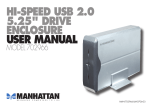
This 3.5” enclosure is designed to provide a solution to connect
existing storage devices such as 3.5” IDE hard drive to USB2.0.
This 3.5” enclosure can provide peak data transfer rate up to
480Mbps for USB 2.0 interface.
Features
General
z
Support plug-n-play. Hot- Swap and Wake-UP.
z
Accommodate all existing storage devices such as 3.5” IDE
hard drives.
z
Support Self power mode.
z
Support Windows98. 98SE, ME, 2000 and XP operating
system.
USB 2.0
z
Compliant with Universal serial Bus Specification Revision
2.0
z
Compliant with ATA/ATAPI-6 Specification
z
Support LBA 48, PIO Mode 0-4, DMA Mode 0-2, UDMA Mode
0-5
z
Compliant with USB Mass Storage Bulk only Specification 1.0
z
Support High-Speed (480Mbps) and Full-Speed (12Mbps)
mode
What is in your package?
Please check whether the package contains following items:
z
One 3.5’’ Enclosure
z
Installation Manual
z
USB 2.0 (Type ‘A’ to Type ‘B’) cable
z
AC-DC Power Supply 12VDC
z
Screws for securing the enclosure and 3.5” hard drive.
z
Driver CD
If any item is missing or damaged, please contact the retailer as
soon as possible.
HARDWARE INSTALLATION
Installing a 3.5’’ hard drive in to the 3.5’’enclosure
Step 1:
Slowly remove
the rear cover
Step 2:
1)
Connect
the
power connector
2) Connect the IDE
connector
3) Secure the hard
drive
with
screws
provided
Step 3:
Slide
in
drive
into
the
hard
casing.
Make sure the rails
align to slots
Step 4:
1) Connect the
“Green”
LED
connector to D2
location
2) Connect the
“Red”
LED
connector to D1
location
Step 5:
Make
sure
the
wires are properly
aligned
closing
when
the
rear
cover. Secure the
rear cover with the
screws provided.
Connect the appropriate cables to the 3.5’’ enclosure. Make sure
the polarity of the AC-DC 12VDC power supply is correct. If the
polarity is not correct, you can damage the electronic section of the
3.5’’ enclosure.
Notice: For all existing storage devices such as 3.5’’ IDE hard
drives, please make sure the JUMPER setting set to
MASTER before installing into 3.5’’ USB 2.0 Enclosure.
(However, for certain hard drives, you may need to set
the jumper as “Cable Select”.)
SOFTWARE INSTALLATION
Note: This software installation section assumes that your
computer system already has USB 2.0 ports available for
connecting the 3.5’’ enclosure and all the appropriate drivers
have been property installed.
A. Installing USB 2.0 driver
For Windows 98/98SE
Windows 98/98SE does not include a USB Mass Storage
driver so you need to install Windows 98/98SE driver. The
driver is located in \Prolific\PL2506_2507 directory of the
Driver CD.
For Windows ME, 2000 & XP
No need for additional drivers because Microsoft already provides
an USB Mass Storage driver with Windows ME, 2000& XP
operating system. Once you connect the 3.5’’ enclosure to the USB
2.0 port on your system, Windows should automatically detect the
device and install the appropriate drivers.
All trademarks referenced and mentioned in this manual are the registered
trademark of their respective owners.
P/N: 5019750350101