1
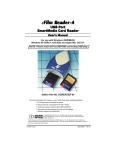
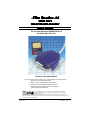
USB SmartMedia Card Reader
DDREADER-14
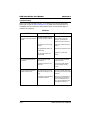
Troubleshooting
This is a very basic troubleshooting list. If your problem isn’t solved by those listed,
please visit our web site http://www.delkin.com for FAQs and current information on
compatibility issues as well as the latest software drivers. Or see the back page for
contacting Tech Support.
Windows
SYMPTOM
CAUSE
SOLUTION
The Removable Disk icon does The driver software may not
not appear in the My Computer have been properly installed .
window.
The reader doesn’t appear to
be powered.
I’ve just received the dreaded
Windows “Blue Screen”.
Page 6
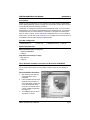
Reinstall from CD or update
driver software in Device
Manager - specifying the
Reader-14 folder on drive C:\
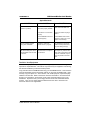
The reader is not connected
properly.
Unplug the reader and plug it
back in.
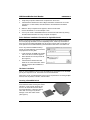
The SmartMedia Card is not
inserted fully.
Remove and reinsert the card.
This OS version does not
support USB.
Upgrade to a newer OS
version.
Loose or improper cable
connections.
Check all cable connections
and power cords.
Insufficient power from the
computer.
Connect the reader directly
into the computer’s USB
socket.
The card has been removed
while a file is still open on the
card.
Recover if possible. But more
than likely you’ll need to restart
Windows.
The card was removed during
a read/write operation.
Wait 5 to 10 seconds after any
activity before removing the
card. To avoid problems, you
can copy the data to the hard
drive before accessing it.
Delkin Devices User’s Manual