1
Chapter 2 — Designing Bar Code Labels
Printing the Sample Label
To print the sample label, you can open a communications program (such
as HyperTerminal) and send the text file to the printer. For more
information on connecting to the printer, see your printer user’s manual.
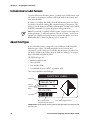
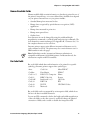
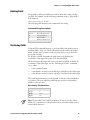
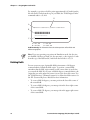
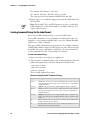
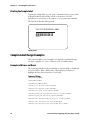
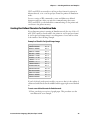
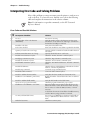
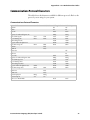
The label looks like this when printed:
THIS IS THE SAMPLE LABEL
*SAMPLE*
*SAMPLE*
Sample Label
Complex Label Design Examples
This section includes several examples of complex bar code label designs.
Use these examples as a source of ideas for your own label formats.
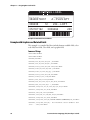
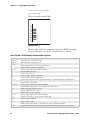
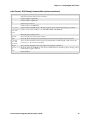
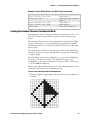
Example with Lines and Boxes
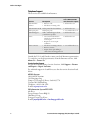
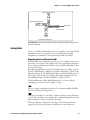
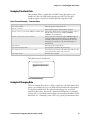
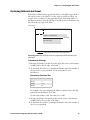
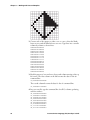
The following example uses horizontal lines to separate fields on a label and
uses a box field to make a label border. This format uses bold text to
highlight the lines that contain line or box fields.
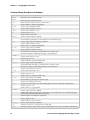
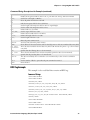
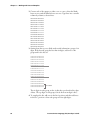
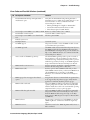
Command Strings
<STX><ESC>C0<ETX>
<STX><ESC>P<ETX>
<STX>E4;F4,DEMO 4<ETX>
<STX>L1;o11,447;f0;l1207;w4<ETX>
<STX>L2;o11,285;f0;l1207;w4<ETX>
<STX>W3;o11,0;f0;l1207;h802;w4<ETX>
<STX>B4;o658,650;f0;h102;w2;c0,0;i1;r1;d0,11<ETX>
<STX>I4;o658,752;f0;h1;w1;c20;r0;b0<ETX>
<STX>B5;o87,650;f0;h102;w2;c0,0;i1;r1;d0,11<ETX>
<STX>I5;o87,752;f0;h1;w1;c20;r0;b0<ETX>
<STX>H6;o34,183;f0;h1;w1;c22;r0;b0;d0,17<ETX>
28
Intermec Printer Language (IPL) Developer’s Guide