1
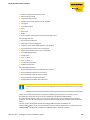
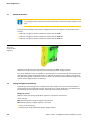
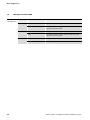
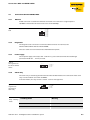
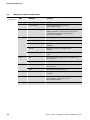
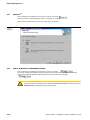
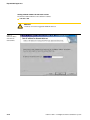
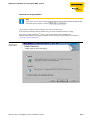
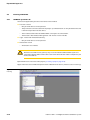
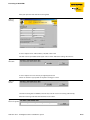
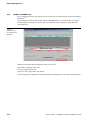
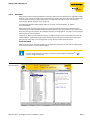
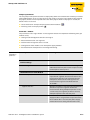
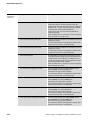
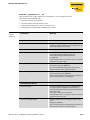
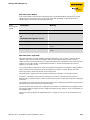
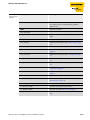
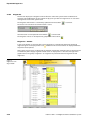
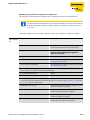
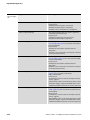
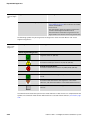
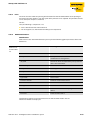
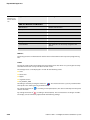
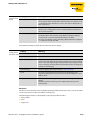
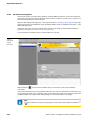
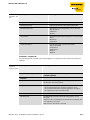
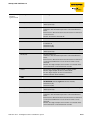
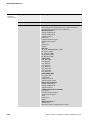
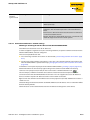
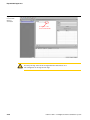
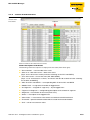
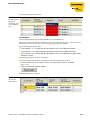
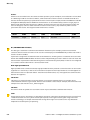
LEDdiagnostics DPC-49-ADU 4.7 LEDdiagnostics DPC-49-ADU Table 5: LED-diagnostics LED Behavior Function Run Off The module has no power supply. Green The module's power supply is ok. Green blinking The connection of the internal diagnostic bus is established. Red The power supply voltage is insufficient. Off No alarm exists. Yellow A pre-alarm exists for H1-segments S1 to S4. Red An alarm exists for the H1-segments S1 to S4. S1 to S4 4.8 Software installation for start-up the DPC system The required software for the startup of the DPC-system can be found on the internet page: www.turck.com Download the following software-data files to your PC: „PACTwareTM 3.6" - PACTwareTM is a manufacturer and fieldbus independent software for operating field devices. It represents a FDT-frame application in which the single components of a communication architecture and the interfaces are represented as DTM. "Microsoft®. Net framework 1.1" - Microsoft® Programming platform .NET Framework "Service Pack 1 for Microsoft®.Net framework 1.1" - service pack for Microsoft®-programming platform .NET Framework "DTM DPC-System V1.10" - DTM for TURCK DPC-system. "DTM FF_HSE/COM V1.04" - Communication-DTM between PC-network card and HSE (High Speed Ethernet) FOUNDATIONTM fieldbus. The data file FFdtmG_.. is available for a German operating system, and the data file FFdtmE_.. is available for an English operating system. Download the software to your PC and unzip the received Zip-file. Install the Microsoft®-software and afterward the TURCK-software as described in the follwing paragraphs. D301167 0212 - FF-Diagnostic-Power-Conditioner-System 4-9