1
Netronics NetLink H
Technical User Manual
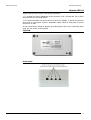
1. Netronics NL H 5x100 ......................................................................................................... 28
Installation guidelines ...................................................................................................... 28
2.
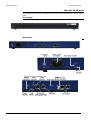
Netronics NL H 5x100 D...................................................................................................... 30
Installation guidelines ...................................................................................................... 30
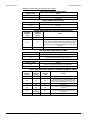
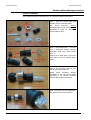
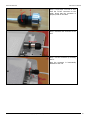
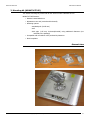
3. Mounting kit (MOUNT-KIT-85) ............................................................................................. 31
General view ................................................................................................................... 31
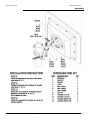
Assembly......................................................................................................................... 32
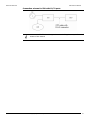
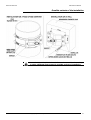
Possible variants of the installation ................................................................................... 33
IV. BASIC CONFIGURATION INSTRUCTIONS..................................................................... 34
1. Initial settings configuration procedure ................................................................................ 34
2. Device interfaces ................................................................................................................ 34
3. Command line interface (CLI) .............................................................................................. 35
4. Lost password recovery....................................................................................................... 35
5. Configuration manipulations ................................................................................................ 37
Printing and saving your configuration .............................................................................. 37
Import/export.................................................................................................................. 37
New firmware uploading .................................................................................................. 37
6. IP address formats.............................................................................................................. 38
7. Ethernet interface configuration........................................................................................... 38
8. Radio interface configuration ............................................................................................... 38
9. Wi-Fi AP interface configuration ........................................................................................... 40
10. Network topology setup ...................................................................................................... 40
V. LINK CONFIGURING ..................................................................................................... 41
1. Preliminary decisions........................................................................................................... 41
Speed selection ............................................................................................................... 41
Frequency planning for multi-sectored Base Stations.......................................................... 41
Transmitting power selection............................................................................................ 41
Range|Bitrate calculation.................................................................................................. 41
2. Link diagnostic tools............................................................................................................ 43
Ltest ............................................................................................................................... 43
Muffer............................................................................................................................. 45
Load Meter...................................................................................................................... 48
Acquiring interfaces statistics............................................................................................ 48
Netronics RapidView-1 ..................................................................................................... 49
VI. CONFIGURATION VIA WEB-INTERFACE....................................................................... 53
1. Overall functionality overview .............................................................................................. 53
2. Run Requirements .............................................................................................................. 53
3. Basic settings ..................................................................................................................... 54
4. Device Status ..................................................................................................................... 57
Extended Link Diagnostic ................................................................................................. 58
Copyright © 2004-2009 by Netronics Communications
ii