1
(Not applicable to EKI-6351-C)
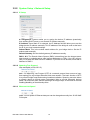
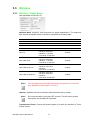
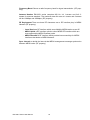
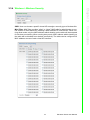
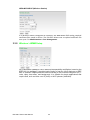
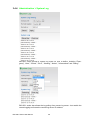
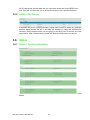
Each physical radio interface supports up to 16 virtual WLAN AP (SSID) setting. User
can add or delete a virtual AP by click the “+” or “-” button on top of the very right side
of setting block.
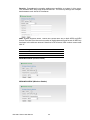
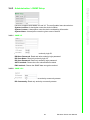
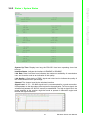
SSID: A service set identifier (SSID) is a name that identifies a particular 802.11 wireless LAN. A client device receives beacon messages from all access points within
range advertising their SSIDs. The client device can then either manually or automatically select the network with which to associate.
Broadcast: Network administrator can choose broadcast beacon messages of a virtual AP by checking the broadcast block.
Enable: Network administrator can also decide if function virtual AP or let it idle.
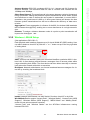
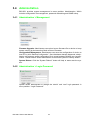
WLAN Mode Radios support “Access Point”, “Wireless Station”, “Access Point (WDS
Support)”, “Wireless Station (WDS Support)”, “MESH Mode” and “Mobility Mode”
mode to meet various network scenarios.
“Access Point” and “Wireless Station” are the AP/Client infrastructure running
between EKI-6351.
15
EKI-6351 Series User Manual
Configuration
3.3.2 Wireless > WLAN Setup
Chapter 3
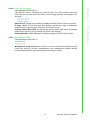
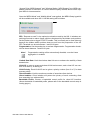
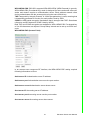
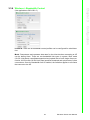
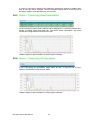
Antenna Number: EKI-6351 completes 802.11n 1x1 1-steram and 2x2 2-stream for
antenna attached. The maximum data link rate at 1-steram and 2-stream will be
150Mbps and 300Mbps.
Short Guard Interval: The guard interval is the space between symbols (characters)
being transmitted. Adding time between symbol transmissions allows these echoes
and reflections to settle in before the next symbol is transmitted. In normal 802.11
operations, the guard interval is 800 ns. A short guard interval will shorten the time
between symbol transmissions into 400 ns to enhance the efficiency of data transmission.
Aggregation: Frame aggregation is a feature of the 802.11n wireless LAN standards
that increases throughput by sending two or more data frames in a single transmission.
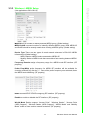
Distance: To assign a distance between nodes in a point to point transmission will
improve the throughput rate.