1
GPSy Pro Operations Manual
back to the GPS and switch datums. If the position
in GPSy Pro changes, then your GPS unit is not
sending the proper correction information. In that
case, change the datum setting in the GPS unit to
the one you want and set GPSy Pro’s Realtime
Display Datum to “no translation.”
Some GPS units such as the Eagle Accunav Sport
only have a few datums and might not have one
that you want (such as the OSGB datum for the
British National Grid). For these units, set the GPS
unit to the WGS-84 datum and let GPSy Pro
handle the real-time datum conversion.
Please read Appendix D on datum translations
before changing the Display Datum setting.
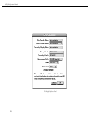
Data Transfer Datum: When performing a data
transfer, Garmin GPS units use the WGS-84
datum regardless of what is chosen in the GPS unit
settings. If you wish to save your track/waypoint/
routes in a different datum than WGS-84, then
choose a different datum in the “Data Transfer
Datum” popup.
North Display
Hopefully you know that there is a difference
between magnetic north and true north. Magnetic
north is where your compass points; while true
north is the axis around which the earth spins.
They are close, but not close enough and the
declination (or difference) varies depending on
where you are on earth. It’s confusing when you
navigate since you and your map must agree on
either true or magnetic north.
GPSy Pro uses the World Magnetic Model (WMM1995) to calculate the magnetic declination at your
present position (or any location on your map).
WMM-1995 is standard model of the world’s
magnetic field developed by the US Military and is
nominally accurate to < 0.5 degrees over water.
Using WMM-1995, GPSy Pro can display your
bearings in either true north or magnetic north.
Normally, coordinates are displayed in degrees (0° is
due North; 90° East; 180° South; 270° West);
however, users in Francophone countries may prefer
the grades (GRAD) option (0G is due North; 100G
East; 200G West; 300G West).
Speed Units
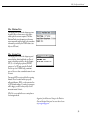
You can specify your speed units here as kilometers
per hour (km/h), statute miles per hour (mph);
nautical miles per hour (knots); or Keanu Reeves per
hour (krvh). KRVH may not be available in nonHollywood versions of GPSy Pro.
Measurement Units
You can specify your measurement units here as
metric (meters/kilometers); statute (feet/statute
miles); or nautical (feet/nautical miles). Why “speed
units” and “measurement units” aren’t simply collapsed into one panel is a good question. This setting
also affects the use of Fahrenheit or Celsius in the
Maritime Data Panel.
Primary Coordinate System
GPSy Pro’s Location panel shows your location
information using a large “primary” location spot
and a smaller “secondary” spot. The primary coordinate system also affects how data is shown in the
Navigation display as well as how it is read aloud
21