1
MEDICAL CERTIFIER
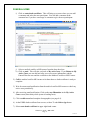
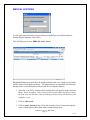
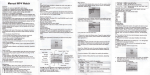
4. Click on Edit COD button (a pop up window may ask you for more information
on COD); enter the additional information. If you have no underlying cause, the
system will ask you if you intend to enter this cause. You will need to answer one
of the buttons yes, no or force before you can continue. When you mark “force”
it means that you have given the “best information available”.
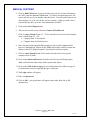
5. Click on the Save Changes button.
6. The next screen will say (in red letters) Causes of Death Saved
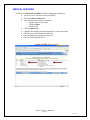
7. Click on cause of death (Items 39 – 47) bar located to left of screen and complete
cause of death Items 34 – 56)
• Complete Item 39 for females
• Complete Item 40 for tobacco use
8. Items 48a (physician) and 48b (ME/coroner) are the certifiers signature field.
Item 49 is automatically filled in by the EDRS based on the certifier’s name and
address in the DST (Digital Signature Trust) digital certificate registry.
9. Click on cause of death (Items 50-56) on bar located to left of screen and
complete cause of death.
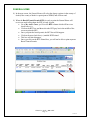
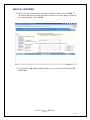
10. Click on the death certificate bar located to left of screen; this brings up the
death certificate form (short delay while system loads forms).
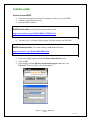
11. Click on the click on the to sign grey bar in either Item 48a or 48b (see page 14
for instructions on how to sign and un-sign a certificate)
12. The Login window will appear
13. Enter your password
14. Click on OK – your typed name will appear in the either Item 48a or 48b
signature box.
EDRS User Guide – D R A F T
Page 20
12-13-05