1
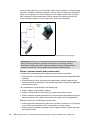
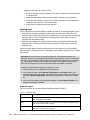
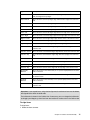
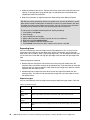
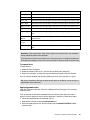
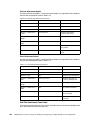
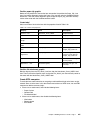
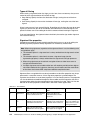
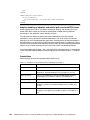
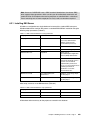
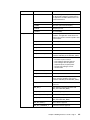
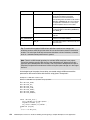
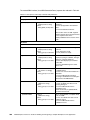
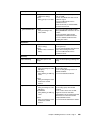
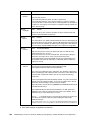
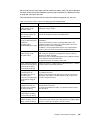
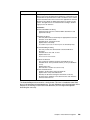
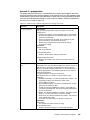
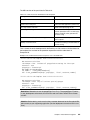
Electronic signature type Description Netscape signatures Netscape signatures are a type of digital signature (see 2.7.3, “Digital signatures” on page 110). Netscape signatures use the Netscape encryption engine. To use this type of digital signature, it is necessary for the user to obtain a digital certificate. Netscape signatures use certificates located in the user’s Netscape certificate store. Signature Pad signatures Signature pad signatures are a blending of electronic signatures and handwritten signatures. You write your signature on a digital pad that captures your handwriting and converts it into an electronic format. This signature is then added to the form, along with a graphic that shows the handwriting. Thus, Signature Pad signatures provide a familiar feel for the signing process. Silanis signatures Silanis Technology, Inc. provides a signature type that blends a digital signature and a signature pad signature. This means that an image of your signature is captured using a signature pad, but the actual signature is created using a digital certificate. The image of your handwritten signature is then stored as part of the digital signature for later reference. This combines the familiar pen-based signing process with the strength of digital certificates. Clickwrap signatures Clickwrap signatures are electronic signatures that do not require digital certificates. While they still offer a measure of security due to an encryption algorithm, Clickwrap signatures are not security tools. Authenticated Clickwrap signatures Authenticated Clickwrap signatures are a blending of Clickwrap and digital signatures. This enables users to securely sign a form without relying on an extended PKI infrastructure. 2.7.3 Digital signatures Digital signatures are among the most secure electronic signatures. When you use digital signatures, each user is given a digital certificate. This certificate is actually a small file on a disk or on another device, such as a smart card. Each certificate also contains a unique code, and the certificate imprints this code on each signature you create with it. This means that all of your signatures can be traced back to your certificate, and the certificate itself can be traced back to you. In this way, digital signatures identify you through a clear chain of ownership. Workplace Forms supports the following digital signature types: RSA standard signatures These signatures are based on the RSA standard for digital signatures. This is a public standard that is broadly supported by both Public Key Infrastructure (PKI) and browser vendors. Workplace Forms products rely on the security libraries in the Microsoft Internet Explorer and Netscape browsers to provide support for RSA signatures. Entrust signatures These signatures are based on a proprietary standard developed by Entrust, Inc. These signatures are not broadly supported, and require additional software from Entrust. This may take the form of client software or a central server that processes online signature requests. 110 IBM Workplace Forms 2.6: Guide to Building and Integrating a Sample Workplace Forms Application