1
Introduction
Congratulations on choosing the Boost, an ultra portable Video Magnifier from AbleNet. Use the Boost for
reading, writing, viewing map/menu/tips, etc. We hope you enjoy working with your Boost.
About this manual
This user manual provides a comprehensive guide to the features and operation of the Boost. Pictures
in this user manual may be different from the actual situation. AbleNet reserves all the rights for the
interpretation of all contents in this user manual. Please read this user manual carefully before using the
Boost and keep the user manual in a safe place for future reference.
4
Safety and Caution
Do not expose the Boost to extreme or rapid changes in temperature or humidity.
Do not place Boost near a radiator or heater, or where it will be exposed to direct sunlight.
These conditions may damage electronics or optics of the Boost.
Handle the Boost with care. Rough handling will damage the internal components.
Do not remove any parts of the Boost. Contact AbleNet to service the Boost if necessary.
Do not open any of the components as this will void the warranty. Each component contains
parts which should only be serviced by an AbleNet repair specialist.
Do not use cleaning agents or abrasive materials as they will damage your unit. Avoid
touching the lens of the camera and keep it clean by using proper cleaning means.
Use only the power adapter provided.
Do not hit, vibrate, squeeze or drop the equipment with violence.
Do not use the unit under +5°C (41F) or above +40°C (104F).
Use of the Boost other than that described in this user manual will exclude it from warranty
conditions.
5
What’s in the box
The Boost package contains the following:
1. The Boost ultra portable video magnifier
2. A power supply adapter
3. A user manual
If any items are missing from your package, please contact AbleNet.
1
2
3
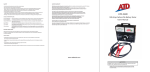
User Manual
Please read this entire manual before operating this device.
800-322-0956
www.ablenetinc.com
6
Getting to know your Boost
The following figure shows the main components of the Boost.
1. Power on/off Viewing modes button
2. Power charging indicator
3. Freeze/Unfreeze mode button
4. DC in
5. Centralized camera
6. Zoom button
5
4
3
6
1
2
7
Getting Started
Power On/Off
Power On: Press and hold
button for 4 seconds to turn on the device
Power Off: Press and hold button
again for 4 seconds to turn off the device.
After powering on the Boost, viewing mode is initially set to Full Color Mode. For optimal viewing, keep the
Boost approximately 1” above the viewing object. Do NOT put the Boost on the object directly.
Setting the magnification
There are 2 digital magnification levels by pressing the
button. The total
combined optical and digital magnification ranges from 1.5X-17X magnification.
Users can also change the distance between the camera lens and target object for getting intermediate
degrees of optical magnification.
8
Viewing modes
Press the button,
and select the different color modes on the LCD Screen. The Boost has three
different color modes available:
A
A
Full Color Photo mode - This mode will display text, pictures and objects in full color.
A
Positive reading mode - This mode enhances the foreground/background
contrast. Pictures and text will be displayed as black text on a white background.
Negative reading mode - This mode reverses the positive image. Pictures and text will be displayed
as white text on a black background.
Image Freeze
Press
button to freeze the image for a closer look
Press the button again to exit freeze image mode.
In image freeze mode, people can still change the color modes.
Battery Indicator
The LED beside the viewing modes button is the battery indicator.
Status of the indicator:
t3FEMJHIUýBTIJOHNFBOTUIFCBUUFSZOFFETUPCFSFDIBSHFE
t(SFFOMJHIUýBTIJOHNFBOTUIFCBUUFSZJTVOEFSSFDIBSHJOHPODFGVMMZDIBSHFEUIFMJHIUXJMMCFUVSOFE
off automatically.
9
Specifications
Magnification Range
1.5X-17X
Magnification Level
2 Levels
Viewing modes
3 color modes
Image Freeze Frame
Yes
Writing function
Yes
Li-ion Battery Capacity
1500mAh
Battery Working time
2.5 hours
Charging time
2.5-3 hours
LCD Screen size
3.5” TFT LCD
Device Dimension
105X72X17 mm (4.13X2.83X0.67 inches)
Weight
120g (4Oz)
Power adapter
5V 1.5A
10