1
–
What will happen if Sironta dies?
If Sironta dies, you can manage it, you can evolve the software or you can hire
developers that can evolve your software because it is open source. So this is
why Sironta is open source, because is the only way to go fast and to keep the
pace with the other people that are developing team collaboration software.
–
Which is the difference between local changes and synchronized files?
The local changes are only stored in your PC and you are the only one who sees these
changes. If you synchronize the room, changes will be seen by all users.
–
Can I use Sironta in my Smartphone, Iphone or Ipad?
Not yet, but we are working on it.
–
How many files can I share with Sironta for free?
As many as you want.
–
Does the free version include all Sironta features?
Yes, it does.
–
Is there a Spanish version of Sironta?
Of course, Sironta is available in English, Spanish and Catalan versions.
–
Once I enter Sironta, are the rooms synchronized?
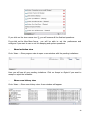
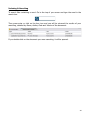
Yes, all rooms are synchronized once you enter to Sironta. If you want to watch the
synchronization progress, go to Views -> Show Progress View. Then, in the Progress
section, select Preferences and make click on the option Show sleeping and system
operations.
–
Do I need to make any changes in my network?
No, you don't need to change nothing. Just be sure that ports 5222 XMPP, 80, 22, SSH are
opened.
51