1
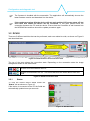
Configuration and diagnostic tool 3.2.4 Logs The events logs present on the connected device can be read from this panel, 3 buttons are available to the user: Read from device: Used to read the logs from the connected device. This button is enabled only if a device is connected. Read from file: Used to read logs from a previously saved file. Write to file: Click to write the logs to a file. The file type is .xml. Read on connection: Select to automatically read logs on device connection. Figure 13: DCU20 logs 3.2.5 Info From the help panel user can view several information about the connected device. The “Update” button is used to update the DCU20 with a new firmware. User can change the name of the device from this panel. Figure 14: DCU20 info The firmware is bundled with the executable. The application will automatically choose the latest firmware version and download it to the device. If the update procedure fails the device will not work and the LCD screen stays off, but even from this status the device can be recovered. In this case please check the connection between the PC and the device and then launch the update procedure again. POWERMASTER user manual rev. 1.4 Page 10/10