1
ChemBioDraw 14.0
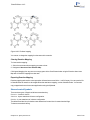
Substructure Identification and Mapping
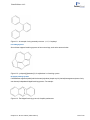
Atom-by-atom comparison of a molecule with a substructure. Positive matching provides an atom-by-atom map of the
substructure atoms to those in the molecule.
Salt Stripping
Remove salts from a reaction based on a pre-defined list of salt fragments.
Structure Orientation
Enforce standard orientation of structures based on the established orientation of a common scaffold.
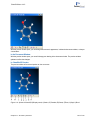
2D Structure Generation and Cleanup
Use ChemBioDraw-based algorithms to generate structure from scratch or after modifying chemical data using a program.
Canonical Codes
Generate unique identifying codes from a chemical structure.
File Format Conversion
Read and write file data using all PerkinElmer supported file formats (CDX, CDXML, MOL, CHM, SKC, SMILES,
etc.).
Chemical Name and Structure Conversion1
Use the ChemBioDraw Struct=Name feature to generate structures from chemical names and names from their structures.
Molecular Mechanics
Optimize molecular structures using the MM2 force-field.
The ChemScript API online
PerkinElmer also provides the documentation of the API online. You can find the API at sdk.cambridgesoft.com.
Tutorials
We provide several sample scripts to illustrate how you can develop your own custom code to meet your business
needs. Many of the scripts we use are in the ChemScript samples directory. By default, this directory is where
ChemBioOffice 2014 auxillary files are installed:
On Windows 7 and 8:
C:\ProgramData\CambridgeSoft\ChemOffice2014\ChemScript\Examples\
1Premium functionality that may be licensed from PerkinElmer.
Chapter 13: ChemScript
224 of 315