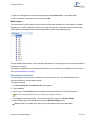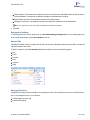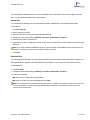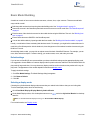
1
ChemBio3D 14.0 User Guide
ChemBio3D 14.0
Table of Contents
Recent Additions
Chapter 1: About ChemBio3D
viii
1
Additional computational engines
1
Serial numbers and technical support
3
About ChemBio3D Tutorials
3
Chapter 2: ChemBio3D Basics
5
Getting around
5
User interface preferences
9
Background settings
10
Sample files
10
Saving to Dropbox
10
Chapter 3: Basic Model Building
12
Default settings
12
Selecting a display mode
12
Using bond tools
13
Using the ChemDraw panel
15
Using other 2D drawing packages
15
Building from text
16
Adding fragments
18
Selecting atoms and bonds
18
Atom charges
21
Object position
23
Substructures
24
Refining models
27
Copying and printing
28
Finding structures online
32
Chapter 4: Displaying Models
Table of Contents
34
ii
ChemBio3D 14.0
Display modes
34
Atom and bond size
36
Displaying dot surfaces
36
Serial numbers
37
Displaying atoms
38
Atom symbols
39
Rotating models
40
Atom and bond properties
43
Showing hydrogen bonds
44
Hydrogens and lone pairs
45
Translating models
46
Scaling models
46
Aligning models
46
Applying color
48
Model Explorer
51
Measuring molecules
58
Comparing models by overlay
61
Molecular surfaces
62
Using stereo pairs
71
Stereo enhancement
71
Setting view focus
72
Chapter 5: Building Advanced Models
73
Dummy bonds and dummy atoms
73
Substructures
74
Bonding by proximity
77
Setting measurements
77
Atom and building types
80
Stereochemistry
84
Building with Cartesian tables
86
Table of Contents
iii
ChemBio3D 14.0
Building models using ISIS/Draw
87
Lone electron pairs
87
Chapter 6: Computational Engines
88
Ab initio methods
88
Semi-empirical methods
88
Force field calculation methods
88
Compute properties
89
Calculating multiple properties
91
MM2 and MMFF94
91
Gaussian
104
CONFLEX
109
MOPAC
110
CS GAMESS
133
Chapter 7: Parameter Tables
138
The elements
140
Building types
140
Substructures table
143
References
144
Bond stretching parameters
144
Angle bending parameters
145
Conjugated Pisystem bonds
146
Pi Atoms
147
Electronegativity adjustments
147
MM2 constants
148
MM2 atom type parameters
150
Torsional parameters
151
Out-of-plane bending
153
van der Waals interactions
153
Chapter 8: Docking
Table of Contents
155
iv
ChemBio3D 14.0
Installing AutoDock
155
Installing AutoDock Tools
155
Configuring AutoDock
156
Working with the AutoDock Interface
157
Step 1: Preparing the receptor
157
Step 2: Preparing the ligand
158
Step 3: (Optional) Defining groups
159
Step 4: Preparing the cavity (prepare GPF)
159
Step 5: Selecting pose parameters (Prepare DPF)
161
Step 6: Docking
162
Step 7: Viewing Docking Results
163
References
163
Chapter 9: Computation Concepts
164
Computational chemistry overview
164
Computational methods overview
164
Uses of computational methods
165
Geometry optimization
165
Choosing the best method
167
Molecular mechanics theory in brief
171
The force-field
171
Molecular dynamics simulation
179
Chapter 10: ChemScript
181
Why use ChemScript?
181
How ChemScript works
182
Getting Started
182
Editing Scripts
183
Introducing the ChemScript API
184
Tutorials
185
Useful References
188
Table of Contents
v
ChemBio3D 14.0
Chapter 11: Chemical properties
189
ChemBio3D properties
189
ChemBioFinder properties
216
ChemBioDraw properties
217
ChemDraw/Excel properties
217
Chapter 12: Keyboard modifiers
218
Rotation
218
Selection
219
Chapter 13: 2D to 3D Conversion
221
Stereochemical relationships
221
Labels
223
Chapter 14: File Formats
224
Editing file format atom types
224
Native formats
224
File format examples
224
Export file formats
255
Chapter 15: References
265
MEP
265
MM2 references
266
CS MOPAC
268
Chapter 16: Online Resources
282
SciStore
282
PerkinElmer Informatics
282
Online documentation
282
Online registration
282
ChemOffice SDK
282
Troubleshooting
282
Chapter 17: Tutorials
Building models
Table of Contents
284
284
vi
ChemBio3D 14.0
Examining models
296
Using calculation engines
312
Table of Contents
vii
ChemBio3D 14.0
Recent Additions
ChemBio3D introduces a variety of improvements not found in earlier versions. These are briefly described below.
Microsoft Office 2013 and Windows 8.1. ChemBio3D is compatible with Microsoft Office 2013 and Windows 8.1
for both 32 and 64 bit machines.
Support for GAMESS 09. ChemBio3D comes with GAMESS 09 installed. For more information, see "CS
GAMESS" on page 133.
Depiction and animation of GAMESS IR Vibrations. After you compute an infrared spectrum, you can view and
animate the IR vibration modes and the vectors that are applied. For more information, see "Viewing and animating
GAMESS IR vibrations" on page 136.
Molecular Orbital Calculations using GAMESS 09 and MOPAC 2009. You can now calculate molecular orbitals
using either GAMESS 09 or MOPAC 2009. By default, PM6 is the basis set in the latest version of MOPAC.
Support for Gaussian 09. In addition to Gaussian 03, ChemBio3D also supports Gaussian 09. Gaussian can be purchased from PerkinElmer.
Support for V3000 MolFile Format. For both import and export.
2D projections of 3D surfaces. The volume slicing tool lets you view a two-dimension cross section of almost any
molecular surface. This becomes quite useful for viewing the electron density at any location in your model. You can
slice through an orbital or an entire model in either the X-, Y-, or Z-planes and adjust the location of the slice as
desired. For more information, see "Volume slicing" on page 70.
Saving to Dropbox. ChemBio3D allows you to save to Dropbox for users with a Dropbox account. You can upload
and download files between your remote Dropbox folder and your local machine. You can also use Dropbox to pass
files between ChemBio3D and the ChemBio3D iPad app. The Dropbox plug-in can be downloaded from the Dropbox
Web site.
Docking. AutoDock helps you determine how one or more small molecules may be arranged to fit inside the cavity of
a larger molecule. You choose the molecules, the cavity binding sites, and calculation parameters. AutoDock calculates and displays the conformers and positions of each small molecule that fit your requirements.
For more information, see "Docking" on page 155.
Recent Additions
viii
ChemBio3D 14.0
CONFLEX. CONFLEX is a conformational analysis package developed by the CONFLEX Corporation. Using
CONFLEX, you can search for low energy conformers of a model and create a fragment for each one in its optimal
state. For more information, see "CONFLEX" on page 109.
Molecular Networks integration. ChemBio3D incorporates new features from Molecular Networks for determining
pKa, LogS and LogP solubility properties. See "ChemBio3D properties" on page 189. Also see "About Molecular Networks" on page 2.
Recent Additions
ix
ChemBio3D 14.0
About ChemBio3D
ChemBio3D is part of the ChemBioOffice suite and lets you build, visualize, and analyze 3D models of chemical structures. ChemBio3D models can be imported into desktop publishing tools or displayed on the Web. ChemBio3D
comes with GAMESS, an ab initio quantum chemistry package. GAMESS Lets you predict UV/VIS, IR and NMR
spectra, calculate energy and a number of other molecular properties.
Additional computational engines
ChemBio3D supports several additional computational engines. These tools are briefly mentioned below. Their full
descriptions are found in respective chapters of this guide. For availability and purchase information, contact
PerkinElmer Informatics.
About Gaussian
ChemBio3D supports Gaussian 03 and Gaussian 09. Gaussian is a property prediction program used by chemists,
chemical engineers, biochemists, physicists, and other scientists. Using the ab initio and semi-empirical quantum
mechanics, Gaussian predicts the energies, molecular structures, vibrational frequencies and chemical properties of
molecules and reactions in a variety of chemical environments. You can apply Gaussian to both stable compounds
and compounds that are difficult or impossible to observe experimentally such as short-lived intermediates and transition structures. Gaussian supports ab initio methods, such as restricted and unrestricted Hartree Fock methods.
You can use ab initio and semi-empirical methods for calculating electron density surface and molecular geometry
optimization. Gaussian supports ground state semi-empirical methods such as CNDO/2, INDO, MINDO3, and MDO
energies and gradients.
Note: The term "semi-empirical" refers to methods that use the general process dictated by quantum mechanics,
but simplify it to gain speed and later use experimental data to compensate for the simplification.
Note: Gaussian 03 requires 32-bit version of Windows and Gaussian 09 requires either 32-bit version or 64-bit version of Windows.
See "Gaussian" on page 104 for more information.
About CS MOPAC
CS MOPAC performs semi-empirical calculations on atoms and molecules to determine details of molecular structures and properties. For example, with CS MOPAC you can perform thermodynamic calculations, geometry optimizations, and force constant calculations. CS MOPAC provides the functionalities of MOPAC through the
ChemBio3D interface. ChemBio3D supports MOPAC 2007 and MOPAC 2009.
There are two CS MOPAC options available: CS MOPAC Ultra and CS MOPAC Pro.
CS MOPAC Ultra includes all the capabilities of MOPAC, and is available only as an optional plug-in. CS MOPAC
Ultra provides support for advanced features, such as MOZYME and PM5 methods.
Chapter 1: About ChemBio3D
1 of 318
ChemBio3D 14.0
With CS MOPAC Pro, you can perform simple and advanced energy minimizations, optimize to transition states, and
compute various properties. Both CS MOPAC Pro and CS MOPAC Ultra supports MOPAC sparkles. For more
information, see "MOPAC" on page 110.
Note: “MOPAC sparkles” are the extra eight elements added to MOPAC that represent pure ionic charges.
CS MOPAC is included in some versions of ChemBio3D or may be purchased as an optional plug-in. Contact
PerkinElmer Informatics or your local reseller for details.
About AutoDock
AutoDock is an automated docking tool that helps you predict how small molecules bind to a receptor of known 3D
structure. ChemBio3D maintains an interface to AutoDock to perform the docking calculation. AutoDock calculations
are performed in several steps. For further information, please visit http://autodock.scripps.edu
See Docking for more information.
About CONFLEX
CONFLEX is a conformational analysis package developed by the CONFLEX Corporation. Using CONFLEX, you
can searche for chemically significant conformers in flexible molecules and displays the conformers as fragments in
your model. Conformers are reported based on the search method and energy limit that you define. For further information, please visit www.conflex.us
See CONFLEX for more information.
About Molecular Networks
pKa, logS and logP for predicting acid dissociation constants, aqueoues solubility and octanol/water distribution coefficients of chemical compounds are computational calculator modules based on Molecular Networks' chemoinformatics platform MOSES. MOSES is developed, maintained, and owned by Molecular Networks GmbH, Erlangen,
Germany. For further information please visit www.molecular-networks.com/moses. All rights reserved. Molecular
Networks GmbH, Erlangen, Germany (www.molecular-networks.com).
Limitations
Only the following atom types and hybridization states are parameterized:
C 3
sp
N
C 2
sp
N
C
aromatic
N
C
sp
N
N
O 3
sp
3
sp
Chapter 1: About ChemBio3D
2
sp
O 2
sp
S
sulfone
amide
P 3
sp
F
aromatic
S 3
sp
Cl
sp
S 2
sp
Br
S
sulfoxide
I
2 of 318
ChemBio3D 14.0
Serial numbers and technical support
The serial number is a unique key that helps you install and activate the ChemBioOffice application on your computer.
This is the same number you entered when you launched your ChemBioOffice application for the first time. If you
have lost your installation instructions, you can find the serial number from the application. Go to Help > About
ChemBio3D.The serial number appears in the dialog box.
For more information on obtaining serial numbers and registration codes see the online Services Web site.
Technical support is available to registered users through the Internet and our Technical Support department.When
contacting Technical Support, always provide the serial number and version number of your ChemBioOffice application. Our Technical Support Web pages contain answers to frequently asked questions (FAQs) and other information.
To access our Technical Support in ChemBio3D, go to Online>Browse CambridgeSoft Technical Support.
If you are unable to find a solution on the Web site, follow these steps before you contact Technical Support:
1. Check the system requirements for the software.
2. Read the Troubleshooting section and follow the possible resolution tactics outlined there.
3. If all your attempts to resolve a problem fail, contact technical support.
Try to reproduce the problem before contacting us. If you can reproduce the problem, please record the exact steps.
Record the exact wording of any error messages that appear.
Record what you have tried to correct the problem.
Note: The AutoDock and computation engines are third-party products and may produce log files for the functions
you run. Refer to the log file to determine whether an issue you encounter is due to the third-party product or
ChemBio3D and provide this information when you contact technical support.
About ChemBio3D Tutorials
There are twelve tutorials available from the Tutorials chapter. They are broken into three categories and are situated
throughout the Guide:
l
l
Building Models:
l Tutorial 1: Building Models in 2D
l Tutorial 2: Building with Bond Tools
l Tutorial 3: Building Models with Text
Examining Models:
l Tutorial 4: Examining Conformations
l Tutorial 5: The Dihedral Driver
l Tutorial 6: Overlaying Models
l Tutorial 7: Aligning Models
l Tutorial 8: Viewing Orbitals
Chapter 1: About ChemBio3D
3 of 318
ChemBio3D 14.0
Tutorial 9: Mapping Surfaces
Tutorial 10: Partial Changes
Using Calculation Engines:
l Tutorial 11: Rotamer Analysis
l Tutorial 12: Calculating Rotational Bonds
l
l
l
These tutorials provide step-by-step instructions to help you work with the ChemBio3D tools. From the Tutorials
chapter, you can quickly link to a specific tutorial situated elsewhere in another chapter.
Chapter 1: About ChemBio3D
4 of 318
ChemBio3D 14.0
ChemBio3D Basics
For the basic information about ChemBio3D functionality and use, please follow the links below.
Getting around. Learn and become familiar with the screen layout and its components.
Basic Model Building. Learn to build your first model.
Tutorials. Follow demonstrations on how to perform tasks in ChemBio3D.
Computational Engines. Learn what computation methods are available in ChemBio3D.
Getting around
This section describes the Graphic User Interface (GUI), with its various screen elements, and its use.
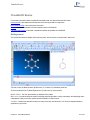
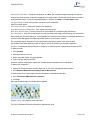
The main screen: A) Model window; B) Main menu; C) Toolbars; D) ChemDraw panel tab;
E) Structure Browser tab; F) Model Explorer tab; G) Status bar; H) Output window.
Model window. The work space where you build and view models.
Main menu. Includes all tools necessary for building and viewing models, running calculations, and displaying chemical properties. Many of the menu options are also available in context menus.
Toolbars. Contain icons that offer shortcuts to many commonly used functions. You can click-drag the toolbars to
anywhere on your screen.
Chapter 2: ChemBio3D Basics
5 of 318
ChemBio3D 14.0
ChemDraw panel. Lets you create or modify drawings of your model in two dimensions.
Structure Browser. Lets you browse through the list of structures and view each one in the Model window.
Model Explorer. Displays a hierarchical tree representation of the model. The model explorer is useful for working
with complex molecules such as proteins.
Status bar. Displays information about the active frame of your model and hidden atoms.
Output window. Displays text results such as calculation results.
The Model window
You build your models in the model window. Each model file you open or create adds a new tab. Select a tab to activate the model you want to view. An asterisk next to the file name indicates that the file has not been saved since you
last made changes to it.
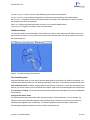
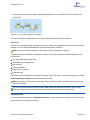
Figure 2.1: A model of insulin in the active tab.
The ChemDraw panel
Using the ChemDraw panel, you can draw 2D structure drawings and convert them to 3D models. Alternatively, you
can build a 3D model and convert it to a 2D drawing that displays in the panel. To activate the ChemDraw panel, go to
View>ChemDraw Panel. By default, the panel opens on the right side of the screen. You can also float the panel anywhere on your screen or dock it to the ChemBio3D user interface. Right-click the ChemDraw panel title bar and select
either Docking or Floating.You can also click on the ChemDraw panel title bar and drag it to any of the standard docking orientations.
Linking the 2D and 3D Views
The ChemDraw panel and model window have two linking modes, LiveLink and Insertion. In LiveLink mode, any
model you build in the model window appears in the ChemDraw panel. Conversely, any structure you draw in the
ChemDraw panel appears in the model window. The ChemDraw panel title bar shows which mode is active.
The linking options appear just below the title bar. Insertion mode options are:
Chapter 2: ChemBio3D Basics
6 of 318
ChemBio3D 14.0
Link Mode. toggle between LiveLink mode and Insertion mode.
Clear. clear the structure in the ChemDraw panel.
Add or Replace contents in ChemDraw panel. the default function is to replace.
Chemical names/SMILES. create a model by typing a compound name or SMILES string into the Name=Struct box.
Group name. specify the group name of the compound to be added or replaced.
Group ID. specify the group ID of the compound to be added or replaced.
Draw->3D (ADD). This option is available if these conditions are met:
A valid Group name and Group ID for the compound is specified.
A structure appears in the ChemDraw-Insertion Panel.
The specified ID value is numeric.
To draw a structure using Draw->3D (ADD):
1. Specify the group name and group ID of the compound.
2. Click the Draw->3D (ADD) icon.
If a structure with specified group name/ group ID combination exists, a message appears prompting you to replace
the existing structure in the model window with the new one. To replace the existing structure, click Yes. The new
structure replaces the existing structure in the model window and in the structure browser. If the structure browser is
currently activated, the value is added to the structure browser.
If no structure with specified group name/ group ID combination exists, the structure in the ChemDraw panel is added
to the model window and the structure browser.
ChemDraw panel synchronization limits
By default, the LiveLink mode is available only for molecules of fewer than 200 atoms.
To change the default setting:
1. Go to File>Preferences. The ChemBio3D Ultra Preferences dialog box appears.
2. Click the ChemDraw tab.
3. Specify the number of atoms in Atom Synchronization Limit (100-10000).
4. Click Apply and click OK.
Note: A higher value in the Atom Synchronization Limit (100-10000) field slows down the drawing as large diagrams have to be generated.
Structure browser
Using the Structure Browser, you can browse through multiple structures stored in a file and view them in the model
window. As you browse through a model, you can select in the structure browser which structures appear in the model
window and even overlay the structures. This is useful for tasks such as examining drug-like molecules and their interactions within a receptor.
By default, the Structure Browser is collapsed and appears as a vertical tab left of the model window. Hover the
mouse over the tab to display the Structure Browser.
Chapter 2: ChemBio3D Basics
7 of 318
ChemBio3D 14.0
To import structures into the structure browser:
1. Go to File>New to open a new document window.
2. Go to File>Import File to import a file that contains the structures to view.
Note: You can import structural data from either an SD file, sybyl mol2 file, sm2 file,or an ml2 file.
After you import the file, the structures from the file are listed as fragments in the model explorer. To browse the structures, you must first drag the structures from the model explorer into the structure browser:
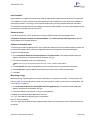
1. Click the auto hide icon,
remain open.
in the model explorer and in the structure browser windows so that both windows
2. Click and drag a fragment from the model explorer window into the structure browser window. The structure names
are copied to the structure browser.
3. Drag more fragments as desired from the model explorer to the structure browser.
To view or hide each structure in the structure browser, select or de-select its corresponding check box.
a check in the box indicates the structure is in view.
an empty box indicates the structure is hidden.
a gray box indicates the structures is selected. The selected structure is always in view.
Tip: To copy all fragments, right-click in the structure browser and select Auto-populate the Structure Browser.
Note: If you delete the fragment in the model explorer, the fragment is also removed from the structure browser.
Fast overlay
To overlay all objects, right-click in the structure browser and select Fast Overlay. The fragments in the structure
browser are overlayed.
MM2 calculations
You can run simple MM2 calculations on fragments listed in the structure browser. Calculations can only be run on
one fragment at a time.
To perform an MM2 minimization on a fragment, right-click the fragment and select MM2 Minimization.
You can also simulate the rotational and translational kinetic energy in fragments over a range of temperatures. Rightclick the fragment and select MM2 Dynamics. The results of the simulation are listed in the Output window.
Display options
To change the display mode for a fragment:
1. Right-click the fragment in the structure browser.
2. In the context menu, go to Display Mode and select display mode option. For more information, see "Display
modes" on page 34.
Color
To apply the same color to all atoms in a fragment:
Chapter 2: ChemBio3D Basics
8 of 318
ChemBio3D 14.0
1. Right-click the fragment in the structure browser and go to Color>Select Color. A color palette opens.
2. In the color palette, choose the color you want and click OK.
Model explorer
The model explorer lets you explore the structural features of the model. By default, the model explorer is collapsed
and appears as a vertically aligned tab. When you hover the mouse over the model explorer tab, the model explorer
window appears and displays a hierarchical tree representation of the currently displayed model:
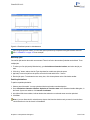
Using the Model Explorer window, you can alter the model properties. The changes you make to a group are applied to
all members in the group.
The hidden or changed features are marked with colored icons, so you can track your modifications. For more information, see "Model Explorer" on page 51.
User interface preferences
You can change the user interface style and behavior to suit the way you work. You can change the GUI color
scheme, tab behaviors, and other display options.
To change the settings:
1. Go to File>Preferences. The Preferences dialog box appears.
2. Click the GUI tab.
3. Choose a style in the GUI Style section to change the overall look and feel of the ChemBio3D interface.
Note: The VS 2005 (Whidbey) style option includes smart docking for toolbars.
4. Click Apply to view the new settings. To return to the default style setting, click Reset to Default.
5. Enable or disable any of the following features under the Window Settings section.
Tabbed windows. This enables each open file to be represented as a tab in the model window.
Chapter 2: ChemBio3D Basics
9 of 318
ChemBio3D 14.0
Sliding windows. This enables other windows such as Structure Browser, and Model Explorer to slide in and out
of the ChemBio3D. If unchecked, the windows will appear or disappear with no sliding.
Sliding window animation. This enables animation for the sliding window.
Message in Output box. This displays message in the Output box at the bottom of the ChemBio3D.
Note: You may need to close and restart ChemBio3D to activate these features.
6. Click OK.
Background settings
To set background color, effects, and picture, go to File>Model Settings>Background tab. Your changes apply only
to the current model window unless Set as Default is clicked.
Sample files
ChemBio3D includes a variety of sample files to help you learn how to build and study molecular models, including biological and inorganic structures.
To open a sample file, go to File>Sample Files and select a file from one of the following groups:
Bio
Demo
Docking
Drug
Inorganic
Nano
Saving to Dropbox
ChemBio3D files may be saved to Dropbox, as a repository for files to be shared with others or the ChemBio3D iPad
app. To use Dropbox services, you must have:
A valid Dropbox account, and
ChemBio3D installed.
Chapter 2: ChemBio3D Basics
10 of 318
ChemBio3D 14.0
You can upload your drawings from the current ChemBio3D document windows to your remote Dropbox folder location. You can later download these files when required.
Upload files
You can upload your drawing in the current document window in ChemBio3D to your remote Dropbox folder.
To upload a file:
1. Go to File>Save As.
2. Specify the name of the file.
3. Select the file format in which you want to upload the drawing.
4. Change the current folder setting to Desktop>"Yourname systemfolder">Dropbox>.
5. Select a folder location to save the file.
6. (Optional) If you want to change the file name, enter the new file name in the File name textbox at the bottom of the
dialog box.
Note: If you have used the ChemBio3D iPad app to save to Dropbox, the ChemBio3D folder will already exist in
Dropbox. If you haven't you will need to create the folder on your own.
7. Click Save.
Download files
You can download the files from your remote Dropbox folder to your local machine. When download is complete, the
drawing automatically appears in the ChemBio3D document window. You can save the file in a desired location.
To download a file:
1. Go to File>Open.
2. Change the current folder setting to Desktop>"Yourname systemfolder">Dropbox>.
3. Do one of the following:
Double-click the file that you want to download.
Browse to a file that you want to download and click Open.
Note: You can specify a time limit for the download process to complete, by specifying a value in ‘seconds’ in the
Time out limit textbox. You can specify any value between a minimum of 5 seconds and a maximum of 120
seconds as the time out limit.
Chapter 2: ChemBio3D Basics
11 of 318
ChemBio3D 14.0
Basic Model Building
A model can consist of one or more molecular structures, solvents, ions, or just one atom. There are several basic
ways to build a model:
Build the model one bond at a time using the model building tools. See "Using bond tools" on page 13.
Draw a 2D structure in the ChemDraw panel and convert the structure to a 3D model. See "The ChemDraw panel"
on page 6.
Enter the name of the chemical structure into the model window using the Build from Text tool. See "Building from
text" on page 16.
Enter a chemical name or SMILES in the ChemDraw panel.
You can also build models by importing model data from a table. See "Building with Cartesian tables" on page 86.
Usually, a combination of these methods yields the best results. For example, you might build a carbon skeleton of a
model in the ChemDraw panel or with the bond tools, then change some of the carbons into other elements using the
Build from Text tool.
After building a basic model, you may wish to explore some of the basic ChemBio3D features. For example, you can
move, hide, and resize objects. For better viewing, you can also rotate, move, and scale your model.
Default settings
If you are new to ChemBio3D, we recommend that you choose the default settings and an appropriate display mode.
It is suggested to choose Ribbon or Cartoons display mode for protein molecules and Wire Frame or Ball and Stick display mode for large molecules. You may choose any display mode for small molecules as they render well in any display mode. The appearance of the models depends on the selected display mode.
To apply the default settings:
1. Go to File>Model Settings. The Model Settings dialog box appears.
2. Click Reset to Default.
3. Click OK.
Selecting a display mode
Choosing the cylindrical bonds display mode ensures that your models look similar to what you see in this guide.
To select the display mode, do one of the following:
Go to View>Model Display>Display Mode>Cylindrical Bonds.
On the Model Display toolbar, click the drop-down arrow next to
down list.
and select Cylindrical Bonds from the drop-
Note: To activate the Model Display toolbar, go to View>Toolbars>Model Display.
For more information, see Display modes.
Chapter 3: Basic Model Building
12 of 318
ChemBio3D 14.0
Using bond tools
Use the bond tools to create the basic structure of your models. Subsequently, you can modify it to look the way you
want. For example, you can change the carbons or hydrogens to other elements or hide the hydrogens to reduce clutter on the screen.
Figure 3.1: The Building toolbar includes the single, double, triple, and dummy bond tools.
To create a model using bond tools:
1. Choose a bond tool, such as the Single Bond tool.
2. In the Model window, click and drag in the direction you want the bond to be oriented.
3. Release the mouse button to complete the bond.
4. To add more bonds, click and drag from an atom you just drew.
5. To change an atom, click it with the Build from Text tool
example, to change a hydrogen atom to a chlorine atom:
selected, and enter the new atom symbol. For
a. Click the hydrogen atom. A text box appears.
b. Type Cl in the text box.
c. Press ENTER.
Changing bond order
To change the bond order of one or more bonds at a time, you can use the bond tools, commands, or the Build from
Text tool. (You can also change the bond order for bonds attached to an atom by changing the atom type. See "Building types " on page 140.)
Changing bond order with a bond tool
To change the bond order with a bond tool:
1. Select a bond tool (of a different order).
2. Click-drag from one atom to another atom.
Changing bond order using command
To change the bond order using a command:
1. Right-click a bond. The bond will turn to yellow color.
2. Point to Set Bond Order, and choose a bond order.
Changing bond order by changing the type of an atom at one of the bond extremes
This method is applicable only if you change a higher bond order to a lower bond order. If you apply this method to
change a lower bond order to a higher bond order, a single bond is generated and valency is completed with hydrogens.
To change the bond order by changing an atom type on any end of the bond:
Chapter 3: Basic Model Building
13 of 318
ChemBio3D 14.0
1. Click the Build from Text tool
.
2. Click the atom that is attached to the bonds whose order you want to change.
3. Enter the new atom type that will replace the selected atom. In the following example, we are replacing the Carbon
(C) by an Iodine (I).
4. Press ENTER. The bond order of the bond changes to reflect the new atom type.
Changing several bonds at once
To change several bonds at once:
1. Open the ChemDraw panel and click in it to activate the ChemDraw control.
2. Choose either the Lasso or Marquee tool.
3. SHIFT+click the bonds to change.
4. Right-click in the selected area, and do one of the following:
Chapter 3: Basic Model Building
14 of 318
ChemBio3D 14.0
Click Single and select a bond type.
Click Double and select a bond type.
Click Triple and select Plain.
5. Click in the ChemBio3D window to complete the action.
Note: To break a bond, right-click the bond and select Break Bond.
Creating rings
To create a ring using the bond tools:
1. Select a bond tool.
2. Click-drag from one atom in a structure to a nonadjacent atom in the same structure.
Note: In general, this will lead to distorted structures and MM2 or MMFF94 minimization will be needed to fix this.
Using the ChemDraw panel
Using the ChemDraw panel, you can draw two-dimensional structures in the same way as you would in
ChemBioDraw. Alternatively, you can build models with text using the Chem/SMILES box of the ChemDraw panel.
As you draw your structure, the corresponding 3D model appears in the Model window.
To build a model using the ChemDraw panel:
1. Go to View>ChemDraw Panel. The ChemDraw panel appears.
2. Click in the panel to activate it. The Tools palette appears.
Note: If you don’t see the Tools palette, right-click in the ChemDraw panel, and select View>Show Main Toolbar.
3. Select a tool in the Tools palette and click in the ChemDraw panel to draw structure using the selected tool. With
the ChemDraw panel LiveLink option selected (in the upper left corner of the ChemDraw panel), the corresponding
3D model appears in the model window as you draw your structure.
Alternatively, you can draw a structure using ChemBioDraw and paste the structure into the ChemDraw panel:
1. Draw a structure in ChemBioDraw.
2. Copy the structure to the clipboard.
3. In ChemBio3D, go to Edit>Paste or type CTRL+V in the ChemDraw panel.
For more information, see The ChemDraw panel.
Using other 2D drawing packages
In ChemBio3D, you can also use 2D structures drawn in 2D drawing packages other than ChemDraw. When you
draw models using these packages:
The standard measurements are applied to the model. For more information, see "2D to 3D Conversion" on page
221.
ChemBio3D ignores objects, such as arrows, orbitals, and curves copied to the clipboard.
Chapter 3: Basic Model Building
15 of 318
ChemBio3D 14.0
Superatoms in ISIS/Draw are expanded if ChemBio3D finds a corresponding substructure. Otherwise, you must
define a substructure. See "Defining substructures" on page 24.
Building from text
A simple way to create a model is to enter a text string that represents the structure for the model you want to build.
You can enter the text as either the structure name, formula, InChI, or SMILES string.
Here are a few examples:
Name: Tyrosine, Iron (III) Phosphate
Formula: CH3CH2COOPH2, CH3(CH2)2COO-NH4+
SMILES string: OC[C@@H](O1)[C@@H](O)[C@H](O)[C@@H](O)[C@@H](O)1
InChI string: InChI=1/C8H7ClO/c1-6(10)7-2-4-8(9)5-3-7/h2-5H,1H3
A model can consist of multiple structures. Each structure is defined as a fragment1.
Note: Water is considered a solvent. Each water molecule you add to your model constitutes one fragment.
Using the Name-to-Structure (N2S) tool
To build a model from text:
1. Select the Build from Text tool
, on the Building toolbar.
2. Click in the model window. A text field appears.
3. In the text field, either type or paste the name of the structure and press ENTER.
Tip: Here are several tips to keep in mind while using the text tool to build models:
1. Text is case sensitive. For example, to specify an oxygen atom, type O.
2. You can add a formal charge using text. For example, type PhO- to create a model of a phenoxide ion instead of
phenol.
3. When you double-click an atom, the content of the previous text box are applied to that atom. If several atoms
are selected, The contents of the text box are applied to each atoms independently.
4. Not all text substitutions make sense. For example, selecting two atoms in the same chain with a label of "benzene" will not work.
The interpretation of the text in a text box depends on whether atoms are selected as follows:
If nothing in the model window is selected, a new molecule is added.
If one or more atoms selected, the text is added to the selection unless the specifications for the selected atom are
violated.
When a text box is visible, you can modify the selection by SHIFT+clicking or SHIFT-dragging across atoms.
You can also change building types and specify order of attachment.
The Build from Text tool lets you enter text either directly or using the Table editor.
1Ionic compounds may consist of multiple fragments—one for each ion.
Chapter 3: Basic Model Building
16 of 318
ChemBio3D 14.0
Note: For all discussions below, all the Model Building tab options in the Model Settings dialog box are assumed
to be turned on.
Using symbols and formulae
Using the Build from Text tool, you can use chemical symbols and formulae to build models.
To use an element symbol:
1. Select the Build from Text tool.
2. Click in the model window and type C.
3. Press ENTER. A model of methane appears.
The atom type is assigned as C Alkane and the appropriate number of hydrogens are added.
To use the same text to add another methyl group:
1. Point to the atom you want to replace, in this example a hydrogen, and click. The text box appears with the previous label.
2. Press ENTER.
To add a different element:
1. Click a hydrogen atom. A text box appears over the atom.
2. Type N and press ENTER. A nitrogen is added to form ethylamine.
To build ethylamine in one step:
1. Click in the model window. A text box appears.
2. Either type CH3CH2NH2 or ethylamine.
3. Press ENTER.
The Table editor
To build models using the Build from Text tool, you can use the Table editor to enter text instead of typing the text.
To use the Table editor to enter text:
1. Go to View>Parameter Tables>Chem3D Building Atom Types.
2. Select the element or building type in the table.
3. Press CTRL+C.
4. Double-click in the ChemBio3D Model Window.
5. In ChemBio3D, go to Edit>Paste.
6. Press ENTER.
Building models from SMILES strings
To build models from names, using the Chem/SMILES box, do one of the following:
In the Chem/SMILES box, enter a chemical name or a SMILES string and press ENTER.
Chapter 3: Basic Model Building
17 of 318
ChemBio3D 14.0
Copy a name or SMILES string from a document, paste it into the Chem/SMILES box, and press ENTER.
Tip: You can paste a name or SMILES string into the Model window to draw a 3D model. You can also paste
chemical formulae into the ChemBio3D Model window. Be aware, however, that a formula may represent an isomer.
By default, the ChemDraw panel replaces existing structures if you use the Chem/SMILES box to draw structures. To
ensure that existing structures are not replaced while you draw structures using the Chem/SMILES box, click Add or
Replace contents of ChemDraw panel tool
.
Adding fragments
A model can comprise several fragments. Typically, a fragment consists of one structure in your model1.
To add a fragment using the Build from Text tool:
1. Click in an empty area of the window. A text box appears.
2. Type the name of an element, atom type, or substructure, such as H2O for water.
3. Press ENTER. The fragment appears.
4. (Optional) Double-click a different location to add another fragment.
Note: Water is considered a solvent. Each water molecule you add to your model constitutes one fragment.
Figure 3.2: Three fragments of an H2O model.
Selecting atoms and bonds
Typically, you must select atoms and bonds before you modify or move them.
To select an atom or bond in the display window:
1. Click the Select tool.
1Ionic compounds can consist of multiple fragments—one for each ion.
Chapter 3: Basic Model Building
18 of 318
ChemBio3D 14.0
2. Click the atom or bond.
Note: To select a bond, you can either click the bond or select both of its adjacent atoms.
To select more than one atom, hold down either the SHIFT or CTRL key while selecting the atoms. To select all
atoms and bonds in a model, go to Edit>Select All or type CTRL+A.
The model explorer provides an alternate way of selecting atoms and bonds. See "Model Explorer" on page 51.
Selecting ungrouped atoms
To select several atoms and bonds, click and drag across them with either the Move Objects tool,
or Select tool,
.
Atoms that are least partially within the selection rectangle are selected when you release the mouse button. A bond
is selected only if both adjacent atoms are also selected.
Tip: To select atoms one at a time or to add individual atoms to a selection, SHIFT-click each atom to add.
Deselecting atoms and bonds
When you deselect an atom, you deselect all adjacent bonds. When you deselect a bond, you deselect the atoms on
either end if the atoms are not connected to another selected bond.
SHIFT+click an atom or bond to deselect it.
Click an empty area of the Model window to deselect all atoms and bonds.
Changing elements
To change an atom from one element to another:
1. Click the Build from Text tool.
2. Click the atom to change. A text box appears.
3. Type the symbol for the element you want (case-sensitive).
4. Press ENTER.
5. (Optional) To apply the symbol again, double-click another atom.
Example
To change benzene to aniline:
1. Click the hydrogen atom to replace and type NH2.
Chapter 3: Basic Model Building
19 of 318
ChemBio3D 14.0
2. Press ENTER.
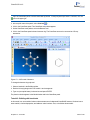
Figure 3.3: aniline model.
Kukele and delocalized bonds
Alternate double and single bonds in aromatics and other compounds can be displayed in either their Kekule or delocalized form. Two typical examples, CO - and benzene, appear below.
2
Figure 3.4: Kekule and delocalized bonds
After building your model, you can toggle between Kekule and delocalized bonds in any of three ways:
In the model window, type CTRL+K.
Go to View>Model Display>Delocalized Bonds and select an option.
Go to File>Model Settings>Model Display tab and select (or deselect) Show Delocalized Bonds as Dashed
Lines.
Setting selection color
Selected atoms and bonds are highlighted in yellow color by default. You can change the default selection color in the
Model Settings dialog box.
1. Go to File>Model Settings. The Model Settings dialog box appears.
Chapter 3: Basic Model Building
20 of 318
ChemBio3D 14.0
2. Click the Color & Fonts tab.
3. Select the desired color from the Selection Color drop-down list.
4. Click OK.
Adjusting bond width
You can adjust the width of some or all bonds in your model.
To adjust the width of one or more selected bonds:
1. Select one or more bonds.
2. Right-click the selected bond(s).
3. Choose Select Object Bond Size from the context menu. The bond size slider appears.
4. Move the slider to adjust the width.
5. (Optional) To reset the bond to its default width, right-click the bond and select Reset to Default.
To adjust the width for all bonds in your model:
1. Go to File>Model Settings and select the Atom & Bond tab.
2. Move the Bond Size slider to the desired width.
3. Click OK.
4. (Optional) To reset all bonds to their default width, go to File>Model Settings. Then, select the Atom & Bond tab
and click Reset to Default.
Removing bonds and atoms
To remove an atom or bond:
1. Do one of the following to remove an atom or bond:
Click the Eraser tool and click the atom or bond.
Select the atom or bond, and go to Edit > Clear.
Select the atom or bond and press DELETE.
Alternatively, to remove a bond, right-click the bond and select Break Bond.
Note: If automatic rectification is on, you will not be able to delete hydrogen atoms. Turn automatic rectification off
when modifying a model. (Go to File>Model Settings>Model Building tab.)
Atom charges
Atoms are assigned a formal charge based on the atom type and bonding for that atom. You can display the charge by
pointing to the atom.
Setting charges
To set the formal charge of an atom:
1. Click the Build from Text tool.
Chapter 3: Basic Model Building
21 of 318
ChemBio3D 14.0
2. Select the atom(s) to change.
3. Type <+> or- followed by the number of the formal charge.
4. Press <Enter>.
To set the formal charge of an atom in a molecular fragment as you build you, add the charge after the element in the
text.
Example
To build a model of a phenoxide fragment:
1. Type PhO- into a text box with no atoms selected.
2. Press <Enter>. The phenoxide ion molecule appears.
To remove the formal charge from an atom:
1. Click the Build from Text tool.
2. Select the charged atom.
3. Type <+0>.
4. Press <Enter>.
Displaying charges
ChemBio3D recognizes formal and delocalized charges on atoms. As also shown in ChemDraw drawings,
ChemBio3D displays the formal charge that has been assigned to atoms and calculates the delocalized charge. If an
atom possess a delocalized charge that is different from the formal charge, both charges are shown; otherwise, only
the formal charge is displayed.
Chapter 3: Basic Model Building
22 of 318
ChemBio3D 14.0
Object position
The position of every object in a model is defined by two sets of Cartesian coordinate axes—the model axes and the
view axes. The model axes (green) determine the absolute position of all objects. An object does not change its position in relation to the model axes unless you move it.
The view axes (purple) define the relative position of all objects in the model. The view axes origin is the center of all
objects in the model. As a result, all objects in the model move relative to the view axes origin whenever an object is
added, deleted, or moved in the model window.
Figure 3.5: A model showing both sets of coordinates. The C(9) carbon is positioned at the origin of the model axes.
All objects in the model (the two methane fragments) are centered around the origin of the view axes.
Moving objects
When you move an object, you change its position in relation to the model axes. For more information, see "Object
position" on page 23.
1. Select the Move Objects tool
in the Building toolbar.
2. Select one or more objects (to select multiple objects, SHIFT+ click each one).
3. Click-drag one of the selected objects.
When you move an atom, attached rectification atoms (typically hydrogens) move with it. When you move a bond, its
adjacent atoms also move.
You can also use the Translate tool
to move objects:
1. Select one or more objects in the model window.
2. While pressing SHIFT, click-drag the selected object(s) using the translate tool.
Centering a selection
When resizing a model or before performing computations, it is often useful to center the model.
ChemBio3D lets you select an atom (or atoms) to determine the center, or perform the calculation on the entire model.
To center your model based on a selection:
1. (Optional) Select one or more atoms.
Chapter 3: Basic Model Building
23 of 318
ChemBio3D 14.0
2. Go to Structure>Model Position>Center Model (or Selection) on Origin.
This command places the centroid of the selected atoms at the origin of the model axes. ChemBio3D calculates the
centroid of the selected atoms by averaging their X-, Y-, and Z-coordinates. If you do not select any atoms, the whole
model becomes centered.
Substructures
A substructure is simply part of a structure (basically, a building block) that you can define and use to quickly build
models. Substructures have attachment points to which other atoms or substructures connect. Several predefined
substructures are listed in the substructures table (substructures.xml file). You can define your own substructures and
add them to the table. See "Defining substructures" on page 24.
To apply a subtructure to a model, you can either add it to an existing fragment by replacing one of the fragment's
atoms with the substructure or you can paste the subtructure into the model window as a new fragment.
To apply a subtructure to a model:
1. Go to View>Parameter Tables>Substructures.
2. In the substructures table, right-click the Name of a substructure and select Copy.
3. In your model, do one of the following:
To add the substructure to an existing fragment, right-click an atom in the fragment and select Paste.
To add the substructure as a new fragment, right-click an empty area of the model window and select Paste.
Defining substructures
To select a substructure:
1. Build a model. Part (or all) of the model must include the atoms you want to define as the substructure. You can
use ChemBio3D tools or build it in the ChemDraw panel.
2. In the model, select the part (or all) of the structure you want to define as the substructure.
3. Go to Edit>Copy.
To save the substructure definition:
1. Go to View>Parameter Tables>Substructures. to open the substructures window.
2. Right-click in the Substructures table and choose Append Row. A new row is added to the table.
3. Select the cell in the Model column.
4. Right-click in the cell and choose Paste from the context menu. The content will be not be visible until you move
to another cell.
5. Select the cell in the Name column.
6. Type a name for the substructure.
7. Close and save the Substructures table.
An example
Consider an ester substructure, R1COOR2. You can build this substructure as part of the model below:
Chapter 3: Basic Model Building
24 of 318
ChemBio3D 14.0
Select atoms 3-5 (the two oxygen atoms and the carbon atom between them) and using the instructions above, create
a new record in the Substructures table.
To append an ester onto the end of the chain as a carboxylic acid, double-click a hydrogen to replace it with the ester
(as long as the name of the substructure is in the text box). Replacing H(8) (of the original structure) would produce
this structure:
Notice that the carbon atom in the ester has replaced the hydrogen. This is because, when the ester was defined, the
carbon atom had a lower serial number (3) than the oxygen atom that formed the other attachment point in the substructure (5).
Note: When defining substructures with multiple attachment points, note the serial numbers of the atoms in the
substructure so that you can correctly orient the substructure when it is inserted in the model. For more information, see "Attachment point rules" on page 26.
Advantages of using substructures
Here are some advantages for using substructures:
Substructures may be energy minimized.
Substructures have more than one attachment atom (bonding atom) pre-configured.
For example, the substructure Ph for the phenyl group has a single attachment point. The substructure COO for the
carboxyl group has attachment points at the carboxyl carbon and the anionic oxygen. Similar multi-bonding sites are
defined for all amino acid and other polymer units.
Amino Acid substructures come in alpha and beta forms. If the name of the amino acid is preceded by the symbol
‘β‘ then it implies that the acid is in beta form, otherwise the acid is in alpha form. The dihedral angles have been preset for building alpha helix and beta sheet forms.
You can use substructures alone or with single elements or atom types.
Chapter 3: Basic Model Building
25 of 318
ChemBio3D 14.0
Using a substructure creates a record in the Groups table that you can use for easy selection of groups, or coloring
by group.
Substructures are particularly useful for building polymers.
You can define your own substructures and add them to the substructures table, or create additional tables. For
more information, see "Defining substructures" on page 24.
You must know where the attachment points are for each substructure to get meaningful structures using this
method. Pre-defined substructures have attachment points as defined by standard chemistry conventions. For
more information see "Attachment point rules" on page 26.
To use a substructure as an independent fragment, make sure no atoms are selected.
To insert a substructure into a model, select the atoms bonded to the substructure attachment points. To know how to
use substructures to create models, see "Substructures" on page 74.
Angles and measurements
The measurements between the selected atoms and nearby unselected atoms are saved with the substructure.
These measurements are used to position the substructure relative to other atoms when it is used in your model.
For example, ChemBio3D stores with the substructure a dihedral angle formed by two atoms in the substructure and
two unselected atoms. If more than one dihedral angle can be composed from selected (substructure) and unselected
(non-substructure) atoms, the dihedral angle that is saved with the substructure consists of the atoms with the lowest
serial numbers.
Consider the following model to define a substructure for alanine:
Since polypeptides are specified beginning with the N-terminal amino acid, N(4) should have a lower serial number
than the carboxyl C(6). To ensure that a chain of alanine substructures is formed correctly, C(1) should have a lower
serial number than O(3) so that the C-C-N-C dihedral angle is used to position adjacent substructures within a label.
Attachment point rules
When you save a substructure, its attachment points are saved with it.
Chapter 3: Basic Model Building
26 of 318
ChemBio3D 14.0
Attachment points follow these rules:
If two atoms in the substructure are the same, the atom with the lowest serial number becomes the first attachment
point.
If an atom has an open valence and is attached to a selected atom, it is numbered after any atom that is attached to
an unselected atom.
If an atom is attached only to rectified atoms, it goes after any atom that is attached to non-rectification atoms.
If two atoms are the same according to the above criteria, then the one attached to the atom with the lowest serial
number goes first.
Refining models
After building a 3D model, you may need to make further refinements to help ensure that it is geometrically and structurally correct. For example, bond angles and lengths may not be chemically accurate if you've moved objects around
or deleted them while building your model. You may also need to rectify atoms in your model to adjust their valences
in cases where you may have deleted other atoms.
Rectifying atoms
When you rectify atoms in your model, hydrogen atoms are added and deleted as necessary so that each selected
atom is bonded to the correct number of atoms. The correct number is specified by the valency of the atom type. The
rectify command assigns atom types before rectification.
The atom types of the selected atoms are changed so that they are consistent with the bound-to orders and bound-to
types of adjacent atoms.
To rectify selected atoms in your model:
1. Select the atoms to rectify.
2. Go to Structure>Rectify.
To set rectification as a default:
1. Go to File>Model Settings and select the Model Building tab.
2. Select Rectify.
3. Click OK.
Note: The rectification setting does not affect fragments that already appear in the model window. To rectify existing atoms, select the atoms and go to Structure>Rectify.
When Correct Building Type and Rectify settings are selected in the Model Building tab panel, the atom type is set
according to the bond tool used and the appropriate number of hydrogens are added.
Rectifying atoms in PDB files
While opening a PDB file, you can specify that the hydrogens in the PDB file model be rectified.
To add hydrogens to PDB file:
1. Go to File>Open.
Chapter 3: Basic Model Building
27 of 318
ChemBio3D 14.0
2. Select a PDB file to open.
3. Select the following check boxes:
Compute Atom Types and Bond Orders
Rectify Atoms
4. Click Open.
Upon import, hydrogens will be added to the molecule from the PDB file.
Cleaning up a model
As you build your model or arbitrarily move objects around the model window, your model may begin to appear distorted. To correct the distortion, use the Clean Up command. To clean up the selected atoms in a model:
1. Select a part or all of the model to clean up.
2. Go to Structure>Clean Up.
When you use the clean up command, the selected atoms are repositioned to reduce errors in bond lengths and bond
angles. Planar atoms are flattened and dihedral angles around double bonds are rotated to 0 or 180 degrees.
Also, any bond lengths or bond angles you may have set in the measurements table are overridden. ChemBio3D tries
to adjust the structure so that its measurements match those in the Optimal column. These optimal values are the
standard measurements in the Bond Stretching and Angle Bending parameter tables. For all other measurements, performing a Clean Up or MM2 computation alters these values. To use values you set in these computations, you must
apply a constraint. See "Setting constraints" on page 79 for information.
Copying and printing
ChemBio3D offers several options for you to copy, embed, and print models. The best option depends on your needs
and preferences.
Copying
You can copy ChemBio3D models into other applications such as a desktop publishing program. How you copy the
model depends how you want the model to appear in the new application.
When you copy a model from ChemBio3D into another application, the model retains its properties. If you want to edit
the model, you can only do it using ChemBio3D. After you edit and save the structure, the changes will be reflected in
the application where you have pasted the model.
Copying as an editable model
To copy a model:
1. In ChemBio3D, select the model.
2. Go to Edit>Copy.
Chapter 3: Basic Model Building
28 of 318
ChemBio3D 14.0
3. In the other software application, paste the model into an open file. For example, in Microsoft® Word, type
<Ctrl>+<V>.
After you paste the model into the application, you can edit it when needed.
To edit a pasted model:
1. In the application in which the model is pasted, double-click the model image. The model opens in ChemBio3D.
2. In ChemBio3D, edit the model.
3. In ChemBio3D, go to File>Exit & Return. ChemBio3D closes.
Copying as a static image
You can copy a model as either a bitmap or enhanced meta file (EMF). Bitmap files retain the background you see in
ChemBio3D while the EMF adopts the background (typically white) used in the application in which it is pasted.
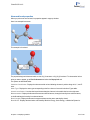
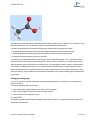
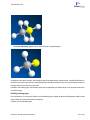
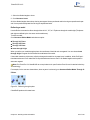
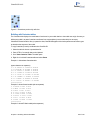
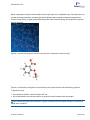
Figure 3.1: A model of asparagine imported as a bitmap (left) and as an EMF (right).
When pasted into other applications, these files become static images and cannot be modified. However, bitmap and
EMF files typically have a smaller file size than embedded models.
To copy and paste a model as a static image:
1. Select the model.
2. Go to Edit>Copy As and choose either Bitmap or Enhanced Metafile.
3. In the other software application, paste the model into an open file. For example, in Microsoft® Word, type
CTRL+V.
When you copy in a graphic format, the size of the model window determines the size of the file that you copy to the
clipboard from ChemBio3D. To adjust the size of a copied molecule, resize the model window before you copy it.
Tip: To export copies of several models so that they are all the same size, adjust the model windows so that they
are the same size and ensure that Fit Model to Window is on. To turn on the Fit Model to Window feature, go to
File > Model Settings > Model Building tab and select the Fit Model to Window check box.
Copying to ChemBioDraw
Models that you copy to ChemBioDraw appear as 2D drawings. This means that you can edit a drawing as you would
any other ChemBioDraw structure.
To copy a model into ChemBioDraw:
1. Select the model.
Chapter 3: Basic Model Building
29 of 318
ChemBio3D 14.0
2. Go to Edit>Copy As>ChemDraw Structure.
3. In ChemBioDraw, go to Edit>Paste.
Copying as simple notation
To copy the model as a SMILES, InChI, or InChIKey string, select the model and go to Edit>Copy As and choose
either SMILES, InChI, or InChIKey.
Embedding
The ChemBio3D ActiveX control lets you embed models in Microsoft PowerPoint, Word, HTML-based documents, or
any COM-aware application.
Note: To see an embedded object of ChemBio3D in Microsoft Word, you may need adjust the macro security settings.The macro security settings should be either Low or Medium with macros enabled.
When a model is embedded, you can view it using many of the features found in ChemBio3D. For example, you can
rotate the model, zoom in and out, and change its display mode.
To embed a model:
1. In ChemBio3D, type CTRL+A to select the model.
2. Go to Edit>Copy As>Embedded Object.
3. Launch the other application (such as PowerPoint).
4. To paste the object in the target document, type CTRL+V.
Note: To view an embedded model in PowerPoint, go to PowerPoint and press F5 to begin the slide show.
Figure 3.2: A ChemBio3D model embedded in FrontPage.
Note: Modifying the embedded image in HTML is beyond the scope of this document. If you are a programmer
developing 3D modeling HTML pages, see ReadMeC3DP.htm in the ChemBio3D application folder.
When you embed a model in a PowerPoint presentation, you can modify the display properties. Select Properties
from the context (right-click) menu.
Listed below are the properties you can change in an embedded object.
Chapter 3: Basic Model Building
30 of 318
ChemBio3D 14.0
AutoRedraw. By default, this is set to True.
DemoAxis. Defines the axis of rotation when you select DemoRock or DemoSpin as a DemoMode.
DemoMode. Determines whether the model rocks, rotates or remains static in the slideshow.
DemoSpeed. The relative rotation speed when the DemoMode is set as either DemoRock or DemoSpin.
EncodeData. Cannot be changed. By default, this is set to True.
Fullscreen. Cannot be changed. By default, this is set to False.
Height. Defines the height of the object window.
Left. Defines the placement of the left edge of the object window.
Modified. Cannot be changed.
Rock amplitude. The amplitude in which the model will rock when the DemoMode is set to DemoRock.
ShowContextMenu. Shows/hides right-click menus in the object window.
ShowRotationBar. Shows/hides the Rotation toolbar.
ShowToolbar. Determines placement of the Toolbar (left, right, top, bottom) or hides the toolbar.
Top. Defines the top of the object window, measured from the top of the slide.
ViewOnly. Set to False by default.
Visible. Shows/hides the object window.
Width. Defines the width of the object window.
Printing
You can print your models to either an Adobe PostScript or non-PostScript printer.
When you print your model, you can specify several options, such as the image scale and resolution.
To set print options:
1. Go to File>Print Setup. The Print Setup dialog box opens.
2. In the Printer drop-down list, select a printer.
3. In the Form drop-down list, select the size of the paper.
4. Select an orientation.
5. Select from these options:
Scale To Full Page. The model size is adjusted to the page size.
Scale to____ mm/Angstrom.
Always print with White Background. White will replace the background color that appears on the screen.
High resolution Printing. Select for higher quality. Deselect for faster printing.
Include a Footer. A footer appears on the printed page.
6. Click OK.
To print:
1. Go to File>Print. The Print dialog box opens.
2. Click OK.
Chapter 3: Basic Model Building
31 of 318
ChemBio3D 14.0
Finding structures online
ChemBio3D includes online resources from which you can download structures and view them in the model window.
For example, you can download files from the Protein Data Bank (PDB), Crystallographic Information File (CIF), or
Available Chemicals Exchange (ACX) databases. To download a PDB or CIF file, you will need either its PDB or CIF
number. To download an ACX file, you will need either its ACX number or the structure name.
Caution: If the ChemDraw panel is open while you are downloading large structures, you may receive an error
message: "The number of atoms in this molecule exceeds the atom synchronization limit. The ChemDraw panel
cannot load the molecular structure." Close the error message. The downloaded structure will appear in the model
window but not in the ChemDraw panel.
PDB and CIF files
To download either a PDB or CIF file:
1. Go to Online>Find Structure from PDB ID. A dialog box opens.
2. In the dialog box, either enter the PDB ID for the structure in the PDB ID drop-down list or select it from the list.
3. In the Format drop-down list, select either PDB or CIF.
4. To enter a location to save the file, select Save As to navigate to the save location.
5. Click Get File. The file is downloaded and appears in a new model window.
ACX files
To download an ACX file using its ACX number:
1. Go to Online>Find Structure from ACX Number. A dialog box opens.
2. In the dialog box, either enter the ACX number for the structure in the ACX No drop-down list or select it from the
list.
3. To enter a location to save the file, select Save As to navigate to the save location.
4. Click Get File. The file is downloaded and appears in a new model window.
To download an ACX file using a structure name:
1. Go to Online>Find Structure from Name at ChemACX.com. A dialog box opens.
2. In the dialog box, either enter the structure name in the Name drop-down list or select it from the list.
3. To enter a location to save the file, select Save As to navigate to the save location.
4. Click Get File. The file is downloaded and appears in a new model window.
Ordering from ChemACX
You can order chemicals through ChemACX from the ChemBio3D main menu.
Note: To order chemicals, you must have the ChemDraw ActiveX control installed.
To order a chemical:
Chapter 3: Basic Model Building
32 of 318
ChemBio3D 14.0
1. With a model in the model window, go to Online>Find Suppliers on ChemACX.com.
2. Install the ChemDraw ActiveX control if prompted.
Note: You should be registered and /or logged in to the PerkinElmer Web site before proceeding with the following
steps.
3. The ChemACX Database Web site opens in a browser window with the structure displayed.
4. In the Suppliers list, select a supplier from whom to order. A list of products from the selected supplier appears.
5. In the product list, select one or more products to order and click Add to Cart.
6. When you are ready, click View Shopping Cart and complete your order.
Note: For information on how to order chemicals using ChemACX, click Help in the ChemACX main menu.
Chapter 3: Basic Model Building
33 of 318
ChemBio3D 14.0
Displaying Models
The display options in ChemBio3D not only let you add visual appeal to models but are also designed to help you
examine structural properties. Using basic tools, you can scale, rotate, and move various objects in your model. You
can also add color to identify objects or show atomic distance and bond angle measurements.
Display modes
Display modes define how bonds and atoms appear. Models appear in the Ball & Stick display mode by default. To
change the display mode, go to View>Model Display>Display Mode and select a display mode option. You can
also change the display mode for model fragments. See "Display modes for fragments" on page 57. The display
modes are described below.
Setting the default display mode
ChemBio3D applies the default display mode whenever you open a new model window.
To set the default display mode:
1. Go to File>Model Settings. The Model Settings dialog box appears.
2. Select the Model Display tab.
3. Select an option in the Model Type drop-down list.
4. Click Set as Default.
5. Click OK.
The table below describes the display modes:
Chapter 4: Displaying Models
34 of 318
ChemBio3D 14.0
Display Mode
Description
Wire Frame
Wire frame is the most simple display mode. Bonds are displayed
as pixel-wide lines. Atoms are not displayed explicitly, but each half
of a bond is colored to represent the element color for the atom.
Wire frame models are well suited for extremely large models such
as proteins.
Sticks
Stick models are similar to wire frame, however, the bonds are
slightly thicker. This model type is also good for visualizing very
large models such as proteins.
Ball and Stick
These models show bonds as thick lines and atoms as filled
spheres. The atom spheres are filled with color that corresponds to
the element or position of the atom.
Cylindrical Bonds
These models are similar to Ball and Stick models except that all
bond types are drawn as cylinders.
Space Filling
These models are best for getting an idea about the relative physical
size of the atoms. Each atom's size is determined by its van der
Waal's (VDW) radius. These models may be complex to draw and
slow to display. Atoms are scaled to 100% of the van der Waals
radii specified in the Atom Types table.
The van der Waal's radii may be set so that overlap between
non-bonded atoms indicates a large (about 0.5 kcal/mole) repulsive
interaction.
Chapter 4: Displaying Models
35 of 318
ChemBio3D 14.0
Display Mode
Description
Ribbons
These models show large protein molecules in a form that highlights
secondary and tertiary structure.
Ribbon models can be colored by group to identify the amino acid
constituents. Your model must have a protein backbone to display
ribbons.
Cartoons
Cartoon models, like ribbon models, show large protein molecules
in a form that highlights secondary and tertiary structure.
Ribbon and Cartoon model display modes do not provide pop-up
information and are not intended for printing as bitmaps.
Atom and bond size
You can adjust the size of atoms and bonds in ball and stick, cylindrical bonds, and space filling models.
1. Go to File>Model Settings. The Model Settings dialog box appears.
2. Select the Atom & Bond tab.
3. To view your changes before you apply them, select Preview.
4. To adjust the atom size, move the Atom Size slider.
5. To adjust the bond size, move the Bond Size slider.
6. Click OK.
The Atom Size value, 0 (small) to 100 (large), is a percentage of the covalent radius specified for each atom in the Elements table. When the Atom Size is 100, the atoms are scaled to their maximum radii. The value of this setting
affects Ball and Stick and Cylindrical Bond models.
Note: To open the Elements table, go to View>Parameter Tables>Elements.
Displaying dot surfaces
You can add dot surfaces to any of the model display modes. Go to View>Model Display>Show Atom Dots. An
example using a stick model is shown below.
Chapter 4: Displaying Models
36 of 318
ChemBio3D 14.0
Figure 4.1: Viewing dot surfaces.
To show atom dots for only selected atoms:
1. In the model window, select one or more atoms.
2. Right-click one of the selected atoms.
3. In the context menu, go to Atom Dots>Show Atom Dots.
To display dot surfaces by default on all atoms:
1. Go to File>Model Settings and select the Atom & Bond tab.
2. In the Atom Dot Surfaces section, click the Show by Default check box.
3. Use the Density slider to adjust the density of the dot surface and click Apply.
4. Click OK.
Serial numbers
Each atom in a model is assigned a unique serial number to distinguish it from all other atoms. As a result, you can
identify each atom when viewing the model explorer or measurements table.
To view the serial numbers, select one of these options:
For individual atoms, use the Select tool to point to the atom. The serial number appears in the pop-up information.
Go to View>Model Display>Show Serial Numbers. Serial numbers for all atoms are displayed.
Go to File>Model Settings>Model Display tab and check the Show Serial Numbers check box. Click Apply
and then click OK.
Click the Serial Number toggle on the Model Display Toolbar.
Reassigning serial numbers
Serial numbers are initially assigned based on the order in which you add atoms to your model.
Chapter 4: Displaying Models
37 of 318
ChemBio3D 14.0
To reassign the serial number of an atom:
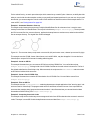
1. In the model explorer, select the atoms to renumber.
2. Right-click the selected atoms and go to Atom Serial Numbers>Hide Atom Serial Numbers.
Note: The model explorer cannot update its numbering to match the changes you are making on the model when
Serial Numbers are displayed. If you forget this step, you will see different numbers on the tree control and the
model. If this happens, hide the serial numbers momentarily and display them again.
3. Click the Build from Text tool.
4. Click the atom you want to reserialize. The atom is selected and a text box appears.
5. Type the serial number.
6. Press ENTER.
7. Right-click the atom that you reserialized and go to Atom Serial Numbers>Show Atom Serial Numbers. The
new serial number of the atom appears.
8. Repeat step 4 to step 7 for all the atoms that you want to reserialize.
If the serial numbers of any unselected atoms conflict with the new serial numbers, then those unselected atoms are
also reserialized.
To reserialize another atom with the next sequential number, double-click the next atom you want to reserialize.
To reserialize several atoms at once:
1. Click the Build from Text tool.
2. Hold down SHIFT and select several atoms.
3. Type the starting serial number.
4. Press ENTER.
Normally, the selected atoms are reserialized in the order of their current serial numbers. However, the first four atoms
selected are reserialized in the order you selected them.
Displaying atoms
Using the model explorer, you can control which atoms are displayed in the Model Window.
To hide atoms or groups, right-click at any level, point to Visibility and click Hide... (Atom Group, etc.). Hidden atoms
or groups are displayed in parentheses in the tree control.
By default, all levels in the hierarchy are set to inherit the settings of the level above, but you can reset the default to
hide a group but show individual atoms in it.
Showing atoms
To show an atom in a hidden group, right-click the atom in the model explorer, point to Visibility and click Show.
Chapter 4: Displaying Models
38 of 318
ChemBio3D 14.0
Showing all atoms
If you are working with a large model, it may be difficult to keep track of everything you have hidden. To show all
atoms or groups that are hidden:
1. Select a level in the tree control above the hidden atoms or groups, or SHIFT+click to select the entire model.
2. From the context menu point to Select and click Select All Children.
3. Right-click again, point to Show and choose Inherit Setting.
Atom symbols
You can display symbols on the atoms in your model to explicitly show the elements they represent.
Figure 4.2: Glutamic acid with atom symbols displayed.
To display symbols for all atoms, do one of the following:
Go to View>Model Display>Show Atom Symbols.
Click the Atom Symbol icon on the Model Display toolbar.
Right-click an empty area of the model window and select Show Atom Symbols in the context menu.
To display symbols for selected atoms:
1. Select the atoms in the model window.
Tip: You can also select the atoms in the model explorer. Either SHIFT+click or CTRL+click the atoms from the
list.
2. Right-click one of the selected atoms. A context menu appears.
3. Go to Atom Symbols>Show Atom Symbols.
Chapter 4: Displaying Models
39 of 318
ChemBio3D 14.0
To set the appearance of atom symbols to their defaults:
1. Go to File>Model Settings.
2. On the Colors & Fonts tab, select the atom label font, point size, and color.
3. Click Set as Default. All atoms currently in the model window display the selected options.
4. Click OK.
Note: The default appearance setting also affects the serial number.
Rotating models
By default, when you rotate a model, all objects in the model window rotate together. However, ChemBio3D provides
many options for rotating objects. You can rotate each fragment (or part of a fragment), rotate objects around axes, a
specified bond, or a dihedral bond.
Free rotations
You can freely rotate your entire model to any angle around any axis.
To freely rotate a model:
1. Select the Rotate ( ) tool.
2. Click-drag anywhere in the model window.
The Status bar displays the X- and Y-axes of rotation.
Rotating a fragment
You can also rotate one or more fragments that you select.
To rotate one or more fragments:
1. Select an atom in each fragment you want to rotate.
2. Select the rotation tool, hold the SHIFT key and click-drag anywhere in the model window.
Axis rotations
You can rotate your model around the X-, Y-, and Z-axes. These axes are defined by the model window. The horizontal and vertical axes of the window define the X- and Y-axes of rotation; the Z-axis is perpendicular to the window.
These axes are independent of the view and model axes. (For more on the view and model axes, see "Object position"
on page 23).
Chapter 4: Displaying Models
40 of 318
ChemBio3D 14.0
Figure 4.3: The rotation bars. A) Bond rotation bar; X) X-axis rotation bar; Y) Y-axis rotation bar; Z) Z-axis rotation bar.
To rotate a model around either the X-, Y-, or Z-axis:
1. (optional) Go to View>Model Display>Model Axes to display the view axes.
2. Select the Rotate ( ) tool.
3. Point to an edge of the model window, the rotation bars appear.
4. Click-drag the pointer around the rotation bar for the axis you want to rotate the model around.
The angle of rotation appears in the Status bar.
Hiding rotation bars
By default, the rotation bars appear whenever you use them. However, you can always keep them hidden even when
you are using them.
To hide/display the rotation bars:
1. Go to File>Preferences and select the GUI tab.
2. To show/hide the rotation bars select/deselect Show Mouse Rotation Zones.
3. Click Apply and then click OK.
Note: The rotation bars are active when you select the Rotate tool, even if they are hidden.
Rotating around a bond
To rotate the model around a bond:
1. Select the bond using the Select tool.
2. Using the Rotate tool, drag the mouse along the Rotate About Bond Rotation bar on the left side of the Model window.
Chapter 4: Displaying Models
41 of 318
ChemBio3D 14.0
The rotation dial
The rotation dial lets you specify an angle of rotation around a bond or a dihedral to create another conformation of your
model.
To open the rotation dial, click the arrow next to the Rotate tool.
Figure 4.4: The Rotation dial: A) degree display box; B) Axis rotation; C) Local (rotate around bond) axis; D) dihedral
rotation.
Rotating around a dihedral
To rotate around a dihedral:
1. Select either two or four adjacent atoms.
2. In the rotation dial, select one of the dihedral rotation options.
3. In the rotation dial, either enter a value in the degrees display box or click-drag the dial to the desired angle.
Tip: Use the keyboard shortcuts SHIFT+B and SHIFT+N to control which part of the model moves in the dihedral
rotation.
You can change the orientation of your model along a specific axis. Although your model moves, the origin of the
model (0, 0, 0) does not change, and is always located in the center of the model window. To change the origin, see
"Centering a selection" on page 23.
Rotating around a bond
To rotate around a bond:
1. Select either two adjacent atoms or a bond.
2. In the rotation dial, select the Local Axis option.
3. In the rotation dial, either enter a value in the degrees display box or click-drag the dial to the desired angle.
Chapter 4: Displaying Models
42 of 318
ChemBio3D 14.0
Atom and bond properties
When you point to an atom or bond, its properties appear in a pop-up window.
Here is an example for an atom:
This example is for a bond:
The properties begin with the atom label, such as C(1) for an atom or C(1)-C(2) for a bond. To choose other information you want to appear, go to File>Preferences and select the Popup Info. tab.
The options are described below:
Cartesian Coordinates. Displays the three numerical values indicating the atom’s position along the X, Y, and Zaxes.
Atom Type. Displays the atom type corresponding to the first column of a record in the Atom Types table.
Internal coordinates. Lists the relative positions and angles of atoms in the model relative to the origin atom.
Measurements. Displays the distance between two selected atoms, the angle formed by three selected atoms,
or the dihedral angle formed by four selected atoms.
Bond Length. Displays the distance in angstroms between the atoms attached by a bond.
Bond Order. Displays the bond orders calculated by Minimize Energy, Steric Energy, or Molecular Dynamics.
Chapter 4: Displaying Models
43 of 318
ChemBio3D 14.0
Bond orders are usually Single, Double, or Triple depending on whether the bond is a single, double, or triple bond.
Computed bond orders can be fractional.
Note: Precise bond orders for delocalized pi systems are displayed if the MM2 Force Field has been calculated.
Partial Charge. Displays the partial charge according to the currently selected calculation.
See "Surface types" on page 62 for information on how to select a calculation.
Group Name. Displays the group name if the selected atom is part of a group.
Show MM2 Bond Order Instead of ChemBio3D Bond Order. Displays the bond order based on MM2 calculations.
Show Customized Atom Properties. Shows properties that are listed in the columns of the Atom Property table. To
view the Atom Property table, go to View > Atom Property Table. The columns are populated by a variety of methods (e.g. running an MM2 minimization)
Showing hydrogen bonds
ChemBio3D can detect and display hydrogen bonds and polar hydrogen atoms. ChemBio3D recognizes these hydrogen bond donor and acceptor groups:
Hydrogen bond donors:
*-N-H
*-O-H
Hydrogen bond acceptors:
Oxygen atoms with at least one available lone pair
Nitrogen atoms with at least one available lone pair
To display hydrogen bonds, do one of the following:
Go to View>Model Display>Show Hydrogen Bonds and choose either Show Intermolecular or Show All.
Go to File>Model Settings and select the Model Display tab. From the Hydrogen Bonds drop-down list, select
Show intermolecular or Show All.
Hydrogen bonds appear as dashed lines between the donor hydrogen and the acceptor atom. Bonds with less than
ideal geometry are displayed with a blue tint. The color intensity increases as the bond becomes less ideal.
Chapter 4: Displaying Models
44 of 318
ChemBio3D 14.0
Figure 4.5: Hydrogen bonds in MM2 optimized water.
There are separate controls for hydrogen atoms and lone pairs, and you can choose to display only polar hydrogens
(those bonded to oxygen or nitrogen).
To display hydrogen atoms and lone pairs:
1. Go to File>Model Settings. The Model Settings dialog box appears.
2. Click the Model Display tab.
3. Select Show All from the Hydrogen Atoms drop-down list.
4. Select Show from the Lone Pairs drop-down list.
5. Click OK.
By default, Show Polar is selected when a macromolecular PDB or mmCIF file is loaded.
These display modes are global options, but you can override their effect by changing the display mode of a particular
atom or group in the model explorer.
Hydrogens and lone pairs
To show all hydrogen atoms or lone electron pairs in the model, go to View>Model Display and select either:
Show hydrogen atoms>Show All.
Show Lone Pairs>Show All.
Chapter 4: Displaying Models
45 of 318
ChemBio3D 14.0
Translating models
You can pan your view of the model vertically and horizontally using the translate tool. No objects in the window
move; you just change the position from which you view the model (the effect is similar to using scroll bars in a Web
browser).
To translate a model:
1. Select the Translate tool
on the Building toolbar.
2. Click-drag anywhere in the model window.
You can also use the translate tool to move objects:
1. Select one or more objects in the model window.
2. While pressing SHIFT, click-drag the selected object(s) using the translate tool.
Scaling models
With the zoom tool
selected, click and drag vertically in the model window to magnify or reduce the model size.
The coordinates of the model do not change. You can also use the wheel if you are using a scrolling mouse.
You can scale a model to fit the window that contains it:
To scale a model to the window, go to View>View Position>Fit to Window.
Note: The Fit command affects only the scale of the model. Atomic radii and interatomic distances do not change.
Fit Model to Window
You can specify whether to resize and center the model in the model window whenever you make a change.
1. Go to File>Model Settings.
2. In the Model Building tab, select Fit Model to Window and click OK.
Aligning models
You can align a model either to an axis or to a plane.
Aligning to an axis
You can select any two atoms in a model and align them to either the X, Y, or Z-axis. The atoms don't have to be in the
same structure.
1. To view the axes, select the Model Axes
and View Axes
buttons in the model display toolbar.
2. Select any two atoms.
3. Go to Structure>Model Position>Align Model with (X, Y, or Z) Axis.
The model becomes oriented so that the two atoms you select are parallel to the chosen axis.The command, Align
View (X, Y, or Z) Axis with Selection align the axis joining the selected atoms parallel to the X, Y or Z axis, where
the Z axis is orthogonal to the screen, the X axis runs from left-to-right and the Y axis runs down-to-up on the screen.
Chapter 4: Displaying Models
46 of 318
ChemBio3D 14.0
To orient the selected atoms with the screen:
4. Make sure the aligned atoms are still selected (or reselect them).
5. Go to View>View Position>Align View (X, Y, or Z) Axis with Selection.
For example, to see an end-on view of ethanol:
1. Click the Select tool.
2. SHIFT+click C(1) and C(2).
Figure 4.6: Selecting atom for alignment.
3. Go to View>View Position>Align View Z Axis With Selection.
Aligning to a plane
You can align your model to any Cartesian coordinate plane that you define. To align a model to a plane, you first
select at least three atoms to define the plane. If you select more than three atoms, a plane is computed that minimizes the average distance between the selected atoms and the plane, commonly known as the best-fit plane.
To align the model to a plane:
1. Select three or more atoms.
2. Go to Structure>Model Position>Align Model (choose a plane) With Selection.
The model rotates so that the computed plane is parallel to the plane you choose (X-Y, Y-Z, or X-Z).
To move three atoms to a plane and two of the atoms onto an axis:
1. Select the two atoms.
2. Go to View>View Position>Align View (choose an axis) With Selection.
3. SHIFT+click the third atom.
Chapter 4: Displaying Models
47 of 318
ChemBio3D 14.0
4. Go to View>View Position>Align View (choose a plane) With Selection.
For example, to move a cyclohexane chair so that three alternating atoms are on the X-Y Plane:
1. Select two non-adjacent carbon atoms in the ring.
2. Go to View>View Position>Align View X Axis With Selection.
The model moves to the position shown in Figure B.
3. Select the third non-adjacent carbon atom in the ring.
4. Go to View>View Position>Align View X-Y Plane With Selection.
The model moves to the position shown in Figure C.
Applying color
Although you can use color to add visual appeal to a model, color can also be an important tool for identifying model
fragments, functional groups, surfaces, and individual atoms.
Customizing the background
You can change the background color or replace the background with a picture (such as your company logo). A dark
background is often suitable for ribbon displays intended for full color viewing, whereas a light background is useful for
print.
Chapter 4: Displaying Models
48 of 318
ChemBio3D 14.0
To customize the background:
1. Go to File>Model Settings and select the Background tab.
2. Choose from these options:
To change the background color, select from the Background Color drop-down list.
To insert a picture, select Background Picture and choose from the Transparency and Position options to
modify the picture.
To return to the default background, click Reset to Default.
3. Click OK.
Note: The background colors are not saved in PostScript files or used when printing except when you use the ribbons display.
Coloring selected atoms
To change the color of one or more atoms:
1. Select the atom(s).
2. Right-click an atom you selected and choose Color>Select Color in the context menu. The Color dialog box
appears.
3. Select a color and click OK. The color of the atom(s) changes to the new color.
To remove a custom atom color from the model display:
1. Select the atoms whose colors you want to change.
2. Right-click the atoms you selected and go to Color>Apply Object Color>Inherit Object Color.
Coloring displays
There are two ways for you to set the colors used to display your model. You can set the colors either in the model settings or in the model display menu.
To apply colors using the model settings, go to File>Model Settings and select the Colors & Fonts tab.
To make a temporary change, go to View>Model Display>Color By and select a menu option.
Chapter 4: Displaying Models
49 of 318
ChemBio3D 14.0
You can color by:
Monochrome--atoms and bonds are grayscale.
Chain
Element--atoms inherit the default color for the element they represent.
Group--atoms inherit the color assign to the group to which they belong if the group has been assigned a color.
Depth--atom color is determined by its relative position along the Z-axis.
Note: Monochrome and chain are available only for proteins displayed in the ribbon or cartoon display mode.
Coloring by element
Color by element is the default mode for small molecules. The default colors are stored in the Elements table.
To change the color of elements specified in the Elements table:
1. Go to View>Parameter Tables>Elements. The Elements table opens.
2. Double-click the Color field for an element. The Color dialog box appears.
3. Select the color to use and click OK.
4. Close and save the table.
Note: You must save the changes for the new colors to take effect.
Coloring by group
You can assign different colors to groups (substructures) in the model.
To change a color associated with a group in the active model:
1. In the model explorer, right-click on the group name and choose Color>Select Color. The Color dialog box
appears.
2. Select the color to use and click OK.
Coloring by substructures
If the groups in your model are substructures defined in the Substructures table (substructures.xml), you can assign
standard colors to them.
To assign (or change) a color:
1. Go to View>Parameter Tables>Substructures.
2. For the substructure whose color you want to change, double-click its corresponding cell in the Color column.The
Color dialog box appears.
3. Select a color and click OK.
4. Close and save the Substructures table.
Once colors are assigned in the Substructures table, you can use them to apply color by group:
1. Go to File>Model Settings.
2. Select the Colors & Fonts tab.
3. Select Group in the Color by section. Each atom in your model appears in the color specified for its group.
Chapter 4: Displaying Models
50 of 318
ChemBio3D 14.0
Note: Color by Group is displayed only in ribbon and cartoon display modes.
Coloring by partial charge
When coloring by partial charge, atoms with a highly negative partial charge are deep blue. Atoms with a highly positive partial charge are deep red. As the partial charge gets closer to 0, the color becomes pale. Atoms with a 0 partial
charge are white.
The partial charge is the result of a calculation—Extended Hückel, CS MOPAC, or Gaussian. If you have not performed a calculation, the partial charge for each atom is 0.
Figure 4.7: Color by partial charge.
Model Explorer
The model explorer provides you with an easy way to explore the structure of any model, even complex macromolecules, and alter display properties at any level. The model explorer lists all the structures in the model window,
the atoms they contain, and any structural features (such as active sites in a protein) that you may have defined. To
display the Model Explorer, Go to View>Model Explorer.
The display properties you can alter include:
the display mode (ball & stick, wire frame, etc).
visibility of each fragment.
the color of the atoms in each fragment.
At the atom level, you can display or hide:
atom spheres.
atom dots.
element symbols.
serial numbers.
Model Explorer also lets you add and remove fragments into Structure Browser window.
Chapter 4: Displaying Models
51 of 318
ChemBio3D 14.0
Model Explorer objects
The model explorer displays all the objects in your model. If your model consists of more than one structure, each
structure is defined as a fragment that has bonds and atoms as its child objects. Every object has a set of properties,
including a property that defines whether or not it belongs to a parent object.
You can use the model explorer to group objects together and assign properties to them. Grouped objects do not have
to be contiguous objects in your model or even be part of the same structure. For more information see Groups.
Note: To display the Model Explorer, Go to View>Model Explorer.
The default setting, all properties for an object, is inherited from its parent. This means that the parent determines the
properties of its child objects until you change a property. By changing properties of a child object, you can visualize
the part of the model you want to study.
You can use the model explorer to:
Define objects.
Add objects to groups.
Rename objects.
Delete objects with or without their contents.
Each type of object that can appear in the model explorer is described below:
Atoms
Each atom object in the model explorer represents one atom in your model. Atoms cannot be moved outside the fragment that contains it. If you deleted an atom from a fragment (or a group within a fragment) the model itself is changed.
Bonds
Bond objects do not appear by default in the model explorer. To display bonds, go to File>Preferences. In the GUI
tab, select Show Bonds.
Fragments
Each structure displayed in the model window is listed as a fragment in the model explorer (ions may be listed as multiple fragments). When you expand a fragment list in the model explorer, the atoms the fragment contains are shown.
The fragment represents the highest level parent object in a model and typically represent an entire structure. If your
model consists of several structures, the model explorer displays a fragment for each one. Fragments represent separate parts of the model; if you start at an atom in one fragment, you cannot trace through a series of bonds that connect to an atom in another fragment. If you create a bond between two such atoms, ChemBio3D will collapse the
hierarchical structure to create one fragment. Fragment objects typically consist of chains and groups, but may also
contain individual atoms and bonds.
Chains in PDB files
Chains are special groups found in PDB files. In ChemBio3D, chains and groups are functionally identical. If you
rename a group as a chain, or vice versa, the icon will change. All group commands also apply to chains.
Chapter 4: Displaying Models
52 of 318
ChemBio3D 14.0
Solvents
The solvent object group contains all the solvent molecules in the model. The individual molecules appear as child
groups within the solvent object. A solvent object should not be a child of any other object.
Note: When importing PDB models, solvents may show up in chains. ChemBio3D preserves this structure to
save the PDB file again.
Backbone
The backbone object is a display feature that lets you show the carbon-nitrogen backbone structure of a protein. It
appears in the model explorer as a separate object with no children. The atoms and bonds that make up the backbone
belong to other chains and groups, but are also virtual children of the Backbone object. This lets you select display
properties for the backbone that override the display properties of the chains and groups above them in the hierarchy.
Hiding objects
Each object listed in the model explorer has a color-coded icon next to it. The color signifies the visibility status of the
object:
Green: The atom is visible.
Red: The fragment (or atom) is hidden (but still present).
Blue: The fragment (or atom) visibility is inherited from its parent group or fragment.
To change hide or display a fragment or atom:
1. In the model explorer, select the fragment or atom.
2. Select Visibility from the context menu and choose an option:
Inherit Settings.
Show Fragment (or Atom).
Hide Fragment (or Atom).
Selecting objects
You can select atoms and bonds using the model explorer in several ways:
Select a single atom or bond.
Select multiple atoms; one atom at a time.
Define a group of atoms and select the group.
Select atoms or groups based on distance or radius.
To select an atom in the model explorer, click it. To select more than one atom, hold down either the SHIFT or CTRL
key at the same time.
To deselect a selected atom or bond, click the atom in the model explorer while pressing the CTRL key.
Chapter 4: Displaying Models
53 of 318
ChemBio3D 14.0
Selecting by distance
You can select atoms or groups near a selected atom or group of objects. This feature is useful for, among other
things, highlighting the binding site of a protein.
To select atoms or groups by distance:
1. Select an atom or fragment using the model explorer.
2. Right-click the selected object. From the context menu point to Select and click an option:
Select Atoms within Distance of Selection selects all atoms within the specified distance from any part of
the current selection.
Select Groups within Distance of Selection selects all groups with one or more atoms within the specified distance from any part of the current selection.
Select Atoms within Radius of Selection Centroid selects all atoms within the specified distance of the
centroid of the current selection.
Select Groups within Radius of Selection Centroid selects all groups with one or more atoms lying within
the specified distance of the centroid of the current selection.
Note: Atoms or groups already selected are not included. Also, the current selection will be cleared unless multiple selection is used. Hold the SHIFT key down to specify multiple selection.
Selecting object color
By default, all atoms are assigned a color that is defined in the Elements table. With the model explorer, you can use
different selection highlight colors for different fragments or groups. (The colors defined in the Elements table don't
change when you do this.)
In the model explorer, you can change the default color of an object to a custom color.
To select a custom color, right-click the object and choose Color>Select Color.
to revert to the default color, right-click the object in the model explorer and go to Color>Apply Atom
Color>Inherit Atom Color.
To select the custom color again, right-click the object and go to Color>Apply Atom Color>Apply Atom Color.
Groups
You can select two or more atoms in your model and group them in a list in the model explorer. After creating the
group, you can color all the atoms in the group, hide them, or change their display mode without having to select each
atom. You can also use groups to highlight part of a model (such as the active site of a protein) for visual effect.
Objects in group do not have to be connected to each other in your model and can consist of other groups, atoms, and
bonds.
To create a group:
1. Do one of the following:
In the model explorer, hold down the CTRL key and select atoms you want in the group.
Chapter 4: Displaying Models
54 of 318
ChemBio3D 14.0
In the model window, hold the SHIFT key and select the atoms you want in the group.
2. In the model explorer, right-click your selection and choose New Group from the context menu.
3. (Optional) Rename the group by typing a new name.
Selecting a group
To select a group, click the group in the model explorer.
Expanding a group
To expand or contract a group, click its '+' or '-' icon.
Adding objects to groups
You can add lower level objects to an existing group, or combine groups to form new groups.
To add to a group:
1. In the model explorer, select the objects you want to add, using either SHIFT+click (contiguous) or CTRL+click
(non-contiguous).
2. Right-click your selection and choose New Group from the context menu.
3. Rename the group, if desired.
Note: The order of selection is important. The group or chain to which you are adding must be the last object you
select.
Deleting groups
You can delete the group without affecting its objects or the model. You can also delete the group and all the objects
within it.
Select Delete Group to remove the grouping while leaving its contents intact.
Select Delete Group and Contents to delete the group from the model.
Coloring groups
Another way to view models is by assigning different colors to groups. Changing a group color in the model explorer
overrides the standard color settings in the Elements table and the Substructures table.
To change a group color:
1. Select a group or groups.
2. Right click the selected group(s) and choose Color>Select Color on the context menu. The Color Dialog box
appears.
3. Choose a color and click OK.
To revert to the default color:
1. Select the group or groups.
2. Right-click your selection.
3. On the context menu, go to choose Color>Apply Group Color and select Inherit Group Color.
Resetting defaults
To remove changes, use the Reset Children to Default command on the context menu.
Chapter 4: Displaying Models
55 of 318
ChemBio3D 14.0
Group labels
When you create a group, it is listed using a generic name in the model explorer. You can change the name and display it in the model window.
To set group labels:
1. Go to View>Model Explorer if the model explorer isn’t open already.
2. In the model explorer, right-click one of the groups in the list.
3. In the context menu, select Group Labels and choose the desired option.
Figure 4.8: group labels
Displaying group labels
You can display group labels in your model. To display labels, right click a group name in the model explorer, click
Group Labels in the context menu and select an option:
Inherit Settings--the label appears if the parent group appears.
Show Group Label (this group and children)--display the group and child groups.
Show Group Label (this group only)--display only this group. Does not affect child groups.
Hide Group label (this group and children)--Hide this group and its child groups.
Moving objects
You group objects together move objects in and out of groups. This becomes useful when you want to highlight different parts of your model or assign attributes. To move an object, click-drag it from one group or another. To move
several objects, first select them using either CTRL+click or SHIFT+click.
Nesting objects
You can also put objects in other objects. For example, you can have a DNA fragment that contains two helix groups
that, in turn, contains nucleic acid groups.
There are a few things to keep in mind when you move objects:
Chapter 4: Displaying Models
56 of 318
ChemBio3D 14.0
You cannot click-drag objects from one fragment to another. (For example, you cannot move atoms from one
molecule to another.)
You cannot rearrange atoms within a group.
Display modes for fragments
Using the model explorer, you can change the display mode for one or more fragments.
1. In the model explorer, select the fragment(s).
2. Right-click in the model explorer window.
3. Go to Display Mode and select a display mode option.
For more information, see "Display modes" on page 34.
Figure 4.9: Cartoon (left) and ribbon (right) display modes in the model explorer.
Structure browser - adding and removing fragments
You can add or remove fragments from the model explorer into the structure browser. The fragments you add to the
structure browser appear in the model window.
To add fragments into structure browser:
1. Go to View>Model Explorer if the model explorer isn’t open already.
2. In the model explorer, right-click the fragments that you want to add to the structure browser.
3. In the context menu, select Add to Structure Browser.
To remove fragments from the structure browser:
1. Go to View>Model Explorer if the model explorer isn’t open already.
2. In the model explorer, right-click the fragments that you want to remove from the structure browser.
3. In the context menu, select Remove from Structure Browser.
Making fragments exclusive in the structure browser
Model explorer lets you make fragments exclusively available in the structure browser. You can select one or more
fragments in the model explorer and make it exclusive in the structure browser. When you make a fragment exclusive
in the structure browser, only that item is available in the structure browser.
To make fragments exclusive in the structure browser:
Chapter 4: Displaying Models
57 of 318
ChemBio3D 14.0
1. Go to View>Model Explorer if the model explorer isn’t open already.
2. In the model explorer, right-click the fragments that you want to make exclusive in the structure browser.
3. In the context menu, select Make exclusive in Structure Browser.
Measuring molecules
You can display atomic distance, bond angles, and dihedral angles in the model window. How to display individual
measurements is described in this below. For how to display all measurements in a model, see The measurement
table.
To display the distance between atoms:
1. Select the atoms. The atoms do not have to share a bond.
2. Go to Structure>Measurements>Display Distance Measurement.
Tip: Alternatively, you can select two atoms and hover your cursor over one of the selected atoms. The pop-up
window displays the distance.
Chapter 4: Displaying Models
58 of 318
ChemBio3D 14.0
Figure 4.10: The pop-up window displays the distance between atoms in separate fragments.
To display the angle between two bonds:
1. Select either two adjacent bonds or three adjacent atoms.
2. Go to Structure>Measurements>Display Bond Angle Measurements.
To display a dihedral angle:
1. Select either three consecutive bonds or four consecutive atoms that make up a dihedral angle.
2. Go to Structure>Measurements>Display Dihedral Measurement.
By default, measurements in the Model window are displayed to one decimal place. To adjust the measurement values:
1. Go to File>Preferences.
2. In the Preferences dialog box, select the Measurements tab.
3. In the Display decimal places scroll box, select how many digits past the decimal point you want to appear in the
measurement values.
4. Click OK when finished.
Note: The measurement display value you choose affects values only in the model window.
The measurement table
The measurement table displays a compiled list of all measurements of your model that you have generated. After
you generate the measurements you want, you can select them from the table so that they appear in your model. To
open the measurement table, go to View>Measurement Table.
Chapter 4: Displaying Models
59 of 318
ChemBio3D 14.0
Figure 4.11: The Measurement table: A) Bond lengths; B) Bond angles.
1. To generate measurements, go to Structure>Measurements>Generate All (Bond Lengths, Bond Angles,
Dihedral Angles, or Close Contacts). The measurement table opens.
2. To enable a measurement to appear in the model window, select its corresponding Display check box.
Note: You can also modify measurements in the table, see "Setting measurements" on page 77.
Optimal measurements
Optimal values are used instead of the corresponding standard measurements when a measurement is required in an
operation, such as Clean Up Structure. Optimal measurements are used only when the Measurement table is visible.
When the Measurement table is not visible, the standard measurements are taken from the parameter tables.
To specify optimal values for measurements, edit the value in the Optimal column.
ChemBio3D also uses the optimal values with the Align command. When you choose Structure> Align, ChemBio3D
reconciles the actual distance between atoms in two fragments to their optimal distances by rigidly moving one fragment relative to the other.
Removing measurements
You can remove information from the Measurement table without affecting the model. Go to Structure>Measurements>Clear.
Displaying atom coordinates
The coordinate tables display the position of each atom in your model. The Internal coordinate table shows the position of each atom relative to the position of another atom. The Cartesian table displays the X-, Y-, and Z-coordinates
of each atom relative to a fixed position in space.
To display the Internal coordinates table, go to View>Cartesian Table.
Internal coordinates (Z -Matrix coordinates)
The first atom in the internal coordinates table is defined as the origin atom. All other atoms in the table are listed with
their corresponding positions relative to the origin atom.
To display the internal coordinates table, go to View>Internal Coordinates Table.
Chapter 4: Displaying Models
60 of 318
ChemBio3D 14.0
When you select a record in the table, the corresponding atom is selected in the model. Conversely, when you select
atoms in the model, the corresponding records are selected in the table.
To change which atom is the origin atom, go to Structure>Set Internal Coordinates>Set Origin Atom.
Cartesian coordinates
The fields in the Cartesian Coordinates table contain the atom name and the X-, Y- and Z- coordinates for each atom.
The order of atoms is determined by their serial numbers. All the atoms in a fragment are listed in consecutive
records. Hydrogen, lone pair, and dummy atoms are listed last.
As in other tables, you can edit values in the table and the model will update to reflect the change.
To display the Cartesian coordinates table, go to View>Cartesian Table.
Comparing models by overlay
Use the overlay feature to lay one molecule on top of another. This is useful for when you want to compare structural
similarities between models with different compositions or compare conformations of the same model.
For example, assume you want to compare structural similarities between methamphetamine and epinephrine:
1. Go to File>New to open a new model window.
2. Select the Build from Text tool and click in the model window. A text box appears.
3. Type Epinephrine and press ENTER. A molecule of Epinephrine appears.
4. Click in the model window, below the Epinephrine molecule. A text box appears.
5. Type Methamphetamine and press ENTER. A molecule of methamphetamine appears beneath the epinephrine
molecule.
After building the two structures, you must identify at least three pairs of atoms that will be used to apply the overlay.
Each pair composes of one atom that you select from each structure.
Note: Atom Pair consists of two atoms that are a specified distance apart and are in different fragments.
1. For the first pair of atoms, select the tertiary carbon on the benzene ring in the epinephrine fragment and in the
methamphetamine fragment (SHIFT-click both atoms using the Select tool).
2. Go to Structure>Measurements>Display Distance Measurement. The Measurement table appears, showing
the distance between the two selected atoms.
3. For the second pair of atoms, in each structure, select the carbon that is opposite the carbon atom you selected for
the first pair of atoms.
4. Go to Structure>Measurements>Display Distance Measurement.
5. For the third pair of atoms, select the nitrogen atom in each structure.
6. Go to Structure>Measurements>Display Distance Measurement.
After you define the pairs of atoms, you overlay one structure on the other by setting the distance measurement to
zero for each pair of atoms and then perform the overlay calculation.
7. In the Measurement table, type 0 into the Optimal column for each atom pair and press ENTER.
Chapter 4: Displaying Models
61 of 318
ChemBio3D 14.0
Figure 4.12: Adding optimal values to the Measurement table
8. Go to Structure>Overlay>Minimize. The Overlay dialog box appears.
9. Type 0.100 for the Minimum RMS Error and 0.010 for the Minimum RMS Gradient.
The overlay computation will stop when either the RMS Error becomes less than the Minimum RMS Error or the
RMS Gradient becomes less than the Minimum RMS Gradient value.
10.Click Display Every Iteration.
11.Click Start.
How the fragments are moved at each iteration of the overlay computation is displayed.
To stop the overlay computation before it reaches the preset minimum, click Stop Calculation on the toolbar. The
overlay and recording operation stops.
Molecular surfaces
A molecular surface displays information about an entire molecule, as opposed to the atom and bond information that
the structure display provides. Surfaces show a molecule’s physical and chemical properties. They display aspects of
the external surface interface or electron distribution of a molecule.
Before most molecular surface can be displayed, the data necessary to describe the surface must be calculated using
Extended Hückel or one of the methods available in Gaussian.
Solvent accessible surfaces do not require a calculation These surfaces are rendered from data in the parameters
tables.
Surface types
The surface types and the calculations necessary to display them are summarized in the table below.
Note: Spin Density map requires that CS MOPAC or Gaussian computations be performed with an open shell
wave function.
Surface Type
Extended Hückel CS MOPAC Gaussian
Solvent Accessible
NA
NA
NA
Connolly Molecular
Yes
Yes
Yes
Total Charge Density
Yes
Yes
Yes
with Molecular Orbital map
Yes
Yes
Yes
Chapter 4: Displaying Models
62 of 318
ChemBio3D 14.0
Surface Type
Extended Hückel CS MOPAC Gaussian
with Spin Density map
No
Yes
Yes
with Partial Charges
Yes
Yes
Yes
with Molecular Electrostatic Potential map No
Yes
Yes
Total Spin Density
No
Yes
Yes
Molecular Electrostatic Potential
No
Yes
Yes
Molecular Orbitals
Yes
Yes
Yes
To display a surface:
1. Perform a suitable calculation using Extended Hückel or Gaussian.
2. Include the Molecular Surfaces property calculation whenever it is available.
Note: Gaussian surfaces calculations are only available for ChemBio3D Ultra.
Calculation types
Different calculation types can provide different results. If you have performed more than one calculation on a model,
for example, both an Extended Hückel and an AM1 calculation, you must choose which calculation to use when generating the surface.
To choose a calculation type:
1. Go to Surfaces>Choose Calculation Result and select one of your calculations.
2. Go to Surfaces>Choose Surface and choose a surface types.
Note: The Choose Surface commands are toggle switches. Click once to display, click again to turn off the display.
You can display more than one surface at a time. When a surface is displayed, its icon is highlighted.
3. Adjust the display using the surface display tools.
Tip: If you make a lot of adjustments to the display, activate the Surfaces toolbar and tear off the specific tools
you will be using often.
Not all surfaces can be displayed from all calculations. For example, a Molecular Electrostatic Potential surface may
be displayed only following a Gaussian or CS MOPAC calculation. If a surface is unavailable, the command is grayed
out in the submenu.
To generate surfaces from CS MOPAC or Gaussian, you must choose Molecular Surfaces as one of the properties
calculated by these programs.
Chapter 4: Displaying Models
63 of 318
ChemBio3D 14.0
Surface display types
ChemBio3D offers four different types of surface displays, each with its own properties. These types are shown in the
following table:
Surface Display Type
Description
Solid
The surface is displayed as an opaque form. Solid is a good choice when
you are interested in the details of the surface itself, and not particularly
interested in the underlying atoms and bonds.
Wire Mesh
The surface is displayed as a connected net of lines. Wire Mesh is a good
choice when you want to focus on surface features, but still want some idea
of the atoms and bonds in the structure.
Dots
The surface is displayed as a series of unconnected dots. Dots are a good
choice if you are primarily interested in the underlying structure and just
want to get an idea of the surface shape.
Translucent
The surface is displayed in solid form, but is partially transparent so you can
also see the atoms and bonds within it. Translucent is a good compromise
between surface display styles.
Surface resolution
The Surface Resolution is a measure of how smooth the surface appears. The higher the resolution, the more points
are used to calculate the surface, and the smoother the surface appears. However, high resolution values can also
take a long time to calculate. The default setting of 30 is a good compromise between speed and smoothness.
To set the resolution:
1. Go to Surfaces>Resolution. The Resolution slider appears.
2. Adjust the slider to the desired resolution.
Chapter 4: Displaying Models
64 of 318
ChemBio3D 14.0
The new resolution is the middle value listed at the bottom of the Resolution tool.
Surface colors
Setting the molecular surface color depends on the type of surface.
For setting color in Solvent Accessible, Connolly Molecular, or Total Charge Density surfaces, go to Surfaces>Color
Mapping>Surface Color and select the new color.
For Total Spin Density, Molecular Electrostatic Potential, and Molecular Orbital surface types, you must specify two
colors. On the Surfaces menu, choose Color A or Color B.
Surface mapping
The Mapping property provides color-coded representations of atom colors, groups of atoms, hydrophobicity, partial
charges, and electrostatic potential superimposed on the solvent-accessible surface.
Surface Color. Is the color you have chosen for the molecular surface.
Atom Color. Is based on the displayed atom colors (these may or may not be the default element colors).
Element Color. Is based on the default colors in the Elements Table.
Group Color. Is based on the colors (if any) you specified in the model explorer when creating groups.
Hydrophobicity. Is displayed according to a widely-used color convention derived from amino acid hydrophobicities,
where the most hydrophobic (lipophilic) is red and the least hydrophobic (lipophobic) is blue.
Partial Charges and Electrostatic Potential (derived from the partial charges). These properties are taken from
the currently selected calculation. If you have performed more than one calculation on the model, you can specify
which calculation to use. Go to Surfaces>Choose Result.
Isovalues
Isovalues are constant values used to generate a surface. For each surface property, values can be calculated
throughout space. For example, the electrostatic potential is very high near each atom of a molecule, and vanishes as
you move away from it. ChemBio3D generates a surface by connecting all the points in space that have the same
value, the isovalue. Weather maps offer other common examples of isovalues in two dimensions, connecting locations of equal temperature (isotherms) or equal pressure (isobars). There are two isovalues to select from, depending
on the surface you choose. For the total charge density surface, set the isocharge value; for the molecular orbital surface, set the isocontour value.
Setting an isovalue. To set an isovalue:
1. Go to Surfaces>Choose Surface and select a surface type.
2. On the Surfaces menu, select either Iso>contour or Iso>charge.
3. Adjust the slider to the new isovalue.
The new isovalue is the middle value listed at the bottom of the Isocontour tool.
Solvent radius
You can set the solvent radius using the slider. The default solvent radius is 1.4 Å, the value for water. Radii for other
common solvents are shown below:
Chapter 4: Displaying Models
65 of 318
ChemBio3D 14.0
Solvent
Radius (Å)
Water
1.4
Methanol
1.9
Ethanol
2.2
Acetonitrile
2.3
Acetone
2.4
Ether
2.4
Pyridine
2.4
DMSO
2.5
Benzene
2.6
Chloroform
2.7
To set the solvent radius:
1. Go to Surfaces>Solvent Radius. The Radius slider appears.
2. Adjust the slider to the desired resolution.
The new radius is the middle value listed at the bottom of the Radius tool.
Extended Huckel
Extended Hückel is a basic semi-empirical method that you can use to generate molecular surfaces rapidly for most
molecular models. Applying an Extended Hückel calculation is a common preliminary step for predicting surfaces
using more sophisticated methods.
To compute molecular surfaces using the Extended Hückel method, go to Calculations>Extended Hückel>Calculate Surfaces.
Note: Before performing an Extended Hückel calculation, ChemBio3D deletes all lone pairs and dummy atoms.
At this point, a calculation has been performed and the results of the calculation are stored with the model.
To compute partial charges using the Extended Hückel method, go to Calculations>Extended Hückel>Calculate
Charges.
For each atom in the model, a message is created listing the atom and its partial charge. If you have selected Partial
Charge in the Pop-up Information tab of the Model Settings dialog box, then the partial charges will appear as part of
the pop-up information when you point to an atom.
Chapter 4: Displaying Models
66 of 318
ChemBio3D 14.0
Solvent-accessible surface
The solvent-accessible surface represents the portion of the molecule that solvent molecules can access.
To determine the solvent-accessible surface, a small probe sphere simulating the solvent molecule is rolled over the
surface of the molecule (van der Waals surface). The solvent-accessible surface is defined as the locus described by
the center of the probe sphere, as shown in the diagram below.
Figure 4.13: van der Waals surfaces: A)van Der Waals surface; B) Solvent Accessible surface; C) Solvent Probe.
Connolly molecular surface
The Connolly surface, also called the molecular surface or solvent-exclusion surface is defined as the surface made
by the center of a solvent sphere as it contacts the van der Waals surface. The volume enclosed by the Connolly surface is called the solvent-excluded volume.
These surfaces are shown below.
Chapter 4: Displaying Models
67 of 318
ChemBio3D 14.0
Figure 4.14: Connolly molecular surface: A) van Der Waals surface; B) Connolly surface; C) Solvent accessible.
Figure 4.15: Connolly surface of icrn.
Total charge density
The total charge density is the electron density in the space surrounding the nuclei of a molecule, or the probability
function for finding electrons in the space around a molecule. The default isocharge value of 0.002 atomic units (a.u.).
This value approximates the molecule’s van der Waals radius and represents about 95% of the entire three-dimensional space occupied by the molecule.
The total charge density surface is the best visible representation of a molecule’s shape, as determined by its electronic distribution. The total charge density surface is calculated from scratch for each molecule and is generally more
accurate than the space filling display.
For total charge density surfaces, the properties available for mapping are molecular orbital, spin density, electrostatic
potential, and partial charges. The color scale uses red for the highest magnitude and blue for the lowest magnitude of
the property. Neutral is white.
Chapter 4: Displaying Models
68 of 318
ChemBio3D 14.0
Molecular orbitals
Molecular Orbital (MO) surfaces visually represent the various stable electron distributions of a molecule. According
to frontier orbital theory, the shapes and symmetries of the highest-occupied and lowest-unoccupied molecular orbitals (HOMO and LUMO) are crucial in predicting the reactivity of a species and the stereochemical and regiochemical
outcome of a chemical reaction.
You can choose the orbital to map onto the surface with the Molecular Orbital tool on the Surfaces menu. The
orbital number appears in parentheses in the HOMO/LUMO submenu. Go to Surfaces>Select Molecular Orbital to
see the list of HOMO/LUMO orbitals in the model. Select the orbital you want to view.
You can specify the isocontour value for any computed MO surface using the Isocontour tool on the Surfaces menu.
The default isocontour value for a newly computed surface is the value you last specified for a previously computed
surface. If you have not specified an isocontour value, the default value is 0.01.
Total spin density
The total spin density surface describes the difference in densities between spin-up and spin-down electrons in any
given region of a molecule’s space. The larger the difference in a given region, the more that region approximates an
unpaired electron. The relative predominance of spin-up or spin-down electrons in regions of the total spin density surface can be visualized by color when total spin density is mapped onto another surface (total charge density). Entirely
spin-up (positive value) electrons are red, entirely spin-down (negative) blue, and paired electrons (neutral) are white.
You can use the total spin density surface to examine the unpaired electrons of a molecule. The surface exists only
where unpaired electrons are present. Viewing the total spin density surface requires that both spin density and
molecular surfaces are calculated by CS MOPAC or Gaussian using an open shell wave function.
Molecular Electrostatic Potential
The Molecular Electrostatic Potential (MEP) represents the attraction or repulsion between a molecule and a proton.
Attraction is represented by negative values and repulsion is indicated by positive values. Experimental MEP values
can be obtained by X-ray diffraction or electron diffraction techniques, and provide insight into which regions of a
molecule are more susceptible to electrophilic or nucleophilic attack. You can visualize the relative MEP values by
color when MEP is mapped onto another surface (total charge density). The most positive MEP value is red, the most
negative blue, and neutral is white.
For more information on MEP, see "MEP" on page 265.
Partial surfaces
Scientists who study protein-ligand interactions are often interested in generating a molecular surface of a protein that
does not include a ligand. ChemBio3D Ultra can generate partial Solvent Accessible and Connolly surfaces, either by
excluding ligands, or by excluding selected parts of the model, or both.
To generate a partial surface:
1. Go to Surfaces>Advanced Molecular Surfaces.
Chapter 4: Displaying Models
69 of 318
ChemBio3D 14.0
2. Select the surface type and what you want to include and exclude in the Advanced Molecular Surfaces dialog box.
Solvent atoms are excluded by default but may be included with the check box. Hidden atoms (usually hydrogens)
may also be included or excluded.
Figure 4.16: Partial surface excluding solvent atoms
After displaying a surface, you can set surface transparency and reflectivity. You can color the surface by atom, element, or group color, or by group hydrophobicity, in addition to monochromatic surfaces of any color.
You can also restrict the surface either by distance from the selected group, or by flooding.
Volume slicing
The volume slicing tool lets you project almost any molecular surface into a 2D Plane. After calculating the surface,
you can slice through your model in either the X, Y, or Z planes and adjust the location of the plane as desired.
1. Calculate a desired surface. For more information, see "Molecular surfaces" on page 62.
2. To display the surface go to Surface>Choose Surface and select the surface to display.
Note: The volume slicing tool cannot be applied to Connolly surfaces.
3. In the Model Display toolbar, select the volume slice button
. The volume slicing dialog box appears.
The volume slicing dialog box includes three sliders that you use to control the locations of each plane in the model
window.
4. In the dialog box, select one or more check boxes to display the planes you want to view.
5. Move the sliders to adjust the location for each plane.
6. To orient a plane so that it is facing you (parallel with the screen), click the corresponding button under Face User.
The + button displays one side of the selected plane; the - button displays the opposite side.
7. Select or deselect Show Surface/Orbital to display or hide the surface.
8. Click OK when finished.
Chapter 4: Displaying Models
70 of 318
ChemBio3D 14.0
Using stereo pairs
Stereo Pairs is a display enhancement technique based on the optical principles of the stereoscope. By displaying
two images with a slight displacement, a 3D effect is created.
Note: a stereoscope is a device for viewing photographs in three dimensions.
Stereo views can be either parallel or reverse (direct or cross-eyed). Some people find it easier to look directly, others
can cross their eyes and focus on two images, creating an enhanced three dimensional effect. In either case, the
effect may be easier to achieve on a printed stereo view of your model than on the screen. Keep the images relatively
small, and adjust the distance from your eyes.
Setting stereo pair parameters
To set the stereo pairs parameters:
1. Go to File>Model Settings and click the Stereo & Depth tab. The stereo views control panel appears.
2. Select Render Stereo Pairs to display two views of the model next to each other. The right view is the same as
the left view, rotated about the Y-axis.
3. Specify the Eye Separation (Stereo Offset) with the slider. This controls the amount of Y-axis rotation.
4. Specify the degree of separation using the Separation slider. About 5% of the width is a typical separation for stereo viewing.
To select whether the views are cross-eyed or direct, do one of the following:
Select Reversed to rotate the right frame to the left. If your left eye focuses on the right-hand model and your right
eye focuses on the left-hand model, the two stereo views can overlap.
Select Parallel to rotate the right view further to the right.
Stereo enhancement
ChemBio3D provides stereo graphics rendering for hardware that has stereo OpenGL capabilities. There are a variety
of stereo graphics cards, stereo glasses, and 3D monitors available.
To activate stereo enhancements:
1. Go to File>Preferences and select the OpenGL tab.
2. Select Use Hardware Stereo when Available.
3. Click OK.
Once the hardware is enabled, stereo enhancement is available in any 3D window.
Note: You must enable “stereo in OpenGL” in the display adapter properties control, as well as in ChemBio3D preferences, and select the correct mode for the glasses/monitor you are using.
You can use depth fading and perspective with hardware enhancement, but should not activate other stereo modes.
Chapter 4: Displaying Models
71 of 318
ChemBio3D 14.0
Controlling separation
You can adjust the stereo effect by adjusting the eye separation.
1. Go to File>Model Explorer and select the Stereo & Depth tab.
2. Under General Stereo Settings, adjust the Eye Separation slider.
3. Click OK.
Setting view focus
As models become large, keeping track of the section on which you are working becomes more difficult. Using the
View Focus feature, you can set the focus on selected atoms so that you can pan to the atoms as desired.
To set the view focus:
1. Select the fragment or set of atoms or bonds.
2. Go to View>View Focus>Set Focus to Selection.
After you set the view focus, if you continue building the model with the bond tools, ChemBio3D will resize and reposition the view so that all the atoms in the view focus are always visible. As new atoms are added to the current model,
they become part of the view focus.
When rotating or resizing the view manually, the rotation or resize will be centered around the view focus.
To set the view focus at the center of the Model window, go to View>View Position>Center View on Focus.
To place the selected atoms of your model at the center of the Model window, go to View>View Position>Center
View on Selection.
Chapter 4: Displaying Models
72 of 318
ChemBio3D 14.0
Building Advanced Models
The advanced building features in ChemBio3D include options for enhancing your basic model structure, defining your
own building parameters, and building models using data and structures from other sources.
Dummy bonds and dummy atoms
A dummy bond lets you specify a connection between two atoms without a defined bond type. Dummy bonds are
often used in coordination complexes for inorganic compounds, where another element might be substituted.
Dummy atoms are also useful for positioning atoms in a Z-matrix to export to other applications for further analysis.
This is helpful when models become large and connectivities are difficult to specify.
Note: Dummy bonds and dummy atoms are ignored in all computations.
To add a dummy bond and dummy atom:
1. Select the Dummy Bond tool.
2. Point to an atom and drag from the atom. A dummy bond and a dummy atom are added to the model. The atom created is labeled Du, the ChemBio3D element symbol for dummy atoms.
To add only a dummy atom:
1. Select an existing atom.
2. Using the Build from Text tool, click the selected atom. A text box appears.
3. In the text box, type Du and press ENTER.
Figure 5.1: A) Dummy atom.
Chapter 5: Building Advanced Models
73 of 318
ChemBio3D 14.0
Substructures
For large models, you may consider using substructures rather than building models one atom at a time. A substructure is a defined group of atoms such as a ring system, residue, or another structural feature. For example, you
can use the Benzyl substructure to add a benzene ring or COOH to add a carboxylic acid functional group. All the substructure definitions are stored in the Substructure parameters table.
For more information, see "Substructures table" on page 143.
Building models from substructures
To copy/paste a substructure to the model window:
1. To open the substructures parameter table, go to View>Parameter Tables>Substructures.
2. In the substructure table, select either the cell or the entire row that contains the substructure name.
3. Right-click the selected cell or row and select Copy from the context menu.
4. In the model window, type CTRL+V or right-click the window and select Paste from the context menu.
You can also use the text tool:
1. Using the Build from Text tool, click in the model window.
2. In the text box, type the name of the substructure and press ENTER. The substructure appears in the model window.
Note: The substructure table need not be open to use the text tool.
Adding a substructure to a model
To attach a substructure to an existing model:
1. In the model, select the atom where you want to attach the substructure.
Note: The atom you select will be replaced with the substructure.
2. Right-click the selected atom and select Replace with Text Tool.
3. In the text box, enter the name of the substructure and press ENTER.
Tip: Go to View>Parameter Tables>Substructures for a list of substructure names.
Examples for using substructures
Several examples for using substructures appear below.
Example 1. Building ethane
To build a model of ethane using a substructure:
1. Using the Build from Text tool, click in the model window.
2. Type Et or EtH into a text box with no atoms selected.
Chapter 5: Building Advanced Models
74 of 318
ChemBio3D 14.0
3. Press ENTER. A model of ethane appears.
Note: When automatic rectification is on, the free valence in the ethyl group is filled with a hydrogen. If automatic rectification is off, you need to type EtH to get the same result. For substructures with more than one atom with an open
valence, explicitly specify terminal atoms for each open valence.
Example 2. Building with a substructure and other elements
To build a model with substructures and other elements:
1. Using the Build from Text tool, click in the model window.
2. Type PrNH2 into a text box with no atoms selected.
3. Press ENTER. A model of propylamine appears.
Example 3. Polypeptides
To use substructures for building biopolymers, such as proteins:
1. Type HAlaGlyPheOH into a text box with no atoms selected. The additional H and OH cap the ends of the polypeptide. If you don’t cap the ends and automatic rectification is on, ChemBio3D tries to fill the open valence.
Note: For amino acids that repeat, avoid re-typing the amino acid by putting parenthesis around the repeating unit followed by the number of times it repeats. For example, type HAla(Pro)10GlyOH.
2. Press ENTER.
Note: If the substructure contains two or more open valences, ChemBio3D 14.0 creates a bond between the open
valence sites to create a ring.
The alpha form of the neutral polypeptide chain composed of Alanine, Glycine, and Phenylalanine appears.
Note: You can use the amino acid names preceded with a ß– to obtain the beta conformation, for example Hß–Alaß–
Glyß–PheOH. To generate the ß character, type ALT+0223 using the number pad.
The appropriate bonding and dihedral angles for each amino acid are preconfigured in the substructure.
Chapter 5: Building Advanced Models
75 of 318
ChemBio3D 14.0
HAlaGlyPheOH polypeptide model.
Tip: To view the alpha helix formation better, use the Rotate Tool to reorient the model to an end-on view.
To change the polypeptide to a zwitterion:
1. Select the Build from Text tool.
2. Click the terminal nitrogen. A text box appears over the nitrogen atom.
3. Type + and press ENTER.
The charge is applied to the nitrogen atom. Its atom type changes and a hydrogen atom is added.
4. Click the terminal oxygen.
A text box appears over the oxygen atom.
5. Type - in the text box and press ENTER.
The charge is applied to the oxygen atom. Its atom type changes and a hydrogen atom is removed.
Example 4. Other Polymers
To build the model of a Polyethylene Terephthalate (PET) with four units, type OH(PET)4H into a text box with no
atoms selected and press ENTER. The H and OH are added to cap the ends of the polymer. The PET model is shown
below:
Figure 5.2: A PET polymer with four units.
Chapter 5: Building Advanced Models
76 of 318
ChemBio3D 14.0
Bonding by proximity
Atoms within a specified distance (the bond proximate distance) from one another can be automatically bonded.
ChemBio3D determines whether two atoms are proximate based on their Cartesian coordinates and the standard
bond length measurement.
Pairs of atoms whose distance from each other is less than the standard bond length, plus a certain percentage, are
considered proximate. The lower the percentage value, the closer the atoms have to be to the standard bond length to
be considered proximate. Standard bond lengths are stored in the Bond Stretching Parameters table.
To set the percentage value:
1. Go to File>Model Settings. The Model Settings dialog box appears.
2. Select the Model Building tab.
3. Use the Bond Proximate Addition% slider to adjust the percentage added to the standard bond length when
ChemBio3D assesses the proximity of atom pairs.
You can adjust the value from 0 to 100%. For example, if the value is 50, then two atoms are considered proximate if
the distance between them is no greater than 50% more than the standard length of a bond connecting them. If the
value is zero, then two atoms are considered proximate only if the distance between them is no greater than the standard bond length of a bond connecting them.
To create bonds between proximate atoms:
1. Select the atoms between which you want to create a bond.
2. Go to Structure>Bond Proximate.
If the two selected atoms are proximate, a bond is created.
Setting measurements
When you build a model, ChemBio3D uses a set of standard length and angle measurements to determine where to
locate atoms in relation to each other. You can override the standard measurements as desired.
To view the standard measurements used in your model, go to Structure>Measurements>Generate All (Bond
Lengths or Bond Angles). Standard measurements appear in the optimal (or equilibrium) column in the Measurement table. To edit a measurement values in your model, replace the desired value in the Actual column of the
measurement table and press ENTER.
You are not limited to viewing only the standard measurements. You can also display distances between dihedral
angles and non-bonded atoms. For how to modify measurements, see "Setting constraints" on page 79.
Setting bond lengths
You can set the lengths between two atoms that share a covalent, ionic, or hydrogen bond.
To set the length of a bond between two atoms:
1. Select the two atoms.
Chapter 5: Building Advanced Models
77 of 318
ChemBio3D 14.0
2. Go to Structure>Measurements>Display Distance Measurement. The Measurement table appears, displaying
the distance between the atoms.
3. Click and edit the value in the Actual column.
4. Press ENTER.
Setting bond angles
To set a bond angle:
1. Select the three contiguous atoms that define the angle.
2. Go to Structure>Measurements>Display Bond Angle Measurement. The Measurement table appears, displaying the angle value.
3. Click and edit the value in the Actual column.
4. Press ENTER.
Setting dihedral angles
To set a dihedral angle:
1. Select four contiguous atoms that define the dihedral angle.
Note: The first atom you select will move when the bond rotates.
2. Go to Structure>Measurements>Display Dihedral Measurement. The Measurement table appears, displaying
the angle value.
3. Click and edit the value in the Actual column.
4. Press ENTER.
Setting close contact distances
Atoms that do not share a bond are considered close contacts.
To set the distance between two close contact atoms:
1. Select any two atoms that do not share a bond.
Note: The atom you select last moves when you set the distance between the atoms you select.
2. Go to Structure>Measurements>Display Distance Measurement. The Measurement table appears, displaying
the distance between the two atoms.
3. Click and edit the value in the Actual column.
4. Press ENTER.
Note: You can also move atoms using the Move Objects tool. The Measurement table will automatically updated
to reflect their new positions.
Chapter 5: Building Advanced Models
78 of 318
ChemBio3D 14.0
Atom movement
When you change the value of a measurement, the last atom you selected moves. ChemBio3D repositions the atoms
that are attached to the moving atom and excludes atoms that are attached to other selected atoms.
If all the atoms in a measurement are in a ring, the set of moving atoms is generated as follows:
Only one selected atom that describes the measurement moves.
If you set a bond length or distance between two atoms, all atoms bonded to the non-moving selected atom do not
move. Any atoms bonded to the moving atom move.
If the Rectify check box in the Model Building tab (go to File>Model Settings and select the Model Building tab)
is selected, rectification atoms that are positioned relative to an atom that moves may also be repositioned.
For example, consider this structure:
Figure 5.3: Cyclopentylmethanol model.
If you set the bond angle C(1)-C(2)-C(3) to 108 degrees, C(3) becomes the moving atom. C(1) and C(2) remain stationary. H(11) and H(12) move because they are bonded to the moving atom. If the Automatically Rectify check box is
selected, H(10) may move because it is a rectification atom and is positioned relative to C(3).
Setting constraints
You can override the standard measurements that ChemBio3D uses to position atoms by setting constraints. You
can use constraints for a particular bond length, bond angle, dihedral angle, or non-bonded distance. The constraint is
then applied instead of the standard measurement when you use Clean Up or perform an aligning, overlay, or MM2
computation.
To set constraints, enter a new value in the Optimal field of the Measurement table.
For dihedral angles and non-bonded distances, constraints keep that measurement constant (or nearly so) while the
rest of the model is changed by the computation. The constraint doesn’t remove the atoms from a computation.
Chapter 5: Building Advanced Models
79 of 318
ChemBio3D 14.0
Atom and building types
Building types define the structure of your model– the bond lengths, bond angles, and relative sizes of the atoms themselves. By default, ChemBio3D assigns building types as you build your model using a predefined set of building
types. However, you can also create your own building types.
Where Building types define the structural aspects of a model, atom types define attributes such as bond energies,
thermal properties, and other nonstructural properties. Force fields use the data to calculate properties of your model
and predict model behavior.
Force field calculations take into account the type of each atom in your model, the atom location, and the functional
group to which the atom belongs. For example, a carboxyl carbon has a different atom type than an alkyl carbon. For
more information on how to add atom types to ChemBio3D, see "Modifying parameter tables" on page 139.
About Correct Atom Types. Correct atom types determine whether atom types are assigned to each atom as you
build. Atom types, such as C Alkane specify the valence, bond lengths, bond angles, and geometry for the atom.
Building type characteristics
The characteristics of an atom must match these type characteristics for ChemBio3D to assign the building type to
the atom.
The atomic symbol.
The bound-to type (if specified for the building type).
The bound-to order (if the bound-to type is specified).
The number of double, triple and delocalized bonds.
Note: For comparing bond orders, a building type that contains one double bond may be assigned to an atom that
contains two delocalized bonds, such as in benzene.
If the maximum ring size field of a building type is specified, then the atom must be in a ring of that size or smaller to
be assigned the corresponding building type.
If an atom is bound to fewer ligands than are specified by a building type geometry but the rectification type is specified, then the atom can be assigned to that building type. Open valences are filled with rectification atoms.
For example, consider the building types for the structure of ethanoic acid:
Chapter 5: Building Advanced Models
80 of 318
ChemBio3D 14.0
O(3) matches the criteria specified for the building type O Carbonyl. Specifically, it is labeled ‘O’, it is bound to a C carbonyl by a double bond; and, it is attached to exactly one double bond and no triple bonds.
If an atom can be assigned to more than one building type, building types are assigned in this order:
1. Building types whose bound-to types are specified and are not the same as their rectification types.
2. Building types whose bound-to types are specified and are the same as their rectification types.
3. Building types whose bound-to types are not specified.
For example, in the model depicted above, O(4) could be one of several building types. First, it could be an O Ether
atom for which the bound-to type is unspecified (priority number 3, above). Alternatively, it could be an O Alcohol for
which the bound-to type is the same as the rectification type, H Alcohol (priority number 2, above). A third possibility
is O Carboxyl, for which the bound-to type is C Carbonyl and the rectification type is H Carboxyl (priority number 1).
Because the characteristic of a specified bound-to type that is not the same as the rectification type (number 1 in the
priority list above) is given precedence over the other two possibilities, the O Carboxyl building type is assigned to the
oxygen atom.
Changing building types
You can use a text box to change the building type and bonding characteristics. For example, you can change an
alkane to an alkene.
To change the building type of some atoms:
1. Click a carbon atom using the Build from Text tool. A text box appears.
2. SHIFT+click an adjacent carbon atom. Both atoms are selected.
3. Click inside the text box and type C Alkene.
4. Press ENTER.
The building type and the bond order are changed to reflect the new model. You can point at the atoms and bonds to
display this new information.
Chapter 5: Building Advanced Models
81 of 318
ChemBio3D 14.0
Assigning building types
The easiest way to build models is to allow ChemBio3D 14.0 to assign building types to atoms as you build.
To allow building types to be assigned as you build:
1. Go to File>Model Settings. The Model Settings dialog box appears.
2. In the Model Settings dialog box, select the Model Building tab.
3. Select the Correct Building Type check box.
4. Click OK.
If the Correct Building Type check box is selected, building types are corrected when you add, delete, or replace
atoms or bonds.
Example:
1. Build a methane model, as shown:
2. Click the Build from Text tool.
3. Click a hydrogen atom. A text box appears as shown below:
4. Type C in the text box and press ENTER.
If the Correct Building Type check box is selected, this figure appears:
Chapter 5: Building Advanced Models
82 of 318
ChemBio3D 14.0
If the Correct Building Type check box is not selected, this figure appears:
As depicted in the above example, when building types are assigned and you replace atoms, ChemBio3D attempts to
assign the best type to each atom by comparing the information about the atom (such as its symbol and the number of
bonds) to each record in the Atom Type table.
In addition, the building types of pre-existing atoms may change when you replace atoms of one type with other atoms
of a different type.
Defining building types
In a few instances, you may want to define your own building types, whether to add to the building types table for building or to add to a file format interpreter for importing.
To define your own building types:
Chapter 5: Building Advanced Models
83 of 318
ChemBio3D 14.0
1. Go to View>Parameter Tables>Chem3D Building Atom Types. The Chem3D Building Atom Types table
opens in a window.
2. To edit a building type, click in the cell that you want to change and type new information.
3. Enter the appropriate data in each field of the table. Be sure that the name for the parameter is not duplicated elsewhere in the table.
4. Close and save the table. You now can use the newly defined building type.
Stereochemistry
You can alter the stereochemistry of your model by inversion or reflection.
Inversion
Inversion repositions side chains extending from a chiral atom that you select.
For example, assume you want to invert N-methylcyclohexylamine around the C(2) carbon (highlighted below):
Figure 5.4: N-Methylcyclohexylamine with the C(2) atom selected.
The inverted structure becomes:
Figure 5.5: Inverted N-Methylcyclohexylamine model
To invert symmetry around a chiral atom:
1. Select the atom.
2. Go to Structure>Invert.
To invert several dihedral angles (such as all of the dihedral angles in a ring) simultaneously:
Chapter 5: Building Advanced Models
84 of 318
ChemBio3D 14.0
1. Select the dihedral angles to invert.
2. Go to Structure>Invert.
All of the dihedral angles that make up the ring are negated. Atoms positioned axial to the ring are repositioned equatorial. Atoms positioned equatorial to the ring are repositioned axial.
Reflecting a model
Use the Reflect command to reflect through either the X-Y, X-Z, or Y-Z plane or through the model origin (The planes
and origin are defined by the view axes not the model axes).
To reflect a model:
Go to Structure>Reflect Model and select an option:
Through X-Y Plane
Through X-Z Plane
Through Y-Z Plane
Invert through Origin
When you reflect your model through a plane, the coordinates of the third axis are negated. You can choose Invert
through Origin to negate all of the Cartesian coordinates of the model.
If the model contains a chiral center, reflection changes the model into its enantiomer. In addition, all the Pro-R positioned atoms become Pro-S and all the Pro-S positioned atoms become Pro-R. All dihedral angles used to position
atoms are negated.
Note: Pro-R and Pro-S in ChemBio3D are not equivalent to the specifications R and S used in standard chemistry
terminology.
For example, for the structure shown below, when any atom is selected, go to Structure>Reflect Model Through XZ Plane.
Figure 5.6: Reflecting through a plane
ChemBio3D produces this enantiomer:
Chapter 5: Building Advanced Models
85 of 318
ChemBio3D 14.0
Figure 5.7: Enantiomer produced by reflection
Building with Cartesian tables
The Cartesian table displays the coordinates of each atom in your model relative to the model axes origin. One way to
build a new model is to paste Cartesian coordinates from a spreadsheet (or some other table) into an empty
ChemBio3D Cartesian table. After you paste the data, ChemBio3D applies minimization parameters and atom types
to determine the structure of the model.
To copy Cartesian (Z-matrix) coordinates into ChemBio3D:
1. Select the table in the text or spreadsheet file.
2. Press CTRL+C to transfer data to the clipboard.
3. Go to View>Cartesian Table. The table opens.
4. Right-click in a blank Cartesian table and select Paste.
Example 1: chloroethane Cartesian table
(space character as separator)
C 0 -0.464725 0.336544 0.003670
C 0 0.458798 -0.874491 0.003670
Cl 0 0.504272 1.818951 0.003670
H 0 -1.116930 0.311844 0.927304
H 0 -1.122113 0.311648 -0.927304
H 0 -0.146866 -1.818951 0.003670
H 0 1.116883 -0.859095 0.923326
H 0 1.122113 -0.858973 -0.923295
------------------------Example 2: ethane Cartesian table (tab as separator)
C -0.4956 0.5782 0.0037
C 0.4956 -0.5782 0.0037
H 0.0552 1.5557 0.0037
H -1.1517 0.5252 0.9233
H -1.1569 0.5248 -0.9233
H -0.0552 -1.5557 0.0037
H 1.1517 -0.5252 0.9233
H 1.1569 -0.5248 -0.9233
----------------------Example 3: ethenol Z-Matrix table (tab as separator)
Chapter 5: Building Advanced Models
86 of 318
ChemBio3D 14.0
C
C
O
H
H
H
H
1
2
3
2
1
1
1.33
1.32 1 119.73
0.978 2 109 1 180
0.99 1 119 3 180
0.989 2 119.5 3 180
0.988 2 119 3 0
Building models using ISIS/Draw
To build a model using ISIS/Draw:
1. Draw a structure in ISIS/Draw.
2. Copy the structure to the clipboard.
3. In ChemBio3D, go to Edit>Paste.
Note: You can paste a model from ISIS/Draw into the Model Window, but not into the ChemDraw panel. After
your model appears in the Model Window, you can synchronize the window so that the drawing appears in the
ChemDraw panel.
Lone electron pairs
Some molecules, such as amines and carboxylic acids, have lone electron pairs that you can add or remove when
modifying your model. After you add an electron pair, you can show or hide the electrons without chemically changing
your model.
Adding lone pairs
To add a lone electron pair to your model, go to Structure>Lone Pairs>Add.
Removing lone pairs
To remove an electron pair, go to Structure>Lone Pair and select Remove.
Showing/hiding lone pairs
You can specify whether electron pairs are hidden or displayed.
Note: Hidden electron pairs are still part of the model.
To show or hide lone pairs, do one of the following:
Go to Structure>Lone Pair and select either Add, Show or Hide.
Go to View>Model Display>Show Lone Pairs and select either Hide or Show.
Chapter 5: Building Advanced Models
87 of 318
ChemBio3D 14.0
Computational Engines
Computational chemistry applies chemistry, mathematics, and software to solve chemical problems. It includes methods for calculating molecular properties or simulated experimental results.
Computational methods can be classified into these categories:
Force field calculation methods
Ab initio methods
Semi-empirical methods
The applications that implement these methods are called computational engines. This section discusses several
computational engines: MM2, MMFF94, Gaussian, CS MOPAC, and CS GAMESS.
None of these methods is best for all purposes nor do any of them implement all three computational categories. You
must choose a method and a computational engine that suits your needs.
The choice of method depends on several factors including:
The nature and size of the molecule.
The type of information sought.
The availability of applicable experimentally determined parameters (as required by some methods).
Computer resources.
To determine which engine to use to calculate a particular property, see Chemical Properties.
Ab initio methods
Ab initio methods are computational methods based on quantum chemistry. In these methods, molecular structures
can be calculated using the Schrödinger equation, values of the fundamental constants, and atomic numbers of the
atoms present.
The computational engines Gaussian and CS GAMESS apply ab initio methods.
Semi-empirical methods
Semi-empirical methods use approximations from experimental data to provide the input into the mathematical models.
The CS MOPAC and Gaussian computational engines use semi-empirical methods.
Force field calculation methods
A force field refers to the form and parameters of the calculations used to predict molecular properties. For example,
you can use a force field calculation to predict the torsional constraint for a bond or the repulsion between molecules.
Force fields are used for a variety of calculations and are often verified with experimental values.
Chapter 6: Computational Engines
88 of 318
ChemBio3D 14.0
Compute properties
Calculation of the energy of a molecule at a specific geometry is called single point energy computation. Compute
Properties represents a single point energy computation that reports the total steric energy for the current conformation of a model.
Note: The Steric Energy is computed at the end of an MM2 Energy minimization.
A comparison of the steric energy of various conformations of a molecule gives you information on the relative stability of those conformations.
Note: If parameters are not available because the atom types in your model are not among the MM2 atom types
supported, ChemBio3D will approximate. You can view the approximate parameters using the Show Used Parameters command after the analysis is complete.
Compare the steric energies of cis- and trans-2-butene.
To build trans-2-butene and compute properties:
1. Go to File>New.
2. Select the Build from Text tool.
3. Click in the model window. A text box appears.
4. Type trans-2-butene and press ENTER.
A molecule of trans-2-butene appears in the model window.
5. Go to Calculations>MM2>Compute Properties. The Compute Properties dialog box appears.
6. Click Run.
When the steric energy calculation is complete, the individual steric energy terms and the total steric energy appear in
the Output window. Use the Output window scroll bar to view all of the output. The units are kcal/mol for all terms. At
the beginning of the computation the first message indicates that the parameters are of Quality=4, which means that
the results are experimentally determined and verified.
Note: The energy values are approximate and can vary slightly based on the type of processor used to calculate
them.
These values appear:
Stretch represents the energy associated with distorting bonds from their optimal length.
Bend represents the energy associated with deforming bond angles from their optimal values.
Stretch-Bend term represents the energy required to stretch the two bonds involved in a bond angle when that bond
angle is severely compressed.
Torsion term represents the energy associated with deforming torsional angles in the molecule from their ideal values.
Chapter 6: Computational Engines
89 of 318
ChemBio3D 14.0
Non-1,4 van der Waals term represents the energy for the through-space interaction between pairs of atoms that
are separated by more than three atoms.
For example, in trans-2-butene, the Non-1,4 van der Waals energy term includes the energy for the interaction of a
hydrogen atom bonded to C(1) with a hydrogen atom bonded to C(4).
1,4 van der Waals represents the energy for the through-space interaction of atoms separated by two atoms. For
example, in trans-2-butene, the 1,4 van der Waals energy term includes the energy for the interaction of a hydrogen
atom bonded to C(1) with a hydrogen atom bonded to C(2).
The Dipole/Dipole steric energy represents the energy associated with the interaction of bond dipoles. For
example, in trans-2-butene, the Dipole/Dipole term includes the energy for the interaction of the two C Alkane/C
Alkene bond dipoles.
We can use a force field method to compare steric energy values in cis-2-butene to those in the trans isomer.
To build a cis-2-butene and compute properties:
1. Go to Edit>Clear to delete the model.
2. Double-click in the model window. A text box appears.
3. Type cis-2-butene and press ENTER.
A molecule of cis-2-butene appears in the model window.
4. Go to Calculations>MM2>Compute Properties. The steric energy terms for cis-2-butene appears in the Output
window.
5. Click Run.
Below is a comparison of the steric energy components for cis-2-butene and trans-2-butene.
Energy Term
trans-2-butene
(kcal/mol)
cis-2-butene
(kcal/mol)
stretch
0.0627
0.0839
bend
0.2638
1.3235
stretch-bend
0.0163
0.0435
torsion
-1.4369
-1.5366
-0.0193
0.3794
1,4 van der Waals
1.1742
1.1621
dipole/dipole
0.0767
0.1032
total
0.137
1.5512
non-1,4 van der
Waals
Chapter 6: Computational Engines
90 of 318
ChemBio3D 14.0
The significant differences between the steric energy terms for cis and trans-2-butene are in the bend and Non-1,4 van
der Waals steric energy terms. The bend term is much higher in cis-2-butene because the C(1)-C(2)-C(3) and the C(2)
-C(3)-C(4) bond angles must be deformed from their optimal value of 122.0° to 127.4° to relieve some of the steric
crowding from the interaction of hydrogens on C(1) and C(4). The interaction of hydrogens on C(1) and C(4) of trans-2butene is much less intense, thus the C(1)-C(2)-C(3) and the C(2)-C(3)-C(4) bond angles have values of 123.9°, much
closer to the optimal value of 122.0°. The Bend and Non-1,4 van der Waals terms for trans-2-butene are smaller, therefore trans-2-butene has a lower steric energy than cis-2-butene.
Calculating multiple properties
The Property Picker lets you compute multiple chemical, topological, and thermodynamic properties using multiple
calculation engines. For information on specific properties that you can calculate, see "Chemical properties" on page
189.
To apply the property picker:
1. Go to Calculations>Compute Properties. The Property Picker dialog box appears. In this dialog box, the properties are classified into categories, such as GAMESS Interface and Molecular Topology.
2. Expand the desired category/categories and select the check boxes corresponding to the properties that you want
to calculate.
3. Click OK. The selected properties appear in the Output window.
MM2 and MMFF94
MM2 and MMFF94 apply force field calculation methods. These engines are designed to calculate steric energy,
thermal energy, and other values. Results are saved as part of the atom properties.
MM2 and MMFF94 may be viewed as different calculation techniques you use to return a result. Which technique you
use depends on your type of model and the properties you want to calculate.
MM2
MM2 is most commonly recommended for calculating properties of small organic models. The MM2 procedures
assume that you understand how the potential energy surface relates to conformations of your model. If you are not
familiar with these concepts, see "MM2 references" on page 266.
MM2 parameters
The MM2 parameters are listed in the MM2Atom Types table. To view the table, go to View>Parameter
Tables>MM2 Atom Types. The original MM2 parameters include elements commonly used in organic compounds:
carbon, hydrogen, nitrogen, oxygen, sulfur, and the halogens. The atom type numbers for these atom types range
from 1 to 50.
The rest of the parameters consist of atom types and elements in the periodic table that were not included in the original MM2 force field (such as metals).
The atom type numbers for these atom types range from 111 to 851. The atom type number for each of the non-MM2
atom types in the MM2 Atom Type Parameters table is based on the atomic number of the element and the number of
Chapter 6: Computational Engines
91 of 318
ChemBio3D 14.0
ligands in the geometry for that atom type. To determine an atom type number, the atomic number is multiplied by ten,
and the number of ligands is added. For example, Co Octahedral has an atomic number of 27 and six ligands. Therefore the atom type number is 276.
In cases where different atom types of the same element have the same number of ligands, the number nine is used
for the second geometry (Iridium Tetrahedral, Atom Type # 774 and Iridium Square Planar, Atom Type # 779).
The rectification type of all the non-MM2 atom types in the ChemBio3D Parameter tables is hydrogen (H). For more
information on rectification types, see "Building types " on page 140.
Viewing MM2 parameters
To view the parameters that ChemBio3D uses to perform MM2 computations, go to View>Parameter Tables>MM2
Atom Type Parameters.
Editing MM2 parameters
You can edit the parameters that come with ChemBio3D. Parameters that you add or change can be guesses, approximations, or values from literature.
In addition, there are several adjustable parameters available in the MM2 Constants table.
Note: Before editing we recommend that you back up the parameter files in the C3DTable directory.
For example, to add a new parameter to the Torsional parameters table:
1. Go to View>Parameter Tables>Torsional Parameters.
2. Enter the appropriate data in each field of the parameter table. Be sure that the name for the parameter is not duplicated elsewhere in the table.
3. Close and save the table.
Showing used parameters
You can display in the Output window all parameters used in an MM2 calculation. To show the used parameters, go to
Calculations>MM2>Show Used Parameters. The list includes a quality assessment of each parameter. The empirically-derived (highest quality) parameters are rated as 4 while the "best guess" (lowest quality) parameters are rated
1.
Repeating a computation
1. Go to Calculations>MM2>Repeat MM2 Job.
2. Change parameters if desired and click Run. The computation proceeds.
MMFF94
Use MMFF94 to perform energy minimization calculations on proteins and other biological structures.
Multiple processors
Molecular modeling force field calculations can become time consuming and impractical for large molecules. You can
overcome this problem by using multiprocessors.
To verify that multiple processors are being used:
Go to Calculations>MMFF94>Perform MMFF94 minimization.
Chapter 6: Computational Engines
92 of 318
ChemBio3D 14.0
In the Preferences tab, select Enable Multiprocessor support.
Displaying MMFF94 atom types
You can display the MMFF94 atom types for your model without performing calculations. The Atom Property table
lists each atom, its atom type, and its charge.
To view the list of MMFF94 atom types in your model:
1. Go to View>Atom Property Table.
2. Go to Calculations>MMFF94>Set Up MMFF94 Atom Types and Charges.
Calculating potential energy
You can calculate the potential energy of your model using MMFF94 without performing an energy minimization
beforehand.
1. Go to Calculations>MMFF94>Calculate MMFF94 Energy and Gradient.
1. In the dialog box, click Run.
2. Go to View>Atom Property Table to view the results.
The non-bonded energy represents the pair-wise sum of all the energies of all possible interacting non-bonded atoms.
It is the sum of van der Waals interactions and coulombic electrostatic interactions among the atoms.
Electrostatic calculations
The electrostatic energy is a function of the charge on the non-bonded atoms of a molecule, their interatomic distance,
and a molecular dielectric expression that accounts for the attenuation of electrostatic interaction by the environment.
It deals with interactions between particles or atoms that are spatially close and interactions between atoms that are
spatially distant from one another. Three methods ares supported (Exact Method, Fast Multipole Method [FMM],
Adaptive Tree Code [ATC]) that approximate the electrostatic interactions and hence any cutoff method is not
required in the calculation.
To perform an electrostatic calculation:
1. Go to Calculations>MMFF94>Perform MMFF94 minimization. The Perform MMFF94 Minimization dialog box
appears.
2. Click the Electrostatic Calculations tab.
3. Select a calculation method:
Set the value of the dielectric constant and the dielectric exponent for exact calculations. The value of dielectric
exponent can be 1 or 2.
Set the value of Refinement and Expansion level for Fast Multipole Method calculations.
Set the value of Order of Taylor expansion, BMAX MAC Acceptance parameter, and Maximum number of
particles per node for Adaptive Tree Code calculations.
4. Click Run. The output window displays the calculation result.
Note: When using either the FMM or ATC, it is strongly recommended that you use one of the Van der Waals
cutoff techniques, or the Van der Waals terms will still scale as N2 time where N is the number of atoms.
Chapter 6: Computational Engines
93 of 318
ChemBio3D 14.0
van der Waals calculations
van der Waals calculation is a non-bonded energy calculation. Attraction occurs at short range, and rapidly decrease
as the interacting atoms move apart even by a few angstroms. Repulsion occur when the distance between interacting atoms becomes even slightly less than the sum of their contact radii. As the number of atoms increases, van
der Waals calculations may become time consuming. ChemBio3D introduces three cutoff techniques that prevent
van der Waals calculations from scaling in time as the number of atoms increases:
Shift function
Switching function
Truncation function
To perform van der Waals calculation:
1. Go to Calculations>MMFF94>Perform MMFF94 minimization. The Perform MMFF94 Minimization dialog box
appears.
2. Click the van der Waals Calculations tab.
3. To run the calculation using a cutoff technique, un-check Exact calculation.
4. Select a cutoff technique and set the value of its corresponding parameter.
5. Click Run. The output window displays the calculation result.
Energy minimization
When you build your model, the location for each atom may not accurately represent the atom’s location in the actual
molecule. Your model may depict high-energy strain at various bonds or conformational strain between atoms. As a
result, your model may not accurately represent the molecule.
To correct your model, perform an MM2 or MMFF94 energy minimization calculation. When you do, ChemBio3D
examines your model and identifies its various atom types. It then calculates a new position of each atom so that the
cumulative potential energy for your model is minimized. Having calculated each new position, ChemBio3D moves
each atom in your model so that the total energy is at a minimum.
You cannot minimize energy in models containing phosphate groups drawn with double bonds. For information on how
to create a model with phosphate groups you can minimize, see the ChemBio3D Drawing FAQ.
Conformation sampling
Stochastic conformation sampling determines likely conformations of a molecule by starting with an initial structure,
its atomic coordinates, and its defined bonds.
Each of the atoms' initial X-, Y-, and Z-coordinates are modified by the combination of random numbers to create a
new random coordinate position.
The distorted conformation is then minimized using MMFF94 calculations and stored. A new set of random numbers,
combined with the atomic coordinates and the steric energy of the new structure, is then calculated.
To perform conformation sampling:
1. Go to Calculations>MMFF94>MMFF94 Stochastic Conformation Sampling. A dialog box appears.
Chapter 6: Computational Engines
94 of 318
ChemBio3D 14.0
2. Specify the maximum random offset value in nm.
3. Specify the number of conformations to be displayed.
4. Specify the maximum number of steps of minimization.
5. Click Run. The result appears in the output window.
Note: The stochastic method of conformation sampling is not applicable to macromolecules.
6. To view the conformations, go to View>Model Explorer and select from the fragment list.
Energy minimization using MMFF94
To perform an MMFF94 minimization:
1. Go to Calculations>MMFF94>Perform MMFF94 Minimization. The Perform MMFF94 Minimization dialog box
appears.
2. Under Preferences tab in the Perform MMFF94 Minimization dialog box, select any of the following options:
Display Every Iteration- View the model during the calculation (displaying or recording each iteration may
increase the calculation time).
Copy Measurements to Output Box -View each measurement in the Output window.
Setup new Atom Types before Calculation - ChemBio3D deletes any custom MMFF94 atom types you have
defined for your model. Deselect this option to keep them.
Setup new Atom Charges before Calculation - ChemBio3D replaces custom charges you have entered in the
Atom Property table. To retain the custom charges, deselect this option.
3. Click Run. The result appears in the output window.
Energy minimization using MM2
To minimize the energy of the molecule based on MM2:
1. Set Optimal column measurements in the Measurement table (go to View>Measurement table).
2. Go to Calculations>MM2>Minimize Energy.
3. In the Minimization Energy dialog box, select any of these options and click Run:
Minimum RMS Gradient-specify the convergence criteria for the gradient of the potential energy surface. Use
a large values for shorter calculation time but less accurate results. Use a smaller value for more accurate results but longer calculation time. (The default value of 0.100 is a reasonable compromise).
Display Every Iteration-view the model during the calculation (displaying each iteration may slow down the calculation).
Copy Measurements to Output Box-view the value of each measurement in the Output window.
Select Move Only Selected Atoms-restrict movement of a selected part of a model during the minimization.
Calculation results are not affected.
Note: To interrupt a minimization in progress, click Stop in the Computing dialog box.
Note: Before changing MM2 constants, first make a backup copy of the parameter tables.
Chapter 6: Computational Engines
95 of 318
ChemBio3D 14.0
Note: ChemBio3D guesses parameters if you try to minimize a structure containing atom types that MM2 does
not support.
Data for each iteration appears in the Output window when the calculations begin. (However, if you have not selected
the Copy Measurements to Output option, only the last iteration is displayed).
After the RMS gradient is reduced to less than the requested value, the minimization ends, and the final steric energy
components and total appear in the Output window.
Intermediate status messages may appear in the Output window. A message appears if the minimization terminates
abnormally (usually caused by a poor starting conformation).
You can perform any action in ChemBio3D that does not move, add, or delete any part of the model. For example, you
can move windows during minimization, change settings, or scale your model.
Energy minimization examples
Ethane. Ethane provides a simple example of minimization because it has only one minimum-energy (staggered) and
one maximum-energy (eclipsed) conformation.
To minimize energy in ethane:
1. (Optional)Go to View>Model Display>Display Mode>Ball & Stick.
2. Build a model of ethane in an empty window.
3. (Optional)Go to View>Model Display>Show Serial Numbers.
4. Go to Calculations>MM2>Minimize Energy.
5. Click Run.
The calculation results appear in the Output box.
The total steric energy for the conformation is 0.8180 kcal/mol. The 1,4 van der Waals term of 0.6756 dominates the
steric energy. This effect is caused by the H-H repulsion contribution.
Note: The values of the energy terms shown are approximate and can vary slightly based on the type of processor
used to calculate them.
To view the value of one of the dihedral angles that contributes to the 1,4 van der Waals contribution:
1. Select the atoms making up the dihedral angle as shown in the figure below by SHIFT+clicking H(7), C(2), C(1),
and H(4) in that order.
Chapter 6: Computational Engines
96 of 318
ChemBio3D 14.0
2. Go to Structure>Measurements>Display Dihedral Measurement.
Figure 6.1: Dihedral measurement for ethane.
The displayed angle represents the lowest energy conformation for the ethane model.
Entering a value in the Optimal column imposes a constraint on the minimization routine.
You are increasing the force constant for the torsional term in the steric energy calculation so that you can optimize to
the transition state.
1. Select the Rotate tool.
2. Reorient the model by dragging the X- and Y-axis rotation bars until you have an end-on view.
Figure 6.2: Ethane model, end-on view.
To force a minimization to converge on the transition conformation, set the barrier to rotation:
1. In the Measurement table, type 0 in the Optimal column for the selected dihedral angle and press ENTER.
2. Go to Calculations>MM2>Minimize Energy. The Minimize Energy dialog box appears.
Chapter 6: Computational Engines
97 of 318
ChemBio3D 14.0
3. Click Run.
Figure 6.3: Minimized ethane, end-on view.
When the minimization is complete, the model conforms to the eclipsed structure and the reported energy values
appear in the Output window. The energy for this eclipsed conformation is higher relative to the staggered form. The
majority of the energy contribution is from the torsional energy and the 1,4 van der Waals interactions.
Note: The values of the energy terms shown here are approximate and can vary slightly based on the type of processor used to calculate them.
Figure 6.4: Output for eclipsed ethane model.
The dihedral angle in the Actual column becomes 0, corresponding to the imposed constraint.
The difference in energy between the global minimum (Total, previous calculation) and the transition state (Total, this
calculation) is 2.50 kcal/mole.
To further illustrate minimization, delete the value from the Optimal column for the dihedral angle. Then, click the
MM2 icon on the Calculation toolbar.
After the minimization is complete, the angle is still 0 degrees. This is an important consideration when applying MM2
minimization. It uses first derivatives of energy to determine the next logical move to lower the energy. However, for
saddle points (transition states), the region is fairly flat and the minimizer is satisfied that a minimum is reached. If you
suspect your starting point is not a minimum, try setting the dihedral angle off by about 2 degrees and minimize again.
Cyclohexane. In this example, you compare the cyclohexane twist-boat conformation and the chair global minimum.
To build a model of cyclohexane:
Chapter 6: Computational Engines
98 of 318
ChemBio3D 14.0
1. Go to File>New. An empty model window appears.
2. Select the Build from Text tool.
3. Click in the model window. A text box appears.
4. Type CH2(CH2)5 and press ENTER.
Caution: While there are other, perhaps easier, methods of creating a cyclohexane model, you should use the
method described to follow this example.
Before minimizing, use the Clean Up Structure command to refine the model. This generally improves the ability of
the Minimize Energy command to reach a minimum point.
1. Go to Edit>Select All.
2. Go to Structure>Clean Up.
To perform the minimization, go to Calculations>MM2>Minimize Energy and click Run.
When the minimization is complete, reorient the model so it appears as in the figure below.
The conformation you converged to is not the well-known chair conformation, which is the global minimum. Instead,
the model has converged on a local minimum, the twisted-boat conformation. This is the closest low-energy conformation to your starting conformation.
Had you built this structure using substructures that are already energy minimized, or in the ChemDraw panel, you
would be close to the chair conformation. The minimizer does not surmount the saddle point to locate the global minimum, and the closest minimum is sought.
Chapter 6: Computational Engines
99 of 318
ChemBio3D 14.0
Figure 6.1: Energy values for twisted boat conformation.
The major contributions are from the 1,4 van der Waals and torsional aspects of the model.
For cyclohexane, there are six equivalent local minima (twisted-boat), two equivalent global minima (chair), and many
transition states (one of which is the boat conformation).
Finding the global minimum is extremely challenging for all but the most simple molecules. It requires a starting conformation that is already in the valley of the global minimum, not in a local minimum valley. The case of cyclohexane
is straightforward because the global minimum is either of the two possible chair conformations. To obtain the new
starting conformation, change the dihedrals of the twisted conformation so that they represent the potential energy valley of the chair conformation.
The most precise way to alter a dihedral angle is to change its Actual value in the Measurement table when dihedral
angles are displayed. An easier way to alter an angle, especially when dealing with a ring, is to move the atoms by
dragging, then cleaning up the resulting conformation.
To change a dihedral angle:
1. Drag C1 below the plane of the ring. The cursor appears as a box with a hand.
2. Drag C4 above the plane of the ring.
While you drag an atom, the bond lengths and angles become deformed. To return them to the optimal values before
minimizing, select the model by dragging a box around it with the Select tool, and run Clean Up.
Now run the minimization:
1. Go to Calculations>MM2>Minimize Energy and click Run. Allow the minimization to finish.
2. Reorient the model using the rotation bars to see the final chair conformation.
Note: The values of the energy terms shown here are approximate and can vary slightly based on the type of processor used to calculate them.
This conformation is about 5.5 kcal/mole more stable than the twisted-boat conformation.
For molecules more complicated than cyclohexane, where the global minimum is unknown, other methods may be
necessary for locating likely starting geometries for minimization. One way of accessing this conformational space of
a molecule with large energy barriers is to perform molecular dynamics simulations. This, in effect, heats the
molecule, thereby increasing the kinetic energy enough to cross the energetically disfavored transition states.
Molecular dynamics
Molecular Dynamics uses Newtonian mechanics to simulate motion of atoms, adding or subtracting kinetic energy as
the molecule's temperature changes.
Molecular Dynamics lets you access the conformational space available to a model by storing iterations of the molecular dynamics run and later examining each frame.
You can perform molecular dynamics simulation using either MM2 or MMFF94.
Chapter 6: Computational Engines
100 of 318
ChemBio3D 14.0
Molecular dynamics simulation using MMFF94
To perform a molecular dynamics simulation:
1. Build the model (or fragments) to include in the computation.
Note: The model display type you use affects the speed of the molecular dynamics computation. Model display
will decrease the speed in this order: Wire Frame< Sticks < Ball and Sticks< Cylindrical Bonds < Ribbons< Space
Fill and van der Waals dot surfaces < Molecular Surfaces.
2. To view measurements during the simulation, do one of the following:
Go to Structure>Measurements>Generate All Bond Angles.
Go to Structure>Measurements>Generate All Bond Lengths.
3. In the Measurements table, select the desired measurements.
4. Go to Calculations>MMFF94>MMFF94 Molecular Dynamics. The Molecular Dynamics dialog box appears.
5. Enter the appropriate values:
Step Interval. Specifies the time between simulation steps in femtoseconds (fs). The step interval must be less than
~5% of the vibration period for the highest frequency normal mode, (10 fs for a 3336 cm-1 H–X stretching vibration). Normally a step interval of 1 or 2 fs yields reasonable results. Larger step intervals may cause the integration method to break down, because higher order moments of the position are neglected in the Beeman algorithm.
Frame Interval. Specifies the interval at which frames and statistics are collected. A frame interval of 10 or 20 fs
gives a fairly smooth sequence of frames, and a frame interval of 100 fs or more can be used to obtain samples of conformational space over a longer computation.
Terminate After. causes the molecular dynamics run to stop after the specified number of steps. The total time of
the run is the Step Interval times the number of steps.
Heating/Cooling Rate. dictates whether temperature adjustments are made. If the Heating/Cooling Rate check box
is checked, the Heating/Cooling Rate slider determines the rate at which energy is added to or removed from the
model when it is far from the target temperature.
To compute an isoenthalpic trajectory (constant total energy), deselect Heating/Cooling Rate.
Target Temperature. the final temperature to which the calculation will run. Energy is added to or removed from the
model when the computed temperature varies more than 3% from the target temperature.
The computed temperature used for this purpose is an exponentially weighted average temperature with a memory
half-life of about 20 steps.
6. Click Run.
Saving a Job
The job type and settings are saved in a JDF file if you click Save As on the dialog box before running a computation.
You can then run these computations in a later work session.
Starting the calculation
To begin the computation, click Run. The computation begins. Messages for each iteration and measurements you
track appear in the Output window. To stop the computation before it finishes, click Stop in the Calculations toolbar.
Chapter 6: Computational Engines
101 of 318
ChemBio3D 14.0
Molecular dynamics simulation using MM2
To perform a molecular dynamics simulation:
1. Build the model (or fragments).
Note: The model display type you use affects the speed of the molecular dynamics computation. Model display
will decrease the speed in the following order: Wire Frame < Sticks < Ball and Sticks < Cylindrical Bonds < Ribbons < Space Fill and van der Waals dot surfaces < Molecular Surfaces.
2. To track a particular measurement during the simulation, select the appropriate atoms and do one of the following:
Go to Structure>Measurements>Set Bond Angle
Go to Structure>Measurements>Set Bond Length
3. Go to Calculations>MM2>molecular Dynamics. The Molecular Dynamics dialog box appears.
4. Enter the appropriate values.
Step Interval. determines the time between molecular dynamics steps. The step interval must be less than ~5% of
the vibration period for the highest frequency normal mode, (10 fs for a 3336 cm-1 H–X stretching vibration). Normally a step interval of 1 or 2 fs yields reasonable results. Larger step intervals may cause the integration
method to break down, because higher order moments of the position are neglected in the Beeman algorithm.
Frame Interval. determines the interval at which frames and statistics are collected. A frame interval of 10 or 20 fs
gives a fairly smooth sequence of frames, and a frame interval of 100 fs or more can be used to obtain samples of conformational space over a longer computation.
Terminate After. causes the molecular dynamics run to stop after the specified number of steps. The total time of the
run is the Step Interval times the number of steps.
Heating/Cooling Rate. dictates whether temperature adjustments are made. If the Heating/Cooling Rate check box
is checked, the Heating/Cooling Rate slider determines the rate at which energy is added to or removed from the
model when it is far from the target temperature.
A heating/cooling rate of approximately 1.0 kcal/atom/picosecond results in small corrections which minimally disturb
the trajectory. A much higher rate quickly heats up the model, but an equilibration or stabilization period is required to
yield statistically meaningful results.
To compute an isoenthalpic trajectory (constant total energy), deselect Heating/Cooling Rate.
Target Temperature. indicates the final temperature to which the calculation will run. Energy is added to or removed
from the model when the computed temperature varies more than 3% from the target temperature.
The computed temperature used for this purpose is an exponentially weighted average temperature with a memory
half-life of about 20 steps.
5. Click Run.
6. (Optional) Click Stop to end the computation before it is done.
Saving a Job. The job type and settings are saved in a JDF file if you click Save As on the dialog box before running
a computation. You can then run these computations in a later work session.
Chapter 6: Computational Engines
102 of 318
ChemBio3D 14.0
Starting the Calculation. To begin the computation, click Run. The computation begins. Messages for each iteration and any measurements you are tracking appear in the Output window. The simulation ends when the number of
steps specified is taken. To stop the computation before it is finished, click Stop in the Calculations toolbar.
Job type settings. Use the Job Type tab to set options for the computation.
Select from these options:
Show Step Information. Report each iteration in the Output box.
Copy Measurements to Output Box. Track a particular measurement.
Move Only Selected Atoms. Restrict movement of a selected part of a model during the minimization.
Save Step Data In. Save a file containing the time (in picoseconds), total energy, potential energy, and temperature
data for each step. The word “heating” or “cooling” appears for each step in which heating or cooling was performed. A
summary of this data appears in the Message window each time a new frame is created.
The computation begins. Messages for each iteration and measurements appear in the Output window.
The simulation ends when either the number of steps you specify is reached or you stop the computation.
Example. Computing the Molecular Dynamics Trajectory for a Short Segment of Polytetrafluoroethylene (PTFE)
To build the model:
1. Go to File>New.
2. Select the Build from Text tool.
3. Click in the model window. A text box appears.
4. Type F(C2F4)6F and press ENTER.
A polymer segment comprising six repeat units of tetrafluoroethylene appears in the model window.
To perform the computation:
1. Select C(2), the leftmost terminal carbon, then SHIFT+click C(33), the rightmost terminal carbon.
2. Go to Structure>Measurements>Display Distance Measurement.
A measurement for the overall length of the molecule appears in the Measurement table.
3. Go to Calculations>MM2>Molecular Dynamics.
4. Click Run.
When the calculation begins, the Output Window appears:
Figure 6.2: C(2) - C(33) distance before calculation.
The C(2)-C(33) distance before the calculation is approximately 9.4Å.
Chapter 6: Computational Engines
103 of 318
ChemBio3D 14.0
5. Scroll down to the bottom of the Output window and examine the C(2)-C(33) distance for the molecule at 0.190
picoseconds.
Figure 6.3: C(2) - C(33) distance after calculation.
The C(2)-C(33) distance is approximately 13.7Å, 42% greater than the initial C(2)-C(33) distance.
Gaussian
Gaussian is a command-line driven, computational chemistry application that applies both ab initio and semi-empirical
methods. It is not included in ChemBio3D but may be purchased from PerkinElmer.
Note: Gaussian must be installed on the same system on which ChemBio3D is installed.
ChemBio3D provides an interface for Gaussian calculations. This version supports all Gaussian calculations, with
these features:
13C and 1H NMR spectra predictions
IR and Raman spectra predictions
Multi-step jobs
Partial optimizations
Support for DFT methods
Advanced mode
Using Gaussian, ChemBio3D can predict NMR, IR/Raman, and UV/VIS spectra. To calculate a spectrum, go to Calculations>Gaussian Interface and select the spectrum you want.
Note: Depending on your computer’s speed and memory, and the size of the model, Gaussian calculations may
take several minutes.
Tip: Run a minimization before predicting spectra. MM2 is faster than Gaussian minimization, and is usually
adequate. Gaussian may fail to produce a spectrum if the model is not at a minimum energy state.
Viewing spectra
To view the predicted spectra, Go to View>Spectrum Viewer. A a new tab will open in the Spectrum Viewer for each
prediction that you run on a given compound.
Chapter 6: Computational Engines
104 of 318
ChemBio3D 14.0
Figure 6.4: Predicted spectra for chlorobenzene.
Tip: Using the spectrum viewer, you can view spectra produced by computational engines besides Gaussian.
See "CS GAMESS" on page 133 for an example.
Multi-step jobs
You can link jobs and run them with one command. There is no limit to the number of jobs that can be linked. To run
multiple jobs:
1. To select your first job (usually Minimization), go to Calculations>Gaussian Interface, and select the job you
want.
2. Click the “+” button, and use the Job Type drop-down list to add a new job to the queue.
3. (optional) To remove a job from the queue, select the Link tab and click the “-” button.
4. Run the job queue. To terminate the runs at any time, click the stop button on the Calculations toolbar.
Partial optimizations
To perform a partial optimization:
1. Select a part of the model. You may optimize either the selected or unselected portion.
2. Go to Calculations>Gaussian Interface> Optimize to Transition state. In the Gaussian Interface dialog box, in
the Coord. System text window, click Internal Coordinates.
3. In the Move Which text window, indicate whether the selected or un-selected atoms are to be optimized.
4. Click Run.
Note: If you use Gaussian 09, calculations are done on the Gaussian interface and you need to close the Gaussian 09 interface to view the results in ChemBio3D.
Chapter 6: Computational Engines
105 of 318
ChemBio3D 14.0
Input template
Input template is a template file in which certain fields are replaced with variables whose values are to be optimized.
The template file is used to construct an actual Gaussian input file containing the current values of the variables for
each energy evaluation. The energy is then computed at each step by running a Gaussian fixed point calculation
The General tab of the Gaussian Interface dialog box contains the input template. You can set output parameters with
the check boxes and edit keywords in the run file.
Advanced mode
If you are an expert user, you can go directly to a text entry window similar to the input template. Go to
Calculations>Gaussian Interface>Use Advanced Mode. Click Online Gaussian 2003 Keywords to open the
keywords page of the Gaussian Web site.
Optimize to transition state
To optimize your model to a transition state, use a conformation that is as close to the transition state as possible. Do
not use a local or global minimum because the algorithm cannot move the geometry from that starting point.
To optimize a transition state:
1. Go to Calculations>Gaussian Interface>Optimize to Transition State. The Gaussian Interface dialog box
appears, with Optimize to Transition State as the default Job Type.
2. You can use the defaults or set your own parameters.
Note: Unless you are an experienced Gaussian user, use the Transition State defaults.
3. On the Properties tab, select the properties you wish to calculate from the final optimized conformation.
4. On the General tab, type any additional keywords that you want to use to modify the optimization.
5. Click Run.
Minimizing energy
Minimizing energy is generally the first molecular computation you will perform on a model. You may minimize all or
part of a model. To minimize the part of a model, first select the part to include or exclude from the minimization. See
"Other Options" on page 107.
1. Go to Calculations>Gaussian Interface>Minimize (Energy/Geometry). The Gaussian Interface dialog box
appears, with Minimize as the default Job Type.
2. Choose the defaults on the Jobs tab, or set your own parameters.
Following are the different fields available in the Jobs tab.
Job Type. Sets defaults for different types of computations.
Method. Selects a method.
Basis Set. Specifies the basis set. Most methods require a basis set to be specified. See the Gaussian Help file for
exceptions.
Chapter 6: Computational Engines
106 of 318
ChemBio3D 14.0
Wave Function. Selects closed or open shell. See "Specifying electronic configuration" on page 272 for more
details.
Polarization. Specifies a polarization function for heavy atoms (P, S, or heavier).
H. If you have selected a Polarization function, choose an H function.
Diffuse. Adds a diffuse function to the basis set. If you use a diffuse function, specify Tight Convergence on the
Advanced tab. See the Gaussian manual for details.
The Advanced tab displays parameters that are adjusted less often. Only those parameters that are applicable to the
job type you have selected are active.
For minimizations, the applicable parameters are:
Solvation Model. Selects a solvation model. See the SCRF keyword in the Gaussian manual for information on
methods.
Solvent. If you select a solvation model, you may select a solvent. The default solvent for all models is water.
Force Constants. Options are:
No calculation
Initial force constants (CalcFC)
Calculate at each point (CalcAll)
Population Analysis. Options are:
None—no options
Full—same as Regular, but for all orbitals
Minimum—displays the total atomic charges and orbital energies
Regular — displays five highest occupied and five lowest virtual orbitals, with density matrices and full Mulliken
population analysis
Other Options
By default, Gaussian uses modest convergence criteria to speed up calculations. The Use Tight Convergence Criteria check box adds the keyword “tight” to the input template to specify full convergence. You may also add a charge
by first deselecting the default Use Formal Charge check box, or change the Spin Multiplicity. Spins can be positive integers. Charges may be plus or minus.
Selecting Internal Coordinate lets you minimize only part of the model by choosing either Selected Atoms or Unselected Atoms.
On the General tab, set the parameters that control the output:
Display Every Iteration. Displays the minimization process “live” at each iteration in the calculation.
Note: The Display Every Iteration parameter increases the time to minimize the structure.
Show Output in Notepad. Sends the output to a text file.
Send Back Output. Displays the value of each measurement in the Output window.
Note: The Send Back Output parameter increases the time to minimize the structure.
Chapter 6: Computational Engines
107 of 318
ChemBio3D 14.0
Optimize to transition state. To optimize your model to a transition state, use a conformation that is as close to the
transition state as possible. Do not use a local or global minimum, because the algorithm cannot effectively move the
geometry from that starting point.
Computing properties
To specify the parameters for calculations to predict properties of a model:
1. Go to Calculations>Gaussian>Compute Properties. The Gaussian Interface dialog box appears, with the Properties tab selected.
2. Select the properties to estimate.
3. Click Run.
Note: If you use Gaussian 09, calculations are done on the Gaussian interface and you need to close the Gaussian 09 interface to view the results in ChemBio3D.
Job description file formats
Job description files are like Preferences files; they store the settings of the dialog box. There are two types as
described below.
JDT format. The JDT format is a template from which job types may be derived. The Minimize Energy and Compute
Properties job types are read-only examples of these.
JDF format. The JDF format is for saving job descriptions. Click Save in the dialog box to save modifications without
a warning or confirmation dialog box.
Saving either format within the Gaussian Job folder adds it to the Gaussian submenu for convenient access.
Creating an input file
You can create a Gaussian input file to run. This becomes useful if you want to run the calculation more than once or
on a different computer. You must have Gaussian installed to create an input file.
1. Open or create a model.
2. Go to Calculation>Gaussian Interface>Create Input File.
3. Click Create.
Running an input file
If you have a previously created GJF Gaussian input file, you can run the file in ChemBio3D.
To run a Gaussian input file:
1. Go to Calculations > Gaussian Interface>Run Input File. The Run Gaussian Input file dialog box appears.
2. Type the full path of the Gaussian file or Browse its location.
3. Select the appropriate options.
a. Show Output in Notepad: Save the output to a file.
b. Send Back Output: Display the results in the Output window.
4. Click Run.
Chapter 6: Computational Engines
108 of 318
ChemBio3D 14.0
The input file runs. At a certain point, a new tab opens and the model appears in the Model Window.
Running a Gaussian job
ChemBio3D lets you select a previously created Gaussian Job Description File (JDF). The JDF file can be thought of
as a set of Settings that apply to a particular dialog box.
You can create a JDF file from the dialog box of any of the Gaussian calculations (Minimize Energy, Optimize to
Transition State) by clicking Save As after all Settings for the calculation have been set. For more information about
JDF files see "Job description file formats" on page 108.
To run a Gaussian job:
1. From the Gaussian submenu, choose Run Gaussian Job. The Open dialog box appears.
2. Select the file to run. The dialog box corresponding to the type of job (Minimize Energy, Compute Properties, and
so on.) saved within the file appears.
3. Click Run.
Repeating a Gaussian job
After you perform a Gaussian calculation, you can repeat the job as follows:
1. From the Gaussian submenu, choose Repeat [name of computation]. A dialog box appears.
2. Change parameters if desired and click Run. The computation proceeds.
CONFLEX
CONFLEX is a conformational analysis package developed by the CONFLEX Corporation. Using CONFLEX, you
can search for low energy conformers of a model and create a fragment for each one in its optimal state. ChemBio3D
is currently using Conflex version 6.8.9. To use CONFLEX, ensure that your model consists of only one fragment.
Each low energy conformer that CONFLEX finds appears as a separate fragment in the model explorer.
Energy minimization
CONFLEX interface also helps you perform energy minimization of molecules.It supports the following force fields:
MM2
MM3
EMM2
MMFF
MMFF94S
To perform energy minimization:
1. Build a model of the structure.
2. Go to Calculations>CONFLEX Interface>Minimize (Energy/Geometry). The CONFLEX Interface dialog box
appears.
3. In the Job & Theory tab, select from these options:
a. Select the Energy Potential.
Chapter 6: Computational Engines
109 of 318
ChemBio3D 14.0
b. Select an Optimization Method.
c. Select the Max Computation Time.
4. In the General tab, select from these options:
a. Select a directory in the Results in field. The directory is where the calculation results file will be stored.
b. (Optional) Select a directory in the Backup Calculations Files. A backup file is stored in the location you select.
c. Select Output files to display in notepad. The files you select will appear in text files after the calculation is complete.
INI: This file reports the options you selected in the Job & Theory tab.
BSO:This file reports structural and thermodynamic properties of the model.
5. Click Run.
6. Click Yes in the confirmation box that appears if you want to bring back the minimized molecule in to ChemBio3D.
Note: If you have opted for the output files to display in notepad in the General tab, you can view the INI file and
BSO file as soon as the job is completed.
Conformation search
To search for conformers:
1. Build a model of the structure.
2. Go to Calculations>CONFLEX Interface>Conformation Search. The CONFLEX Interface dialog box appears.
3. In the Job & Theory tab, select from these options:
a.
b.
c.
d.
Select the Energy Potential.
Select an Optimization Method.
Select the Max Computation Time.
Select the Conformation Search Limit.
4. In the General tab, select from these options:
a. Select a directory in the Results in field. The directory is where the calculation results file will be stored.
b. (Optional) Select a directory in the Backup Calculations Files. A backup file is stored in the location you select.
c. Select Output files to display in notepad. The files you select will appear in text files after the calculation is complete.
INI: This file reports the options you selected in the Job & Theory tab.
BSO:This file reports structural and thermodynamic properties of the model.
FXO: This file reports structural features of the model and data on the conformations that are found.
5. Click Run.
MOPAC
ChemBio3D supports CS MOPAC Ultra, a molecular computation application that features several semi-empirical
methods.
Note: Before you install CS MOPAC, you must install ChemBio3D.
With CS MOPAC, you can:
Chapter 6: Computational Engines
110 of 318
ChemBio3D 14.0
Minimize Energy
"Optimizing geometry" on page 112
Optimizing to a Transition State
Compute properties like:
Dipole moment ("Example 1: Dipole moment" on page 121)
Cation stability ("Example 2: Cation stability" on page 122)
Charge distribution ("Example 3: Charge distribution" on page 122)
The polarizability of m-Nitrotoluene ("Example 4: The polarizability of m-Nitrotoluene" on page 123)
Phase stability ("Example 5: Phase stability" on page 125)
Hyperfine Coupling Constants ("Computing properties" on page 115)
UHF spin density ("Example 7: UHF spin density" on page 128)
RHF spin density ("Example 8: RHF spin density" on page 129)
Use CS MOPAC Properties
Use CS MOPAC files
The procedures assume you have a basic understanding of the computational concepts and terminology of semiempirical methods, and the concepts involved in geometry optimization (minimization) and fixed-point computations.
Minimizing energy
Minimizing energy is generally the first molecular computation performed on a model. Go to Calculations>MOPAC
Interface>Minimize Energy. The CS MOPAC Interface dialog box appears, with Minimize as a default Job Type.
Job Type. Sets defaults for different types of computations.
Method. Selects a method.
Wave Function. Selects close or open shell. See "Specifying electronic configuration" on page 272. for more details.
Optimizer. Selects a geometry minimizer. See "Optimizing geometry" on page 112 for more information.
Solvent. Selects a solvent. For more information on solvent effects, see the online MOPAC manual.
Move Which. lets you minimize part of a model by selecting it.
Minimum RMS. Specifies the convergence criteria for the gradient of the potential energy surface. (See also "Gradient norm" on page 116.)
Coord. System. Specifies the coordinate system used for computation.
Use keyword 1SCF. Specifies to do one SCF and then stop
Use keyword MMOK, GEO-OK. Specify Molecular Mechanics correction for amide bonds and also override some
safety checks.
Notes
RMS. In an energy minimization routine, the Root Mean Square (RMS) of the derivative of the energy with respect to
the Cartesian coordinates is used as a criterion to decide when to stop looking for a lower energy and accept the current value as representing the minimum. In theory, the RMS gradient is zero when an energy minimum has been
Chapter 6: Computational Engines
111 of 318
ChemBio3D 14.0
achieved, however this is not possible to achieve practically. Therefore, a default value for the RMS gradient is set
when setting up a geometry optimization.
The default value of 0.100 is a reasonable compromise between accuracy and speed. Reducing the value means that
the calculation continues longer as it gets closer to a minimum. Increasing the value shortens the calculation, but
leaves you farther from a minimum. Increase the value for a better optimization of a conformation that you know is not
a minimum, but you want to isolate it for computing comparative data.
To use a value <0.01, specify LET in the keywords section (General Tab).
Wave Function. Selecting a wave function involves deciding whether to use RHF or UHF computations.
RHF is the default Hartree-Fock method for closed shell systems. To use RHF, select the Close Shell (Restricted) wave function.
UHF is an alternative form of the HF method used for open shell systems. To use UHF, select the Open Shell
(Unrestricted) wave function. To calculate Hyperfine Coupling Constants, select the UHF wave function.
Note: UHF calculations are typically much slower than RHF calculations.
Optimizing geometry
ChemBio3D uses the Eigenvector Following (EF) routine as the default geometry optimization routine for minimization
calculations. The other alternatives are described below.
TS. The TS optimizer is used to optimize a transition state. It is inserted automatically when you select Optimize to
Transition State from the MOPAC Interface submenu.
BFGS. For large models (over about 500-1,000 atoms) the suggested optimizer is the Broyden-Fletcher-GoldfarbShanno procedure. By specifying BFGS, this procedure will be used instead of EF.
LBFGS. For very large systems, the LBFGS optimizer is often the only method that can be used. It is based on the
BFGS optimizer, but calculates the inverse Hessian as needed rather than storing it. Because it uses little memory, it
is preferred for optimizing very large systems. It is, however, not as efficient as the other optimizers.
Adding keywords
Click the General tab to specify additional CS MOPAC keywords. This will tailor a calculation to more exacting
requirements. For example, you might use additional keywords to control convergence criteria, to optimize to an
excited state instead of the ground state, or to calculate additional properties.
Note: Other properties that you might specify through the keywords section of the dialog box may affect the outcome. For more information see "Using keywords" on page 269.
Chapter 6: Computational Engines
112 of 318
ChemBio3D 14.0
Display Every Iter-
Displays the minimization at
ation
each iteration in the calculation.
Increases the time to minimize
the structure.
Show Output in Note-
Sends the output to a text file.
pad
Send Back Output
Displays each measurement in
the Output window.
Increases the time to minimize
the structure.
Optimize to transition state.
To optimize your model to a transition state, use a conformation that is as close to the transition state as possible.
Do not use a local or global minimum, because the algorithm cannot effectively move the geometry from that starting
point. See also "Example" on page 114.
To optimize a transition state:
1. Go to Calculations>MOPAC Interface>Optimize to Transition State. The CS MOPAC Interface dialog box
appears.
2. On the Job & Theory tab select a Method and Wave Function.
Note: Unless you are an experienced CS MOPAC user, use the Transition State defaults.
3. On the Properties tab, select the properties you wish to calculate from the final optimized conformation.
4. On the General tab, type any additional keywords to use.
5. Click Run. The information about the model and the keywords are sent to CS MOPAC. If you have selected Send
Back Output, the Output window appears.
The Output window displays the status throughout the minimization.
The table below contains keywords sent to CS MOPAC and some other keywords you can use to affect convergence.
Chapter 6: Computational Engines
113 of 318
ChemBio3D 14.0
Keyword
Description
EF
Automatically sent to CS MOPAC to specify the use of the Eigenvector Following minimizer.
GEO-OK
Automatically sent to CS MOPAC to override checking of the Internal coordinates.
MMOK
Automatically sent to CS MOPAC to specify Molecular Mechanics correction for amide
bonds. Use the additional keyword NOMM to turn this keyword off.
RMAX=n.nn The maximum ratio of calculated/predicted energy change. The default is 4.0.
RMIN=n.nn
The minimum ratio of calculated/predicted energy change. The default value is 0.000.
PRECISE
Runs the SCF calculations using a higher precision so that values do not fluctuate from
run to run.
LET
Overrides safety checks to make the job run faster (or further).
RECALC=5 Use this keyword if the optimization has trouble converging to a transition state.
For descriptions of error messages reported by CS MOPAC see the MOPAC manual.
To interrupt a minimization in progress, click Stop.
Example
This example shows how to locate the eclipsed transition state of ethane.
Build a model of ethane:
1. Go to File>New.
2. Double-click in the model window. A text box appears.
3. Type CH3CH3 and press ENTER. A model of ethane appears.
4. Select the Rotation tool.
5. Click the arrow next to the Rotation tool, and drag down the Rotation dial.
Chapter 6: Computational Engines
114 of 318
ChemBio3D 14.0
Figure 6.5: The Rotation dial
6. Hold down the S key and select the bond between the C(1) and C(2) atoms.
Note: Holding down the S key temporarily activates the Select tool.
7. Select one of the dihedral rotators, then enter 57 in the text box and press ENTER. A nearly eclipsed conformation
of ethane is displayed.
Tip: To view this better, rotate the model on the Y axis until the carbon atoms are aligned.
Use CS MOPAC to create the precise eclipsed transition state:
1. Holding down the S and SHIFT keys, click any two nearly eclipsed hydrogen atoms, such as H(4) and H(7), to
identify the dihedral to track. You should have a nearly coplanar four-atom chain, such as H(4)-C(1)-C(2)-H(7),
selected.
2. Go to Structure>Measurements>Generate All Dihedral Angles. The Measurement table appears and displays
an actual value for the selected dihedral angle of about 3 degrees (this will vary slightly between experiments).
3. Go to Calculations>MOPAC Interface>Optimize to Transition State.
4. Click Copy Measurements to Messages in the Job Type tab.
5. Click Run. The ethane model minimizes so that the dihedral is 0 degrees, corresponding to the eclipsed conformation of ethane, a known transition state between the staggered minima conformations.
To see the Newman projection of the eclipsed ethane model:
1. Select both carbon atoms.
2. Go to View>View Position>Align View Z Axis With Selection.
Note: If you perform an Energy Minimization from the same starting dihedral, your model would optimize to the
staggered conformation of ethane where the dihedral is 60 degrees, instead of optimizing to the transition state.
Computing properties
To perform a single point calculation on the current conformation of a model:
1. Go to Calculations>MOPAC Interface>Compute Properties. The Compute Properties dialog box appears.
Chapter 6: Computational Engines
115 of 318
ChemBio3D 14.0
2. On the Job & Theory tab, choose a potential energy function for performing the calculation.
3. On the Properties tab:
a. Select the properties
b. Select the charges
c. Set the value of Dielectric constant.
4. On the General tab, type any additional keywords, if necessary.
5. Click Run.
CS MOPAC properties
This section describes the properties that you can calculate for a given conformation of your model, either as a single
point energy computation using the Compute Properties command, or after a minimization using either the Minimize
Energy or Optimize to Transition State commands.
Heat of formation, ∆H .
f
This represents the heat of formation for a model's current conformation. It is used for comparing the stability of conformations of the same model.
Note: The heat of formation includes the zero point energies. To obtain the zero point energy for a conformation,
run a force operation using the keyword FORCE. The zero-point energy is found at the bottom of the *.out file.
The heat of formation in CS MOPAC is the gas-phase heat of formation at 298K of one mole of a compound from its
elements in their standard state.
The heat of formation comprises these terms:
where:
E
elec
is calculated from the SCF calculation.
E
is the core-core repulsion based on the nuclei in the molecule.
nucl
E
and E
are parameters supplied by the potential function for the elements within your molecule.
isol
atoms
Note: You can use the keyword ENPART and open the *.out file at the end of a run to view the energy components making up the heat of formation and SCF calculations. See the MOPAC online manual reference, for
more information.
Gradient norm.
This is the value of the scalar of the vector of derivatives with respect to the geometric variables flagged for optimization. This property (called GNORM in the
MOPAC manual) is automatically selected for a minimization, which calculates the GNORM and compares it to the
selected minimum gradient. When the selected minimum is reached, the minimization terminates.
Selecting this property for a Compute Properties operation (where a minimization is not being performed) will give you
an idea of how close to optimum geometry the model is for the particular calculation.
Chapter 6: Computational Engines
116 of 318
ChemBio3D 14.0
Note: The GNORM property is not the same as the CS MOPAC keyword GNORM. For more information see the
MOPAC manual.
Dipole moment.
The dipole moment is the first derivative of the energy with respect to an applied electric field. It measures the asymmetry in the molecular charge distribution and is reported as a vector in three dimensions.
The dipole value will differ when you choose Mulliken Charges, Wang-Ford Charges or Electrostatic Potential, as a different density matrix is used in each computation.
Note: For more information see the MOPAC manual.
Charges.
This property determines the atomic charges using techniques discussed in the following sections. In this example
the charges are the electrostatic potential derived charges from Wang-Ford, because Wang-Ford charges give useful
information about chemical stability (reactivity).
Mulliken charges.
This property provides a set of charges on an atom basis derived by reworking the density matrix from the SCF calculation. Unlike the Wang-Ford charges uses, Mulliken charges give a quick survey of charge distribution in a
molecule.
Note: For more information, see the MOPAC online manual.
This contains the keywords sent to CS MOPAC.
Keyword
Description
MULLIK
Sent to CS MOPAC to generate the Mulliken Population Analysis.
GEO-OK
Sent to CS MOPAC to override checking of the Z-matrix.
MMOK
Sent to CS MOPAC to specify Molecular Mechanics correction
for amide bonds. Use the additional keyword NOMM to turn this
keyword off.
Electrostatic potential.
Electrostatic potential charge computation gives useful information about chemical reactivity. The electrostatic potential is computed by creating an electrostatic potential grid. ChemBio3D reports the point charges derived from the grid.
In general, these atomic point charges give a better indication of likely sites of attack when compared to atomic
charges derived from the Coulson density matrix (Charges) or Mulliken population analysis (Mulliken Charges). The
Chapter 6: Computational Engines
117 of 318
ChemBio3D 14.0
uses for electrostatic potential derived charges are generally the same as for atomic charges. For examples, see
"Charges" on page 117.
There are two properties available for calculating atomic point charges: Wang-Ford Charges and Electrostatic Potential.
Wang-Ford charges.
This computation of point charges can be used with the AM1 potential function only.
Note: For elements not covered by the AM1 potential function, use the Electrostatic Potential property.
Below are the keywords sent to CS MOPAC.
Keyword
Description
PMEP
Sent to CS MOPAC to specify the generation of Point Charges from PMEP.
QPMEP
Sent to CS MOPAC to specify the Wang/Ford electrostatic Potential routine.
GEO-OK
Sent to CS MOPAC to override checking of the Z-matrix.
MMOK
Sent to CS MOPAC to specify Molecular Mechanics correction for amide
bonds. Use the additional keyword NOMM to turn this keyword off.
Electrostatic potential.
Use the electrostatic potential property when the element coverage of the AM1 potential function does not apply to the
molecule of interest. For more information see the MOPAC online manual.
This table contains the keywords sent to CS MOPAC and those you can use to affect this property.
Keyword
Description
ESP
Sent to CS MOPAC to specify the Electrostatic Potential routine.
POTWRT
Add this keyword if you want to print out the ESP map values.
GEO-OK
Sent to CS MOPAC to override checking of the Z-matrix.
MMOK
Sent to CS MOPAC to specify Molecular Mechanics correction for
amide bonds. Use the additional keyword NOMM to turn this keyword
off.
Molecular surfaces.
Molecular surfaces calculate the data to render the Total Charge Density, Molecular Electrostatic Potential, Spin
Density, and Molecular Orbitals surfaces.
Chapter 6: Computational Engines
118 of 318
ChemBio3D 14.0
Polarizability.
The polarizability (and hyperpolarizability) provides information about the distribution of electrons based on presence
of an applied electric field. In general, molecules with more delocalized electrons have higher polarizability values.
Polarizability data is often used in other equations for optical properties of molecules. For more information see the
MOPAC online manual.
The polarizability and hyperpolarizability values reported are the first-order (alpha) tensors (xx, yy, zz, xz, yz, xy),
second-order (beta) tensors and third order (gamma) tensors.
Note: Polarizabilities cannot be calculated using the MINDO/3 potential function.
COSMO solvation in water.
The COSMO method is useful for determining the stability of various species in a solvent. The default solvent is
water. For more information, see the MOPAC online manual.
To run the COSMO method:
1. Go to Calculations>MOPAC Interface>Compute Properties.
2. On the Job & Theory tab, select COSMO in the Solvent field.
3. On the Properties tab, check the COSMO Area and/or COSMO Volume properties.
Note: You can also use the Miertus-Scirocco-Tomasi solvation model, which is available using the H2O keyword.
This method is recommended only for water as the solvent. A discussion of this method can be found in the CS
MOPAC online documentation.
Hyperfine Coupling Constants.
Hyperfine Coupling Constants are useful for simulating Electron Spin Resonance (ESR) spectra. Hyperfine interaction of the unpaired electron with the central proton and other equivalent protons cause complex splitting patterns in
ESR spectra. ESR spectroscopy measures the absorption of microwave radiation by an unpaired electron when it is
placed under a strong magnetic field. Hyperfine Coupling Constants (HFCs) are related to the line spacing within the
hyperfine pattern of an ESR spectra and the distance between peaks.
Species that contain unpaired electrons are:
Free radicals
Odd electron molecules
Transition metal complexes
Rare-earth ions
Triplet-state molecules
For more information, see the MOPAC online manual.
This table contains the keywords sent to CS MOPAC and those you can use to affect this property.
Chapter 6: Computational Engines
119 of 318
ChemBio3D 14.0
Keyword
Description
UHF
Sent to CS MOPAC if you choose “Open Shell (Unrestricted)”
wave functions to specify the use of the Unrestricted HartreeFock methods.
Hyperfine
Sent to CS MOPAC to specify the hyperfine computation.
GEO-OK
Sent to CS MOPAC to override checking of the Z-matrix.
MMOK
Sent to CS MOPAC to specify Molecular Mechanics correction
for amide bonds. Use the additional keyword NOMM to turn this
keyword off.
Spin density.
Spin density arises in molecules that include an unpaired electron. Spin density data provides relative amounts of
alpha spin electrons for a particular state.
Spin density is useful for accessing sites of reactivity and for simulating ESR spectra. Two methods of calculating
spin density of molecules with unpaired electrons are available: RHF Spin Density and UHF Spin Density.
UHF spin density.
The UHF Spin Density removes the closed shell restriction. In doing so, separate wave functions for alpha and beta
spin electrons are computed. For more information see the MOPAC online manual.
This table contains the keywords sent to CS MOPAC and those you can use to affect this property.
Keyword
Description
UHF
Sent to CS MOPAC if you choose “Open Shell (Unrestricted)” wave
functions to specify the use of the Unrestricted Hartree-Fock methods.
GEO-OK
Sent to CS MOPAC to override checking of the Z-matrix.
MMOK
Sent to CS MOPAC to specify Molecular Mechanics correction for
amide bonds. Use the additional keyword NOMM to turn this
keyword off.
SPIN
You can add this keyword to print the spin density matrix in the
*.out file.
Chapter 6: Computational Engines
120 of 318
ChemBio3D 14.0
RHF spin density.
RHF Spin Density uses the 1/2 electron correction and a single configuration interaction calculation to isolate the
alpha spin density in a molecule. This method is useful when the UHF Spin Density computation becomes too
resource intensive for large molecules. For more information see the MOPAC online manual.
This table contains the keywords sent to CS MOPAC and those you can use to affect this property.
Keyword
Description
ESR
Sent to CS MOPAC to specify RHF spin density calculation.
GEO-OK
Sent to CS MOPAC to override checking of the Z-matrix.
Example 1: Dipole moment.
This example describes how to calculate the dipole moment for formaldehyde:
1. Go to File>New Model.
2. Click the Build from Text tool.
3. Click in the model window. A text box appears.
4. Type H2CO and press ENTER. A model of formaldehyde appears.
Figure 6.6: Formaldehyde model.
5. Go to Calculations>MOPAC Interface>Minimize Energy.
6. On the Theory tab, choose AM1.
7. On the Properties tab, select Dipole.
8. Click Run.
The results shown in the Messages window indicate the electron distribution is skewed in the direction of the oxygen
atom.
Dipole (vector Debye)
Chapter 6: Computational Engines
X
Y
Z
Total
2.317
0.000
0.000
2.317
121 of 318
ChemBio3D 14.0
If you rotate your model, the X,Y, and Z components of the dipole differ. However, the total dipole does not. In this
example, the model is oriented so that the significant component of the dipole lies along the X-axis.
Example 2: Cation stability.
This example compares cation stabilities in a homologous series of molecules.
To build the model:
1. Go to File>New.
2. Click the Build from Text tool.
3. Click in the model window. A text box appears.
4. For tri-chloro, type C+Cl3 and press ENTER.
5. Repeat step 1 through step 4 for the other cations: type C+Cl2 for di-chloro; type C+Cl for mono-chloro and CH3+
for methyl cation.
Note: The cations in this example are even electron closed shell systems and are assumed to have Singlet ground
state. No modifications through additional keywords are necessary. The default RHF computation is used.
To perform the computation:
1. Go to Calculations>MOPAC Interface>Minimize Energy.
2. On the Theory tab, choose AM1.
3. On the Properties tab, select Charges in the Properties list.
4. Select Wang-Ford from the Charges list.
5. Click Run. The results for the model appear in the Message window when the computation is complete.
The molecules are now planar, reflecting sp2 hybridization of the central carbon.
From these simple computations, you can reason that the charge of the cation is not localized to the central carbon,
but is rather distributed to different extents by MMOK sent to CS MOPAC to specify Molecular Mechanics correction
for amide bonds. Use the additional keyword NOMM to turn this keyword off.
Example 3: Charge distribution.
In this example, we analyze the charge distribution in a series of mono-substituted phenoxy ions.
1. Go to File>New Model.
2. Click the Build from Text tool.
3. Click in the model window.
4. Type PhO- and press ENTER. A phenoxide ion model appears.
Note: All the monosubstituted phenols under examination are even electron closed shell systems and are
assumed to have Singlet ground state. No modifications by additional keywords are necessary. The default RHF
computation is used.
5. Go to Calculations>MOPAC Interface>Minimize Energy.
6. On the Theory tab, choose PM3. This automatically selects Mulliken from the Charges list.
7. On the Property tab, select Charges.
Chapter 6: Computational Engines
122 of 318
ChemBio3D 14.0
8. Click Run.
To build the para-nitrophenoxide ion:
1. Click the Build from Text tool.
2. Click H10, type NO2, then press ENTER. The para-nitrophenoxide ion displays.
Perform minimization as in the last step.
For the last two monosubstituted nitro phenols, first, select the nitro group using the Select Tool and press DELETE.
Add the nitro group at the meta (H9) or ortho (H8) position and repeat the analysis.
The data from this series of analyses are shown below. The substitution of a nitro group at para, meta and ortho positions shows a decrease in negative charge at the phenoxy oxygen in the order meta>para>ortho, where ortho substitution shows the greatest reduction of negative charge on the phenoxy oxygen. You can reason from this data that
the phenoxy ion is stabilized by nitro substitution at the ortho position.
Phenoxide
p-Nitro
m- Nitro
o-Nitro
C1 0.39572
C1 0.41546
C1 0.38077
C1 0.45789
C2 -0.46113
C2 -0.44929
C2 -0.36594
C2 -0.75764
C3 -0.09388
C3 -0.00519
C3 -0.33658
C3 0.00316
C4 -0.44560
C4 -0.71261
C4 -0.35950
C4 -0.41505
C5 -0.09385
C5 -0.00521
C5 -0.10939
C5 -0.09544
C6 -0.46109
C6 -0.44926
C6 -0.41451
C6 -0.38967
O7 -0.57746
O7 -0.49291
O7 -0.54186
O7 -0.48265
H8 0.16946
H8 0.18718
H8 0.21051
N8 1.38805
H9 0.12069
H9 0.17553
N9 1.31296
H9 0.16911
H10 0.15700
N10 1.38043
H10 0.19979
H10 0.17281
H11 0.12067
H11 0.17561
H11 0.14096
H11 0.13932
H12 0.16946
H12 0.18715
H12 0.17948
H12 0.18090
O13 -0.70347
O13 -0.65265
O13 -0.71656
O14 -0.70345
O14 -0.64406
O14 -0.65424
Example 4: The polarizability of m-Nitrotoluene.
Here is another example of calculating the dipole moment of a model.
Chapter 6: Computational Engines
123 of 318
ChemBio3D 14.0
This time, we use m-nitrotoluene:
1. Go to File>New.
2. Click the Build from Text tool.
3. Click in the model window. A text box appears.
4. Type m-nitrotoluene and press ENTER. A model of m-nitrotoluene appears. Reorient the model using the Rotate
tool until it is oriented like the model shown below.
Figure 6.7: m-nitrotoluene model
5. Go to Edit>Select All.
6. Go to View>Model Display>Show Serial Numbers.
Use CS MOPAC to find the dipole moment:
1. Go to Calculations>MOPAC Interface>Minimize Energy.
2. On the Theory tab, choose AM1.
3. On the Property tab, select Polarizabilities.
4. Click Run.
The following table is a subset of the results showing the effect of an applied electric field on the first order polarizability for m-nitrotoluene.
Applied field (eV)
alpha xx
alpha yy
alpha zz
0.000000
108.23400
97.70127
18.82380
0.250000
108.40480
97.82726
18.83561
0.500000
108.91847
98.20891
18.86943
Chapter 6: Computational Engines
124 of 318
ChemBio3D 14.0
The table below contains the keywords sent to CS MOPAC and those you can use to affect this property.
Keyword
Description
POLAR (E=(n1, n2, n3))
Sent to CS MOPAC to specify the polarizablity
routine. n is the starting voltage in eV. The default
value is E = 1.0.
You can reenter the keyword and another value for n
to change the starting voltage.
GEO-OK
Sent to CS MOPAC to override checking of the
Z-matrix.
MMOK
Sent to CS MOPAC to specify Molecular Mechanics correction for amide bonds. Use the additional
keyword NOMM to turn this keyword off.
Example 5: Phase stability.
In this example, we compare the stability of the glycine Zwitterion in water and gas phases.
To compare stabilities:
1. Go to File>New.
2. Click the Build from Text tool.
3. Click in the model window. A text box appears.
4. Type HGlyOH and press ENTER. A model of glycine appears.
Figure 6.8: Glycine model
5. Go to Calculations>MOPAC Interface>Minimize Energy.
6. On the Job & Theory tab, choose PM3.
7. On the Properties tab, click Heat of Formation, COSMO Area and COSMO Volume.
Chapter 6: Computational Engines
125 of 318
ChemBio3D 14.0
8. Click Run. The results appear in the Messages window.
9. Go to Calculations>MOPAC Interface>Minimize Energy.
10.On the Property tab, deselect COSMO Area and COSMO Volume.
11.Click Run. The results appear in the Messages window.
To create the zwitterion form:
1. Click the Build from Text tool.
2. Click the nitrogen atom , type “+”, then press ENTER.
3. Click the oxygen atom, type “-”, then press ENTER. The glycine zwitterion is formed.
Figure 6.9: Glycine zwitterion
4. Perform a minimization with and without the COSMO Area and COSMO Volume properties selected as performed for the glycine model.
This table summarizes the results of the four analyses.
Form of glycine
∆H (kcal/mole)
Solvent Accessible Surface Å2
neutral (H2O)
-108.32861
52.36067
zwitterion (H2O)
-126.93974
52.37133
neutral (gas)
-92.75386
zwitterion (gas)
-57.83940
From this data you can reason that the glycine zwitterion is the more favored conformation in water and the neutral
form is more favored in gas phase.
Example 6: Hyperfine Coupling Constants.
This is an example on Hyperfine Coupling Constants and it uses the ethyl radical.
To build the model:
Chapter 6: Computational Engines
126 of 318
ChemBio3D 14.0
1. Go to File>New Model.
2. Click the Build from Text tool.
3. Click in the model window. A text box appears.
4. Type EtH and press ENTER.
5. Click the Select tool.
6. Select H(8).
7. Press BACKSPACE to remove the H(8) hydrogen.
If automatic rectification is on, a message appears asking to turn it off to perform this operation.
8. Click Turn Off Automatic Rectification. The Ethyl Radical is displayed.
Figure 6.10: Ethyl radical model
To perform the HFC computation:
1. Go to Calculations>MOPAC Interface>Minimize Energy.
2. On the Job & Theory tab, choose the PM3 potential function and the Open Shell (Unrestricted) wave function.
3. On the Properties tab, choose Hyperfine Coupling Constants.
4. Click Run.
This table lists the hyperfine coupling constants.
Chapter 6: Computational Engines
127 of 318
ChemBio3D 14.0
Hyperfine Coupling Constants
C1
0.02376
C2
-0.00504
H3
-0.02632
H4
-0.02605
H5
0.00350
H6
0.05672
H7
0.05479
Example 7: UHF spin density.
Again, using the ethyl radical, calculate the UHF spin density:
1. Create the ethyl radical as described in "Spin density" on page 120.
2. Go to Calculations>MOPAC Interface>Minimize Energy.
3. On the Theory tab, select PM3.
4. On the Properties tab, select Open Shell (Unrestricted) and Spin Density.
5. Click Run.
The Message window displays a list of atomic orbital spin densities.
The atomic orbitals are not labeled for each value, however, the general rule is shown in the table below (CS MOPAC
only uses s, px, py and pz orbitals).
Spin Density
Atomic Orbital.
0.07127
C1 s
0.06739
C1 px
0.08375
C1 py
0.94768
C1 pz
-0.01511
C2 S
-0.06345
C2 px
-0.01844
C2 py
Chapter 6: Computational Engines
128 of 318
ChemBio3D 14.0
Spin Density
Atomic Orbital.
-0.03463
C2 pz
-0.07896
H3 s
0.07815
H4 s
0.01046
H5 s
0.05488
H6 s
0.05329
H7 s
You can reason from the result shown that the unpaired electron in the ethyl radical is more localized at pz orbital on
C1. Generally, this is a good indication of the reactive site
Example 8: RHF spin density.
This example uses an ethyl radical to calculate the RHF spin density:
1. To create the radical, click in the model window. A text box appears.
2. Type EtH and press ENTER.
3. Click the Select tool.
4. Select H(8).
5. Press Backspace to remove the H(8) hydrogen.
If automatic rectification is on, a message appears asking to turn it off to perform this operation.
6. Click Turn Off Automatic Rectification. The Ethyl Radical is displayed.
7. Go to Calculations>MOPAC Interface>Minimize Energy.
8. On the Theory tab, choose PM3 and Closed Shell (Restricted).
Chapter 6: Computational Engines
129 of 318
ChemBio3D 14.0
9. On the Properties tab, choose Spin Density.
10.Click Run.
The Message window displays the total spin densities for each atom (spin densities for all orbitals are totaled for each
atom).
Note: You can look in the *.out file for a breakdown of the spin densities for each atomic orbital.
Total Spin Density
Atom
0.90744
C1
0.00644
C2
0.00000
H3
0.00000
H4
0.00001
H5
0.04395
H6
0.04216
H7
You can reason from this result that the unpaired electron in the ethyl radical is more localized on C1. Generally, this is
a good indication of the reactive site.
Predict IR spectrum
A chart displaying the IR spectrum of the molecule selected can be generated.
To generate the IR spectrum:
1. Go to Calculations>Mopac interface>Predict IR Spectrum. The CS MOPAC Interface dialog box appears.
2. On the Properties tab, select Predict IR Spectrum from Job type list.
3. On the Job & Theory tab, set the values of method, wave function, solvent and coordinate system.
4. Click Run. The Spectrum viewer displaying the chart appears.
Chapter 6: Computational Engines
130 of 318
ChemBio3D 14.0
CS MOPAC files
Using output files
Each computation performed using CS MOPAC creates a *.out file that contains all information about the computation. A summary *.arax file is also created, (where x increments from a to z after each run). The *.out file is overwritten for each run, but a new summary *.arax, file is created after each computation (*.araa, *.arab, and so on.)
The OUT and AAX files are saved by default to the \MOPAC Interface subfolder in your My Documents folder. You
may specify a different location from the General tab of the CS MOPAC Interface dialog box.This information is found
in the summary file for each run:
Electronic Energy (Eelectronic)
Core-Core Repulsion Energy (Enuclear)
Symmetry
Ionization Potential
HOMO/LUMO energies
The *.out file contains this information by default.
Starting atomic coordinates
Starting internal coordinates
Molecular orbital energies (eigenvalues)
Ending atomic coordinates
The workings of many of the calculations can also be printed in the *.out file by specifying the appropriate keywords
before running the calculation. For example, specifying the keyword MECI shows the derivation of microstates used
in an RHF 1/2 electron approximation. For more information see "Using keywords" on page 269.
Note: Close the *.out file while performing CS MOPAC computations or the CS MOPAC application stops functioning.
Input files
A CS MOPAC input file (.MOP) is associated with a model and its dialog box settings.
Chapter 6: Computational Engines
131 of 318
ChemBio3D 14.0
To create a CS MOPAC input file:
1. Go to Calculations>MOPAC Interface>Create Input File.
2. Select the appropriate settings and click Create.
To run an input file:
1. Go to Calculations>MOPAC Interface and click Run Input File. The Run MOPAC Input File dialog box
appears.
2. Specify the full path of the CS MOPAC file or browse to the file location.
3. Select the appropriate options. For more information about the options, see "Specifying electronic configuration" on
page 272.
4. Click Run.
A new model window appears displaying the initial model. The CS MOPAC job runs and the results appear.
All properties requested for the job appear in the *.out file. Only iteration messages appear for these jobs.
Note: If you open a CS MOPAC file that includes a model with an open valence, you can prevent ChemBio3D
from readjusting the coordinates by turning off Automatically Rectify in the Building control panel.
Note: CS MOPAC input files with multiple instances of the Z-matrix under examination will not be correctly displayed in ChemBio3D. This type of CS MOPAC input files includes calculations that use the SADDLE keyword,
or model reaction coordinate geometries.
Running CS MOPAC jobs
ChemBio3D lets you select a CS MOPAC job description file (JDF). The JDF file can be thought of as a set of Settings that apply to a particular dialog box.
To create a JDF file:
1. Go to Calculations>MOPAC Interface>Create Input File and choose a calculation.
2. After all settings for the calculation are specified, click Save As.
To run a CS MOPAC job from a JDF file:
1. Go to Calculations>MOPAC Interface and click Run MOPAC Job. The Open dialog box appears.
2. Select the JDF file to run. The dialog box corresponding to the type of job saved within the file appears.
3. Click Run.
After you perform a CS MOPAC calculation, you can repeat the job as follows:
1. Go to Calculations>MOPAC Interface and choose Repeat [name of computation]. The appropriate dialog box
appears.
2. Change parameters if desired and click Run. The calculation proceeds.
Creating structures from ARC files
When you perform a CS MOPAC calculation, the results are stored in an ARC file in the \MOPAC Interface subfolder
in your My Documents folder.
To create a structure from the ARC file:
Chapter 6: Computational Engines
132 of 318
ChemBio3D 14.0
1. Open the ARC file in a text editor.
2. Delete the text above the keywords section of the file as shown in this illustration.
ARC File: A) Delete text through this line; B) Keyword section
3. Save the file with a MOP extension.
4. Open the MOP file.
CS GAMESS
The General Atomic and Molecular Electronic Structure System (CS GAMESS) is a general ab initio quantum chemistry package. It computes wave functions using RHF, ROHF, UHF, GVB, and MCSCF. CI and MP2 energy corrections are available for some of these.
CS GAMESS is installed with ChemBio3D. CS GAMESS computation features are:
Minimize Energy
Optimize to Transition State
Compute Properties
Chapter 6: Computational Engines
133 of 318
ChemBio3D 14.0
Run Frequency
Predict IR/Raman Spectra
Predict NMR Spectra
When you choose one of these options, The CS GAMESS interface dialog box appears, with the recommended
default parameters for that computation chosen. You may change parameters on any of the tabbed pages of the dialog
box before running the computation. If you know what parameter settings you want to use, you can run any computation using any of the options as a starting point. If you are familiar with the CS GAMESS keywords, you can
choose Use Advanced Mode and get a GUI version of the command line interface.
Viewing spectra
To view the predicted spectra, Go to View>Spectrum Viewer. A a new tab will open in the Spectrum Viewer for each
prediction that you run on a given compound.
Figure 6.11: Predicting an UV-Vis spectrum for chlorobenzene using GAMESS.
Viewing UV-Vis peaks
Use the UV-Vis Peaks table to view the intensity and position of the peaks in the GAMESS UV-Vis spectrum. To
view the table, go to View>UV-Vis peaks. Click a row in the table to highlight the corresponding peak in the spectrum.
Tip: Using the spectrum viewer, you can view spectra produced by computational engines besides GAMESS.
Minimizing energy
To perform a CS GAMESS Minimize Energy computation on a model:
1. Go to Calculations>GAMESS>Minimize Energy. The GAMESS Interface dialog box appears with the Job &
Theory tab displayed.
2. Use the tabs to customize your computation. See the following sections for details.
3. Click Run.
Specifying calculation settings
You can specify the combination of basis set and particular electronic structure theory using the Job & Theory tab.
By default, the settings on this tab are optimized for ab initio computations.
Chapter 6: Computational Engines
134 of 318
ChemBio3D 14.0
For more detailed information on basis set, see the $BASIS section of the CS GAMESS documentation.
To specify the calculation settings:
1. From the Method list, choose a method.
2. From the Wave Function list, choose a function.
3. From the Basis Set list, choose the basis set.
Note: To use a Method or Basis Set that is not on the list, type it in the Additional Keywords section on the General tab. For more information, see "Specifying electronic configuration" on page 272.
4. From the Diffuse list, select the diffuse function to add to the basis set.
5. Set the Polarization functions. If you select a function for Heavy Atom, also select an H option.
6. Select a Spin Multiplicity value.
7. Select a Net Charge value.
Setting output options
Use the General tab to set options for display and recording results of calculations.
To set the job type options:
1. In the Minimize Energy dialog box, click the Job Type tab.
2. Select the appropriate options:
Display Every Iteration. Watch the minimization process at each iteration in the calculation.
Displaying or recording each iteration increases the time to minimize the structure
Send output to notepad. Store the output in a notepad file at the specified location
Kill temporary files. Generate only the output file in CS GAMESS interface folder and do not generate the input file
Send Back Output. Display output in the comments box.
Average Equivalent Hydrogens. Aggregate identical protons
Specifying properties to compute
You can specify which properties are computed. The default Population Analysis type is Mulliken.
To specify properties:
1. In the Minimize Energy dialog box, click Properties.
2. On the Properties tab, set these options:
Select the properties to calculate
Select the Population Analysis type
Specifying the general settings
Use the General tab to customize the calculation to the model.
To set the General settings:
1. In the Minimize Energy dialog box, click General.
2. On the General tab, set these options:
Chapter 6: Computational Engines
135 of 318
ChemBio3D 14.0
Select the Solvation model.
Type the dielectric constant for the solvent. The box does not appear for gas-phase computations.
In the Results In box, type or browse to the path to the directory where results are stored.
If desired, add CS GAMESS keywords to the Additional Keywords dialog box.
Viewing and animating GAMESS IR vibrations
After you create an infrared spectrum using GAMESS, you can view and animate the IR modes in the Model Window.
To compute the IR spectrum:
1. Draw the structure.
2. Go to Calculations>GAMESS Interface>Predict IR/Raman Spectrum. The GAMESS Interface dialog box
opens.
3. In the dialog box, click the Job & Theory tab.
4. Click Run. The spectrum appears when the computation is done.
Note: The computation may take several minutes for larger models.
To animate the IR vibration:
1. Click the IR Spectrum button
opens.
on the Model Display toolbar. The Animate IR vectors for model dialog box
2. In the dialog box, select either the Frequency or the Intensity Mode. The drop-down list is sorted by the mode you
select.
3. In the drop-down list, select the frequency and intensity to use in the animation (the first number in each number
pair is for the mode you chose).
4. Select from these options:
Show Vectors--display arrows that indicate the direction of the vibration
Displacement-- control the range of movement of atoms
Speed-- control the speed of the animation
5. Click play.
6. To stop the animation, click stop.
7. To return the model to its original starting position, click reset.
NMR spectra
You can use GAMESS to predict the 13C and 1H NMR spectra of your model. After ChemBio3D calculates the spectrum, the spectrum appears in the spectrum viewer where you can view, print, or save it. NMR spectra are saved in
cdx file format and can be opened in ChemBioDraw.
To view any spectrum that has been calculated, select it at the top of the spectrum viewer.
To create an NMR spectrum:
1. Go to Calculations>GAMESS Interface>Predict NMR Spectrum.
Chapter 6: Computational Engines
136 of 318
ChemBio3D 14.0
2. In the GAMESS Interface dialog box, select the desired options and click Run.
To either save or print the spectrum, right-click in spectrum and select either Save as or Print.
Saving customized job descriptions
After you customize a job description, you can save it as a Job Description file to use later. For more information, see
"Job description file formats" on page 108.
To save a CS GAMESS job:
1. On the General tab, type the file name in the Menu Item Name text box. The name you choose will appear in the
GAMESS menu.
2. Click Save As. The Save dialog box appears.
3. Open the folder: \Chem3D\C3D Extensions\GAMESS Job.
Note: You must save the file in the GAMESS Job folder for it to appear in the menu.
4. Select the .jdf or .jdt file type.
5. Click Save.
Running a CS GAMESS job
You can run an INP GAMESS job files in ChemBio3D.
To run the job file:
1. Go to Calculations>GAMESS>Run a Job. The Open dialog box appears.
2. Type the full path of the CS GAMESS file or Browse to location.
3. Click Open. The appropriate dialog box appears.
4. Change settings on the tabs if desired.
5. Click Run.
Repeating a CS GAMESS job
To repeat a CS GAMESS job:
1. Go to the Calculations>GAMESS>Repeat [name of computation]. The appropriate dialog box appears.
2. Change parameters if desired and click Run.
Chapter 6: Computational Engines
137 of 318
ChemBio3D 14.0
Parameter Tables
ChemBio3D uses parameter tables for building and analyzing your model. These tables contain energy and topology
data for elements, bond types, atom types, and other parameters. Since ChemBio3D uses these tables to build chemically accurate models of actual molecules, you typically will not want to edit the tables. However, the tables are available for expert uses to modify as desired. If you choose to modify the tables, remember that they must be kept in the
C3D Items directory.
The parameter tables are:
3-Membered Ring Angles. Bond angles for bonds in 3-membered rings. In force field analysis, angle bending portion
of the force field for bonds in 3-membered rings.
4-Membered Ring Angles. Bond angles for bonds in 4-membered rings. In force field analysis, angle bending portion
of the force field for bonds in 4-membered rings.
4-Membered Ring Torsionals. The portion of the force field for the torsional angles in your model for atoms in 4membered rings.
Angle Bending Parameters. Standard bond angles. In force field analysis, the angle bending portion of the force
field for bonds.
Bond Stretching Parameters. Standard bond lengths. In force field analysis, bond stretching and electrostatic portions of force field for bonds.
ChemBio3D Building Atom Types. Building types available for building models.
Conjugated Pisystem Atoms. Bond lengths for bonds involved in pi systems. Pi system portion of the force field for
pi atoms.
Conjugated Pisystem Bonds. Pi system portion of the force field for pi bonds.
Electronegativity Adjustments. Adjusts optimal bond length between two atoms when one atom is attached to an
atom that is electronegative.
Elements. Contains elements available for building models.
MM2 Atom Type Parameters. van der Waals parameters for computing force field for each atom.
MM2 Atom Types. Atom types in the model that may be used for MM2 calculations.
MM2 Constants. Constants used for computing MM2 force field.
Out-of-Plane Bending Parameters. Parameters to ensure atoms in trigonal planar geometry remain planar. In force
field analysis, parameters to ensure atoms in trigonal planar geometry remain planar.
References. Contains information about where parameter information is derived.
Substructures. Contains predrawn substructures for fast model building.
Torsional Parameters. Computes the portion of the force field for the torsional angles in your model.
VDW Interactions. Adjusts specific van der Waals interactions, such as hydrogen bonding.
When you build a model, ChemBio3D 14.0 ensures that the bond lengths and angles in your model meet the criteria
specified in the parameter tables.
Chapter 7: Parameter Tables
138 of 318
ChemBio3D 14.0
Applying parameters to a model
To apply parameter tables to your model:
1. Go to File>Model Settings and select the Model Building tab.
2. Select Apply Standard Measurements.
Deselect the Apply Standard Measurements option to build your model without the constraint of the parameter
tables. However, since no parameters are being applied, your model may not be accurate.
Estimated parameters
In certain circumstances, ChemBio3D may estimate parameters. For example, during an MM2 analysis, assume a
non-MM2 atom type is encountered in your model. Although the atom type is defined in the Atom Types table, the
necessary MM2 parameter will not be defined for that atom type. For example, torsional parameters may be missing.
This commonly occurs for inorganic complexes, which MM2 does not cover adequately. More parameters exist for
organic compounds.
In this case, ChemBio3D makes an educated guess wherever possible. A message indicating an error in your model
may appear before you start the analysis. If you ignore the error, you can determine the parameters guessed after the
analysis.
To view the parameters used in an MM2 analysis, go to Calculations>MM2>Show Used Parameters. Estimated
parameters have a quality value of 1.
Modifying parameter tables
Note: Adding or changing parameters is not recommended unless you are sure of the information your are adding
such as new parameter information documented in journals.
To add a new parameter to a parameter table:
1. Go to View>Parameter Tables and choose the parameter table to open.
2. Do one of the following:
In the table, right-click a row header and choose Append Row from the context menu. A blank row is added to
the bottom of the list.
Click a row header to select the row, right-click in the selected row, and choose Insert Row. A blank row is
added above the row you selected.
3. Type the information for the new parameter.
4. Close and save the file.
Note: Do not duplicate rows in a parameter table. Duplicate parameters to be used in calculations cannot be
determined.
Chapter 7: Parameter Tables
139 of 318
ChemBio3D 14.0
Caution: The parameter tables are designed to be edited. However, it is strongly recommended that you do not
edit the tables unless you are an expert user. Before making changes to any parameters, create a back up copy of
the original parameter table and remove it from the C3D Items directory.
The elements
The Elements table (Elements.xml) contains the elements for building your models. The fields that comprise the Elements table are listed below.
Symbol. Normally you use only the first column of the Elements table while building models. If you are not currently
editing a text cell, you can quickly move from one element to another by typing the first letter or letters of the element
symbol.
Cov Rad. The covalent radius is used to approximate bond lengths between atoms.
Pattern. The pattern of the element.
Color. The colors of elements are used when the Color by Element check box is selected in the control panel. To
change the color of an element, double-click the current color. The Color Picker dialog box appears in which you can
specify a new color for the element.
To use an element in a model, type its symbol in the Replacement text box (or paste it, after copying the cell in the
“Symbol” field to the Clipboard) and press ENTER when an atom is selected, or double-click an atom. If no atom is
selected, a fragment is added.
Atomic number. The atomic number of the element. Atomic numbers are not assigned to either Lone pair elections
or generic atoms. Deuterium has an atomic number of 1.2.
Building types
The Building Atom Types table (Chem3D Building Atom Types.xml) contains the atom types used in building models.
Normally you use only the first column of the table while building models. To use a building type in a model, type its
name in the Replacement text box (or paste it, after copying the name cell to the Clipboard) and press ENTER when
an atom is selected, or when you double-click an atom. If no atom is selected, a fragment is added. The fields that
comprise a building type record are described below.
Name. The records are ordered alphabetically by atom type name. Building type names must be unique.
Symbol. This field contains the element symbol associated with the building type. The symbol links the Chem3D
Building Atom Types table and the Elements table. The element symbol is used in atom labels and when you save
files in file formats that do not support building types, such as MDL MolFile.
van der Waals Radius. The van der Waals (van der Waals) radius specifies the size of atom balls and dot surfaces
when displaying the Ball & Stick, Cylindrical Bonds or Space Filling models.
When you generate close contacts (go to Structure>Measurements>Generate All Close Contacts), ChemBio3D
14.0 determines close contacts by comparing the distance between pairs of non-bonded atoms to the sum of their van
der Waals radii.
Note: The van der Waals radii specified in the Chem3D Building Atom Types table do not affect the results of an
MM2 computation. The radii used in MM2 computations are specified in the MM2 Atom Types table.
Chapter 7: Parameter Tables
140 of 318
ChemBio3D 14.0
Text. Text numbers determine which measurements apply to a given group of atoms in other parameter tables.
For example, C Alkane has a building type number of 1 and O Alcohol has a building type number of 6. To determine
the standard bond length of a bond between a C Alkane atom and an O Alcohol atom, look at the 1-6 record in the
Bond Stretching table.
Charge. The charge of a building type is used when assigning building types to atoms in a model.
When atom information is displayed, the charge always follows the atom symbol. Charges can be fractional. For
example, the charge of a carbon atom in a cyclopentadienyl ring is 0.200.
ChemBio3D displays the formal charge that has been assigned to atoms and calculates the delocalized charge. Both
charges are displayed (when applicable) in the popup window when you hover over an atom.
Max Ring. The maximum ring size field indicates whether the corresponding building type should be restricted to
atoms found in rings of a certain size. If this cell is zero or empty, then this building type is not restricted. For example,
the maximum ring size of C Cyclopropane is 3.
Rectification Type. The rectification type specifies the type of atom used to fill open valences. Rectification atoms
are added or deleted as you build your model. To activate rectification, go to File>Model Settings. On the Model
Building tab, select the Rectify check box.
Possible rectification types are:
D
H
H Alcohol
H Amide
H Amine
H Ammonium
H Carboxyl
H Enol
H Guanidine
H Thiol
When you specify a rectification type, the bound-to type of the rectification type should not conflict with the building
type. If there is no rectification type for an atom, it is never rectified.
For example, if the rectification type of O Carboxyl is H Carboxyl, the bound-to type of H Carboxyl should be either O
Carboxyl or empty. Otherwise, when assigning building types, hydrogen atoms bound to O Carboxyl atoms are not
assigned H Carboxyl.
Geometry. The geometry for a building type describes the number of bonds that extend from this type of atom and the
angles formed by those bonds.
These are the possible geometries:
Chapter 7: Parameter Tables
141 of 318
ChemBio3D 14.0
0 Ligand
1 Ligand
5 Ligands
Bent
Linear
Octahedral
Square planar
Tetrahedral
Trigonal bipyramidal
Trigonal planar
Trigonal pyramidal
Note: Standard bond angle parameters are used only when the central atom has a tetrahedral, trigonal or bent geometry.
Double, Triple, and Delocalized Bonds. The number of double, triple, and delocalized bonds are integers ranging
from zero to the number of ligands that the geometry specifies.
ChemBio3D uses this information both to assign building types based on the bond orders and to assign bond orders
based on building types.
Bound to Order. This is the acceptable order of the bond between a building type and the atom type specified in the
bound-to type.
For example, for C Carbonyl, only double bonds can be formed to bound-to type O Carboxylate. If there is no bound-to
type specified, this field is not used. The possible bound-to bond orders are single, double, triple, and delocalized.
Note: The bound-to order should be consistent with the number of double, triple, and delocalized bonds for this
atom type. If the bound-to type of an atom type is not specified, its bound-to order is ignored.
Bound to Type. This specifies the building type to which the atom must be bound. If there is no restriction, this field
is empty. The Bound-to type is used in conjunction with the Bound-to Order field.
Non-blank Bound-to-Type values:
C Alkene
C Carbocation
C Carbonyl
C Carboxylate
C Cyclopentadienyl
C Cyclopropene
C Epoxy
C Isonitrile
C Metal CO
C Thiocarbonyl
H Alcohol
H Thiol
N Ammonium
N Azide Center
N Azide End
N Isonitrile
Chapter 7: Parameter Tables
142 of 318
ChemBio3D 14.0
N Nitro
O Carbonyl
O Carboxylate
O Epoxy
O Metal CO
O Nitro
O Oxo
O Phosphate
P Phosphate
S Thiocarbonyl
Substructures table
The Substructure table (Substructures.xml) contains a library of substructures for you to use to build models. You can
use a substructure as either a template to build a new fragment or to add to an existing model.
To attach a substructure to an existing model:
1. With the Build from Text tool, click an atom in the model.
2. Enter the name of the substructure (see the first column in the Substructrure parameter table) and press ENTER.
To create a new fragment from a substructure:
1. In the Substructure parameter table, right-click the image of the substructure in the Model column and select Copy
in the context menu.
2. Right-click the model window and select Paste in the context window.
Editing the substructure table
To remove a substructure from the table:
1. Click the row number for the substructure you want to remove. The row is highlighted.
2. Right-click a highlighted cell in the row and select Delete row. the row is removed.
To add a row to the table:
1. Do one of the following:
To add a row before an existing row, right-click the existing row and select Insert Row.
To add a row at the bottom of the table, right-click any cell and select Append Row.
2. In the Name column in the new row, add a name for the substructure.
3. Build the subtructure model in the model window.
4. Select the model.
5. Go to Edit>Copy.
6. In the Substructure table, right-click the Model cell in the new row and select Paste.
7. Double-click the Color cell and assign the substructure a color.
8. Close the Substructure window and save your changes when prompted.
Chapter 7: Parameter Tables
143 of 318
ChemBio3D 14.0
References
The References table (References.xml) contains information concerning the source for other parameters. Use of the
References table does not affect the other tables.
Two fields are used for each reference record: the reference number and the reference description.
Number. The reference number is an index by which the references are organized. Each measurement also contains
a reference field that should contain a reference number, indicating the source for that measurement.
Description. The reference description contains whatever text you want to describe the reference. Journal references or bibliographic data are common examples.
Bond stretching parameters
The Bond Stretching Parameters table (Bond Stretching Parameters.xml) contains information about standard bond
lengths between atoms of various atom types. In addition to standard bond lengths is information used in MM2 calculations in ChemBio3D.
The Bond Stretching table contains parameters needed to compute the bond stretching and electrostatic portions of
the force field for the bonds in your model.
The Bond Stretching Parameters record consists of these fields: Bond Type, KS, Length, Bond Dpl, Quality, and
Reference.
Bond Type. The Bond Type field contains the building type numbers of the two bonded atoms.
For example, Bond Type 1-2 is a bond between an alkane carbon and an alkene carbon.
KS. The KS, or bond stretching force constant field, contains a proportionality constant which directly impacts the
strength of a bond between two atoms. The larger the value of KS value, the more difficult it is to compress or to
stretch that bond.
Length. The third field, Length, contains the bond length for a particular bond type. The larger the number in the
Length field, the longer is that type of bond.
Bond Dpl. The Bond Dpl field contains the bond dipole for a particular bond type. The numbers in this cell indicate the
polarity of the bond. A zero value indicates that there is no difference in the electronegativity of the atoms in a particular bond. A positive bond dipole indicates that the building type represented by the first atom type number in the
Bond Type field is less electronegative than the building type represented by the second atom type number. Finally, a
negative bond dipole means that the building type represented by the first building type number in the Bond Type field
is more electronegative than the building type represented by the second atom type number.
For example, the 1-1 bond type has a bond dipole of zero since both alkane carbons in the bond are of the same electronegativity. The 1-6 bond type has a bond dipole of 0.440 since an ether or alcohol oxygen is more electronegative
than an alkane carbon.
Finally, the 1-19 bond type has a bond dipole of - 0.600 since a silane silicon is less electronegative than an alkane carbon.
Chapter 7: Parameter Tables
144 of 318
ChemBio3D 14.0
Note: The 1-5 bond type has a dipole of zero, despite the fact that the carbon and hydrogen atoms on this bond
have unequal electronegativity. This approximation drastically reduces the number of dipoles to be computed and
has been found to produce acceptable results.
Angle bending parameters
These parameter tables provide standard bond angle values that ChemBio3D 14.0 uses to determine the angles of
bonds between atoms of various atom types. There are three angle bending parameter tables:
Table Name
File Name
Explanation
Angle Bending
Parameters
Applied when the central atom has four or fewer attachAngle Bending
ments and the bond angle is not in a three or four
Parameters.xml
membered ring.
3-Membered
Ring Angles
3-Membered
Applied in 3-membered rings
Ring Angles.xml
4-Membered
Ring Angles
4-Membered
Applied in 4-membered rings
Ring Angles.xml
ChemBio3D uses additional information to compute the angle bending portions of the MM2 force field for any bond
angles in your model that occur in 3- and 4-member rings.
Each of these tables consists of the fields described below:
Angle Type. This field contains the atom type numbers of the three atoms that create the bond angle.
For example, angle type 1-2-1 is a bond angle formed by an alkane carbon bonded to an alkene carbon, which is bonded to another alkane carbon. Notice that the alkene carbon is the central atom of the bond angle.
KB. The KB, or the angle bending constant, contains a measure of the amount of energy required to deform a bond
angle described by three atoms. The larger the KB value, the more difficult it is to compress or stretch that bond angle.
–XR2–. This field contains the optimal value of a bond angle where the central atom of that bond angle is not bonded
to any hydrogen atoms. X represents the central atom of a bond angle and R represents the non-hydrogen atom bonded to X.
For example, the optimal value of the 1-1-3 angle type for 2,2-dichloropropionic acid is the –XR2– bond angle of
107.8°, since the central carbon (C-2) has no attached hydrogen atoms.
The optimal value of the 1-8-1 angle type for N,N,N-triethylamine is the –XR2– bond angle of 107.7°, because the central nitrogen has no attached hydrogen atoms. Notice that the central nitrogen has a trigonal pyramidal geometry, thus
one of the attached non-hydrogen atoms is a lone pair, the other non-hydrogen atom is a carbon.
–XRH–. The –XRH– field contains the optimal value of a bond angle where the central atom of that bond angle is bonded to one hydrogen atom and one non-hydrogen atom. X represents the central atom of a bond angle and R represents the non-hydrogen atom bonded to X and H represents a hydrogen atom bonded to X.
For example, the optimal value of the 1-1-3 angle type for 2-chloropropionic acid is the –XRH– bond angle of 109.9°,
since the central carbon (C-2) has one attached hydrogen atom. The optimal value of the 1-8-1 angle type for N,N-
Chapter 7: Parameter Tables
145 of 318
ChemBio3D 14.0
diethylamine is the –XRH– value of 107.7°, because the central N has one attached hydrogen atom. In this case the –
XR2– and –XRH– values for the 1-8-1 angle type are identical. As in the N,N,N-triethylamine example above, the only
attached non-hydrogen atom is a lone pair.
–XH2–. –XH2– is the optimal value of a bond angle where the central atom of that bond angle is also bonded to two
hydrogen atoms.
For example, the optimal value of the 1-1-3 angle type for propionic acid is the –XH2– bond angle of 110.0°, since the
central carbon (C-2) has two attached hydrogen atoms.
Conjugated Pisystem bonds
ChemBio3D uses the parameters in the Conjugated Pisystems Bonds table (Conjugated PI System Bonds.xml) to
correct lengths and angles of bonds that are part of a pi system. ChemBio3D uses additional information to calculate
the pi system portions of the MM2 force field for the pi bonds in a model.
There are five fields in records in the Pi Bonds table: Bond Type, dForce, dLength, Quality, and Reference.
Bond Type. The Bond Type describes the atom type numbers of the two bonded atoms.
For example, bond type 2-2 is a bond between two alkene carbons.
d Force. The dForce is a constant used to decrease the bond stretching force constant of a particular conjugated
double bond. The force constant Kx for a bond with a calculated pi bond order x is: Kx= K2 - (1 - x) * dForce
where K2 is the force constant for a non-conjugated double bond, taken from the Bond Stretching table.
The higher the value of Kx for the bond between two pi atoms, the more difficult it is to compress or stretch that bond.
d Length. The dLength field contains a constant used to increase the bond length of any conjugated double bond. The
bond length lxfor a bond with a calculated pi bond order x is:
lx = l2 + (1 - x) * dLength
where l2 is the bond length of a non-conjugated double bond, taken from the Bond Stretching table. The higher the
value of lx for the bond between two pi atoms, the longer that bond is.
The quality of a parameter indicates the relative accuracy of the data.
Quality
Accuracy Level
1
The parameter is an estimate by ChemBio3D. See "Estimated parameters" on page 139.
2
The parameter is theorized but not confirmed.
3
The parameter is derived from experimental data.
4
The parameter is well-confirmed.
The reference for a measurement corresponds to a reference number in the References table. References indicate
where the parameter data was derived. See the References parameter table for a list of references.
Chapter 7: Parameter Tables
146 of 318
ChemBio3D 14.0
Pi Atoms
The Pi Atoms table (Conjugated Pisystem Atoms.xml) contains the electron property parameters used to correct
atoms in pi systems. In ChemBio3D, additional information is used to compute the pi system portions of the MM2
force field for the pi atoms.
The fields in the Pi Atoms table are described below:
Atom Type . The Atom type number field contains the atom type number to which the rest of the Conjugated Pisystem Atoms record applies.
Electron. The Electron field contains the number of electrons that the pi atom contributes to the pi system.
For example, an alkene carbon, atom type number 2, contributes 1 electron to the pi system whereas a pyrrole nitrogen, atom type number 40, contributes 2 electrons to the pi system.
Ionization. The Ionization field contains the amount of energy in electron volts (eV) required to remove a pi electron
from an isolated pi atom. The ionization energy increases as the electronegativity of the atom increases.
For example, an alkene carbon has an ionization energy of -11.160 eV, and the more electronegative pyrrole nitrogen
has an ionization energy of -13.145 eV.
Repulsion. The Repulsion field is:
The energy required to keep two electrons, each on separate pi atoms, from moving apart.
The energy in electron volts (eV) required to keep two electrons, occupying the same orbital on the same pi atom,
from moving apart.
The repulsion energy increases as the electronegativity of the atom increases. For example, an alkene carbon has an
repulsion energy of 11.134 eV, and the more electronegative pyrrole nitrogen has an repulsion energy of 17.210 eV.
The quality of a parameter indicates the relative accuracy of the data.
Quality
Accuracy Level
1
The parameter is an estimate by ChemBio3D. See "Estimated parameters" on page 139.
2
The parameter is theorized but not confirmed.
3
The parameter is derived from experimental data.
4
The parameter is well-confirmed.
The reference for a measurement corresponds to a reference number in the References table. References indicate
where the parameter data was derived. See the References parameter table for a list of references.
Electronegativity adjustments
ChemBio3D uses the parameters in the Electronegativity Adjustments table (Electronegativity Adjustments.xml ) to
adjust the optimal bond length between two atoms when one of the atoms is attached to a third atom that is
Chapter 7: Parameter Tables
147 of 318
ChemBio3D 14.0
electronegative. For example, the carbon-carbon single bond length in ethane is different from that in ethanol. The
MM2 parameter set has one parameter for carbon-carbon single bond lengths (1.523Å). The electronegativity correction parameters allow the C-C bond in ethanol to be corrected. The electronegativity parameter used in the Electronegativity Corrections table is the 1-1-6 angle type, where atom type 1 is a C Alkane and atom type 6 is an O
Alcohol. The value of this parameter is -0.009Å. Thus the C-C bond length in ethanol is 0.009Å shorter than the standard C-C bond length.
MM2 constants
The MM2 Constants table (MM2 Constants.xml ) contains parameters that ChemBio3D uses to compute the MM2
force field.
Cubic and Quartic Stretch Constants. Integrating the Hooke's Law equation provides the Hooke's Law potential
function, which describes the potential energy of the ball and spring model. The shape of this potential function is the
classical potential well.
The Hooke's Law potential function is quadratic, thus the potential well created is symmetrical. The real shape of the
potential well is asymmetric and is defined by the Morse Function, but the Hooke's Law potential function works well
for most molecules.
Certain molecules contain long bonds which are not described well by Hooke's Law. For this reason the MM2 force
field contains a cubic stretch term. The cubic stretch term allows for an asymmetric shape of the potential well,
thereby allowing these long bonds to be handled. However, the cubic stretch term is not sufficient to handle abnormally long bonds. Thus the MM2 force field contains a quartic stretch term to correct for problems caused by these
abnormally long bonds.
Type 2 (-CHR-) Bending Force Parameters for C-C-C Angles.
CHR- Bending K for 1-1-1 angles
-CHR- Bending K for 1-1-1 angles in 4-membered rings
-CHR- Bending K for 22-22-22 angles in 3-membered rings
These constants are distinct from the force constants specified in the Angle Bending table. The bending force constant (K) for the 1-1-1 angle (1 is the atom type number for the C Alkane atom type) listed in the MM2 Angle Bending
parameters table is for an alkane carbon with two non-hydrogen groups attached. Angle bending parameters for carbons with one or two attached hydrogens differ from those for carbons with no attached hydrogens. Because carbons
with one or two attached hydrogens frequently occur, separate force constants are used for these bond angles.
Chapter 7: Parameter Tables
148 of 318
ChemBio3D 14.0
The -CHR- Bending K for 1-1-1 angles allows more accurate force constants to be specified for the Type 1 (-CH2-)
and Type 2 (-CHR-) interactions. In addition, the -CHR- Bending K for 1-1-1 angles in 4-membered rings and the CHR- Bending K for 22-22-22 angles (22 is the atom type number for the C Cyclopropane atom type) in 3-membered
rings differ from the aforementioned -CHR- Bending K for 1-1-1 angles and thus require separate constants to be
accurately specified.
Stretch-Bend Parameters.
X-B,C,N,O-Y Stretch-Bend interaction force constant
X-B,C,N,O-H Stretch-Bend interaction force constant
X-Al,S-Y Stretch-Bend force constant
X-Al,S-H Stretch-Bend force constant
X-Si,P-Y Stretch-Bend force constant
X-Si,P-H Stretch-Bend force constant
X-Ga,Ge,As,Se-Y Stretch-Bend force constant
The stretch-bend parameters are force constants for the stretch-bend interaction terms in the prior list of elements. X
and Y represent any non-hydrogen atom.
When an angle is compressed, the MM2 force field uses the stretch-bend force constants to lengthen the bonds from
the central atom in the angle to the other two atoms in the angle.
For example, the normal C-C-C bond angle in cyclobutane is 88.0°, as compared to a C-C-C bond angle of 110.8° in
cyclohexane. The stretch-bend force constants are used to lengthen the C-C bonds in cyclobutane to 1.550Å, from a
C-C bond length of 1.536Å in cyclohexane.
Sextic Bending Constant. Sextic bending constant (* 10**8)
ChemBio3D uses the sextic bending constant to increase the energy of angles with large deformations from their
ideal value.
Dielectric Constants.
Dielectric constant for charges
Dielectric constant for dipoles
The dielectric constants perform as inverse proportionality constants in the electrostatic energy terms. The constants
for the charge and dipole terms are supplied separately so that either can be partially or completely suppressed.
The charge-dipole interaction uses the geometric mean of the charge and dipole dielectric constants.
For example, when you increase the Dielectric constant for dipoles, a decrease in the Dipole/Dipole energy occurs.
This has the effect of reducing the contribution of dipole-dipole interactions to the total steric energy of a molecule.
Electrostatic and van der Waals cutoff parameters. These parameters define the minimum distance at which the
fifth-order polynomial switching function is used for the computation of the listed interactions.
Cutoff distance for charge/charge interactions Cutoff distance for charge/dipole interactions
Cutoff distance for dipole/dipole interactions
Chapter 7: Parameter Tables
149 of 318
ChemBio3D 14.0
Cutoff distance for van der Waals interactions
MM2 atom type parameters
The MM2 Atom Types table (MM2 Atom Types.xml ) contains the van der Waals parameters used to compute the
force field for each atom in your model.
Each MM2 Atom Type record contains eight fields: Atom type number, R*, Eps, Reduct, Atomic Weight, Lone Pairs,
Quality, and Reference.
Text type number
The Text number field is the atom type to which the rest of the MM2 Atom Type Parameter record applies. The records
in the MM2 Atom Type table window are sorted in ascending order of Atom Type Atom type number.
R. The R field is the van der Waals radius of the particular atom. The larger the van der Waals radius of an atom is,
the larger that atom.
Note: ChemBio3D uses the van der Waals radius, R, in the MM2 Atom Types table for computation. It is not the
same as the van der Waals radius in the Atom Types table, which is used for displaying the model.
Eps. The Eps or Epsilon field is a constant that is proportional to the depth of the potential well. As the value of epsilon increases, the depth of the potential well increases, as does the strength of the repulsive and attractive interactions between an atom and other atoms.
Note: For specific van der Waals interactions, the R and Eps values from the van der Waals Interactions table are
used instead of values in the MM2 Atom Types table. See “van der Waals Interactions” for more information.
Reduct. Reduct is a constant used to position the center of the electron cloud on a hydrogen atom toward the nucleus
of the carbon atom to which it is bonded by approximately 10% of the distance between the two atoms.
Any atom in a van der Waals potential function must possess a spherical electron cloud centered about its nucleus.
For most larger atoms this is a reasonable assumption, but for smaller atoms such as hydrogen it is not. Molecular
mechanics calculations based on spherical electron clouds centered about hydrogen nuclei do not give accurate results.
However, it is a reasonable compromise to assume that the electron cloud about hydrogen is still spherical, but that it
is no longer centered on the hydrogen nucleus. The Reduct constant is multiplied by the normal bond length to give a
new bond length which represents the center of the repositioned electron cloud.
The value of the Reduct field for all non-hydrogen atoms is zero.
Atomic weight. The fifth field, Atomic Weight, is the atomic weight of atoms represented by this atom type number.
Note: The atomic weight is for the isotopically pure element. For example, the atomic weight for atom type number
1 is 12.000, the atomic weight of 12C.
Lone pairs. The Lone Pairs field contains the number of lone pairs around a particular atom type. Notice that an
amine nitrogen, atom type number 8, has one lone pair and an ether oxygen, atom type number 6, has
two lone pairs. Lone pairs are treated explicitly for atoms such as these, which have distinctly non-spherical electron
Chapter 7: Parameter Tables
150 of 318
ChemBio3D 14.0
distributions. For atom types such as O Carbonyl, which have more nearly spherical electron distributions, no explicit
lone pairs are necessary.
Note: Lone pairs are not automatically displayed in atoms that require them.
Torsional parameters
The Torsional Parameters table (Torsional Parameters.xml) contains parameters used to compute the portions of the
MM2 force field for the torsional angles in your model. The 4-Membered Ring Torsional Parameters (4-membered Ring
Torsionals.xml) contains torsional parameters for atoms in 4-membered rings.
Each record in the Torsional Parameters table and the 4-Membered Ring Torsional Parameters table consists of six
fields: Dihedral Type, V1, V2, V3, Quality, and Reference.
Dihedral Type
The Dihedral Type field contains the atom type numbers of the four atom types that describe the dihedral angle.
For example, angle type 1-2-2-1 is a dihedral angle formed by an alkane carbon bonded to an alkene carbon that is bonded to a second alkene carbon which, in turn, is bonded to another alkane carbon. In other words, angle type 1-2-2-1 is
the dihedral angle between the two methyl groups of 2-butene.
The two alkene carbons are the central atoms of the dihedral angle.
V1
The V1, or 360° Periodicity Torsional constant, field contains the first of three principal torsional constants used to
compute the total torsional energy in a molecule. V1 derives its name from the fact that a torsional constant of 360°
periodicity can have only one torsional energy minimum and one torsional energy maximum within a 360° period. The
period starts at -180° and ends at 180°.
A positive value of V1 means that a maximum occurs at 0° and a minimum occurs at ±180° in a 360° period. A negative value of V1 means that a minimum occurs at 0° and a maximum occurs at ±180° in a 360° period. The significance of V1 is explained in the example following the V2 discussion.
V2
The V2, or 180° Periodicity Torsional constant, field contains the second of three principal torsional constants used to
compute the total torsional energy in a molecule. V2 derives its name from the fact that a torsional constant of 180°
periodicity can have only two torsional energy minima and two torsional energy maxima within a 360° period.
A positive value of V2 indicates there are minima at 0° and +180°, and there are maxima at -90° and +90° in a 360°
period. A negative value of V2 causes the position of the maxima and minima to be switched, as in the case of V1
above.
A good example of the significance of the V1 and V2 torsional constants exists in the 1-2-2-1 torsional parameter of 2butene. The values of V1 and V2 in the Torsional Parameters table are -0.100 and 10.000 respectively.
Because a positive value of V2 indicates that there are minima at 0° and +180°, these minima signify cis-2-butene and
trans-2-butene respectively. Notice that V2 for torsional parameters involving torsions about carbon-carbon double
bonds all have values ranging from approximately V2=8.000 to V2=16.250. In addition, V2 torsional parameters
Chapter 7: Parameter Tables
151 of 318
ChemBio3D 14.0
involving torsions about carbon-carbon single bonds all have values ranging from approximately V2=-2.000 to
V2=0.950.
The values of V2 for torsions about carbon-carbon double bonds are higher than those values for torsions about carbon-carbon single bonds. A consequence of this difference in V2 values is that the energy barrier for rotations about
double bonds is much higher than the barrier for rotations about single bonds.
The V1 torsional constant creates a torsional energy difference between the conformations represented by the two torsional energy minima of the V2 constant. As discussed previously, a negative value of V1 means that a torsional
energy minimum occurs at 0° and a torsional energy maximum occurs at 180°. The value of V1=-0.100 means that
cis-2-butene is a torsional energy minimum that is 0.100 kcal/mole lower in energy than the torsional energy maximum
represented by trans-2-butene.
The counterintuitive fact that the V1 field is negative can be understood by remembering that only the total energy can
be compared to experimental results. In fact, the total energy of trans-2-butene is computed to be 1.423 kcal/mole
lower than the total energy of cis-2-butene. This corresponds closely with experimental results. The negative V1 term
has been introduced to compensate for an overestimation of the energy difference based solely on van der Waals
repulsion between the methyl groups and hydrogens on opposite ends of the double bond. This example illustrates an
important lesson:
There is not necessarily any correspondence between the value of a particular parameter used in MM2 calculations
and value of a particular physical property of a molecule.
V3
The V3, or 120° Periodicity Torsional constant, field contains the third of three principal torsional constants used to
compute the total torsional energy in a molecule. V3 derives its name from the fact that a torsional constant of 120°
periodicity can have three torsional energy minima and three torsional energy maxima within a 360° period. A positive
value of V3 indicates there are minima at -60°, +60° and +180° and there are maxima at -120°, 0°, and +120° in a 360°
period. A negative value of V3 causes the position of the maxima and minima to be reversed, as in the case of V1 and
V2 above. The significance of V3 is explained in the following example.
The 1-1-1-1 torsional parameter of n-butane is an example of the V3 torsional constant. The values of V1, V2 and V3 in
the Torsional Parameters table are 0.200, 0.270 and 0.093 respectively. Because a positive value of V3 indicates that
there are minima at -60°, +60° and +180° and there are maxima at -120°, 0°, and +120°, the minima at ±60° signify the
two conformations of n-butane in which the methyl groups are gauche to one another. The +180° minimum represents
the conformation in which the methyl groups are anti to one another. The maximum at 0° represents the conformation
in which the methyl groups are eclipsed. The maxima at ±120° conform n-butane in which a methyl group and a hydrogen are eclipsed.
The V1 and V2 torsional constants in this example affect the torsional energy in a similar way to the V1 torsional constant for torsions about a carbon-carbon double bond (see previous example).
Note: The results of MM2 calculations on hydrocarbons do not correspond well with the experimental data on
hydrocarbons when only the V3 torsional constant is used (when V1 and V2 are set to zero). However, including
small values for the V1 and V2 torsional constants in the MM2 calculations for hydrocarbons dramatically improve
Chapter 7: Parameter Tables
152 of 318
ChemBio3D 14.0
the correspondence of the MM2 results with experimental results. This use of V1 and V2 provides little correspondence to any particular physical property of hydrocarbons.
Out-of-plane bending
The Out-of-Plane Bending table (Out-of-Plane Bending Parameters.xml ) contains parameters that ensure that atoms
with trigonal planar geometry remain planar in MM2 calculations. The table contains four fields: Bond Type, Force Constant, Quality and Reference.
Bond Type
The first field is the Bond Type, which is described by the atom type numbers of the two bonded atoms.
For example, Bond Type 2-3 is a bond between an alkene carbon and a carbonyl carbon.
Force constant
The force constant field, or the out-of-plane bending constant field, indicates the amount of energy required to cause a
trigonal planar atom to become non-planar. The larger the value of the force constant for an atom, the more difficult it
is to coerce that atom to be non-planar.
Note: Out-of-plane bending parameters are not symmetrical. For example, the force constant for a 2-3 bond refers
to the plane about the type 2 atom. The force constant for a 3-2 bond refers to the plane about the type 3 atom.
Qualty
The quality of a parameter indicates the relative accuracy of the data.
Quality
Accuracy Level
1
The parameter is an estimate by ChemBio3D. See "Estimated parameters" on page 139.
2
The parameter is theorized but not confirmed.
3
The parameter is derived from experimental data.
4
The parameter is well-confirmed.
Reference
The reference for a measurement corresponds to a reference number in the References table. References indicate
where the parameter data was derived. See the References parameter table for a list of references.
van der Waals interactions
The parameters contained in the van der Waals parameters table (van der Waals Interaction.xml ) are used to adjust
specific van der Waals interactions in a molecule, such as hydrogen bonding, to provide better correspondence with
Chapter 7: Parameter Tables
153 of 318
ChemBio3D 14.0
experimental data in calculating the MM2 force field.
For example, consider the van der Waals interaction between an alkane carbon (Atom Type 1) and a hydrogen (Atom
Type 5). Normally, the van der Waals energy is based on the sum of the van der Waals radii for these atoms, found for
each atom in the Atom Types table (1.900Å for Atom type number 1 + 1.400Å for Atom type number 2 = 3.400Å).
However, better correspondence between the computed van der Waals energy and experimental data is found by substituting this sum with the value found in the van der Waals Interactions table for this specific atom type pair (Atom
Types 1-5 = 3.340Å). Similarly, an Eps parameter is substituted for the geometric mean of the Eps parameters for a
pair of atoms if their atom types appear in the van der Waals Interactions table.
Chapter 7: Parameter Tables
154 of 318
ChemBio3D 14.0
Docking
Docking helps you determine how a small molecule (a ligand) may be arranged to fit inside a cavity in a larger
molecule (a receptor) in energetically favorable orientations. For example, you can explore possible conformers of a
drug candidate to determine whether it can attach to a binding site in a selected protein.
ChemBio3D maintains an interface to AutoDock to perform the docking calculation. AutoDock starts with a random
population of poses of the ligand. A pose is an instance of the ligand at a given orientation, location, and conformation.
AutoDock selects the best poses from the population and discards the rest. From the selection, AutoDock develops
new poses to rebuild the population using a genetic algorithm1 . Each selection/rebuilding cycle is a generation.
AutoDock repeats the cycle for a maximum number of generations that you define. From the final generation,
AutoDock retrieves the best poses and reports them as the final calculation results.
Note: AutoDock functions generate a log file. If AutoDock reports an error, refer to the log file to determine
whether the error is the result of an AutoDock or a ChemBio3D function. See "Technical Support" on page 1.
Installing AutoDock
Before using AutoDock, you must install both AutoDock and AutoDockTools. It is available from the AutoDock Web
site as a free download. You need to install it only once.
To install AutoDock:
1. In ChemBio3D, go to Calculations>AutoDock Interface>Install AutoDock/AutoDock Tools.
2. In the AutoDock dialog box, click Download AutoDock. The AutoDock Web site opens in a Web browser, displaying the download instructions.
3. Download and install AutoDock 4.2.3 to your local hard drive.
Note: Ensure that you download AutoDock 4.2.3 and not AutoDock Vina.
4. In the AutoDock dialog box, click Set AutoDock Path to select the path to where you installed AutoDock.
Installing AutoDock Tools
Like AutoDock, the AutoDock tools are free to install. However, for the tools to function properly, prior to installing
them you must install Python 2.5.2. The installer for Python 2.5.2 is found at the following location: http://legacy.python.org/ftp//python/2.5.2/python-2.5.2.msi. Once Python is installed, you can proceed with installing the
AutoDock tools.
To install the AutoDock tools:
1. In ChemBio3D, go to Calculations>AutoDock Interface>Install AutoDock/AutoDock Tools.
2. In the AutoDock dialog box, click Download AutoDock Tools. The AutoDock Web site opens in a Web browser,
displaying the download instructions.
1For more information, see the AutoDock User Guide.
Chapter 8: Docking
155 of 318
ChemBio3D 14.0
3. Download and install AutoDock Tools 1.5.4 to your local hard drive.
Note: You do not need to accept or install the packages listed at the end of the installation. They are unnecessary for
using the AutoDock tools.
4. In the AutoDock dialog box, click Set AutoDockTools Path to select the path to where you installed the
AutoDock tools.
Configuring AutoDock
When you download AutoDock and the AutoDock Tools, you indicate where in your local drive you want to store the
files. You can move these files to another directory or download them again as needed. You can also change where
AutoDock stores the generated log files.
To configure AutoDock:
1. If the AutoDock Interface is not open, go to Calculations>AutoDock Interface>Setup AutoDock Calculation.
2. Select the General tab.
3. To change the AutoDock working folder, click Change Directory under Working Directory. This folder contains all
the temporary files used in the current AutoDock run.
a. Browse for a new folder to save the log files, and click OK.
Note: You will not be permitted to proceed with the calculation unless the working directory is empty of files. You
have to either choose another directory using Change Directory option, or browse to the working directory and
delete the files.
4. (Optional)To change the AutoDock files folder, click Change Directory under AutoDock. This folder contains the
AutoDock executable files. This location should only be changed if the location of the AutoDock executable file
changes.
a. Browse for a new folder to save the AutoDock files, and click OK.
5. (Optional)To change the AutoDock Tool files folder, click Change Directory under AutoDock Tools. This folder
contains the AutoDock tools executable files. This location should only be changed if the location of the AutoDock
tools executable file changes.
a. Browse for a new folder to save the AutoDock Tools files, and click OK.
6. (Optional) To install AutoDock:
a. In the AutoDock dialog box, click Download AutoDock. The AutoDock download instructions appear in a
Web browser.
b. Download and install the latest version of AutoDock to your local hard drive.
c. In the AutoDock dialog box, click Set AutoDock Directory to select the path to where you installed AutoDock.
7. (Optional)To install the AutoDock Tools:
a. In the AutoDock dialog box, click Download AutoDock Tools.
The AutoDock Tools download instructions appear in a Web browser.
b. Download and install AutoDock to your local hard drive.
c. In the AutoDock dialog box, click Set AutoDockTools Directory to select the path to where you installed the
AutoDock Tools.
Chapter 8: Docking
156 of 318
ChemBio3D 14.0
Working with the AutoDock Interface
The AutoDock Interface in ChemBio3D helps you perform the docking calculation. Preparing an AutoDock calculation
involves several steps, each of which have been abstracted into a tab-based dialog in the AutoDock Interface.
Following are the different steps involved in the docking calculation:
1. Preparing receptor. In this step, you define the receptor. The receptor may be either in a file or a model that is
already open in ChemBio3D.
2. Preparing ligand. In this step, you define one or more ligand to dock to the receptor. The ligands may be either in
a file or a model that is open in ChemBio3D.
3. Defining groups. In this step, named groups of atoms may be defined that are used in a post-docking analysis.
Poses are analyzed to see if they do, or do not, interact with the named groups. These groups are especially useful
to quickly determine if a pose makes a key interaction with the receptor. This is an optional step.
4. Preparing GPF. In this step, you prepare the Grid Parameter File (GPF). GPF is used to specify the files and parameters used in the calculation. Specifically, the docking cavity's location and size are defined in this step.
5. Preparing DPF. In this step, you prepare the Docking Parameter File (DPF). DPF is used to specify the files and
parameters used for the docking calculation. Specifically, the parameters of the genetic search algorithm are
defined in this step.
6. Docking. In this step, you perform the docking calculation.
After you perform the docking calculation, you can view the docking results using the AutoDock Results option
under Calculations > AutoDock Interface.
Step 1: Preparing the receptor
You first load the receptor. The receptor may be either in a file or a model that is already open in ChemBio3D. Afterward, you use AutoDock to determine the charges and atom types throughout the molecule.
Note: AutoDock accepts only molecules that it perceives as macromolecules. These are generally proteins or
polypeptide sequences that consist of standard residues.
To prepare the receptor:
1. Go to Calculations>AutoDock Interface>Setup AutoDock Calculation. The AutoDock Interface dialog box
opens.
Tip: While using AutoDock, you may want to ensure that the AutoDock Interface dialog box is always visible. To
ensure that dialog box stays visible, right-click the dialog box title bar and select Always on Top.
2. Select the Prepare Receptor tab.
3. To load a receptor, do one of the following:
Click Browse to load a receptor into AutoDock from a file.
Click Import to load a receptor that is currently open as a model in ChemBio3D.
Note: The model must be in the active ChemBio3D window before you can import it.
Chapter 8: Docking
157 of 318
ChemBio3D 14.0
4. (Optional) To prevent AutoDock from assigning new charges to the receptor, select Preserve all input charges.
5. To compute the receptor charges and determine atom types, click Run.
After determining the charges and atom types, AutoDock saves the results in the AutoDock work folder.
Note: The file is saved in the AutoDock work folder in .pdbqt file format, and the default file name will be of the
format <InputFileName>_adv.pdbqt. For example, if “receptor.pdb” is the input file that you have imported, then
the default file name of the output file is “receptor_adv.pdbqt”.
A report of the results and any errors that may have occurred appear at the bottom of the AutoDock Interface dialog
box.
To set the AutoDock work folder, go to the General tab and click Browse Work Folder.
To clear the window, click Clear Log.
To save the log to file, click Save Log. A log file is saved in the working directory.
To change the folder in which the files are saved or to open the log file, click Browse Work Folder.
Caution: Do not close the AutoDock Interface after you prepare the receptor. If you close the dialog box before
completing the docking calculation, you will need to start over.
Step 2: Preparing the ligand
After preparing the receptor, you must prepare one or more ligands to dock to it. The ligand may be either in a file or a
model that is open in ChemBio3D. You then use AutoDock to determine the rotatable bonds and atom types in the ligand. AutoDock uses this data to describe the conformational space and interaction types of the ligand.
To prepare the ligand:
1. In the AutoDock Interface dialog box, select the Prepare Ligand tab.
2. To load a ligand, do one of the following:
Click Browse to load a ligand into AutoDock from a file.
Click Import to load a ligand that is currently open as a model in ChemBio3D.
Note: To import a model, the model must be in the active ChemBio3D window.
3. (Optional) Browse to or import other ligands as desired. The ligands you load are listed under List Ligands.
4. To determine the rotatable bonds in the ligand and its atom types, click Run.
After determining the rotatable bonds and atom types, AutoDock saves the results in the AutoDock work folder.
Note: The file is saved in the AutoDock work folder in .pdbqt file format, and the default file name will be of the
format <InputFileName>.pdbqt. For example, if “ligand.mol2” is the input file that you have imported, then the
default file name of the output file is “ligand.pdbqt”.
A report of the results and any errors that may have occurred appear at the bottom of the AutoDock Interface dialog
box.
To clear the window, click Clear Log.
Chapter 8: Docking
158 of 318
ChemBio3D 14.0
To save the log to file, click Save Log.
To change the folder in which the files are saved, click Browse Work Folder.
Step 3: (Optional) Defining groups
An atom group represents a binding site of interest that you define in the receptor cavity. A group includes all atoms
(up to 10) you choose for the binding site and a radius (in Angstroms) that you define around the binding site.
Note: You do not have to define atom groups to perform docking calculations. However, if you do, you must prepare the receptor before you can define groups for it. See "Step 1: Preparing the receptor" on page 157
When you perform docking, AutoDock examines each ligand pose. Afterward, ChemBio3D determines whether any
of the ligand atoms are within the radius of each group you define. When you define a group, you assign it as either an
exclusion zone or an inclusion zone. An exclusion zone is a binding site in which all ligand atoms in the pose must be
positioned outside the group radius. An inclusion zone is a binding site in which at least one ligand atom in the pose
must be positioned inside the group radius.
Each named group generates a new column in the final docking table in ChemBio3D with the name of the named
group as the column heading. This table has one row per pose. A value of "true" is displayed if the pose obeys the
inclusion or exclusion rule defined with the named group.
To define a group:
1. In the receptor model, select up to 10 atoms to designate as a named group for the ligand.
2. In the AutoDock Interface, select the Define Groups tab.
3. Click Add New Group From Selected Atoms. Each new group you create appears in a list in the dialog box.
4. In the list in the dialog box, enter a Group Name for the group.
5. Enter a binding Radius for the group. The default is 3.5 Angstroms.This is implemented by placing a sphere of the
given radius around each atom in the named group.
6. Select whether AutoDock should consider the group as either an Exclusion Zone or an Inclusion Zone.
7. (Optional) Repeat the steps above to define more groups.
After you define your groups, you use them to prepare the cavity for docking.
Step 4: Preparing the cavity (prepare GPF)
The cavity is the empty space inside the receptor into which the small molecules will bind. It is necessary to define
the cavity to direct AutoDock where to explore the docking space. To define a cavity, you select atoms or groups at
points of your choosing along the cavity boundary. ChemBio3D calculates the centroid of the cavity using your selection(s) and defines a grid box around the centroid. You adjust position and size (number of grid points and spacing
between points) of the grid box to enclose the selected atoms or groups along the cavity boundary that you want
AutoDock to use in the calculation. The AutoDock calculation is confined to the defined grid box. If any named groups
have been defined in Step 3, make sure that these groups are excluded inside the grid box; otherwise the ligand will
have no chance to interact.
Chapter 8: Docking
159 of 318
ChemBio3D 14.0
Before computing the docking, AutoDock builds a series of grid maps, one per ligand atom type. Each grid map is constructed by placing a probe atom of an atom type at each grid point and computing its interaction energy with the
receptor. During docking, a ligand is posed inside the grid box and its interaction energy with the protein is computed
using the grid maps.
Figure 8.1: A protein with the grid box inside a cavity (the box is shown here in white for clarity).
Figure 8.2: An illustration of the grid box in two dimensions with a ligand pose and calculated energy grid points.
To prepare the cavity:
1. In the AutoDock Interface, select the Prepare GPF tab.
2. In the model window, select at least one atom or group on the cavity boundary within the receptor.
Tip: Consider selecting at least three atoms or groups in different locations along the boundary for a more accurate cavity calculation.
Chapter 8: Docking
160 of 318
ChemBio3D 14.0
3. Click Centroid of the Selection. AutoDock calculates the centroid of the cavity based on your selection(s). This
is a convenient tool to set the initial location of the grid box. Alternatively you can click "Set GridBox to Receptor
Size" to place a box around the whole structure.
4. (Optional) To display the grid box in the model window, select Display Grid Box. The center of the grid box is positioned at the center of the cavity.You can also choose a color for the grid from the drop-down box.
5. Under Centroid of the Grid Map, enter X, Y, and Z coordinates to move the grid box as necessary.
6. Under Number of Grid Points, enter the number of grid points to use in the X-, Y-, and Z-axes. The grid box resizes
as you edit the values.
Note: To change any of the X, Y, or Z values, either enter a value in the text box or use the scroll arrows.
7. Select the Spacing of Grids in Angstroms. This grid box resizes after you enter a value.
8. (Optional) To edit the GPF file manually, click Edit under Advanced Options. The GPF file opens in a text editor
and you can make necessary changes.
Caution: It is not advisable to edit the GPF file manually. Any mistake in the manual editing may block AutoDock
from performing the docking job correctly.
9. Click Run.
AutoDock saves the results in the AutoDock work folder. A report of the results and any errors that may have
occurred appear at the bottom of the AutoDock Interface dialog box.
To clear the window, click Clear Log.
To save the log to file, click Save Log.
To change the folder in which the files are saved, click Browse Work Folder.
Step 5: Selecting pose parameters (Prepare DPF)
During the docking calculation, AutoDock determines each possible pose the ligand can undergo and chooses the
best poses to use.
The pose parameters you enter determine how AutoDock will use the poses to calculate the docking:
No. of Individuals in Population. This is the number of individuals in the population. Each individual is a coupling of
a genotype and its associated phenotype.The number must be a positive integer. Typical values that are often used
range from 50 to 150.
Generations. The number of times a new "breed" of molecules is created (using Generic Algorithm rules) from the previous generation. Larger molecules will need more generations. The number must be a positive integer. The default
value is 27000. Typical values that are often used range from 5000 to 30000. Run time for each molecule increases linearly with this number.
Energy Evaluations. Upper limit on the total number of energy evaluations performed in a single GA run over all generations. A sort of "safety valve" to stop the calculation running forever. The number must be a positive integer. The
default value is 250000.
Docking. Number of automated docking runs. Typical values that are often used range from 5 to 15. Docking calculation time increases as this value increases.
Chapter 8: Docking
161 of 318
ChemBio3D 14.0
To enter the pose parameters:
1. In the AutoDock Interface, select the Prepare DPF tab.
2. Enter the pose parameters in the Parameter fields. AutoDock saves the values in the dpf file displayed in the
Advanced Options field.
3. (Optional) To edit the DPF file manually, click Edit under Advanced Options. The DPF file opens in a text editor
and you can make necessary changes.
Caution: It is not advisable to edit the DPF file manually. Any mistake in the manual editing may block AutoDock
from performing the docking job correctly.
4. Click Run.
5. For an in-depth explanation on these values, see the AutoDock Web site.
Step 6: Docking
By the time you are ready to start the docking calculation, AutoDock has stored in log files all needed information
about the ligand, receptor, and the binding sites. You can edit this information in the log files before you run the calculation.
AutoDock uses two files namely, Grid Parameter File (GPF) and Docking Parameter File (DPF) to record information
about the ligand, receptor, and the binding sites.
GPF specifies the files and parameters used in the calculation such as the size and location of the grid, the atom
types that will be used, and other parameters for calculation of the grids. The grid parameter file usually has the extension “.gpf”.
DPF specifies the files and parameters used for the docking calculation. It also includes the map files that will be
used for the docking, the ligand coordinate files, and parameters for the search. The docking parameter file usually
has the extension “.dpf”.
Caution: Only expert users should edit the AutoDock log files. Otherwise, the AutoDock calculation may produce
unwanted results.
1. In the AutoDock Interface, select the Docking tab.
2. (Optional) Click Edit GPF to edit the cavity parameters log file.
3. (Optional) Click Edit DPF to edit the pose parameters log file.
4. Click Run AutoDock.
After AutoDock calculates the docking, AutoDock reports that the docking job is complete and asks whether you
want to display the results.Results dialog box appears. You can review the results in the ChemBio3D structure
Browser.
Note: The result is saved in the AutoDock work folder in .dlg file format, and the default file name will be of the
format <ligand file name>_<receptor file name>_adv.dlg. For example, if “receptor.pdb” is the receptor name, and
ligand.mol2 is the ligand name, then the default file name of the output file is “ligand_receptor_adv.dlg”.
Chapter 8: Docking
162 of 318
ChemBio3D 14.0
Step 7: Viewing Docking Results
To view the docking results, follow the steps mentioned below:
1. Go to Calculations >AutoDock Interface>AutoDock Results.
2. In the AutoDock Results dialog box, click Prepare Results. You will be asked to open the docking log file.
3. Open the docking log file. The file opens in ChemBio3D.
The results appear as a model in the ChemBio3D Model window. The file includes the receptor and all poses that
meet the parameters you set for the docking.
To view previous results:
1. In the AutoDock Results dialog box, click Browse Results under Previous Results.
2. Browse to the location where you have saved the docking log file.
3. Open the log file. The file opens in ChemBio3D.
To examine the poses:
The docking results are displayed in the structure browser, and the named group and various docking energy levels
are displayed in various columns in the structure browser.
1. In the model window, ensure that the docking results model is the active tab.
2. Go to View>Structure browser. All poses in the file are listed.
3. In the structure browser, select/deselect checkboxes to display/hide poses in the model window.
References
See these references for more information on AutoDock.
The AutoDock User Guide
General AutoDock FAQ
AutoDock parameter suggestions
Docking and energy evaluation suggestions
Ligand limitations
Chapter 8: Docking
163 of 318
ChemBio3D 14.0
Computation Concepts
Computational chemistry overview
Computational chemistry lets you explore molecules using a computer when a laboratory investigation may be inappropriate, impractical, or impossible.
Aspects of computational chemistry include:
Molecular modeling.
Computational methods.
Computer-Aided Molecular Design (CAMD).
Chemical databases.
Organic synthesis design.
Molecular modeling can be thought of as the rendering of a 2D or 3D model of a molecule’s structure and properties.
Computational methods, on the other hand, calculate the structure and property data necessary to render the model.
Within a modeling program such as ChemBio3D, computational methods are referred to as computation engines,
while geometry engines and graphics engines render the model.
ChemBio3D supports several powerful computational chemistry methods and extensive visualization options.
Computational methods overview
Computational chemistry encompasses a variety of mathematical methods which fall into two broad categories:
Molecular mechanics: Applies the laws of classical physics to the atoms in a molecule without explicit consideration of electrons.
Quantum mechanics: Relies on the Schrödinger equation to describe a molecule with explicit treatment of electronic structure.
Quantum mechanical methods can be subdivided into two classes: Ab initio and Semi-empirical.
ChemBio3D provides these methods:
Method
molecular mechanics
MM2
extended Huckel
ChemBio3D 14.0
ChemBio3D 14.0, MOPAC,
Semi-empirical
other semi-empirical methods (AM1, MINDO/3,
Gaussian
PM3, etc.)
Ab initio
RHF, UHF, MP2, etc.
Gaussian, CS GAMESS
Figure 9.1: Computational Chemistry Methods.
Molecular mechanical methods: MM2 (directly).
Chapter 9: Computation Concepts
164 of 318
ChemBio3D 14.0
Semi-empirical Extended Hückel, MINDO/3, MNDO, MNDO-d, AM1 and PM3 methods through ChemBio3D and
Gaussian.
Ab initio methods through the ChemBio3D Gaussian or CS GAMESS interface.
Uses of computational methods
Computational methods calculate the Potential Energy Surfaces (PES) of molecules. The potential energy surface is
the embodiment of the forces of interaction among atoms in a molecule. From the PES, structural and chemical
information about a molecule can be derived. The methods differ in the way the surface is calculated and in the
molecular properties derived from the energy surface.
The methods perform the following basic types of calculations:
Single point energy calculation: The energy of a given geometry of the atoms in a model which is the value of
the PES at that point.
Geometry optimization: A systematic modification of the atomic coordinates of a model resulting in a geometry
where the forces on each atom in the structure is zero. A 3-dimensional arrangement of atoms in the model representing a local energy minimum (a stable molecular geometry to be found without crossing a conformational
energy barrier).
Property calculation: Predicts certain physical and chemical properties, such as charge, dipole moment, and heat
of formation.
Computational methods can perform more specialized functions, such as conformational searches and molecular
dynamics simulations.
Geometry optimization
Before performing calculations on your model, you may want to optimize its geometry by determining its stable conformations.
You can find the stable conformations by performing energy minimization calculations. These calculations determine
the model's local and global energy minima.
Geometry optimizations are iterative and begin at some starting geometry as follows:
1. You first perform a single point energy calculation on the starting geometry.
2. you change the coordinates for some subset of atoms and perform another single point energy calculation to
determine the energy of that new conformation. The first or second derivative of the energy (depending on the
method) with respect to the atomic coordinates determines how large and in what direction the next increment of
geometry change should be.
3. The change is made.
4. Following the incremental change,ChemBio3D again determines the energy and energy derivatives and the process continues until convergence is achieved, at which point the minimization process terminates.
The accuracy of the energy minimization calculations depends on the starting geometry, the potential energy function
used, and the settings for a minimum acceptable gradient between steps (convergence criteria).
Chapter 9: Computation Concepts
165 of 318
ChemBio3D 14.0
The following illustration shows some concepts of minimization. For simplicity, this plot shows a single independent
variable plotted in two dimensions.
The starting geometry of the model determines which minimum is reached. For example, starting at (b), minimization
results in geometry (a), which is the global minimum. Starting at (d) leads to geometry (f), which is a local minimum.The proximity to a minimum, but not a particular minimum, can be controlled by specifying a minimum gradient
that should be reached. Geometry (f), rather than geometry (e), can be reached by decreasing the value of the gradient
where the calculation ends.
In theory, if a convergence criterion (energy gradient) is too lax, a first-derivative minimization can result in a geometry
that is near a saddle point. This occurs because the value of the energy gradient near a saddle point, as near a minimum, is very small. For example, at point (c), the derivative of the energy is 0, and as far as the minimizer is concerned, point (c) is a minimum. First derivative minimizers cannot, as a rule, cross saddle points to reach another
minimum.
Note: If the saddle point is the extremum of interest, it is best to use a procedure that locates a transition state,
such as the CS MOPAC Optimize To Transition State command.
You can take these steps to ensure that a minimization has not resulted in a saddle point.
Slightly alter the geometry and perform another minimization. The new starting geometry might result in either (a),
or (f) in a case where the original geometry led to (c).
Apply the dihedral driver to search the conformational space of the model. See "Tutorial 5: The Dihedral Driver " on
page 299.
Run a molecular dynamics simulation, which allows small potential energy barriers to be crossed. After completing
the molecular dynamics simulation, you can then minimize and analyze individual geometries. See "MM2 references" on page 266.
You can calculate these properties with the computational methods available through ChemBio3D using the PES:
Steric energy
Heat of formation
Dipole moment
Charge density
Chapter 9: Computation Concepts
166 of 318
ChemBio3D 14.0
COSMO solvation in water
Electrostatic potential
Electron spin density
Hyperfine coupling constants
Atomic charges
Polarizability
Others, such as IR vibrational frequencies
Choosing the best method
Not all types of calculations are possible for all methods and no one method is best for all purposes. For any given
application, each method poses advantages and disadvantages. The choice of method depends on a number of
factors, including:
The nature and size of the molecule
The type of information sought
The availability of applicable experimentally determined parameters (as required by some methods)
Computer resources
The three most important criteria are:
Model size: The size of a model can be a limiting factor for a particular method. The limiting number of atoms in a
molecule increases by approximately one order of magnitude between method classes from ab initio to molecular
mechanics. Ab initio is limited to tens of atoms, semiempirical to hundreds, and molecular mechanics to thousands.
Parameter Availability: Some methods depend on experimentally determined parameters to perform computations. If the model contains atoms for which the parameters of a particular method have not been derived, that
method may produce invalid predictions. Molecular mechanics, for example, relies on parameters to define a forcefield. A force-field is only applicable to the limited class of molecules for which it is parametrized.
Computer resources: Requirements increase relative to the size of the model for each of the methods.
Ab initio: The time required for performing computations increases on the order of N4, where N is the number of
atoms in the model.
Semiempirical: The time required for computation increases as N3 or N2, where N is the number of atoms in the
model.
MM2: The time required for performing computations increases as N2, where N is the number of atoms.
In general, molecular mechanical methods are computationally less expensive than quantum mechanical methods.
The suitability of each general method for particular applications can be summarized as follows.
Molecular mechanics methods
Molecular mechanics in ChemBio3D 14.0 apply to:
Systems containing thousands of atoms.
Organic, oligonucleotides, peptides, and saccharides.
Chapter 9: Computation Concepts
167 of 318
ChemBio3D 14.0
Gas phase only (for MM2).
Useful techniques available using MM2 methods include:
Energy Minimization for locating stable conformations.
Single point energy calculations for comparing conformations of the same molecule.
Searching conformational space by varying one or two dihedral angles.
Studying molecular motion using Molecular Dynamics.
Quantum mechanical methods
Useful information determined by quantum mechanical methods includes:
Molecular orbital energies and coefficients.
Heat of Formation for evaluating conformational energies.
Partial atomic charges calculated from the molecular orbital coefficients.
Electrostatic potential.
Dipole moment.
Transition-state geometries and energies.
Bond dissociation energies.
Semiempirical methods available in ChemBio3D 14.0 with Gaussian apply to:
Systems containing up to 120 heavy atoms and 300 total atoms.
Organic, organometallics, and small oligomers (peptide, nucleotide, saccharide).
Gas phase or implicit solvent environment.
Ground, transition, and excited states.
Ab initio methods available in ChemBio3D 14.0 with Gaussian apply to:
Systems containing up to 150 atoms.
Organic, organometallics, and molecular fragments (catalytic components of an enzyme).
Gas or implicit solvent environment.
Study ground, transition, and excited states (certain methods).
Chapter 9: Computation Concepts
168 of 318
ChemBio3D 14.0
Method Type
Advantages
Disadvantages
Best For
Molecular Mechanics
Least intensive com-
Particular force field applic-
Large systems
(Gaussian)
putationally—fast and
able only for a limited class
(thousands of atoms)
useful with limited com-
of molecules
Uses classical physics
Relies on force-field with
embedded empirical parameters
puter resources
Can be used for
molecules as large as
enzymes
Systems or processes with
Does not calculate elec-
no breaking or forming of
tronic properties
bonds
Requires experimental data
(or data from ab initio) for
parameters
Semiempirical (MOPAC,
Less demanding com-
Gaussian)
putationally than ab initio (or data from ab initio) for
Uses quantum physics
Uses experimentally
derived empirical parameters
Requires experimental data
methods
parameters
Capable of calculating
Less rigorous than ab initio
transition states and
methods
Medium-sized systems (hundreds of atoms)
Systems involving electronic
transitions
excited states
Uses approximation
extensively
ab initio (Gaussian, CS
Useful for a broad range
GAMESS)
of systems
(tens of atoms)
Uses quantum physics
Does not depend on
Systems involving electronic
experimental data
transitions
Capable of calculating
Molecules or systems
transition states and
without available exper-
excited states
imental data
Mathematically rigorous—
no empirical parameters
Computationally intensive
Small systems
(“new” chemistry)
Systems requiring rigorous
accuracy
Figure 9.2: Comparison of Methods.
Chapter 9: Computation Concepts
169 of 318
ChemBio3D 14.0
Potential energy surfaces
A potential energy surface (PES) can describe:
A molecule or ensemble of molecules having constant atom composition (ethane, for example) or a system where a
chemical reaction occurs.
Relative energies for conformations (eclipsed and staggered forms of ethane).
Potential energy surfaces can differentiate between:
Molecules having slightly different atomic composition (ethane and chloroethane).
Molecules with identical atomic composition but different bonding patterns, such as propylene and cyclopropane.
Excited states and ground states of the same molecule.
The true representation of a model’s potential energy surface is a multi-dimensional surface whose dimensionality
increases with the number of atom coordinates. Since each atom has three independent variables (x, y, z coordinates), visualizing a surface for a many-atom model is impossible. However, you can generalize this problem by
examining any two independent variables, such as the x and y coordinates of an atom.
The main areas of interest on a potential energy surface are the extrema, as indicated by the arrows:
Global minimum: The most stable conformation appears at the extremum where the energy is lowest. A molecule
has only one global minimum.
Local minima: Additional low energy extrema. Minima are regions of the PES where a change in geometry in any
direction yields a higher energy geometry.
Saddle point: A stationary point between two low energy extrema. A saddle point is defined as a point on the potential energy surface at which there is an increase in energy in all directions except one, and for which the slope (first
derivative) of the surface is zero.
Note: At the energy minimum, the energy is not zero; the first derivative (gradient) of the energy with respect to
geometry is zero.
All the minima on a potential energy surface of a molecule represent stable stationary points where the forces on each
atom sums to zero. The global minimum represents the most stable conformation; the local minima, less stable conformations; and the saddle points represent transition conformations between minima.
Single point energy calculations
Single point energy calculations can be used to calculate properties of specific geometry of a model. The values of
these properties depend on where the model lies on the potential surface as follows:
A single point energy calculation at a global minimum provides information about the model in its most stable conformation.
A single point calculation at a local minimum provides information about the model in one of many stable conformations.
A single point calculation at a saddle point provides information about the transition state of the model.
Chapter 9: Computation Concepts
170 of 318
ChemBio3D 14.0
A single point energy calculation at any other point on the potential energy surface provides information about that
particular geometry, not a stable conformation or transition state.
Single point energy calculations can be performed before or after optimizing geometry.
Note: Do not compare values from different methods. Different methods rely on different assumptions about a
given molecule, and the energies differ by an arbitrary offset.
Molecular mechanics theory in brief
Molecular mechanics computes the energy of a molecule in terms of a set of classical potential energy functions. The
potential energy functions and the parameters used for their evaluation are known as a “force-field”.
Molecular mechanical methods are based on several principles:
Nuclei and electrons are lumped together and treated as unified particles (atoms).
Atoms are typically treated as spheres.
Bonds are typically treated as springs.
Non-bonded interactions between atoms are described using potential functions derived from classical mechanics.
Individual potential functions are used to describe the different interactions: bond stretching, angle bending, torsion
(bond twisting), and through-space (non-bonded) interactions.
Potential energy functions rely on empirically derived parameters (force constants, equilibrium values) that
describe the interactions between sets of atoms.
The sum of the interactions determines the conformation of the molecule.
Molecular mechanical energies have no meaning as absolute quantities. They can only be used to compare relative
steric energy (strain) between two or more conformations of the same molecule.
The force-field
Since molecular mechanics treats bonds as springs, the mathematics of spring deformation (Hooke’s Law) is used to
describe the ability of bonds to stretch, bend, and twist. Non-bonded atoms (greater than two bonds apart) interact
through van der Waals attraction, steric repulsion, and electrostatic attraction and repulsion. These properties are easiest to describe mathematically when atoms are considered as spheres of characteristic radii. The total potential
energy, E, of a molecule can be described by:
E= Stretching energy + Bending energy + Torsion energy + Non-bonded interaction energy
The first three terms, the bonded interactions, can be viewed as a strain energy imposed by a model moving from
some ideal zero strain conformation.
Stretching energy. bond stretching between directly bonded atoms.
Bending energy. angle bending between two atoms that are adjacent to a third atom.
Torsion energy. torsional angle rotation between atoms that form a dihedral angle.
Non-bonded interaction energy. The non-bonded interaction include these two forces:
Repulsion for atoms that are too close and attraction at long range from dispersion forces (van der Waals interaction).
Chapter 9: Computation Concepts
171 of 318
ChemBio3D 14.0
Interactions from charges, dipoles, quadrupoles (electrostatic interactions).
This illustration shows the major interactions:
Figure 9.3: Potential Energy Interactions. A) non-bonded interactions; B) angle bending; C) bond stretching; D) torsion.
Different force-fields have been developed. Some include additional energy terms that describe other deformations
(such as the coupling between bending and stretching in adjacent bonds) to improve the accuracy of the mechanical
model.
MM2
ChemBio3D uses a modified version of Allinger’s MM2 force field. For additional MM2 references see "MM2 references" on page 266.
The principal additions to Allinger’s MM2 force field are:
A charge-dipole interaction term
A quartic stretching term
Cutoffs for electrostatic and van der Waals terms with 5th order polynomial switching function
Automatic pi system calculations when necessary
Torsional and non-bonded constraints
ChemBio3D stores the parameters for the potential energy function in parameter tables. To view the tables, go to
View>Parameter Tables and select one of the MM2 tables.
Each parameter is classified by a Quality number, which indicates the reliability of the data. The quality ranges from 4,
where the data is derived completely from experimental data (or ab initio data), to 1, where the data is guessed by
ChemBio3D.
Chapter 9: Computation Concepts
172 of 318
ChemBio3D 14.0
The parameter table MM2 Constants contains adjustable parameters that correct for failings of the potential functions
in outlying situations.
Caution: Editing of MM2 parameters should only be done with the greatest of caution by expert users. Within a
force-field equation, parameters operate interdependently; changing one normally requires that others be changed
to compensate for its effects.
Bond stretching energy
The bond stretching energy equation is based on Hooke's law:
The parameters are stored in the Bond Stretching parameter table. Unique Ks and ro parameters are assigned to each
pair of bonded atoms based on their atom types (C-C, C-H, O-C). The Ks parameter controls the stiffness of the
spring’s stretching (bond stretching force constant), ro defines its equilibrium length (the standard measurement used
in building models). The constant, 71.94, is a conversion factor to obtain the final units as kcal/mole.
The result of this equation is the energy contribution associated with the deformation of the bond from its equilibrium
bond length.
This simple parabolic model fails when bonds are stretched toward the point of dissociation. The Morse function
would be the best correction for this problem. However, the Morse function significantly increases computation time.
As an alternative, cubic stretch and quartic stretch constants are added to provide a result approaching a Morse-function correction.
The cubic stretch term allows for an asymmetric shape of the potential well, allowing these long bonds to be handled.
However, the cubic stretch term is not sufficient to handle abnormally long bonds. A quartic stretch term is used to correct problems caused by these very long bonds. With the addition of the cubic and quartic stretch term, the equation
for bond stretching becomes:
E
ΣKs[(r-r0)2+CS(r-r0)3+QS(r-r0)4]
=71.94
stretch
Both the cubic and quartic stretch constants are defined in the MM2 Constants table.
To precisely reproduce the energies obtained with Allinger’s force field, set the cubic and quartic stretching constant
to “0” in the MM2 Constants tables.
Angle bending energy
The bending energy equation is also based on Hooke’s law. The Kb parameter controls the stiffness of the spring’s
bending (angular force constant), while θ defines the equilibrium angle. This equation estimates the energy
0
Chapter 9: Computation Concepts
173 of 318
ChemBio3D 14.0
associated with deformation about the equilibrium bond angle. The constant, 0.02191418, is a conversion factor to
obtain the final units as kcal/mole.
Unique parameters for angle bending are assigned to each bonded triplet of atoms based on their atom types (C-C-C,
C-O-C, C-C-H). For each triplet of atoms, the equilibrium angle differs depending on what other atoms the central
atom is bonded to. For each angle there are three possibilities: XR2, XRH or XH2. For example, the XH2 parameter
would be used for a C-C-C angle in propane, because the other atoms the central atom is bonded to are both hydrogens. For isobutane, the XRH parameter would be used; for 2,2-dimethylpropane, the XR2 parameter would be used.
The effect of the Kb and θ parameters is to broaden or steepen the slope of the parabola. The larger the value of Kb,
0
the more energy is required to deform an angle from its equilibrium value. Shallow potentials are achieved with Kb values less than 1.0.
A sextic term is added to increase the energy of angles with large deformations from their ideal value. The sextic bending constant, SF, is defined in the MM2 Constants table. With the addition of the sextic term, the equation for angle
bending becomes:
Note: The default value of the sextic force constant is 0.00000007. To precisely reproduce the energies obtained with
Allinger’s force field, set the sextic bending constant to “0” in the MM2 Constants tables.
There are three parameter tables for the angle bending parameters:
Angle Bending parameters
3-Membered Ring Angle Bending parameters
4-Membered Ring Angle Bending parameters
There are three additional angle bending force constants available in the MM2 Constants table. These are the “-CHRBending” constants, specifically for carbons with one or two attached hydrogens.
The -CHR- Bending Kb for 1-1-1 angles1 allows more accurate force constants to be specified for Type 1 (-CHR-) and
Type 2 (-CHR-) interactions.
The -CHR-Bending Kb for 1-1-1 angles in 4-membered rings and the -CHR- Bending Kb for 22-22-22 angles in 3membered rings require separate constants for accurate specification.
Torsion energy
1The numbers in the angle definitions refer to the Text column in the Atom Types Table. 1 refers to C-alkane, and 22 refers to C-
cyclopropane.
Chapter 9: Computation Concepts
174 of 318
ChemBio3D 14.0
This term accounts for the tendency for dihedral angles (torsionals) to have an energy minimum occurring at specific
intervals of 360/n. In ChemBio3D, n can equal 1, 2, or 3.
The Vn/2 parameter is the torsional force constant. It determines the amplitude of the curve. The n signifies its periodicity. nφ shifts the entire curve about the rotation angle axis. The parameters are determined through curve-fitting
techniques. Unique parameters for torsional rotation are assigned to each bonded quartet of atoms based on their
atom types (C-C-C-C, C-O-C-N, H-C-C-H).
ChemBio3D provides three torsional parameters tables:
Torsional parameters
4-Membered ring torsions
3-Membered ring torsions
Non-bonded energy
The non-bonded energy represents the pair-wise sum of the energies of all possible interacting non-bonded atoms
within a predetermined “cut-off” distance.
The non-bonded energy accounts for repulsive forces experienced between atoms at close distances, and for the
attractive forces felt at longer distances. It also accounts for their rapid falloff as the interacting atoms move farther
apart by a few Angstroms.
van der Waals energy
Repulsive forces dominate when the distance between interacting atoms becomes less than the sum of their contact
radii. In ChemBio3D, repulsion is modeled by an equation which combines an exponential repulsion with an attractive
dispersion interaction (1/R6):
where
The parameters include:
Ri* and Rj*: the van der Waals radii for the atoms
Epsilon (ε): determines the depth of the attractive potential energy well and how easy it is to push atoms together
rij: which is the actual distance between the atoms
At short distances the above equation favors repulsive over dispersive interactions. To compensate for this at short
distances (R=3.311) this term is replaced with:
Chapter 9: Computation Concepts
175 of 318
ChemBio3D 14.0
The R* and Epsilon parameters are stored in the MM2 Atom Types table.
For certain interactions, values in the VDW interactions parameter table are used instead of those in the MM2 atom
types table. These situations include interactions where one of the atoms is very electronegative relative to the other,
such as in the case of a water molecule.
Cutoff parameters for van der Waals interactions
The use of cutoff distances for van der Waals terms greatly improves the computational speed for large molecules by
eliminating long range, relatively insignificant, interactions from the computation.
ChemBio3D uses a fifth-order polynomial switching function so that the resulting force field maintains second-order
continuity. The cutoff is implemented gradually, beginning at 90% of the specified cutoff distance. This distance is set
in the MM2 Constants table.
The van der Waals interactions fall off as 1/r6, and can be cut off at much shorter distances, for example 10Å. This cut
off speeds the computations significantly, even for relatively small molecules.
Note: To precisely reproduce the energies obtained with Allinger’s force field: set the van der Waals cutoff constants to large values in the MM2 Constants table.
Electrostatic energy
The electrostatic energy is a function of the charge on the non-bonded atoms, q, their interatomic distance, r , and a
ij
molecular dielectric expression, D, that accounts for the attenuation of electrostatic interaction by the environment
(solvent or the molecule itself).
In ChemBio3D, the electrostatic energy is modeled using atomic charges for charged molecules and bond dipoles for
neutral molecules.
ChemBio3D accounts for these interactions:
charge/charge
dipole/dipole
dipole/charge.
Each type of interaction uses a different form of the electrostatic equation:
Chapter 9: Computation Concepts
176 of 318
ChemBio3D 14.0
charge/charge contribution
where the value 332.05382 converts the result to units of kcal/mole.
dipole/dipole contribution
where the value 14.388 converts the result from ergs/mole to kcal/mole, χ is the angle between the two dipoles µ and
i
µ , α and α are the angles the dipoles form with the vector, r , connecting the two at their midpoints, and D is the
j i
j
ij
µ
(effective) dielectric constant.
dipole/charge contribution
where the value 69.120 converts the result to units of kcal/mole.
Bond dipole parameters, µ, for each atom pair are stored in the bond stretching parameter table. The charge, q, is
stored in the atom types table. The molecular dielectric expression is set to a constant value between 1.0 and 5.0 in
the MM2 Atom types table.
Note: ChemBio3D does not use a distance-dependent dielectric.
Cutoff parameters
The use of cutoff distances for electrostatic terms, as for van der Waals terms, greatly improves the computational
speed for large molecules by eliminating long-range interactions from the computation.
As in the van der Waals calculations, ChemBio3D uses a fifth-order polynomial switching function to maintain
second-order continuity in the force-field. The switching function is invoked as minimum values for charge/charge,
charge/dipole, or dipole/dipole interactions are reached. These cutoff values are located in the MM2 Constants parameter table.
Since the charge-charge interaction energy between two point charges separated by a distance r is proportional to 1/r,
the charge-charge cutoff must be rather large, typically 30 to 40Å, depending on the size of the molecule. The chargedipole, dipole-dipole interactions fall off as 1/r2, 1/r3 and can be cutoff at much shorter distances, for example 25 and
Chapter 9: Computation Concepts
177 of 318
ChemBio3D 14.0
18Å respectively. To precisely reproduce the energies obtained with Allinger’s force field: set the cutoff constants to
large values (99, for example) in the MM2 Constants table.
OOP bending
Atoms that are arranged in a trigonal planar fashion, as in sp2 hybridization, require an additional term to account for
out-of-plane (OOP) bending. MM2 uses the following equation to describe OOP bending:
The form of the equation is the same as for angle bending, however, the θ value used is angle of deviation from
coplanarity for an atom pair and θ is set to zero.
The special force constants for each atom pair are located in the Out of Plane bending parameters table. The sextic
correction is used as previously described for Angle Bending. The sextic constant, SF, is located in the MM2 Constants table.
Pi bonds and atoms with pi bonds
For models containing pi systems, MM2 performs a Pariser-Parr-Pople pi orbital SCF computation for each system. A
pi system is defined as a sequence of three or more atoms of types which appear in the Conjugate Pi system Atoms
table. Because of this computation, MM2 may calculate bond orders other than 1, 1.5, 2, and so on.
Note: The method used is that of D.H. Lo and M.A. Whitehead, Can. J. Chem., 46, 2027(1968), with heterocycle
parameter according to G.D. Zeiss and M.A. Whitehead, J. Chem. Soc. (A), 1727 (1971). The SCF computation
yields bond orders which are used to scale the bond stretching force constants, standard bond lengths and twofold
torsional barriers.
The basic process is:
1. A Fock matrix is generated based on the favorability of electron sharing between pairs of atoms in a pi system.
2. The pi molecular orbitals are computed from the Fock matrix.
3. The pi molecular orbitals are used to compute a new Fock matrix, then this new Fock matrix is used to compute
better pi molecular orbitals.
4. Step 2 and 3 are repeated until the computation of the Fock matrix and the pi molecular orbitals converge. This
method is called the self-consistent field technique or a pi-SCF calculation.
5. A pi bond order is computed from the pi molecular orbitals.
6. The pi bond order is used to modify the bond length(BLres) and force constant (Ksres) for each bond in the pi system.
7. The modified values of Ksres and BLres are used in the molecular mechanics portion of the MM2 computation to
further refine the molecule.
Chapter 9: Computation Concepts
178 of 318
ChemBio3D 14.0
Stretch-bend cross terms
Stretch-bend cross between bond stretching and angle bending. For example, when an angle is compressed, the
MM2 force field uses the stretch-bend force constants to lengthen the bonds from the central atom in the angle to the
other two atoms in the angle.
The force constant (K
) differs for different atom combinations.
sb
The seven different atom combinations where force constants are available for describing the situation follow:
X-B, C, N, O-Y
B-B, C, N, O-H
X-Al, S-Y
X-Al, S-H
X-Si, P-Y
X-Si, P-H
X-Ga, Ge, As, Se-Y, P-Y
where X and Y are any non-hydrogen atom.
User-imposed constraints
Additional terms are included in the force field when constraints are applied to torsional angles and non-bonded distances by the Optimal field in the measurement table. These terms use a harmonic potential function, where the force
constant has been set to a large value (4 for torsional constraints and 106 for non-bonded distances) in order to
enforce the constraint.
For torsional constraints the additional term and force constant is described by:
For non-bonded distance constraints the additional term and force constant is:
Molecular dynamics simulation
Molecular dynamics simulates molecular motion. This simulation is useful because motion is inherent to all chemical
processes: vibrations, like bond stretching and angle bending, give rise to IR spectra; chemical reactions, hormonereceptor binding, and other complex processes are associated with many kinds of intramolecular and intermolecular
motions.
Chapter 9: Computation Concepts
179 of 318
ChemBio3D 14.0
It is a time dependent method to simulate the movement of atoms.
Conformational transitions and local vibrations are the usual subjects of molecular dynamics studies. Molecular
dynamics alters the values of the intramolecular degrees of freedom in a stepwise fashion. The steps in a molecular
dynamics simulation represent the changes in atom position over time, for a given amount of kinetic energy.
The Molecular Dynamics command in the Calculations menu can be used to compute a molecular dynamics trajectory for a molecule or fragment in ChemBio3D. A common use of molecular dynamics is to explore the conformational space accessible to a molecule, and to prepare sequences of frames representing a molecule in motion.
For more information on Molecular Dynamics, See "Computational Engines" on page 88.
Molecular dynamics formulas
The molecular dynamics computation consists of a series of steps that occur at a fixed interval, typically about 2.0 fs
(femtoseconds, 1.0 x 10⁻¹⁵ seconds). The Beeman algorithm for integrating the equations of motion, with improved
coefficients (B. R. Brooks) is used to compute new positions and velocities of each atom at each step.
Each atom (i) is moved according to the following formula:
Similarly, each atom is moved for y and z, where x , y , and z are the Cartesian coordinates of the atom, vi is the veloi i
i
city, ai is the acceleration, a old is the acceleration in the previous step, and ∆t is the time between the current step
i
and the previous step. The potential energy and derivatives of potential energy (gi) are then computed with respect to
the new Cartesian coordinates.
New accelerations and velocities are computed at each step according to the following formulas (mi is the mass of the
atom):
Chapter 9: Computation Concepts
180 of 318
ChemBio3D 14.0
ChemScript
ChemScript is the cheminformatics Software Development Kit (SDK). It contains the programming algorithms that
are common throughout PerkinElmer products. As a software developer, you can apply ChemScript to create your
own scripts to use with ChemBioOffice applications.
All example script files in the ChemScript library are available in Python and C#/.NET. If you are familiar with either of
these languages, you will find these scripts easy to understand. However, if you are new to either Python or C#/.NET,
we suggest that you refer to the Web sites and books listed at the end of this chapter.
Although ChemScript is available in Python and C#/.NET, we will use Python in this guide to explain ChemScript.
Python is a non-proprietary and widely used programming language.
Why use ChemScript?
ChemScript adds considerable versatility to how you manage your chemical data. Using ChemScript, you can
modify, view, and transfer your data from one place to another using your own custom rules.1
Here are just a few common uses:
Salt splitting and stripping
Identify and remove salt fragments from a drawn structure and register the pure compound.
Canonical codes
Generate canonical codes for a set of structures and use the codes to find duplicates in your data.
File format conversion
Convert structure or reaction files from one format to another.
Generate properties
Execute Struct=Name or generate physical property features found in ChemBioDraw.
Common scaffold orientation
Enforce standard orientations of structures based on the established orientation of a common substructure.
2D Structure Diagram Generation (SDG) and Cleanup
Generate new 2D structures from connection tables without coordinates and clean up existing 2D structure using the
ChemBioDraw algorithms.
1ChemScript lets you convert up to 10,000 data records per day. For greater capacity, you will need ChemScript Ultra. For inform-
ation, contact PerkinElmer.
Chapter 10: ChemScript
181 of 318
ChemBio3D 14.0
How ChemScript works
The most fundamental use for ChemScript is to read data from one source, modify the data using a script, and write
the modified data to another location. You can retrieve data from or write to almost any database, file(s), or application.
Figure 10.1: A ChemScript script can retrieve data from one source, modify the data, and write it to another location.
How the data is modified is determined entirely by the script. The script can delete data, calculate or add new data, or
edit existing data. The data can be either text, structures, or both.
Since ChemScript scripts are like any other Python scripts or .NET program, you can execute the scripts using either
the Windows command line or any development environment.
Getting Started
By default, ChemScript and Python 3.2 are installed on your local computer when you install ChemBioOffice. After
the installation, we suggest that you follow the simple exercises in this section to familiarize yourself with
ChemScript.
For editing ChemScript files, we recommend that you use one of the many programming tools that are available. One
of these tools, IDLE, is included with the Python installation. To learn more about IDLE, see the online Help in the
IDLE main menu.
Starting IDLE
From the Start menu, go to All Programs>Python 3.2>IDLE (Python GUI). After Python starts, a Python shell
opens in IDLE and the header indicates a version of Python (Ex. 3.2), and a version of IDLE (Ex. 1.2). A prompt will
also appear: “>>>”
Loading the ChemScript Library
At the command prompt, type the line below and press <Enter>:
import ChemScript14 *
Chapter 10: ChemScript
182 of 318
ChemBio3D 14.0
Note: The command is case-sensitive.
A “Welcome to CS ChemScript” message appears, followed by a command prompt.
ChemScript Help
You can read a description of any ChemScript class within IDLE. For example, enter the line below to return Help for
the ChemScript Atom class.
help(Atom)
The help will begin with a message such as:
“Help on class Atom in module ChemScript14:”
Enter SMILES Data
You can also test to verify that ChemScript is working correctly. One common use for ChemScript is to apply functions to SMILES strings. For example, you can assign a SMILES string to a variable. Type the following line and press
<Enter>:
myMol = Mol.LoadData('C1CCCCC1C')
This message appears:
Open molecule successfully: chemical/x-smiles
Reporting a Chemical Name
You can now use the variable to report the chemical name. For example, at the command prompt type the line below
and press Enter:
myMol.chemicalName()
The line methylcyclohexane is returned.
Counting Atoms
To count the atoms in the string, type the following line and press <Enter>:
myMol.CountAtoms()
The command returns the atom count for the structure defined with the chemical/x-smiles format for 'C1CCCCC1C',
which is 7.
Exiting IDLE
To exit, type this line and press <Enter>:
exit()
Confirm any prompts to complete the exit command. Python IDLE exits.
Getting Started Guide
ChemScript includes a Getting Started guide to help you begin developing and using your own scripts. To open the
guide, go to Start>All Programs>ChemBioOffice2014 >ChemScript 14.0>Getting Started.
The document includes notes on the ChemScript objects and functionality, Python, and an overview of examples
installed.
Editing Scripts
Using IDLE or another development environment, you can either edit the scripts provided with ChemBioOffice or create your own. Regardless of how you develop a script, it must include these commands:
Chapter 10: ChemScript
183 of 318
ChemBio3D 14.0
from sys import *
from os import *
from os.path import *
from ChemScript14 import *
The first command imports the python system. The second and third commands import the operating system modules. The last command imports all the ChemScript functions. After you include these command lines, how you
develop the rest of your script is entirely up to you.
Introducing the ChemScript API
ChemScript includes a ChemScript API reference guide. You can find the guide at Start>All
Programs>ChemBioOffice 2014>ChemScript 14.0>API Reference. It provides links and information for the
ChemScript classes.
The ChemScript object model comprises two fundamental levels of functionality, described below.
ChemScript Classes
At the top level, the API consists of four classes:
Atom
Chemical element, charge, bonds to neighboring atoms, drawing coordinates, 3D coordinates (if available), stereochemistry, etc.
Bond
Bonded atoms, bond order, etc.
Molecule (Mol)
A chemical connection table, which can represent one or more molecular fragments. This class also includes file I/O
capabilities and other advanced chemistry functionality such as stereochemistry.
Reaction (Rxn)
A chemical reaction with one or more steps.
Functions and Algorithms
The secondary level consists of the core set of high-level features that you can modify to meet your specific business
needs. Some examples are described below.
Template Based Normalization
Enforce standard representations of functional group structures in chemical data.
Template Based Product Generation
Automatic generation of products from a set of reactants and a generically defined reaction. For example, reactions
like those between amines and carboxylates.
Chapter 10: ChemScript
184 of 318
ChemBio3D 14.0
Substructure Identification and Mapping
Atom-by-atom comparison of a molecule with a substructure. Positive matching provides an atom-by-atom map of the
substructure atoms to those in the molecule.
Salt Stripping
Remove salts from a reaction based on a pre-defined list of salt fragments.
Structure Orientation
Enforce standard orientation of structures based on the established orientation of a common scaffold.
2D Structure Generation and Cleanup
Use ChemBioDraw-based algorithms to generate structure from scratch or after modifying chemical data using a program.
Canonical Codes
Generate unique identifying codes from a chemical structure.
File Format Conversion
Read and write file data using all PerkinElmer supported file formats (CDX, CDXML, MOL, CHM, SKC, SMILES,
etc.).
Chemical Name and Structure Conversion1
Use the ChemBioDraw Struct=Name feature to generate structures from chemical names and names from their structures.
Molecular Mechanics
Optimize molecular structures using the MM2 force-field.
The ChemScript API online
PerkinElmer also provides the documentation of the API online. You can find the API at sdk.cambridgesoft.com.
Tutorials
We provide several sample scripts to illustrate how you can develop your own custom code to meet your business
needs. Many of the scripts we use are in the ChemScript samples directory. By default, this directory is where
ChemBioOffice 2014 auxillary files are installed:
On Windows 7 and 8:
C:\ProgramData\CambridgeSoft\ChemOffice2014\ChemScript\Examples\
1Premium functionality that may be licensed from PerkinElmer.
Chapter 10: ChemScript
185 of 318
ChemBio3D 14.0
For the sake of brevity, we won’t repeat the scripts in this manual or try to teach Python. However, we briefly describe
what you can do with the code examples so that you can modify and expand upon them for your own use. As you read
the tutorials, you are encouraged to view the code in IDLE and edit it as desired to see how each example works. For
more on IDLE, see "Getting Started" on page 182.
Example 1: Automated Structure Clean up
This sample script cleans up the structures in multiple ChemBioDraw files all at the same time. It uses the same
cleanup function that is in ChemBioDraw. The script is in the directory Example.001/script.py. The script reads
the CDX structure files from a source directory, applies the cleanup feature to each structure, and write the modified
files to an output directory. The original files remain unchanged.
Figure 10.1: The structure cleanup script reads a structure file (left) and creates a new, cleaned up structure file (right).
This example uses the CDXML format. Other formats, such as MDL MOL, may also be applied. You can also force
ChemScript to use specific file formats for reading and writing data.
Example 2: Create an SD file
This example illustrates how you can create an SD file from existing CDXML files. You can find the script at
Example.002/script.py. We begin with a list of CDXML files that each contain a chemical structure. The list of
files is hard-coded into the ChemScript script. When executed, the script uses the SDFileWriter method to create
an SD file that includes all the structures.
Example 3: Create a list of CDXML files
This example illustrates how to read an SD file and write a list of CDXML files. You can find the source file at
Example.003/script.py.
Example 4: Filter an SD file
This example uses the atomByAtomSearch method to demonstrate a simple application of the "atom-by-atom" substructure search in ChemScript. The program reads an SD file and filters structures into one of two output SD files,
structures that contain a phenyl group and structures that don’t. It also illustrates how you can read chemical data
formatted as a SMILES string. See Example.004/script.py.
Example 5: Computing Canonical Codes
This example script checks whether any structures appear in both of two SD files based on the structures’ canonical
codes. The output is a new SD file with the duplicate structures excluded. See Example.005/script.py.
Chapter 10: ChemScript
186 of 318
ChemBio3D 14.0
This example first computes the canonical code for each structure. Since the canonical code does not vary with different representations of the same chemical structure, you can use it to determine whether two structures are chemically equivalent.
This example also introduces the Python Dictionary, which is an associative array. The dictionary maps a key to a
value. The dictionary is used to determine whether a canonical code has been previously encountered.
This example uses an alternate looping construct to read an SD file.
Canonical codes should never be permanently stored because their representation can
change among different versions of ChemScript.
Example 6: Structure Overlay
This script introduces the ChemScript structure overlay feature. It uses a scaffold structure file to superimpose two
chemically similar structures. The script first examines the structures in an SD file that contain a common scaffold
substructure. It then aligns these structures so that they have the same orientation with respect to the scaffold. See
Example.006/script.py.
Note: The overlay functionality can also be used to align three dimensional structures.
Example 7: Reaction Transformation
This example demonstrates reaction transformation. This means that you can draw a reaction that defines a transformation of a molecule and then apply that transformation to a set of structure files.
All the files necessary for this tutorial are in the Example.007 directory. The transform1.cdxml file provides the
reaction that defines the transformation. The input.sdf file contains all the structures that will be transformed.
Figure 10.2: The transform file defines how the transformation is applied to the source structures.
The script searches the input file for structures that contain a nitro group, shown as a reactant in the transformation
file. If a structure is found, the script transforms the nitro group to the form shown in the product and copies the entire
structure to a new file. The figure below shows one example.
Chapter 10: ChemScript
187 of 318
ChemBio3D 14.0
Figure 10.3: A) before the transformation is applied; B) after transformation.
Structures that don’t meet the search criteria are ignored.
Example 8: Simple salt stripping
The program reads an SD File, identifies and removes salt components (if any are present), and outputs two SD files.
The output structure file contains the original structures without the salt component, and the output salt file contains
the salt components that were stripped, along with a reference to the original structure. See
Example.008/script.py.
Note: This example uses a default set of salts that PerkinElmer provides. However, you can also define a customized salt table that enables you to designate which chemicals are considered salts.
Useful References
There are numerous resources available for learning Python and C#/.NET. Just a few of the many books and Web
sites are listed below.
Books
Python
Beginning Python: From Novice to Professional by Magnus Lie Hetland.
Dive into Python by Mark Pilgrim.
Learning Python by Mark Lutz & David Ascher. This is a beginner/intermediate learning manual and reference.
Python in a Nutshell by Alex Martelli. This book is a brief introduction and good reference to Python.
C#/.NET
C# in a Nutshell by Peter Drayton, Ben Albahari, and Ted Neward.
Pro C# with .NET 3.0 by Andrew Troelsen.
C# Essentials by Ben Albahari, Peter Drayton, and Brad Merrill.
C# 3.0 Cookbook by Jay Hilyard and Stephen Teilhet.
Web Sites
Python
You can find more information on Python at: http://www.python.org. This is the official Python programming language
site.
.NET
For information on .NET, see
http://msdn.microsoft.com
Chapter 10: ChemScript
188 of 318
ChemBio3D 14.0
Chemical properties
The ChemBioOffice 2014 suite lets you determine more than 100 different chemical, topological, physical, and thermodynamic properties. This guide describes the properties you can calculate using ChemBio3D and lists the property
functions that are available in other ChemBioOffice 2014 applications.
ChemBio3D properties
The properties listed below can be calculated in ChemBio3D Ultra for ChemBioOffice 2014. For more information on a
property and how to calculate it, click its link below.
B
H
Balaban Index
Harmonic Zero Point Energy Molecular Topological Index
SCF Energy
Boiling Point
Heat Capacity
Molecular Volume
Shape Attribute
C
Heat of Formation
Mulliken Charges
Shape Coefficient
Cp
Henry’s Law Constant
Mulliken Populations
Spin Density
Cv
Hyper Polarizability
m/z
Sum Of Degrees
N
Sum of Valence Degrees
Cluster Count
Hyperfine Coupling Constants
Molecular Surfaces
S
Connolly Accessible Area
I
Number of HBond Acceptors T
Connolly Molecular Area
Ideal Gas Thermal Capacity
Number of HBond Donors
Thermodynamic Energy
Connolly Solvent Excluded Volume
Internal Energy
Num Rotatable Bonds
Topological Diameter
Critical Pressure
Ionization Potential
O
Total Connectivity
Critical Temperature
K
Ovality
Total Energy
Critical Volume
Kinetic Energy
P
Total Valence Connectivity
D
L
LogP/Partition Coefficient
V
Dipole
Lipinski Rule of five
pKa
Vapor Pressure
E
LogP/Partition Coefficient
Polar Surface Area
W
Electron Density
LogS
Polarizability
Water Solubility
Electrostatic Potential
Lowdin Charges
Potential Energy
Wiener Index
Elemental Analysis
Lowdin Populations
Principal Moment
Z
Enthalpy
M
R
Zero-Point Energy
Entropy
Mass
Radius
Exact Mass
Melting Point
RMS Force
F
Mol Formula
Num Rotatable Bonds
Formal Charge
Mol Formula HTML
Frequencies
Mol Refractivity
G
Mol Weight
Gibbs Free Energy
Molecular Mass
*For more information on the Molecular Networks properties, see "Additional computational engines" on page 1.
Chapter 11: Chemical properties
189 of 318
ChemBio3D 14.0
Balaban Index
The Balaban index, represented as J, is defined as:
Where:
q is the number of edges in the molecular graph.
μ= (q-n+1) is the cyclomatic number of molecular graph.
n is the number of atoms in the molecular graph.
Si is the sum of all entries in the ith row (or column) of the topological distance matrix of the molecule. The distance
matrix stores the shortest path between all pairs of atoms.
To calculate the Balaban index:
1. Go to Calculations>Compute Properties.
2. Expand Molecular Topology and select Balaban Index.
3. Click OK.
Boiling Point
The boiling point is report in Kelvin.
A solution boils at a slightly higher temperature than the pure solvent. The change in boiling point is calculated using
the formula:
Where Kb is the molal boiling point constant, m is the concentration of the solute expressed as molality, and ∆Tb is
the change in temperature.
To report the boiling point:
1. Go to Calculations>Compute Properties.
2. Expand ChemPropPro and select Boiling Point.
3. Click OK.
Cp
C is the heat capacity at constant pressure. It is defined as a differential quantity; the ratio of a small amount of heat,
p
δQ, added to the body, to the corresponding small increase in its temperature, δT, as shown in formula:
Chapter 11: Chemical properties
190 of 318
ChemBio3D 14.0
Where:
Cp is the heat capacity at constant pressure.
δQ is the small amount of heat added to the body.
δT is the change in temperature.
p is the pressure.
U is the partial change in internal energy.
V is the partial change in volume.
T is the partial change in temperature.
To calculate C :
p
1. Go to Calculations>Compute Properties.
2. Expand GAMESS Interface and select Cp.
3. Click OK.
Cv
C is defined as the heat capacity at constant volume.
v
When heat, δQ, is introduced into the system, the change in its internal energy, δU is:
δU=δQ-pδV
If the process is performed at constant volume, the relation becomes:
To calculate C :
v
1. Go to Calculations>Compute Properties.
2. Expand GAMESS Interface and select Cv.
3. Click OK.
Cluster Count
The cluster count is the number of paths of a given length in the distance matrix.
To calculate the cluster count:
1. Go to Calculations>Compute Properties.
Chapter 11: Chemical properties
191 of 318
ChemBio3D 14.0
2. Expand Molecular Topology and select Cluster Count.
3. Click OK.
Connolly Accessible Area
This is the locus of the center of a spherical probe (representing the solvent) as it is rolled over the molecular model.
To report the Connolly accessible area:
1. Go to Calculations>Compute Properties.
2. Expand ChemPropStd and select Connolly Accessible Area.
3. Click OK.
Note: Connolly calculations are limited to molecules of 300 atoms or less.
Connolly Molecular Area
This is the contact surface created when a spherical probe (representing the solvent) is rolled over the molecular
model.
To report the Connolly molecular area:
1. Go to Calculations>Compute Properties.
2. Expand ChemPropStd and select Connolly Molecular Area.
3. Click OK.
Note: Connolly calculations are limited to molecules of 300 atoms or less.
Connolly Solvent Excluded Volume
This is the volume of space bounded by the solvent accessible molecular surface.
To report the Connolly solvent excluded volume:
1. Go to Calculations>Compute Properties.
2. Expand ChemPropStd and select Connolly Solvent Excluded Volume.
3. Click OK.
Note: Connolly calculations are limited to molecules of 300 atoms or less.
Critical Pressure
Reported in bars, this is the least applied pressure required at the critical temperature to liquefy a gas.
To report the boiling point:
1. Go to Calculations>Compute Properties.
2. Expand ChemPropPro and select Critical Pressure.
3. Click OK.
Chapter 11: Chemical properties
192 of 318
ChemBio3D 14.0
Critical Temperature
Reported in Kelvin, this is the temperature above which a gas cannot be liquefied, regardless of the pressure applied.
To report the boiling point:
1. Go to Calculations>Compute Properties.
2. Expand ChemPropPro and select Critical Temperature.
3. Click OK.
Critical Volume
Reported in cm3/mol, this is the volume occupied by one mole of a substance at the critical temperature and pressure.
To report the boiling point:
1. Go to Calculations>Compute Properties.
2. Expand ChemPropPro and select Critical Volume.
3. Click OK.
Dipole
Measured in Debye, the dipole refers to the separation of charge between two covalently bonded atoms. Dipoles can
be characterized by their dipole moment, a vector quantity with a magnitude equal to the product of the charge or magnetic strength of one of the poles and the distance separating the two poles. Dipole moment is calculated using the formula:
μ=qr
Where µ is the dipole moment, q is the magnitude of the separated charge and r is a vector from the site of positive
charge to the site of negative charge.
You can calculate the Dipole using either GAMESS or Gaussian.
To calculate the dipole using GAMESS:
1. Go to Calculations>GAMESS Interface>Compute Properties.
2. In the Properties tab, select Dipole and click Run.
3. (Optional) To view the dipole in the model, select Yes when prompted.
To calculate the dipole using Gaussian:
4. Go to Calculations>Gaussian Interface>Compute Properties.
5. In the Gaussian interface dialog box, select the Jobs tab and then select the Properties tab.
6. In the Properties tab, select the Dipole checkbox.
7. Click Run.
8. (Optional) To view the dipole in the model, select Yes when prompted.
Chapter 11: Chemical properties
193 of 318
ChemBio3D 14.0
Electron Density
Is the probability of an electron being present at a specific location. It is calculated using the formula:
Where:
ρ(r), electron density, is a function of the coordinates r and is defined so that ρ(r)dr is the number of electrons in a
small volume, dr.
φ (r) and φ (r) are basis functions.
µ
υ
P is the density matrix.
You can calculate the electron density using either GAMESS or Gaussian.
To calculate electron density using GAMESS:
1. Go to Calculations>Compute Properties.
2. Expand GAMESS Interface and select Electron Density.
3. Click OK.
An alternative method:
1. Go to Calculations>GAMESS Interface>Compute Properties.
2. Select Electron Density and click Run.The results appear in the Atom Property window.
To calculate the electron density using Gaussian:
1. Go to Calculations>Compute Properties.
2. Expand Gaussian Interface and select Electron Density.
3. Click OK.
Another alternative method:
1. Go to Calculations>Gaussian Interface>Compute Properties.
2. In the Gaussian Interface dialog box, select the Jobs tab and then select the Properties tab.
3. In the Properties tab, select the Electron Density checkbox.
4. Click Run. The results appear in the Atom Property window.
Electrostatic Potential
The formula for electrostatic potential, V at a point, F for a system of charges, qi is at points, ri in a medium of dielectric constant ε is expressed as:
Chapter 11: Chemical properties
194 of 318
ChemBio3D 14.0
You can calculate the electrostatic potential using GAMESS.
To calculate the electrostatic potential:
1. Go to Calculations>Compute Properties.
2. Expand GAMESS Interface and select Electrostatic Potential.
3. Click OK.
An alternative method:
1. Go to Calculations>GAMESS Interface>Compute Properties.
2. In the Properties tab, select Electrostatic Potential and click Run.
Elemental Analysis
This is a process in which a material is analyzed for its elemental and isotopic composition. Elemental analysis can
be qualitative (determining what elements are present) or quantitative (determining how much of each are present).
To report perform an elemental analysis:
1. Go to Calculations>Compute Properties.
2. Expand ChemPropStd and select Elemental Analysis.
3. Click OK.
Enthalpy
Enthalpy is a property of a substance that can be used to calculate the heat produced or absorbed in a chemical reaction. Enthalpy is also a state function; you can calculate the enthalpy change for a chemical reaction by finding the difference in enthalpy between the products and reactants. Enthalpy is calculated using the formula:
H=U+PV
Where:
H is enthalpy
U is internal energy
P is pressure
V is volume
To calculate enthalpy:
1. Go to Calculations>Compute Properties.
Chapter 11: Chemical properties
195 of 318
ChemBio3D 14.0
2. Expand GAMESS Interface and select Enthalpy.
3. Click OK.
Entropy
The change of entropy, dS is related to the amount of heat transfer, dQ and temperature, T by the formula:
To calculate entropy using GAMESS:
1. Go to Calculations>Compute Properties.
2. Expand GAMESS Interface and select Entropy.
3. Click OK.
To calculate entropy using Gaussian:
1. Go to Calculations>Compute Properties.
2. Expand Gaussian Interface and select Entropy.
3. Click OK.
Exact Mass
This is the sum of the masses of the isotopes in a molecule. For example, the exact mass of water containing two
hydrogen-1 (1H) and one oxygen-16 (16O) is 1.0078 + 1.0078 + 15.9994 = 18.0106. The exact mass of heavy water,
containing two hydrogen-2 (deuterium or 2H) and one oxygen-16 (16O) is 2.014 + 2.014 + 15.9994 = 20.027.
To determine the exact mass:
1. Go to Calculations>Compute Properties.
2. Expand ChemPropStd and select Exact Mass.
3. Click OK.
Formal Charge
The formal charge is the charge assigned to an atom in a molecule, assuming that electrons in a chemical bond are
shared equally between atoms, regardless of relative electronegativity.
The formal charge of an atom in a molecule can be calculated using the formula:
FC=V-N-B/2
Where ‘V’ is the number of valence electrons of the atom in isolation (atom in ground state); ‘N’ is the number of nonbonding electrons on this atom in the molecule; and ‘B’ is the total number of electrons shared in covalent bonds with
other atoms in the molecule.
To report the formal charge:
Chapter 11: Chemical properties
196 of 318
ChemBio3D 14.0
1. Go to Calculations>Compute Properties.
2. Expand ChemPropStd and select Formal Charge.
3. Click OK.
Frequencies
To calculate infrared vibrational frequencies using GAMESS:
1. Go to Calculations>Compute Properties.
2. Expand GAMESS Interface and select Frequencies.
3. Click OK.
To calculate frequencies using Gaussian:
1. Go to Calculations>Compute Properties.
2. Expand Gaussian Interface and select Frequencies.
3. Click OK.
Gibbs Free Energy
Reported in KJ/mole, Gibbs free energy is defined as:
which is same as:
Where:
U is the internal energy (SI unit: Joule)
p is pressure (SI unit: Pascal)
V is volume (SI unit: m3)
T is the temperature (SI unit: Kelvin)
S is the entropy (SI unit: joule per Kelvin)
H is the enthalpy (SI unit: Joule)
Note: H and S are thermodynamic values found at standard temperature and pressure.
To calculate Gibbs free energy using either ChemPropPro or GAMESS:
1. Go to Calculations>Compute Properties.
2. Expand either GAMESS Interface or ChemPropPro and select Gibbs Free Energy.
Chapter 11: Chemical properties
197 of 318
ChemBio3D 14.0
3. Click OK.
Harmonic Zero Point Energy
In ordinary quantum mechanics, the zero-point energy is the energy associated with the ground state of the system.
One example is the energy associated with the ground state of the quantum harmonic oscillator, expressed by:
Where E is energy, h is reduced Planck constant, and ω is angular frequency.
To calculate frequencies using GAMESS:
1. Go to Calculations>Compute Properties.
2. Expand GAMESS Interface and select Harmonic Zero Point Energy.
3. Click OK.
Heat Capacity
The amount of heat required to change a substances temperature by a given amount. Values are measured in
Cal/Mol-K.
To calculate heat capacity using Gaussian:
1. Go to Calculations>Compute Properties.
2. Expand Gaussian Interface and select Heat Capacity.
3. Click OK.
Heat of Formation
Reported in KJ/mole, the heat of formation is the increase in enthalpy resulting from the formation of one mole of a substance from its constituent elements at constant pressure.
To report the heat of formation:
1. Go to Calculations>Compute Properties.
2. Expand ChemPropPro and select Heat of Formation.
3. Click OK.
Henry’s Law Constant
A unitless value, Henry's Law Constant can be expressed as:
Chapter 11: Chemical properties
198 of 318
ChemBio3D 14.0
Where ‘p’ is the partial pressure of the solute in the gas above the solution, ‘c’ is the concentration of the solute and
‘kH,pc’ is a constant with the dimensions of pressure divided by concentration. The constant, known as the Henry's
law constant, depends on the solute, solvent, and temperature.
To report the heat of formation:
1. Go to Calculations>Compute Properties.
2. Expand ChemPropPro and select Henry's Law Constant.
3. Click OK.
Hyper Polarizability
To calculate hyper polarizability using GAMESS:
1. Go to Calculations>Compute Properties.
2. Expand GAMESS Interface and select Hyper Polarizability.
3. Click OK.
Hyperfine Coupling Constants
To calculate hyperfine coupling constants using GAMESS:
1. Go to Calculations>Compute Properties.
2. Expand GAMESS Interface and select Hyperfine Coupling Constants.
3. Click OK.
Ideal Gas Thermal Capacity
The thermal capacity at constant volume of an ideal gas is:
Where:
cV is a constant dependent on temperature
U is the internal energy
T is the absolute temperature
V is the volume
n is the amount of substance of the gas
R is the gas constant (8.314 JK−1mol-1 in SI units)
N is the number of gas particles
kB is the Boltzmann constant (1.381×10⁻²³JK−1 in SI units)
Chapter 11: Chemical properties
199 of 318
ChemBio3D 14.0
The thermal capacity at constant pressure of an ideal gas is:
Where ‘H’ is the enthalpy of the gas, calculated as: H = U + pV.
To report the ideal gas thermal capacity:
1. Go to Calculations>Compute Properties.
2. Expand ChemPropPro and select Ideal Gas Thermal Capacity.
3. Click OK.
Internal Energy
The internal energy is the total energy due to the motion of molecules, plus the rotation, and vibration of atoms within
molecules. It can be calculated using:
dU=TdS-PdV+µdN
Where:
dU is the change in internal energy
T is the temperature
dS is the change in Entropy
p is the pressure
dV is the change in volume
µ is the chemical potential
dN is the number of particles added to the system
To calculate internal energy using GAMESS:
1. Go to Calculations>Compute Properties.
2. Expand GAMESS Interface and select Internal Energy.
3. Click OK.
Ionization Potential
The ionization potential is the energy needed to remove electrons from an atom.
To calculate ionization potential using Gaussian:
1. Go to Calculations>Compute Properties.
2. Expand Gaussian Interface and select Ionization Potential.
3. Click OK.
Chapter 11: Chemical properties
200 of 318
ChemBio3D 14.0
An alternative method:
1. Go to Calculations>Gaussian Interface>Compute Properties.
2. In the Properties tab, select Ionization Potential and click Run. The results appear in the Output window.
Kinetic Energy
The formula to calculate kinetic energy is:
Where K is the kinetic energy, m is the mass, and p is the momentum which is the product of mass and velocity, v.
To calculate kinetic energy using GAMESS:
1. Go to Calculations>Compute Properties.
2. Expand GAMESS Interface and select Kinetic Energy.
3. Click OK.
An alternative method:
1. Go to Calculations>GAMESS Interface>Compute Properties.
2. In the Properties tab, select Kinetic Energy and click Run.
Lipinski Rule of five
Reports the values necessary to determine the Lipinski rule of five:
molecular weight
number of HBond acceptors
number of HBond donors
number of rotatable bonds
LogP
To report the Lipinski rule of five:
1. Go to Calculations>Compute Properties.
2. Expand ChemPropPro and select Lipinski Rule.
3. Click OK.
Note: You can also calculate the reported values separately.
LogP/Partition Coefficient
The partition coefficient is a ratio of concentrations of un-ionized compound between two solutions. To measure the
partition coefficient of ionizable solutes, the pH of the aqueous phase is adjusted so that the predominant form of the
Chapter 11: Chemical properties
201 of 318
ChemBio3D 14.0
compound is un-ionized. The logarithm of the ratio of the concentrations of the un-ionized solute in the solvents is
called LogP.
Normally, one of the solvents chosen is water; the second is hydrophobic, such as octanol.
The formula to calculate logP is:
To calculate LogP:
1. Go to Calculations>Compute Properties.
2. Expand Molecular Networks and select LogP.
3. Click OK.
Alternative method #1:
1. Go to Calculations>Compute Properties.
2. Expand ChemPropPro and select LogP.
3. Click OK.
Alternative method #2:
1. Go to Calculations>Compute Properties.
2. Expand ClogP Driver and select Partition Coefficient.
3. Click OK.
LogS
The logarithm of the solubility of a substance, measured in mol/liter.
To calculate LogS:
1. Go to Calculations>Compute Properties.
2. Expand Molecular Networks and select LogS.
3. Click OK.
Lowdin Charges
Is calculated using the formula:
Where:
Chapter 11: Chemical properties
202 of 318
ChemBio3D 14.0
Zk is the nuclear charge
P is the electronic density matrix
S1/2 is the square root of the overlap matrix
Summation i runs over all basis functions centered on atom k.
To calculate Lowdin charges using GAMESS:
1. Go to Calculations>Compute Properties.
2. Expand GAMESS Interface and select Lowdin Charges.
3. Click OK.
An alternative method:
1. Go to Calculations>GAMESS Interface>Compute Properties.
2. In the Properties tab, select Lowdin Charges and click Run.
Lowdin Populations
In the Lowdin approach, the non-orthogonal atomic orbitals are transformed to an orthogonal set. The transformed orbitals, χb are given by:
In Lowdin Population Analysis (LPA), the α, β and gross electron populations associated with fragment A are:
The spin density is given by:
To calculate Lowdin population using GAMESS:
1. Go to Calculations>Compute Properties.
2. Expand GAMESS Interface and select Lowdin Populations.
3. Click OK.
Chapter 11: Chemical properties
203 of 318
ChemBio3D 14.0
An alternative method:
1. Go to Calculations>GAMESS Interface>Compute Properties.
2. In the Properties tab, select Lowdin Populations and click Run.
Mass
This is the mass of one molecule of a substance, relative to the unified atomic mass unit u (equal to 1/12 the mass of
one atom of 12C). Also called molecular mass.
To report the mass:
1. Go to Calculations>Compute Properties.
2. Expand ChemPropStd and select Mass.
3. Click OK.
Melting Point
Is the temperature at which a solid becomes a liquid at standard atmospheric pressure. At the melting point, the solid
and liquid phase exist in equilibrium. The formula to calculate melting point is:
Where ‘T’ is the temperature at the melting point, ‘∆S’ is the change in entropy of melting, and ‘∆H’ is the change in
enthalpy of melting.
To report the melting point:
1. Go to Calculations>Compute Properties.
2. Expand ChemPropPro and select Melting Point.
3. Click OK.
Mol Formula
This is the molecular formula of the compound.
To report the mass:
1. Go to Calculations>Compute Properties.
2. Expand ChemPropStd and select Molecular Formula.
3. Click OK.
Mol Formula HTML
This is the molecular formula written in HTML format. You can copy and paste the output to an HTML file.
Chapter 11: Chemical properties
204 of 318
ChemBio3D 14.0
Here is an example of the output for a model of aniline:
C<sub>6</sub>H<sub>7</sub>N
To report the mol formula in HTML format:
1. Go to Calculations>Compute Properties.
2. Expand ChemPropStd and select Mol Formula HTML.
3. Click OK.
Mol Refractivity
Is a measure of the total polarizability of one mole of a substance. It is dependent on the temperature, index of refraction, and pressure.
The molar refractivity, ‘A’ is expressed as:
Where ‘NA’ is the Avogadro constant and α is the mean polarizability.
To report the Mol Refractivity using either ChemPropPro or ChemPropStd:
1. Go to Calculations>Compute Properties.
2. Expand either ChemPropPro or ChemPropStd and select Mol Refractivity.
3. Click OK.
Mol Weight
This is the sum of the atomic weights of all atoms in a molecule.
To report the mass:
1. Go to Calculations>Compute Properties.
2. Expand ChemPropStd and select Mol Weight.
3. Click OK.
Molecular Mass
The mass of one molecule of a substance, measured in atomic units (au).
To calculate molecular mass using Gaussian:
1. Go to Calculations>Compute Properties.
2. Expand Gaussian Interface and select Molecular Mass.
3. Click OK.
Chapter 11: Chemical properties
205 of 318
ChemBio3D 14.0
Molecular Surfaces
To calculate molecular surfaces using GAMESS:
1. Go to Calculations>GAMESS Interface>Compute Properties.
2. In the Properties tab, select Molecular Surfaces and click Run.
To calculate molecular surfaces using Gaussian:
1. Go to Calculations>Gaussian Interface>Compute Properties.
2. In the Properties tab, select Molecular Surfaces and click Run.
Molecular Topological Index
Is a graph index defined by:
Where Ei are the components of the vector:
Where, A is the adjacency matrix and D is the graph distance matrix, and d is the vector of vertex degrees of a graph.
Note: An atom’s degree is the number of non-hydrogen atoms to which it is adjacent.
To calculate the molecular topological index:
1. Go to Calculations>Compute Properties.
2. Expand Molecular Topology and select Molecular Topological Index.
3. Click OK.
Molecular Volume
1. Go to Calculations>Compute Properties.
2. Expand Gaussian Interface and select Molecular Volume.
3. Click OK.
An alternative method:
1. Go to Calculations>Gaussian Interface>Compute Properties.
2. In the Properties tab, select Molecular Volume and click Run.
Chapter 11: Chemical properties
206 of 318
ChemBio3D 14.0
Mulliken Charges
The sum of Gross Orbital Population (GOP) terms over all basis functions on a given atom A is called the Gross Atom
Population or GAPA. Mulliken charge for atom A is expressed as:
Where ZA is the atomic number of atom A.
To calculate Mulliken charges using GAMESS:
1. Go to Calculations>Compute Properties.
2. Expand GAMESS Interface and select Mulliken Charges.
3. Click OK.
An alternative method:
1. Go to Calculations>GAMESS Interface>Compute Properties.
2. In the Properties tab, select Mulliken Charges and click Run. The results appear in the Output window and the
Atom Property table.
To calculate Mulliken charges using Gaussian:
1. Go to Calculations>Compute Properties.
2. Expand Gaussian Interface and select Mulliken Charges.
3. Click OK.
An alternative method:
1. Go to Calculations>Gaussian Interface>Compute Properties.
2. In the Properties tab, select Mulliken Charges and click Run. The results appear in the Output window and the
Atom Property table.
Mulliken Populations
Mulliken Population Analysis (MPA) is a partitioning scheme based on the use of density and overlap matrices of allocating the electrons of a molecular entity in some fractional manner among its various parts (atoms, bonds, orbitals).
MPA is arbitrary and strongly dependent on the particular basis set employed. However, comparison of population analyses for a series of molecules is useful for a quantitative description of intra-molecular interactions, chemical reactivity and structural regularities. According to MPA, the Gross Orbital Population (GOP) is:
P is population matrix, and is expressed for a closed shell as:
Chapter 11: Chemical properties
207 of 318
ChemBio3D 14.0
S is the overlap matrix and D is density matrix. If the coefficients of the basis functions in the molecular orbital are Cμi
for the μth basis function in the ith molecular orbital, the density matrix terms are expressed as:
To calculate Mulliken populations using GAMESS:
1. Go to Calculations>Compute Properties.
2. Expand GAMESS Interface and select Mulliken Charges.
3. Click OK.
An alternative method:
1. Go to Calculations>GAMESS Interface>Compute Properties.
2. In the Properties tab, select Mulliken Populations and click Run. The results appear in the Output window and
the Atom Property table.
m/z
The mass-to-charge ratio is a physical quantity used in the electrodynamics of charged particles. Two particles with
the same m/z ratio move in the same path in a vacuum when subjected to the same electric and magnetic fields.
To report the mass-to-charge ratio:
1. Go to Calculations>Compute Properties.
2. Expand ChemPropStd and select m/z.
3. Click OK.
Number of HBond Acceptors
The number of hydrogen bond acceptors in the model.
To report the value:
1. Go to Calculations>Compute Properties.
2. Expand ChemPropStd and select Number of HBond Acceptors.
3. Click OK.
Number of HBond Donors
The number of hydrogen bond donors in the model.
To report the value:
Chapter 11: Chemical properties
208 of 318
ChemBio3D 14.0
1. Go to Calculations>Compute Properties.
2. Expand ChemPropStd and select Number of HBond Donors.
3. Click OK.
Num Rotatable Bonds
The number of rotatable bonds in a molecule. A rotatable bond is defined as an acyclic bond drawn as a single bond
(amide C-N bonds, O=C--N, are rotatable) where the atom on each end has at least one other non-hydrogen substituent. This topological parameter is a measure of molecular flexibility. Unsaturated bonds, and single bonds connected to hydrogens or terminal atoms, single bonds of amides, sulphonamides, and those connecting two hindered
aromatic rings (having at least three ortho substituents) are considered non-rotatable.
To calculate the number of rotatable bonds:
1. Go to Calculations>Compute Properties.
2. Expand Molecular Topology and select Num Rotatable Bonds.
3. Click OK.
Ovality
This refers to a measure of how the shape of a molecule approaches a sphere (at one extreme) or a cigar shape (at the
other). Ovality is described by a ratio of volume to area:
Where ‘A’ is area, ‘V’ is Volume, and ‘O’ is Ovality.
The ovality of a helium atom is 1.0 and HC
H (12 triple bonds) is ~1.7 (equivalent to 1.7).
24
To report the ovality:
1. Go to Calculations>Compute Properties.
2. Expand ChemPropStd and select Ovality.
3. Click OK.
pKa
The pKa describes the tendency of compounds or ions to dissociate in solution. If B is defined as the conjugate base
of the acid HB, then pKa is calculated as:
pKa = -Log10(Ka)
where
Ka=[H+][B] / [HB]
To calculate pKa:
1. Go to Calculations>Compute Properties.
Chapter 11: Chemical properties
209 of 318
ChemBio3D 14.0
2. Expand Molecular Networks and select pKa.
3. Click OK.
Polar Surface Area
The Polar Surface Area (PSA) is defined as the surface sum over all polar atoms (usually oxygen and nitrogen) including attached hydrogens.
To calculate the PSA:
1. Go to Calculations>Compute Properties.
2. Expand Molecular Topology and select Polar Surface Area.
3. Click OK.
Polarizability
The polarizability, α is defined as the ratio of the induced dipole moment of an atom to the electric field E that produces this dipole moment. The formula to calculate polarizability is:
To calculate polarizability using GAMESS:
1. Go to Calculations>Compute Properties.
2. Expand GAMESS Interface and select Polarizability.
3. Click OK.
An alternative method:
1. Go to Calculations>GAMESS Interface>Compute Properties.
2. In the Properties tab, select Polarizability and click Run.
To calculate polarizability using Gaussian:
1. Go to Calculations>Compute Properties.
2. Expand Gaussian Interface and select polarizability.
3. Click OK.
An alternative method:
1. Go to Calculations>Gaussian Interface>Compute Properties.
2. In the Properties tab, select polarizability and click Run. The results appear in the Output window.
Chapter 11: Chemical properties
210 of 318
ChemBio3D 14.0
Potential Energy
Is an energy stored within a system. In a molecular system, potential energy is present in the chemical bonds in a
molecule and also in forces between molecules.
To calculate potential energy using GAMESS:
1. Go to Calculations>Compute Properties.
2. Expand GAMESS Interface and select Potential Energy.
3. Click OK.
An alternative method:
1. Go to Calculations>GAMESS Interface>Compute Properties.
2. In the Properties tab, select Potential Energy and click Run. The results appear in the Output window.
3. Click Run. The results appear in the Output window.
Principal Moment
This refers to the principal moments of inertia about the principal axes of a molecule. The moments of inertia are computed for a series of straight lines through the center of mass using the formula:
Where, ‘I’ is the moment of inertia, ‘mi’s are point masses whose distances from the rotation axis are denoted by ‘di’s.
Distances are established along each line proportional to the reciprocal of the square root of I on either side of the
center of mass. The locus of these distances forms an ellipsoidal surface. The principal moments are associated
with the principal axes of the ellipsoid.
If all three moments are equal, the molecule is considered to be a symmetrical top. If no moments are equal, the
molecule is considered to be an unsymmetrical top.
To report the principal moment:
1. Go to Calculations>Compute Properties.
2. Expand ChemPropStd and select Principal Moment.
3. Click OK.
Radius
The eccentricity of an atom is the largest value in its row (or column) of the distance matrix, and represents how far
away from the molecular center it resides.
Chapter 11: Chemical properties
211 of 318
ChemBio3D 14.0
The diameter (D) is the maximum such value for all atoms, and is held by the most outlying atom(s). Examples: Diameter of methane = 0; ethane = 1; propane = 2; n-butane = 3.
The radius R is the minimum such value, and is held by the most central atom(s). Examples: Radius of methane = 0;
ethane = 1; propane = 1; n-butane = 2.
To calculate the radius:
1. Go to Calculations>Compute Properties.
2. Expand Molecular Topology and select Radius.
3. Click OK.
RMS Force
The root mean square force.
1. Go to Calculations>Compute Properties.
2. Expand Gaussian Interface and select RMS Force.
3. Click OK.
An alternative method:
1. Go to Calculations>Gaussian Interface>Compute Properties.
2. In the Properties tab, select RMS Force and click Run.
SCF Energy
The self-consistent field method for determining the ground state wave function of a quantum many-body system.
To calculate the SCF energy:
1. Go to Calculations>Compute Properties.
2. Expand Gaussian Interface and select SCF Energy.
3. Click OK.
1. An alternative method:
1. Go to Calculations>Gaussian Interface>Compute Properties.
2. In the Properties tab, select SCF Energy and click Run.
Shape Attribute
The shape attribute (kappa) measures the branching of a molecule, and is scaled so as to fall between the minimum
and maximum values possible for the given order. The first-order shape attribute counts the number of one-bond
paths. The second-order attribute counts the number of two-bond paths, and so on. The first three orders (1..3) are
available.
Chapter 11: Chemical properties
212 of 318
ChemBio3D 14.0
To calculate the shape attribute:
1. Go to Calculations>Compute Properties.
2. Expand Molecular Topology and select Shape Attribute.
3. Click OK.
Shape Coefficient
The shape coefficient, I is given by:
Where the diameter (D) is the maximum such value for all atoms, and is held by the most outlying atom(s). The radius
(R) is the minimum such value, and is held by the most central atom(s).
Examples values for D: methane = 0; ethane = 1; propane = 2; n-butane = 3.
Example values for R: Radius: methane = 0; ethane = 1; propane = 1; n-butane = 2.
To calculate the shape coefficient:
1. Go to Calculations>Compute Properties.
2. Expand Molecular Topology and select Shape Coefficient.
3. Click OK.
Spin Density
1. Go to Calculations>Compute Properties.
2. Expand Gaussian Interface and select Spin Density.
3. Click OK.
1. An alternative method:
1. Go to Calculations>Gaussian Interface>Compute Properties.
2. In the Properties tab, select Spin Density and click Run.
Sum Of Degrees
Is the sum of degrees of every atom. An atom’s degree is the number of nonhydrogen atoms to which it is bonded.
To calculate the sum of degrees:
1. Go to Calculations>Compute Properties.
2. Expand Molecular Topology and select Sum of Degrees.
3. Click OK.
Chapter 11: Chemical properties
213 of 318
ChemBio3D 14.0
Sum of Valence Degrees
Is the sum of degrees of every atom. An atom’s valence degree is equal to the sum of its adjacent bonds' orders,
including hydrogens.
To calculate the sum of valence degrees:
1. Go to Calculations>Compute Properties.
2. Expand Molecular Topology and select Sum of Valence Degrees.
3. Click OK.
Thermodynamic Energy
To calculate thermodynamic energy using Gaussian:
1. Go to Calculations>Compute Properties.
2. Expand Gaussian Interface and select Thermodynamic Energy.
3. Click OK.
Topological Diameter
Is the longest dimension of a molecule.
To calculate the topological diameter:
1. Go to Calculations>Compute Properties.
2. Expand Molecular Topology and select Topological Diameter.
3. Click OK.
Total Connectivity
Is the connectivity considered over all the heteroatoms.
To calculate the total connectivity:
1. Go to Calculations>Compute Properties.
2. Expand Molecular Topology and select Total Connectivity.
3. Click OK.
Total Energy
Is the sum of kinetic energy and potential energy.
To calculate total energy using GAMESS:
1. Go to Calculations>Compute Properties.
2. Expand GAMESS Interface and select Total Energy.
Chapter 11: Chemical properties
214 of 318
ChemBio3D 14.0
3. Click OK.
An alternative method:
1. Go to Calculations>GAMESS Interface>Compute Properties.
2. In the Properties tab, select Total Energy and click Run. The results appear in the Output window.
3. Click Run. The results appear in the Output window.
Total Valence Connectivity
Is the valence connectivity considered over all the heteroatoms.
To calculate the total valence connectivity:
1. Go to Calculations>Compute Properties.
2. Expand Molecular Topology and select Total Valence Connectivity.
3. Click OK.
Vapor Pressure
Is the pressure exerted by a vapor in equilibrium with its solid or liquid phase. Vapor pressure measures the concentration of solvent molecules in the gas phase.
Vapor pressure can be calculated using Raoult’s law. The formula to calculate vapor pressure is:
Where ‘p’ is vapor pressure, ‘i’ is a component index, and ‘χ’ is a mole fraction.
To report the vapor pressure:
1. Go to Calculations>Compute Properties.
2. Expand ChemPropPro and select Vapor Pressure.
3. Click OK.
Water Solubility
Is the maximum amount of a substance that can be dissolved in water at equilibrium at a given temperature and pressure. Water solubility is measured in mg/L.
To report the water solubility:
1. Go to Calculations>Compute Properties.
2. Expand ChemPropPro and select Water Solubility.
3. Click OK.
Chapter 11: Chemical properties
215 of 318
ChemBio3D 14.0
Wiener Index
Provides measure of branching defined as:
Where Dij are the off-diagonal elements of the distance matrix.
To calculate the Wiener Index:
1. Go to Calculations>Compute Properties.
2. Expand Molecular Topology and select Wiener Index.
3. Click OK.
Zero-Point Energy
1. Go to Calculations>Compute Properties.
2. Expand Gaussian Interface and select Zero-Point Energy.
3. Click OK.
ChemBioFinder properties
The properties listed below can be calculated in ChemBioFinder Ultra for ChemBioOffice 2014. For more information
on these properties and how to calculate them, see the ChemBioFinder online help.
B
H
P
Balaban Index
Heat of Formation
Partition Coefficient
Boiling Point
Henry’s Law Constant
pKa
C
I
Polar Surface Area
Chemical Name
Ideal Gas Thermal Capacity
Principal Moment
Cluster Count
L
R
Critical Pressure
LogP
Radius
Critical Temperature
LogS
S
Critical Volume
M
Shape Attribute
Connolly Accessible Area
Mass
Shape Coefficient
Connolly Molecular Area
Melting Point
Sum of Degrees
Connolly Solvent Excluded Volume
Mol Formula
Sum of Valence Degrees
E
Mol Formula HTML
T
Elemental Analysis
Mol Refractivity
Topological Diameter
Exact Mass
Mol Weight
Total Connectivity
F
Molecular Topological Index
Total Valence Connectivity
Chapter 11: Chemical properties
216 of 318
ChemBio3D 14.0
Formal Charge
m/z
V
G
N
Vapor Pressure
Gibbs Free Energy
Num Rotatable Bonds
W
O
Water Solubility
Ovality
Wiener Index
ChemBioDraw properties
The properties listed below can be calculated in ChemBioDraw Ultra for ChemBioOffice 2014. For more information
on these properties and how to calculate them, see the ChemBioDraw online help.
B
H
P
Boiling Point
Heat of Formation
pKa
C
Henry’s Law Constant
T
Critical Pressure
L
tPSA
Critical Temperature
LogP
Critical Volume
LogS
CLogP/CMR
M
G
Melting Point
Gibbs Free Energy
MR
ChemDraw/Excel properties
The properties listed below can be calculated in ChemDraw/Excel for ChemBioOffice 2014. For more information on
these properties and how to calculate them, see the ChemDraw/Excel online help.
B
I
S
Balaban index
Ideal Gas Thermal Capacity
Shape attribute
Boiling point
L
Shape coefficient
C
LogP
Sum of degrees
Cluster count
M
Sum of valence degrees
Critical Pressure
Molar Refractivity
T
Critical Temperature
N
Total connectivity
Critical Volume
Number of rotatable bonds
Topological diameter
Connolly Molecular Surface Area
O
Topological index
Connolly Solvent Accessible Surface Area
Ovality
Total valence connectivity
Connolly Solvent-Excluded Volume
P
V
G
Principal Moments of Inertia (X, Y, Z) Vapor Pressure
Gibbs Free Energy
Polar Surface Area
W
H
R
Water Solubility
Heat of Formation
Radius
Wiener Index
Chapter 11: Chemical properties
217 of 318
ChemBio3D 14.0
Keyboard modifiers
The following tables list the keyboard modifiers that let you manipulate your view of the model without changing tools.
Rotation
Key
Drag
Shift+Drag
ALT
Select the Rotate tool and
Select the Rotate tool and rotate the selected object
rotate all objects
(s). At least one object must be selected.
SHIFT+B
Rotate 1/2 of fragment around bond
SHIFT+N
which fragment rotates depends on the order in which
the atoms were selected.
V
Rotate all objects (at least
Rotate model about the axis. The model that includes
one bond must be selected) the selected bond rotates around the bond.
X
Rotate all objects about X-
Rotate model about the X-axis
axis
Y
Rotate all objects about Y-
Rotate model about the Y-axis
axis
Z
Rotate all objects about Z-
Rotate model about the Z-axis
axis
In addition to the keyboard shortcuts, you can rotate a model by dragging with the mouse while holding down both the
middle mouse button or scroll wheel and the left mouse button.
Tip: The order is important; press the middle button first.
Chapter 12: Keyboard modifiers
218 of 318
ChemBio3D 14.0
Zoom and translate
Key
Drag
Shift+Drag
CTRL
Move all
Move the selected
objects
model
A
Zoom to
center
Q
Zoom to
rotation center
W
Zoom to
selection
center
If you have a wheel mouse, you can also use the scroll wheel to zoom. Dragging with the middle button or scroll wheel
translates the view.
Selection
Standard selection
Hold down the S key to choose the selection tool. With the S key pressed, you can perform the actions shown in the
table below:
Key Click
SHIFT+click
Drag
SHIFT+drag
S
Select an atom
Select multiple atoms or bonds
Select multiple atom or bonds in
Multiple box
or bond
as you click them
within a region
select atom
/bonds
Note: Clicking a bond selects the bond and the two atoms connected to it. Double-clicking an atom or bond
selects the fragment that atom or bond belongs to. Double-clicking a selected fragment selects the next higher
fragment; that is, each double-click moves you up one in the hierarchy until you have selected the entire model.
Radial selection
Radial selection is selection of an object or group of objects based on the distance or radius from a selected object or
group of objects. This feature is useful for highlighting the binding site of a protein. Radial selection is accessed
through the Select submenu of the context menu in the model explorer or 3D display.
Chapter 12: Keyboard modifiers
219 of 318
ChemBio3D 14.0
In all cases, specify multiple selections by holding the SHIFT key down while making the selections.
Submenu option
Effect
Select Atoms within Distance of
Selection
Selects all atoms (except for those already selected) lying
within the specified distance from any part of the current
selection. The current selection will be un-selected unless
multiple selection is used.
Select Groups within Distance of
Selection
Selects all groups (except for those already selected) that
contain one or more atoms lying within the specified distance from any part of the current selection. The current
selection will be un-selected unless multiple selection is
used.
Select Atoms within Radius of
Selection Centroid
Selects all atoms (except for those already selected) lying
within the specified distance of the centroid of the current
selection. The current selection will be un-selected unless
multiple selection is used.
Select Groups within Radius of
Selection Centroid
Selects all groups (except for those already selected) that
contain one or more atoms lying within the specified distance of the centroid of the current selection. The current
selection will be un-selected unless multiple selection is
used.
Chapter 12: Keyboard modifiers
220 of 318
ChemBio3D 14.0
2D to 3D Conversion
This section describes how ChemBio3D performs the conversion from two to three dimensions. You can open a 2D
drawing using several methods.
Opening a ChemBioDraw or ISIS/Draw document.
Pasting a ChemBioDraw or ISIS/Draw structure from the Clipboard.
Opening a ChemBioDraw connection table file.
While ChemBio3D can read and assimilate any ChemBioDraw structure, you can assist ChemBio3D in the two- to
three-dimensional conversion of your models by following the suggestions in this chapter.
ChemBio3D uses the atom labels and bonds drawn in ChemDraw to form the structure of your model. For every bond
drawn in ChemDraw, a corresponding bond is created in ChemBio3D. Every atom label is converted into at least one
atom.
Dative bonds are converted to single bonds with a positive formal charge added to one atom (the atom at the tail of the
dative bond) and a negative formal charge added to the other (the head of the dative bond).
Stereochemical relationships
ChemBio3D uses the stereo bonds H-Dot, and H-Dash atom labels in a ChemBioDraw structure to define the stereochemical relationships in a model. Wedged bonds in ChemBioDraw indicate a bond where the atom at the wide
end of the bond is in front of the atom at the narrow end of the bond. Wedged hashed bonds indicate the opposite: the
atom at the wide end of a wedged hashed bond is behind the atom at the other end of the bond.
As shown above, the two phenyl rings are a trans formation about the cyclopentane ring. The phenyl ring on the left is
attached by a wedged hashed bond; the phenyl ring on the right is attached by a wedged bond.
You can also use dashed, hashed, and bold bonds. However, be aware of potential ambiguity where these
non-directional bonds are used. A dashed, hashed, or bold bond must be between one atom that has at least three
attachments and one atom that has no more than two attachments, including the dashed, hashed, or bold bond.
Shown below, the nitrogen atom is placed behind the ring system and the two methyl groups are placed in front of the
ring system. Each of these three atoms is bonded to only one other atom, so they are presumed to be at the wide ends
of the stereo bonds.
Chapter 13: 2D to 3D Conversion
221 of 318
ChemBio3D 14.0
However, in the next figure (below), the hashed bond is ambiguous because both atoms on the hashed bond are
attached to more than two bonds. In this case the hashed bond is treated like a solid bond. Wavy bonds are always
treated like solid bonds.
H-Dots and H-Dashes are also used to indicate stereochemistry. H-Dots become hydrogen atoms attached to carbon
atoms by a wedged bond. H-Dashes become hydrogen atoms attached by a wedged hashed bond.
The following figure shows cis-decalin on the left and trans-decalin on the right as they would be drawn in
ChemBioDraw to be read in by ChemBio3D. Of course, you can specify a cis fusion with two H-Dots instead of two
H-Dashes
.
As a general rule, the more stereo bonds you include in your model, the greater is the probability that ChemBio3D will
make correct choices for chirality and dihedral angles.
When converting two-dimensional structures, ChemBio3D uses standard bond lengths and angles as specified in the
current set of parameters. If ChemBio3D tries to translate strained ring systems, the ring closures will not be of the
correct length or angle.
Chapter 13: 2D to 3D Conversion
222 of 318
ChemBio3D 14.0
Labels
ChemBio3D uses the atom labels in a two-dimensional structure to determine the atom types of the atoms.
Unlabeled atoms are assumed to be carbon. Labels are converted into atoms and bonds using the same method as
that used to convert the text in a text box into atoms and bonds. Therefore, labels can contain several atoms or even
substructures.
Chapter 13: 2D to 3D Conversion
223 of 318
ChemBio3D 14.0
File Formats
Editing file format atom types
Some file formats contain information that describes the atom types. Typically, these atom types are ordered by some
set of numbers, similar to the atom type numbers used in the Atom Types table. If the file format needs to support additional types of atoms, you can supply those types by editing the file format atom types.
ChemBio3D uses XML tables to store file formats. You can edit these tables in any text editor or in ChemBio3D. Go
to View>Parameter Tables) and select the table you want to edit.
Tip: The XML files are in the path ...\Chem3D\C3D Items\
Name
Each atom type is described by a name. This name is a number found in files of the format described by the file
format. All names must be unique. The records in the table window are sorted by name.
Note: While names are similar to atom type numbers, they do not have to correspond to the atom type numbers of
atom types. In some cases, however, they do correspond.
Description
The second field contains a description of the atom type, such as C Alkane. This description is included for your reference only.
The remaining fields contain information corresponding to the information in an Atom Types table.
Native formats
There are three file formats that are native to ChemBio3D. Unless you plan to use a model in another application, you
will want to save it in one of the native formats.
Chem3D XM. Compatible with ChemBio3D version 9.0 or later.
Chem3D 8.0. Compatible with Chem3D versions 4.0 to 8.0.
Chem3D 3.2. Compatible with Chem3D version 3.2 or earlier.
File format examples
The following sections provide examples of the files created when you save ChemBio3D files using the provided file
formats.
Alchemy file
The sample Alchemy file (Alchemy) below was created using ChemBio3D for a model of cyclohexanol. The numbers
in the first column are line numbers that are added for reference only.
Chapter 14: File Formats
224 of 318
ChemBio3D 14.0
1 19 ATOMS 19 BONDS
2
1 C3
-1.1236
-0.177
0.059
3
2 C3
-0.26
4
3 C3
5
4 C3
1.838
6
5 C3
0.9934
0.8543
1.0252
7
6 C3
-0.2815
0.0527
1.3275
8
7 O3
-2.1621 -1.0585
0.3907
9
8 H
-1.4448
0.8185 -0.3338
10
9 H
-0.8497
-0.979 -1.9623
11
10 H
0.0275 -1.8784 -0.6806
12
11 H
1.6239 -0.5794 -2.0941
13
12 H
0.729
14
13 H
2.197 -0.8229
15
14 H
2.7422
0.7763
-0.282
16
15 H
1.5961
0.9769
1.9574
17
16 H
0.7156
1.8784
0.679
18
17 H
-0.8718
0.6068
2.0941
19
18 H
-0.004 -0.9319
1.7721
20
19 H
-2.7422
-0.593
0.9688
21
1
1
2
SINGLE
22
2
1
6
SINGLE
23
3
1
7
SINGLE
24
4
1
8
SINGLE
25
5
2
3
SINGLE
26
6
2
9
SINGLE
27
7
2
10
SINGLE
28
8
3
4
SINGLE
29
9
3
11
SINGLE
30
10
3
12
SINGLE
31
11
4
5
SINGLE
32
12
4
13
SINGLE
-0.856 -1.0224
1.01 -0.0491 -1.3267
Chapter 14: File Formats
0.1626 -0.0526
0.9408 -1.7589
0.3289
225 of 318
ChemBio3D 14.0
33
13
4
14
SINGLE
34
14
5
6
SINGLE
35
15
5
15
SINGLE
36
16
5
16
SINGLE
37
17
6
17
SINGLE
38
18
6
18
SINGLE
40
19
7
19
SINGLE
Alchemy file format
Note: Alchemy III is a registered trademark of Tripos Associates, Inc.
Each line represents a data record containing one or more fields of information about the molecule. The fields that
ChemBio3D uses are:
Line 1 contains two fields. The first field is the total number of atoms in the molecule and the second field is the total
number of bonds.
Lines 2–20 each contain five fields of information about each atom in the molecule. The first field is the serial number of the atom; the second field is the atom type; the remaining fields are the X-, Y-, and Z- coordinates.
Note: You can modify and create atom types in the Alchemy file format. See "Editing file format atom types" on
page 224 for instructions.
Lines 21–40 describe the bonds in the molecule. The first field is the bond number (ranging from 1 to the number of
bonds), the second field is the serial number of the atom where the bond begins, the third field is the serial number
of the atom where the bond ends, and the fourth field is the bond type. The possible bond types are: SINGLE,
DOUBLE, TRIPLE, AMIDE, or AROMATIC. Note that all the bond order names are padded on the right with
spaces to eight characters.
FORTRAN. The FORTRAN format for each record of the Alchemy file is as follows :
Line Number
1
2–20
21–40
Description
number of atoms, number of
bonds
atom serial number, type,
and coordinates
bond id, from atom, to atom,
bond type
Chapter 14: File Formats
FORTRAN Format
I5, 1X,
ATOMS,1X,I5,1X,
BONDS
I6,A4,3(F9.4)
I6,I5,I6,2X,A8
226 of 318
ChemBio3D 14.0
Cartesian coordinate files
ChemBio3D lets you save models in Cart Coords 1 or Cart Coords 2 file formats. These file formats store the atom
types, coordinates, and attached atoms for each atom in a model. These file formats also interpret fractional cell
coordinates in orthogonal or non-orthogonal coordinate systems.
The difference between the two file formats are the codes used to convert atom type numbers in the file into atom
types that ChemBio3D uses. In Cart Coords 1, atom types are numbered according to the numbering used by N.L.
Allinger in MM2. These numbers are also generally followed by the program PC Model. In Cart Coords 2, the atom
type number for all atom types is computed by multiplying the atomic number of the element by 10 and adding the number of valences as specified by the geometry of the atom type. These numbers are also generally followed by the program MacroModel.
For example, the atom type number for C Alkane (a tetrahedral carbon atom) is 64 using Cart Coords 2.
To examine the atom types described by a file format, see "Editing file format atom types" on page 224.
The format for a Cartesian coordinate file is:
19
C
1
0.7066
1.0661
0.5088
1
2
4
C
2
-0.8347
1.0755
0.5087
1
1
3 10 11
C
3
-1.4090
0.2755
-0.6689
1
2
6 12 13
C
4
1.2172
-0.3863
0.5088
1
1
5 14 15
C
5
0.6393
-1.1915
-0.6644
1
4
6 16 17
C
6
-0.8944
-1.1698
-0.6466
1
3
5 18 19
O 101
1.1929
1.8096
1.5934
6
1 102
H
9
1.0525
1.5595
-0.4322
5
1
H
10
-1.2116
2.1250
0.4570
5
3
H
11
-1.2089
0.6405
1.4656
5
3
H
12
-2.5249
0.2816
-0.6258
5
4
H
13
-1.1155
0.7623
-1.6294
5
4
H
14
0.9370
-0.8781
1.4700
5
5
H
15
2.3297
-0.4102
0.4377
5
5
H
16
1.0034
-2.2463
-0.6182
5
6
H
17
1.0057
-0.7613
-1.627
5
6
H
18
-1.2950
-1.7316
-1.5245
5
7
Chapter 14: File Formats
9 10
227 of 318
ChemBio3D 14.0
H
19
-1.2651
-1.6852
H 102
2.1275
1.8656
0.2712
5
7
1.4899 21 101
Figure 14.1: A Cart Coords 1 table for cyclohexanol.
1. The first line of data contains the number of atoms in the model.
Optionally, you can follow the number of atoms in the file with crystal cell parameters for the crystal structure: a, b, c,
α, β, and γ. Following the cell parameters, you can also include an exponent. If you include an exponent, then all of the
fractional cell coordinates will be divided by 10 raised to the power of the exponent.
2. The first line of a Cartesian coordinate file is followed by one line of data for each atom in the model. Each line
describing an atom begins with the symbol for the atom. This symbol corresponds to a symbol in the Elements
table. The symbol can include a charge, such as N+. The symbol is followed by the serial number.
3. The serial number is followed by the three coordinates of the atom. If you have specified crystal cell parameters in
the first line of the file, then these numbers are the fractional cell coordinates. Otherwise, the three numbers are X,
Y, and Z Cartesian coordinates.
4. Following the coordinates is the atom type number of the atom type for this atom. This number corresponds to the
code of an atom type record specified in the file format atom type table. For more information, see "Editing file
format atom types" on page 224.
5. Following the atom type number is the connection table for the atom. You can specify up to ten other atoms. The
connection table for a Cartesian coordinate file can be listed in one of two ways: by serial number or by position.
Connection tables by serial number use the serial number of each atom to determine the number that appears in the
connection table of other atoms. All serial numbers must, therefore, be unique.
Connection tables by position use the relative positions of the atoms in the file to determine the number for each atom
that will appear in the connection table of other atoms. The first atom is number 1, the second is 2, etc.
6. To create multiple views of the same set of atoms, you can flow the descriptions of the atoms with an equal number of lines corresponding to the same atoms with different coordinates. ChemBio3D generates independent views
using the additional sets of coordinates.
Cambridge Crystal Data Bank files
You can import Cambridge Crystal Data Bank (CCDB) files but not save files in the CCDB format. ChemBio3D uses
the FDAT format of CCDB, described on pages 26–42 of the data file specifications of the Cambridge Structural Database, Version 1 File Specifications from the Cambridge Crystallographic Data Centre. For further details about the
FDAT format, refer to the above publication or contact the Cambridge Crystallographic Data Centre.
As described in the specifications of the Cambridge Crystal Data Bank format, bonds are automatically added
between pairs of atoms whose distance is less than that of the sum of the covalent radii of the two atoms. The bond
orders are guessed based on the ratio of the actual distance to the sum of the covalent radii. The bond orders, bond
angles, and the atom symbols are used to determine the atom types of the atoms in the model.
Chapter 14: File Formats
228 of 318
ChemBio3D 14.0
Bond
Type
Actual Distance / Sum of Covalent
Radii
Triple
0.81
Double
0.87
Delocalized
0.93
Single
1.00
Internal coordinates file
Internal coordinates files (INT Coords) are text files that describe a single molecule by the internal coordinates used to
position each atom. The serial numbers are determined by the order of the atoms in the file. The first atom has a serial
number of 1, the second is number 2, etc.
The format for Internal coordinates files is as follows:
1. Line 1 is a comment line. ChemBio3D ignores this line. Each subsequent line begins with the building type number.
2. Line 2 contains the building type number of the Origin atom.
3. Beginning with line 3, the building type number is followed by the serial number of the atom to which the new atom
is bonded and the distance to that atom. The origin atom is always the first distance-defining atom in the file. All distances are measured in Angstroms.
4. Beginning with line 4, the distance is followed by the serial number of the first angle-defining atom and the angle
between the newly defined atom, the distance-defining atom, and the first angle-defining atom. All angles are measured in degrees.
5. Beginning with line 5, the serial number of a second angle-defining atom and a second defining angle follows the
first angle. Finally, a number is given that indicates the type of the second angle. If the second angle type is zero,
the second angle is a dihedral angle: New Atom – Distance-defining Atom – First Angle-defining Atom – Second
Angle-defining Atom. Otherwise the third angle is a bond angle: New Atom – Distance-defining Atom – Second
Angle-defining Atom. If the second angle type is 1, then the new atom is defined using a Pro-R/Pro-S relationship
to the three defining atoms; if the second angle type is -1, the relationship is Pro-S.
Note: You cannot position an atom in terms of a later-positioned atom.
The following is a sample of an Internal coordinates output file for cyclohexanol, created in ChemBio3D:
1
1 1 1.54146
1 2 1.53525 1 111.7729
1 1 1.53967 2 109.7132 3
-55.6959
Chapter 14: File Formats
0
229 of 318
ChemBio3D 14.0
1 4 1.53592 1
111.703 2
55.3112
0
1 3 1.53415 2 110.7535 1
57.0318
0
6 1 1.40195 2 107.6989 3 -172.6532
0
5 1 1.11742 2
109.39 4
109.39 -1
5 2 1.11629 1
109.41 3
109.41
5 2 1.11568 1
109.41 3
109.41 -1
5 3 1.11664 2
109.41 6
109.41 -1
5 3 1.11606 2
109.41 6
109.41
1
5 4 1.11542 1
109.41 5
109.41
1
5 4 1.11493 1
109.41 5
109.41 -1
5 5 1.11664 4
109.41 6
109.41
5 5 1.11617 4
109.41 6
109.41 -1
5 6 1.11664 3
109.41 5
109.41
5 6 1.11606 3
109.41 5
109.41 -1
21 7
0.942 1 106.8998 2
59.999
1
1
1
0
5 6
Bonds. Bonds are indicated in Internal coordinates files in two ways.
First, a bond is automatically created between each atom (except the Origin atom) and its distance-defining atom.
Second, if there are any rings in the model, ring-closing bonds are listed at the end of the file. If there are ring-closing
bonds in the model, a blank line is included after the last atom definition. For each ring-closure, the serial numbers of
the two atoms which comprise the ring-closing bond are listed on one line. The serial number of the first atom is 1, the
second is 2, etc. In the prior Internal coordinates output example of cyclohexanol, the numbers 5 and 6 are on a line at
the end of the file, and therefore the ring closure is between the fifth atom and the sixth atom.
If a bond listed at the end of an Internal coordinates format file already exists (because one of the atoms on the bond is
used to position the other atom on the bond) the bond is removed from the model. This is useful if you want to describe
multiple fragments in an internal coordinates file.
Chapter 14: File Formats
230 of 318
ChemBio3D 14.0
Figure 14.2: Components of an Internal coordinates File for C(1) through C(4) of Cyclohexanol.
In this illustration, the origin atom is C(1). C(2) is connected to C(1), the origin and distance defining atom, by a bond
of length 1.54146 Å. C(3) is connected to C(2) with a bond of length 1.53525 Å, and at a bond angle of 111.7729
degrees with C(1), defined by C(3)-C(2)-C(1). C(4) is attached to C(1) with a bond of length 1.53967 Å, and at a bond
angle of 109.7132 degrees with C(2), defined by C(4)-C(1)-C(2). C(4) also forms a dihedral angle of -55.6959 degrees
with C(3), defined by C(4)-C(1)-C(2)-C(3).
This portion of the Internal coordinates file for C(1) through C(4) of Cyclohexanol can be represented by the following
structural diagram:
FORTRAN formats. The FORTRAN formats for the records in an Internal coordinates file are as follows:
Line Number
Description
Comment
Ignored
Origin Atom
Second Atom
Third Atom
FORTRAN
Format
I4
I4, 1X, I3,
1X, F9.5
I4, 2(1X, I3,
1X, F9.5)
Fourth Atom to
I4, 3(1X, I3,
Last Atom
1X, F9.5), I4
Chapter 14: File Formats
231 of 318
ChemBio3D 14.0
Blank Line
Ring Closure
2(1X, I4)
Atoms
MacroModel
MacroModel is produced within the Department of Chemistry at Columbia University, New York, N.Y. The MacroModel file format is defined in the “MacroModel Structure Files” version 2.0 documentation. The following is a
sample file that describes a model of cyclohexanol.
19
cyclohexanol
3
2
1
6
1
7 1 18 1 0 0 0 0 -1.396 0.3501 1.055 0
3
1
1
3
1
8 1
3
2
1
4
1 10 1 11 1 0 0 0 0
0.511 -1.222 0.497 0
3
3
1
5
1 12 1 13 1 0 0 0 0
1.302 -0.048 -0.10 0
3
4
1
6
1 14 1 15 1 0 0 0 0
0.372 1.0566 -0.62 0
3
1
1
5
1 16 1 17 1 0 0 0 0 -0.606 1.5251 0.459 0
41
1
1
0
0
0 0
0 0 0 0 0 0 -2.068 -0.083 0.277 0
41
2
1
0
0
0 0
0 0 0 0 0 0 -1.053 -1.603 1.968 0
41
2
1
0
0
0 0
0 0 0 0 0 0
0.127 -0.340 2.451 0
41
3
1
0
0
0 0
0 0 0 0 0 0
1.222 -1.972 0.925 0
41
3
1
0
0
0 0
0 0 0 0 0 0 -0.058 -1.742 -0.30 0
41
4
1
0
0
0 0
0 0 0 0 0 0
1.972 0.3806 0.679 0
41
4
1
0
0
0 0
0 0 0 0 0 0
1.960 -0.413 -0.92 0
41
5
1
0
0
0 0
0 0 0 0 0 0
0.981 1.9214 -0.99 0
41
6
1
0
0
0 0
0 0 0 0 0 0 -1.309 2.2832 0.037 0
41
6
1
0
0
0 0
0 0 0 0 0 0 -0.033 2.0317 1.272 0
41
1
1
0
0
0 0
0 0 0 0 0 0 -2.052 0.7172 1.881 0
42
15
1
0
0
0 0
0 0 0 0 0 0
9 1 0 0 0 0 -0.455 -0.740 1.587 0
0.275 0.3749 -2.41 0
Each line represents a data record containing one or more fields of information about the model. Each field is delimited
by space(s) or a tab. Line 1 contains two fields. The first field is the number of atoms in the model; the second field is
the name of the molecule. The molecule name is the file name when the file is created using ChemBio3D.
1. Lines 2-19 each contain 17 fields describing information about one atom and its attached bond:
Chapter 14: File Formats
232 of 318
ChemBio3D 14.0
Figure 14.3: In the MacroModel file format, each row describes the location and attachments for an atom. A) The atom
type for the atom; B) The atom pairs for the atoms that are bonded; C) The first number of each atom pair is the serial
number for the bonded atom, the second number is the bond type used; D) The X- Y-, and Z-coordinates of the atom;
E) the atom color.
Note: ChemBio3D ignores atom colors. This color field will contain a zero if the file was created using
ChemBio3D.
Note: Atom types are user-definable. See "Editing file format atom types" on page 224 for instructions on modifying or creating an atom type.
FORTRAN Formats. The FORTRAN format for each record of the MacroModel format is as follows:
Line
Number
Description
FORTRAN
Format
number of atoms
1
and molecule name 1X,I5,2X,A
(file name
MDL MolFile
The MDL MolFile format is defined in the article “Description of Several Chemical Structure File Formats Used by
Computer Programs Developed at Molecular Design Limited found in the Journal of Chemical Information and Computer Science, Volume 32, Number 3, 1992, pages 244–255.
Note: MDL MACCS-II is a product of MDL Information Systems, Inc. (now owned by Dassault, by way of Accelerys, by way of Symyx).
The following is a sample MDL MolFile file created using Chem3D Pro. This file describes a model of cyclohexanol
(the line numbers are added for reference only):
1
cyclohexanol
2
3
Chapter 14: File Formats
233 of 318
ChemBio3D 14.0
4
19
19
5
-1.3488
0.1946
1.0316 C 0 0 0 0 0
6
-0.4072
-0.8965
1.5632 C 0 0 0 0 0
7
0.5621
-1.3777
0.4733 C 0 0 0 0 0
8
1.3507
-0.2045
-0.1277 C 0 0 0 0 0
9
0.4203
0.9011
-0.6518 C 0 0 0 0 0
10
-0.559
1.3696
0.4359 C 0 0 0 0 0
11
-0.3007
0.4266
-1.7567 O 0 0 0 0 0
12
-2.0207
-0.239
0.253 H 0 0 0 0 0
13
-2.0051
0.5617
1.8571 H 0 0 0 0 0
14
-1.0054
-1.7589
1.9444 H 0 0 0 0 0
15
0.1749
-0.4961
2.4273 H 0 0 0 0 0
16
1.27
-2.1277
0.9014 H 0 0 0 0 0
17
-0.0103
-1.8981
-0.3309 H 0 0 0 0 0
18
2.0207
0.225
0.6551 H 0 0 0 0 0
19
2.0084
-0.5688
-0.9529 H 0 0 0 0 0
20
1.0296
7659
-1.0161 H 0 0 0 0 0
21
-1.2615
2.1277
0.0139 H 0 0 0 0 0
22
0.0143
1.8761
1.2488 H 0 0 0 0 0
23
0.3286
0.2227
-2.4273 H 0 0 0 0 0
24
1
2
1 0 0 0
25
1
6
1 0 0 0
26
1
8
1 6 0 0
27
1
9
1 1 0 0
28
2
3
1 6 0 0
29
2
10
1 0 0 0
30
2
11
1 1 0 0
31
3
4
1 0 0 0
32
3
12
1 0 0 0
33
3
13
1 6 0 0
34
4
5
1 0 0 0
35
4
14
1 1 0 0
Chapter 14: File Formats
0 0 0
234 of 318
ChemBio3D 14.0
36
4
15
1 6 0 0
37
5
6
1 1 0 0
38
5
7
1 6 0 0
39
5
16
1 0 0 0
40
6
17
1 0 0 0
41
6
18
1 1 0 0
42
7
19
1 6 0 0
Each line represents either a blank line, or a data record containing one or more fields of information about the structure. Each field is delimited by a space(s) or a tab.
The fields in the MDL MolFile format used by Chem3D Pro are described below:
1. Line 1 starts the header block, which contains the name of the molecule. The molecule name is the file name when
the file was created using Chem3D Pro.
2. Line 2 continues the Header block, and is a blank line.
3. Line 3 continues the Header block, and is another blank line.
4. Line 4 (the Counts line) contains 5 fields which describes the molecule: The first field is the number of atoms, the
second field is the number of bonds, the third field is the number of atom lists, the fourth field is an unused field and
the fifth field is the stereochemistry.
Note: Chem3D Pro ignores the following fields: number of atom lists, the unused field and stereochemistry.
These fields will always contain a zero if the file was created using Chem3D Pro.
5. Lines 5–23 (the Atom block) each contain 9 fields which describes an atom in the molecule: The first field is the X
coordinate, the second field is the Y coordinate, the third field is the Z coordinate, the fourth field is the atomic symbol, the fifth field is the mass difference, the sixth field is the charge, the seventh field is the stereo parity designator, the eighth field is the number of hydrogens and the ninth field is the center.
Note: Chem3D Pro ignores the following fields: mass difference, charge, stereo parity designator, number of
hydrogens, and center. These fields contain zeros if the file was created using Chem3D Pro.
6. Lines 24–42 (the Bond block) each contain 6 fields which describe a bond in the molecule: the first field is the fromatom id, the second field is the to-atom id, the third field is the bond type, the fourth field is the bond stereo designator, the fifth field is an unused field and the sixth field is the topology code.
Note: Chem3D Pro ignores the unused field and topology code. These fields will contain zeros if the file was created using Chem3D Pro.
Limitations. The MDL MolFile format does not support non-integral charges in the same way as Chem3D Pro.
For example, in atypical MDL MolFile format file, the two oxygens in a nitro functional group (NO2) contain different
charges: -1 and 0. In ChemBio3D models, the oxygen atoms each contain a charge of -0.500.
FORTRAN formats. The FORTRAN format for each record of the MDL MolFile format is as follows:
Chapter 14: File Formats
235 of 318
ChemBio3D 14.0
Line Number
Description
FORTRAN Format
1
Molecule name (file name)
A
2
Blank line
3
Blank line
4
Number of atoms Number of bonds 5I3
5–23
Atom coordinates, atomic symbol
24–42
Bond id, from atom, to atom, and
bond type
3F10.4,1X,A2,5I3
6(1X,I2)
MDL V3000 MolFile
The extended (V3000) molfile consists of a regular molfile followed by a single molfile appendix that contains the body
of the connection table (Ctab).
Note: The file is flagged with the “V3000” instead of the earlier “V2000” version stamp.
There are two other changes to the header in addition to the version:
The number of appendix lines is always written as 999, regardless of how many there actually are.
The “dimensional code” is maintained more explicitly. Thus “3D” really means 3D, although “2D” will be interpreted
as 3D if any non-zero Z-coordinates are found.
Unlike the V2000 molfile, the V3000 extended Rgroup molfile has the same header format as a non-Rgroup molfile.
The V3000 file format is preferred over older V2000 because it:
Provides better support for new chemical properties or objects, and supports enhanced stereochemistry
Removes fixed field widths to support large structures. (The fixed limits and distributed property information in the
V2000 format make V2000 less than ideal for enhancing chemical representation.)
Supports the use of templates in a template block, which is useful for representing large structures, such as biological molecules. See “Template block” on page 30. Consolidates property information for chemical objects.
Uses free format and tagging of information for easier parsing
Provides better backward compatibility through BEGIN/END blocks
MSI MolFile
The MSI MolFile is defined in Chapter 4, “Chem-Note File Format” in the Centrum: Chem-Note™ Application documentation, pages 4-1 to 4-5. The following is a sample MSI MolFile file created using Chem3D Pro for cyclohexanol
(the line numbers are added for purposes of discussion only):
Chapter 14: File Formats
236 of 318
ChemBio3D 14.0
: MSI Molfile format
1
! Polygen 133
2
Polygen Corporation: ChemNote molecule file (2D)
3
* File format version number
4
90.0928
5
* File update version number
6
92.0114
7
* molecule name
8
cyclohexanol-MSI
9
empirical formula
10
Undefined Empirical Formula
11
* need 3D conversion?
12
0
13
* 3D displacement vector
14
0.000 0.000 0.000
15
16
* 3D rotation matrix
1.000 0.000 0.000 0.000 1.000 0.000 0.000 0.000 1.000
17
18
* 3D scale factor
0
19
20
21
22
23
24
25
26
27
28
Chapter 14: File Formats
* 2D scale factor
1
* 2D attributes
1 0 0 0 0 0 0 0 0 0 0 0 0 0 0
* 3D attributes
0 0 0 0 0 0 0 0 0 0 0
* Global display attributes
1 0 1 12 256
* Atom List
* Atom# Lbl Type x y x y z bits chrg ichrg frag istp lp chrl ring frad name seg grp FLAGS
237 of 318
ChemBio3D 14.0
0 0 0 0 0 0 0 C 1 0 -1 0 0 0 0 0 0
29
1
C
10
0
0
-1
0.46
0.2
0
0
[C]
0 0 0 0 0 0 0 C 2 0 -1 0 0 0 0 0 0
30
2
C
10
0
0
1.2
-1.1
0.2
0
0
[C]
0 0 0 0 0 0 0 C 2 0 -1 0 0 0 0 0 0
30
2
C
10
0
0
1.2
-1.1
0.2
0
0
[C]
0 0 0 0 0 0 0 C 3 0 -1 0 0 0 0 0 0
31
3
C
10
0
0
0.1
-1.6
0.7
0
0
[C]
32
4
C
10
0
0
1.3
-1.1
0
0
0
33
5
C
10
0
0
1.2
0.48
0
0
0
0000000C40-1000000[C]
0 0 0 0 0 0 0 C 5 0 -1 0 0 0 0 0 0
[C]
0 0 0 0 0 0 0 C 6 0 -1 0 0 0 0 0 0
34
6
C
10
0
0
0
1.01
-1
0
0
[C]
0 0 0 0 0 0 0 O 7 0 -1 0 0 0 0 0 0
35
7
O
45
0
0
0
2.42
-1
0
0
[O]
0 0 0 0 0 0 0 H 7 0 -1 0 0 0 0 0 0
36
8
H
8
0
0
0.6
2.72
-1
0
0
[H]
0 0 0 0 0 0 0 H 8 0 -1 0 0 0 0 0 0
37
9
H
1
0
0
2.1
0.86
-1
0
0
[H]
0 0 0 0 0 0 0 H 9 0 -1 0 0 0 0 0 0
38
10
H
1
0
0
1.4
0.86
0.8
0
0
[H]
39
11
H
1
0
0
1.1
-1.4
-1
0
0
0 0 0 0 0 0 0 H 10 0 -1 0 0 00 00[H]
40
12
H
1
0
0
2.2
-1.4
0.2
0
0
0 0 0 0 0 0 0 H 11 0 -1 0 0 0000 [H]
41
13
H
1
0
0
0
0.72
-2
0
0
0 0 0 0 0 0 0 H 12 0 -1 0 0000 0 [H]
42
14
H
1
0
0
0.1
-2.7
0.7
0
0
0 0 0 0 0 0 0 H 13 0 -1 0 0 0000 [H]
43
15
H
1
0
0
0.3
-1.3
1.7
0
0
0 0 0 0 0 0 0 H 14 0 -1 0 0 0 00 [H]
44
16
H
1
0
0
-1
-1.5
-1
0
0
0 0 0 0 0 0 0 H 15 0 -1 0 0 0000 [H]
45
17
H
1
0
0
-2
-1.5
0.9
0
0
0 0 0 0 0 0 0 H 16 0 -1 0 0 0000 [H]
46
18
H
1
0
0
-1
0.85
1.2
0
0
0 0 0 0 0 0 0 H 17 0 -1 0 0 0000 [H]
47
19
H
1
0
0
-2
0.83
0
0
0
0 0 0 0 0 0 0 H 18 0 -1 0 0 0000 [H]
48
* Bond List
49
* Bond# bond_type atom1 atom2 cis/trans length locked ring Sh_type Sh_nr Qorder Qtopol Qs
50
1 1 1 2 0
51
2 1 1 6 0
Chapter 14: File Formats
0.000 0 0 0 0 [S] 0 0
0.000 0 0 0 0 [S] 0 0
238 of 318
ChemBio3D 14.0
52
3 1 1 18 0
0.000 0 0 0 0 [S] 0 0
53
4 1 1 19 0
0.000 0 0 0 0 [S] 0 0
54
5 1 2 3 0
0.000 0 0 0 0 [S] 0 0
55
6 1 2 16 0
0.000 0 0 0 0 [S] 0 0
56
7 1 2 17 0
0.000 0 0 0 0 [S] 0 0
57
8 1 3 4 0
0.000 0 0 0 0 [S] 0 0
58
9 1 3 14 0
0.000 0 0 0 0 [S] 0 0
59
10 1 3 15 0
0.000 0 0 0 0 [S] 0 0
60
11 1 4 5 0
0.000 0 0 0 0 [S] 0 0
61
12 1 4 11 0
0.000 0 0 0 0 [S] 0 0
62
13 1 4 12 0
0.000 0 0 0 0 [S] 0 0
63
14 1 5 6 0
0.000 0 0 0 0 [S] 0 0
64
15 1 5 9 0
0.000 0 0 0 0 [S] 0 0
65
16 1 5 10 0
0.000 0 0 0 0 [S] 0 0
66
17 1 6 7 0
0.000 0 0 0 0 [S] 0 0
67
18 1 6 13 0
0.000 0 0 0 0 [S] 0 0
68
19 1 7 8 0
0.000 0 0 0 0 [S] 0 0
69
* Bond Angles
70
71
72
* bond1 bond2 angle locked
* Dihedral Angles
* at1-cons at1 at2 at2-cons angle locked
73
* Planarity data
74
* User data area
75
* End of File
The MSI MolFile1 format is broken up into several sections. Section headers are preceded by a “*”. Blank lines also
contain a “*”. Each line is either a blank line, a header line or a data record containing one or more fields of information
about the structure. Individual fields are delimited by space(s) or a tab. The fields in the MSI MolFile format file used
by Chem3D Pro are discussed below.
1Molecular Simulations MOLFILE (ChemNote) is a product of Molecular Simulations, Inc.
Chapter 14: File Formats
239 of 318
ChemBio3D 14.0
The field value for Carbon 6 from the example file is included in parentheses for reference:
1. Line 1 is a standard header line for MSI MolFile format files.
2. Line 2 normally indicates the application which created the file.
3. Line 3 is the header for the File format version number section.
4. Line 4 indicates the file format version number. The format for this field is YY.MMDD.
5. Line 5 is the header for the File update version number section.
6. Line 6 indicates the file update version number. The format for this field is YY.MMDD.
7. Line 7 is the header for the molecule name section.
8. Line 8 contains the field molecule name. This field contains either the file name, or “Undefined Name”.
9. Line 9 is the header for the empirical formula.
10.Line 10 contains the empirical formula field. This field contains either the empirical formula or “Undefined Empirical
Formula”.
11.Lines 11–24 each contains information concerning conversions from 3D to 2D.
12.Line 25 is the header for the Global display attributes section.
13.Line 26 contains 5 fields describing the global display attributes: Line thickness (1), font style (0), type face (1),
type size (12), font (256). These values are specific to the platform that is generating the file.
14..Line 27 contains the header for the Atom Lists section.
15.Line 28 contains a listing of all the possible fields for the atom list section. When the file is created using Chem3D
Pro the following fields are used: Atom#,Lbl, Type, and x,y,z.
16.Lines 29–47 each contains 28 fields describing information about each of the atoms in the structure: the first field is
the atom number (6), the second field is the atom label (C), the third field is the atom type (10), the fourth field and
fifth fields contain 2D coordinates, and contain zeros when the file is created using Chem3D Pro, the sixth field is
the X coordinate (-0.113) and the fifth field is the Y coordinate (1.005), the sixth field is the Z coordinate (-0.675),
the seventh through fifteenth fields are ignored and contain zeros when the file is created by Chem3D Pro, the sixteenth field is, again, the atom label (C), the eighteenth field is, again, the atom number (6), the nineteenth field is
the segment field, the twentieth field is the coordination field, the twenty first field is ignored, the twenty-second
field is called the saturation field: if the atom is attached to any single, double or delocalized bonds this field is 1
(not saturated) otherwise this field is 0. The twenty-third through the twenty-sixth fields are ignored and contain
zeros when the file is created using Chem3D Pro, the twenty-seventh field is, again, the atom label (C).
Note: Atom types in the Molecular Simulations MolFile format are user-definable. For more information, see "Editing file format atom types" on page 224.
17.Line 48 contains the header for the Bond List section.
18.Line 49 contains a listing of all the possible fields for the bond list section. When the file is created by Chem3D
Prothe following fields are used: Bond#, Bond_type, atom 1, atom 2 and cis/trans and Qorder.
19.Lines 50–68 each contain 4 fields describing information about each of the bonds in the structure: the first field is
the internal bond number (6), the second field is the bond type (1), the third and fourth fields are the atom serial numbers for the atoms involved in the bond [atom 1 (2), atom 2 (16)], the fifth field is the cis/trans designator (this is 0 if
it does not apply), the sixth through tenth fields are ignored, and contain zeros if the file is created using Chem3D
Chapter 14: File Formats
240 of 318
ChemBio3D 14.0
Pro, the eleventh field contains the bond order ([S] meaning single), the twelfth and thirteenth fields are ignored and
contain zeros if the file is created using Chem3D Pro.
20.Lines 69–73 are each a section header for 3D conversion use. This section only contains the header name only (as
shown) when the file is created using Chem3D Pro.
21.Line 74 is a header for the section User data area. This section contains the header name only (as shown) when
the file is created using Chem3D Pro.
22.Line 75 is a header that indicates the End of File.
FORTRAN formats. The FORTRAN format for each record of the Molecular Simulations MolFile format is as follows:
Line Number
Description
FORTRAN Format
I,1X,A,3
29-47
atom list, field value
(1X,I),3F9.3,1X,I,F4.1,7
(1X,I),1X,A,I,8(1X,I), “[“,A, “] “
50-68
bond list, field values
I,4(1X,I),F9.3,4(2X,I),1X, “[“,A1,
“] “,2(1X,I)
MOPAC
ChemBio3D uses the MOPAC Data-File format. This format is described on pages 1-5 through 1-7 in the “Description
of MOPAC” section and page 3-5 in the “Geometry Specification” section in the MOPAC Manual (fifth edition). For further details about the MOPAC Data-File format, please refer to the above publication.
The table below is a sample MOPAC output file from ChemBio3D for cyclohexanol:
Line 1:
Line 2:
MyCyclohexanolModel.mop
Line 3:
Line 4a:
C
0
0
0
0
0 0 0 0 0
Line 4b:
C 1.54152
1
0
0
0 0 1 0 0
Line 4c:
C 1.53523
1 111.7747
1
0 0 2 1 0
Line 4d:
C 1.53973
1 109.7114
1 -55.6959 1 1 2 3
Line 4e:
C 1.53597
1 111.7012
1
Line 4f:
C 1.53424
1 110.7535
1 57.03175 1 3 2 1
Line 4g:
O 1.40196
1 107.6989
1 -172.662 1 1 2 3
Chapter 14: File Formats
55.3112 1 4 1 2
241 of 318
ChemBio3D 14.0
Line 4h:
H 1.11739
1 107.8685
1 62.06751 1 1 2 3
Line 4I:
H 1.11633
1 110.0751
1
Line 4j:
H 1.11566
1 109.4526
1 65.43868 1 2 1 4
Line 4k:
H 1.11665
1 109.9597
1 178.6209 1 3 2 1
Line 4l:
H
1.1161
1 109.5453
1 -63.9507 1 3 2 1
Line 4m:
H 1.11542
1 109.4316
1 -66.0209 1 4 1 2
Line 4n:
H 1.11499
1
110.549
1 176.0838 1 4 1 2
Line 4o:
H 1.11671
1
109.93
1 -178.296 1 5 4 1
Line 4p:
H 1.11615
1 109.4596
1 64.43501 1 5 4 1
Line 4q:
H 1.11664
1 110.0104
1 -178.325 1 6 3 2
Line 4r:
H 1.11604
1 109.6082
1 64.09581 1 6 3 2
Line 4s:
H 0.94199
1
1 -173.033 1 7 1 2
106.898
-177.17 1 2 1 4
The following illustrates the components of the MOPAC Output File from ChemBio3D for C(1) Through C(4) of Cyclohexanol
The internal coordinates section of the MOPAC Data-File format contains one line of text for each atom in the model.
Each line contains bond lengths, bond angles, dihedral angles, action integers, and connectivity atoms.
As shown in the illustration above, C(1) is the origin atom. C(2) is connected to C(1) with a bond of length 1.54152 Å.
C(3) is connected to C(2) with a bond of length 1.53523 Å, and is at a bond angle of 111.7747 degrees from C(1). C(4)
is connected to C(1) with a bond of length 1.539734 Å, and is at a bond angle of 109.711411 degrees from C(2). C(4)
also forms a dihedral angle of
-55.6959 degrees with C(3).
The action integers listed next to each measurement are instructions to MOPAC:
1 Optimize this internal coordinate
0 Do not optimize this internal coordinate
-1 Reaction coordinate or grid index
When you create a MOPAC file in ChemBio3D, an action integer of 1 is assigned to each non-zero bond length, bond
angle, and dihedral angle for each atom record in the file.
FORTRAN Formats. The description of the MOPAC Data-File format for each line is:
Chapter 14: File Formats
242 of 318
ChemBio3D 14.0
Line Number
1
Description
Read by
ChemBio3D
Keywords for Calculation
Written by
ChemBio3D
No
No
Instructions
2
Molecule Title
No
Yes
3
Comment
No
No
4a-s
Internal coordinates for
Yes
Yes
Yes
Yes
molecule
5
Blank line, terminates geometry
definition
The FORTRAN format for each line containing internal coordinate data in the MOPAC Data-File
is FORMAT(1X, 2A, 3(F12.6, I3), 1X, 3I4).
Protein Data Bank files
The Protein Data Bank file format (Protein DB) is taken from pages 3, 14–15, and 17–18 of the Protein Data Bank
Atomic coordinate and Bibliographic Entry Format Description dated January, 1985.
A Protein Data Bank file can contain as many as 32 different record types. Only the COMPND, ATOM, HETATM,
and CONECT records are used by ChemBio3D; all other records in a Protein Data Bank file are ignored. The
COMPND record contains the name of the molecule and identifying information.
The ATOM record contains atomic coordinate records for “standard” groups, and the HETATM record contains atomic
coordinate records for “non-standard” groups. The CONECT record contains the atomic connectivity records.
Note: The COMPND record is created by ChemBio3D to include the title of a ChemBio3D model only when you
are saving a file using the Protein Data Bank file format. This record is not used when opening a file.
The following is an example of a Protein Data Bank Output File from ChemBio3D for L-Alanine.
COMPND
Alanine.pdb
HETATM
1
N
0
-0.962
1
HETATM
2
C
0
-0.049
0
HETATM
3
C
0.6
0.834
-1
HETATM
4
C
-2
0.834
1
HETATM
5
O
0.3
1.737
-1
Chapter 14: File Formats
243 of 318
ChemBio3D 14.0
HETATM
6
O
1.8
0.459
0
HETATM
7
H
0.9
-1.398
1
HETATM
13
H
-1
-1.737
1
HETATM
8
H
-1
-0.642
-1
HETATM
9
H
-2
1.564
0
HETATM
10
H
-1
1.41
1
HETATM
11
H
-2
0.211
1
HETATM
12
H
2.4
1.06
-1
CONECT
1
2
7
13
CONECT
2
1
3
4
CONECT
3
2
5
6
CONECT
4
2
9
10
CONECT
5
3
CONECT
6
3
CONECT
7
1
CONECT
13
1
CONECT
8
2
CONECT
9
4
CONECT
10
4
CONECT
11
4
CONECT
12
6
8
11
12
END
The ATOM or HETATM record contains the record name, followed by the serial number of the atom being described,
the element symbol for that atom, then the X, Y, and Z Cartesian coordinates for that atom.
A CONECT record is used to describe the atomic connectivity. The CONECT records contain the record name, followed by the serial number of the atom whose connectivity is being described, then the serial numbers of the first
atom, second atom, third atom and fourth atom to which the described atom is connected.
FORTRAN formats.
The full description of the COMPND record format in Protein Data Bank files is as follows:
Column Number
Column Description
Used by ChemBio3D?
1-6
Record Name (COMPND)
Yes
Chapter 14: File Formats
244 of 318
ChemBio3D 14.0
7-10
UNUSED
No
11-70
Name of Molecule
Yes
The description of the ATOM and HETATM record formats in Protein Data Bank files is:
Column Number
1-6
Column Description
Record Name (HETATM or
ATOM)
Used by ChemBio3D?
Yes
7-11
Atom Serial Number
Yes
12
UNUSED
No
13–16
Atom Name (Element Symbol)
Yes
17
Alternate Location Indicator
No
18–20
Residue Name
Optional
21
UNUSED
No
22
Chain Identifier
No
23–26
Residue Sequence Number
No
27
Code for insertions of residues
No
28–30
UNUSED
No
31–38
X Orthogonal Å coordinates
Yes
39–46
Y Orthogonal Å coordinates
Yes
47–54
Z Orthogonal Å coordinates
Yes
55–60
Occupancy
No
61–66
Temperature Factor
No
67
UNUSED
No
68–70
Footnote Number
No
The full description of the CONECT record format in Protein Data Bank files is as follows:
Chapter 14: File Formats
245 of 318
ChemBio3D 14.0
Column
Column Description
Number
Used by
ChemBio3D?
1–6
Record Name (CONECT)
Yes
7–11
Atom Serial Number
Yes
12–16
Serial Number of First Bonded Atom
Yes
17–21
Serial Number of Second Bonded Atom
Yes
22–26
Serial Number of Third Bonded Atom
Yes
27–31
Serial Number of Fourth Bonded Atom
Yes
32–36
37–41
42–46
47–51
52–56
57–61
Hydrogen Bonds, Atoms in cols. 7–11
are Donors
Hydrogen Bonds
Salt Bridge, Atoms in cols. 7–11 have
Negative Charge
Hydrogen Bonds, Atoms in cols 7–11
are Acceptors
Hydrogen Bonds
Salt Bridge, Atoms in cols. 7–11 have
Positive Charge
No
No
No
No
No
No
The FORTRAN formats for the records used in the Protein Data Bank file format are as follows:
Line Description
FORTRAN Format
COMPND
‘COMPND’, 4X, 60A1
ATOM
‘ATOM’, 2X, I5,1X,A4,
1X, A3,10X, 3F8.3,16X
HETATM
‘HETATM’,
I5,1X,A4,14X,3F8.3,16X
CONECT
‘CONECT’, 5I5, 30X
Chapter 14: File Formats
246 of 318
ChemBio3D 14.0
ROSDAL
The ROSDAL (Representation of Organic Structures Description Arranged Linearly) Structure Language 1 file format
is defined in Appendix C: Rosdal Syntax, pages 91-108, of the MOLKICK User's Manual. The Rosdal format is primarily used for query searching in the Beilstein Online Database. Rosdal format files are for export only. The following is a
sample Rosdal format file created using Chem3D Pro for cyclohexanol:
1-2-3-4-5-6,1-6,2-7H,3-8H,4-9H,5-10H,6-11H,1-12O-13H,1-14H,2-15H, 3-16H,4-17H,5-18H,6-19H.@
SMD
The Standard Molecular Data 2SMD file) file format is defined in the SMD File Format version 4.3 documentation,
dated 04-Feb-1987. The following is a sample SMD file produced using Chem3D Pro for cyclohexanol (the line numbers are added for purposes of discussion only).
Line 1
>STRT
Cyclohexane
Line 2 DTCR Chem3D 00000 05-MAY-92 12:32:26
Line 3
>CT
Cyclohexan 00039
Line 4
19 19 (A2,5I2) (6I3)
Line 5
C
Line 6
C
0
0
0
0
0
0
Line 7
C
0
0
0
Line 8
C
0
0
0
Line 9
C
0
0
0
Line 10
C
0
0
0
Line 11
H
0
0
0
Line 12
H
0
0
0
Line 13
H
0
0
0
Line 14
H
0
0
0
Line 15
H
0
0
0
Line 16
O
0
0
0
Line 17
H
0
0
0
1Rosdal is a product of Softron, Inc.
2SMD format - H. Bebak AV-IM-AM Bayer AG.
Chapter 14: File Formats
247 of 318
ChemBio3D 14.0
Line 18
H
0
0
0
Line 19
H
0
0
0
Line 20
H
0
0
0
Line 21
H
0
0
0
Line 22
H
0
0
0
Line 23
H
0
0
0
Line 24
1
2
1
Line 25
1
6
1
Line 26
1
12
1
Line 27
1
14
1
Line 28
2
3
1
Line 29
2
7
1
Line 30
2
15
1
Line 31
3
4
1
Line 32
3
8
1
Line 33
3
16
1
Line 34
4
5
1
Line 35
4
9
1
Line 36
4
17
1
Line 37
5
6
1
Line 38
5
10
1
Line 39
5
18
1
Line 40
6
11
1
Line 41
6
19
1
Line 42
12
13
1
>CO
Line 43
ANGSTROEM 0020
Line 44
4
(3I10)
Line 45
-6903
13566
-4583
Line 46
-14061
808
125
Line 47
-4424
-8880
7132
Line 48
7577
-12182
-1855
Line 49
14874
594
-6240
Chapter 14: File Formats
248 of 318
ChemBio3D 14.0
Line 50
5270
10234
-13349
Line 51
-18551
-4300
-8725
Line 52
-9815
-18274
9852
Line 53
4047
-17718
-10879
Line 54
19321
5600
2685
Line 55
10636
19608
-16168
Line 56
-2794
21139
6600
Line 57
2876
15736
11820
Line 58
-14029
20018
-10310
Line 59
-22477
3450
6965
Line 60
-806
-4365
16672
Line 61
14642
-18918
3566
Line 62
23341
-2014
-13035
Line 63
1740
5536
-22837
Each line is either a blank line, a block header line or a data record containing multiple fields of information about the
structure. The SMD file is broken down into several blocks of information. The header for each block starts with a >
sign. Individual fields are delimited by space(s) or a tab.
The fields in the SMD format file used by Chem3D Pro are discussed below:
1. Line 1 starts the block named STRT. This block contains the molecule name. The molecule name is the file name
when the file was created using Chem3D Pro.
2. Line 2 starts the block named DTCR. The information in this line includes the name of the application that created
the file and the date and time when the file was generated.
3. Line 3 starts the block named CT which contains the connection table of the compound(s). Also on this line is a 10
character description of the connection table. This will be the same as the file name when the file is generated
using Chem3D Pro. Finally, the number of records contained within the CT block is indicated, 39 in the above
example.
4. Line 4 of the CT Block contains four fields. The first field is the number of atoms, the second field is the number of
bonds, the third field is the FORTRAN format for the number of atoms, and the fourth field is the FORTRAN format
for the number of bonds.
5. Lines 5–23 of the CT Block each contain 4 fields describing an atom. The first field is the element symbol (first letter uppercase, second lowercase). The second field is the total number of hydrogens attached to the atom, the
third field is the stereo information about the atom and the fourth field is the formal charge of the atom.
Note: If the file is created using Chem3D Pro, the number of hydrogens, the stereo information and the formal
charge fields are not used, and will always contain zeros.
Chapter 14: File Formats
249 of 318
ChemBio3D 14.0
6. Lines 24–42 of the CT Block each contains 3 fields describing a bond between the two atoms. The first field is the
serial number of the atom from which the bond starts, the second field is the serial number of atom where the bond
ends, and the third field is the bond order.
7. Line 43 starts the block named CO, The information in this block includes the Cartesian coordinates of all the
atoms from the CT block and indicates the type of coordinates used, Angstroms in this example. Also in this line is
the number of lines in the block, 20 in this example.
8. Line 44 contains two fields. The first field contains the exponent used to convert the coordinates in the lines following to the coordinate type specified in line 43. The second field is the FORTRAN format of the atom coordinates.
9. Lines 45–65 each contains three fields describing the Cartesian coordinates of an atom indicated in the CT block.
The first field is the X coordinate, the second field is the Y coordinate and the third field is the Z coordinate.
SYBYL MOL file
The SYBYL MOL File format (SYBYL ) is defined in Chapter 9, “SYBYL File Formats”, pages 9–1 through 9–5, of the
1989 SYBYL Programming Manual.
The table below is an example of a file in SYBYL format produced in ChemBio3D. This file describes a model of cyclohexanol.
19
MOL Cyclohexanol0
1
1
1.068 0.3581 -0.7007C
2
1 -0.207 1.2238 -0.7007C
3
1 -1.473 0.3737 -0.5185C
4
1 1.1286 -0.477
0.5913C
5
1 -0.139 -1.324
0.7800C
6
1 -1.396 -0.445
0.7768C
7
8 2.1708 1.2238 -0.7007O
8
13 1.0068 -0.343 -1.5689H
9
13 -0.284 1.7936 -1.6577H
10
13 -0.147 1.9741
0.1228H
11
13 -2.375
12
13 -1.589 -0.314 -1.3895H
13
13 1.2546
0.202
1.4669H
14
13 2.0091 -1.161
0.5742H
15
13 -0.077 -1.893
1.7389H
1.032 -0.4983H
Chapter 14: File Formats
250 of 318
ChemBio3D 14.0
16
13
-0.21 -2.076 -0.0419H
17
13 -2.308 -1.081
0.8816H
18
13 -1.372 0.2442
1.6545H
19
13 2.9386 0.6891 -0.8100H
19 MOL
1
1
2
1
2
1
4
1
3
1
7
1
4
1
8
1
5
2
3
1
6
2
9
1
7
2
10
1
8
3
6
1
9
3
11
1
10
3
12
1
11
4
5
1
12
4
13
1
13
4
14
1
14
5
6
1
15
5
15
1
16
5
16
1
17
6
17
1
18
6
18
1
19
7
19
1
0 MOL
The following illustration shows the components of the SYBYL Output File from ChemBio3D for C(6) and Bond 3 of
Cyclohexanol.
The format for SYBYL MOL files is as follows:
1. The first record in the SYBYL MOL File contains the number of atoms in the model, the word “MOL”, the name of
the molecule, and the center of the molecule.
2. The atom records (lines 2–20 in the cyclohexanol example) contain the Atom ID in column 1, followed by the Atom
Type in column 2, and the X, Y and Z Cartesian coordinates of that atom in columns 3–5.
Chapter 14: File Formats
251 of 318
ChemBio3D 14.0
3. The first record after the last atom records contains the number of bonds in the molecule, followed by the word
“MOL”.
4. The bond records (lines 22–40 in the cyclohexanol example) contain the Bond Number in column 1, followed by the
Atom ID of the atom where the bond starts (the “From-Atom”) in column 2 and the Atom ID of the atom where the
bond stops (the “To-Atom”) in column 3. The last column in the bond records is the bond type. Finally the last line in
the file is the Number of Features record, which contains the number of feature records in the molecule.
ChemBio3D does not use this information.
FORTRAN formats. The FORTRAN format for each record of the SYBYL MOL File format is as follows:
Line Description
FORTRAN Format
Number of Atom-
I4,1X,'MOL',20A2,11X-
s/File Name
,I4
Atom records
2I4,3F9.4,2A2
Number of Bonds
I4,1X,'MOL'
record
Bond records
3I4,9X,I4
Number of Features
I4,1X,'MOL'
record
SYBYL MOL2 file
The SYBYL MOL21 file format (SYBYL2 ) is a portable representation of a SYBYL molecule. The file, which is in
ASCII format, contains all the information necesary to construct the molecule. The sample file shown below of cyclohexanol was created using ChemBio3D Ultra:
****
19
19
1
0
0
SMALL
USER_CHARGES
@<TRIPOS>ATOM
1SYBYL is a product of TRIPOS.
Chapter 14: File Formats
252 of 318
ChemBio3D 14.0
1
C
00.8340
-0.2126
0.9718
C.3
1
**** 0.0000
2
C
0.5916
-1.3023
-0.0691
C.3
1
**** 0.0000
3
C
-0.8165
-1.2202
-0.6525
C.3
1
**** 0.0000
4
C
-1.1138
0.1685
-1.2118
C.3
1
**** 0.0000
5
C
-0.8714
1.2582
-0.1708
C.3
1
**** 0.0000
6
C
0.5366
1.1760
0.4125
C.3
1
**** 0.0000
7
O
2.1753
-0.2616
1.3768
O.3
1
**** 0.0000
8
H
0.1512
-0.3949
1.8316
H
1
**** 0.0000
9
H
1.3306
-1.1849
-0.8930
H
1
**** 0.0000
10
H
0.7044
-2.2910
0.4295
H
1
**** 0.0000
11
H
-0.9114
-1.9670
-1.4722
H
1
**** 0.0000
12
H
-1.5439
-1.4296
0.1636
H
1
**** 0.0000
13
H
-0.4530
0.3535
-2.0880
H
1
**** 0.0000
H
-2.1863
0.2022
-1.5074
H
1
**** 0.0000
H
-1.0049
2.2529
-0.6521
H
1
**** 0.0000
H
-1.6002
1.1157
0.6583
H
1
**** 0.0000
17
H
1.2732
1.4072
-0.3894
H
1
**** 0.0000
18
H
0.6114
1.9100
1.2458
H
1
**** 0.0000
19
H
2.2933
0.4198
2.0164
H
1
**** 0.0000
14
15
16
@<TRIPOS>BOND
1
1
2
1
2
1
6
1
3
1
7
1
4
1
8
1
5
2
3
1
6
2
9
1
7
2
10
1
8
3
4
1
9
3
11
1
10
3
12
1
11
4
5
1
12
4
13
1
Chapter 14: File Formats
253 of 318
ChemBio3D 14.0
13
4
14
1
14
5
6
1
15
5
15
1
16
5
16
1
17
6
17
1
18
6
18
1
19
7
19
1
Each line is either a blank line, a section header or a data record containing multiple fields of information about the compound. The SYBYL MOL2 file is broken down into several sections of information. Record type indicators (RTI) break
the information about the molecule into sections. RTI’s are always preceded by an “@” sign. Individual fields are delimited by space(s) or a tab.
The fields in the SYBYL MOL2 format file used by Chem3D Proare as follows:
1. Line 1 is a comment field. The pound sign preceding the text indicates a comment line. Name: is a field designating
the name of molecule. The molecule name is the file name when the file is created using Chem3D Pro.
2. Line 2 is a blank line.
3. Line 3, “@<TRIPOS>MOLECULE”, is a Record Type Indicator (RTI) which begins a section containing information about the molecule(s) contained in the file.
Note: There are many additional RTIs in the SYBYL MOL2 format. Chem3D Pro uses only
@<TRIPOS>MOLECULE, @<TRIPOS>ATOM and @<TRIPOS>BOND.
4. Line 4 contains the name of the molecule. The name on line 4 is the same as the name on line 1.
5. Line 5 contains 5 fields describing information about the molecule: The first field is the number of atoms, the
second field is the number of bonds, the third field is the number of substructures, the fourth field is the number of
features and the fifth field is the number of sets.
Note: Chem3D Pro ignores the following fields: number of substructures, number of features and number of sets.
These fields will contain zeros if the file was created using Chem3D Pro.
6. Line 6 describes the molecule type. This field contains SMALL if the file is created using Chem3D Pro.
7. Line 7 describes the charge type associated with the molecule. This field contains NO_CHARGES if the file is created using Chem3D Pro.
8. Line 8, blank in the above example, might contain internal SYBYL status bits associated with the molecule.
9. Line 9, blank in the above example, might contain comments associated with the molecule.
Note: Four asterisks appear in line 8 when there are no status bits associated with the molecule but there is a comment in Line 9.
10.Line 10, “@<TRIPOS>ATOM”, is a Record Type Indicator (RTI) which begins a section containing information
about each of the atoms associated with the molecule.
Chapter 14: File Formats
254 of 318
ChemBio3D 14.0
11.Lines 11–29 each contain 6 fields describing information about an atom: the first field is the atom id, the second
field is the atom name, the third field is the X coordinate, the fourth field is the Y coordinate, the fifth field is the Z
coordinate and the sixth field is the atom type.
Note: Atom types are user-definable See "Editing file format atom types" on page 224 for instructions on modifying or creating an atom type.
12.Line 30, “@<TRIPOS>BOND”, is a Record Type Indicator (RTI) which begins a section containing information
about the bonds associated with the molecule.
13..Lines 31–49 each contain 4 fields describing information about a bond: the first field is the bond id, the second field
is the from-atom id, the third field is the to-atom id, and the fourth field is the bond type.
FORTRAN formats. The FORTRAN format for each record of the SYBYL MOL2 File format is as follows:
Line Number
Description
FORTRAN Format
1
Molecule name (file name)
“# “,5X, “Name: “,1X,A
5
Number of atoms/number of bonds
4(1X,I2)
11–29
Atom type, name, coordinates and id
31–49
Bond id, from-atom, to-atom, bond type
I4,6X,A2,3X,3F9.3,2X,A5
3I4,3X,A2
Export file formats
The following table shows all of the chemistry file formats that ChemBio3D supports.
File Format
Name
Extension
Alchemy
Alchemy
.alc; .mol
Cartesian
Cart Coords
Coordinate
1
Cart Coords
2
.cc1
.cc2
Cambridge
CCDB
Crystallographic
.ccd
Database
Chapter 14: File Formats
255 of 318
ChemBio3D 14.0
File Format
Name
Chem3D
.c3xml; .c3d
Chem3D tem-
.c3t
plate
ChemDraw
Connection
Table
CS GAMESS
Input
ChemDraw
.cdx; .cdxml
Conn Table
.ct; .con
CS
GAMESS
.fchk; .fch
point
Gaussian Cube
Internal Coordinates
.inp
Input
Gaussian Check-
Gaussian Input
Extension
.cub
Gaussian
Input
Int Coords
MacroModel
MacroModel
Maestro
Maestro
.gjc; .gjf
.int
.mcm; .dat;
.out
*.mae
Molecular
Design Limited
MDL MolFile .mol
MolFile
MSI ChemNote
MOPAC input
file
MSI
ChemNote
MOPAC
MOPAC graph
Chapter 14: File Formats
.msm
.mop; .dat;
.mpc; 2mt
.gpt
256 of 318
ChemBio3D 14.0
File Format
Name
Extension
Protein DB
.pdb; .ent
Rosdal
.rdl
SMD File
.smd
SYBYL MOL
SYBYL
.sml
SYBYL MOL2
SYBYL2
.sm2; .ml2
file
Protein Data
Bank
ROSDAL
Standard Molecular Data
To save a model with a different format, name or location:
1. Go to File>Save As. The Save File dialog box appears.
2. Specify the name of the file, the folder, and where you want to save the file.
3. Select the file format in which you want to save the model.
4. Click Save.
When you save a file in another file format, only information relevant to the file format is saved. For example, you will
lose dot surfaces, color, and atom labels when saving a file as an MDL MolFile.
Publishing formats
The file formats described in this section are available for importing and exporting models as pictures. The pictures
can then be used in desktop publishing and word processing software.
Image format features
Transparent OLE copy/paste
Save bitmap images up to 1200 DPI.
JPEG Quality (compression) can be adjusted from 0 to 100%.
Movies can be saved in animated GIF, multi-page TIFF, or AVI formats.
The defaults are set in the new Pictures tab of the Preferences dialog box.
The Save As dialog box now displays the available options, to make it easier to override defaults when you save.
Chapter 14: File Formats
257 of 318
ChemBio3D 14.0
Figure 14.4: Save as GIF dialog box.
Graphic file formatting uses CxImage©, an open source toolset under the zlib license.1
WMF and EMF. ChemBio3D supports the Windows Metafile and Enhanced Metafile file formats. These are the only
graphic formats (as opposed to chemistry modeling formats) that can be used for import. They may also be used for
export, EMF by using the Save As... File menu command or the clipboard, and WMF by using the clipboard (only).
See "Copying as a static image" on page 29 for more information. EMF files are exported with transparent backgrounds, when this is supported by the operating system (Windows 2000 and Windows XP). The WMF and EMF file
formats are supported by applications such as Microsoft Word for Windows.
Note: ChemBio3D does not embed structural information in models exported as EMF files. If you have EMF files
produced with previous versions, you can still open them in ChemBio3D and work with the structure. However,
EMF files saved from an earlier version, Chem3D 8.0 contain graphic information only and cannot be opened in
ChemBio3D.
BMP. The Bitmap file format saves the bitmapped representation of a ChemBio3D picture. The Bitmap file format
enables you to transfer ChemBio3D pictures to other applications, such as Microsoft Word for Windows, that
support bitmaps.
EPS. The PostScript file format saves models as encapsulated postscript file (EPS). EPS files are ASCII text files
containing the scalable PostScript representation of a ChemBio3D picture. You can open EPS files using other applications such as PageMaker. You can transfer EPS files among platforms, including Macintosh, Windows, and UNIX.
TIF. The Tagged Image File Format (TIFF) contains binary data describing a bitmap image of the model. TIFF is a
high resolution format commonly used for saving graphics for cross-platform importing into desktop publishing applications. TIFF images can be saved using a variety of resolution, color, and compression options. As TIFF images can
get large, choosing appropriate options is important.
When you save a file as TIF, an option button appears in the Save As dialog box.
To specify the save options:
1. Click Options.
1CxImage: Copyright © 2001 - 2004, David Pizzolato
Chapter 14: File Formats
258 of 318
ChemBio3D 14.0
Figure 14.5: The TIFF Options dialog box.
2. Choose a resolution. The size of the file increases as the square of the resolution.
3. Choose a color option.
If you want to …
Then choose …
force objects to black and white.
Monochrome.
store colors using computer monitor
RGB Indexed.
style of color encoding.
use printing press style of color encod-
CMYK Contiguous.
Stores colors non-sequentially. For example:
ing.
CMYKCMYK. The PackBits compression type
provides no compression for this type of file.
Note: If objects in your document are black and white they are saved as black and white regardless of which Color
options you set. If you import drawings from other applications and want them to print Black and White you must
set the Color option to Monochrome.
4. Choose a compression option:
PackBits.. reduce file size by encoding repeating bytes of information as output. For example, for a line of color
information such as: CCCCCMMMMMYYYYYKKKKK, the compression yields a smaller file by representing the information as C5M5Y5K5.
CCITT Group 3 or CCITT Group 4.. fax transmissions of images
GIF, PNG and JPG. Use the Graphics Interchange Format (GIF), Portable Network Graphics (PNG) file format, or
the JPEG format to publish a ChemBio3D model on the world wide web. Each of these formats uses a compression
algorithm to reduce the size of the file. Applications that can import GIF, PNG, and JPG files include Netscape Communicator and Microsoft Internet Explorer.
The model window background color is used as the transparent color in the GIF format graphic.
Note: The size of the image in ChemBio3D when you save the file will be the same in your Web page. If you turn
on the “Fit Model to Window” building preference, you can resize the window in ChemBio3D to resize the model
then save.
3DM. The QuickDraw 3D MetaFile (3DM) file format contains 3-dimensional object data describing the model. You
can import 3DM files into many 3D modeling applications. You can transfer 3DM files between Macintosh and
Windows platforms.
AVI. Use this file format to save a movie you have created for the active model. You can import the resulting movie
file into any application that supports the AVI file format.
Chapter 14: File Formats
259 of 318
ChemBio3D 14.0
Export formats
The following file formats are used to export models to chemistry modeling application other than ChemBio3D0. Most
of the formats also support import.
Alchemy
Use the ALC file format to interface with TRIPOS© applications such as Alchemy©. This is supported only for input.
Cartesian Coordinates
Use Cartesian Coordinates 1 (.CC1) or 2 (.CC2) to import or export the X, Y, and Z Cartesian coordinates for your
model.
When you save a file as Cartesian Coordinates, an option button appears in the Save As dialog box.
To specify the save options:
1. Click Save As.
2. Select Cartesian Coordinate format (.cc1 or .cc2) in the Save As dialog box.
3. Select from these options:
By Serial Number. Contain a connection table for each atom with serial numbers.
By Position. Contain a connection table for each atom that describes adjacent atoms by their positions in the file.
Missing. Not contain a connection table
Include Serial Numbers. Contain serial numbers.
Include Atom Type Text Numbers. Contain atom type numbers.
Save All Frames. Contain internal coordinates for each view of the model.
Connection Table
ChemBio3D uses the atom symbols and bond orders of connection table files to guess the atom symbols and bond
orders of the atom types. There are two connection table file formats, CT and CON. The CON format is supported
only for import.
When you save a file as a Connection Table, an Options button appears in the Save As dialog box.
To specify the save options:
1. Click Save As.
2. Select the Conn Table format in the Save As dialog box.
3. Select from these options:
1 Blank Line. add a blank line to the top of the file.
2 Blank Lines. add two blank lines to the top of the file.
3 Blank Lines. add three blank lines to the top of the file.
Gaussian Input
Use the Gaussian Input (GJC, GJF) file format to interface with models submitted for Gaussian calculations. Either
file format may be used to import a model. Only the Molecule Specification section of the input file is saved. For atoms
not otherwise specified in ChemBio3D, the charge by default is written as 0, and the spin multiplicity is written as 1.
Chapter 14: File Formats
260 of 318
ChemBio3D 14.0
You can edit Gaussian Input files using a text editor with the addition of keywords and changing optimization flags for
running the file using the Run Gaussian Input file within ChemBio3D, or using Gaussian directly.
Gaussian Checkpoint
A Gaussian Checkpoint file (FCHK; FCH) stores the results of Gaussian Calculations. It contains the final geometry,
electronic structure (including energy levels) and other properties of the molecule. Checkpoint files are supported for
import only.
ChemBio3D displays atomic orbitals and energy levels stored in Checkpoint files. If Cubegen is installed, molecular
surfaces are calculated from the Checkpoint file.
Gaussian Cube
A Gaussian Cube file (CUB) results from running Cubegen on a Gaussian Checkpoint file. It contains information
related to grid data and model coordinates. Gaussian Cube files are supported for import only.
ChemBio3D displays the surface the file describes. If more than one surface is stored in the file, only the first is displayed. You can display additional surfaces using the Surfaces menu.
Internal Coordinates
Internal Coordinates (.INT) files are text files that describe a single molecule by the internal coordinates used to position each atom. The serial numbers are determined by the order of the atoms in the file. The first atom has a serial
number of 1, the second is number 2, and so on. Internal Coordinates files may be both imported and exported.
You cannot use a Z-matrix to position an atom in terms of a later-positioned or higher serialized atom. If you choose
the second or third options in the Internal Coordinates Options dialog box, the nature of the serialization of your model
determines whether a consistent Z-matrix can be constructed. If the serial numbers in the Z-matrix which is about to
be created are not consecutive, a message appears. You are warned if the atoms in the model must be reserialized to
create a consistent Z-matrix.
When you select the Int Coords format, you have several options.
To specify the save options:
1. Click Save As.
2. Select the Int. Coords format in the Save As dialog box.
3. Select from these options:
Use Current Z-matrix. Save your model using the Z-matrix described in the Internal Coordinates table of the model.
Only Serial Numbers; Bond and Dihedral Angles. Build a Z-matrix in which the current serial number ordering of
the atoms in the model is preserved in the Z-matrix. Pro-R/Pro-S and Dihedral angles are used to position atoms.
Only Serial Numbers; Dihedral Angles Only. Build a Z-matrix in which the current serial number ordering of the
atoms in the model is preserved in the Z-matrix. The Pro-R and Pro-S stereochemical designations are not used in
constructing the Z-matrix from a model. All atoms are positioned by dihedral angles only.
Chapter 14: File Formats
261 of 318
ChemBio3D 14.0
MacroModel files
The MacroModel1 (MCM; DAT; OUT) file formats are defined in the MacroModel Structure Files version 2.0 documentation. ChemBio3D supports import of all three file types, and can export MCM
Maestro files
ChemBio3D supports the Schrodinger Maestro file format (MAE) for importing and exporting molecular models.
Molecular Design Limited MolFile
The MDL Molfile format saves files by MDL applications such as ISIS/Draw, ISIS/Base, MAACS and REACCS. The
file format is defined in the article, “Description of Several Chemical Structure File Formats Used by Computer Programs Developed at Molecular Design Limited” in the Journal of Chemical Information and Computer Science,
Volume 32, Number 3, 1992, pages 244–255.
Use this format to interface with MDL’s ISIS applications and other chemistry-related applications. Both import and
export are supported.
MSI ChemNote
Use the MSI ChemNote (.MSM) file format to interface with Molecular Simulations applications such as ChemNote.
The file format is defined in the ChemNote documentation. Both import and export are supported.
MOPAC Files
MOPAC data may be stored in MOP, DAT, MPC, or 2MT file formats. ChemBio3D can import any of these file
formats, and can export MOP files. You can edit MOPAC files using a text editor, adding keywords and changing
optimization flags, and run the file using the Run MOPAC Input file command within ChemBio3D.
Select Save All Frames to create a MOPAC Data file in which the internal coordinates for each view of the model
are included. The initial frame of the model contains the first 3 lines of the usual MOPAC output file (see the example
file below). Each subsequent frame contains only lines describing the Z-matrix for the atoms in that frame.
Note: For data file specifications, see the online MOPAC manual.
To edit a file to run using the Run MOPAC Input File command:
1. Open the MOPAC output file in a text editor.
The output file below shows only the first four atom record lines. The first line and column of the example output file
shown below are for purposes of description only and are not part of the output file.
Col.1
Col. 2 C3
Col. 4 C5
Col. 6 Col. 7 Col. 8
Line 1
Line 2 Cyclohexanol
Line 3
Line 4 C
0
0
0
0
0
0
0
0
0
Line 5 C
1.54152 1
0
0
0
0
1
0
0
1MacroModel is produced within the Department of Chemistry at Columbia University, New York, N.Y.
Chapter 14: File Formats
262 of 318
ChemBio3D 14.0
Line 6 C
1.53523 1
111.77 1
0
0
2
1
0
L7.Ln C
1.53973 1
109.7
-55.69 1
1
2
3
1
Ln+1
2. In Line 1, type the keywords for the computations you want MOPAC to perform (blank in the example above). Line
2 is where enter the name that you want to assign to the window for the resulting model. However, ChemBio3D
ignores this line.
3. Leave Line 3 blank.
4. Line 4 through Ln (were n is the last atom record) include the internal coordinates, optimization flags, and connectivity information for the model.
Column 1 is the atom specification.
Column 2 is the bond distance (for the connectivity specified in Column 8).
Column 3 is the optimization flag for the bond distance specified in Column 2.
Column 4 is the bond angle (for the connectivity specified in Column 8).
Column 5 is the optimization flag for the bond angle specified in Column 4.
Column 6 is the dihedral angle (for the connectivity specified in Column 8).
Column 7 is the optimization flag for the dihedral angle specified in Column 6.
5. To specify particular coordinates to optimize, change the optimization flags in Column 3, Column 5 and Column 7
for the respective internal coordinate. The available flags in MOPAC are:
1
Optimize this internal coordinate
0
Do not optimize this internal
-1
Reaction coordinate or grid index
T
Monitor turning points in DRC
6. Add additional information in line Ln+1. For example, symmetry information used in a SADDLE computation.
7. Leave the last line in the data file blank to indicate file termination.
8. Save the file in a text only format.
MOPAC Graph files
A MOPAC Graph (GPT) file stores the results of MOPAC calculations that include the GRAPH keyword. It contains
the final geometry, electronic structure, and other properties of the molecule. ChemBio3D supports the MOPAC
Graph file format for import only.
Protein Data Bank files
Brookhaven Protein Data Bank files (PDB; ENT) are used to store protein data and are typically large in size. The
PDB format provides the primary sequence of protiens. ChemBio3D can import PDB and ENT file types, and export
Chapter 14: File Formats
263 of 318
ChemBio3D 14.0
PDB. The PDB file format is taken from the Protein Data Bank Atomic Coordinate and Bibliographic Entry Format
Description.
ROSDAL Files (RDL)
The ROSDAL Structure Language1 (RDL) file format is defined in Appendix C: ROSDAL Syntax of the MOLKICK
User’s Manual, and in this manual in "File Formats" on page 224. The ROSDAL format is primarily used for query
searching in the Beilstein Online Database. ChemBio3D supports the ROSDAL file format for export only.
Standard Molecular Data (SMD)
Use the Standard Molecular Data (.SMD) file format for interfacing with the STN Express application for online chemical database searching. Both import and export are supported.
SYBYL files
Use the SYBYL© (SML, SM2, ML2) file formats to interface with Tripos’s SYBYL applications. The SML and SM2
formats can be used for both import and export; the ML2 format is supported for import only.
Job description file formats
You can use Job description files to save customized default settings for calculations. You can save customized calculations as a Job Description file (.JDF) or Job Description Stationery (.JDT). Saving either format in a Chem3D job
folder adds it to the appropriate Chem3D menu.
JDF files
The JDF file format is a file format for saving job descriptions. When you open a JDF file, you can edit and save the
settings.
JDT files
The JDT file format is a template format for saving settings that can be applied to future calculations. You can edit the
settings of a template file, however you cannot save your changes.
1 ROSDAL is a product of Softron, Inc.
Chapter 14: File Formats
264 of 318
ChemBio3D 14.0
References
MEP
The Molecular Electrostatic Potential (MEP) is the potential energy of a proton near a molecule. The MEP is typically
visualized by mapping the MEP values onto the surface reflecting the molecules boundaries. This surface, called electron density surface, is obtained by plotting the points where the electron density of the molecule's wave function has
a constant value.
Electron density is the measure of the probability of an electron being present at a specific location. It is calculated
using the formula:
Where:
ρ(r), electron density, is a function of the coordinates ‘r’ and is defined so that ‘ρ(r)dr’ is the number of electrons in a
small volume, ‘dr’.
φ (r) and φ (r) are basis functions.
µ
υ
P is the density matrix.
The density matrix is a self-adjoint positive-semidefinite matrix of trace one that describes the statistical state of a
quantum system.
Density matrix is given by the formula:
Where:
ρ is the density operator, which is interchangeably used with density matrix
coefficients pj are non-negative and add up to one.
|ψj> is state of the quantum system
You can calculate molecular properties, such as electron density or spin density for a regular grid of points in space
and save it as a cube file.
A cube file is a binary or ASCII file that is used as an input for other graphical visualization programs, such as
ChemBio3D.
Chapter 15: References
265 of 318
ChemBio3D 14.0
MM2 references
This section provides additional information about the MM2 parameters and force field that has not be covered in other
areas of the ChemBio3D documentation.
MM2 parameters
The MM2 parameters were derived from three sources:
Most of the parameters were provided by Dr. N. L. Allinger.
Several additional parameters were provided by Dr. Jay Ponder, author of the TINKER program.
Some commonly used parameters that were not provided by Dr. Allinger or Dr. Ponder are provided by Perkin
Elmer. However, most of these parameters are estimates which are extrapolated from other parameters.
The best source of information on the MM2 parameter set is Molecular Mechanics, Burkert, Ulrich and Allinger, Norman L., ACS Monograph 177, American Chemical Society, Washington, DC, 1982.
A method for developing reasonable guesses for parameters for non-MM2 atom types can be found in “Development
of an Internal Searching Algorithm for Parameterization of the MM2/MM3 Force Fields”, Journal of Computational
Chemistry, Vol 12, No. 7, 844-849 (1991).
The MM2 force field
ChemBio3D includes a new implementation of Norman L. Allinger’s MM2 force field based in large measure on work
done by Jay W. Ponder of Washington University. This chapter does not attempt to completely describe the MM2
force field, but discusses how the MM2 force field is used in ChemBio3D and the differences between this implementation, Allinger’s MM2 program (QCPE 395), and Ponder’s TINKER system (M.J. Dudek and J.W. Ponder, J.
Comput. Chem., 16, 791-816 (1995)).
For a review of MM2 and applications of molecular mechanics methods in general, see Molecular Mechanics, by U.
Burkert and N. L. Allinger, ACS, Washington, D.C., USA, 1982. Computational Chemistry, by T. Clark, Wiley, N.Y.,
USA, 1985, also contains an excellent description of molecular mechanics.
For a description of the TINKER system and the detailed rationale for Ponder’s additions to the MM2 force field, visit
the TINKER home page.
For a description and review of molecular dynamics, see Dynamics of Proteins and Nucleic Acids, J. Andrew McCammon and Stephen Harvey, Cambridge University Press, Cambridge, UK, 1987. Despite its focus on biopolymers, this
book contains a cogent description of molecular dynamics and related methods, as well as information applicable to
other molecules.
Allinger’s force field
The ChemBio3D implementation of the Allinger Force Field differs in these areas:
A charge-dipole interaction term
A quartic stretching term
Cutoffs for electrostatic and van der Waals terms with a fifth-order polynomial switching function
Chapter 15: References
266 of 318
ChemBio3D 14.0
Automatic pi system calculation when necessary
Charge-Dipole interaction term. Allinger’s potential function includes one of two possible electrostatic terms: one
based on bond dipoles, or one based on partial atomic charges. The addition of a charge-dipole interaction term allows
for a combined approach, where partial charges are represented as bond dipoles, and charged groups, such as
ammonium or phosphate, are treated as point charges.
Quartic stretching term. With the addition of a quartic bond stretching term, troublesome negative bond stretching
energies which appear when long bonds are treated by Allinger’s force field are eliminated.
The quartic bond stretching term is required primarily for molecular dynamics; it has little or no effect on low energy
conformations.
To precisely reproduce energies obtained with Allinger’s force field, set the quartic stretching constant in the MM2
Constants table window to zero.
Electrostatic and van der Waals cutoff terms. The cutoffs for electrostatic and van der Waals terms greatly
improve the computation speed for large molecules by eliminating long range interactions from the computation.
To precisely reproduce energies obtained with Allinger’s force field, set the cutoff distances to large values (greater
than the diameter of the model).
The cutoff is implemented gradually, beginning at 50% of the specified cutoff distance for charge and charge-dipole
interactions, 75% for dipole-dipole interactions, and 90% for van der Waals interactions. ChemBio3D uses a fifthorder polynomial switching function so that the resulting force field is second-order continuous.
Because the charge-charge interaction energy between two point charges separated by a distance r is proportional to
1/r, the charge-charge cutoff must be rather large, typically 30 or 40Å. The charge-dipole, dipole-dipole, and van der
Waals energies, which fall off as 1/r2, 1/r3, and 1/r6, respectively, can be cut off at much shorter distances, for
example, 25Å, 18Å, and 10Å, respectively. Fortunately, since the van der Waals interactions are by far the most
numerous, this cutoff speeds the computation significantly, even for relatively small molecules.
Pi Orbital SCF computation. ChemBio3D determines whether the model contains any pi systems, and performs a
Pariser-Parr-Pople pi orbital SCF computation for each system. A pi system is defined as a sequence of three or more
atoms of types which appear in the Pi Atoms table window (PIATOMS.xml) .
The method used is that of D.H. Lo and M.A. Whitehead, Can. J. Chem., 46, 2027 (1968), with heterocycle parameters according to G.D. Zeiss and M.A. Whitehead, J. Chem. Soc. (A), 1727 (1971). The SCF computation yields
bond orders which are used to scale the bond stretching force constants, standard bond lengths, and twofold torsional
barriers.
A step-wise overview of the process used to perform pi system calculations is as follows:
Chapter 15: References
267 of 318
ChemBio3D 14.0
1. A matrix called the Fock matrix is initialized to represent the favorability of sharing electrons between pairs of
atoms in a pi system.
2. The pi molecular orbitals are computed from the Fock matrix.
3. The pi molecular orbitals are used to compute a new Fock matrix, then this new Fock matrix is used to compute
better pi molecular orbitals.
4. Step 2 and step 3 are repeated until the computation of Fock matrix and the pi molecular orbitals converge. This
method is called the self-consistent field technique or a pi-SCF calculation.
5. A pi bond order is computed from the pi molecular orbitals.
6. The pi bond order is used to modify the bond length (BLres) and force constant (KSres) for each sigma bond in the pi
system.
7. The values of KSres and BLres are used in the molecular mechanics portion of the MM2 computation to further refine
the molecule.
To examine the computed bond orders after an MM2 computation:
1. In the Pop-up Information control panel, select Bond Order.
2. Position the pointer over a bond.
The information box contains the newly computed bond orders for any bonds that are in a pi system.
CS MOPAC
This section provides additional information about the MOPAC that has not be covered in other areas of the
ChemBio3D documentation:
Potential energy functions
Adding parameters to MOPAC
Electronic configuration (includes using MOPAC sparkles)
ChemBio3D supports MOPAC 2007 and MOPAC 2009.
Potential energy functions
MOPAC provides five potential energy functions: MNDO, PM3, PM6, AM1, and MNDO-d. All are SCF (Self Consistent Field) methods. Each function represents an approximation in the mathematics for solving the Electronic
Schrödinger equation for a molecule.
Historically, these approximations were made to allow ab initio calculations to be within the reach of available computer technology. Currently, ab initio methods for small molecules are within the reach of desktop computers. Larger
molecules, however, are still more efficiently modeled on the desktop using semi-empirical or molecular mechanics
methodologies.
To understand the place that the potential energy functions in MOPAC take in the semi-empirical arena, here is a brief
chronology of the approximations that comprise the semi-empirical methods. The first approximation was termed
CNDO for Complete Neglect of Differential Overlap. The next approximation was termed INDO for Intermediate Neglect of Differential Overlap, Next followed MINDO/3, which stands for “Modified Intermediate Neglect of Differential
Chapter 15: References
268 of 318
ChemBio3D 14.0
Overlap”. Next was MNDO, which is short for “Modified Neglect of Differential Overlap” which corrected MINDO/3 for
various organic molecules made up from elements in rows 1 and 2 of the periodic table. AM1 improved upon MNDO
markedly. Finally the most recent, PM3 is a reparameterization of AM1. The approximations in PM3 are the same as
AM1.
This sequence of potential energy functions represents a series of improvements to support the initial assumption that
complete neglect of diatomic orbitals would yield useful data when molecules proved too resource intensive for ab initio methods.
Adding parameters to MOPAC
Parameters are in constant development for use with PM3 and AM1 potential functions. If you find that the standard
set of parameters that comes with CS MOPAC does not cover an element that you need, for example Cu, you can
search the literature for the necessary parameter and add it at run time when performing a MOPAC job. This flexibility
greatly enhances the usefulness of MOPAC.
You can add parameters at run time using the keyword EXTERNAL=name, where name is the name of the file (and its
full path) containing the additional parameters.
Using keywords
Selecting parameters for a MOPAC approximation automatically inserts keywords in a window on the General tab of
the MOPAC Interface. You can edit these keywords or use additional keywords to perform other calculations or save
information to the *.out file.
Caution: Use the automatic keywords unless you are an advanced MOPAC user. Changing the keywords may
give unreliable results.
For a complete list of keywords see the MOPAC online manual.
Chapter 15: References
269 of 318
ChemBio3D 14.0
Automatic keywords
The following contains keywords automatically sent to MOPAC and some additional keywords you can use to affect
convergence.
Keyword
Description
EF
Automatically sent to MOPAC to specify the use of
the Eigenvector Following (EF) minimizer.
BFGS
Prevents the automatic insertion of EF and restores
the BFGS minimizer.
GEO-OK
Automatically sent to MOPAC to override checking
of the Z-matrix.
MMOK
Automatically sent to MOPAC to specify Molecular
Mechanics correction for amide bonds. Use the additional keyword NOMM to turn this keyword off.
RMAX=n.nn
The calculated/predicted energy change must be
less than n.nn. The default is 4.0.
RMIN=n.nn
The calculated/predicted energy change must be
more than n.n. The default value is 0.000.
PRECISE
Runs the SCF calculations using a higher precision
so that values do not fluctuate from run to run.
LET
Overrides safety checks to make the job run faster.
RECALC=5
Use this keyword if the optimization has trouble converging to a transition state.
For descriptions of error messages reported by MOPAC see the MOPAC manual.
Chapter 15: References
270 of 318
ChemBio3D 14.0
Additional keywords
Keywords that output the details of a particular computation are shown in the following table. Terms marked with an
asterisk (*) appear in the *.out file.
Keyword
Data
ENPART
All Energy Components*
FORCE
Zero Point Energy
FORCE
Vibrational Frequencies*
MECI
Microstates used in MECI calculation*
none
HOMO/LUMO Energies*
none
Ionization Potential*
none
Symmetry*
LOCALIZE
Print localized orbitals
VECTORS
Print final eigenvectors
(molecular orbital coefficients)
BONDS
Bond Order Matrix*
Chapter 15: References
271 of 318
ChemBio3D 14.0
The following table contains the keywords that invoke additional computations. Terms marked with an asterisk (*)
appear in the *.out file.
Keyword
Description
CIS
UV absorption energies*
Performs C.I. using only the first excited Singlet states and
does not include the ground state. Use MECI to print out
energy information in the *.out file.
FORCE
Vibrational Analysis*Useful for determining zero point energies and normal vibrational modes. Use DFORCE to print
out vibration information in *.out file.
NOMM
No MM correction By default, MOPAC performs a molecular mechanics (MM) correction for CONH bonds.
PI
Resolve density matrix into sigma and pi bonds.
PRECISE
Increase SCF criteria
Increases criteria by 100 times. This is useful for increasing
the precision of energies reported.
T = n [M,H,D]
Increase the total CPU time allowed for the job. The default
is 1h (1 hour) or 3600 seconds.
Specifying electronic configuration
MOPAC must have the net charge of the molecule in order to determine whether the molecule is open or closed shell.
If a molecule has a net charge, be sure you have either specified a charged atom type or added the charge.
You can assign a charge using the Build from Text tool or by specifying it in MOPAC:
To add the charge to the model:
1. Click the Build from Text tool.
2. Click an atom in your model.
3. Type a charge symbol.
For example, click a carbon and type “+” in a text box to make it a carbocation.The charge is automatically sent to
MOPAC when you do a calculation.
To specify the charge in MOPAC:
1. Go to Calculations>MOPAC Interface and choose a calculation. The MOPAC Interface dialog box appears.
Chapter 15: References
272 of 318
ChemBio3D 14.0
2. On the General tab, in the Keywords box, type the keyword CHARGE=n, where n is a positive or negative integer
(-2, -1, +1, +2).
Different combinations of spin-up (alpha electrons) and spin-down (beta electrons) lead to various electronic energies.
These combinations are specified as the Spin Multiplicity of the molecule. The following table shows the relation
between total spin S, spin multiplicity, and the number of unpaired electrons.
Spin
Keyword
(# unpaired electrons)
0
SINGLET
0 unpaired
1/2
DOUBLET
1 unpaired
1
TRIPLET
2 unpaired
1 1/2
QUARTET
3 unpaired
2
QUINTET
4 unpaired
2 1/2
SEXTET
5 unpaired
To determine the appropriate spin multiplicity, consider whether:
The molecule has an even or an odd number of electrons.
The molecule is in its ground state or an excited state.
To use RHF or UHF methods.
The following table shows some common permutations of these three factors:
RHF (Closed Shell)
Chapter 15: References
273 of 318
ChemBio3D 14.0
Electronic
State
Ground
1st Excited
Keywords to Usea
SINGLET
DOUBLET
1,2
TRIPLET
2,2
QUARTET
3,3
QUINTET
4,4
SEXTET
5,5
SINGLET
2
DOUBLET
2
2
TRIPLET
2
3
QUARTET
2
4
QUINTET
2
5
SEXTET
2
6
2nd Excited SINGLET
3
DOUBLET
3
3
TRIPLET
3
3
QUARTET
3
4
QUINTET
3
5
SEXTET
3
6
aDo not use OPEN(n1,n2) for ground-state systems except for high symmetry systems with open shells
Chapter 15: References
274 of 318
ChemBio3D 14.0
UHF (Open Shell)
Electronic State
Spin State
Ground
SINGLET
DOUBLET
TRIPLET
QUARTET
QUINTET
SEXTET
Even-electron systems
If a molecule has an even number of electrons, the ground state and excited state configurations can be Singlet,
Triplet, or Quintet (not likely). Normally the ground state is Singlet, but for some molecules, symmetry considerations
indicate a Triplet is the most stable ground state.
Ground State, RHF . The Ground State, RHF configuration is as follows:
Singlet ground state. the most common configuration for a neutral, even electron stable organic compound. No additional keywords are necessary.
Triplet ground state. Use the following keyword combination: TRIPLET OPEN(2,2)
Quintet ground state. Use the following keyword combination: QUINTET OPEN(4,4)
Note: The OPEN keyword is normally necessary only when the molecule has a high degree of symmetry, such as
molecular oxygen. The OPEN keyword increases the active space available to the SCF calculation by including
virtual orbitals. This is necessary for attaining the higher multiplicity configurations for even shell system. The
OPEN keyword also invokes the RHF computation using the 1/2 electron approximation method and a C.I. calculation to correct the final RHF energies. To see the states used in a C.I. calculation, type MECI as an additional
keyword. The information is printed at the bottom of the *.out file.
Ground State, UHF. For UHF computations, all unpaired electrons are forced to be spin up (alpha).
Singlet ground state—the most common configuration for a neutral, even electron, stable organic compound. No
additional keywords are necessary.
UHF will likely converge to the RHF solution for Singlet ground states.
Triplet or Quintet ground state: Use the keyword TRIPLET or QUINTET.
Note: When a higher multiplicity is used, the UHF solution yields different energies due to separate treatment of
alpha electrons.
Excited State, RHF. First Excited State: The first excited state is actually the second lowest state (the root=2) for a
given spin system (Singlet, Triplet, Quintet).
Chapter 15: References
275 of 318
ChemBio3D 14.0
To request the first excited state, use the following sets of keywords:
First excited Singlet: ROOT=2 OPEN(2,2) SINGLET (or specify the single keyword EXCITED)
First excited triplet: ROOT=2 OPEN (2,2)TRIPLET C.I.=n
, where n=3 is the simplest case.
First excited quintet: ROOT=2 OPEN (4,4) QUINTET C.I.=n, where n=5 is the simplest case.
Second Excited State: The second excited state is actually the third lowest state (the root=3) for a given system
(Singlet, Triplet, Quintet). To request the second excited state use the following set of keywords:
Second excited Singlet: OPEN(2,2) ROOT=3 SINGLET
Second excited triplet: OPEN(2,2) ROOT=3 TRIPLET C.I.=n, where n=3 is the simplest case.
Second excited quintet: OPEN(4,4) ROOT=3 QUINTET C.I.=n, where n=5 is the simplest case.
Excited State, UHF. Only the ground state of a given multiplicity can be calculated using UHF.
Odd-electron systems
Often, anions, cations, or radicals are odd-electron systems. Normally, the ground states and excited state configuration can be doublet, quartet or sextet.
Ground State, RHF
Doublet ground state: This is the most common configuration. No additional keywords are necessary.
Quartet: Use the following keyword combination: QUARTET OPEN(3,3)
Sextet ground state: Use the following keyword combination: SEXTET OPEN(5,5)
Ground State, UHF
For UHF computations all unpaired electrons are forced to be spin up (alpha).
Doublet ground state: This is the most common configuration for a odd electron molecule. No additional keywords are
necessary.
UHF will yield energies different from those obtained by the RHF method.
Quartet and Sextet ground state: Use the keyword QUARTET or SEXTET.
Excited State, RHF. First Excited State: The first excited state is actually the second lowest state (the root=2) for a
given spin system (Doublet, Quartet, Sextet). To request the first excited state use the following sets of keywords.
First excited doublet: ROOT=2 DOUBLET C.I.=n, where n=2 is the simplest case.
First excited quartet: ROOT=2 QUARTET C.I.=n, where n=4 is the simplest case.
First excited sextet: ROOT=2 SEXTET C.I.=n, where n=5 is the simplest case.
Second Excited State: The second excited state is actually the third lowest state (the root=3) for a given system
(Singlet, Triplet, Quintet). To request the second excited state use the following set of keywords:
Second excited doublet: ROOT=3 DOUBLET C.I.=n, where n=3 is the simplest case.
Second excited quartet: ROOT=3 QUARTET C.I.=n, where n=4 is the simplest case.
Second excited sextet: ROOT=3 SEXTET C.I.=n, where n=5 is the simplest case.
Note: If you get an error indicating the active space is not spanned, use C.I.> n for the simplest case to increase
the number of orbitals available in the active space. To see the states used in a C.I. calculation, type MECI as an
additional keyword. The information is printed at the bottom of the *.out file.
Chapter 15: References
276 of 318
ChemBio3D 14.0
Excited State, UHF. Only the ground state of a given multiplicity can be calculated using UHF.
Sparkles
Sparkles are used to represent pure ionic charges. They are roughly equivalent to the following chemical entities:
Chemical
symbol
Equivalent to...
+
tetramethyl ammonium,
potassium or cesium cation +
electron
++
barium di-cation + 2 electrons
_
borohydride halogen, or nitrate
anion minus electron
=
sulfate, oxalate di-anion minus 2
electrons
Sparkles are represented in ChemBio3D by adding a charged dummy atom to the model.
Tip: Dummy atoms are created with the uncoordinated bond tool. You must add the charge after creating the
dummy.
The output file shows the chemical symbol as XX.
Approximate Hamiltonians in MOPAC
There are five approximation methods available in CS MOPAC:
MNDO
AM1
PM3
PM6
MNDO-d
The potential energy functions modify the HF equations by approximating and parameterizing aspects of the Fock matrix.
The approximations in semiempirical MOPAC methods play a role in the following areas of the Fock operator:
The basis set used in constructing the 1-electron atom orbitals is a minimum basis set of only the s and p Slater
Type Orbitals (STOs) for valence electrons.
The core electrons are not explicitly treated. Instead they are added to the nucleus. The nuclear charge is termed
Neffective.
Chapter 15: References
277 of 318
ChemBio3D 14.0
For example, Carbon as a nuclear charge of +6-2 core electrons for a effective nuclear charge of +4.
Many of the 2-electron Coulomb and Exchange integrals are parameterized based on element.
Choosing a Hamiltonian
Overall, these potential energy functions may be viewed as a chronological progression of improvements from the oldest method, MINDO/3 to the newest method, PM6. However, although the improvements in each method were
designed to make global improvements, they have been found to be limited in certain situations.
The two major questions to consider when choosing a potential function are:
Is the method parameterized for the elements in the model?
Does the approximation have limitations which render it inappropriate for the model being studied?
For more detailed information see the MOPAC online manual.
MNDO applicability and limitations
MNDO may be applied to the shaded elements in the table below:
The following limitations apply to MNDO:
Sterically crowded molecules, such as neopentane, are too unstable.
Four-membered rings, such as in cubane, are too stable.
Hydrogen bonds are virtually non-existent, for example, water dimer. Overly repulsive nonbonding interactions
between hydrogens and other atoms are predicted. In particular, simple hydrogen bonds are generally not predicted
to exist using MNDO.
Hypervalent compounds, such as sulfuric acid are too unstable.
Activation barriers are generally too high.
Non-classical structures are predicted to be unstable relative to the classical structure, for example, ethyl radical.
Oxygenated substituents on aromatic rings are out-of-plane, for example, nitrobenzene.
• The peroxide bond is systematically too short by about 0.17 Å.
• The C-O-C angle in ethers is too large.
AM1 applicability and limitations
AM1 may be applied to the shaded elements in the table below:
Chapter 15: References
278 of 318
ChemBio3D 14.0
Important factors relevant to AM1 are:
AM1 is similar to MNDO; however, there are changes in the core-core repulsion terms and reparameterization.
AM1 is a distinct improvement over MNDO, in that the overall accuracy is considerably improved. Specific improvements are:
The strength of the hydrogen bond in the water dimer is 5.5 kcal/mol, in accordance with experiment.
Activation barriers for reaction are markedly better than those of MNDO.
Hypervalent phosphorus compounds are considerably improved relative to MNDO.
In general, errors in ∆Hf obtained using AM1 are about 40% less than those given by MNDO.
AM1 phosphorus has a spurious and very sharp potential barrier at 3.0Å. The effect of this is to distort otherwise
symmetric geometries and to introduce spurious activation barriers. A good example is given by P4O6, in which
the nominally equivalent P-P bonds are predicted by AM1 to differ by 0.4Å. This is by far the most severe limitation of AM1.
Alkyl groups have a systematic error due to the heat of formation of the CH2 fragment being too negative by
about 2 kcal/mol.
Nitro compounds, although considerably improved, are still systematically too positive in energy.
The peroxide bond is still systematically too short by about 0.17Å.
PM3 applicability and limitations
Parameterized Model revision 3 (PM3) may be applied to the shaded elements in the following table:
The following apply to PM3:
PM3 is a reparameterization of AM1.
Chapter 15: References
279 of 318
ChemBio3D 14.0
PM3 is a distinct improvement over AM1.
Hypervalent compounds are predicted with considerably improved accuracy.
Overall errors in ∆Hf are reduced by about 40% relative to AM1.
Little information exists regarding the limitations of PM3. This should be corrected naturally as results of PM3 calculations are reported.
The barrier to rotation in formamide is practically non-existent. In part, this can be corrected by the use of the
MMOK option. For more information about MMOK see the online MOPAC Manual.
MNDO-d applicability and limitations
Modified Neglect of Differential Overlap with d-Orbitals (MNDO-d) may be applied to the shaded elements in the table
below:
MNDO-d is a reformulation of MNDO with an extended basis set to include d-orbitals. This method may be applied to
the elements shaded in the table below. Results obtained from MNDO-d are generally superior to those obtained from
MNDO. The MNDO method should be used where it is necessary to compare or repeat calculations previously performed using MNDO.
The following types of calculations, as indicated by MOPAC keywords, are incompatible with MNDO-d:
COSMO (Conductor-like Screening Model) solvation
POLAR (polarizability calculation)
GREENF (Green’s Function)
TOM (Miertus-Scirocco-Tomasi self-consistent reaction field model for solvation)
PM6 applicability and limitations
Parameterized Model revision 6 (PM6) may be applied to all main group elements and transition metals.
The following apply to:
PM6 is a reparameterization of PM5. It has been developed using experimental and ab initio data from over 9000
compounds.
PM6 is a distinct improvement over PM3 and AM1.
Corrects major errors in AM1 and PM3.
More accurate prediction of heat of formation.
Chapter 15: References
280 of 318
ChemBio3D 14.0
Generates more accurate geometries- For example, it optimizes anthraquinones to correct planar fused ring structure.
More accurate positioning of bridging hydrogen bonds- for example, the bridging hydrogen bond between the two
oxygen atoms is positioned equidistant in dicarboxylic acid anions.
Chapter 15: References
281 of 318
ChemBio3D 14.0
Online Resources
PerkinElmer provides several online resources of information to help you get the most out of ChemBio3D. Everything
listed below is available under Online in the ChemBio3D main menu.
SciStore
Go to Online>Browse SciStore.com.
Scistore.com offers a variety of full products, plugins, and upgrades for the scientific community. For molecular modeling and other software, visit the SciStore Web site and go to Software>Chemistry>Molecular Modeling in the
SciStore main menu.
PerkinElmer Informatics
Go to Online>Browse CambridgeSoft.com.
See the PerkinElmer Informatics Web site for the latest software, databases, services, video tutorials, and much
more.
Online documentation
Go to Online>Browse CambridgeSoft Documentation.
Download and view documentation for all of our software products.
Online registration
Go to Online>Register Online.
Register your copy ChemBio3D and your other software.
ChemOffice SDK
Go to Online>Browse ChemOffice SDK.
Refer to the SDK for documentation, sample code, and other resources for the ChemOffice component APIs.
Troubleshooting
This section describes steps you can take that affect the overall performance of CS Desktop Applications, as well as
steps to follow if your computer crashes when using a CS software product.
Performance
Below are some ways you can optimize the performance of ChemBioOffice Desktop Applications:
In the Performance tab in the System control panel, allocate more processor time to the application.
Install more physical RAM. The more you have, the less ChemBioOffice Desktop Applications will have to access
your hard disk to use Virtual Memory.
Chapter 16: Online Resources
282 of 318
ChemBio3D 14.0
Increase the Virtual Memory (VM). Virtual memory extends RAM by allowing space on your hard disk to be used as
RAM. However, the time for swapping between the application and the hard disk is slower than swapping with
physical RAM.
Applications and Drivers
As with most complex software applications, there may be unusual circumstances in which ChemBio3D may
become unresponsive. Below are some recommended steps for you to follow to try to resolve software and driver
issues.
1. Restart Windows and try to reproduce the problem. If the problem recurs, continue with the following steps.
2. The most common conflicts concern video drivers, printer drivers, screen savers, and virus protection. If you do
need to contact us, be sure to determine what type and version of drivers you are using.
Video Driver related problems: If you have problems displaying any ChemBioOffice Desktop Application, try
switching to the VGA video driver in the display Control Panel or System Setup, and then retest the problems. If
using a different driver helps, your original driver may need to be updated–contact the maker of the driver and obtain
the most up-to-date driver. If you still have trouble contact us with the relevant details about the original driver and
the resulting problem.
Printer Driver related problems: Try using a different printer driver. If using a different driver helps, your original
driver may need to be updated–contact the maker of the driver and obtain the most up-to-date driver. If you still
have trouble contact us with the relevant details about the original driver and the resulting problem.
3. Try reinstalling the software. Before you reinstall, uninstall the software and disable all background applications,
including screen savers and virus protection. See the complete uninstall instructions on the Technical Support web
page.
4. If the problem still occurs, use our online contact form and provide the details of the problem to Technical Support.
Chapter 16: Online Resources
283 of 318
ChemBio3D 14.0
Tutorials
This section provides examples of some basic tasks you can perform with ChemBio3D.
Building models
"Tutorial 1: Building Models in 2D" on page 284
"Tutorial 2: Building with bond tools" on page 285
"Tutorial 3: Building models with Text" on page 292
Examining models
"Tutorial 4: Examining Conformations" on page 296
"Tutorial 5: The Dihedral Driver " on page 299
"Tutorial 6: Overlaying Models" on page 301
"Tutorial 7: Aligning Models" on page 303
"Tutorial 8: Viewing Orbitals" on page 306
"Tutorial 9: Mapping Surfaces " on page 307
"Tutorial 10: Partial Charges" on page 310
Using calculation engines
"Tutorial 11: Rotamer Analysis" on page 312
"Tutorial 12: Calculating Rotational Bonds" on page 315
Before starting the tutorials, we recommend that you choose the default settings and an appropriate display so that
your results are similar to what you see in this guide.
To apply the default settings:
1. Go to File>Model Settings.
2. In the Model Settings dialog box, click Reset to Default.
3. Click OK.
To view models as they appear in these tutorials:
1. Go to View>Toolbars>Model Display.
2. On the Model Display toolbar, select the Display Mode drop-down menu and choose Cylindrical Bonds.
Building models
Tutorial 1: Building Models in 2D
In this tutorial, you build a model of phenol using the ChemDraw panel. When you draw in the ChemDraw panel your
two-dimensional ChemBioDraw structure appears as a ChemBio3D model.
1. Go to File>New to open a new model window.
2. Go to View>ChemDraw Panel.The ChemDraw panel opens.
Chapter 17: Tutorials
284 of 318
ChemBio3D 14.0
Tip: The ChemDraw panel is docked and hidden by default. To keep the panel open when it is docked, click the
pin on the upper right.
3. In the top left corner of the panel, select LiveLink (
).
4. Click in the ChemDraw panel. The ChemDraw tools palette appears.
5. On the ChemDraw tools palette, select the Benzene tool.
6. Click in the ChemDraw panel to draw a benzene ring. The ChemDraw structure is converted to a 3D representation.
Figure 17.1: A 3D model of benzene.
To change the benzene ring to phenol:
1. Select a bond tool in the Building toolbar.
2. Double-click any hydrogen in the 3D model. A text box appears.
3. Type OH (use capital letters) in the text box and press ENTER.
The phenol molecule appears in the Model window and in the ChemDraw panel.
Tutorial 2: Building with bond tools
In this tutorial, we use a model of ethane to demonstrate some fundamental ChemBio3D features. We show how to
rotate models, view bond properties, and add atom serial numbers. First, we build the ethane model:
Chapter 17: Tutorials
285 of 318
ChemBio3D 14.0
1. Click the Single Bond tool
in the Building toolbar.
2. Click-drag in the Model window and release the mouse button.
A model of ethane appears since you have draw a single bond with default carbon atoms and default H placement.
Rotating models
To see the three-dimensional features of your model, rotate it using the Rotate tool
. You have a choice of rotating free-hand; around the X, Y, or Z axis; or around a selected bond. The status bar displays the angle of rotation.
To perform free-hand rotation:
1. Select the Rotate tool in the Building toolbar.
2. Click-drag near the center of the model window.
Note: The axis of rotation is determined by the direction of the drag; the axis of rotation is orthogonal to the drag
axis in the plane of the screen. The Rotate tool rotates the view only; it does not change atoms’ Cartesian coordinates.
To rotate around an axis:
1. With the Rotate tool selected, move the cursor to the top edge of the model window. The rotation bars appear.
2. Click-drag the rotation bar at the top of the model window. The model rotates around the Z-axis.
3. (Optional) Click-drag the right and bottom rotation bars to rotate the model around the X- and Y-axes.
Note: Rotation bars appear only when you use the Rotate tool.
To rotate around a bond:
1. Click the Select tool
in the Building toolbar.
2. Select a bond in your model.
3. Select the Rotate tool.
4. Click-drag the Rotate About Bond rotation bar
on the left side of the Model window.
Bond and atom properties
Many model properties are available at a glance. Hover the cursor over any bond or atom to view its properties.
Note: To choose the properties that appear, go to File>Preferences. In the Popup Info. tab, select the popup
information you want shown.
To see bond and atom properties of ethane.
1. Click the Select tool
in the Building toolbar.
2. Move the cursor over a carbon atom. An information box appears next to the atom.
By default, the first line contains the atom label, either C(1) or C(2). The second line shows the name of the atom type,
C Alkane. Other information may appear depending on your selected preferences.
Chapter 17: Tutorials
286 of 318
ChemBio3D 14.0
Note: To view the information dialog box, the following options must be selected under File > Preferences >
Popup Info
Atom Type
Measurement
Bond Length
Figure 17.2: Viewing the atom label.
3. Move the pointer over the C-C bond to display its properties.
Figure 17.3: Viewing bond length.
To display bond angles, select three atoms that are adjacent to each other.
1. SHIFT+click C(1), C(2), and H(7).
2. Point to any of the selected atoms or their connecting bonds.
The angle for the selection appears.
Chapter 17: Tutorials
287 of 318
ChemBio3D 14.0
Figure 17.4: Viewing bond angles.
To display the dihedral angle of adjacent atoms:
1. SHIFT+click both carbons and one hydrogen on each carbon. The atoms form a dihedral angle.
2. Point to any portion of the selection. The dihedral angle measurement appears.
Figure 17.5: Viewing a dihedral angle.
You can also change the bond order. In this case, we can change the ethane model to ethylene:
1. Click the Double Bond tool
in the Building toolbar.
2. Drag the mouse from C(1) to C(2).
3. Point to the C(1)-C(2) bond. Notice that the bond length has decreased and the bond order has increased.
Chapter 17: Tutorials
288 of 318
ChemBio3D 14.0
Figure 17.6: Model of ethylene.
Building Cyclic Compounds
You can continue building on the ethylene model to create cyclohexane.
First, change ethylene back to ethane:
1. Click the Select tool in the Building toolbar.
2. Right-click the double bond.
3. In the context menu, go to Set Bond Order>Single.
Hiding Hydrogens
Sometimes, you may want to hide the hydrogen atoms in your model to make building easier. The hydrogens are still
there and chemically active; they are just not in view.
To hide the hydrogens, go to View>Model Display>Show Hydrogen Atoms>Hide.
Adding atoms
Here we add more atoms to the model to create a cyclohexane ring:
1. Click the Single Bond tool
in the Building toolbar.
2. Drag downward from the left carbon. Another C-C bond appears.
3. Continue adding bonds until you have six carbons as shown below.
Chapter 17: Tutorials
289 of 318
ChemBio3D 14.0
Create a ring
1. Drag from one terminal carbon across to the other.
2. Release the mouse button to close the ring.
Chapter 17: Tutorials
290 of 318
ChemBio3D 14.0
Figure 17.7: Building cyclohexane with the bond tool.
Serial Numbers and Labels
Whenever you build or examine a model, atoms of the same type all look the same (as they should). However, it is
sometimes convenient to distinguish one from another. This is where atom serial numbers and labels become useful.
1. Go to View>Model Display>Show Serial Numbers or click the Serial Number icon on the Model Display toolbar.
2. Go to View>Model Display>Show Atom Symbols, or click the Atom Symbol icon on the Model Display toolbar.
Note: The serial numbers that appear do not reflect a normal ordering because you started with a smaller model
and built up from it.
If you want, you can change the numbering order by choosing which atom is numbered first.
To renumber the atoms:
1. Select the Build from Text tool
.
2. Click the first atom you want to number. A text box appears on the atom.
Figure 17.8: Adding atom symbols and numbers.
3. Type the number you want to assign to this atom (1 for this example).
4. Press ENTER . The first atom is renumbered as (1).
Chapter 17: Tutorials
291 of 318
ChemBio3D 14.0
5. Double-click each of the atoms in the order you want them to be numbered.
6. Go to View>Model Display>Show Hydrogen atoms>Show All and examine the model using the Rotate Tool.
Structure Cleanup
As you build a model, you may accidentally distort bond angles and bond lengths. To correct for this:
1. Go to Edit>Select All. All the atoms in the model are selected.
2. Go to Structure>Clean Up.
Saving the model
Before moving to the next tutorial, you may want to save and close your model.
1. Go to File>Save.
2. Select a directory in which to save the file.
3. Type tut2 in the text box at the bottom of the dialog box.
4. Click Save.
5. Click the model window to activate it.
6. Go to File>Close Window.
Tutorial 3: Building models with Text
This tutorial illustrates alternative methods for building models using the Build from Text tool.
Build From Name
Using the Build from Text tool you can build a model by specifying its compound name. To build the model:
1. Select the Build from Text tool
in the Building toolbar.
2. Click anywhere in the model area.
3. Enter the compound name (for example cyclohexane) in the text box that appears.
4. Press ENTER. The model appears in the model window.
Replacing Atoms
Using the cyclohexane model, change a hydrogen atom into a carbon atom:
1. Click Build from Text tool
.
2. Click any hydrogen atom. A text box appears.
3. Type uppercase “C” and press ENTER. The hydrogen changes to a carbon.
Note: Element symbols and substructure names are case sensitive. You must type an uppercase C to create a
carbon atom.
If rectification is turned on, the carbon valence is saturated with hydrogens. See "Rectifying atoms" on page 27.
You don’t have to select the Text tool to use it. Double-clicking with the Move Objects tool has the same effect as
single-clicking with the Text tool. For example, replace two more hydrogens using this method:
1. Select the Rotate tool
Chapter 17: Tutorials
so that you can rotate your model to get a better view of what you are building.
292 of 318
ChemBio3D 14.0
2. Double-click two more hydrogens with the Move Objects tool
to change them to methyl groups.
Tip: The “C” you entered previously in the Text tool remains as the default until you change it. You only have to
double-click with the Build from Text tool.
Saving the File
To save the file:
1. Go to File>Save As.
2. Type tut3a.
3. Select a directory in which to save the file and click Save.
Save a copy of the model using the name tut3b.
These two copies of your model will be used in later tutorials.
Using Labels to Create Models
You can also create models by typing atom labels (element symbols and numbers) in a text box.
For example, to build 4-methyl-2-pentanol shown below:
Figure 17.9: Creating a model with the text box.
1. Go to File>New or click the New tool on the Standard toolbar.
2. Click the Build from Text tool
.
3. Click in the model window. A text box appears.
4. In the text box, type either CH3CH(CH3)CH2CH(OH)CH3 or 4-methyl-2-pentanol.
You type labels as if you were naming the structure: pick the longest chain of carbons as the backbone, and specify
other groups as substituents. Enclose substituents in parentheses after the atom to which they are attached.
5. Press ENTER.
Tip: The Text building tool also accepts structures in SMILES notation, either typed in or cut and pasted from
other documents.
Chapter 17: Tutorials
293 of 318
ChemBio3D 14.0
Name=Struct
Another way to build this model is to use Name=Struct.
To create the model using Name=Struct:
1. Right-click an empty space in the ChemDraw panel and select Structure>Convert Name to Structure in the context menu.
2. In the Insert Structure dialog box, type 4-methyl-2-pentanol and click OK. The structure appears in the
ChemDraw panel.
3. So that model appears in the Model window, ensure that LiveLink is selected at the top of the ChemDraw panel.
Tip: To temporarily activate the Select tool, hold down the letter S on your keyboard while working with any building tool.
Stereochemistry
You cannot specify stereochemistry when you build models with labels. For example, 1,2-dimethyl cyclopentane
appears in the trans conformation by default. However, you can modify the default structure to show the cis-isomer.
Figure 17.10: More complex models with the text box.
To illustrate, first, build the default structure:
1. Go to File>New.
2. Click Build from Text tool
.
3. Click in the empty space in the model window.
4. Type 1,2-dimethyl cyclopentane.
5. Press ENTER . The trans-isomer appears.
6. Go to Edit>Select All.
7. Go to Structure>Clean Up.
Now invert it to display the cis-isomer:
1. Click the Select tool
.
2. Select C(1).
Chapter 17: Tutorials
294 of 318
ChemBio3D 14.0
3. Go to Structure>Invert.
The cis-isomer appears. You can rotate the model to see the differences between the isomers after you invert the
molecule.
Using Substructures
Labels are useful for building simple structures. However, to make larger, more complex structures, you may find it
easier to use a combination of labels and predefined substructures.
Over 200 substructures are predefined in ChemBio3D. These include the most commonly used organic structures.
Tip: Predefined substructures are listed in the substructures.xml file. To view the list, go to View>Parameter
Tables>Substructures. Text you type in the text box is case sensitive (you must type it exactly as it appears in
the Substructures table).
To build a model of nitrobenzene using substructures:
1. Go to File>New.
2. Click Build from Text tool
.
3. Click the empty space in the Model window.
4. Type Ph(NO2) in the text box.
5. Press ENTER. A model of nitrobenzene appears.
The substructure in this example is the phenyl group, as indicated by “Ph”. Substructures are defined with specific
attachment points for other substituents. For phenyl, the attachment point is C(1).
To build a peptide model:
1. Go to File>New.
2. Click Build from Text tool
.
3. Click an empty space in the Model window. A text box appears.
4. Type H(Ala)12OH and press ENTER .
5. Rotate this structure to see the alpha helix that forms.
Changing model display
To change the model display type:
1. Click the arrow on the right side of the Model Display Mode tool on the Model Display toolbar.
2. Select Wire Frame as the Model Type.
Tip: You can also click the Display Mode icon. Successive clicks cycle through the Display Mode options.
3. Select the Rotate tool
Chapter 17: Tutorials
, and rotate the model so you are viewing it down the center of the helix.
295 of 318
ChemBio3D 14.0
4. Use the Model Display Mode tool to choose Ribbons as the model type to see an alternative display commonly
used for proteins.
Examining models
Tutorial 4: Examining Conformations
This tutorial uses steric energy values to compare the eclipsed and staggered conformations of ethane. You first create the staggered conformation and calculate the steric energy. You then do the same for the eclipsed conformation.
Afterwards, you compare the two steric energy values.
Figure 17.11: The steric energies of the eclipsed (A) and staggered (B) conformations of ethane are calculated in this
tutorial.
To create the staggered conformation:
1. Using the Single Bond tool
1. Select the Rotate tool
, draw a model of ethane in the model window.
on the Building toolbar.
2. Click and drag to rotate the model.
3. Stop dragging when you have an end-on view of ethane.
This staggered conformation, where the hydrogen atoms on adjoining carbons are a maximum distance from one
another, represents the most stable conformation of ethane. The global minimum in the potential energy plot represents this conformation.
Chapter 17: Tutorials
296 of 318
ChemBio3D 14.0
To calculate the steric energy of this conformation:
1. Go to Calculations>MM2>Compute Properties. The Compute Properties dialog box appears.
2. In the Properties tab, select Pi Bond Orders and Steric Energy Summary.
Tip: Use SHIFT+click to select the properties.
3. Click Run.
The Output box appears beneath the model window, with steric energy results displayed. The last line displays the
total energy.
Note: The values of the energy terms can vary depending on your computer processor.
To obtain the eclipsed conformation of ethane, you rotate a dihedral angle (torsional angle). This is a common way to
analyze the conformational space for a model.
To view dihedral angles:
1. Go to Structure>Measurements>Generate All Dihedral Angles.
All of the model’s dihedral angle measurements are added to the Measurement table. To help keep visual track of
the atoms as you change the dihedral angle you can display the serial numbers and element symbols for the selected atoms.
2. In the Measurement table, select the Display check box for one of the listed dihedral angles, such as H(3)-C(1)-C
(2)-H(8).
Note: To view in the model which atoms you are selecting in the Measurements window, go to View>Model Display
and select Show Serial Numbers and Show Atom Symbols.
3. Click the arrow next to the Rotate tool
, and tear off the rotation dial by dragging on the blue bar at the top.
4. At the bottom of the Rotation Dial, select either dihedral rotation button.
5. Do one of the following:
a. Enter the value 0.0 in the degrees display box.
Chapter 17: Tutorials
297 of 318
ChemBio3D 14.0
b. Click and drag the green button on the rotation dial to 0.0.
Figure 17.12: Rotating a dihedral angle.
To compute steric energy:
1. Go to Calculations>MM2>Compute Properties.
Note: The property tab defaults should remain as in the previous calculation.
2. Click Run.
The final line in the Output box appears.
Figure 17.13: The Output box.
Note: The values of the energy terms can vary slightly based on the type of computer processor you are using.
The steric energy for the eclipsed conformation (~3.9 kcal/mole) is greater in energy than that of the staggered conformation (~1 kcal/mole), indicating that the staggered configuration is the conformation that is more likely to exist.
Chapter 17: Tutorials
298 of 318
ChemBio3D 14.0
Tutorial 5: The Dihedral Driver
The dihedral driver graphs the conformational energy of a model by varying up to two dihedral angles that you select.
At each dihedral angle value, the model energy is minimized using the MM2 force field and the steric energy of the
model is calculated and graphed. After the calculation is complete, you can view the data to locate the conformations
with the lowest steric energy values and use these as starting points for further refinement in locating a stationary
point.
In this tutorial, we demonstrate a single angle plot using the dihedral driver on ethane.
1. Build a model of ethane.
2. Select the carbon-carbon bond.
3. Go to Calculations>Dihedral Driver>Single Angle Plot.
The Dihedral Driver Chart opens. When the calculation is complete, a graph displays the energy versus the angle of
rotation around the selected bond.
To view the conformation:
1. In the chart, click any point along the curve. The dihedral bond in the model rotates the angle you select in the
graph.
2. To see the conformation energy through a range of rotation angles, click and drag across the chart while viewing
the model.
Figure 17.14: A dihedral driver single-plot chart for ethane.
Note: The dihedral rotates in 5° increments through 360° for a total of 72 conformations to produce the graph. You
can view the minimized energy values for each point in the Output window.
To rotate the other dihedral angle (other end of the bond), right-click in the Dihedral Driver Chart and choose Rotate
other End.
Recomputing with minimization
Simple rotation does not take into account other conformational changes that may occur upon dihdral rotation (e.g.
angle bending). As a result, your model may depict high-energy strain at various bonds or conformational strain
between atoms. As a result, your model may not accurately represent the actual molecule, and correspondingly the
graph in the Dihedral Driver Chart dialog box may not be accurate. To obtain an accurate graph, consider recomputing with energy minimization.
Chapter 17: Tutorials
299 of 318
ChemBio3D 14.0
To produce the graph with energy minimization1, right-click on the Dihedral Driver Chart dialog box and select
Recompute with Minimization.
Rotating two dihedrals
To rotate two dihedrals:
1. SHIFT+click two adjacent bonds to select them.
In this case, the middle atom’s position remains fixed.
2. Go to Calculations>Dihedral Driver>Double Angle Plot.
The Output window opens. When the calculation is completed, a graph displays theta 1 vs. theta 2.
Figure 17.15: The dihedral driver Chart; A: Legend bar.
Note: The chart is the result of rotating one angle through 360° in 10° increments while holding the other constant.
The second angle is then advanced 10° and the operation is repeated.
To view the conformation/energy at any point, click the point in the chart. The model display rotates both dihedrals to
the selected conformation/energy.
Customizing the dihedral chart
You can change how the chart colors and how the chart displays data.
Setting legend graph scale
By default, the chart displays data on a linear scale. To change the scale from linear to logrithmic (applies only to
double-dihedral charts):
1. Right click anywhere on the chart.
2. From the context menu, select Set Legend Function.
3. Select the desired log option. The color map changes accordingly.
1In computational chemistry, energy minimization methods are used to compute the equilibrium configuration of molecules and
solids.
Chapter 17: Tutorials
300 of 318
ChemBio3D 14.0
Exchanging axes
You can exchange the axes in a double angle dihedral chart. Right-click the chart and select Exchange Axis.
Recompute with minimization
If your model contains distorted bonds (typically, by moving atoms), you can minimize the energy and recompute the
dihedral chart. Click the chart and select Recompute with Minimization.
Peak Truncation
In double dihedral charts, you can truncate the high energy values in bad conformations to focus on more meaningful
conformation. To change the upper and lower bound of the legend, click+drag the top and bottom of the legend bar.
This changes the color map. You can get the energy/conformation at any point on the color map by clicking that point.
You can also focus on the local minima using peak truncation by dragging the upper bound and ignoring all conformations having higher energy than the upper bound value.
Setting graph colors
Right-click the chart to set the rotation interval used for the computation. Once reset, the dihedral computation is
repeated with the new interval values. You can also select display colors for the chart, background, coordinates, and
labels.
Setting graph resolution
By default, the conformational energy is calculated in 5° increments. To change the resolution, right-click the chart,
select Set Resolution, and choose a new value from the list.
Copying, saving, and printing the chart
Right-click the chart and choose from these options:
Copy Picture to copy the chart to the clipboard.
Copy Data to copy the chart data to the clipboard.
Save Picture to save the picture as an image file.
Print to print the chart.
Tutorial 6: Overlaying Models
Use overlays to compare the structural similarities between two models or conformations of the same model.
ChemBio3D provides two overlay techniques. You can use either a fastoverlay algorithm or a manual method based
on minimization calculations.
This tutorial describes the fast overlay method. For the minimization method, see "Comparing models by overlay" on
page 61. The minimization method is more accurate, but the fast overlay algorithm is more faster. In both tutorial
examples, you superimpose a molecule of methamphetamine on a molecule of epinephrine (Adrenalin) to demonstrate their structural similarities.
To overlay the two molecules, you must first create them:
1. Go to File>New.
2. Go to View>Model Explorer (if the model explorer is not already open).
Chapter 17: Tutorials
301 of 318
ChemBio3D 14.0
3. Choose the Build from Text tool
from the Building toolbar and click in the model window. A text box appears.
4. Type Epinephrine (use capital ‘E’) and press ENTER. A molecule of epinephrine appears.
Note: When you capitalize the molecule’s name, ChemBio3D uses the substructures table to generate the structure, and the structure name appears in the model explorer. Otherwise, Name>Struct generates the structure and
‘fragment1’ appears.
5. Click in the model window again to open another text box.
6. In the text box, Replace the word Epinephrine with Methamphetamine and press ENTER.
Methamphetamine appears in the model explorer.
Figure 17.16: Two fragments.
If the two fragments are jumbled together, consider separating them so that the overlay results are clear.
To move one of the fragments:
1. Click the fragment name in the model explorer.
2. Using the Move Objects tool
, click-drag the fragment in the model window.
To overlay the fragments:
1. Using the Move Objects tool
, click an empty region of the model window to deselect all fragments.
2. In the model explorer window, click the epinephrine fragment to select it.
3. Right-click the fragment in the model explorer and go to Overlay>Set Target Fragment. The fragment is selected
as the target.
Note: To deselect a fragment as the target, go to Overlay>Clear Target Fragment.
Figure 17.17: Model explorer with target selected.
Chapter 17: Tutorials
302 of 318
ChemBio3D 14.0
4. In the model explorer window, right-click the methamphetamine fragment.
5. Go to Overlay>fast overlay on the context menu. The fragments are overlaid.
Figure 17.18: Overlaid fragments.
Tutorial 7: Aligning Models
The Align command lets you position a fragment in a desired orientation and proximity relative to a second fragment.
Each fragment remains rigid during the alignment computation.
The Align command is available when two or more distances between atoms in one fragment and atoms in a second
fragment are specified. These distances are entered into the Optimal field in the Measurement table.
You can use alignment to simulate the association of regions of similar lipophilicity and hydrophilicity on two proximate polymer chains.
In this tutorial, we demonstrate the Align command using two polymer chains.
Build the first polymer chain
1. Open a new Model window and select the Build from Text tool
.
2. Click in the model window. A text box appears.
3. Type (AA-mon)3(C2F4)4(AA-mon)3H in the text box.
4. Press ENTER.
A polyacrylic acid/polytetrafluoroethylene block copolymer appears in the model window. The text, (AA-mon)3, is converted to a polymer segment with three repeat units of acrylic acid. The text, (C2F4)4, is converted to a polymer segment with four repeat units of tetrafluoroethylene.
Build a copy of the chain
Click in the model window well above and to the right of the first model. When the filled text box appears, press
ENTER. A second polymer molecule appears.
Orient the chains
1. Click in the empty space in the model window to de-select any atoms in the model window.
Chapter 17: Tutorials
303 of 318
ChemBio3D 14.0
2. Click the down arrow on the Rotate tool
to open the rotation dial tool.
3. Select the Y axis, and drag the dial to show 55°.
Tip: To get exactly 55° you may need to edit the value in the number box. After editing, press ENTER . The value
displayed in the right corner of the dial should be the same as in the number box.
The resulting model appears as shown below (the second model may appear in a different position on your computer):
Figure 17.19: Aligning models.
Set optimal distances
The Optimal distance determines how closely the molecules align. In this tutorial, you will set the distance to 5Å.
1. In the model explorer, select C(6) in Fragment1 in the AA-mon 2 group.
2. Locate the C(98) atom in Fragment 2 (AA-mon 12 group) and CTRL+click to select it.
3. Go to Structure>Measurements>Display Distance Measurement.
The C(98)-C(6) atom pair appears in the measurement table.
4. Click the Optimal cell.
5. Type 5 and press ENTER.
The optimal distance between C(6) and C(98) is specified as 5.000Å.
To have a reasonable align, you must specify at least four atom pairs. Repeat steps 1 through 5 for matching atom
pairs throughout the fragments. For example, if you choose one pair from each group your list might look like this:
Note that the Actual values in the following table may differ.
Atoms
Actual
Optimal
C(1)-C(93)
21.2034
5.0000
C(98)-C(6)
21.1840
5.0000
Chapter 17: Tutorials
304 of 318
ChemBio3D 14.0
Atoms
Actual
Optimal
C(104)-C(12)
21.2863
5.0000
C(108)-C(16)
21.1957
5.0000
C(22)-C(114)
20.6472
5.0000
C(28)-C(120)
20.7001
5.0000
C(34)-C(126)
20.1410
5.0000
C(133)-C(41)
20.3559
5.0000
C(45)-C(137)
20.3218
5.0000
C(50)-C(142)
20.4350
5.0000
The distances in the Actual cell may differ because they depend on how the second polymer was positioned relative
to the first polymer when the second polymer was created.
To begin the alignment computation:
1. Go to Structure>Align. The Align dialog box appears.
2. Type 0.100 for the Minimum RMS Error value and 0.010 for the Minimum RMS Gradient.
The docking computation stops when the RMS Error or the RMS Gradient becomes less than the Minimum RMS
Error and Minimum RMS Gradient value.
3. Click Display Each Iteration.
This lets you see how much the fragments have moved after each iteration of the docking computation.
4. Click Start.
Note that while the alignment computation proceeds, one molecule remains stationary and the second molecule
moves.
Chapter 17: Tutorials
305 of 318
ChemBio3D 14.0
To stop the alignment computation before it reaches its preset RMS values, click Stop Calculation on the Calculation toolbar. Alignment and recording are stopped. The status bar displays the values describing each iteration.
The illustration below shows the distances between atom pairs at the completion of the alignment computation. The
distances in the Actual cell are close to the distances in the Optimal cell.
Figure 17.20: Measurements for docked polymers.
Your results may not match those described here. The relative position of the two fragments or molecules at the start
of the docking computation can affect results. For more accurate results, lower the minimum RMS gradient.
Tutorial 8: Viewing Orbitals
The highest occupied molecular orbitals (HOMO) and lowest unoccupied molecular orbitals (LUMO) are commonly
the most important orbitals affecting molecular reactivity. This tutorial examines the orbitals of double bonds by looking at ethylene, the simplest molecule containing a double bond.
1. Go to File>New.
2. Build a model of ethene.
3. Go to Calculations>Extended Hückel>Calculate Surfaces.
The Highest Occupied Molecular Orbital (HOMO) is displayed by default. To view the HOMO:
1. Go to Surfaces>Choose Surface>Molecular Orbital.
2. Go to Surfaces>Select Molecular Orbital to see the HOMO/LUMO options. Select HOMO (N=6). The pi bonding
orbital surface appears.
Chapter 17: Tutorials
306 of 318
ChemBio3D 14.0
Figure 17.21: Pi bonding orbital surface.
Note: You may need to rotate the molecule to view the orbitals.
3. To view the LUMO, go to Surfaces>Select Molecular Orbital and Select LUMO (N=7). The pi antibonding orbital
surface appears.
Figure 17.22: Pi antibonding orbital surface.
Tutorial 9: Mapping Surfaces
This tutorial demonstrates Gaussian minimization1 and how to map calculated values to molecular surfaces for viewing. You can perform the same minimization using extended Hückel calculations.
The allyl radical is a simple example of resonance-enhanced stabilization.
Figure 17.23: The allyl radical.
To examine radicals with spin density surfaces, first create the allyl radical:
1. Go to File>New.
2. Right-click in an empty area of the ChemDraw panel (go to View > ChemDraw Panel, if it is hidden) and go to
Structure>Convert Name to Structure.
3. In the Insert Structure text box, type 1-propene and click OK. A molecule of 1-propene appears.
4. In the Model window, select the H9 hydrogen using the Select tool
.
5. Press DELETE.
A dialog box appears asking if you want to turn off rectification. ChemBio3D knows that, or this valency, carbon
atoms have four substituents.
6. Click Turn Off Automatic Rectification. The propene radical appears.
1Gaussian is available only for ChemBio3D Ultra.
Chapter 17: Tutorials
307 of 318
ChemBio3D 14.0
Figure 17.24: Propene radical model.
Next, perform the minimization:
1. Go to Calculations>Gaussian Interface>Minimize (Energy/Geometry).
2. In the Routine tab, set the method to PM3, and the wave function to U-Unrestricted Open-Shell.
3. Set the Wave Function to U-Unrestricted Open-Shell.
4. Also in the Routine tab, set the Spin Multiplicity to 2.
A spin multiplicity of 2 is required because the molecule is a radical.
One of the best ways to view spin density is by mapping it onto the Total Charge Density surface. This lets you see
what portions of the total charge are contributed by unpaired electrons, or radicals.
To view spin density mapped onto the total charge density surface:
1. In the Properties tab, select Molecular Surfaces and Spin Density.
2. Click Run.
When the calculation is finished, select the Rotate tool
pletely planar.
and rotate the model back and forth. It should be com-
Figure 17.25: Viewing the minimized model.
To complete this tutorial, you need to adjust several surface settings. For convenience, activate the Surfaces toolbar.
Go to View>Toolbars>Surfaces.
Chapter 17: Tutorials
308 of 318
ChemBio3D 14.0
1. On the Surfaces toolbar, click Surface
surface selected.
, and select Total Charge Density. The icon changes to denote the
2. On the Surfaces toolbar, click Display Mode
, and choose Translucent.
3. On the Surfaces toolbar, click Color Mapping
, and choose Spin Density.
4. On the Surfaces toolbar, choose Isocharge
. The Isocharge tool appears.
Figure 17.26: Using the Isocharge tool.
5. Set the isocharge to 0.050. (The number in the middle is the current setting.)
Note: The isocharge is used to generate the surface. You can adjust this value to get the display you want. The
illustration below was made with the setting of 0.0050.
Figure 17.27: Viewing the total charge density surface.
Chapter 17: Tutorials
309 of 318
ChemBio3D 14.0
Most of the surface is gray, indicating that there is no contribution to it from unpaired electrons. The areas of red
centered over the terminal carbons is a visual representation of the expected delocalization of the radical—there is
some radical character simultaneously on both of these carbons.
Now, toggle the surface off by clicking the Surfaces icon
.
Spin Density
Here we determine the raw spin density alone, not mapped onto the charge density surface.
1. On the Surfaces toolbar, point to Surface
, and select Total Spin Density.
2. Go to Surfaces>Display Mode>Wire Mesh.
3. Set Isospin to 0.001.
Figure 17.28: Wire mesh surfaces.
There is a large concentration of unpaired spin over each of the terminal carbons and a small concentration over the
central hydrogen. This small amount of spin density is not very significant—you could not even see it when looking at
the mapped display earlier, but the calculations show that it is, in fact, there.
Tutorial 10: Partial Charges
Each atom of a molecule contributes an integral charge to the molecule as a whole. This integral contribution is known
as the formal charge of the atom.
To compute the integral charge of a molecule, the number of electrons contributed by each of its atoms can be subtracted from the number of protons in the nucleus of each of its atoms.
In ChemBio3D, some atoms have non-integral delocalized charges. For example, the two oxygen atoms in nitrobenzene each have charges of -0.5 because there is one electron shared across the two N-O bonds. For more accuracy,
quantum mechanics calculations can produce partial charges (which are also non-integral).
However, as shown in Tutorial 9, electrons in molecules actually occupy areas of the molecule that are not associated
with individual atoms and can also be attracted to different atomic nucleii as they move across different atomic orbitals. In fact, bonds are a representation of the movement of these electrons between different atomic nucleii.
Because electrons do not occupy the orbitals of a single atom in a molecule, the actual charge of each atom is not
integral, but is based on the average number of electrons in the model that are occupying the valence shells of that
atom at any given instant. By subtracting this average from the number of protons in the molecule, the partial charge
of each atom is determined.
Chapter 17: Tutorials
310 of 318
ChemBio3D 14.0
Visualizing the partial charge of the atoms in a molecule is another way to understand the model's reactivity. Typically
the greater the partial charge on an atom, the more likely it is to form bonds with other atoms whose partial charge is
the opposite sign.
Note: ChemBio3D recognizes formal charges you assign to atoms in the model window and ChemDraw panel. It
then calculates delocalized charges for all atoms in the model where delocalization occurs. To display formal and
delocalized charges, hover the mouse over a charged atom.
Using the theories in Extended Hückel, CS MOPAC, or Gaussian, you can compute the partial charges for each
atom. In the following example, the partial charges for phenol are computed by Extended Hückel.
1. Go to the File>New.
2. Using the Text Building tool, click in the model window.
3. Type PhOH in the text box, and press ENTER . A molecule of phenol is created.
4. To compute Extended Hückel charges, go to Calculations>Extended Hückel>Calculate Charges.
The Atom Property table opens, displaying the results. To view the table at any time, go to View>Atom Property
Table.
Displaying Partial Charges
You can use gradient colors to illustrate partial charges for atoms in your model. For example, strongly positive
charged atoms may appear bright red while strongly negative atoms appear blue. Lesser positively and negatively
charged atoms also appear somewhere within the color range, depending on the value. To display partial charges, you
first need to run the charge calculation.
To display partial charges:
1. Go to File>Model Settings and select the Colors & Fonts tab.
2. Under Color by, select Atom Properties.
3. In the Atom Properties drop-down list, select Charge(Hückel).
4. Select one of the two color bands. The first band ranges from blue to red. The second band has a more refined
range of color.
5. In the min/max text boxes, select the range of calculations you want to colorize. To select the entire range of values calculated for the model, click Scan Value Range.
6. To view the model with your options, select the Preview check box at the bottom of the dialog box and click
Apply.
7. Click OK.
All the atoms are colored according to the color scale you chose. Atoms with a large negative partial charge are deep
blue. Atoms with a large positive partial charge are deep red. As the magnitude of the charges approaches 0, the color
of the atom becomes paler.
Chapter 17: Tutorials
311 of 318
ChemBio3D 14.0
Figure 17.29: Partial charges for phenol.
For phenol, the greatest negative charge is on the oxygen atom. The greatest positive charge is on the adjacent carbon atom (with the adjacent hydrogen atom a close second). The rest of the molecule has relatively pale atoms; their
partial charges are much closer to zero.
Before starting the tutorials, we recommend that you choose the default settings and an appropriate display so that
your results are similar to what you see in this guide.
To use the default settings:
1. Go to File>Model Settings.
2. In the Model Settings dialog box, click Reset to Default.
3. Click OK.
To view models as shown in these tutorials:
1. Go to View>Toolbars>Model Display.
2. On the Model Display toolbar, select the Display Mode drop-down list and choose Cylindrical Bonds.
Using calculation engines
Tutorial 11: Rotamer Analysis
In this tutorial we use GAMESS to identify the preferred (lowest energy) conformer around a specified bond in a simple
molecule. To identify the conformer, we run conformational analysis on the molecule and then perform a GAMESS
minimization calculation on each of two of its conformers, one above a local energy minimum and another above the
global energy minimum. We then compare the results of the calculations.
We will use 2-phenylethanimine as the molecule. For the purpose of this tutorial, we will number the atoms as shown
below:
Chapter 17: Tutorials
312 of 318
ChemBio3D 14.0
Figure 17.30: 2-phenylethanimine.
We need to select the desired bond and run a conformational analysis on it that will be used in both GAMESS minimizations. For this tutorial, we will choose the bond shown in red below:
Figure 17.31: The C(1)-C(2) bond appears in red.
When analyzing the conformers of a bond, you can set the angles of other bonds as desired. For this tutorial, we will
set the C(1)-C(2)-C(3)-C(4) dihedral bond angle to 90 degrees as follows:
1. In the ChemDraw panel, draw 2-phenylethanimine. The molecule appears in the model window.
2. Go to Structure>Measurements>Generate All Dihedral Angles. The Measurement table appears.
3. In the Measurement table, select the C(1)-C(2)-C(3)-C(4) bond.
4. In the Actual column, change the angle for the C(1)-C(2)-C(3)-C(4) bond to 90 degrees and press ENTER.
Now that the dihedral bond is set, we will run the conformation around the C(1)-C(2) bond.
To run the conformation analysis:
5. In the model window, select the C(1)-C(2) bond using the Move Objects tool.
Chapter 17: Tutorials
313 of 318
ChemBio3D 14.0
6. To run the conformation analysis, go to Calculations>Dihedral Driver>Single Angle Plot. The Dihedral Driver
Chart opens, displaying the conformational energy for the C(1)-C(2) bond.
Figure 17.32: Dihedral chart for the C(1)-C(2) bond in 2-phenylethanimine. The arrows indicate A) the global minimum
conformation and B) a local minimum conformation.
We now select two conformers and run the GAMESS minimization on each one. We start by selecting a conformer
that is above the global minimum.
Chapter 17: Tutorials
314 of 318
ChemBio3D 14.0
Figure 17.33: The dihedral chart with the conformer positions shown. We select point A to calculate the global minimum and point B to calculate a local minimum.
To run a GAMESS minimization above the global minimum:
1. In the Dihedral Chart, click a point above the global minimum (for example, point A in the figure above).
2. Go to Calculations>GAMESS Interface>Minimize. The GAMESS Interface dialog box opens.
3. In the dialog box, click Run.
The global minimum energy appears in the Output window (approximately -226273 Kcal/Mol).
To run a GAMESS minimization above a local minimum:
1. In the Dihedral Chart, click a point above a local minimum (for example, point B in the figure above).
2. Go to Calculations>GAMESS Interface>Minimize. The GAMESS Interface dialog box opens.
3. In the dialog box, click Run.
For the local minimization, the result is approximately -226270 Kcal/Mol.
The preferred conformer is lower by about 3 Kcal/Mol.
Tutorial 12: Calculating Rotational Bonds
In this tutorial, we illustrate how to calculate the rotational energy of a C-C bond in biphenyl using the dihedral driver.
We run the dihedral driver twice--first, with the minimization energy turned on and then with the minimization energy
turned off.
Building biphenyl
We first need to build a model of biphenyl. The easiest way is to use Name>Struct:
1. With the text tool selected, click in the model window. A text field appears.
2. In the text field, type biphenyl and press ENTER. A model of biphenyl appears.
Calculating the dihedral driver
The dihedral driver lets you map the conformational space of a model by varying either one or two dihedral angles (we
use one in this tutorial). With minimization turned on, the model energy is minimized at each dihedral angle value
using the MM2 force field and the total energy of the model is calculated and graphed. After the calculation is complete, you can view the data to locate the models with the lowest energy values and use these as starting points for
further refinement in locating a stationary point.
To turn on the minimization:
1. Go to File>Preferences.
2. In the Preferences window, select the Dihedral Driver tab.
3. Select the Enable Minimization checkbox.
4. Click OK.
Chapter 17: Tutorials
315 of 318
ChemBio3D 14.0
For the dihedral driver calculation, you must select a bond in your model. For this tutorial, we select the C-C bond
between the benzene rings.
Figure 17.34: A biphenyl model with the C-C bond selected.
To calculate the rotational bond energy:
1. Using the selection tool, click the C-C bond between the rings.
2. Go to Calculations>Dihedral Driver>Single Angle Plot. The calculation begins.
During the calculation, the model window displays the model being rotated around the selected bond while the Output
window reports the energy value at each incremental angle.
Examining the lowest /highest energies
When the calculation is complete, the Dihedral Driver Chart opens, displaying a graph of the energy (in kcal) versus
the angle of rotation around the C-C bond (the same data appears in the Output window).
To view the conformation at any given point:
1. In the chart, click any location along the curve. The model display rotates the dihedral to the selected conformation.
2. To see the conformation energy through a range of rotation angles, click and drag across the chart while viewing
the model.
Chapter 17: Tutorials
316 of 318
ChemBio3D 14.0
Figure 17.35: Single angle plot of the diphenyl C-C bond with minimization turned on.
The dihedral rotates in 5-degree increments through 360 degrees for a total of 72 conformations to produce the graph.
You can view the minimized energy values for each point in the Output window.
Tip: To rotate the other dihedral angle (other end of the bond), right-click in the Dihedral Driver Chart and choose
Rotate other End.
Repeating the calculation
We now need to turn the minimization off and repeat the calculation. Right-click the chart and select Recompute
without Minimization. This chart appears:
Chapter 17: Tutorials
317 of 318
ChemBio3D 14.0
Figure 17.36: Single angle plot of the diphenyl C-C bond with minimization turned off.
Customizing the Dihedral Driver Chart
By default, the dihedral chart displays data in 5-degree increments. To change this increment, go to
File>Preferences, and select the Dihedral Driver tab in the Preferences dialog box.
To customize the colors used in the chart, select the color options in the Chart colors drop-down lists.
Chapter 17: Tutorials
318 of 318