1
VISION TOUCHSCREEN
Toll free: 1 866 362 0445
T: 905 569 1605
E: [email protected]
USER MANUAL
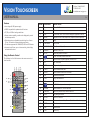
1.3 Calendar Page
3/6
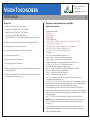
Use UP / DOWN key to select from 2000 to 2099, then
Press LEFT / DOWN / PREV / NEXT to move the cursor, press PREV/NEXT to switch
between Year, Month, Date and Time.
Press UP / DOWN key and change the time.
Press ENTER to save the setting.
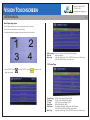
Time Display
Alarm Mode
Main Page
Three modes: On, Only stop, Off Mode (Default: Off), the
Time mode displays at right-up corner of the screen
Supports different or same setting for 7 days a week, two modes
for every day and every week (Default: Every Day)
Highlight “Main Page”, Press “ENTER” and return to Main Page
1.4 Rolltxt Page
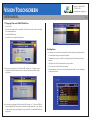
Rolltxt
Roll Style
Speed
Size
F-Color
B-Color
Position
On/Off (Default: On)
Option for three different roll styles such as R->L/ D->U Fade / L->R
(Default: R->L)
Normal / Fast/Slow (Default: Normal)
Small / Normal / Big (Default: Small)
Sets different foreground colors such as Black, Blue, Yellow, Red,
Grey, Magenta, White (Default F-color: Black)
Sets different background colors such as Yellow, Red, Grey,
Magenta, Trans, H-Trans, White, Black and Blue (Default: Yellow)
The text can be set to scroll at the top or bottom of the screen,
however, the RTC time will not be shown if it scrolls on the bottom
(Default: Bottom)
©2013 McRae Imaging Inc.