1
DGP2641EQ03.qxd
1/18/2005
10:22 AM
Page 1
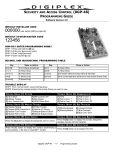
User’s Quick Reference Guide
AC LIGHT
ON
OFF
The LCD screen will
guide you with detailed
messages.
= AC power
= Power failure
STATUS LIGHT
Use the arrow buttons to
scroll the menu or
choices.
When Green:
ON
= Zones closed
OFF
= Zone(s) open
FLASH = Exit Delay
When Red:
ON
= Area(s) armed
OFF
= Area(s) disarmed
FLASH = Alarm
Press the corresponding
one-touch button for 2
seconds to perform an
action without entering
your Access Code.
DGP2-641BL
[CLEAR] = Erases current data entry or reverts to the preceding step.
[ENTER] = Saves current data and exits current menu.
HOW TO ARM
1. Enter your [ACCESS
CODE],
and then...
To Regular Arm: Press the [ARM] button.
(Arms entire area when all zones are closed)
To Force Arm:
Press the [FORCE] button.
(Arms entire area without waiting for all zones to close)
To Stay Arm:
Press the [STAY] button.
(Arms area’s perimeter only, which allows you to remain in the protected area)
To Instant Arm: Press the [5] button.
(Stay arms area, but an alarm will occur instantly if zones open, including entry
delay zones)
2. If you have access to more than one area, select the desired area, or press the
[0] button for all areas.
DGP2641EQ03.qxd
1/18/2005
10:22 AM
Page 2
HOW TO DISARM
To Disarm when entering:
1. Enter your [ACCESS CODE].
2. Select the area(s) if necessary.
To Disarm from within the perimeter:
1. Enter your [ACCESS CODE], and then
press the [DISARM] button.
2. Select the area(s) if necessary.
PANIC BUTTONS
To send a silent or audible alarm to your monitoring station, press and hold one of
the button combinations listed in the table below for 2 seconds.
HOW TO BYPASS ZONES
When a zone is bypassed, it remains
unarmed once the corresponding area
is armed.
1. Enter your [ACCESS CODE].
2. Press the [BYP] button.
3. Use the [S] and [T] buttons to
scroll through the zones, and then
press [BYP] once the desired zone
appears on the screen. If necessary,
repeat to bypass more zones.
ALARM MEMORY DISPLAY
To view the alarms that occurred during
the last armed period:
1. Press the [MEM] button.
All the zones that were breached
during the last armed period will
scroll on the screen.
2. Press [CLEAR] to exit.
4. Press [ENTER] to save and exit.
*Some features mentioned in this Quick Start need to be activated by your Installer.
*We recommend that you test your security system on a weekly basis. Please refer to
the appropriate user manual.
®
PRINTED IN CANADA - 01/2005
www.paradox.ca
DGP2641-EQ03