1
Chapter 3
Example Applications
4.
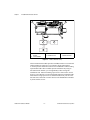
Read the MODE_BLK parameter. The ACTUAL mode should read IMan,
for Initialization Manual. This means the PID is not able to enter Auto
because the AO block is not in Cascade mode.
5.
Go to the AO block, and look at its MODE_BLK.
6.
Set the TARGET to Cas and Auto (check both the Cascade and Auto
boxes). This tells the AO to operate in Cascade if possible, and
otherwise, to fall back to Auto.
7.
Re-read the MODE_BLK parameter. ACTUAL should be Cas. If this does
not happen, refer to Appendix C, Fieldbus Parameters, for more
information.
Now, your loop should be running under automatic control. Verify this by
reading the ACTUAL mode of the PID block. If it is Auto, the PID is trying
to control the temperature. You can change the desired temperature by
changing the Set Point (SP) parameter of the PID. Remember that the units
of SP are the same as PV_SCALE for the PID, which in our example is
degrees Celsius.
Tune the PID
Adjust the PID tuning constants to match the dynamics of your temperature
process. A general description of how to tune a PID is beyond the scope of
this document. However, the parameters to change in the PID block are
GAIN, RESET, and RATE, and for temperature control, which is often fairly
slow, the RATE parameter need not be used. You can adjust these constants,
change the PID Set Point, and watch how the temperature changes
over time.
Alarming
In the above example, it might be convenient to have FP-3000 generate an
alarm whenever the temperature goes above 40° C. This behavior can be
configured from the PID block or the AI block. This example uses the PID
block.
To set a high limit alarm, follow these steps:
1.
Open the PID block and locate the HI_PRI parameter. This is the
priority of the high limit alarm.
2.
Set the HI_PRI parameter to 2. Fieldbus alarms can range in priority
from 0-15, with 0 being disabled and 1 meaning that the alarm is
detected but not reported. All other priorities cause the alarm to be
reported.
© National Instruments Corporation
3-15
FieldPoint FP-3000 User Manual