1
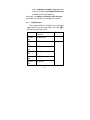
3.3.4 Dial Numbers in List
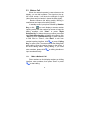
All dialed and received numbers are saved in the
call history. Recent dialed call and received call are
classified into the Missed calls, Dialed call, Received
call menu respectively. When the Call Logs is full, the
old numbers are deleted automatically. To search the
list, you should operate as follows:
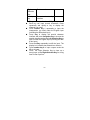
In the standby mode, press Calling key to view
Call Logs.
All numbers in the list can be dialed through press
Calling key or click “
”directly.
Accessing Call Logs, you can press OK to view
detailed information; then press “Option” to delect or
save.
3.4
Emergency Call
Within the Network Service Coverage (know from
checking the strength of signal on display), you can
make emergency calls. If your network operator
doesn’t provide roaming service in the area, the screen
will shows Emergency; if you stay within network
coverage, you can also dial emergency call without.
3.5
Receive a Call
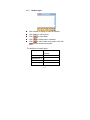
You can choose different ways to receive calls. If
you select any key to receive in Answer Mode, any
key can receive calls except End Key, Right
Selection Key and “Reject” on the touch screen. If the
28