1
Automatic mode
The EXPLORER 700 offers the following automatic features.
By default, the terminal automatically opens a data connection after you register with the
network. However, there is a minimum charge for opening an IP data connection (unless
you are on a lease package) and data may be transferred across the connection even if
you are not actively using an application (for example, your computer may be receiving
automatic updates).
If you do not want to incur these charges, you can switch off the automatic connection
feature using BGAN LaunchPad, as follows:
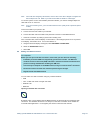
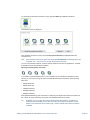
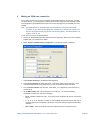
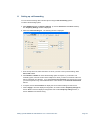
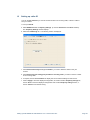
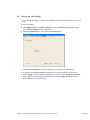
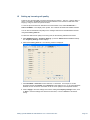
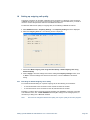
g. Select BGAN Services > LaunchPad Automatic Connection from the BGAN LaunchPad
main menu. The BGAN LaunchPad automatic connection window is displayed
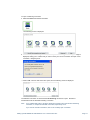
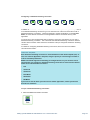
h. Uncheck Automatically open a standard Data connection after network registration and
click on OK to turn off automatic data connection.
You can configure the terminal to automatically exit pointing and set up a data
connection after power on. This feature is disabled by default, but you can enable it
using the EXPLORER 700 Web interface. Refer to the “EXPLORER 700 User Manual” for
details.
Setting up EXPLORER 700 with BGAN LP V.4 11 March 2010.doc
Page 13