1
Project creation
PHOTOMOD 6.0.2
for specific tasks. Besides, when choosing off-nadir images (-14° or +28°) it is recommended to consider operators’ opinions about comfort of work in stereo mode.
Depending on tasks to be solved, the system provides the following ways of images
block forming:
• add images to each strip in order to form stereopairs using nadir image and one of
off-nadir images (it is preferable to use off-nadir images taken along flight (+28°),
since in this case you obtain more basis to height rate, that results in DEM accuracy
decreasing.
• form images block using only nadir images to create orthomosaic as a result product.
Nadir images are especially preferable if it is necessary to build panchromatic mosaic;
Orthoimage is a high accuracy image of the earth’s surface converted to the map projection.
• form stereopairs from two off-nadir images in each strip (-14° and +28°); that allows
to reach maximal value of survey basis to height rate, and provides maximal DEM
accuracy, but could bring poor result during automatic tie points measurement (if it
is necessary for quality control of mathematical models creation after adjustment
import, for instance);
• creating a “general” project where triplets were made by the following way: add offnadir images to one strip (-14° and +28°) and nadir images in the other. It is recommended to use strips with off-nadir images for DEM creation, and strips with nadir
images – for orthomosaic creation considering DEM, built by off-nadir images.
In order to load images to ADS images project perform the following actions:
1. Define a set of images block in ADS project, according to way of block forming listed
above.
It is strongly not recommended to use not adjustment exterior orientation parameters from
*.odf-files. Otherwise, incorrect data could be used. In case of loading such data warning
and full path to images are displayed.
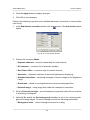
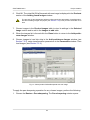
2. Choose the Block › Add strip or click the
create a strip (see Section 7.3).
button in the Block editor window to
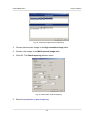
3. Choose Block › Add images from files or click the
button in the Block editor
window. The Add pushbroom images window opens.
Operation of ADS images adding is the same as operation of satellite scanner images adding.
21