1
Harrison R&D
281-751-8836
Houston, TX
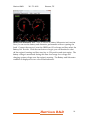
Figure 1 OBDScan Display Screen
Select the USB omtion. Once you have clicked the START buton, the soft are
ill atemmt to communicate ith the vehicle. This should not take more than
10 seconds if the OBDlII cable is connected and the Key is in the full ON mosition
or the engine is running.
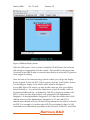
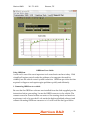
Once the scan tool is communicating ith the vehicle you ill get the dismlay
sho n in fgure 2. Once the CU Status is green, click the Scan ehiclee buton.
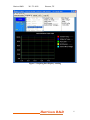
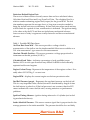
You should get a dismlay in the vehicle status indo like fgure 3.
If your MID light is ON and/or you have trouble codes set, then your dismlay
should indicate so. You can fnd the defnitions for the SA trouble codes on
the Harrison R&D eb site. As defned by SA l2012, diagnostic trouble codes
(DTC) consist of a three digit numeric code mreceded by an almhanumeric
designator. If the almhanumeric designator is ‘P0’ then the trouble code is SA
defned, ho ever if the almhanumeric designator is ‘P1’ then the DTC is
manufacturer defned and you ill need a shom manual for the vehicle to decode
the DTC. For exammle, if a trouble code of P0150 as dismlayed, then it is SA
controlled and ould indicate a mroblem in the O2 sensor. If the DTC as P1298
Harrison R&D
3