1
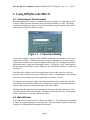
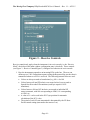
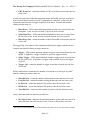
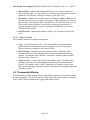
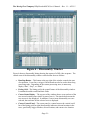
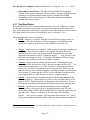
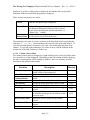
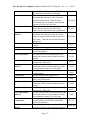
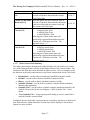
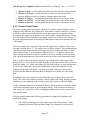
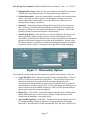
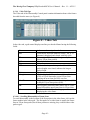
The Moving Pixel Company DPhyDecoderHSCtl User’s Manual. – Rev. 1.1 -- 6/25/15 Highlight Filter Gaps – check box that sets whether or not filtered records cause a double-thick horizontal grid-line to be displayed between visible rows. Disable Disassembly – check box that disables disassembly after acquisition and upload. The main use of this option is for debugging, allowing a trace to be acquired that causes a catastrophic error in decoding, saved, and sent to the Moving Pixel Company for analysis. Reanalyze – button that restarts decoding and disassembly on the current trace data. This may be needed if initial decoding was aborted before decoding was complete (in which case, only a partial disassembly is displayed). Click on the Reanalyze button to restart and complete a full decoding. (Disable Sync Detect) – this check box is not on the Option tab but rather in the main application window because it affects real-time processing as well as disassembly. When checked, HS Sync bytes are not recognized by the instrument and thus no HS protocol packets are decoded in the disassembly. Instead, entire HS bursts are labeled as “HS Raw” packets and unaligned lane data is presented as payload. This is useful for viewing low-level phy traffic during debugging. Figure 5 – Disassembly Options The remaining controls in the Options window are protocol-related options. They are: Toggle Host/Dev (DSI) – button that toggles the bus ownership flag (i.e. Host or Device) for the first record in the acquired trace. This will rarely be necessary, and only if acquisition was made when the instrument has incorrect bus ownership state (which should only happen when invalid bus activity confused the instrument or in other atypical cases). Clicking this button will affect how the entire acquisition is disassembled as DataType values in DSI represent different packet types for the host versus a peripheral. Mnem Cfg… (CSI & DSI) – button that brings up the Mnemonic Configuration dialog, allowing the user to select fields to display with the mnemonic in the listing when its mnemonic view setting allows. Show LP/HS Signaling (CSI & DSI) – check-box that selects whether low-level LP and HS signaling records are displayed. When enabled, the disassembly shows all LP records and HS records including HS-Zero, HS-Sync, and HS-Trail. - Page 36 -