1
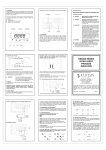
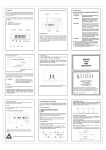
USER'S MANUAL 1st Edition Uninterruptible Power System PRO-Rack-01 NOTES IMPORTANT SAFETY INSTRUCTIONS Thank you for selecting this uninterruptible power system (UPS). It provides you with better protection for connected equipment. Please read this manual! This manual provides safety, installation and operating instructions than will help you derive the fullest performance and service life that the UPS has to offer. Please save this manual! It includes important instructions for the safe use of this UPS and for obtaining factory service should the proper operation of the UPS come into question. Please save or recycle the packaging materials! The UPS`s shipping materials were designing with great care to provide protection from transportation related damage. There materials are invaluable if you ever have to return the UPS for service. Damage sustained during transit is not covered under the warranty. The following parts will be sent together in the box : 1.) UPS 2.) USB cable 3.) RS-232 cable 4.) RJ11 cable 5.) Power Management Software 6.) Ears & screws for tower or rack-mounting CONTENTS NOTES PAGE 1. CAUTION…………………………………………………………..…..1 2. INTRODUCTION SYSTEM DESCRIPTION………………………….……………..2 FEATURES………………………………….……………………..2 3. SYSTEM CONCEPT BLOCK DIAGRAM……………………………….………………..3 NORMAL OPERATION………………………….………………..3 AC UTILITY FAILURE………………………….…………………4 4. OVERVIEW FRONT PANEL……………………………………………………5 REAL PANEL………………………………………………………5 PICTURE…………………………………………………….…….6 5. INSTALLATION AND OPERATION…………………………………8 6. COMPUTER INTERFACE……..…………………………………….9 7. BATTERY FACTS……………………………………………………10 8. SPECIFICATIONS……………………………………………………11 9. TROUBLE SHOOTING………………………………...……………13 NOTES CAUTION ¾ The UPS contains voltage that is potentially hazardous. All repairs should be performed by qualified service personal. ¾ The UPS has its own internal energy source (battery). The output receptacles may be alive even when the UPS is not connected to an AC supply. ¾ The UPS is suitable for computers and electronic equipment with substantially rectifier or capacitive loads, not suitable for electronic equipment with significant inductive loads, such as motors & fluorescent lamps. ¾ Be sure to operate within the power rating of the UPS. Below 1/2 or 1/3 of rated power is recommended for longer backup time & longer battery life. ¾ Do not place the UPS near excessive humidity, under sunshine, or close to heat-emitting sources. ¾ If the UPS is out of order, please detach power cord and consult your dealer right away. Do not remove cover if there is no serviceable part inside. ¾ The unit should be supplied by grounded source. Do not operate the unit without ground source. ¾ The socket-outlet should be installed near the equipment and be easily accessible. ¾ Do not plug the UPS power cord into itself. That will result in a safety hazard. ¾ Installation should be performed by a qualified technician or electrician in accordance with local electrical codes. -1 - INTRODUCTION TROUBLE SHOOTING System Description If the UPS failed to operate properly, please review the following checks firstly. If the problem remains, please consult sales agent for service. The product is line interactive UPS with the newest technology and powerful function. The Line Interactive UPS is with AVR function allows input voltage range from 75% to 125%, including on line voltage boost-up & buck down. Ideal protection equipment for critical connected loads. In addition, This UPS provides advanced single telephone line or modem surge suppression through the modular connectors on the back panel. The Line Interactive UPS and iMate monitoring software makes our computer operate intelligent and provides you with the ability of perfect protection of Is the Master power switched on? Is the UPS plugged into a correctly working outlet? Is the line voltage within the rating specified? Is the fuse on the rear panel blown? Is the UPS over loaded? Is battery not fully charged? Dead battery? Charger failure? Please provide the following information when call for service. 1. Model number, serial number. 2. Date of the problem occurred, date of purchase. 3. Full description of the problem including load, LCD, and alarm status, installation condition, working environment, etc. your critical devices. Trouble-Shooting Chart Problem Features Possible Cause Front panel switch ¾ Line interactive design. ¾ User-friendly LCD display. No light, and no alarm ¾ Provide boost and buck AVR to stabilize input voltage. (UPS not on) ¾ Provides lightning, surge, overload, and short-circuit protection. ¾ Built-in CCCV battery charger and battery over drain protection. ¾ No load auto shutdown (Dip switch setup). ¾ Load level and Battery level display. ¾ Buzzer alarm auto-reset (Dip switch setup). ¾ Auto restart when AC recovery. ¾ Cold start function (Dip switch setup). ¾ Tel / Modem / Fax / Internet surge suppression. ¾ Bundle software:Automatically save your valuable files before auto in off position. Rear panel fuse burnout. No “Line-on Caution To Take Turn on switch. Replace fuse restart UPS. Power cord lose Check input power. LCD” Power cord lose Check input power. light, and alarm beeps every few seconds. AC Fuse burnout. Replace fuse, if problem remains, call for service. Recharge the battery for at Backup time is less Battery is not fully least 6 hours, re-test the than the rating. charger failure. backup time. If problem remains, call for service. shutdown. -2- 15- SYSTEM CONCEPT SPECIFICATIONS The purpose to present this chapter is to give you more precise conception about how UPS works.. 2500VA 3000VA Modem/Phone 1. Block Diagram RJ-11/RJ-45 INPUT Protection OUTPUT N.F. Lightning/Surge N.F. 480joules AVR. Protection AVR (Auto. Voltage Boost/Buck Function Regulation) CHA. DC Start Function Yes Auto. Restart UPS Yes Over/Under Yes Voltage INV. Fig. 1 shows how UPS works. Protection CE (EN50091-1,EN62040-1-1) Safety Standard 2. Normal Operation FCC Part 15 Class B,CE There are two main loops when AC Utility normal the AC output loop and the (EN50091-2,EN55011,EN61000-3-2,EN61000-3-3) battery charging loop. The AC output gets power from AC utility input and pass 0 ~ 40℃ / 32 ~ 104℉ through AVR to support power to load. In the same time, the AC utility input is EMC Standard Environment Operating Temperature Relative Humidity 0 ~ 95%, non-condensing Audible Noise < 40dB at 1M converted by AC/DC CHA and support charging power to charge batteries. INPUT OUTPUT N.F. Dimension N.F. 19”*2U*18.31 in. / 19”*2U*465 mm Physical AVR. (D*W*H)in./mm Net Weight 57.32lbs / 26kg *Specifications may change at any time without notice. 60.63lbs / 27.5kg CHA. INV. *All trade marks belong to their respected owners. Fig. 2 shows how the UPS works when AC Utility normal. -3-14- SYSTEM CONCEPT SPECIFICATIONS 3. AC Utility Failure Capacity If AC utility fails, the UPS quickly detects the problem and activates the inverter. The inverter. The DC/AC inverter changes DC power from the Input Voltage (Batt. Mode) N.F. AVR. Output CHA. Frequency 3000VA 110/115/120VAC or 220/230/240VAC 57Hz~63Hz or 47Hz~53Hz (auto sensing) Input Plug OUTPUT N.F. 2500VA Voltage batteries into AC and provides continuous uninterruptible power to load. INPUT VA 5-20P L5-30P 110/115/120VAC or 220/230/240VAC +/-10% Frequency 50Hz or 60Hz +/-1Hz (auto sensing) Waveform Simulated Sinewave Transfer Time < 6ms (Typical) Nema 5-15R/20R 6/2 Nema 5-15R/20R 6/2 Nema 5-15R*1pc for surge Nema 5-15R*1pc for surge, INV. Outlets:Battery/Surge only L5-30R*1pc for battery Battery Type (*Optional) Fig. 3 shows how the UPS works when AC Utility Failure 12V/7AHx4pcs Recharge Time User’s Replacement Battery Battery Protection 5Hrs to 90% after complete discharge Yes (hot swappable)* W/O Turning off the UPS Over discharge protection & Short circuit protection by fuse Advanced Battery Management Battery Back-up Time **External Battery Bank(Optional 12V/9AHx4pcs Advanced Battery Management It depends on connecting loads and external battery packs 12V/7AHx4pcsx2sets 12V/9AHx4pcsx2sets LCD display for AC normal, Backup ,AVR protection, Load and Indicator LCD Battery level, Overload and UPS cut off Alarm Buzzer on for Back-up mode, Battery low, Overload AC fuse and Electronic circuit (Line mode): Electronic circuit Output Short Protection Function (Back-up mode) Communication Port (RS-232& Shutdown Software for Windows 95/98/NT/2000/ME/XP/Vista USB) -4- - 13 - OVERVIEW Front Panel SPECIFICATIONS 1250VA 1750VA Modem/Phone Protection RJ-11/RJ-45 Lightning/Surge 480joules Protection AVR Function (Auto. Voltage Boost/Buck Regulation) DC Start Function Yes Auto. Restart UPS Yes Over/Under Yes Voltage 1. 2. 3. Master Power Switch: Turn on / off the UPS. Line-On: AC Normal. AVR Protection LCD: When AVR is working under protection mode, the light will turn on. 4. Back-Up: Battery in back-up 5. Over Load: If the UPS is overloaded, the light will turn on and the alarm will sound continuously. 6. UPS Cut-Off: Overload or Cut-off 7. Battery Level: A bar graph showing how much of the UPS battery is being used. 8. Load Level: A bar graph showing how much of the UPS power is being used. 9. Hot swap battery 10. UPS Test Switch: When UPS is working under AC mode, it also activates the UPS’s self-test by press the bottom. Protection CE (EN50091-1,EN62040-1-1) Safety Standard FCC Part 15 Class B,CE EMC Standard (EN50091-2,EN55011,EN61000-3-2,EN61000-3-3) Environment Operating Temperature 0 ~ 40℃ / 32 ~ 104℉ Relative Humidity 5. < 40dB at 1M Dimension 19”*2U*18.31 in. / 19”*2U*465 mm (D*W*H)in./mm Net Weight 1. 2. 3. 4. 0 ~ 95%, non-condensing Audible Noise Physical Rear Panel 34.17lbs / 15.5kg 6. 7. 8. Outlets AC Input AC Fuse Tel / Modem Spike Projection Port: Telecom transfer ports provide users to extend the applications. Communication Interface Port: This socket combines relay contact signals and RS-232 signals (Option) on DB9 connector. UPS Function Set up Communication Interface Port: USB Port Surge Protection Only 55.12lbs / 25kg 9. External Battery Connector *Specifications may change at any time without notice. *All trade marks belong to their respected owners. -12- -5- SPECIFICATIONS Picture: Front Panel: Capacity VA 1250VA Voltage Input Frequency 1750VA 110/115/120VAC or 220/230/240VAC 57Hz~63Hz or 47Hz~53Hz (auto sensing) Input Plug Voltage (Batt. Mode) Output 5-15P 110/115/120VAC or 220/230/240VAC +/-10% Frequency 50Hz or 60Hz +/-1Hz (auto sensing) Waveform Simulated Sinewave Transfer Time < 6ms (Typical) Outlets: Battery/Surge only Nema 5-15R 6/3 Battery Type (*Optional) 12V/7AHx2pcs(*4pcs) Recharge Time User’s Replacement Battery Battery Protection 5Hrs to 90% after complete discharge Yes (hot swappable)* W/O Turning off the UPS Over discharge protection & Short circuit protection by fuse Advanced Battery Management Battery Back-up Time 12V/9AHx2pcs(*4pcs) Advanced Battery Management It depends on connecting loads and external battery packs **External Battery Bank(Optional N/A LCD display for AC normal, Backup ,AVR protection, Load and Indicator LCD Battery level, Overload and UPS cut off Alarm Buzzer on for Back-up mode, Battery low, Overload AC fuse and Electronic circuit (Line mode): Electronic circuit Output Short Protection Function 1 10 8 9 (Back-up mode) Communication Port (RS-232& Shutdown Software for Windows 95/98/NT/2000/ME/XP/Vista USB) Remark : Battery with 4pcs is for long backup . -6- - 11 - BATTERY FACTS The battery is the only periodically serviceable parts in the UPS. An expected life is approx. 3∼5 years. However, frequent long discharges or ambient temperatures above 80°F will shorten battery life. Therefore, it is recommended to replace the batteries every 3 years after initiating the unit. Rear Panel: PRO-2500XRT (PRO-1250/1750ART w/o external battery connecter) 9 4 Recharging the batteries every 3 months is necessary because it may cause the batteries to over-drain. WARNING Only a qualified technician should replace the battery. Batteries have high short-circuited current capacity; mistakes in connecting or disconnecting can cause connections to arc or weld and could cause severe burns. STORAGE The UPS should only be stored if the battery is fully charged. Avoid storage temperatures above 80°F as battery life is significantly shortened. Every 90 days remove the unit from storage and plug it in for 24 hours to recharge the batteries. Batteries may be damaged if left in storage and not recharge every 90 days. 8 2 1 9 PRO-3000XRT 3 7 6 5 4 IMPORTANT NOTICE Please use same type and same rating of batteries for replacement. Do not replace it with the battery that exceeds specified rating. 8 1 2 8 -7-10- 3 5 6 7 INSTALLATION AND OPERATION COMPUTER INTERFACE Upon receipt of the UPS, inspect the shipping carton for damage. If there is any obvious damage, immediately report it to the selling dealer or the delivering carrier. If there is no damage to the shipping carton, unpack the unit and inspect the unit for damage. The computer interface (DB9 port) on the back of the UPS may be connected to a host computer. This port allows the computer to monitor the status of the UPS and control the operation of the UPS. The iMate, provides complete On-Screen power management to the UPS and computer systems. Its major functions normally include some or all the following: The UPS is designed for installation in a protected environment within a temperature range from 32°F to 104°F and relative humidity of 0∼90% without condensation. Do not block inlets and outlets. Install the system in a location free from excessive dust and chemical fumes. Check the identification label to verify the UPS voltage and power rating match the available line voltage and load requirements. Installation: 1. 2. 3. 4. 5. 6. Check if the main switch on the UPS front panel is in the off position and insure that the voltage of the AC utility source corresponds to the nameplate on the UPS rear panel. Plug the power cable into the grounded socket. If indicators of LINE-ON & CUT-OFF LCD light on, it mean AC power is normal, although UPS is under CUT-OFF status, it still will automatically start to charge by itself. Push the main switch, then the Load Level LCD will light on for 2 seconds and CUT-OFF LCD will light off. The UPS will then get ready and start to work normally. Connect your PC with UPS, and then turn on PC. Be sure to check the Load Level LCD indicator and DO NOT OVERLOAD it over 100%. To simulate AC failure (Simply by disconnecting the AC power) can help to insure whether UPS is in good condition or not. It is designed to alarm every 3 seconds and with BACK-UP LCD light on when simulation starts. If the CUT-OFF LCD is on, it means UPS fault or BATTERY fault. Then you have to contact your local service center When battery approaches low level, alarm will beep every second until auto shut down The 4 conditions UPS will automatically shut down: a. Battery low b. Short circuit c. Overload d. UPS fault -8- Real-time UPS status on screen. All history records in memory. Auto orderly shutdown for computer & UPS. Multi-server support. Auto file save even without filename preset. Scheduled switch on/off daily or weekly. Pin out information: PIN# PIN1 PIN2 PIN3 PIN4 PIN5 PIN6 PIN7 PIN8 PIN9 Description Battery low, normally open, active close N.C. Common Ground Remote shut down, keep this pin high (+5~+12V) for 3S will turn off the UPS N.C. N.C. Must keep in high state Line fail, normally open, active close N.C. I/O Output Input Input Output D-SUB 9 Pin Female Connector 1 8 Contacts Normally Open Low Battery Mains Failure 3 7 5 4 9 3 8 2 7 1 6 4 Signal High Min. 3 Second 5 2 9 6 Pin Number -9- UPS Shut Down