1
Welcome to InstantHMI® 6.1
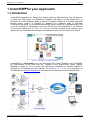
Enjoy all the benefits of a traditional HMI on Windows PC, CE and Mobile. InstantHMI 6.x is ‘Cloud Ready’ so you can also
benefit from Cloud Computing. Use GoToMyHMI: our ‘HMI-Gateway in the Cloud’ from any Browser on any device (iPad,
iPhone, Android, BlackBerry, Laptop PC, etc.) to access your HMI-Server (InstantHMI 6.x Runtime installed on Windows
PC or Windows CE touch panels). GoToMyHMI (for Windows 8) has received ‘Top App Award’ from Microsoft.
Highlights of InstantHMI
•
‘Design Once, Deploy Anywhere’ platform scalable new generation HMI Technology for Windows PC, Windows
CE (touch panels), PDA (Pocket PC and Windows Mobile) and Smart Phone Platforms.
•
All the powerful and convenient features that you expect in a standard PC-based HMI-technology: Monitoring,
Data Logging, Real Time & Historic Trending, Alarm Management, Reporting, Control, etc.
•
The Windows PC based LaunchPad Development System is used to design Project screens and Tag database to
be deployed on any of the target platforms with InstantHMI Runtime engine. The LaunchPad allows pre-testing of
the tags and screens on the Windows PC platform before deploying on the target PC, CE or PDA platform.
•
InstantHMI 6.1 provides ‘Anytime, Anywhere’ connectivity to process and machine control information.
•
Ease of ‘language localization’ brings our multi-platform HMI solution, to any Unicode supported language.
Why Upgrade to InstantHMI 6.1: Users of earlier versions of InstantHMI can transfer their project (Tag databases, screens,
etc.) easily to InstantHMI 6.1 framework and benefit from the new functionality (see selected list below).
Selected Feature Benefits of InstantHMI:
• The screen data object display format is independent of the raw data of the tag object in the Tag Database. You can view
data from a data source in different formats on one or more screens.
• Enhanced Data Table Viewer in Screen Designer to monitor/modify tags and transfer to the Tag Database (5.0.9).
• Real Time and Historic Trend Plots on PDA as well as PC, Alarm Logging Object , enhanced Tanks, Scales, Gauges,
Faders, Knobs, and other widgets, Print Screen feature for 'Instant Runtime Status Dump' (4.1)
• Project Protection to prevent screen/tag modifications and provide intellectual property protection for OEMs (4.1)
• Scripting tool is enhanced. You may use any (long) variable names for local and global variables (4.2, 5.0).
• OLE, COM, ActiveX component support enhanced with improved user interface and functionality (4.2, 5.0)
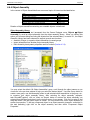
• Use dynamic runtime association of Object Assemblies with multiple Tag Groups for streamlined monitoring of similar
sub-systems (5.0.5 - 5.0.9). Object Assembly with assignable tags (5.1) and copies with assigned tag groups (6.1.29).
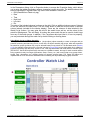
• Use Watch Lists in Runtime to monitor/modify controller tags from different groups (5.0.5 - 5.0.8). A single watch list (in
an object assembly) can provide a comprehensive, yet simple, interface to let you monitor thousands of tag variables, for
dozens of controller stations in a concise and familiar manner (like browsing through the Controller user manuals).
• New Project Wizard guides you step by step to quickly create and run a new project in minutes (5.0.9).
• Enhanced Widgets (Buttons, LEDs, Gauge, Knob, Active Box, Active Circle etc.) with settable properties and testable
preview (5.0.10 - 5.1.5).
• Enhanced Recipe Manager with Recipe Templates and Recipe Names for Design and Runtime ease of use (5.0.16).
• Enhanced Macro Manager with a new macro database and an enhanced Script Editor (5.1.4). These utilities are
accessible directly from the LaunchPad as well as from Screen Designer.
• Enhanced Help System (F1 key most anywhere) for Design and Runtime ease of use (5.1.4).
• Image formats may be .bmp, .jpg, .gif or .png (5.1.4).
• ‘Cloud Ready’ for remote access from any standard browser (iPad, iPhone, BlackBerry, Laptop PC, etc.) (6.x).
• PgUp/PgDn to switch to next/previous project screens in Screen Designer (6.x).
• Text, Box, Circle, V/H Bar, V/H Meter objects with Rotation and Shading attributes (6.x).
• Attribute Tags may be assigned to objects to dynamically set ‘Visibility’ property for objects; this property provides the
capability to design ‘pop-up windows’ at runtime.
• Screen Objects and entire screen may be pre-tested for communication errors in the Designer (6.1).
• InstantHMI 6.1 supports Alarm Management Features compatible with ANSI/ISA - 18.2 - 2009 standards, a Task
Scheduler that eliminates need for Scripting in Reporting etc., and RTF (fonts, colors, pictures, …) in Report Templates.
• Windows Key management (Ctrl+Alt+Del, Task Bar control, etc.) implemented (6.1.20).
• Logging data into user created Excel sheets and filtering seleted columns and rows for customized reporting (6.1.20).
• Streamlined database design for Data logging with dynamic compression and archiving allows millions of records to be
logged/analyzed over days and months (6.1.21).
• Mini-LaunchPad added to CE runtime platform for ease of modifying Data Source etc. after project deployment (6.1.27).
• Comm Interface re-architected for multi-core multi-threaded parallel processing of all communication channels (6.1.29).
• Tag Access Levels 1-10 allow control of user inputs; user input changes are logged for any specified tag(s) (6.1.30).
• Runtime API allows user written program to read the alarm status of tags being monitored by the Runtime (6.1.31).
• Multiple (dual) monitor support in Runtime lets users view and control multiple (two) screens simultaneously (6.1.31).
• All known and customer reported bugs have been fixed and many feature requests implemented.
We appreciate the feedback from our valued customers. With these enhancements, its 'Simpler is Better' architecture, and
being ‘Cloud Ready’, InstantHMI hopes to be your preferred HMI/SCADA solution on the ground and in the cloud.
The InstantHMI 6.1 Development Team