1
CET360 Microprocessor Engineering
LCDC Guide v.2.6
2. Technical References
There are two primary references you will need when working with the LCDC – one for the
TCB1335 controller board1 (for hardware interfacing) and one for the RA8835 controller IC2 (for
software programming). Check the resources page on the course website for links to these two
documents. You may also need to refer to the datasheet for the particular LCD panel you will be
using.
3. Hardware / Interfacing
The TCB1335 is interfaced to a control processor (our ‘S12) via 20-pin connector K2 using an 8bit data bus and a single address line (A0). Control lines include an active-low chip select ( CS )
and either active-low read ( RD ) and write ( WR ) lines in 8080 mode or R/ W and Enable (E)
lines in 6800 mode. The reset ( RES ) line needs to connect to the system reset line. The choice
of interface mode is made via the interface select pin (SEL1) also on K2. Because the bus
interface mode would not need to be changed once selected, this pin should be permanently
tied to either VDD or VSS for a fixed logic high or low respectively. Refer to section 4.1 below
about how to best handle the SEL1 pin. In addition to supplying the board with usual power
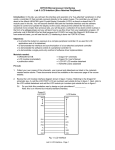
connections (VDD and VSS), you will also need an external contrast control potentiometer on your
breadboard as shown in figure 2. This potentiometer allows you to adjust the contrast of the
LCD panel by varying the bias voltage (VO) between VDD and VEE. Finally, the TCB1335 also
supports backlight power connections for backlit panels by passing through the BLA (anode)
and BLK (kathode) pins from K2 to K3 (LCD panel connection). For the LM2028 panel operating
on 5VDC, a 18~33Ω resistor should be used between 5V and BLA. BLK must connect to
ground.
VDD
VO
10~20kΩ
VEE
Fig. 2: LCD Contrast Control
Recall that the particular S12C32 MCU we are using on the Dragonfly does not implement an
external data/address bus architecture; thus you may think that it is not possible to interface a
peripheral type device such as this LCDC IC to an MCU that is missing conventional bus pins.
Indeed, our S12C32 MCU can be described as being peripheral bus challenged. But wait: this is
Microprocessor Engineering – all things are possible! You will need to work with your team to
devise a scheme wherein you can “emulate” traditional bus operation using the I/O pins
available on our C32. Hint: use port T as a bidirectional “data bus” and some port M pins for
“control bus” signals as mentioned above plus the A0 address line.
CAUTION! Use extreme care when wiring the 20-pin DIP ribbon connector to the TCB1335 –
this connector does not use standard pin layout numbering!
4. Software / Programming
From a software implementation point-of-view, the LCDC/LCD combination should be viewed as
an output peripheral (albeit a sophisticated one). In a fashion similar to the SCI module
3