1
Flying Room Identifying Autonomous Robot 11
User Manual
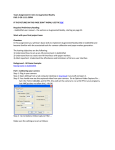
x. You can choose to have the program save and remember the
password so u don’t have to enter it again, the whole session
can be saved as well.
xi. Once you see the following picture in the terminal window you
are connected and good to go
2. Now we need to setup the working directory for the software.
a. To create the directory make a folder called SeniorDesign in the
following directory: /home/pi/ . This is needed because of the way
the software is designed. Copy the Pi folder containing the software
into this directory.
b. Once this is done Cmake needs to be installed to compile the
software
3. To install CMake enter the following commands:
sudo apt-get install cmake
sudo apt-get update
sudo apt-get upgrade
4. To compile the software navigate to the /home/pi/SeniorDesign/Pi/build
directory and run the following command:
make
5. To run the software, in the same directory as above, run the following
command:
sudo ./bin/main