1
AWK-4131
Web Console Configuration
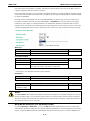
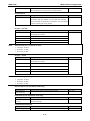
Enable
Setting
Description
Factory Default
Enable
Enables IP protocol filter
Disable
Disable
Disables IP protocol filter
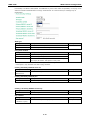
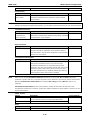
Policy
Setting
Description
Factory Default
Accept
Only the packets fitting the entities on the list can be allowed
Drop
Drop
Any packet fitting the entities on the list will be denied
ATTENTION
Be careful when you enable the filter function:
Drop + “no entity on list is activated” = all packets are allowed.
Accept + “no entity on list is activated” = all packets are denied.
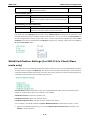
TCP/UDP Port Filter
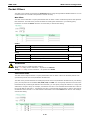
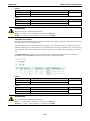
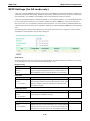
The AWK-4131’s TCP/UDP port filter is a policy-based filter that can allow or filter out TCP/UDP-based packets
with a specified source or destination port.
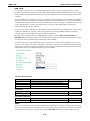
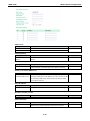
The AWK-4131 provides 8 entities for setting the range of source/destination ports of a specific protocol. In
addition to selecting TCP or UDP protocol, you can set either the source port, destination port, or both. The end
port can be left empty if only a single port is specified. Of course, the end port cannot be larger then the start
port.
The Application name is a text string that describes the corresponding entity with up to 31 characters.
Remember to check the Active check box for each entity to activate the setting.
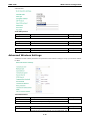
Enable
Setting
Description
Factory Default
Enable
Enables TCP/UDP port filter
Disable
Disable
Disables TCP/UDP port filter
Policy
Setting
Description
Factory Default
Accept
Only the packets fitting the entities on list can be allowed.
Drop
Drop
Any packet fitting the entities on list will be denied.
ATTENTION
Be careful when you enable the filter function:
Drop + “no entity on list is activated” = all packets are allowed
Accept + “no entity on list is activated” = all packets are denied
3-25