1
VirusBarrier Server Admin Client Preferences
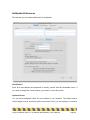
The VirusBarrier Server Admin client module only offers one option: the choice of whether
the program asks for an administrator password on launch. To access this setting, select
VirusBarrier Server Admin > Preferences, and check the option.
These preferences also give you access to NetUpdate, a program that checks if any
Intego programs have been updated. This program is installed at the same time as
VirusBarrier Server Admin or other Intego programs. It checks for updates for all of these
programs at the same time, and can download and install updates for the programs
installed on your computer. To check for updates, click Check Now.
For more on using NetUpdate, see the Intego Getting Started Manual.
Intego VirusBarrier Server 2 / VirusBarrier Mail Gateway 2 User's Manual
Page 45