1
6 Interpreting Results
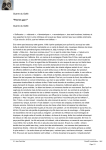
Figure 8: Log worksheet created by the simulator
In this example, the simulator wrote rows 1-16 when the user first pressed the Run button on the
Simulator Console. These rows disclose when the run started, what software versions were used,
the scenario name, the initial number of repetitions, whether the user specified “Randomize” as
the Random Seed on the General worksheet, shape parameters for probability distributions for
talk time, wrap time, and wait time, etc. Especially useful for customer support is line 9, the
value of the Random Seed that the simulator used. This allows someone having a copy of your
scenario file to replicate the exact outputs from your simulation.
The simulator wrote lines 18-21 after the simulation run finished. If line 21, “Inputs
Synchronized” has the value “No”, then the user has changed the values of some input parameters
after starting the simulator. The user can do this by pressing the Pause button on the Simulator
Console, then performing some edits, and then pressing Run again and ignoring the simulator’s
warning message that “inputs have changed..”. If you send a scenario workbook file to Customer
4/24/2008
37