1
Section 5 - System Operation
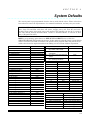
2.
3.
4.
5.
6.
7.
8.
9.
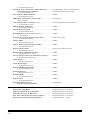
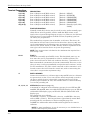
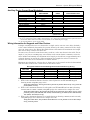
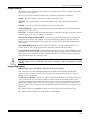
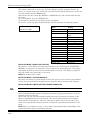
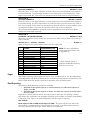
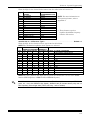
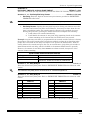
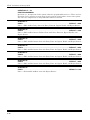
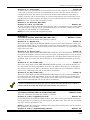
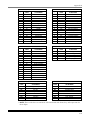
WALK TEST WITH SOUNDER
WALK TEST WITH SOUNDER AND BELL
SYSTEM LOG VIEW
WALK TEST MOTION
Not Used - RESERVED
SYSTEM DEFAULT
UNATTENDED DOWNLOAD
ON-LINE DOWNLOADING
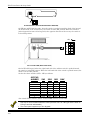
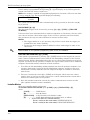
INSTALLER MODE 1 (INSTALLER KEYPAD PROGRAMMING)
The installer uses this mode to enter keypad programming. Refer to Section 7: Data Entry
via Keypads. To exit, simply press the STAY key and return to the prior panel status.
NOTE: An option exists in the EZMATE/COMPASS Downloader Software to inhibit keypad
programming. If it is selected, then a negative acknowledgment (4 short beeps) will be heard
after attempting to enter this mode.
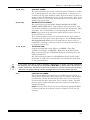
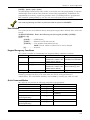
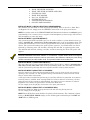
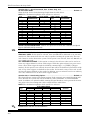
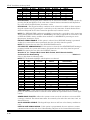
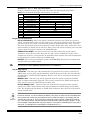
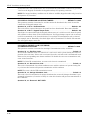
INSTALLER MODE 1 (SYSTEM DEFAULT)
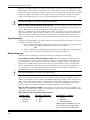
Any system keypad (LED and LCD types) can be used to initiate a system default of the system by pressing the 1 and 3 keys at the same time while in the programming mode. The
system will then default (revert to factory-programmed values) and go through the reset sequence. The system will undergo the warm-up time sequence. A system default can also be
initiated by removing power (AC and DC), shorting JP1 and JP2, re-applying power (with
JP1 and JP2 still shorted), waiting 8 seconds, and then removing the short with power still
applied.
A programming option known as Default Lockout can be selected through the
EZMATE/COMPASS Downloader Software. If it is selected, a system default reset will change all
programmable options except the CSID (a code used by the software to identify the panel during
remote connections) and the installer code. This prevents hostile account takeovers.
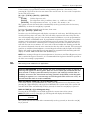
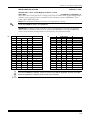
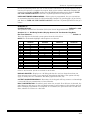
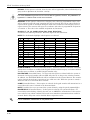
INSTALLER MODE 1 (USER CODE DEFAULT)
The user codes can be reset to factory default values (User Code 1 = 1234) by pressing the 7
and 9 keys at the same time while in the programming mode. The user codes will default
and the system will go through the reset sequence and the warm-up time sequence.
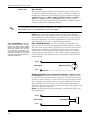
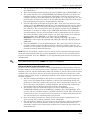
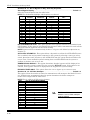
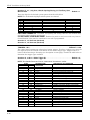
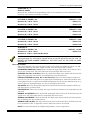
INSTALLER MODE 2 (WALK TEST w/ SOUNDER)
Once the sensors are placed in their desired locations, open or short circuit each sensor by
opening a door, window, etc. The keypad will beep and annunciate with activation of each
zone or sensor while in this mode.
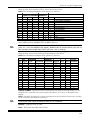
A CS report code (if enabled in Question 30, L3 and L4) will also be generated. A 10-minute
inactivity timer is enabled when starting Walk Test. After 5 minutes of inactivity, the keypad will sound. If the sounder is acknowledged, the timer is reset to 5 minutes; if acknowledgement is not made, the panel times out and exits Walk Test.
To exit, simply press the [Q ] key and return to the prior panel status.
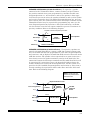
INSTALLER MODE 3 (WALK TEST w/ SOUNDER & BELL)
Identical to Walk Test Mode 2 except that the bell will also ring during the test.
To exit, simply press the [Q ] key.
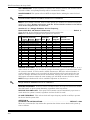
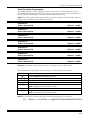
NOTE: Either Walk Test mode disables the panel's alarm functions. The condition is identified by a "WALK TEST MODE" display on the LCD keypads and flashing of the RDY and
ARM LEDs on LED keypads.
5–9