1
Chapter 10
Note that the program does not assign numbers to probands. You
can do that within the Individual data dialog. The reason for this is
that there is a conflict between the requirements of the numeric
and Roman numbering systems.
Roman number
system
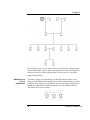
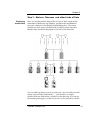
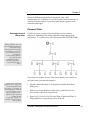
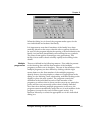
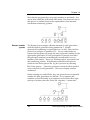
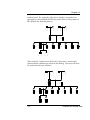
The Roman system assigns a Roman numeral to each generation,
with the highest generation being numbered 'I'. Within
generations, numbering is sequential from 1 to 999. Thus the first
person in a pedigree is numbered 'I:1'. As new individuals are
entered, the program will assign the next sequential number for the
appropriate generation. If new generations of parents are added,
the generation number is automatically incremented for every
member of the family. There is a 'Printing Option' associated with
this numbering scheme. If the R
‘ oman numeral at left’option is
checked in the P
‘ rint options’dia log box (accessed by selecting
F
‘ ile|Print options… )’ then the generation numeral will be printed
once to the left of each generation. The screen display remains
unaffected.
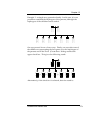
When entering new individuals, they are given the next sequential
number for their generation as a default. To re-sequence the
numbers so that the family is in numerical order from left to right
and top to bottom, select the T
‘ ools|Re -sequence...' menu item.
104
Tailoring drawing and data presentation