1
2.6.4 Post OAM Webgate 11g Creation Steps
Perform the following steps to copy the artifacts to the Webgate installation directory:
2.6.4.1 On the Oracle Access Manager Console host, locate the OAM Agent folder
<DOMAIN_HOME>/output/$Agent_Name
Copy the below files to <ORACLE_MIDDLEWARE>/<ORACLE_WIBTIER_HOME> /instances/instance1/
config/OHS/ohs1/webgate/config/
ObAccessClient.xml
password.xml
cwallet.sso
And copy remaining below files to <ORACLE_MIDDLEWARE>/<ORACLE_WIBTIER_HOME>
/instances/instance1/ config/OHS/ohs1/webgate/config/simple
aaa_key.pem
aaa_cert.pem
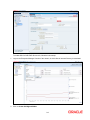
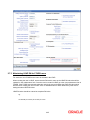
2.6.4.2 Creating Authentication Scheme
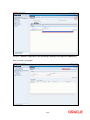
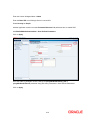
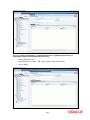
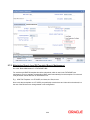
To create Authentication Scheme navigate to Policy Configuration >> Authentication Schemes
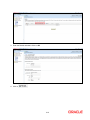
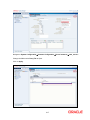
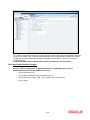
Click on Create button to create new Authentication Scheme.
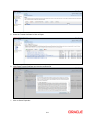
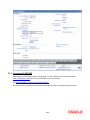
Name
: Any name to identify Authentication Scheme
Authentication Level
:1
Challenge Method
: BASIC
Challenge Redirect URL
: /oam/server
Authentication Module
: Choose the authentication module created in step 2.
Challenge Parameters
: ssoCookie=secure
2-18