1
WNHDE111 5GHz Wireless-N HD Access Point/Bridge User Manual
Prepare for Installation
Carefully peel off the protective film covering both sides of your bridge
Figure 1
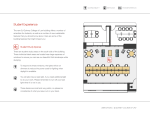
Set up your bridge by inserting the tabs of the stand into the slots on its bottom as shown. Then,
remove the protective film covering the status light panel.
Figure 2
Place your bridge in a suitable area for installation (near an AC power outlet and accessible to the
Ethernet cables for your wired connections).
Note: To ensure proper heat dissipation and for bridge stability, it is important that
you connect the stand, place your bridge in an upright position, and do not
block the vent holes at the top.
1-2
Getting Acquainted
v1.1, May 2008