1
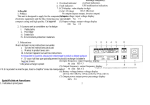
8. Output filter: It filters the output and provides clean AC power to the load.
3 Installation
3. 1 Unpacking Inspection
1. Open the packing box of UPS and take it out, visually examine the unit for
transit damage.
2. Check against the accessory lists that the accessories of the UPS are present.
(Refer to Table 9-1).
3. Make sure the model is what you wanted from the nameplate on the rear panel
4. If the UPS arrives damaged, or there is any missing accessory or other question
above, please contact the distributor immediately.
3. 2 Installation Notes
1. When locating the UPS, make sure there is no hazardous objects such as water,
inflammable gas, corrosive agents and so on around the UPS, and that the
installation environment meets the specifications.
2. The UPS should not be placed on a side. The air inlet port at the front panel and
the outlet port on the rear panel and two side panels should not be blocked so as
to ensure good ventilation.
3. In case if the UPS is unpacked, installed and used at very low temperatures,
condensations of water drops may appear. It is necessary to wait until the UPS
fully dried inside out before proceeding to installation and use. Otherwise, they
may be a risk of electric shock.
4. Place the UPS near the utility power source outlet which supplies power to the
UPS. In any emergency, switch off the main input socket, cut off the battery
voltage input. All power sockets must be connected with ground protection.
3.3 Cable Connection
3.3.1 Connecting Input and Output Cables
1. Input cable connection
If the UPS is connected via the power cable, please use a proper socket with
over current protection, and pay attention to the capacity of the socket: over 10A
for HT111K (L), over 16A for HT112K (L) and HT113K (L). A side of input
5