1
TABLE OF CONTENTS
INTRODUCTION.......................................................................................................................................... 4
Maze Creator Settings .................................................................................................................................... 5
Selecting a Style/Template ......................................................................................................................... 5
Setting the Dimensions............................................................................................................................... 6
Setting the Circular Dimensions................................................................................................................. 7
Selecting Page Parameters.......................................................................................................................... 8
Advanced Configuration ............................................................................................................................ 9
COLOR Configuration ............................................................................................................................. 10
GROWTH Configuration ......................................................................................................................... 12
ABSOLUTE GROWTH Configuration ................................................................................................... 13
Mouse Gestures & Keyboard Shortcuts ....................................................................................................... 15
Working with Maze Creator Layers ............................................................................................................. 16
Layer Toolbar ........................................................................................................................................... 16
Background Layer ................................................................................................................................ 16
Template Layer..................................................................................................................................... 16
Foreground Layer ................................................................................................................................. 16
Text Layer ............................................................................................................................................ 16
Selecting/Viewing Layers......................................................................................................................... 16
Working on the Template Layer................................................................................................................... 17
Loading & Saving a Maze Template & Gallery ....................................................................................... 17
Editing/Customizing a Maze .................................................................................................................... 17
Apply a Mask ........................................................................................................................................... 19
Mask Gallery ............................................................................................................................................ 20
Seeding a Maze ........................................................................................................................................ 20
Solving a Maze ......................................................................................................................................... 20
Clearing a Maze........................................................................................................................................ 20
Working with Graphic Layers ...................................................................................................................... 21
Adding and object .................................................................................................................................... 21
Moving an object...................................................................................................................................... 21
Resize an object........................................................................................................................................ 21
Select an object......................................................................................................................................... 21
Unselect an object..................................................................................................................................... 21
Delete an object ........................................................................................................................................ 21
Move to top .............................................................................................................................................. 21
Move to back ............................................................................................................................................ 21
Working with the Text Layer ....................................................................................................................... 22
Adding and object .................................................................................................................................... 22
Select/Edit an object ................................................................................................................................. 22
Unselect an object..................................................................................................................................... 22
Moving an object...................................................................................................................................... 22
Resize an object........................................................................................................................................ 22
Delete an object ........................................................................................................................................ 22
Move to top .............................................................................................................................................. 22
Move to back ............................................................................................................................................ 22
Getting your work out of Maze Creator ....................................................................................................... 23
Copy to the clip-board .............................................................................................................................. 23
Save to BMP............................................................................................................................................. 23
Save to EMF............................................................................................................................................. 23
PRINT PREVIEW.................................................................................................................................... 23
PRINT ...................................................................................................................................................... 24
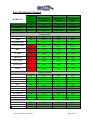
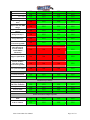
List of Features by Product........................................................................................................................... 25
Maze Creator PRO User Manual
Page 2 of 33