1
TECHNICAL MANUAL
PowerPlex® 4C Matrix
Standard
InstrucƟons for Use of Product
DG4800
Printed 10/15
TMD048
PowerPlex® 4C Matrix Standard
All technical literature is available at: www.promega.com/protocols/
Visit the web site to verify that you are using the most current version of this Technical Bulletin.
E-mail Promega Technical Services if you have questions on use of this system:[email protected]
1. Description......................................................................................................................................... 1
2. Product Components and Storage Conditions ........................................................................................ 2
3. Instrument Preparation and Spectral Calibration Using the
Applied Biosystems® 3500 and 3500xL Genetic Analyzers ...................................................................... 2
3.A. Matrix Sample Preparation ......................................................................................................... 3
3.B. Instrument Preparation .............................................................................................................. 3
4. Instrument Preparation and Spectral Calibration Using the ABI PRISM® 3100 and 3100-Avant
and Applied Biosystems® 3130 and 3130xl Genetic Analyzers with Data Collection Software
Version 2.0 and Higher ........................................................................................................................ 8
4.A. Matrix Sample Preparation ......................................................................................................... 8
4.B. Instrument Preparation .............................................................................................................. 9
5. Troubleshooting................................................................................................................................ 11
5.A. Applied Biosystems® 3500 and 3500xL Genetic Analyzers ........................................................... 11
5.B. ABI PRISM® 3100 and 3100-Avant and Applied Biosystems® 3130 and 3130xl Genetic Analyzers .... 12
6. Related Products ............................................................................................................................... 13
1.
Description
Proper generation of a spectral calibration file is critical to evaluate multicolor STR data on multicapillary electrophoresis
instruments. The PowerPlex® 4C Matrix Standard consists of DNA fragments labeled with four different fluorescent
dyes (fluorescein, JOE, TMR and CXR) in one tube. The spectral calibration is performed using the F dye set. Once
generated, the spectral calibration file is applied during sample detection to calculate the spectral overlap between the
four different dye colors and separate the raw fluorescent signals into individual dye signals. The PowerPlex® 4C Matrix
Standard can be used with any of the 4-dye Promega STR amplification systems.
A spectral calibration must be generated for each individual instrument. A new matrix should be run after major
maintenance on the system, such as changing the laser, calibrating or replacing the CCD camera or changing the polymer
type or capillary array. We also recommend that you generate a new matrix after the instrument is moved to a new
location. In some instances, a software upgrade may necessitate generation of a new matrix. Individual laboratories
should determine the frequency of matrix generation.
Protocols to operate the fluorescence-detection instruments should be obtained from the manufacturer.
Promega CorporaƟon · 2800 Woods Hollow Road · Madison, WI 53711-5399 USA · Toll Free in USA 800-356-9526 · 608-274-4330 · Fax 608-277-2516
www.promega.com
TMD048 · Printed 10/15
1
2.
Product Components and Storage Conditions
PRODUCT
PowerPlex® 4C Matrix Standard
SIZE
C A T. #
5 preps
DG4800
Not For Medical Diagnostic Use. Includes:
•
150μl 4C Matrix Mix
• 5 × 200μl Matrix Dilution Buffer
Storage Conditions: Upon receipt, store all components at –30°C to –10°C in a nonfrost-free freezer, protected
from light. Do not store reagents in the freezer door, where the temperature can fluctuate. After the first use, store the
PowerPlex® 4C Matrix Standard components at 2–10°C, protected from light. Do not refreeze the PowerPlex® 4C
Matrix Standard components. We strongly recommend that you store the PowerPlex® 4C Matrix Standard with the
post-amplification reagents. The PowerPlex® 4C Matrix Standard is light-sensitive; dilute the 4C Matrix Mix in the
Matrix Dilution Buffer in the provided amber tube. Store the diluted 4C Matrix Mix at 2–10°C for up to 1 week.
3.
Instrument Preparation and Spectral Calibration Using the Applied Biosystems® 3500 and 3500xL
Genetic Analyzers
Materials to Be Supplied by the User
•
•
centrifuge compatible with 96-well plates
aerosol-resistant pipette tips
•
•
3500/3500xL capillary array, 36cm
performance optimized polymer 4 (POP-4®) for the 3500 or 3500xL
•
•
•
anode buffer container with 1X running buffer
cathode buffer container with 1X running buffer
MicroAmp® optical 96-well plate and septa
•
Hi-Di™ formamide (Applied Biosystems Cat.# 4311320)
For additional information on performing spectral calibration, refer to the Applied Biosystems® 3500/3500xL Genetic
Analyzer User Guide.
!
!
The quality of formamide is critical. Use Hi-Di™ formamide. Freeze formamide in aliquots at –20°C. Multiple
freeze-thaw cycles or long-term storage at 4°C can cause breakdown of formamide. Poor-quality formamide can contain
ions that compete with DNA during injection, which results in lower peak heights and reduced sensitivity. A longer
injection time may not increase the signal.
Formamide is an irritant and a teratogen; avoid inhalation and contact with skin. Read the warning label, and take
appropriate precautions when handling this substance. Always wear gloves and safety glasses when working with
formamide.
2
Promega CorporaƟon · 2800 Woods Hollow Road · Madison, WI 53711-5399 USA · Toll Free in USA 800-356-9526 · 608-274-4330 · Fax 608-277-2516
TMD048 · Printed 10/15
www.promega.com
3.A. Matrix Sample Preparation
1.
At the first use, thaw the 4C Matrix Mix and Matrix Dilution Buffer completely. After the first use, store the
reagents at 2–10°C, protected from light.
2.
Vortex the 4C Matrix Mix for 10–15 seconds prior to use. Add 10μl of 4C Matrix Mix to one tube of Matrix
Dilution Buffer. Vortex for 10–15 seconds. Note the date of dilution on the tube.
Note: The diluted 4C Matrix Mix can be stored for up to 1 week at 2–10°C.
3.
Add 10μl of the diluted 4C Matrix Mix prepared in Step 2 to 500μl of Hi-Di™ formamide. Vortex for 10–15 seconds.
4.
For the Applied Biosystems® 3500xL Genetic Analyzer, 24 wells are used for spectral calibration on 24 capillaries
(wells A1 through H3 of a 96-well plate). Add 15μl of 4C Matrix Mix with formamide prepared in Step 3 to each
of the 24 wells. After placing the septa on the plate, briefly centrifuge the plate to remove any air bubbles.
!
Do not heat denature.
For the Applied Biosystems® 3500 Genetic Analyzer, 8 wells are used for spectral calibration on 8 capillaries
(wells A1 through H1 of a 96-well plate). Add 15μl of 4C Matrix Mix with formamide prepared in Step 3 to each
of the eight wells.After placing the septa on the plate, briefly centrifuge the plate to remove any air bubbles.
!
Do not heat denature.
5.
Place the plate in the 3500 series 96-well standard plate base, and cover with the plate retainer. Do not start the
spectral calibration run until the oven is preheated to 60°C.
3.B. Instrument Preparation
We have found that the use of fresh polymer and a new capillary array results in an optimal spectral calibration.
Representative data are shown in Figure 1.
Promega CorporaƟon · 2800 Woods Hollow Road · Madison, WI 53711-5399 USA · Toll Free in USA 800-356-9526 · 608-274-4330 · Fax 608-277-2516
www.promega.com
TMD048 · Printed 10/15
3
13294TA
3.B. Instrument Preparation (continued)
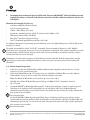
Figure 1. Representative data for the PowerPlex® 4C Matrix Standard on the Applied Biosystems 3500xL
Genetic Analyzer using POP-4® polymer and Data Collection Software Version 2.0.
1.
Set the oven temperature to 60°C, and then select the Start Pre-Heat icon at least 30 minutes prior to the first
injection to preheat the oven.
2.
To perform a spectral calibration for the Promega 4-dye STR amplification systems, a new dye set should be
created. If a new dye set was created previously, proceed to Step 2.c.
a.
4
To create this new dye set, navigate to the Library, highlight “Dye Sets” and select “Create”.
Promega CorporaƟon · 2800 Woods Hollow Road · Madison, WI 53711-5399 USA · Toll Free in USA 800-356-9526 · 608-274-4330 · Fax 608-277-2516
TMD048 · Printed 10/15
www.promega.com
The Create New Dye Set window will appear (Figure 2). Name the Dye Set (e.g., Promega F), select “Matrix
Standard” for the Chemistry and select “F Template” for the Dye Set Template. Select “Save”. Figure 2. The
Create New Dye Set window.
9322TA
b.
Promega CorporaƟon · 2800 Woods Hollow Road · Madison, WI 53711-5399 USA · Toll Free in USA 800-356-9526 · 608-274-4330 · Fax 608-277-2516
www.promega.com
TMD048 · Printed 10/15
5
3.B. Instrument Preparation (continued)
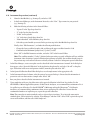
To perform the spectral calibration, go to the Maintenance tab, select “Spectral”, and under the Calibration
Run tab, choose the appropriate fields: Choose “Matrix Standard” from the Chemistry Standard drop-down
menu and the new Promega 4C dye set (e.g., Promega F) created in Step 2.b from the Dye Set drop-down
menu (Figure 3).
d.
Select “Start Run”.
9323TA
c.
Figure 3. Calibration Run.
6
Promega CorporaƟon · 2800 Woods Hollow Road · Madison, WI 53711-5399 USA · Toll Free in USA 800-356-9526 · 608-274-4330 · Fax 608-277-2516
TMD048 · Printed 10/15
www.promega.com
3.
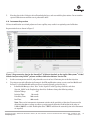
If fewer than the recommended number of capillaries pass, the spectral calibration run may be repeated
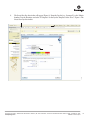
automatically up to three times. Upon completion of the spectral calibration, check the quality of the spectral in
the Capillary Run Data display (Figure 4), and choose either “Accept” or “Reject” (not shown).
Notes:
1. Refer to the 3500 Series Data Collection Software HID User Manual for the criteria recommended when
accepting or rejecting a spectral calibration.
9324TA
2. Some Applied Biosystems® 3500 and 3500xL Genetic Analyzers show imbalance in peak heights (e.g., peaks
in the red and yellow dye channels are higher than those in the blue and green dye channels). This imbalance
should not affect kit performance.
Figure 4. The Capillary Run Data display.
Promega CorporaƟon · 2800 Woods Hollow Road · Madison, WI 53711-5399 USA · Toll Free in USA 800-356-9526 · 608-274-4330 · Fax 608-277-2516
www.promega.com
TMD048 · Printed 10/15
7
4.
Instrument Preparation and Spectral Calibration Using the ABI PRISM® 3100 and 3100-Avant and
Applied Biosystems® 3130 and 3130xl Genetic Analyzers with Data Collection Software Version 2.0
and Higher
Materials to Be Supplied by the User
•
•
centrifuge compatible with 96-well plates
aerosol-resistant pipette tips
•
•
3100 or 3130 capillary array, 36cm
performance optimized polymer 4 (POP-4® polymer) for the 3100 or 3130
•
•
•
10X genetic analyzer buffer with EDTA
MicroAmp® optical 96-well plate and septa
Hi-Di™ formamide (Applied Biosystems Cat.# 4311320)
For additional information on performing spectral calibration, refer to the Applied Biosystems ® 3130/3130xl Genetic
Analyzer User Guide.
!
!
The quality of formamide is critical. Use Hi-Di™ formamide. Freeze formamide in aliquots at –20°C. Multiple
freeze-thaw cycles or long-term storage at 4°C can cause breakdown of formamide. Poor-quality formamide can contain
ions that compete with DNA during injection, which results in lower peak heights and reduced sensitivity. A longer
injection time may not increase the signal.
Formamide is an irritant and a teratogen; avoid inhalation and contact with skin. Read the warning label, and take
appropriate precautions when handling this substance. Always wear gloves and safety glasses when working with
formamide.
4.A. Matrix Sample Preparation
1.
At the first use, thaw the 4C Matrix Mix and Matrix Dilution Buffer completely. After the first use, store the
reagents at 2–10°C, protected from light.
2.
Vortex the 4C Matrix Mix for 10–15 seconds prior to use. Add 10μl of 4C Matrix Mix to one tube of Matrix
Dilution Buffer. Vortex for 10–15 seconds. Note the date of dilution on the tube.
Note: The diluted 4C Matrix Mix can be stored for up to 1 week at 2–10°C.
3.
Add 10μl of the diluted 4C Matrix Mix prepared in Step 2 to 500μl of Hi-Di™ formamide. Vortex for
10–15 seconds.
4.
For the ABI PRISM® 3100 and Applied Biosystems® 3130xl Genetic Analyzers, 16 wells are used for spectral
calibration on 16 capillaries (wells A1 through H2 of a 96-well plate). Add 15μl of 4C Matrix Mix with
formamide prepared in Step 3 to each of the 16 wells. After placing the septa on the plate, briefly centrifuge the
plate to remove any air bubbles.
!
Do not heat denature.
For the ABI PRISM® 3100-Avant and Applied Biosystems® 3130 Genetic Analyzers, four wells are used for
spectral calibration on four capillaries (wells A1 through D1 of a 96-well plate). Add 15μl of 4C Matrix Mix with
formamide prepared in Step 3 to each of the four wells. After placing the septa on the plate, briefly centrifuge the
plate to remove any air bubbles.
!
8
Do not heat denature.
Promega CorporaƟon · 2800 Woods Hollow Road · Madison, WI 53711-5399 USA · Toll Free in USA 800-356-9526 · 608-274-4330 · Fax 608-277-2516
TMD048 · Printed 10/15
www.promega.com
5.
Place the plate in the 3130 series 96-well standard plate base, and cover with the plate retainer. Do not start the
spectral calibration run until the oven is preheated to 60°C.
4.B. Instrument Preparation
We have found that the use of fresh polymer and a new capillary array results in an optimal spectral calibration.
13293TA
Representative data are shown in Figure 5.
Figure 5. Representative data for the PowerPlex® 4C Matrix Standard on the Applied Biosystems® 3130xl
Genetic Analyzer using POP-4® polymer and Data Collection Software Version 4.0.
1.
Set the oven temperature to 60°C, and preheat the oven for at least 15 minutes prior to the first injection.
2.
To perform a spectral calibration for Promega 4-dye STR amplification systems, create a new Run Module and
Protocol. If a new Run Module and Protocol were created previously, proceed to Step 3.
a.
In the Module Manager, select “New”. Select “Spectral” in the Type drop-down list, and select
“Spect36_POP4” in the Template drop-down list. Confirm or change the following settings:
Injection Voltage:
Injection Time:
2kV
10 seconds
Data Delay Time:
100 seconds
Run Time:
800 seconds
Note: There can be instrument-to-instrument variation in the sensitivity of detection. You may need to
adjust injection time or voltage to achieve a passing spectral calibration. Peak heights in the range of
1,000–4,000RFU are ideal. Peak heights above 750RFU and below the saturation point of the instrument
are required.
Promega CorporaƟon · 2800 Woods Hollow Road · Madison, WI 53711-5399 USA · Toll Free in USA 800-356-9526 · 608-274-4330 · Fax 608-277-2516
www.promega.com
TMD048 · Printed 10/15
9
4.B. Instrument Preparation (continued)
b.
Name the Run Module (e.g., Promega F), and select “OK”.
c.
In the Protocol Manager, under Instrument Protocols, select “New”. Type a name for your protocol
(e.g., Promega F).
d.
Make the following selections in the Protocol Editor:
•
“Spectral” in the Type drop-down list
•
“F” in the Dye Set drop-down list
•
“POP4” for the polymer
•
“36” in the Array Length drop-down list
•
“Matrix Standard” in the Chemistry drop-down list
•
Select the spectral module you created in the previous step in the Run Module drop-down list.
Finally, select “Edit Parameters”, and make the following modifications:
•
Change the lower condition bound to 4.0, and change the upper condition bound to 12.0.
•
Confirm that the Minimum Quality Score (“Q value”) is 0.95.
Select “OK” in the Edit Parameters window, and select “OK” in the Protocol Editor.
Note: The condition number (“C value”) obtained when generating a spectral calibration will vary with the
instrument. After obtaining a spectral calibration that performs acceptably, the condition bounds range in
the previous step can be narrowed to more critically evaluate C values for subsequent spectral calibrations.
3.
In the Plate Manager, create a new plate record as described in the instrument user’s manual. In the dialog box
that appears, select “Spectral Calibration” in the Application drop-down list, and select “96-well” as the plate
type. Add entries in the owner and operator windows, name the plate and select “OK”.
4.
In the Spectral Calibration Plate Editor dialog box, record sample names in the appropriate cells.
5.
In the Instrument Protocol column, select the protocol you created in Step 2. Ensure that this information is
present for each row that contains a sample name. Select “OK”.
6.
Run your plate as described in the instrument user’s manual.
7.
Upon completion of the run, check the status of the spectral calibration in the Event Log window. For the
ABI PRISM® 3100 and Applied Biosystems® 3130xl Genetic Analyzers, we recommend that a minimum of 12 of
16 capillaries pass calibration. For the ABI PRISM® 3100-Avant and Applied Biosystems® 3130 Genetic
Analyzers, we recommend that a minimum of three of four capillaries pass calibration. If fewer than the
recommended numbers of capillaries pass, repeat the spectral calibration.
Note: The same plate of matrix standards can be re-injected up to four times. To re-inject the same matrix
standards plate, add an injection by selecting “Plate Manager” and then “Edit”. Select “Edit” again in the top left
corner of the window, and then select “Add sample run”.
10
Promega CorporaƟon · 2800 Woods Hollow Road · Madison, WI 53711-5399 USA · Toll Free in USA 800-356-9526 · 608-274-4330 · Fax 608-277-2516
TMD048 · Printed 10/15
www.promega.com
5.
Troubleshooting
For questions not addressed here, please contact your local Promega Branch Office or Distributor. Contact information
available at: www.promega.com. E-mail: [email protected]
5.A. Applied Biosystems® 3500 and 3500xL Genetic Analyzers
Symptoms
Fewer than the recommended number of
capillaries passed the spectral calibration
Causes and Comments
Matrix standard was too dilute. Matrix standard that is too dilute
will result in low spectral calibration peak heights, which can
result in spectral calibration failure. Increase the volume of
diluted 4C Matrix Mix added to the Hi-Di™ formamide during
sample preparation.
Matrix standard was too concentrated. Matrix standard that is
too concentrated can result in spectral calibration failure due to
saturated peaks, bleedthrough or oversubtraction in other dye
colors. Decrease the volume of diluted 4C Matrix Mix added to
the Hi-Di™ formamide during matrix sample preparation.
Poor-quality formamide was used. The quality of formamide is
critical. Use Hi-Di™ formamide. Freeze formamide in aliquots
at –20°C. Multiple freeze-thaw cycles or storage at 4°C can
cause breakdown of formamide. Poor-quality formamide can
contain ions that compete with DNA during injection, which
results in lower peak heights and reduced sensitivity.
Reboot the CE instrument and the instrument’s computer.
Repeat the spectral calibration.
Ensure that the oven is preheated to 60°C prior to spectral
calibration.
For best spectral calibration results, use fresh polymer, fresh
buffer and water, and a capillary array with fewer than
100 injections.
Promega CorporaƟon · 2800 Woods Hollow Road · Madison, WI 53711-5399 USA · Toll Free in USA 800-356-9526 · 608-274-4330 · Fax 608-277-2516
www.promega.com
TMD048 · Printed 10/15
11
5.B. ABI PRISM® 3100 and 3100-Avant and Applied Biosystems® 3130 and 3130xl Genetic Analyzers
Symptoms
Fewer than the recommended number of
capillaries passed spectral calibration
Causes and Comments
Peak heights for the matrix standard were too low. Matrix peak
heights must be a minimum of 750RFU to pass spectral
calibration. Increase the injection time or voltage. Alternatively,
increase the volume of diluted 4C Matrix Mix added to the
Hi-Di™ formamide during matrix sample preparation.
Peak heights for the matrix standard were too high (>6,000RFU).
Decrease the injection time or voltage. Alternatively, decrease
the volume of diluted 4C Matrix Mix added to the Hi-Di™
formamide during matrix sample preparation.
Peaks in multiple dye channels were detected prior to the red
peak. Clean the instrument, and use fresh polymer, fresh buffer
and water, and new septa.
Poor-quality formamide was used. The quality of formamide is
critical. Use Hi-Di™ formamide. Freeze formamide in aliquots
at –20°C. Multiple freeze-thaw cycles or storage at 4°C can
cause breakdown of formamide. Poor-quality formamide can
contain ions that compete with DNA during injection, which
results in lower peak heights and reduced sensitivity.
For best spectral calibration results, use a fresh bottle of
polymer, fresh buffer and water, new septa and a capillary array
with fewer than 100 injections.
Check the Event Log in the Instrument Status screen for a
reason for the failure (e.g., bad dye order or insufficient number
of dye spectra). Check the raw data view of the failed capillaries
in the Spectral Viewer. Look for signs of low signal, high signal
or baseline noise before the matrix peaks. Adjust the run
conditions as described above, and re-inject the matrix standard.
If the cause for failure is unclear after viewing the Event Log and
Spectral Viewer, monitoring fragment migration in the Capillaries
Viewer during spectral calibration run can provide information
that will be useful for troubleshooting purposes. Re-inject the
matrix standard, and monitor the Capillaries Viewer during the
run. Note any unusual peak formations or extremely low or high
peak heights. Based on the information obtained while watching
the Capillaries Viewer, you may need to adjust the run conditions.
12
Promega CorporaƟon · 2800 Woods Hollow Road · Madison, WI 53711-5399 USA · Toll Free in USA 800-356-9526 · 608-274-4330 · Fax 608-277-2516
TMD048 · Printed 10/15
www.promega.com
6.
Related Products
Product
Size
Cat.#
100 reactions
DC2101
400 reactions
DC2100
100 reactions
DC6531
400 reactions
DC6530
PowerPlex® CS7 System*
100 reactions
DC6613
PowerPlex® S5 System*
100 reactions
DC6951
400 reactions
DC6950
50 reactions
B9510
100 reactions (50 reaction pairs)
MD1641
PowerPlex® 16 HS System*
®
PowerPlex 16 System*
®
GenePrint 10 System*
MSI Analysis System, Version 1.2**
*Not for Medical Diagnostic Use.
**For Research Use Only. Not for Use in Diagnostic Procedures.
© 2015 Promega CorporaƟon. All Rights Reserved.
GenePrint and PowerPlex are registered trademarks of Promega CorporaƟon.
ABI PRISM, Applied Biosystems and MicroAmp are registered trademarks of Applied Biosystems. Hi-Di is a trademarks of Applera CorporaƟon. POP-4 is
a registered trademark of Life Technologies CorporaƟon.
Products may be covered by pending or issued patents or may have certain limitaƟons. Please visit our Web site for more informaƟon.
All prices and specificaƟons are subject to change without prior noƟce.
Product claims are subject to change. Please contact Promega Technical Services or access the Promega online catalog for the most up-to-date
informaƟon on Promega products.
Promega CorporaƟon · 2800 Woods Hollow Road · Madison, WI 53711-5399 USA · Toll Free in USA 800-356-9526 · 608-274-4330 · Fax 608-277-2516
www.promega.com
TMD048 · Printed 10/15
13